


 Login
Login


You’ve sat through the demos, skimmed the brochures, and checked all the features, but now you’re asking the real questions. What’s it actually like to rely on Rippling or Paychex when deadlines are tight and things go sideways?
Users of Rippling love the clean design and integrated HR-IT workflows. But they also warn that onboarding can feel overwhelming, and that complex configurations require serious setup time. Some say the system is powerful but rigid, with limited customization in key areas like workflows and reports.
Paychex users praise the payroll accuracy and GL mapping. But many flag major concerns with support. Stories include unanswered emails, being transferred four times to solve a simple issue, and turnover so high that follow-ups fall through. COBRA, 401(k), and benefit modules often don’t talk to each other, creating costly errors.
Before you decide, hear directly from the users:
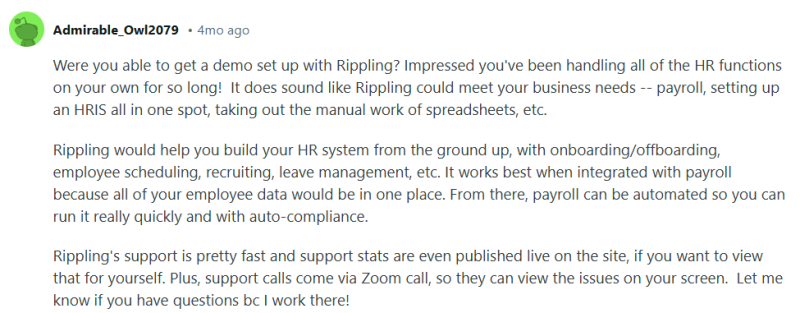
Let’s dig into what Rippling and Paychex actually deliver once the sales calls end and the real work begins.
Why You Should Believe This Review
This comparison wasn’t built on slick feature charts or vendor sales decks. It came from the need to make a smarter decision after watching too many “all-in-one” platforms fall short in the real world.
So this time, I went deeper:
- I pulled reviews from G2, TrustRadius, Capterra, Gartner, and SoftwareSuggest—but I didn’t stop at star ratings.
- I filtered by role (HR, finance, operations), company size (mostly U.S. SMBs), and use case (payroll, benefits, onboarding, compliance).
- I looked for repeat complaints, not one-off issues.
- I also turned to Reddit and YouTube, reading through threads and watching full walkthroughs of implementation experiences. These were raw, real user stories about where Rippling and Paychex thrive, and where they trip up.
Then I organized it all (pain points, praise, patterns) and mapped each platform across the core areas SMBs rely on most: recruiting, onboarding, payroll, compliance, integrations, support, and benefits.
What follows is what actually happens when users stop talking like buyers and start talking like people doing real work with real stakes.
Rippling vs. Paychex at a Glance
Here’s a quick comparison of Rippling vs Paychex:
| Feature | Rippling | Paychex | Winner |
|---|---|---|---|
| Payroll Processing & Compliance |
|
| Rippling |
| Employee Database and Record Management |
|
| Rippling |
| Reporting and Analytics |
|
| Rippling |
| Time and Attendance |
|
| Rippling |
| Employee Self-Service |
|
| Tie |
| Integration Capabilities |
|
| Rippling |
| Customer Support |
|
| Rippling |
| Benefits |
|
| Rippling |
| Adminitration |
|
| |
Rippling vs. Paychex: Feature-by-Feature Breakdown
I evaluated each feature side by side to reveal where Rippling and Paychex truly perform, where subtle frustrations begin to surface, and where the polished demos no longer reflect everyday reality.
Payroll processing & compliance
Payroll mistakes can quickly snowball into major issues: tax penalties, compliance risks, delayed employee payments, and administrative headaches. These errors also hurt employee trust and drain valuable time from HR and finance teams.
A reliable payroll system is essential to avoid these pitfalls. It should automate calculations, stay current with federal and state regulations, and scale with your business as you grow across locations. Accurate, compliant payroll is the foundation of a smooth-running organization.
Rippling
Rippling offers a modern payroll engine that integrates seamlessly with HR, benefits, and time-tracking modules. It automates tax updates, handles multi-state and contractor payroll, and supports compliance with minimal manual input.
Users consistently praise its ease of use, intuitive navigation, and how quickly payroll data syncs across the platform. For many, this has replaced hours of manual work with a few clicks.
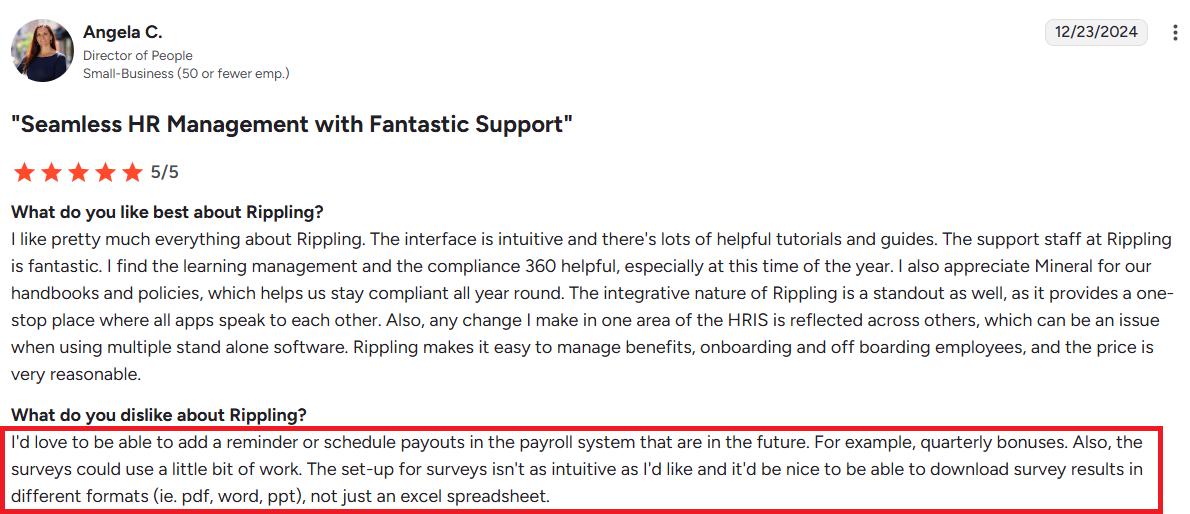
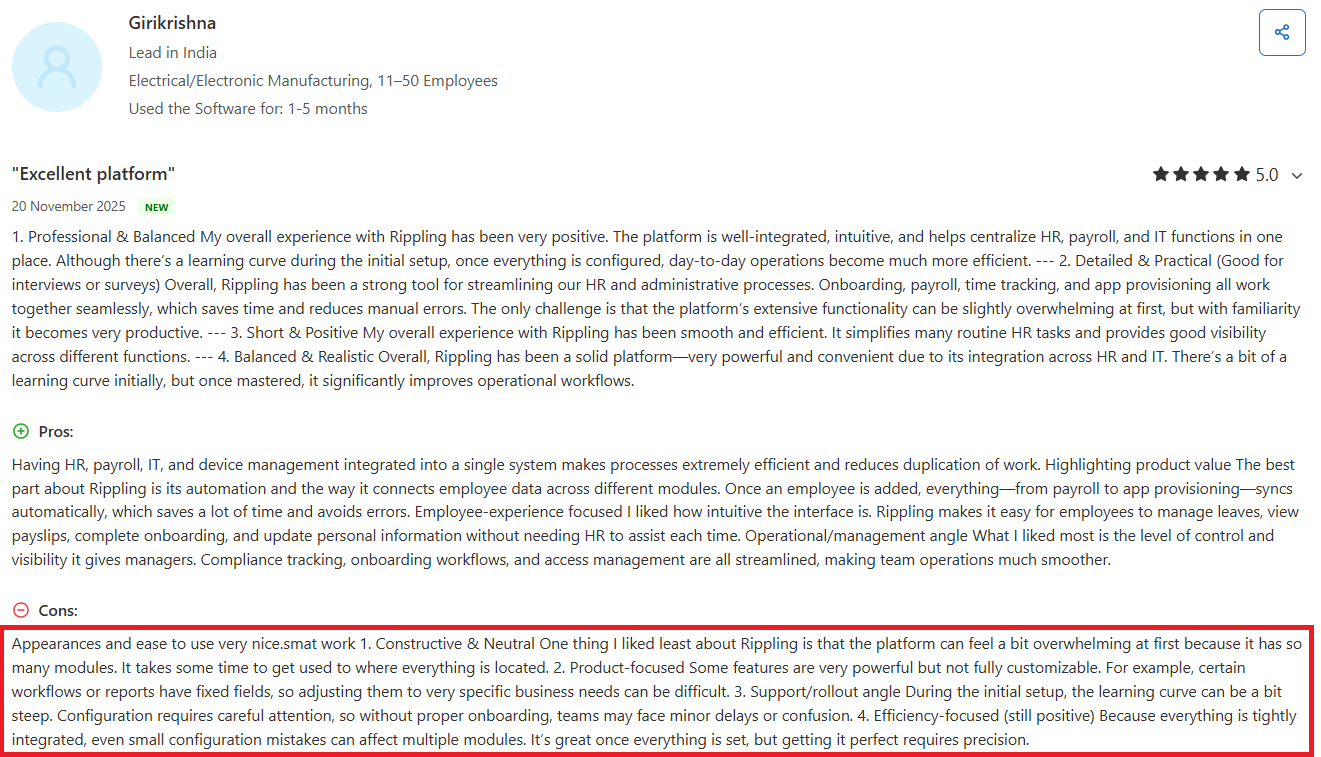
However, a few users noted that system performance can lag during tasks like clock-ins, and that implementation requires significant upfront effort. Others wished for more flexibility in scheduling future payouts or adjusting employee counts mid-contract.
Still, Rippling stands out as a robust payroll solution that’s especially well-suited for fast-scaling, tech-forward teams.
Paychex
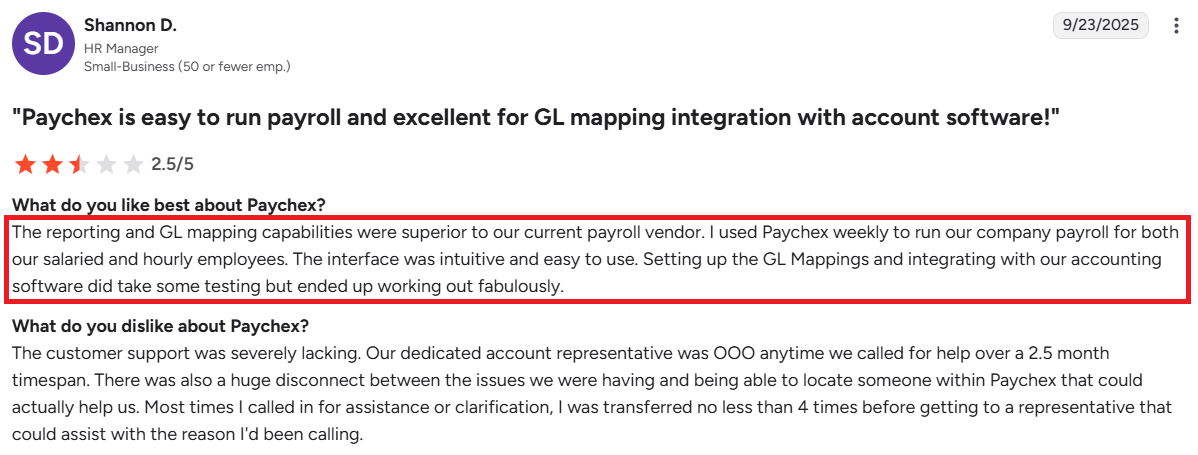
Paychex provides an all-in-one payroll processing solution with built-in tax filing, onboarding tools, retirement plan integration, and general ledger (GL) mapping. The platform supports direct deposits, compliance reporting, and customizable reports, making it suitable for both small and mid-sized businesses.
Users praise Paychex for its ease of use, reliable payroll execution, and flexibility in last-minute processing. Dedicated onboarding support and HR integration are especially valued during acquisitions or compliance-heavy transitions.
However, support issues are a major concern. Users report poor communication, high staff turnover, delayed responses, and tax-related errors. Inconsistent account management and uncoordinated help across modules like 401(k) and COBRA often lead to costly mistakes and compliance risks.
Comprehensive HR functionality
A truly effective HR platform goes beyond basic employee records. It should support the entire employee lifecycle, from hiring and onboarding to performance tracking, document management, and offboarding.
A well-rounded HR system is critical for scaling efficiently. And as businesses grow, having integrated tools for compliance, policy management, and workforce insights becomes essential for staying agile and reducing manual work.
Rippling
Rippling delivers a unified HR platform that centralizes everything from onboarding and performance management to compliance and employee data.
Users appreciate how effortlessly core tools, like payroll, device access, benefits, and onboarding. work together, eliminating duplicate work. The platform’s customizable modules, including LMS and performance reviews, are often praised for being intuitive and easy to configure.
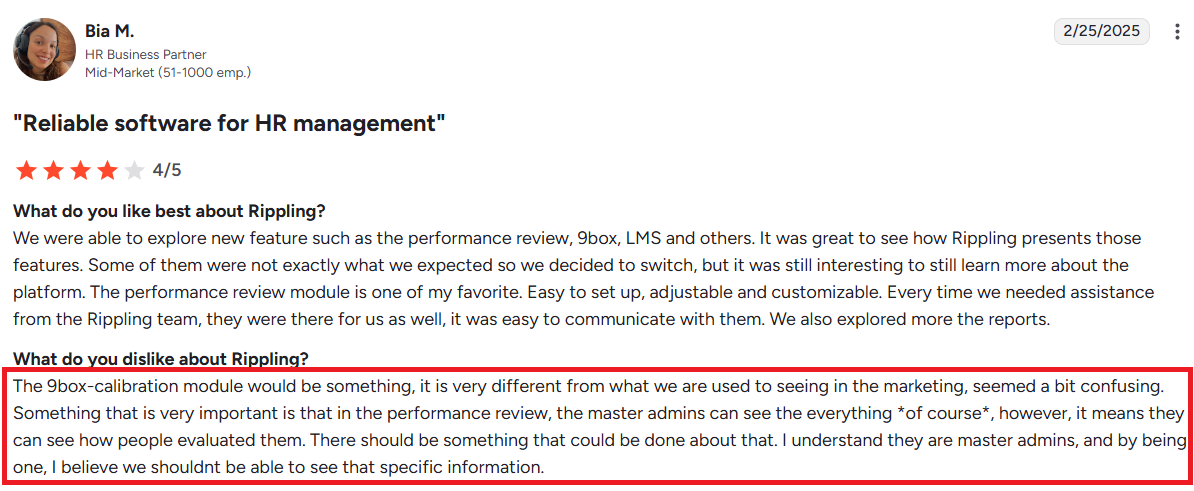
However, some users mention that initial implementation requires significant setup time, and mastering advanced features can involve a steep learning curve. Others have flagged specific modules like the 9-box calibration as less user-friendly or misaligned with expectations.
Paychex
Paychex provides a broad suite of HR and payroll services, including time tracking, benefits administration, retirement plans, onboarding, and compliance tools.
Users appreciate Paychex’s automation, intuitive payroll interface, and the ability to run custom reports. Its flexibility, such as processing payroll a day before payday, and access to financial planning tools and benefits like HSAs and 401(k), are also frequently praised. Many users value how easy it is to onboard employees and generate reports without added complexity.
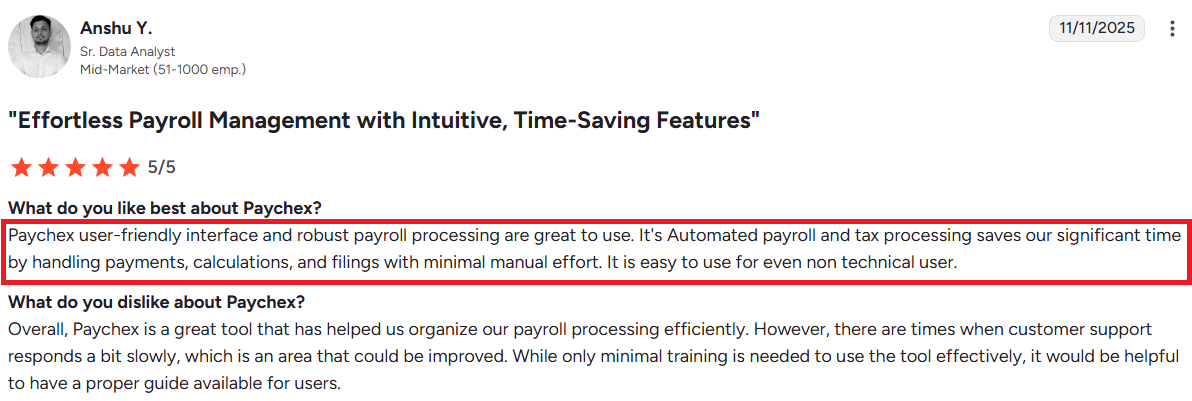
However, users report poor response times, high turnover among reps, and inconsistent experiences across modules, especially benefits and time tracking. Others describe technical issues like inaccurate clock-ins, outdated interfaces, or gaps in integration between payroll and benefits.
Reporting & analytics
Effective decision-making depends on timely, accurate insights. And that’s where strong reporting and analytics come in.
An HR and payroll platform with built-in analytics allows teams to track key metrics like headcount, turnover, payroll costs, and benefits usage in real time. Customizable reports help HR and finance leaders identify trends, monitor compliance, and optimize workforce planning.
Instead of digging through spreadsheets, users can access dashboards that surface actionable data, This makes it easier to align HR strategy with business goals and respond quickly to emerging needs.
Rippling
Rippling provides a centralized reporting system that pulls data from payroll, HR, time tracking, and compliance modules into clean, filterable dashboards.
Users find the reports easy to access and appreciate how quickly data updates across modules without delays. Several users highlighted the platform’s intuitive design, which allows non-technical users to generate insights without outside help.
However, some complain there’s a learning curve due to the system’s depth and broad feature set. Others wish for more flexible data export options and enhanced report customization, particularly during early setup or while configuring performance-related metrics.
Paychex
Paychex includes built-in reporting tools that let users track payroll, taxes, benefits, and employee data. Reports can be customized and exported to support accounting, audits, and compliance needs.
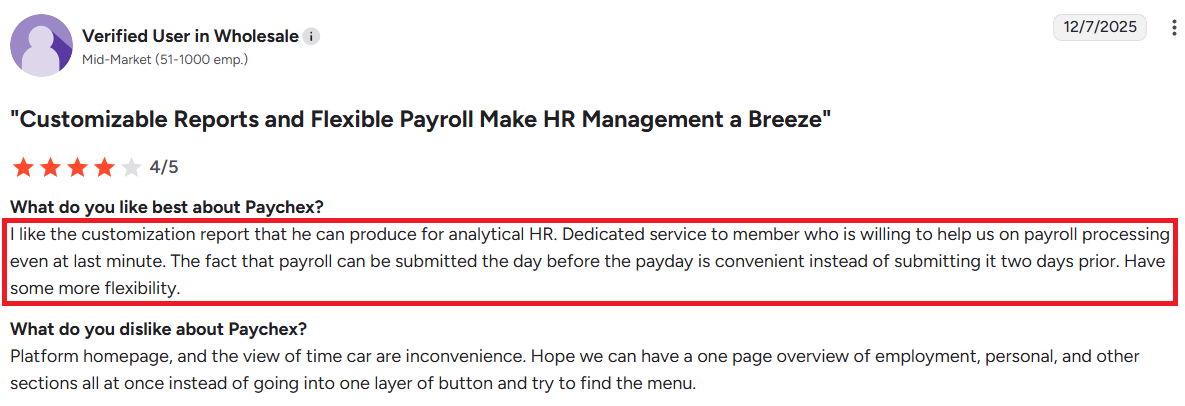
Users like that reports are flexible and can be run on short notice. The ability to create tailored views and pull specific data is seen as a major advantage. It helps teams make quick decisions and stay organized.
Still, several users find the reporting system hard to navigate. Some say the layout feels outdated, and locating the right report can take time. Others mention needing support just to complete routine tasks, and slow response times make that process frustrating.
Time and attendance
Accurate time and attendance tracking is critical for payroll accuracy, labor cost control, and compliance with wage and hour laws.
A reliable system should capture clock-ins, breaks, and time-off requests in real time across devices and locations. When integrated with payroll, it eliminates manual entry errors and ensures employees are paid correctly for every shift.
For managers, automated scheduling and alerts reduce oversight tasks and help maintain coverage. For employees, self-service tools improve transparency and accountability, creating a more efficient and fair workplace.
Rippling
Rippling’s time and attendance system allows users to clock in, manage shifts, and track working hours from the same platform they use for payroll and HR. It simplifies access to schedules and enables seamless updates, which users appreciate, especially those new to the system.
However, some users noted delays when clocking in or navigating between screens, which can be frustrating during time-sensitive actions. Others shared that login speeds vary, though it’s unclear whether this stems from the software or individual network issues.
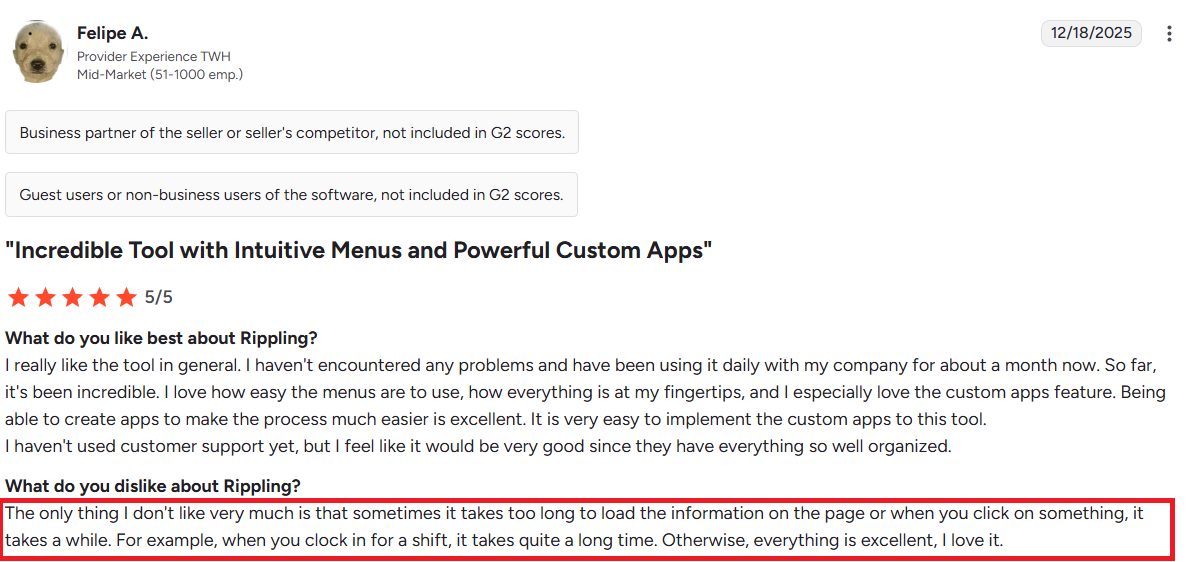
Overall, Rippling’s approach to time and attendance favors accessibility, though performance consistency may vary slightly.
Paychex
Paychex offers time and attendance tools that include digital time clocks, mobile clock-in/out, and scheduling.
The platform supports multiple tracking methods, such as facial recognition or badge scans. And can handle shift management, PTO tracking, and reporting, making it useful for both remote and in-office teams. Many also highlight the convenience of mobile access and automatic syncing with payroll.
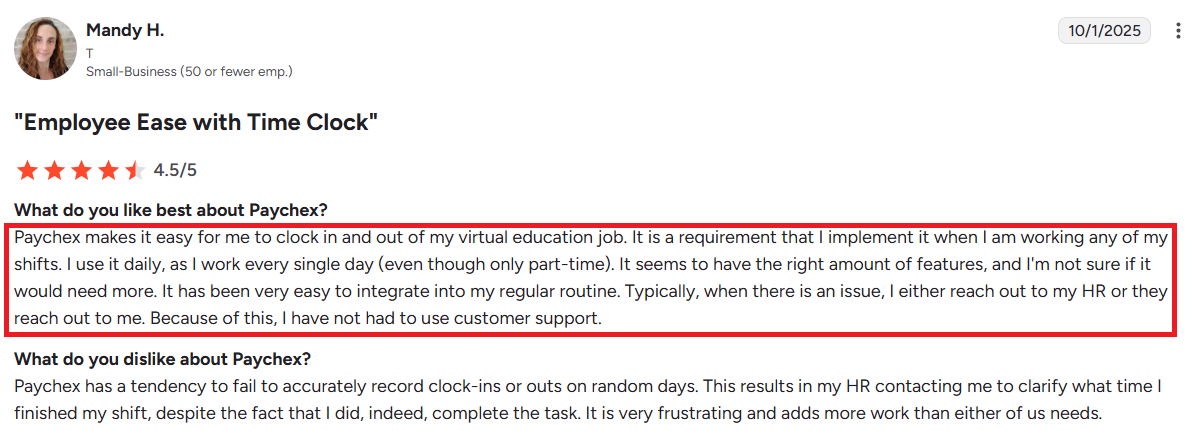
However, several users report issues with time clock reliability. Problems include missed punches, camera malfunctions, and laggy hardware. These bugs often lead to incorrect attendance records, which require manual correction.
Recruiting
From posting jobs across multiple platforms to tracking applicants and collaborating with hiring managers, a good recruiting tool reduces administrative work and shortens time-to-hire.
Integrated background checks, interview scheduling, and automated workflows ensure candidates have a smooth experience while keeping internal teams aligned. When connected to onboarding and HR systems, it also allows for a seamless transition from offer acceptance to day-one readiness.
Rippling
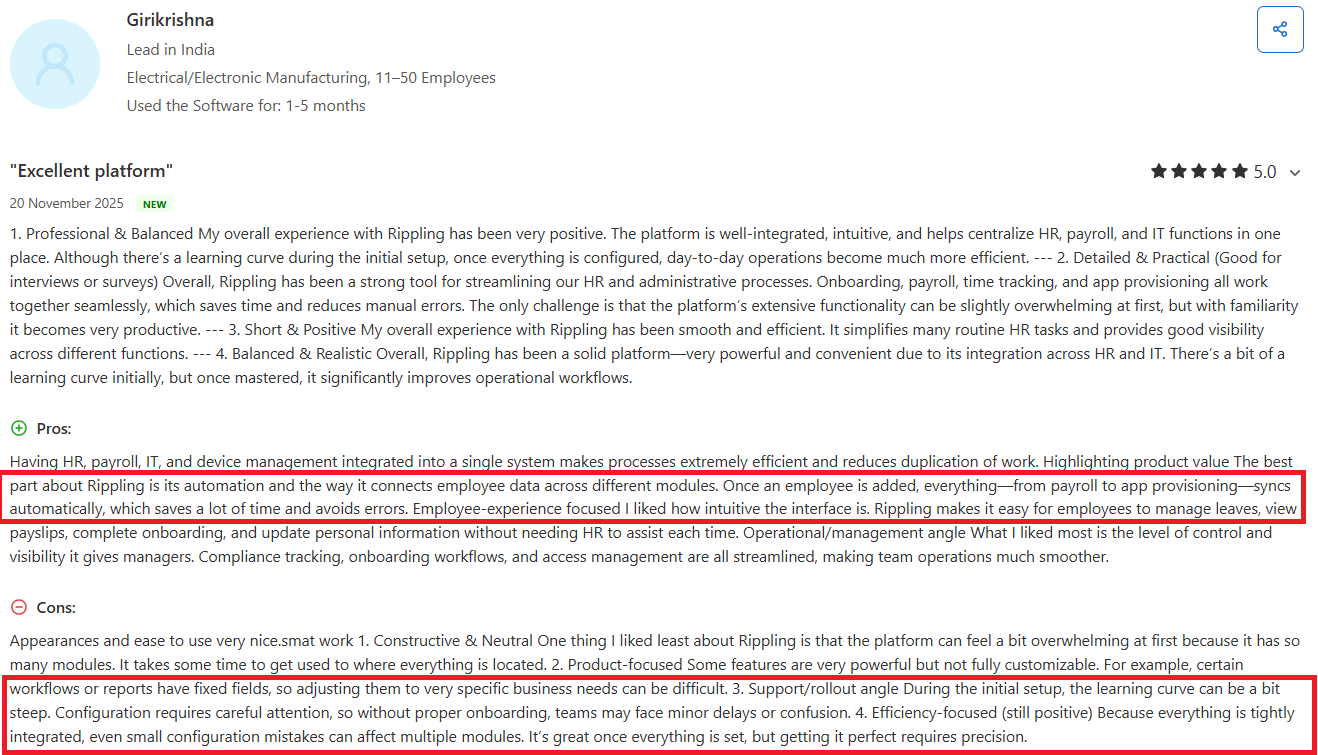
Rippling offers a tightly integrated recruiting and onboarding system that connects seamlessly with payroll, IT, and app provisioning. Users highlight how once a candidate is hired, their data automatically flows into other modules. This significantly reduces manual setup and accelerates day-one readiness.
The intuitive interface enables HR teams and managers to track onboarding tasks, assign devices, and ensure compliance with minimal friction. New hires can complete forms and access key tools independently.
However, some users report a steep learning curve during initial configuration and note that certain onboarding workflows lack customization flexibility. Because modules are interdependent, early setup errors can ripple across systems, requiring careful attention during rollout.
Paychex
Paychex’s recruiting module supports job posting, applicant tracking, and candidate communication. Employers can create job listings using built-in templates, post to multiple job boards, and filter candidates through custom screening questions. Once a hire is made, details carry over to onboarding, reducing manual re-entry.
Users find the integration between recruiting and onboarding helpful: it speeds up setup for payroll and benefits. Smaller businesses value how everything lives in one platform, simplifying early-stage hiring needs.
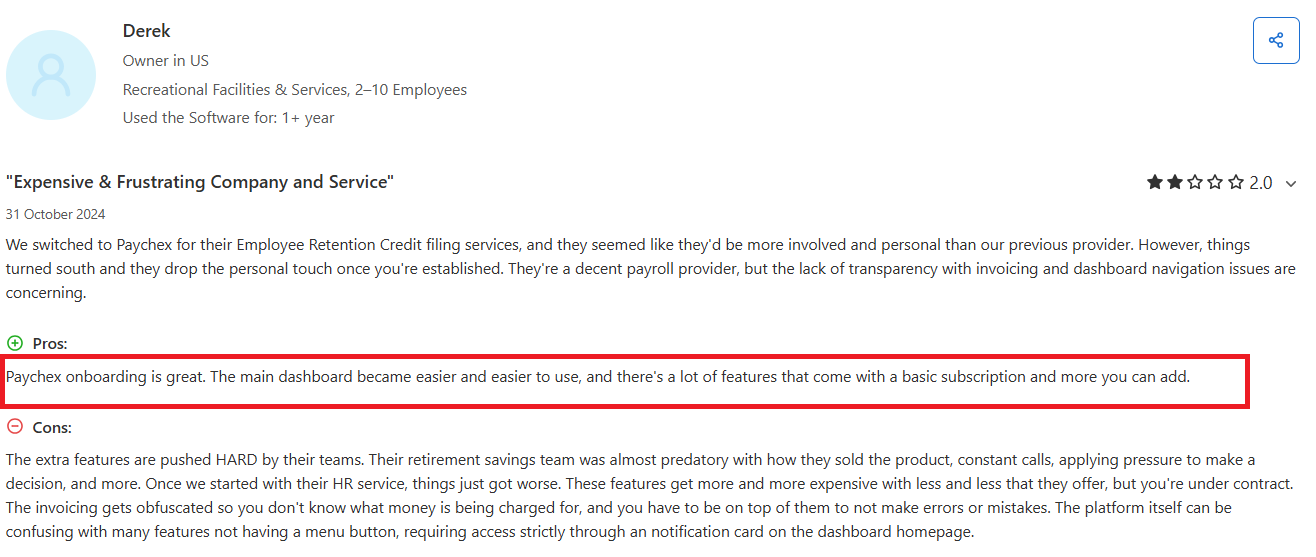
Still, many frequently mention that the recruiting tools feel basic and lack flexibility. Customizing application flows or editing candidate stages isn’t always possible. Some also report delays in getting support during active hiring periods, which can slow down time-to-fill, especially when troubleshooting posting errors or onboarding sync issues.
Integration capabilities
Integration capabilities are essential for building a connected, efficient HR and payroll ecosystem.
A platform that integrates smoothly with accounting software, time tracking tools, benefits providers, and third-party applications reduces data silos and duplicate entry. This ensures consistent, accurate information across systems and helps automate key processes like payroll, tax reporting, and compliance tracking.
Seamless integrations also improve employee experience: this allows smoother access to benefits, pay information, and other services through a single interface. The right integrations save time, reduce errors, and support smarter business operations.
Rippling
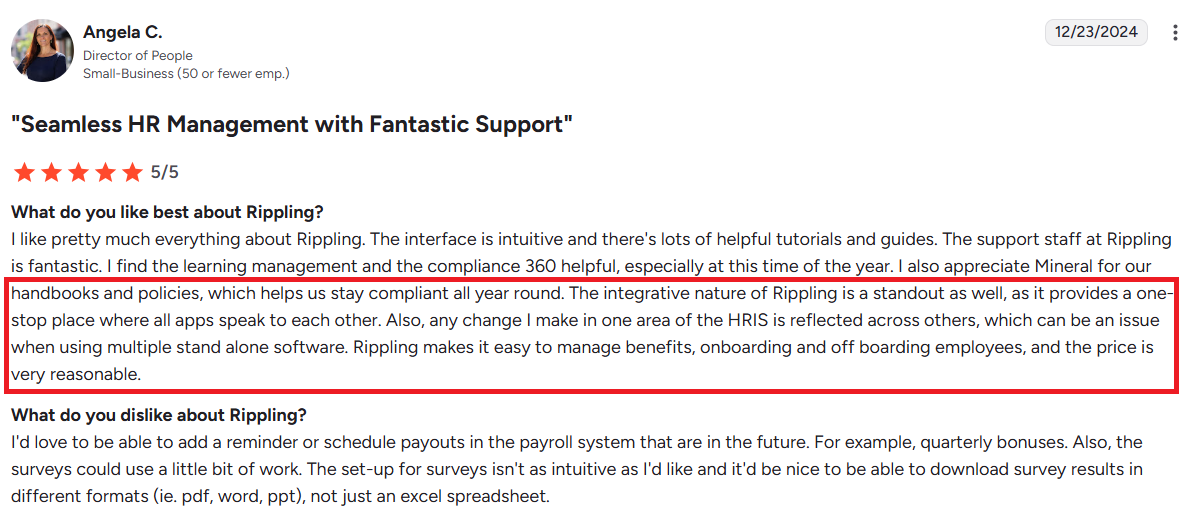
The platform acts as a hub for HR, IT, finance, and productivity tools, connecting everything from payroll to project management software, LMS systems, and 401(k) apps.
Users love how it reduces data duplication and keeps systems in sync automatically. One user highlighted how onboarding a new employee cascades across modules. This triggers access provisioning, payroll enrollment, and app assignment in one go.
However, some users mention a few friction points. During the implementation phase, help is only available via email, not live chat. This slows down resolving integration hiccups. Additionally, the platform’s contract model locks in user headcount, making it less flexible if your team size decreases.
Paychex
Paychex offers integration across payroll, benefits, time and attendance, 401(k), and general ledger systems. Users can connect Paychex with QuickBooks, Xero, and other accounting software. This simplifies journal entries and reduces manual data transfers. The system also integrates benefits data into payroll, helping ensure accurate deductions and compliance with IRS filings.
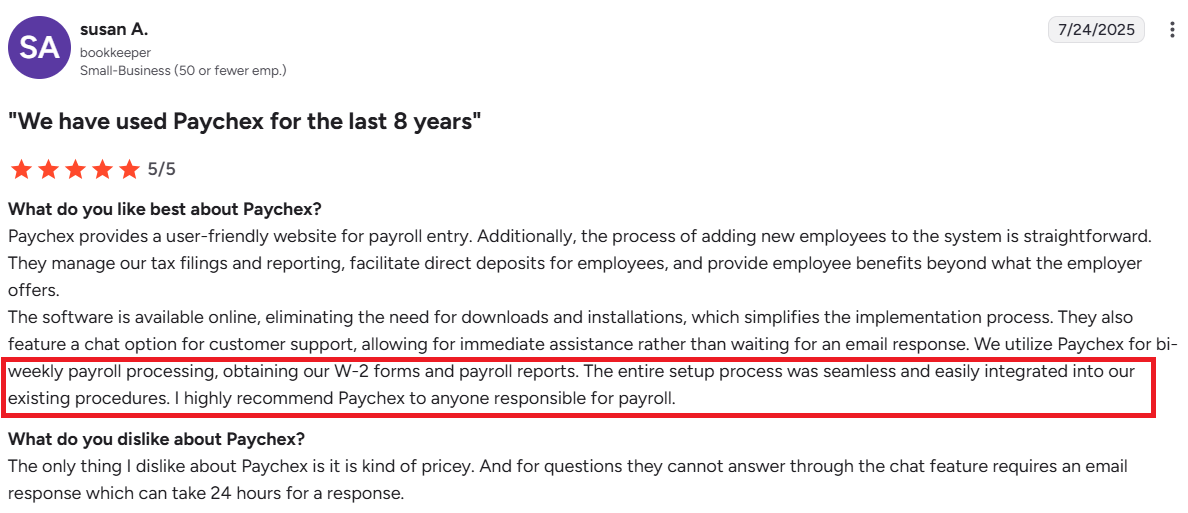
The general ledger mapping feature is a standout: it allows flexible, last-minute payroll submission with seamless sync to accounting platforms. Users also like the ease of importing data from time tracking into payroll, which reduces duplicate entry and speeds up processing.
But Paychex’s modules don’t always communicate smoothly. Time & attendance setup may not sync correctly with payroll, and 401(k) or HSA data sometimes requires manual reconciliation after benefits changes, creating frustration.
Customer support
Responsive customer support can make or break your experience with an HR and payroll platform. When issues arise, whether it’s a payroll discrepancy, benefits question, or system outage, quick, knowledgeable assistance is critical.
The best providers offer multiple support channels, including chat, phone, and email, along with dedicated account managers for complex needs. Clear documentation, training resources, and proactive guidance also help teams troubleshoot independently.
Rippling
Rippling’s customer support receives strong praise for its professionalism, especially during onboarding.
Users commend the support and implementation teams for being responsive, patient, and resourceful, often going the extra mile to tailor features to their company’s needs. Many note that even complex setups were made easier with consistent guidance and clear communication from the support staff.
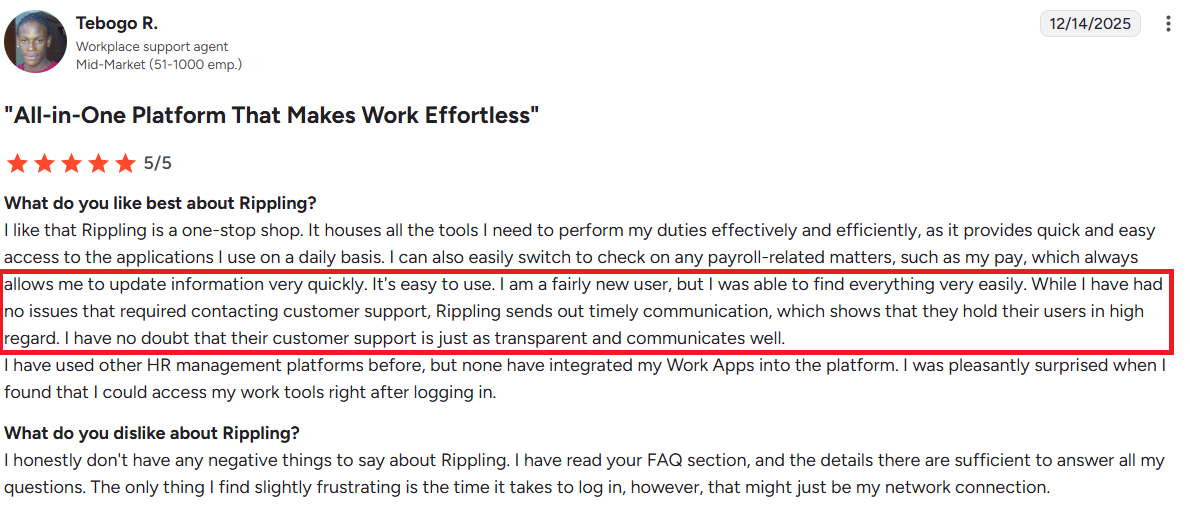
However, the lack of live chat forces reliance on email can slow down resolution for minor or urgent issues. A few also mention occasional delays in response times.
Overall, users would prefer more immediate, flexible options, like real-time chat, to match the platform’s otherwise efficient and integrated experience.
Paychex
Paychex’s customer support experience is mixed. On the positive side, some users praise dedicated account reps who assist closely during onboarding or acquisitions, offering weekly calls and responsive troubleshooting. This support is especially valued when launching payroll in new locations or transitioning systems.
However, many users report long response times, high turnover among support staff, and difficulty reaching someone knowledgeable. Users describe being passed between multiple departments without resolution, especially for tax filing or 401(k) issues.
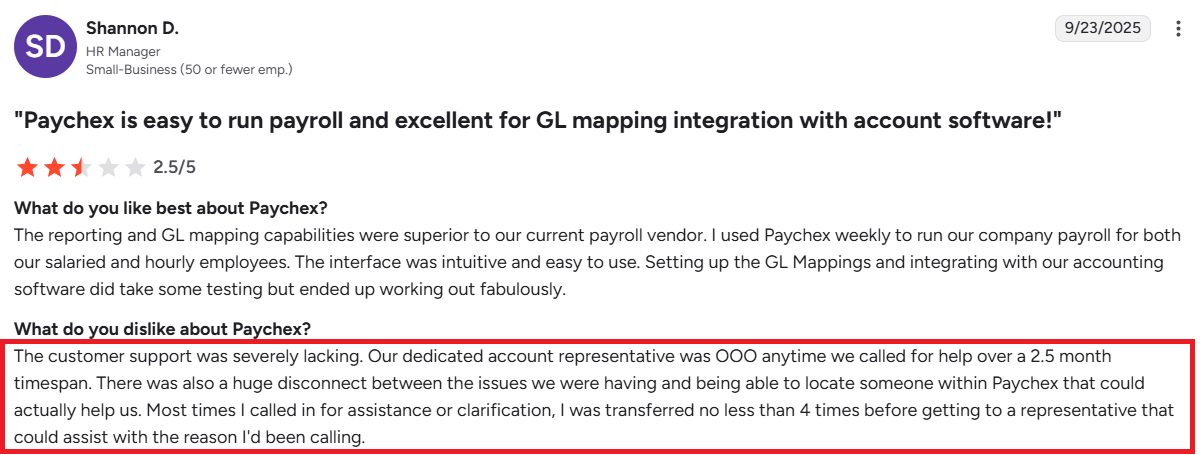
Others mention bounced emails, unreachable tax teams, and a lack of follow-up. Businesses relying on consistent support find these service gaps frustrating and time-consuming, especially when errors in payroll or benefits demand quick fixes.
Benefit administration
Benefit administration can be one of the most complex and time-consuming parts of HR. But the right platform simplifies the entire process.
From enrollment to plan changes and compliance reporting, a good system automates tasks, reduces paperwork, and keeps employees informed. It should support multiple benefit types, likehealth, dental, vision, retirement. And ensure accurate payroll deductions.
Integration with carriers and real-time updates help prevent errors and improve visibility for both HR teams and employees.
Rippling
Rippling allows organizations to administer health insurance, retirement plans, and compliance tasks from a unified platform. The automation ensures benefit updates flow seamlessly across systems, minimizing errors and manual updates.
Employees find it easy to enroll in benefits, view coverage, and make changes through a self-service portal. HR leaders also appreciate how changes in employment status or payroll automatically trigger updates in benefits.
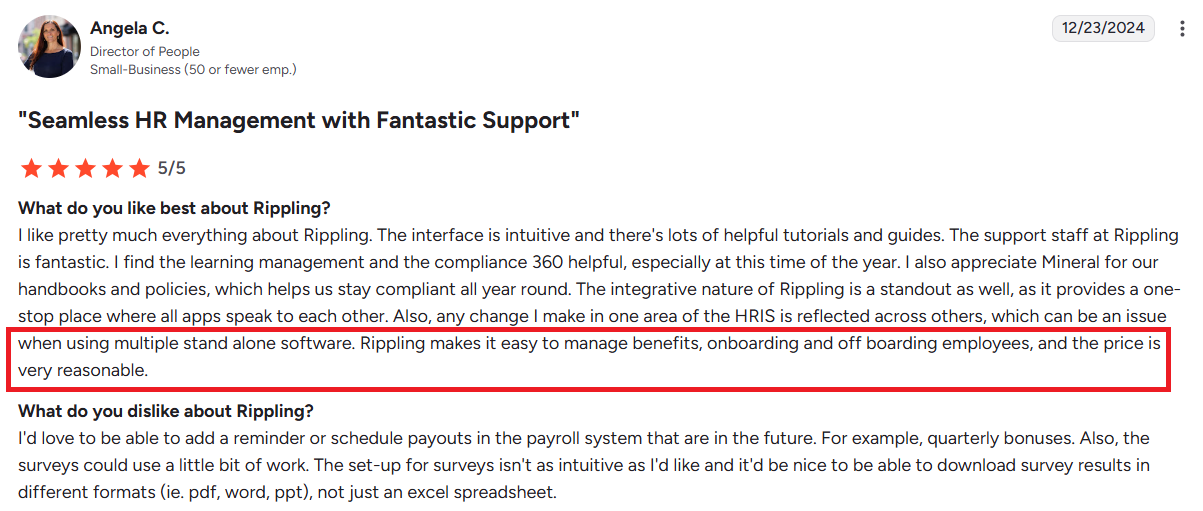
However, some users express concerns about limited flexibility in scheduling future benefit-related payouts (like bonuses). And minor frustrations around survey tools and file export options in benefits-related workflows.
Paychex
Paychex’s benefits administration platform handles 401(k), HSA, FSA, COBRA, and health insurance enrollment. It automates deductions and syncs benefits data with payroll, aiming to reduce manual updates and improve compliance.
Employees can view benefit details, make elections during open enrollment, and access voluntary perks like financial coaching or insurance add-ons via Paychex Flex.
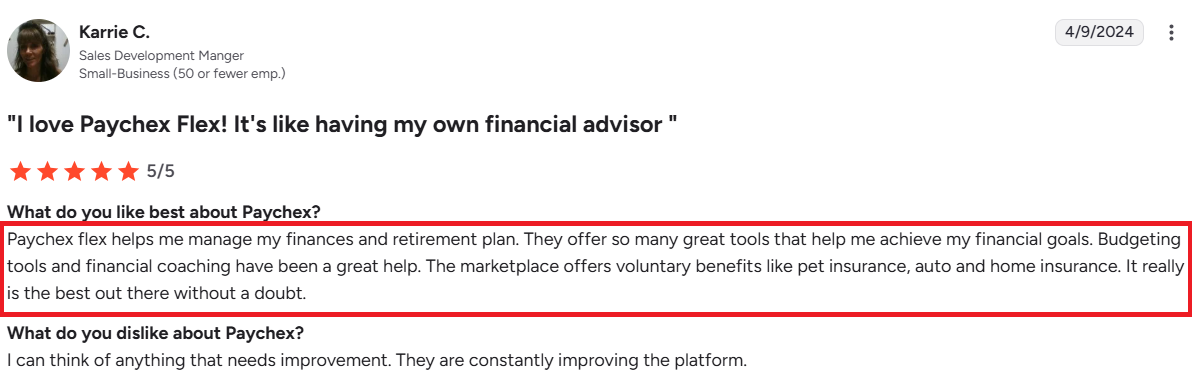
Recurring issues include misaligned contribution timings (e.g., HSA contributions starting before the plan year), poor communication between benefits modules (like Flock and PBA), and confusion during plan transitions. Delayed or unresponsive benefits support, especially around 401(k) distributions and COBRA setup, is a consistent frustration for HR teams.
Keka: A Better Alternative to Rippling and Paychex
If Rippling feels like overengineering and Paychex like a support gamble, Keka stands out as a simpler, more reliable alternative for growing teams.
Where Rippling users struggle with complex setups and rigid workflows, Keka offers clean, intuitive HR and payroll tools that don’t require weeks of configuration. And unlike Paychex, where users report delayed responses and high support rep turnover, Keka provides fast, consistent support with a single point of contact and tightly integrated systems.
Here’s why Keka might be the better fit:
Unified HRMS
Keka’s unified HRMS centralizes payroll, attendance, onboarding, performance, and compliance in one seamless platform. Unlike siloed systems, Keka keeps employee data synced across all modules, reducing errors and manual work.
HR teams gain complete visibility and control over the employee lifecycle without multiple tools. With built-in automation for tasks like leave approvals and document tracking, Keka simplifies HR operations, boosts accuracy, and frees up time to focus on people, not processes.
Integrated payroll
Keka’s integrated payroll system connects directly with attendance, leave, and compliance modules to ensure accurate, timely payouts every cycle. It auto-calculates salaries, deductions, taxes, and compliance filings. Any updates in attendance or benefits instantly reflect in payroll, so HR teams don’t have to reconcile data across systems.
With built-in support for multi-state tax rules, reimbursements, and full audit trails, Keka simplifies payroll management while ensuring full legal compliance and transparency for every employee.
AI-powered ATS
Keka’s AI-powered ATS simplifies the entire hiring process, from sourcing to offer. It automatically screens resumes, ranks candidates based on job fit, and flags the most promising profiles for recruiters.
Custom workflows let hiring teams collaborate seamlessly, while automated interview scheduling and feedback collection reduce admin work. The system also offers data-driven insights into hiring speed, source effectiveness, and funnel drop-offs.
Workflow automation
Keka’s workflow automation eliminates repetitive HR tasks by letting you build rule-based processes across the employee lifecycle. Whether it’s automating onboarding checklists, leave approvals, expense reimbursements, or exit formalities, Keka ensures every step is triggered at the right time.
Customizable workflows adapt to your organization’s policies, maintaining consistency and compliance. With automated alerts, task assignments, and status tracking, HR teams save time, reduce errors, and focus more on strategic initiatives.
Time & attendance
Keka’s time and attendance system offers real-time tracking with seamless integration across payroll, leave, and scheduling. Employees can clock in via web, mobile, or biometric devices, while managers get full visibility into shifts, overtime, and absences.
The platform supports geofencing, facial recognition, and automated shift rostering to fit both remote and on-site teams. Built-in rule engines ensure compliance with labor laws and company policies, reducing payroll errors and manual interventions.
Workforce analytics
Keka’s workforce analytics turns raw HR data into actionable insights. With customizable dashboards and real-time reports, you can track key metrics like attrition, attendance trends, hiring velocity, and employee performance.
Managers get clear visibility into team health, while HR leaders can forecast workforce needs and identify risks early. The platform also supports slice-and-dice filtering by department, location, or role, making it easy to drill down into problem areas.
Performance management
Keka’s performance management system is built to drive continuous growth and alignment. It supports goal setting, OKRs, 1:1 feedback, self-assessments, and customizable review cycles.
Managers can track progress with real-time dashboards, while employees get clarity on expectations and growth paths. The platform also encourages a feedback-rich culture through peer recognition and frequent check-ins. With automated reminders and clear workflows, reviews stay consistent and actionable.
Learning management
Keka’s learning management system (LMS) helps organizations upskill employees through structured, personalized learning paths. HR teams and managers can assign courses, track progress, and assess outcomes.
The LMS supports SCORM content, video modules, quizzes, and certifications, making it easy to launch both internal and external training programs. With built-in analytics, you get visibility into completion rates, skill gaps, and engagement. This keeps learning initiatives aligned with business goals.
Employee engagement
From pulse surveys and mood tracking to peer-to-peer recognition and custom celebration workflows, Keka helps HR teams stay attuned to employee sentiment in real time.
Engagement insights are seamlessly integrated with performance and HR data, allowing leaders to identify trends, address concerns early, and cultivate a positive work culture. The result: higher retention, stronger alignment, and a more motivated workforce.
Conclusion
Rippling and Paychex both offer solid capabilities. Rippling wins on integration depth and sleek design, but requires a steep learning curve and setup effort. Paychex brings payroll accuracy and compliance experience but struggles with fragmented modules and inconsistent support.
Keka steps in as a modern alternative built for growing businesses that want both power and simplicity. With unified HR, automated workflows, AI-powered hiring, and a focus on usability, Keka minimizes manual work while keeping teams engaged and operations compliant.


