PRODUCTS

  • Payroll Suite
  • HR Suite
  • Talent Suite
  • Project Services Suite
PeopleOS

The unified people platform - HR, payroll & talent in one core system.

Keka AI

AI woven across every workflow to save your team hours each week.

Marketplace

Connect 100+ integrations and the apps your team already runs on.

Customer Story

How Casepoint connected performance, engagement and HR ops on one system

Read the story
FOR EVERY ROLE

Designed for every role in your
workforce

From HR teams to employees, Keka helps you manage your workforce
without manual work or disconnected tools.

For HR Teams

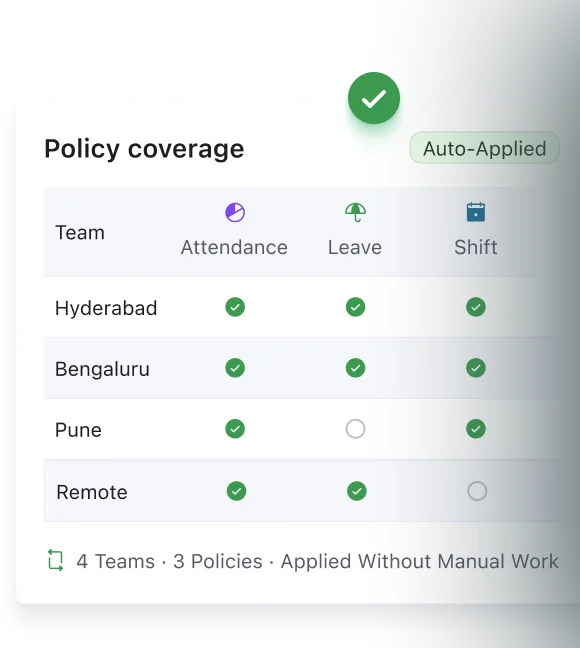
Define policies for attendance, shifts, time, and leave. Keka applies them automatically across teams without manual work.

For C-Suite

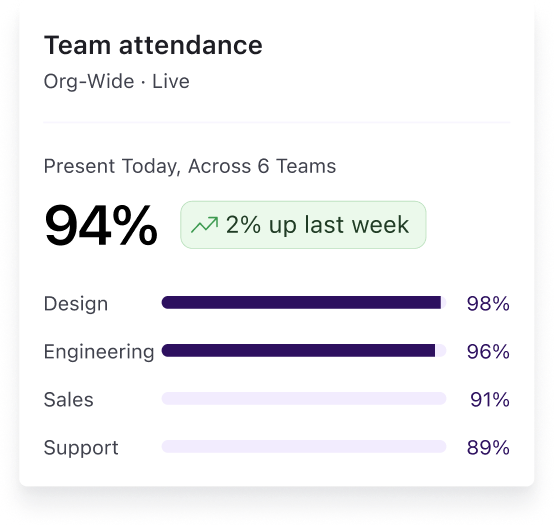
Get visibility into how teams are expanding and ensure headcount stays aligned with what was defined.

For Managers

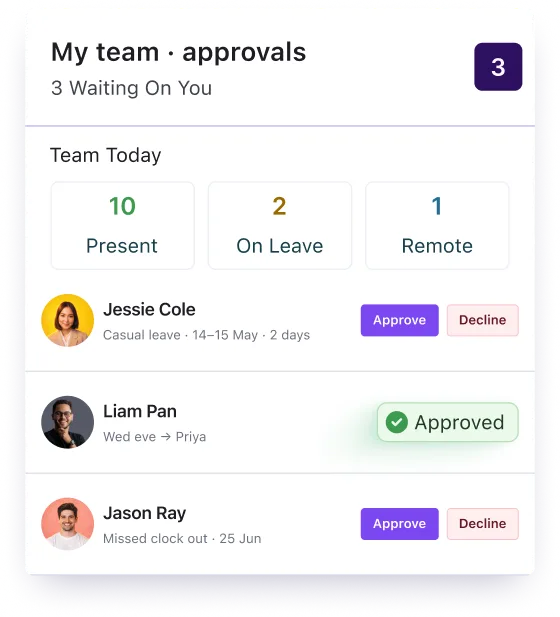
Approve requests, manage shifts, and track team activity without chasing updates.

For Employees

Check schedules, track hours, apply for leave, and stay updated on approvals in one place.

ATTENDANCE

Attendance tracking that
works across every setup

Capture attendance across office, remote, and field teams with
GPS and geo-fencing, so every clock-in is verified and reliable.

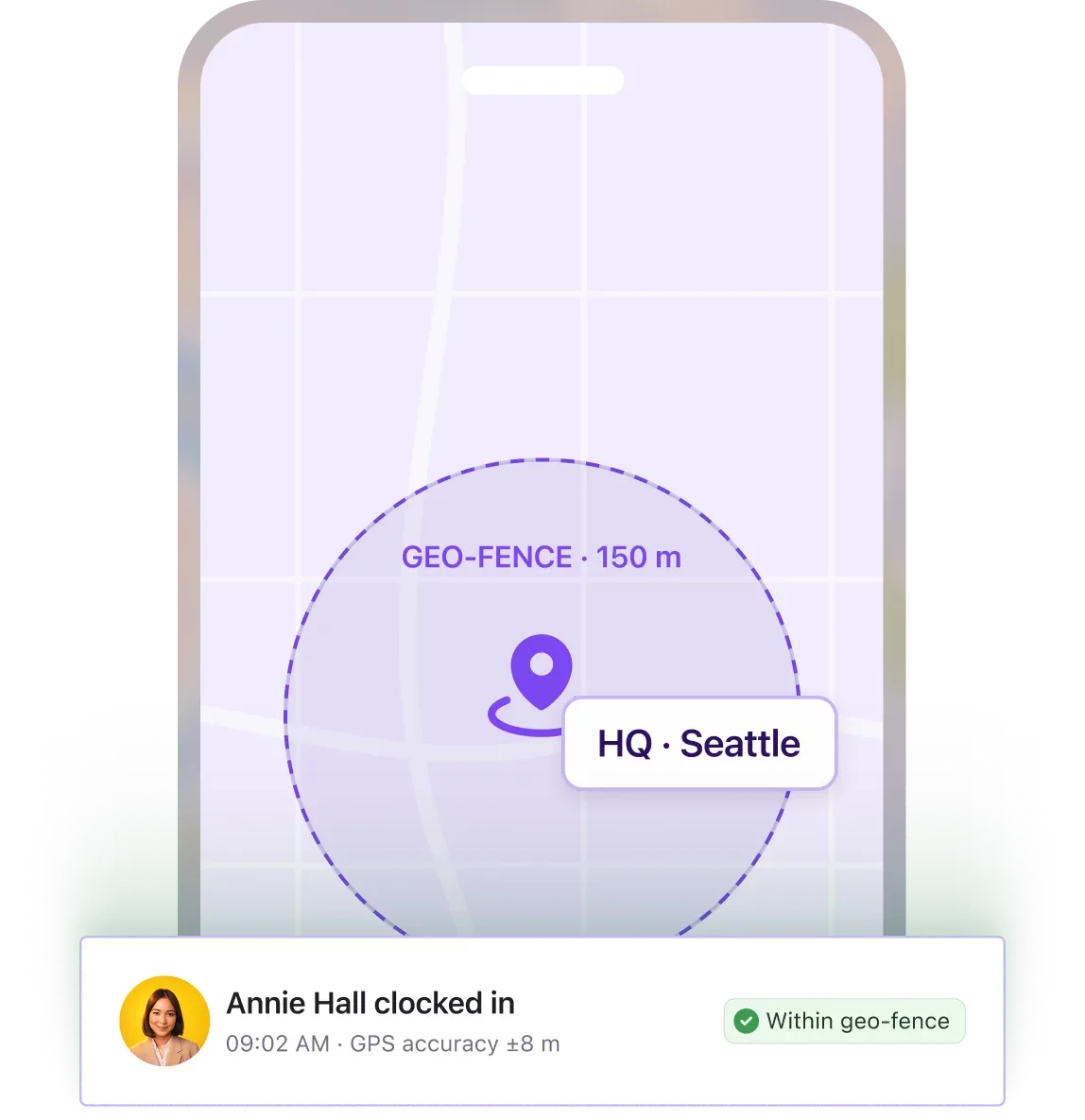
Capture clock-ins on mobile with location checks

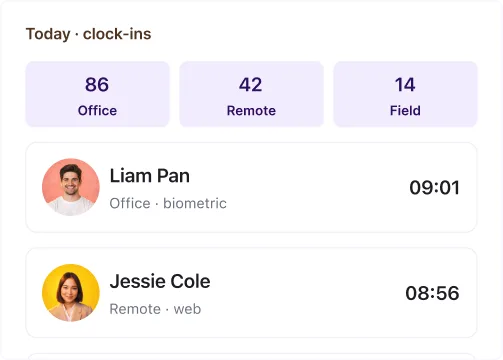
Your field and remote employees clock in on mobile with GPS and geo-fencing, and punches stay accurate even through network issues.

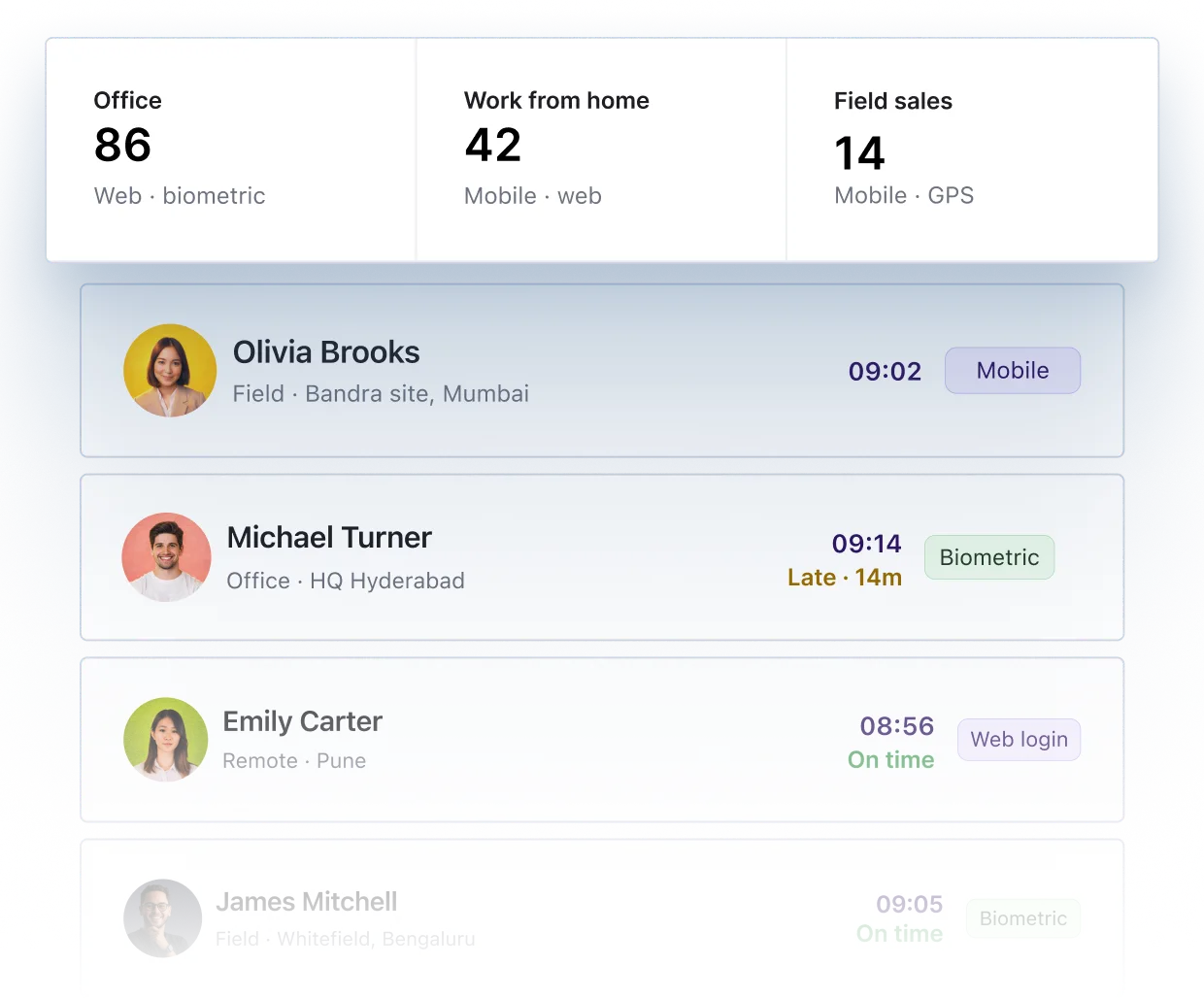
Set up attendance for every worker type

Capture clock-ins across mobile, web, and devices for office, remote, and field teams.

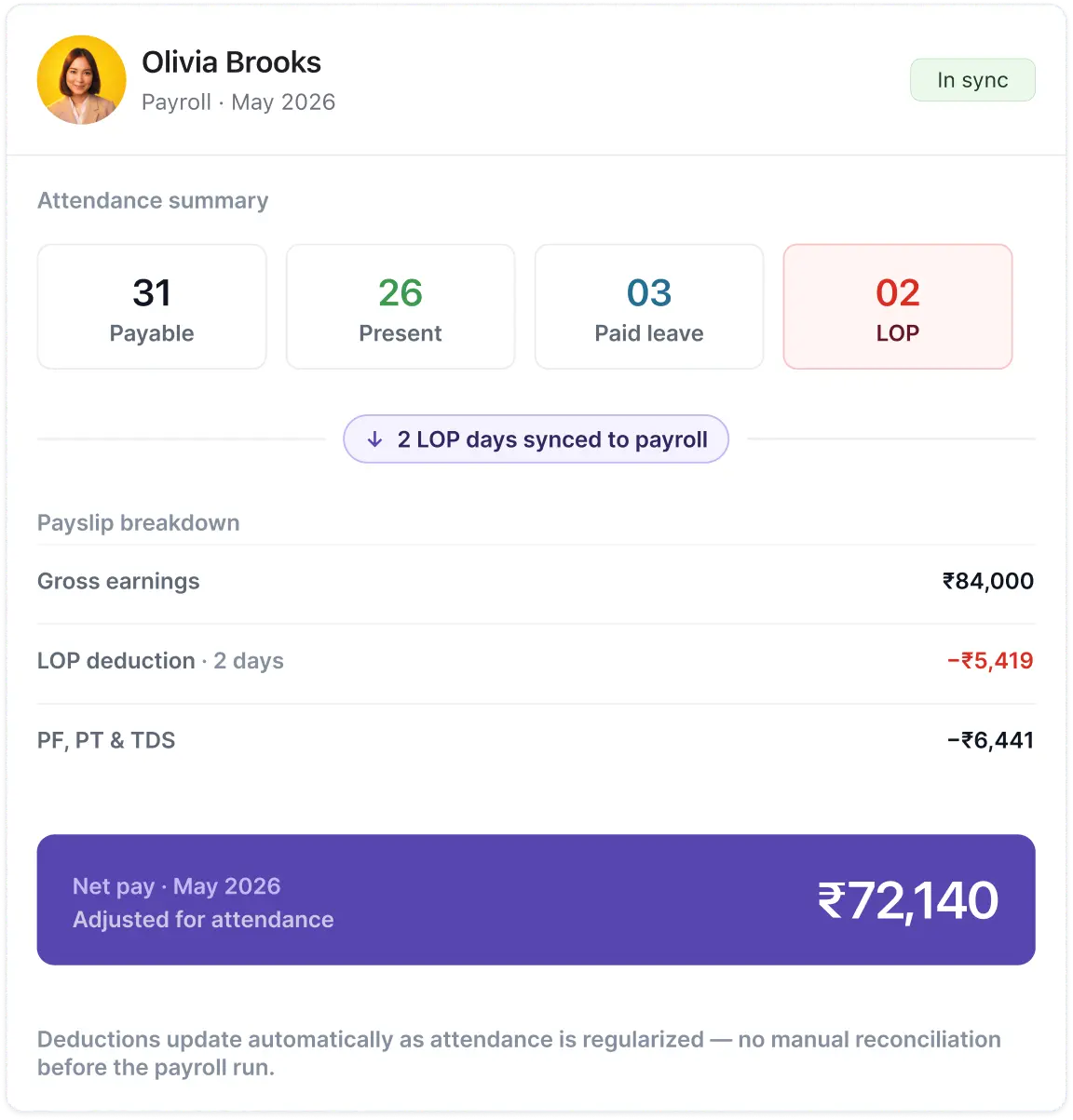
Keep payroll aligned with attendance records

Accurate attendance flows directly into payroll, without manual corrections or adjustments.

ATTENDANCE

Keep payroll aligned with attendance records

LEAVE MANAGEMENT

Plan, approve and track
leaves effortlessly

Manage leave requests, policies, and balances in one place, so teams stay
informed and schedules stay accurate.

Learn more

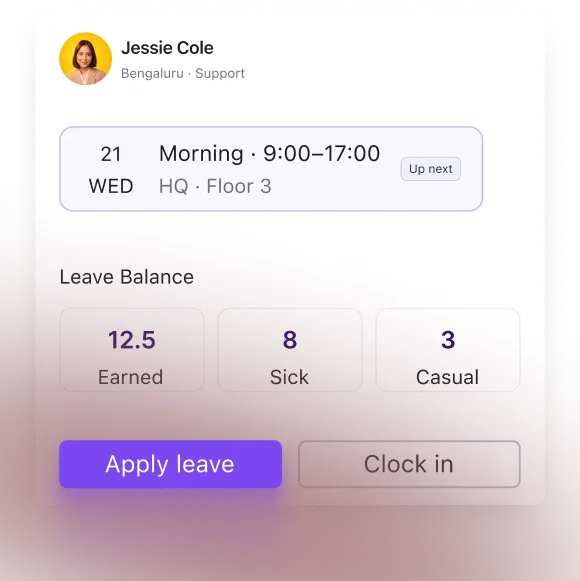
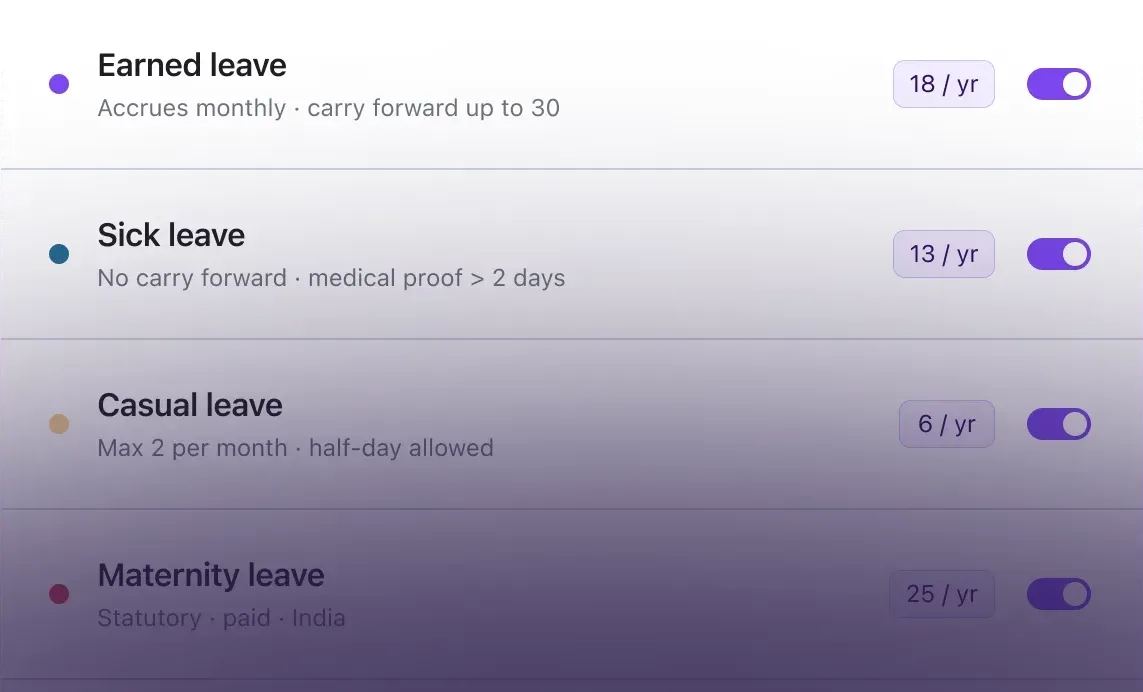
Set leave policies that match your organization

Define leave types, accruals, carry forward, and rules based on your policies.

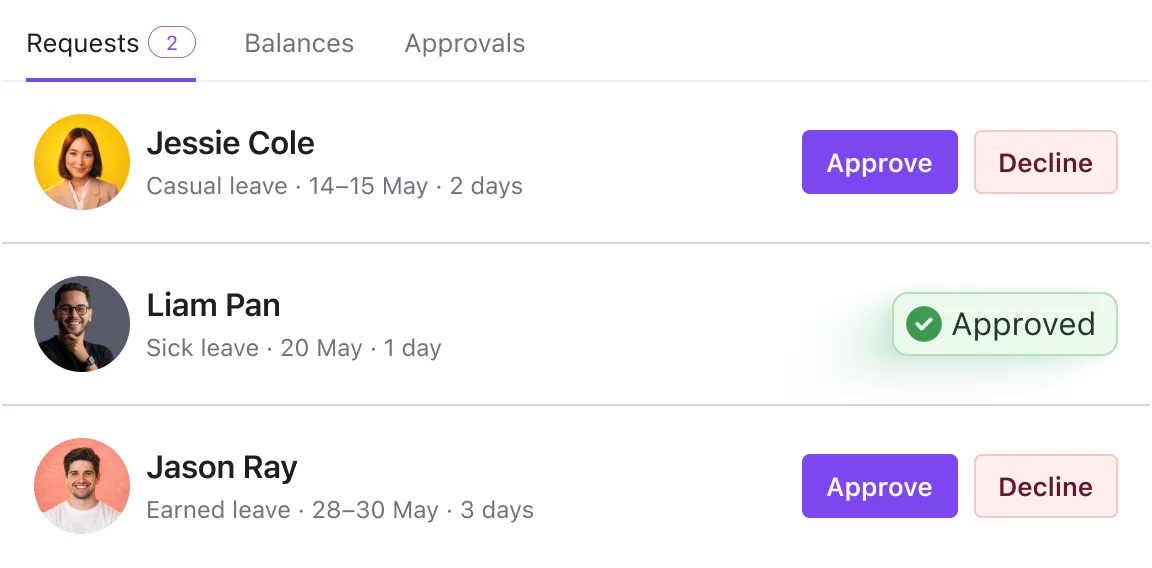
Managers approve leave requests from one tab

Your employees raise leave requests and managers approve them inside Keka, so approvals never sit in email threads.

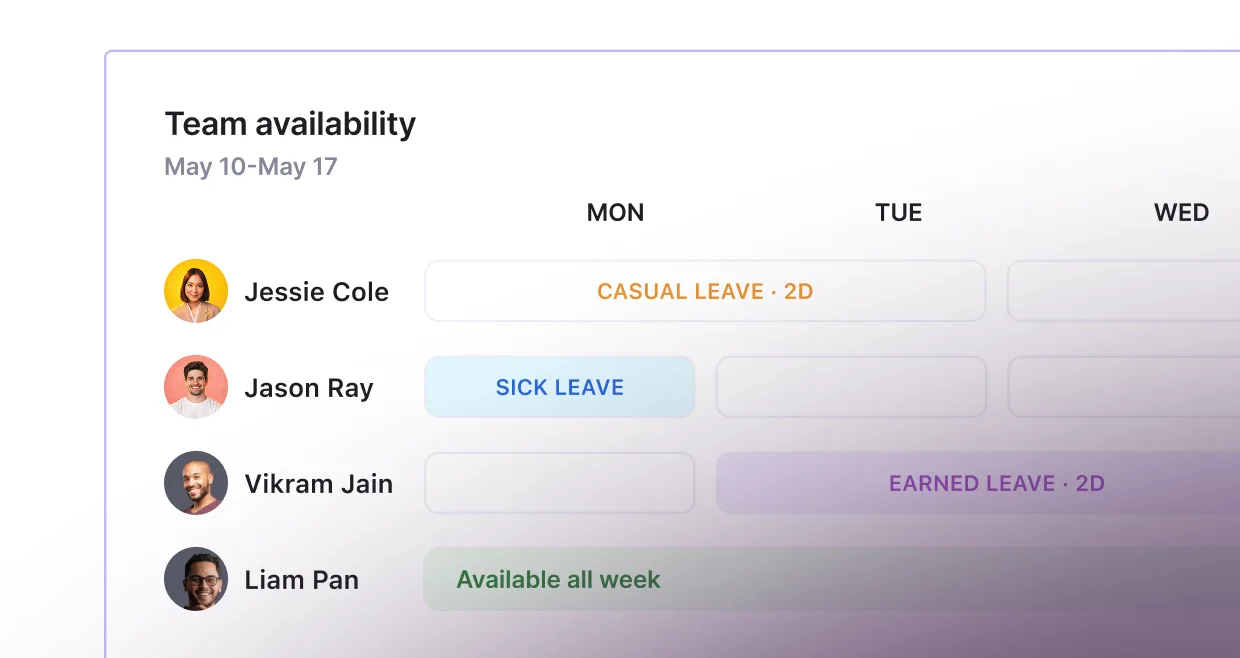
Keep teams in sync with real-time updates

Leave approvals and changes are reflected instantly, so schedules and availability stay accurate.

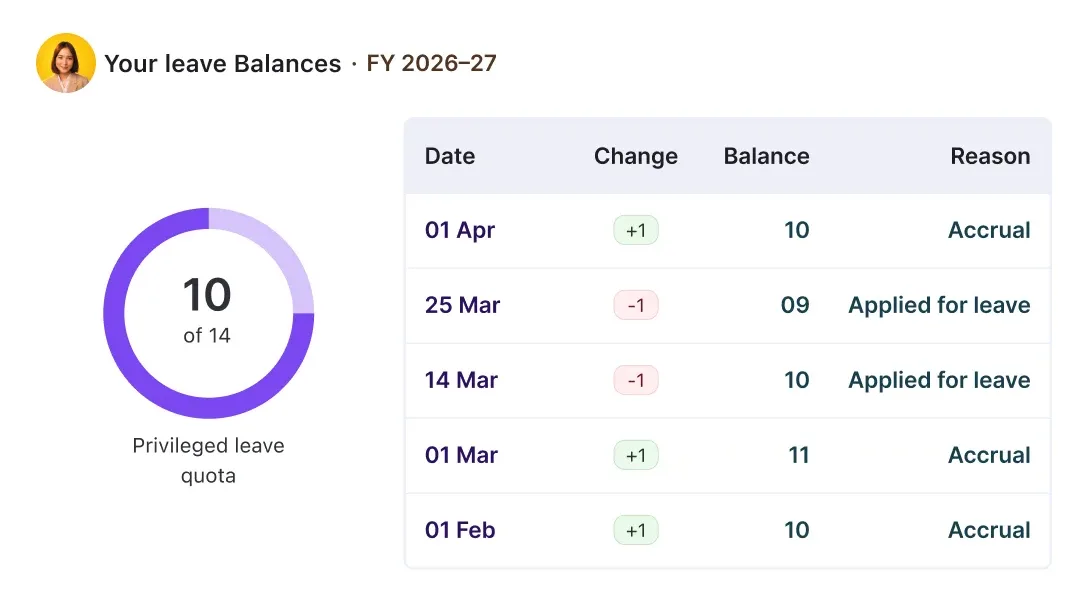
Employees can check their balances at anytime

Balances update automatically and stay visible to employees, so balance questions never reach your desk.

TIME TRACKING

Keep work hours, overtime,
and timesheets in sync

Capture work hours, apply time policies, and calculate hours automatically,
without manual effort.

Capture work hours across teams

Track working hours for office, remote, and field teams without any manual entries.

Apply work hour policies automatically

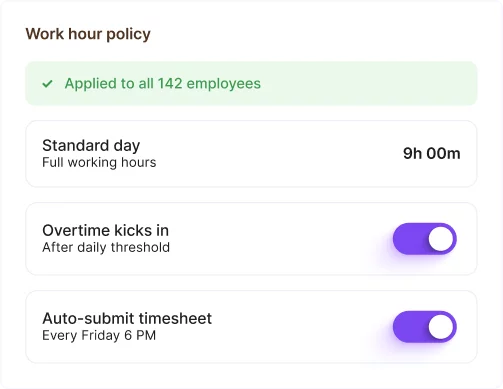
Set rules for work hours, overtime, and submissions. The platform applies them consistently.

Calculate overtime and deviations with accuracy

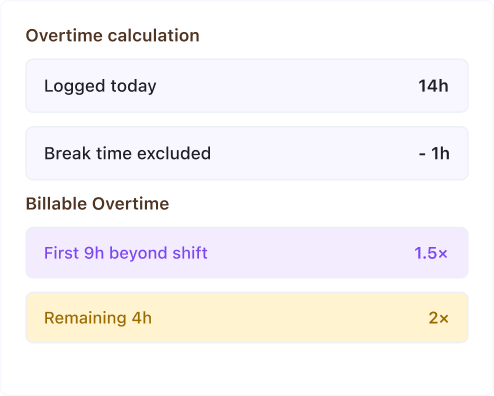
Working hours, overtime, and deviations are computed based on policies without manual effort.

Use time data for capacity and reporting

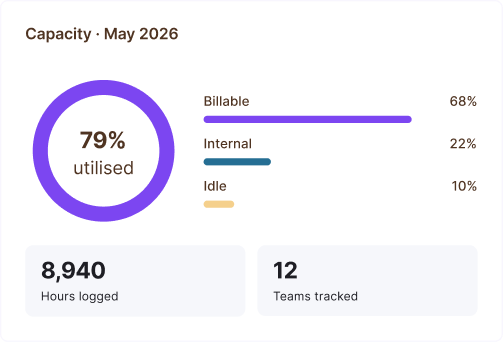
Get a consistent view of work hours across teams to plan capacity and track effort.

SHIFT MANAGEMENT

Plan and schedule shifts
that mirrors your business
operations

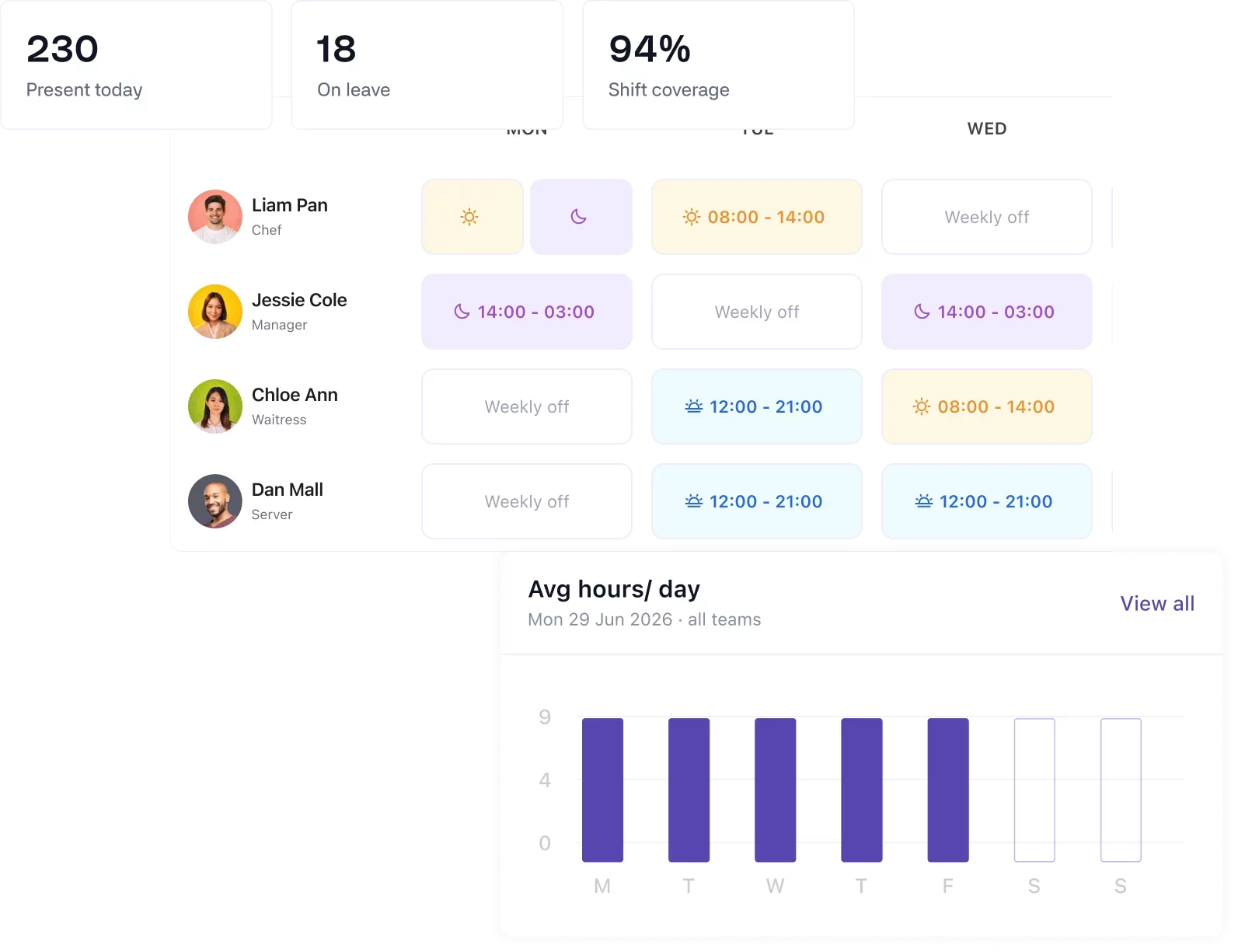
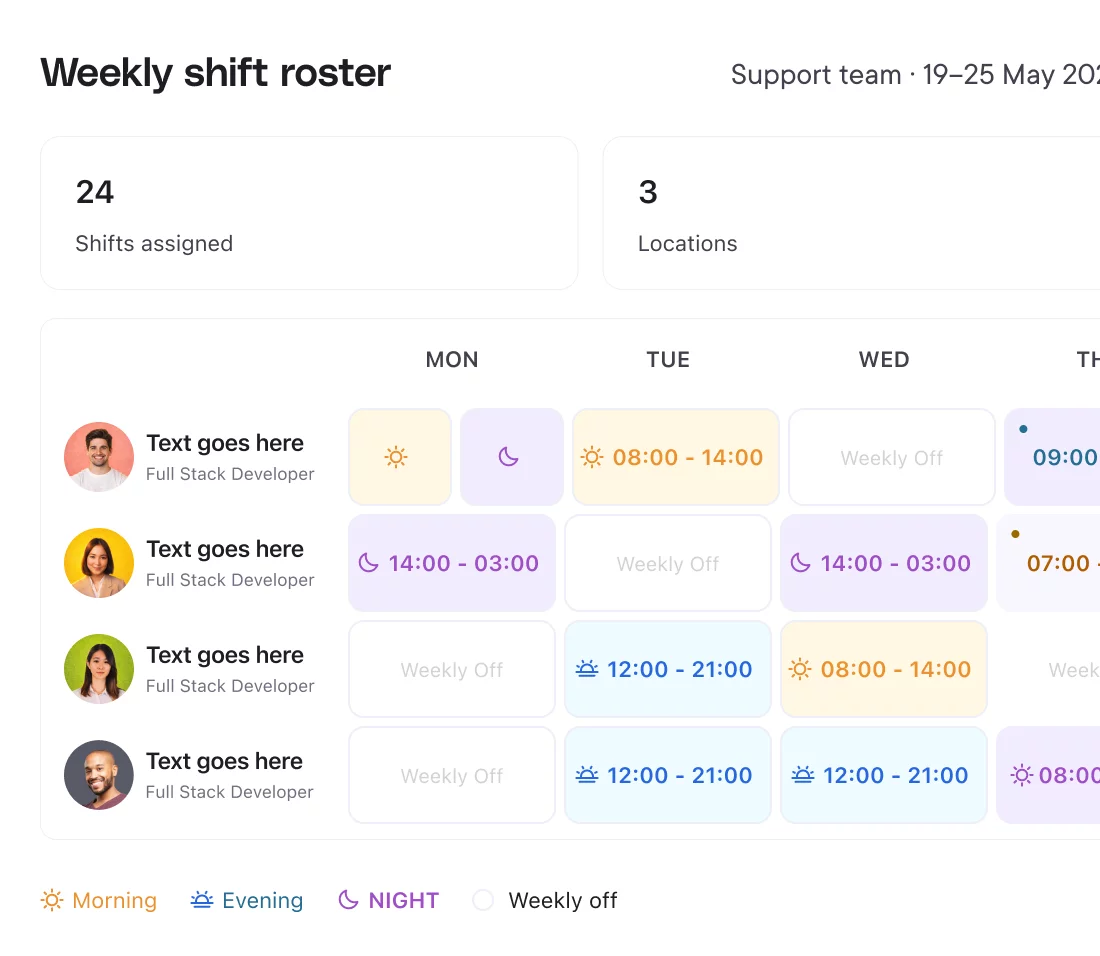
Create, assign, and update shifts across teams in one place.
So schedules stay clear, changes reflect instantly, and teams
always have visibility into their shifts.

Create and assign shifts across teams

Build shift schedules for different roles, locations, and teams without relying on spreadsheets.

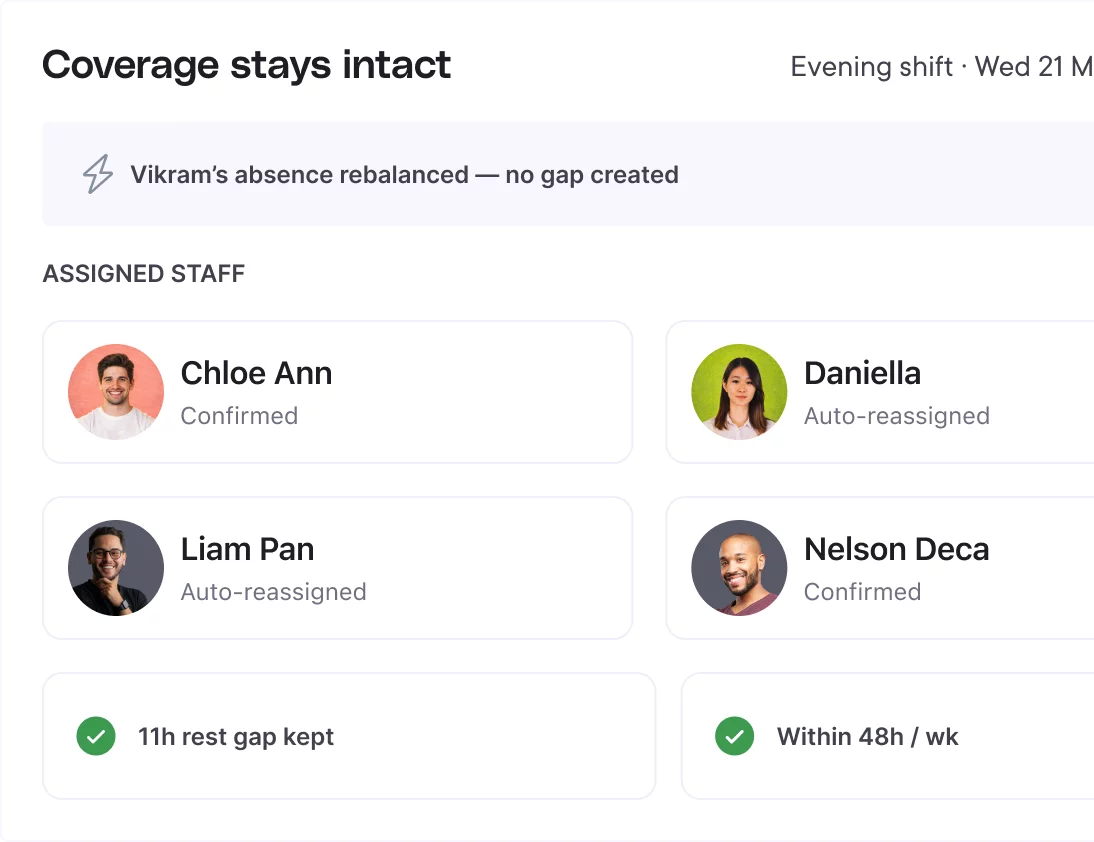
Handle changes without breaking schedules

Update shifts, swap assignments, and manage last-minute changes without losing track of who is scheduled.

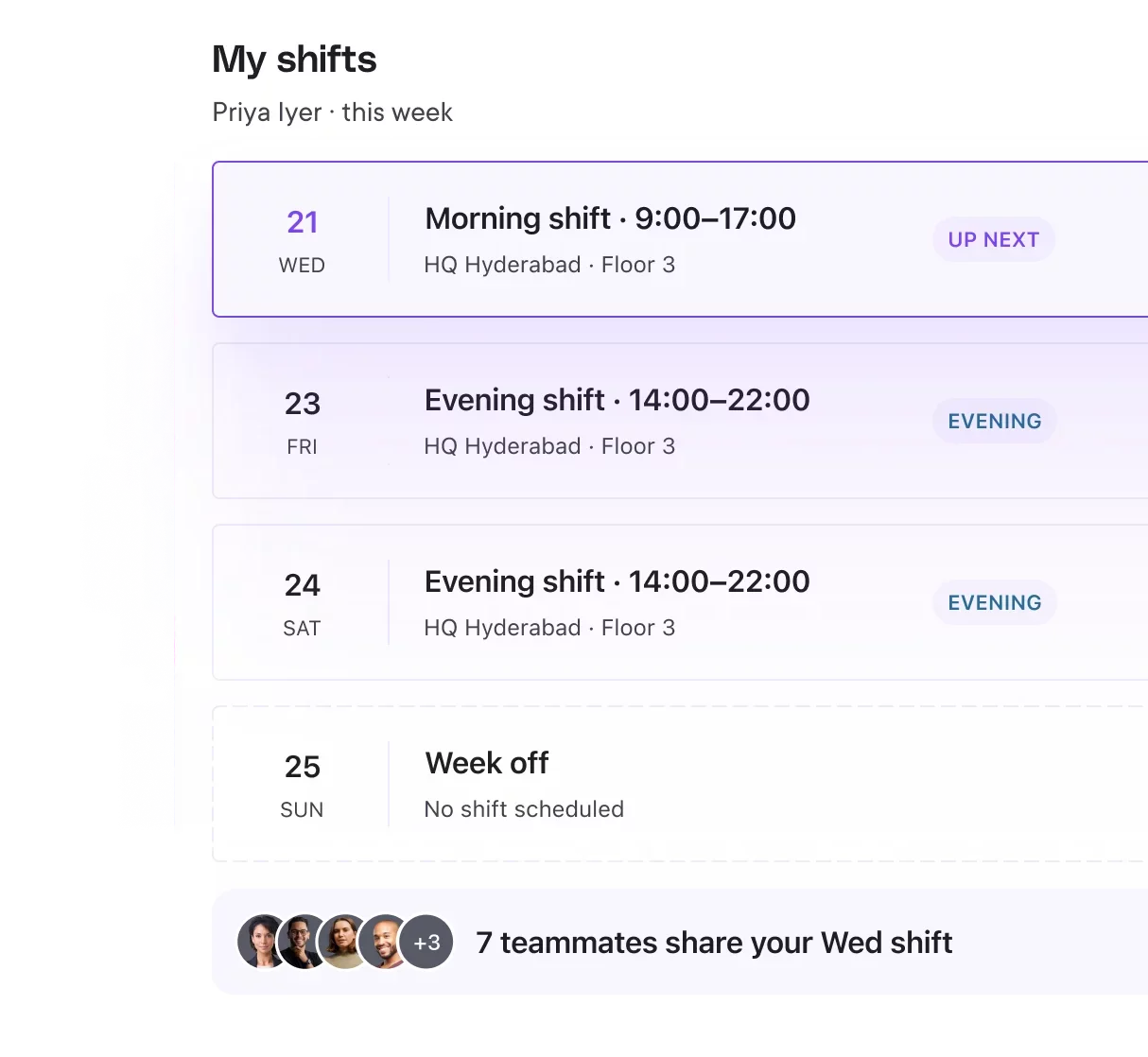
Give teams clear shift visibility

Employees and managers see where they stand and what to do next – from joining to promotion to exit – without hunting across portals.

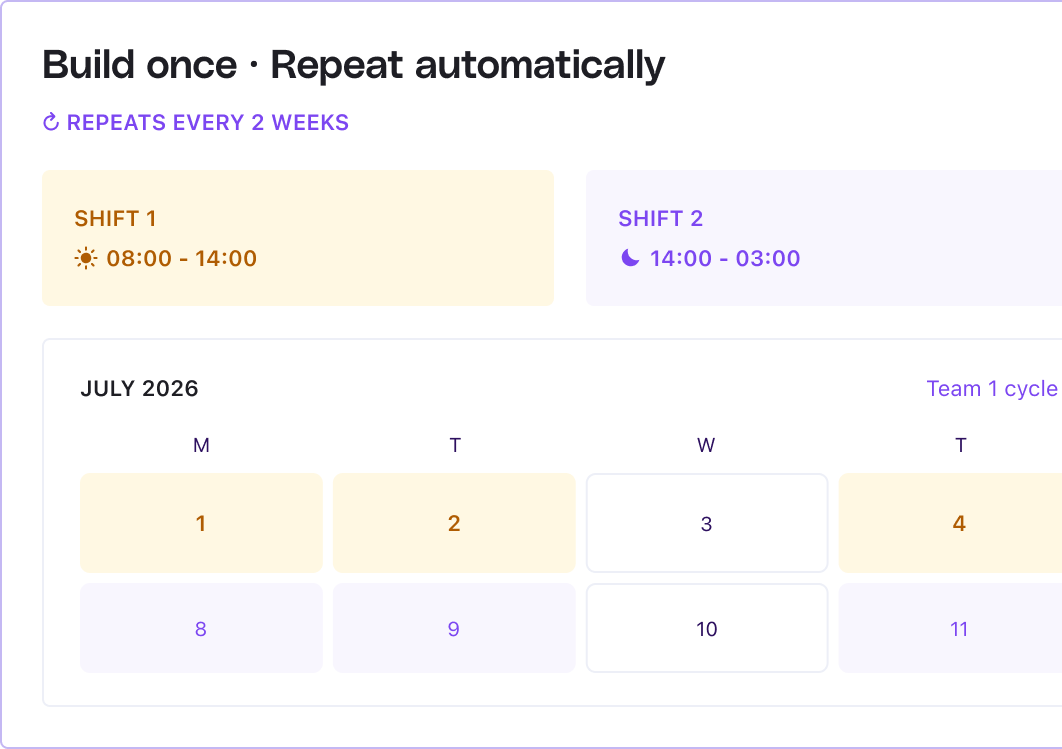
Create repeatable shift schedules

Build shift patterns once and reuse them across teams, roles, and locations without starting from scratch.

SHIFT MANAGEMENT

Create repeatable shift schedules

AUTOMATIONS

Let policies, approvals, and actions run on autopilot

Automate approvals, apply policies, and trigger actions across attendance, leave, time,
and shifts without manual intervention.

Learn more

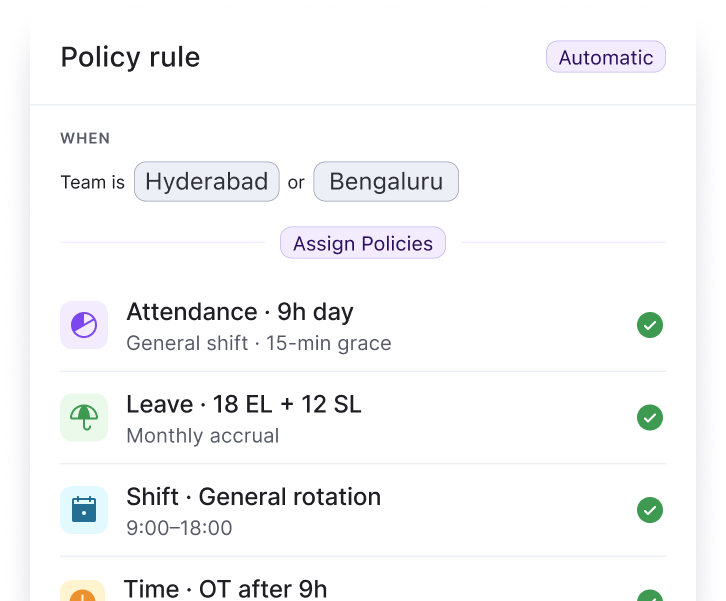
Apply policies based on team or role

Attendance, leave, shift, and time rules are assigned automatically based on team, role, or location.

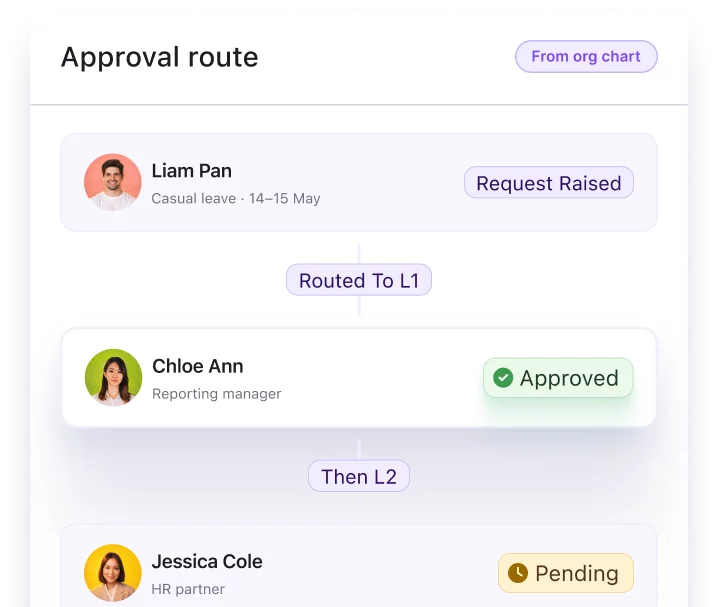
Route approvals to the right managers

Leave requests and attendance regularisations are automatically sent to the correct approvers based on team structure.

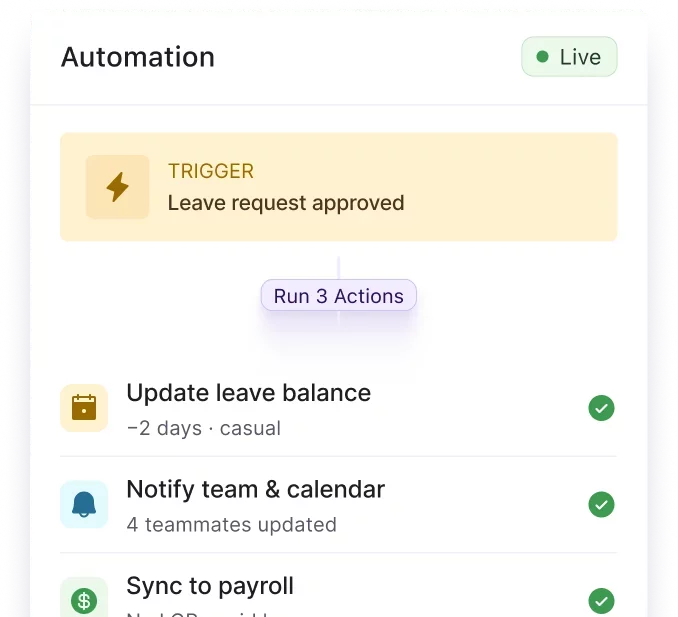
Trigger actions on approvals and updates

Approvals, rejections, and changes automatically trigger the next steps without manual follow-ups.

Keka has been really helpful for us. Our processes were quite manual, but now we have a single platform for everything, be it attendance or payroll. It has streamlined everything, and our employees have adapted to the change easily.

Darshana Gogoi

HR Manager, WorkIndia
Absence Management Leader Asia Pacific
Capterra
Workforce Planning Most Implementable
Workforce Planning Highest User Adoption
360 Feedback Software Best Usability
Absence Management Momentum Leader
360 Feedback Software Leader
Absence Management Momentum Leader
360 Feedback Software Best Usability
Workforce Planning Highest User Adoption
Workforce Planning Most Implementable

Frequently Asked Questions

Can Keka track attendance for field and remote employees?

Yes. Keka supports attendance tracking for office, remote, and field teams.
 Employees can clock in using mobile, web, or integrated devices, and entries can be verified using location and device-based controls.

How does Keka handle shift changes and scheduling?

You can create and assign shifts based on teams, roles, or locations.
 Any changes to shifts are updated instantly, so attendance and schedules stay aligned without manual updates.

Does time tracking work with projects and timesheets?

Yes. Employees can log time against projects and tasks using timesheets.
 Work hours, overtime, and policies are applied automatically, giving you clear visibility into where time is spent.

How are leave requests and approvals managed?

Employees can apply for leave in the system, and requests are routed to the right managers based on team structure.
 Once approved, leave is automatically reflected in attendance and work hours.

Can workflows be customized for different teams or departments?

Yes. You can define policies and approval flows based on departments or teams.
 Keka applies these rules across attendance, shifts, leave, and time tracking without manual setup for each employee.

Bring planning, attendance, shifts,
and approvals into one system

Built to help teams manage workforce operations with greater accuracy and coordination.