PRODUCTS

  • Payroll Suite
  • HR Suite
  • Talent Suite
  • Project Services Suite
PeopleOS

The unified people platform - HR, payroll & talent in one core system.

Keka AI

AI woven across every workflow to save your team hours each week.

Marketplace

Connect 100+ integrations and the apps your team already runs on.

Customer Story

How Casepoint connected performance, engagement and HR ops on one system

Read the story
UNIFIED AI HELPDESK

Built for everyone

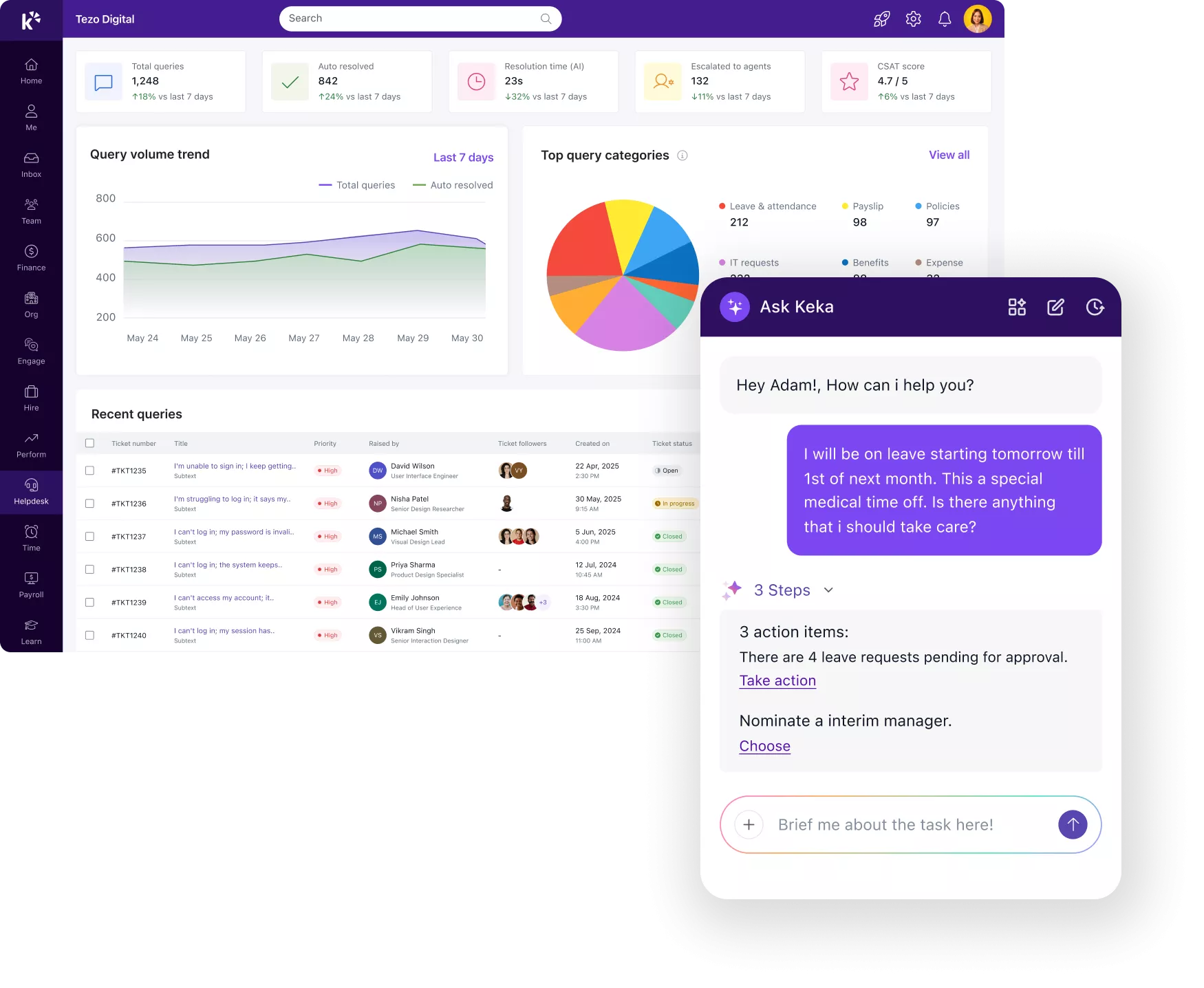
Every role interacts with support differently. AI HelpDesk adapts to each one –
from the employee asking a question to the CXO tracking resolution time.

EMPLOYEES

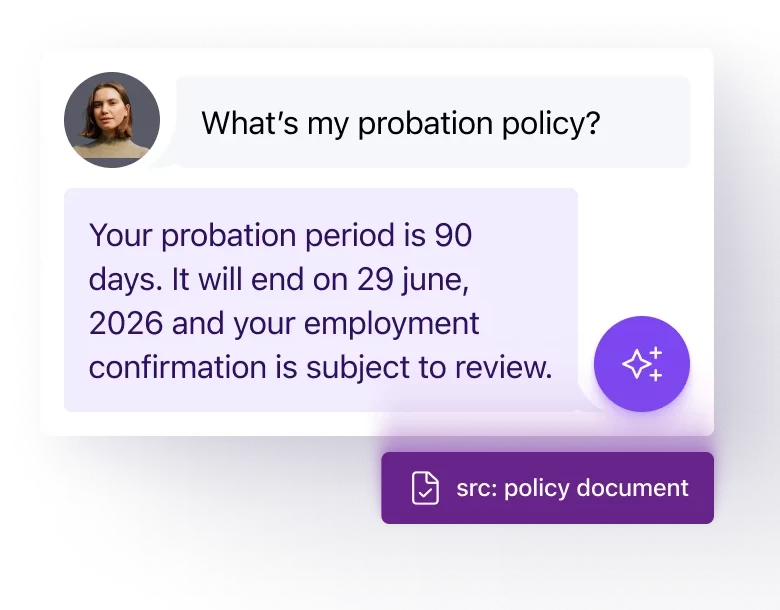
Personalised answers to every question, instantly.

AI responds using their actual data – leave balance, payslip, policy; with no form to fill and no portal to navigate.

SUPPORT TEAMS

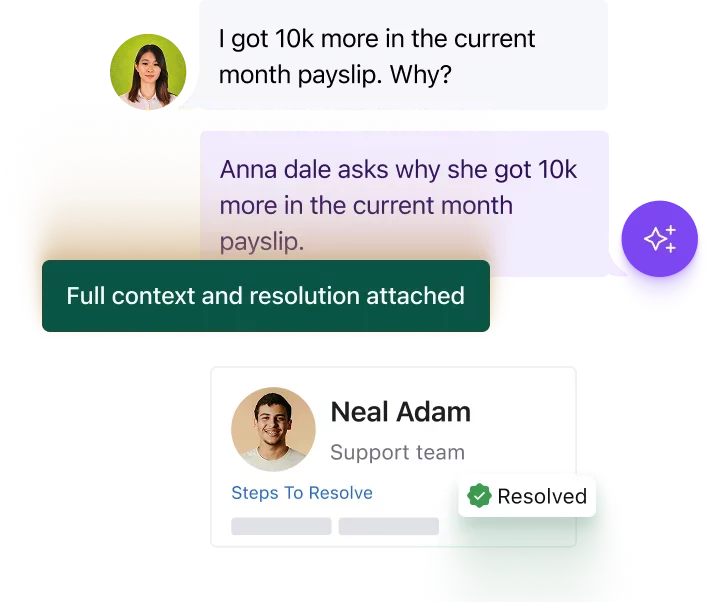
AI does the grunt work. Your team owns the decisions.

Every ticket arrives with full employee context already attached. Your team steps in only where judgment is needed.

DEPARTMENT HEADS/CXO

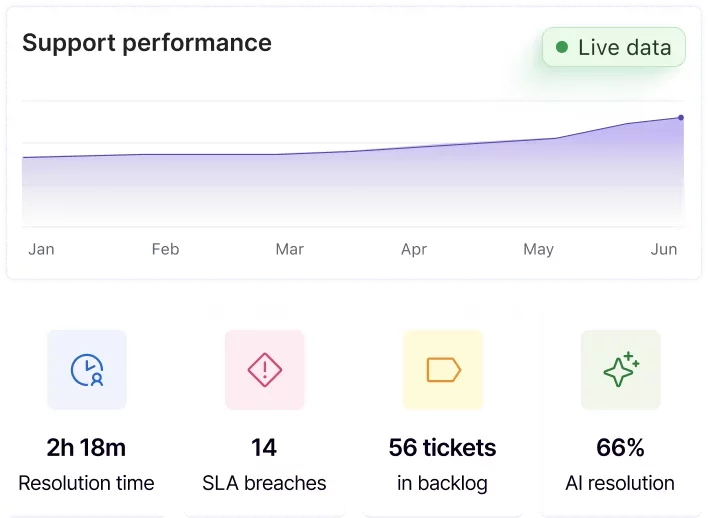
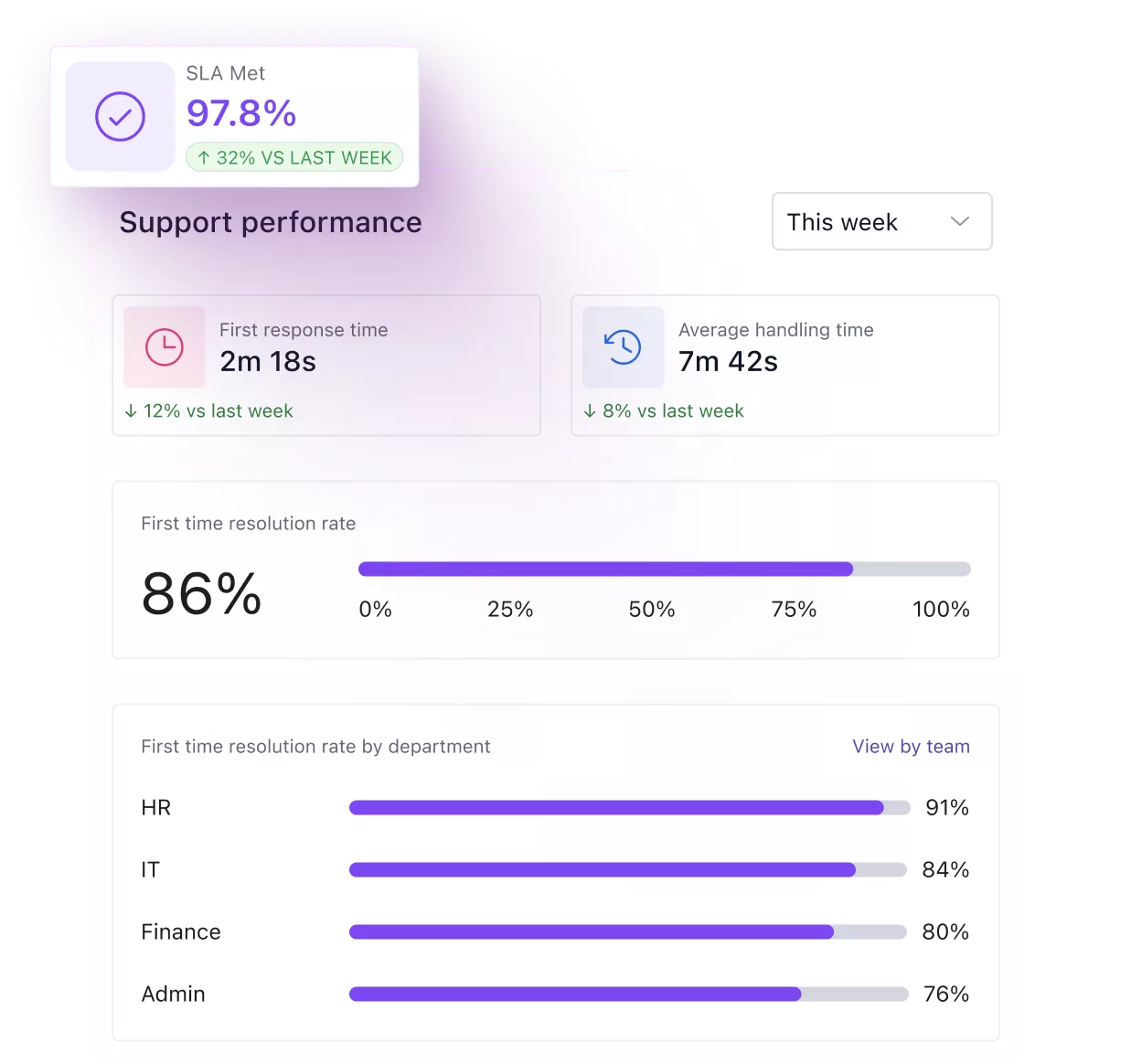
See how your support is performing, in real time.

Track resolution time, response time, SLA breaches, ticket backlog, and AI resolution rate across every department, in real time.

VERIFIED KNOWLEDGE

Deeply rooted in facts and policies.

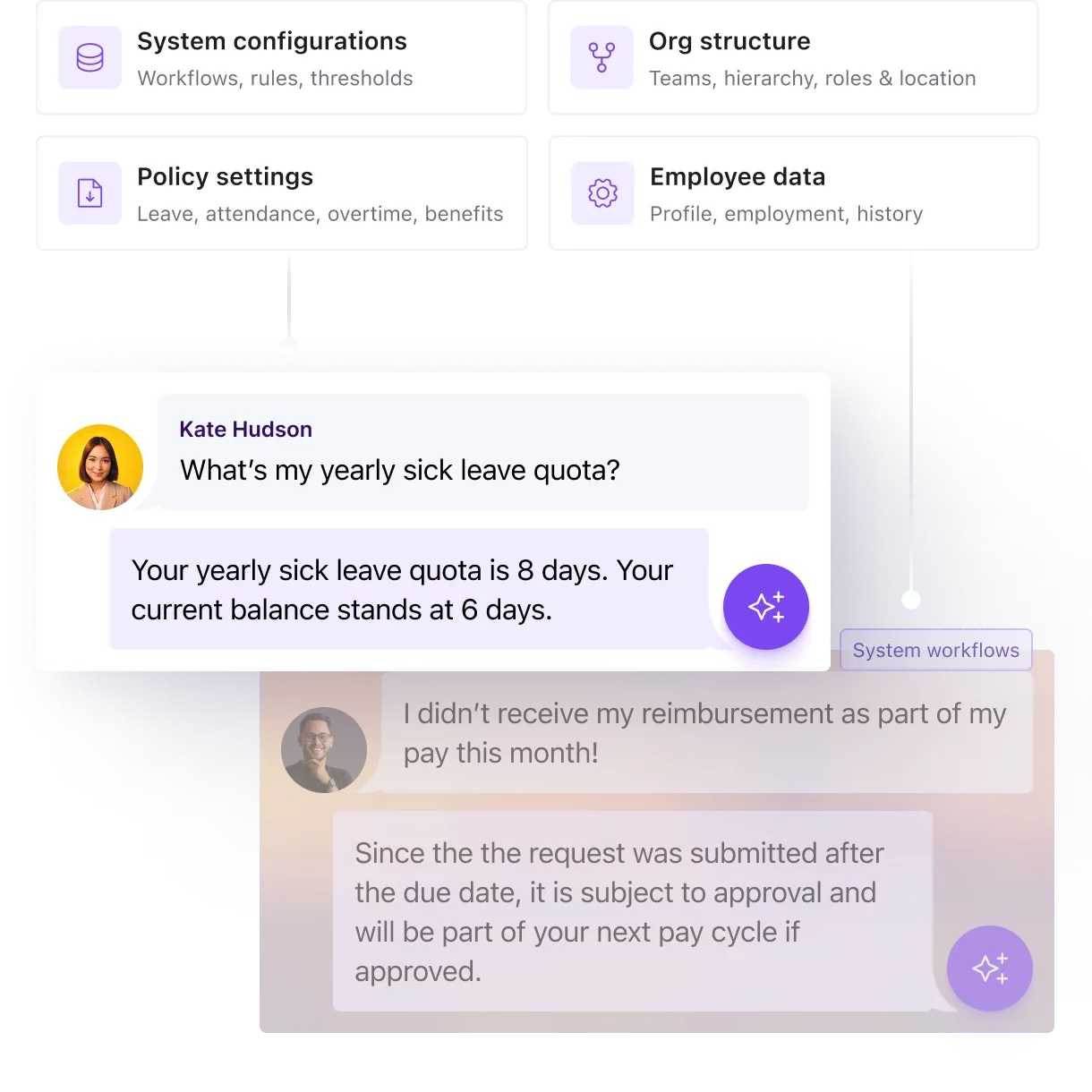
Every answer AI gives is sourced directly from your HCM configurations, org policies, and verified knowledge. Employees get answers specific to your company, every time.

Grounded in your HCM data and policies.

AI pulls directly from your system configurations, org structure, and policy settings to answer every employee question accurately.

Zero compliance risk in every answer.

VERIFIED KNOWLEDGE

Zero compliance risk in every answer.

AI RESOLUTION

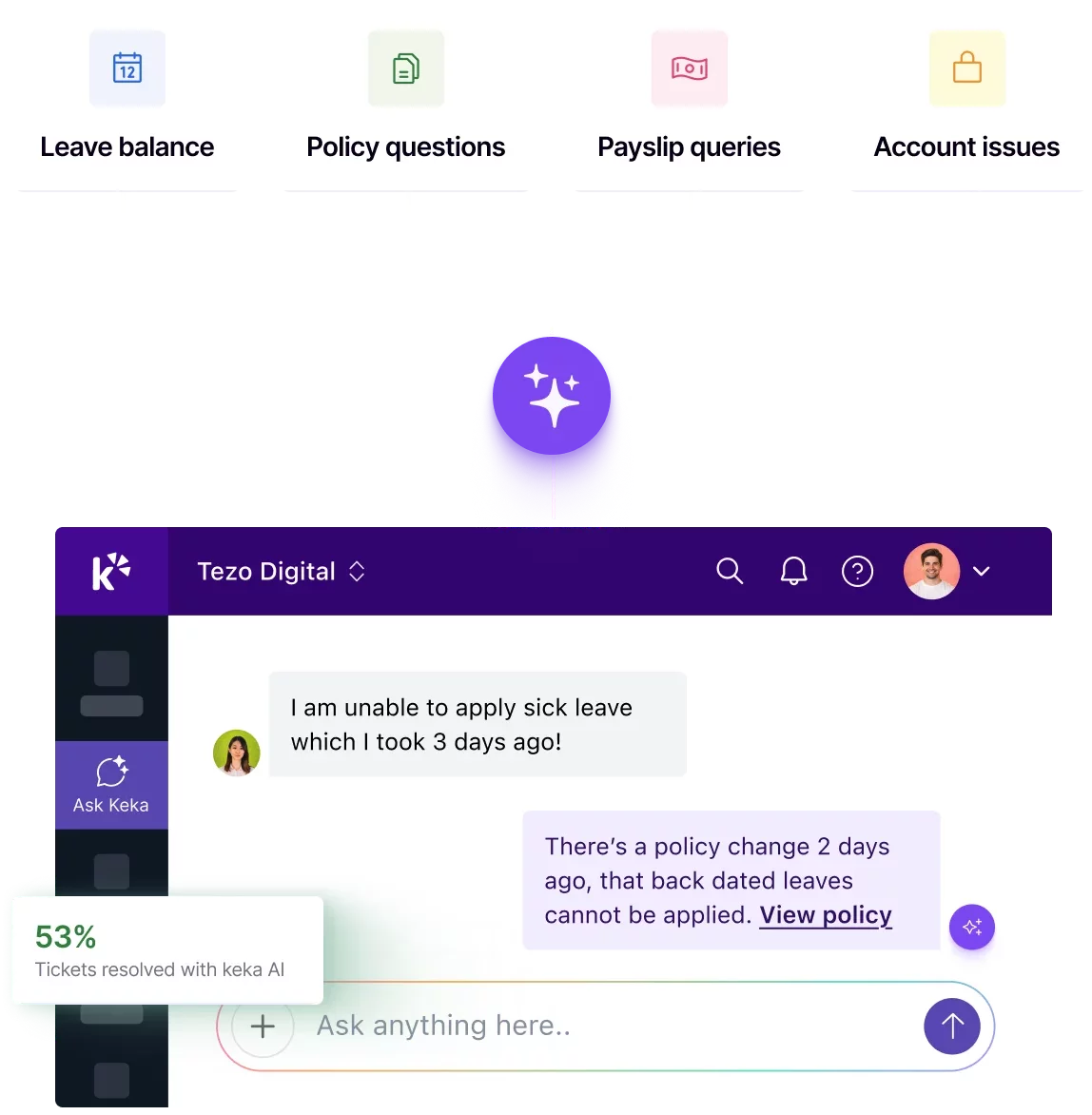
Fewer handoffs to support teams. Faster resolutions for employees.

Leave balances, policy questions, payslip queries, password resets – Keka AI agent answers these instantly in context of employee’s data.

  • Employees get a specific answer drawn from their own data, not a link to a document.
  • 50+ pre-built requests, meaning employees pick a request, not write one – resolved in under a minute.
  • Support teams focus on exceptions that are complex, that require authority, or judgement.

ROUTING & ASSIGNMENT

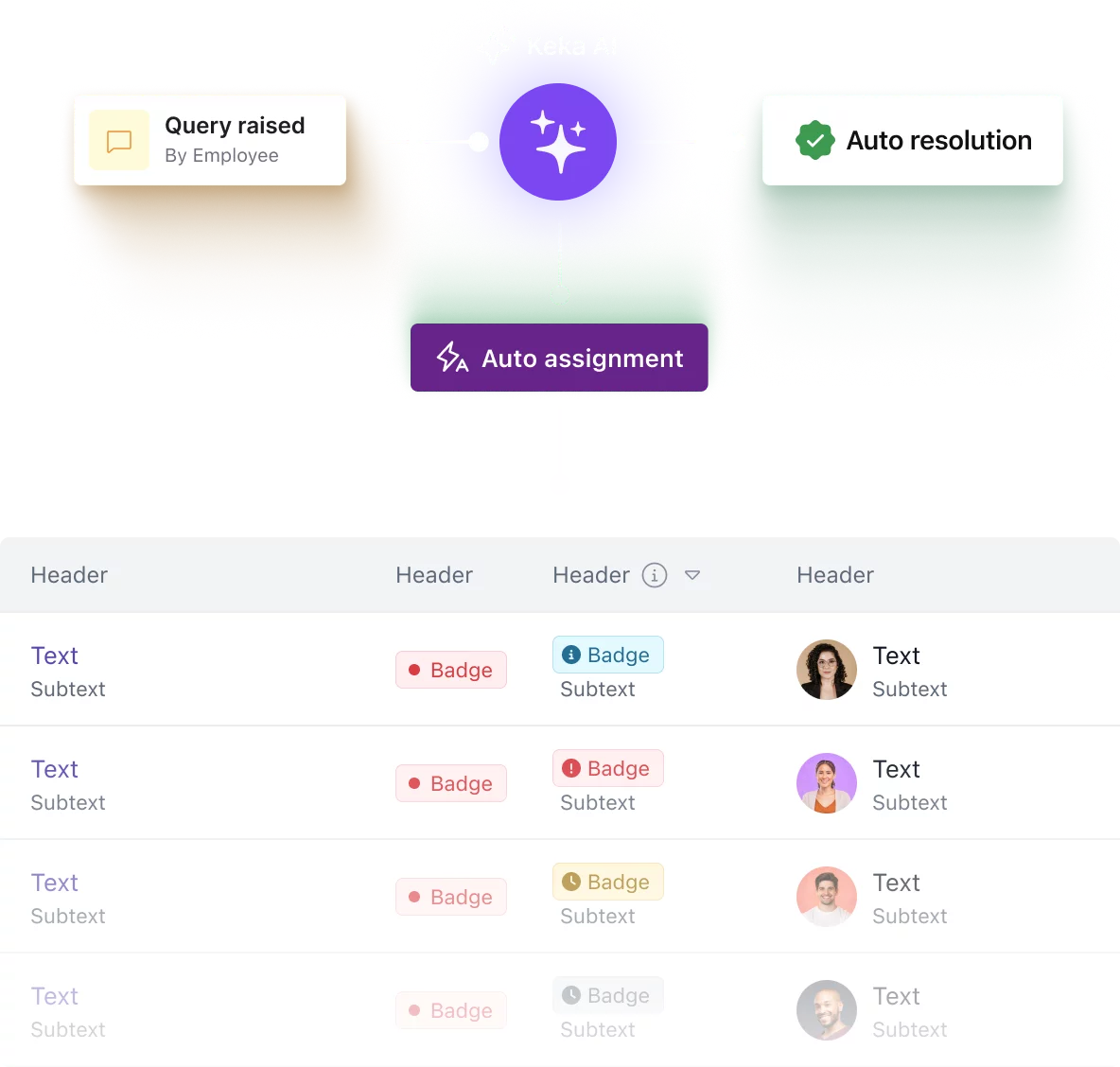
Every query routed to the right person - accurately and automatically.

Queries are automatically classified and assigned based on type, department, location, and employee role. Support teams open tickets already knowing who raised it, what they need, and what the SLA deadline is.

  • Classification accuracy above 85% against your own ticket history.
  • Escalation rules trigger automatically before an SLA is breached.
  • AI accurately assigns each query to the right specialist within HR, IT, Finance, or Admin, based on the nature of the request.

SLA MANAGEMENT

Set and manage SLAs based on complexity of query.

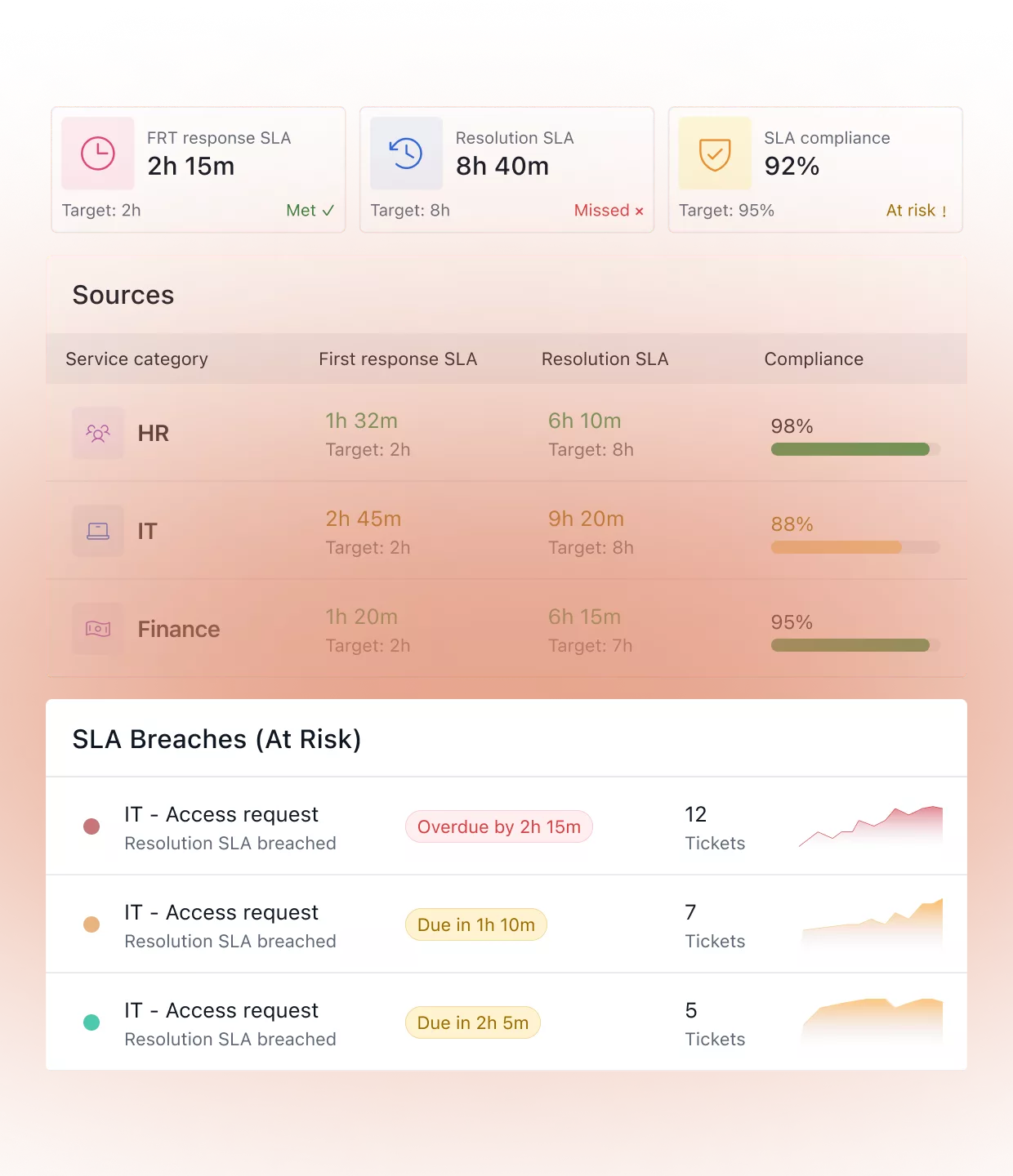
HR, IT, and Finance each have different turnaround expectations. Keka surfaces breaches before they happen – NOT after.

  • First-response and resolution SLAs set independently per category.
  • Next-level owner notified automatically when a deadline is at risk.
  • Each department head sees their own SLA performance dashboard.

REPORTING

Know exactly where requests pile up and why.

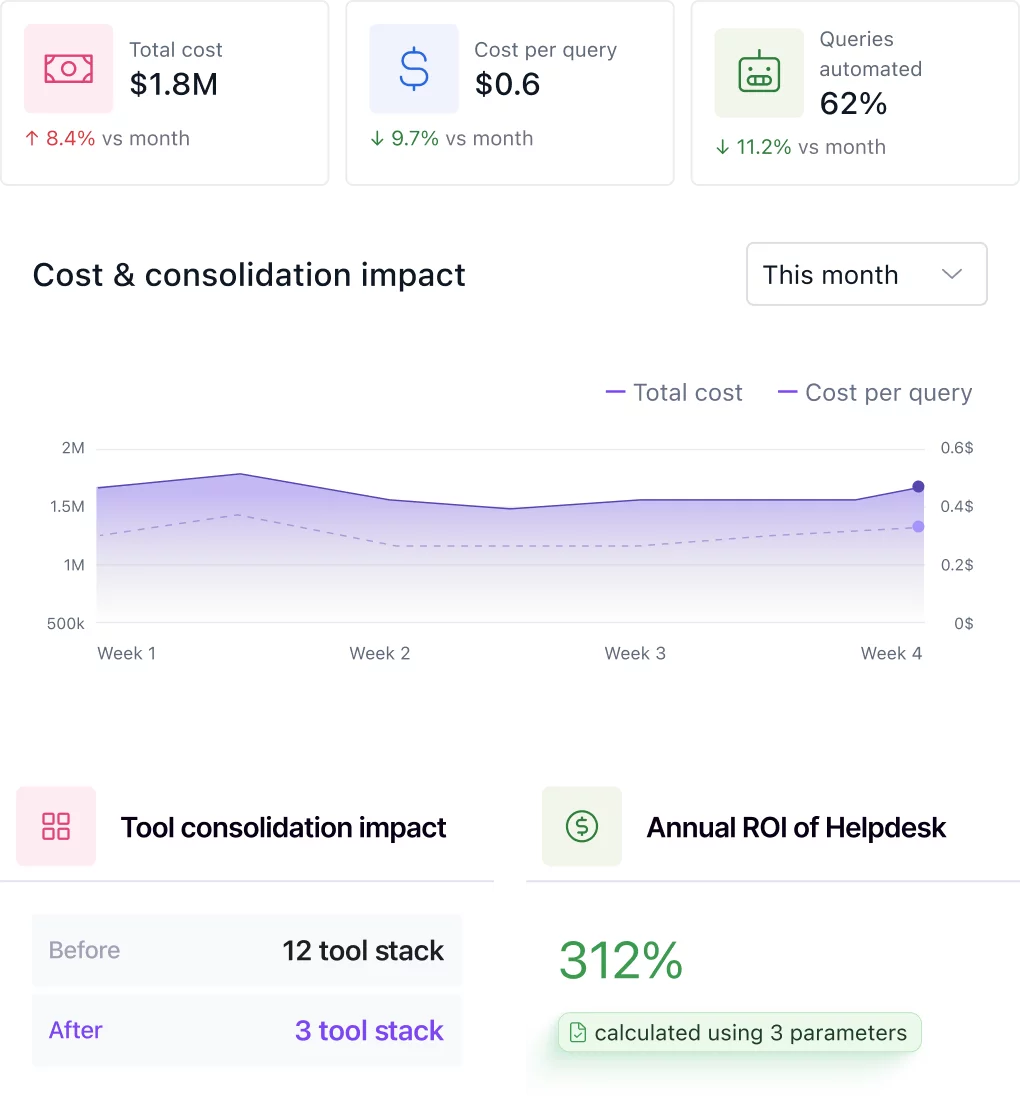
Live dashboards tailored to each department head - not one shared IT report.

Volume by department and request type

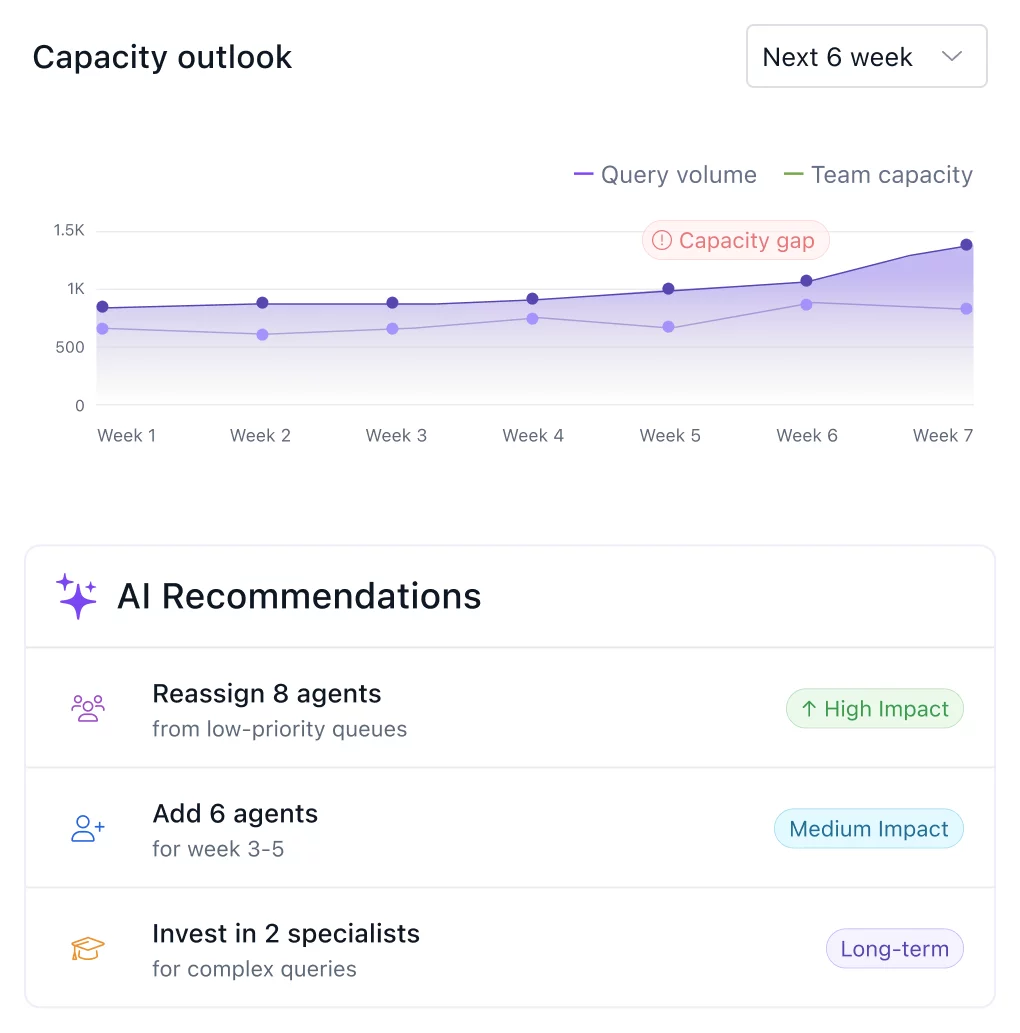
See which categories generate the most tickets each week so you can update your knowledge base, adjust staffing, or fix a recurring process issue at the root.

AI resolution rate over time

Track the percentage of requests AI closes without agent involvement. As your knowledge base improves, this number rises; the dashboard shows you exactly which topics still need better coverage.

Specialist-level resolution time and SLA adherence

See average resolution time per agent and per team. Identify who is consistently meeting SLAs and where specific bottlenecks sit – by person, team, or request category.

REPORTING

Specialist-level resolution time and SLA adherence

Frequently asked questions

What is employee help desk software and why does every company need it?

Employee help desk software centralises HR, IT, Finance, and Admin queries in one place, replacing emails and spreadsheets. It routes tickets automatically, tracks SLAs, and enables employees to self-serve answers, dramatically reducing support team workload and resolution time.

How is HR helpdesk software different from a general IT helpdesk?

HR helpdesk software is purpose-built for people operations, integrating with your HCM, payroll, and policy documents. Unlike generic IT tools, it understands leave balances, payslip queries, and compliance rules specific to your org, not just infrastructure tickets.

What are the key features to look for in an HR ticketing system?

A strong HR ticketing system should offer auto-classification, SLA management, AI-powered resolution, multi-department routing, policy-grounded answers, and reporting dashboards. It should also include employee self-service software capabilities so employees can resolve queries without raising a ticket at all.

How does employee self service software reduce HR workload?

Employee self service software lets employees check leave balances, download payslips, update personal details, and get policy answers without contacting HR. This can deflect 40 to 60 percent of routine tickets, freeing HR teams to focus on strategic, high-value work.

Does Keka support payroll in all 50 states?

Yes. Keka handles federal, state, and local tax calculations for all 50 states, including multi-state employees, remote workers, and employees who move between jurisdictions, all surfaced directly within your employee helpdesk software workflow.

Can Keka handle multi-state tax withholding and SUI rates?

Absolutely. Keka’s payroll engine automatically applies the correct withholding rates for each state, including SUI rates by jurisdiction. Employees can query their tax details anytime through Keka’s employee self service software with no HR intervention needed.

How does Keka handle benefits like medical, dental, vision, or HSA/FSA queries?

Keka’s AI helpdesk pulls benefits data directly from your HCM, so employees get accurate answers about their medical, dental, vision, or HSA/FSA enrollments in seconds through the employee request management software interface, with zero HR involvement for routine queries.

Can employees submit expenses and get reimbursed through Keka?

Yes. Keka’s employee help desk software includes built-in expense submission, policy validation, and multi-level approval workflows. Employees submit claims, the HR support software checks policy compliance automatically and routes to the right approver, making reimbursement faster and fully auditable.  

Works on day one because it's
already inside Keka.

See how Keka makes HR, payroll, and compliance effortless