Login
Login


George Bernard Shaw’s observation rings especially true in the digital age, where businesses drown in documents they can’t find, share, or secure properly. That “organized” folder system on your shared drive isn’t actually organized when your team spends 20 minutes hunting for contracts, or when you’re emailing the same file back and forth in six different versions.
If you’re reading this, you’ve probably experienced the hidden costs of poor document management, whether it’s panic when you can’t locate a signed agreement during a client call, or compliance anxiety when audit season arrives and your critical documents are scattered across email threads and local drives.
The numbers tell the story: employees spend an average of 2 hours per day searching for documents, contributing to a 21.3% productivity loss from document-related challenges alone.
The challenge isn’t whether you need document management software. It’s finding a solution that transforms chaos into clarity without requiring an IT degree to operate or breaking your budget.
In this guide, I’m reviewing the top document management software options across every business size, with real insights about implementation, hidden costs, and the crucial features that separate truly useful systems from digital filing cabinets.
Research Methodology: How I Evaluated Document Management Software
I didn’t rely on vendor demos or marketing materials that offer perfect workflows with unrealistic data. Instead, I evaluate each platform from the perspective of someone who is tired of version control nightmares, compliance issues, and daily frustrations of rummaging through folders for that one critical document.
My evaluation process focused on what really matters when your business relies on searching, sharing, and safeguarding documents efficiently:
- Real-world functionality under stress: Does the search actually find what you need when you’re racing against a deadline, or does it return hundreds of irrelevant results? Can multiple people edit without creating chaos?
- Integrations that work, not just exist: Will it seamlessly connect with your email, CRM, and accounting software, or will you spend weeks troubleshooting API connections that break during updates?
- Security that protects: Robust encryption and access controls that don’t require a computer science degree to configure, plus audit trails that actually help during compliance reviews.
- User adoption reality: Intuitive interfaces that your team will actually use instead of reverting to email attachments, with mobile access that works when you’re away from your desk.
- Customization without complexity: Workflow automation that adapts to how your business actually operates, not how software designers think it should operate.
- Transparent pricing plans: Honest cost structures that won’t explode when you add users or exceed storage limits, with clear upgrade paths as you grow.
- Validated performance: Analysis of reviews across G2, Capterra, and Trustpilot, focusing on long-term user experiences rather than honeymoon-phase testimonials.
This approach exposed the gap between polished sales presentations and daily operational reality—insights that could prevent you from choosing software that looks impressive in demos but frustrates your team in practice.
Each platform’s strengths, limitations, and ideal use cases are presented based on this real-world evaluation framework.
Let’s get started with discussing the best document management platforms.
10 Best Picks for Document Management Software
Without further ado, here are the best project management tools of 2026, chosen for their global relevance, scalability, and ability to adapt across industries.
1. Keka
Keka is a comprehensive HR management platform that includes robust document management capabilities specifically designed for HR operations. While primarily known as an HRMS solution, Keka’s document management system excels at organizing employee records, company policies, compliance documents, and organizational files within a unified HR ecosystem.


Key Features of Keka:
- Employee Document Management: Centralized storage for employee records, contracts, certifications, and personal documents with role-based access controls
- Organizational Document Repository: Create structured folders for company policies, procedures, handbooks, and compliance documents with department-specific access
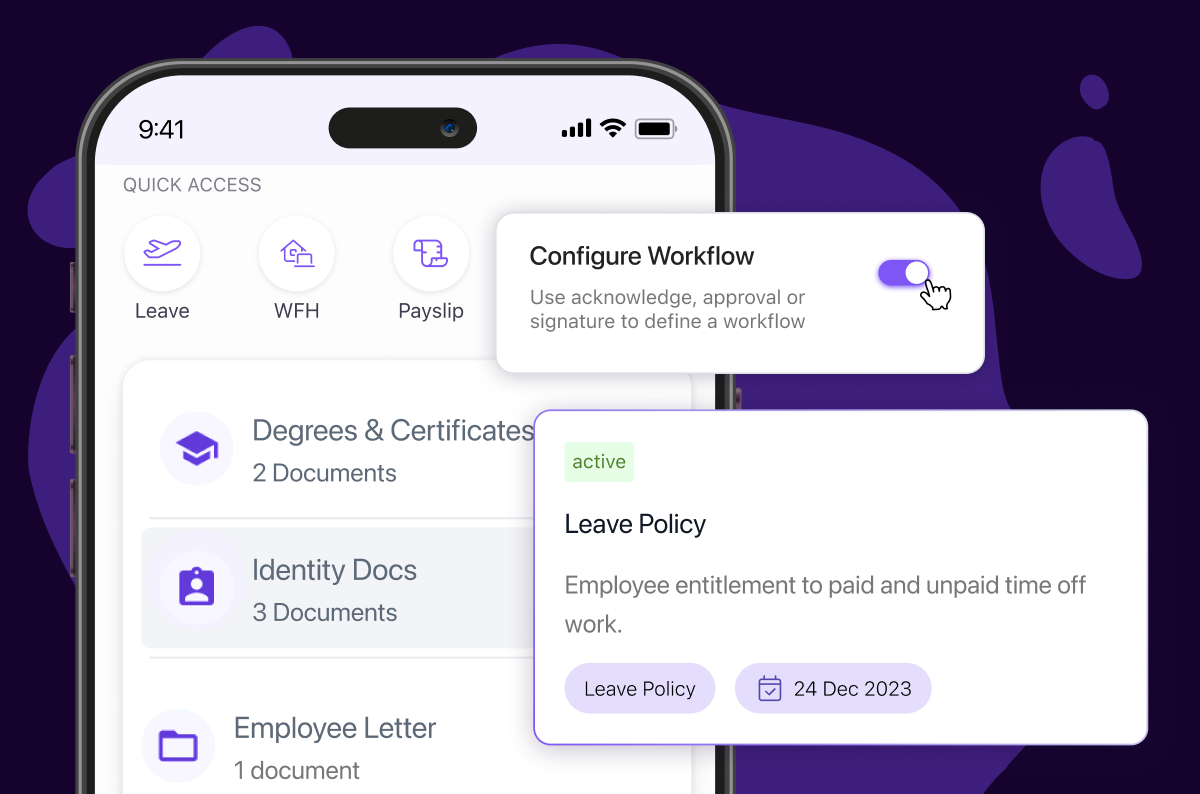
- Document Workflows and Approvals: Define automated workflows for document approval processes and track document acknowledgments from employees
- Digital Document Generation: Automatically generate HR documents like offer letters, employment contracts, and policy acknowledgments
- Compliance Tracking: Monitor document expiration dates, renewal requirements, and ensure regulatory compliance for HR-related documentation
- Employee Self-Service Portal: Allow employees to upload, view, and download their personal documents through web and mobile interfaces
- Integration Capabilities: Connect with digital signature tools like DocuSign and emSigner for seamless document signing workflows
- Advanced Access Controls: Set granular permissions based on legal entities, business units, departments, and employee roles
- Mobile Document Access: Full document management functionality available through iOS and Android mobile applications
| Pros | Cons |
|---|---|
| Seamless integration with comprehensive HR suite | Limited to HR-focused document management |
| Strong compliance and audit trail capabilities | Mobile app functionality is less robust than web version |
| Automated document workflows and approvals | |
| Excellent employee self-service features |
Ideal Solution for:
- Business Size: Small to medium businesses (50-1000 employees)
- Industry: Any industry requiring comprehensive HR document management
- Best For: Companies seeking integrated HR and document management, organizations with complex compliance requirements, businesses prioritizing employee self-service capabilities, and companies operating in India or similar regulatory environments.
Pricing:
- Foundation: $9/employee/month
- Strength: $16/employee/month
- Growth: $22/employee/month
Expert’s Opinion on Keka’s PSA:
Keka’s document vault mirrors the platform’s clean HR-suite UI, keeping employee files, contracts, and policy docs a click away from payroll and performance data. HR teams report that automated expiry alerts and built-in e-signature links slash follow-up emails during onboarding and policy rollouts. Because the workflow engine targets standard HR approvals, organisations with intricate compliance chains or multi-division routing should stress-test those scenarios during the free trial.
2. DocuWare
DocuWare is a comprehensive document management and workflow automation platform designed to transform paper-heavy processes into streamlined digital workflows. Built with the philosophy that document management should enhance productivity rather than hinder it, DocuWare combines powerful automation capabilities with an intuitive interface that scales from small businesses to enterprise organizations.

Key features of DocuWare:
- Intelligent Document Capture: Automated document scanning and indexing with OCR technology for searchable archives
- Workflow Automation: Customizable approval processes and automated routing based on document type and content
- Secure Cloud & On-Premise Options: Flexible deployment with bank-level security and compliance certifications
- Advanced Search & Retrieval: Full-text search with metadata filtering and instant document access across all repositories
| Pros | Cons |
|---|---|
| Robust workflow automation with visual process designer | Initial setup complexity for advanced workflows |
| Excellent integration capabilities with existing business systems | Pricing can escalate with advanced features and user count |
| Strong security features with granular permission controls | Learning curve for users transitioning from paper-based processes |
| Scalable architecture supporting growth from SMB to enterprise | Some customization options require technical expertise |
Ideal Solution for:
Perfect for medium to large organizations (50-5000+ employees) seeking comprehensive document digitization with advanced workflow automation and enterprise-grade security.
Pricing:
Available on request, tailored to business needs and chosen features.
Expert’s Opinion on DocuWare:
What makes DocuWare one of the best document management systems is its ability to handle complex business processes while maintaining user accessibility. The platform excels at transforming traditional paper workflows into efficient digital processes, though organizations should be prepared for a learning curve during implementation. While the initial investment may seem substantial, the long-term ROI through improved efficiency and compliance management typically justifies the cost.
3. M-Files
M-Files is an intelligent document management platform that revolutionizes how organizations store, manage, and access their content. Unlike traditional folder-based systems, M-Files organizes documents based on what they are rather than where they’re stored, using metadata-driven architecture to create a more intuitive and powerful document management experience.

Key features of M- Files:
- Metadata-Driven Organization: Dynamic document organization based on content properties rather than static folder structures
- Intelligent Automation: AI-powered document classification and automated workflows with machine learning capabilities
- Universal Search: Advanced search functionality across all connected systems and repositories with instant results
- Multi-Repository Connectivity: Unified access to documents stored across SharePoint, file shares, cloud storage, and business applications
| Pros | Cons |
|---|---|
| Metadata approach eliminates folder navigation confusion | Users commonly report sluggishness when managing large document volumes or executing complex searches |
| Powerful AI and automation capabilities for intelligent document processing | Advanced features may be overwhelming for simple document storage needs |
| Excellent integration ecosystem with existing business applications | The desktop client can feel dated, and the user experience may not be very intuitive, especially for new users |
| Strong version control and collaboration features | Custom workflows and automation can require coding |
Ideal Solution for:
Ideal for knowledge-intensive organizations (25-10000+ employees) requiring intelligent document management with advanced automation and cross-system integration capabilities.
Pricing:
Custom quotes offered depending on team size, deployment type, and integrations.
Expert Verdict:
Among the top document management software options, M-Files stands out for its innovative approach to content organization and intelligent automation. The platform’s metadata-driven architecture solves many traditional DMS limitations, though organizations must be prepared to invest in proper training and change management. While the learning curve exists, companies that fully embrace the M-Files methodology typically see significant improvements in document findability and workflow efficiency.
4. NetDocuments
NetDocuments is a cloud-native document management system built specifically for professional services firms, offering enterprise-grade security with seamless collaboration capabilities. NetDocuments provides intelligent document organization with advanced search and matter-centric workflows that integrate naturally into professional practices.

Key Features of NetDocuments:
- Matter-Centric Organization: Document management organized around client matters and projects with automatic filing and cross-referencing capabilities
- Advanced Security & Compliance: Bank-level encryption, detailed audit trails, and compliance with GDPR, HIPAA, and attorney-client privilege requirements
- Intelligent Email Management: Automatic email filing with conflict checking and client communication tracking integrated with Outlook
- Collaborative Workspaces: Real-time document collaboration with version control and simultaneous editing capabilities across teams
| Pros | Cons |
|---|---|
| Purpose-built for professional services with industry-specific workflows | Users report slow syncing, delays between saving and seeing documents, and occasional downtime |
| Exceptional security features with granular access controls | Learning curve for firms transitioning from traditional file systems |
| Seamless integration with Microsoft Office and legal-specific applications | Limited customization options for non-professional service use cases |
| Reliable cloud infrastructure with 99.9% uptime guarantee | NetDocuments lacks native macOS support |
Ideal Solution for:
Perfect for law firms, accounting practices, and professional services organizations (25-5000+ employees) requiring specialized document management with matter-centric organization and strict security protocols.
Pricing:
Costs vary based on company size, modules selected, and implementation scope.
Expert Verdict:
NetDocuments excels as a specialized solution for professional services, offering features that generic document management systems simply cannot match. The platform’s deep understanding of client-matter relationships and regulatory requirements makes it invaluable for firms handling confidential client information, though the specialized nature and pricing may not suit general business use cases.
5. OpenText
OpenText is an enterprise-grade content management platform that combines document management with business process automation and analytics. OpenText provides comprehensive information governance with AI-powered insights that transform documents from static files into actionable business intelligence.

Key Features of OpenText:
- Enterprise Content Management: Comprehensive platform managing documents, records, and digital assets with automated lifecycle management
- AI-Powered Content Analytics: Machine learning algorithms that extract insights from documents and automate content classification
- Business Process Integration: Deep integration with ERP, CRM, and business applications for seamless workflow automation
- Scalable Architecture: Enterprise-grade infrastructure supporting millions of documents with high availability and disaster recovery
| Pros | Cons |
|---|---|
| Comprehensive enterprise features with unlimited scalability | Complex implementation requiring significant IT resources and expertise |
| Advanced AI and analytics capabilities for content intelligence | High total cost of ownership with licensing and implementation costs |
| Robust integration ecosystem with major enterprise applications | Steep learning curve for end users and administrators |
| Strong governance and compliance features for regulated industries | Documentum performance degrades when storing very large volumes of documents |
Ideal Solution for:
Ideal for large enterprises and multinational corporations (1000-50000+ employees) requiring comprehensive content management with advanced analytics, compliance, and integration capabilities.
Pricing:
Customizable plans designed to fit specific organizational workflows and compliance needs.
Expert Verdict:
OpenText represents the pinnacle of enterprise content management, offering capabilities that can transform how large organizations handle information. While the platform requires significant investment in both technology and training, enterprises dealing with complex compliance requirements and massive content volumes will find the comprehensive feature set justifies the substantial commitment required for successful implementation.
6. Box
Box is a cloud-first content management platform that emphasizes security, collaboration, and seamless integration with modern business workflows. Built with the philosophy that content should be accessible anywhere while remaining secure, Box combines enterprise-grade security features with consumer-friendly usability, making it equally suitable for Fortune 500 companies and growing startups.

Key Features of Box:
- Secure File Sharing & Collaboration: Advanced sharing controls with watermarking, download restrictions, and collaboration permissions for external partners
- Workflow Automation: Box Relay for automated approval processes and content routing with conditional logic and notifications
- Developer Platform & Integrations: Extensive API ecosystem with 1500+ integrations including Salesforce, Microsoft 365, and Adobe Creative Cloud
- Advanced Security Controls: Zero-knowledge encryption, detailed activity monitoring, and administrative controls for data governance
| Pros | Cons |
|---|---|
| Intuitive interface with minimal training required for adoption | Storage limitations can become expensive for content-heavy organizations |
| Strong security features rivaling traditional enterprise solutions | Advanced workflow features require higher-tier plans |
| Excellent mobile experience with offline access capabilities | Limited customization options for specialized business processes |
| Comprehensive integration ecosystem with popular business applications | Reporting and analytics capabilities could be more robust |
Ideal Solution for:
Perfect for modern businesses (10-10000+ employees) prioritizing secure collaboration with external partners while maintaining simple user experience and extensive integration capabilities.
Pricing:
Starting at $13/user/month for business plans
Expert Verdict:
Box strikes an excellent balance between enterprise security and user-friendly design, making it one of the most adoptable document management solutions for organizations prioritizing collaboration. While it may lack some of the specialized features found in industry-specific platforms, Box’s strength lies in its ability to integrate seamlessly into existing business workflows while maintaining the security standards required by enterprise organizations.
7. Laserfiche
Laserfiche delivers enterprise content management through a comprehensive platform that automates business processes while maintaining strict document governance. It addresses the challenge of transforming paper-intensive operations into digital workflows, offering advanced capture technologies and process automation that scales from departmental implementations to enterprise-wide deployments.

Key Features of Laserfiche:
- Advanced Document Capture: Intelligent data extraction with OCR, barcode recognition, and automated document classification for high-volume processing
- Business Process Automation: Visual workflow designer with conditional logic, automated routing, and integration with business applications
- Comprehensive Records Management: Automated retention scheduling, legal holds, and disposition management for regulatory compliance
- Enterprise Search & Analytics: Full-text search across repositories with business intelligence dashboards and performance metrics
| Pros | Cons |
|---|---|
| Robust automation capabilities with intuitive visual workflow designer | Implementation complexity can be overwhelming for smaller organizations |
| Strong records management features for compliance-heavy industries | Higher learning curve compared to simpler document management solutions |
| Flexible deployment options including cloud, on-premise, and hybrid | System response is slow when working with large document volumes or complex repositories |
| Excellent customer support and professional services for implementation | Integrating with other systems can be difficult, time-consuming, or require specialized development effort |
Ideal Solution for:
Perfect for government agencies, healthcare organizations, and large enterprises (100-10000+ employees) requiring comprehensive records management with advanced process automation and compliance capabilities.
Pricing:
Starting at $53/user/month for basic plans.
Expert Verdict:
Laserfiche represents a mature approach to enterprise content management, excelling in environments where document governance and process automation are critical. Organizations with complex compliance requirements will appreciate the comprehensive records management features, though smaller businesses may find the extensive capabilities overwhelming for basic document management needs.
8. Templafy
Templafy revolutionizes document creation by ensuring brand consistency and compliance across all organizational communications. Rather than managing documents after creation, Templafy controls the document creation process itself, providing employees with approved templates, current brand assets, and real-time content guidance that maintains corporate standards while improving productivity.

Key Features of Templafy:
- Template Management & Governance: Centralized template library with automatic updates and brand compliance enforcement across all document types
- Digital Asset Management: Organized library of logos, images, and brand assets with usage rights and automatic integration into documents
- Real-Time Content Intelligence: Smart suggestions for approved language, clauses, and formatting based on document context and recipient
- Integration with Productivity Tools: Native integration with Microsoft Office, Google Workspace, and presentation tools for seamless workflow adoption
| Pros | Cons |
|---|---|
| Exceptional brand consistency enforcement across all document creation | Limited value for organizations without strict branding requirements |
| Intuitive user experience that requires minimal training for adoption | Focus on document creation rather than comprehensive document management |
| Strong analytics providing insights into document usage and compliance | Higher cost per user compared to traditional document management systems |
| Excellent integration with popular productivity suites and business applications | May require significant setup time for complex template and asset libraries |
Ideal Solution for:
Perfect for marketing agencies, consulting firms, and brand-conscious enterprises (50-5000+ employees) prioritizing document consistency, brand compliance, and professional presentation standards.
Pricing:
Costs are calculated individually based on system configuration and organization size.
Expert Verdict:
Templafy addresses a specific but critical need in document management by focusing on creation rather than storage. Organizations where brand consistency and professional presentation directly impact business success will find significant value in Templafy’s approach, though companies primarily concerned with document storage and retrieval should consider more traditional document management solutions.
9. Revverdocs
Revverdocs provides small to medium businesses with affordable document management that doesn’t sacrifice essential features for cost savings. It addresses common SMB pain points around document organization, security, and workflow automation while maintaining the simplicity needed for teams without dedicated IT resources.

Key Features of Revverdocs:
- Intuitive Document Organization: Folder-based structure with tagging and metadata that mirrors familiar file system navigation
- Automated Workflow Processes: Drag-and-drop workflow builder for approval processes, document routing, and task automation
- Comprehensive Security Features: Bank-level encryption, audit trails, and role-based permissions with compliance reporting
- Mobile Access & Collaboration: Native mobile applications with offline access and real-time collaboration capabilities
| Pros | Cons |
|---|---|
| Affordable pricing structure ideal for small to medium businesses | Limited scalability for large enterprise deployments |
| User-friendly interface requiring minimal training for team adoption | Documents checked out by one user become inaccessible to others until checked back in |
| Strong customer support with personalized implementation assistance | Options for customizing document templates and layouts are restricted |
| Reliable cloud infrastructure with automatic backups and disaster recovery | You cannot edit documents directly within the platform |
Ideal Solution for:
Perfect for small to medium businesses (5-200 employees) seeking comprehensive document management with workflow automation at affordable pricing without enterprise complexity.
Pricing:
Starting at $55/user/month for basic document management.
Expert Verdict:
eFileCabinet succeeds by focusing on the core needs of small to medium businesses without overwhelming users with unnecessary complexity. While larger organizations may require more advanced features, SMBs will appreciate the balance of functionality, affordability, and ease of use that makes professional document management accessible.
10. XaitPorter
XaitPorter specializes in collaborative document creation for complex, multi-author projects where coordination and consistency are paramount. It addresses the unique challenges of creating large-scale documents like proposals, reports, and technical documentation by providing structured collaboration tools that maintain quality while managing multiple contributors and stakeholders.

Key Features of XaitPorter:
- Structured Document Collaboration: Organized workspaces with section assignments, contributor roles, and real-time coordination for complex documents
- Advanced Review & Approval Workflows: Multi-stage review processes with tracked changes, comment resolution, and approval hierarchies
- Template & Content Library Management: Reusable content blocks, approved templates, and standardized formatting for consistent output
- Project Management Integration: Built-in project timelines, milestone tracking, and resource allocation for document creation projects
| Pros | Cons |
|---|---|
| Exceptional collaboration features designed specifically for complex document projects | Lacks advanced table handling, such as automatic numbering, and offers only basic integration with Excel |
| Strong project management capabilities integrated with document creation workflows | Higher learning curve compared to general-purpose collaboration tools |
| Excellent version control and review tracking for multi-author documents | Does not have a dedicated mobile application |
| Professional output quality with advanced formatting and presentation controls | Spell-check capabilities are underdeveloped, and review features such as commenting and change tracking need improvement |
Ideal Solution for:
Perfect for consulting firms, government contractors, and professional services (25-1000+ employees) creating complex, multi-stakeholder documents like proposals, technical reports, and strategic plans.
Pricing:
Pricing is customized to match company requirements.
Expert Verdict:
XaitPorter excels in its specialized niche of complex document creation, providing tools that generic collaboration platforms cannot match for structured, multi-author projects. Organizations regularly creating large-scale documents with multiple contributors will find significant value in XaitPorter’s structured approach, though businesses primarily needing basic document storage and sharing should consider more general-purpose solutions.
Best Document Management Tools Comparison Chart
Choosing the right document management software can be overwhelming because each tool serves different organizational needs. To help you compare options clearly, here is a side-by-side chart of the leading document management tools, their core features, best use cases, and starting prices.
| Product Name | Key Features | Best For | Starting Price |
|---|---|---|---|
| Keka | Complete employee document digitization Automated workflow processes Digital signature collection Document templates & governance | HR-focused organizations, Small to medium businesses (15–500 employees) | $9/user/month |
| DocuWare | Intelligent document capture Workflow automation Secure cloud & on-premise options Advanced search & retrieval | Medium to large organizations (50–5000+ employees) | Pricing available on request |
| M-Files | Metadata-driven organization Intelligent automation Universal search Multi-repository connectivity | Knowledge-intensive organizations (25–10000+ employees) | Custom quotes offered depending on team size |
| NetDocuments | Matter-centric organization Advanced security & compliance Intelligent email management Collaborative workspaces | Professional services firms, Law firms, Accounting practices (25–5000+ employees) | Costs vary based on company siz |
| OpenText | Enterprise content management AI-powered content analytics Business process integration Scalable architecture | Large enterprises, Multinational corporations (1000–50000+ employees) | Customizable plans designed to fit specific organizational workflows |
| Box |
| Modern businesses prioritizing collaboration (10–10000+ employees) | $13/user/month |
| Laserfiche |
| Government agencies, Healthcare organizations (100–10000+ employees) | $53/user/month |
| Templafy |
| Marketing agencies, Brand-conscious enterprises (50–5000+ employees) | Pricing available on request |
| eFileCabinet |
| Small to medium businesses (5–200 employees) | $55/user/month |
| XaitPorter |
| Consulting firms, Government contractors (25–1000+ employees) | Custom plans are available based on your business needs |
Best Picks for Document Management
The “best” document management system depends on your specific workflow challenges, security requirements, and organizational priorities. Here’s a breakdown tailored to different needs:
Small Businesses
If you’re a growing company that needs comprehensive document management without enterprise complexity:
- Keka: Perfect for small businesses wanting HR document management integrated with payroll and employee systems at unbeatable pricing starting at $9/user/month.
- eFileCabinet: Great for SMBs needing general business document management with workflow automation at affordable pricing.
Large Enterprises
For organizations managing massive document volumes with complex compliance and integration requirements:
- OpenText: The comprehensive enterprise solution for multinational corporations needing advanced AI analytics and unlimited scalability.
- Laserfiche: Ideal for large organizations requiring robust records management with enterprise-grade process automation.
Remote/Hybrid Teams
Teams needing seamless document access and collaboration across different locations and devices:
- Keka: Perfect for distributed HR teams managing employee documents, onboarding, and compliance processes across multiple locations.
- Box: Built for modern distributed teams with excellent mobile experience and real-time collaboration capabilities.
Compliance & Security (HIPAA, GDPR, SOC2)
Organizations in regulated industries requiring strict document governance and audit capabilities:
- Keka: Strong compliance features for employee record keeping, audit trails, and regulatory requirements with built-in HR expertise.
- Laserfiche: Comprehensive records management with automated retention policies and legal hold capabilities.
AI-Powered Document Management
Companies wanting intelligent automation for document classification and content insights:
- Keka: Smart document workflows with automated routing, intelligent categorization, and AI-powered employee document processing.
- M-Files: Revolutionary AI-powered document classification with metadata-driven organization and machine learning capabilities.
Best for Legal Firms
Law firms needing specialized features for client matters and confidential document handling:
- NetDocuments: The gold standard for legal document management with matter-centric organization and conflict checking.
M-Files: Excellent alternative offering intelligent organization with strong security and compliance features for legal practices.
Best Document Management Software: Top Picks Based on Use Cases
| Category | Software | Why It Stands Out |
|---|---|---|
| Best for Small Businesses | Keka | Integrated HR document management with payroll and employee systems; affordable starting at $9/user/month. |
| eFileCabinet | General business document management with workflow automation at SMB-friendly pricing. | |
| Best for Large Enterprises | OpenText | Enterprise-grade DMS with AI analytics, compliance, and unlimited scalability for multinationals. |
| Laserfiche | Robust records management with enterprise-grade automation and compliance tools. | |
| Best for Remote and Hybrid Teams | Keka | Seamless HR document workflows, onboarding, and compliance across distributed teams. |
| Box | Excellent mobile access and real-time collaboration for modern distributed teams. | |
| Best for Compliance and Security | Keka | HR-focused compliance features with audit trails and regulatory record-keeping. |
| Laserfiche | Automated retention policies, legal holds, and comprehensive governance. | |
| Best for AI-Powered Document Management | Keka | AI-driven workflows for routing, categorization, and employee document automation. |
| M-Files | Metadata-driven AI classification with machine learning insights. | |
| Best for Legal Firms | NetDocuments | Matter-centric DMS with conflict checking, designed for legal practices. |
| M-Files | Intelligent organization with strong compliance features tailored for legal teams. |
How to Choose the Right Document Management Tool
Selecting a Document Management System (DMS) requires a structured approach. Each step helps ensure the system fits your records, workflows, and compliance needs.

- Start with a Records Inventory: Identify the documents you manage: HR files, contracts, invoices, client records, or compliance reports. Record how many are created and stored each month, how often they are accessed, and which are archival versus active.
- Define Core Functional Requirements: A good system should scan and digitize files, support tagging for easy organization, and provide reliable search by keyword or date. It should include automated workflows for approvals or reminders, and maintain strong security with permissions and tracking.
- Choose a Deployment Model: On-premise systems provide full control but require infrastructure, in-house IT staff, and planned upgrades. Cloud systems reduce upfront costs, simplify updates, and allow remote access, but they rely on vendor reliability, uptime guarantees, and compliance certifications.
- Evaluate Usability: A system is only effective if employees can use it without constant IT support. Look for intuitive, menu-driven interfaces, clear error messages, and strong onboarding resources. Test whether non-technical staff can scan, tag, and retrieve files with minimal training.
- Understand the Full Cost: Go beyond subscription or licensing fees. Factor in costs for implementation, data migration, training, annual maintenance, and upgrades. Some vendors bundle these in, while others charge separately.
Additionally, here are some essential questions to ask before purchasing:
- What records do I need to manage?
- What type of software will meet my needs?
- What software do other organizations use?
- Is the manual clear and easy to understand?
- Is the software easy or difficult to master?
- Does the system do what it is supposed to do?
- Are the screens helpful?
- Will error messages appear when an error is made?
- How fast is the system?
- Can global changes be performed?
- What kinds of reports can be generated?
Conclusion
Document management systems organize records, support compliance, and give employees secure access to information. They help reduce paper dependence, improve workflows, and cut down on time wasted searching for files.
Keka is a practical choice for companies that manage a large part of their documentation through HR. At $9 per user each month, it offers digitization of employee records, digital signatures, and automated workflows, along with integration into payroll and performance tools.