Best Payroll Software for 2025

Explore our list of the best payroll software solutions to streamline your daily lives and choose the best option!

Get Started With Keka

Unlocking the secret to a productive, happy, and engaged workforce is a challenge businesses worldwide face. A competitive paycheck and a culture of rewards and recognition play vital roles in employee satisfaction and retention. According to American Payroll Association survey,  49% of employees leave organizations after facing two payroll errors, highlighting the importance of accurate payroll processing in driving employee retention and positive employee experience (EX). 

In today’s fast-paced digital landscape, manual payroll processing is slow, inefficient, and prone to errors. This makes payroll software an essential tool for businesses of all sizes, regardless of workforce size. 

So, without any further ado, let’s head onto the top payroll software in 2025. Your search for an ideal payroll processing software ends here.  

Benefits of Payroll Software

When asked about the most critical yet time-consuming function handled by HR professionals, 80% of seasoned experts agreed that payroll administration and taxes are among the most hectic aspects of their jobs. 

Payroll software reduces this burden by processing payroll accurately and promptly. Here are five key payroll benefits it brings offers: 

  • Saves time and reduces error 

HR professionals spend nearly 80 hours annually manually processing payroll, payroll software helps avoid this scenario by processing error-free payroll quickly, letting HR professionals undertake strategic initiatives. 

  • Data security and compliance 

The manual payroll process exposes sensitive data to external threats and compromises the organization’s overall security. Payroll software helps track the constantly changing federal laws and protect sensitive information with password locks. 

  • Simple tax filing and expense management 

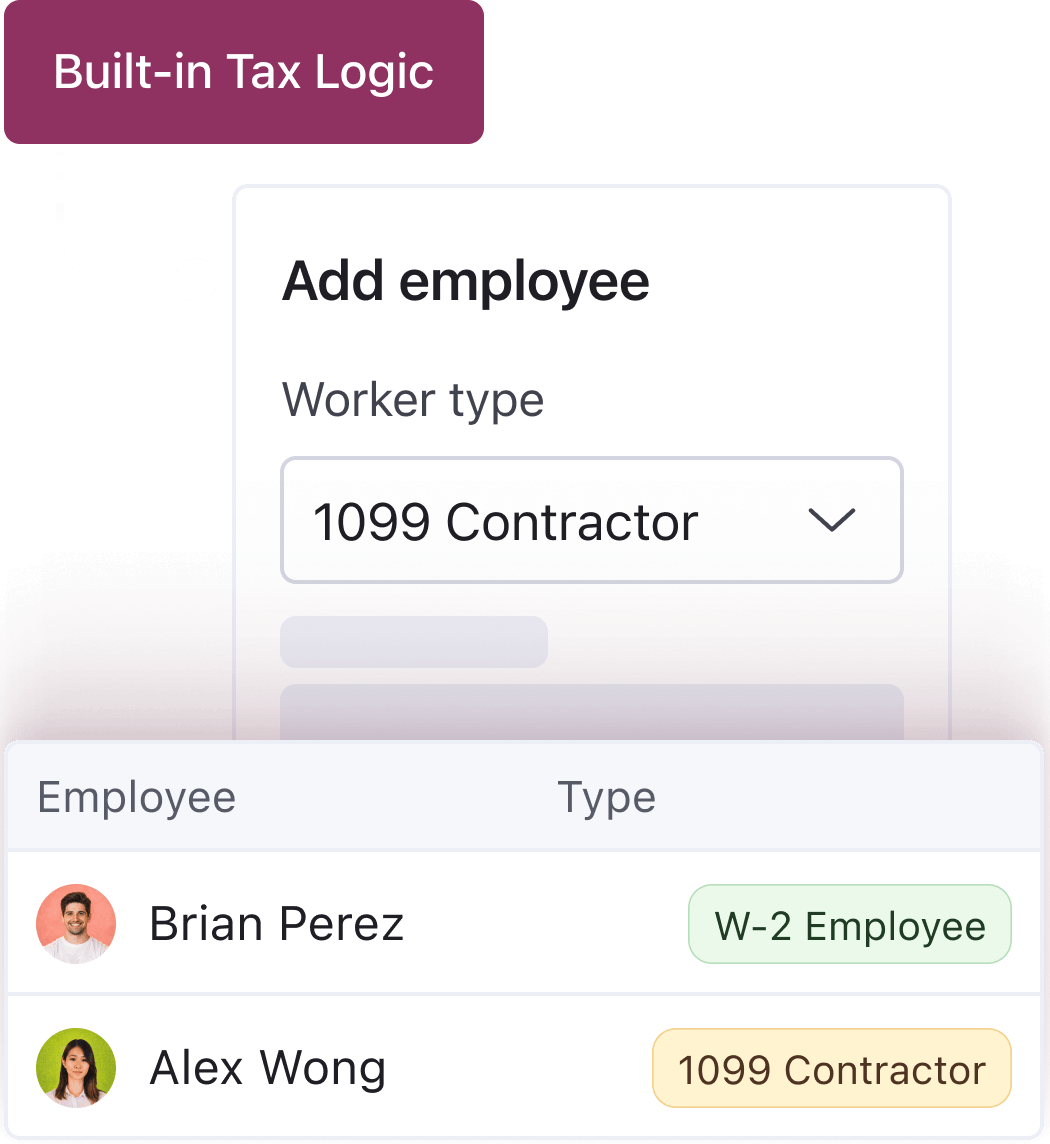
Most payroll software comes with a built-in tax calculator, compliance mechanism, integrated employee expense management, accounting for both federal and local requirements and reducing additional burden on HR professionals. 

  • Manage payroll of the global workforce 

With organizations operating with employees scattered across different geographical locations, global payroll software allows them to manage their employees’ payroll from any remote location, irrespective of their work location and mode. 

  • Easy to monitor employees 

Managing multiple staff schedules, tracking productive hours, and updating attendance data manually can be challenging for managers. Payroll software simplifies this by syncing employee calendars and tracking them from a single screen. 

More importantly, Reports suggest efficient payroll software can boost your business profitability by 3x! Now, let’s move ahead with our list of the top payroll systems in 2025. 

List of the Best Payroll Software 

Keka HR

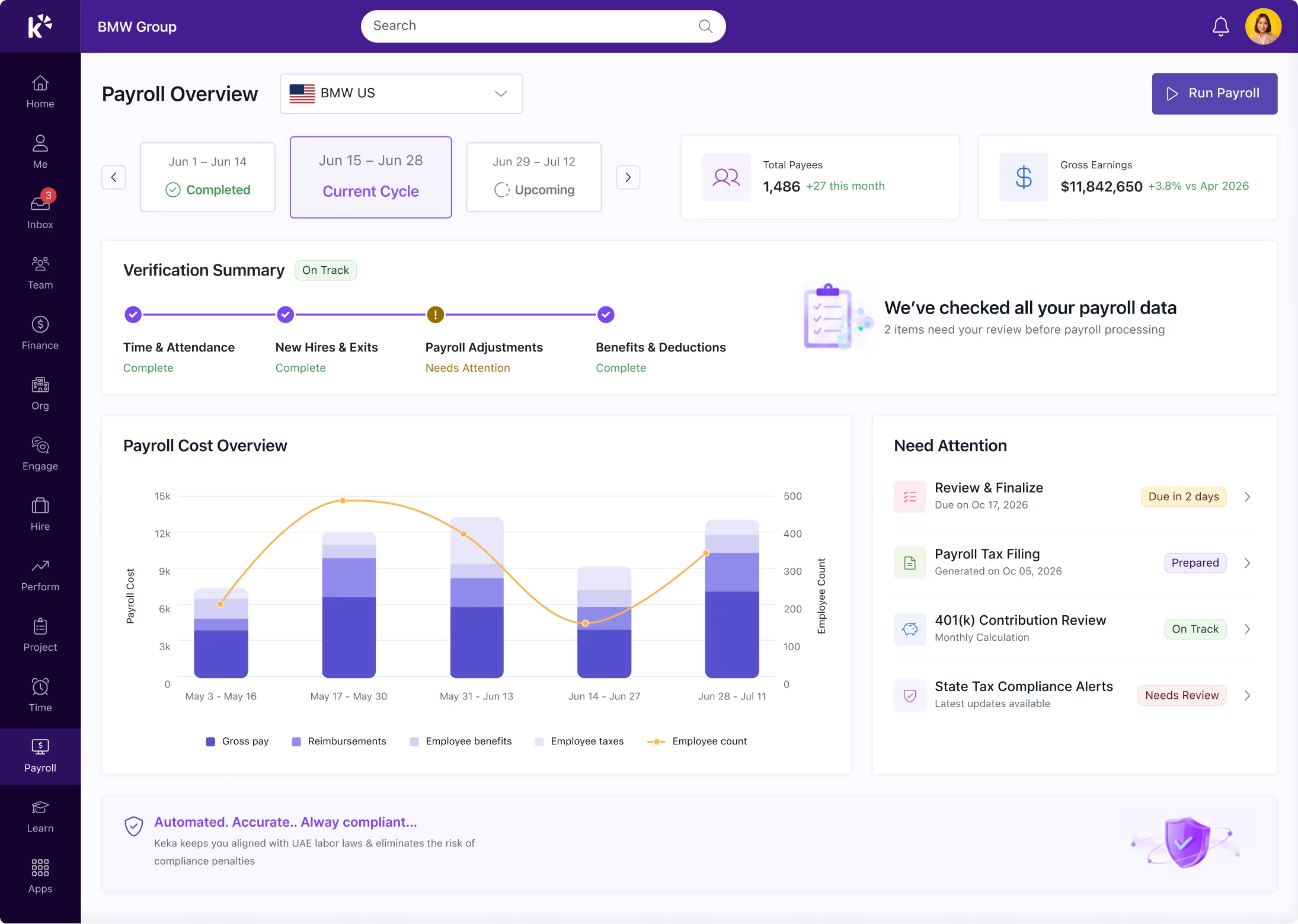
Keka Payroll Software

Keka HR stands as one of the leading payroll software provider catering to businesses of all sizes and industries. Since its inception in 2016, Keka HR has been dedicated to transforming payroll processing with seamless, time-saving, and efficient solutions. Additionally, they offer a range of HR solutions designed to enhance the overall employee experience. 

Key features of Keka HR: 

  • User-friendly, simple, and automated payroll processes within minutes. 
  • HR teams can effectively process payroll without financial expertise. 
  • Inbuilt mechanism to control statutory compliances. 
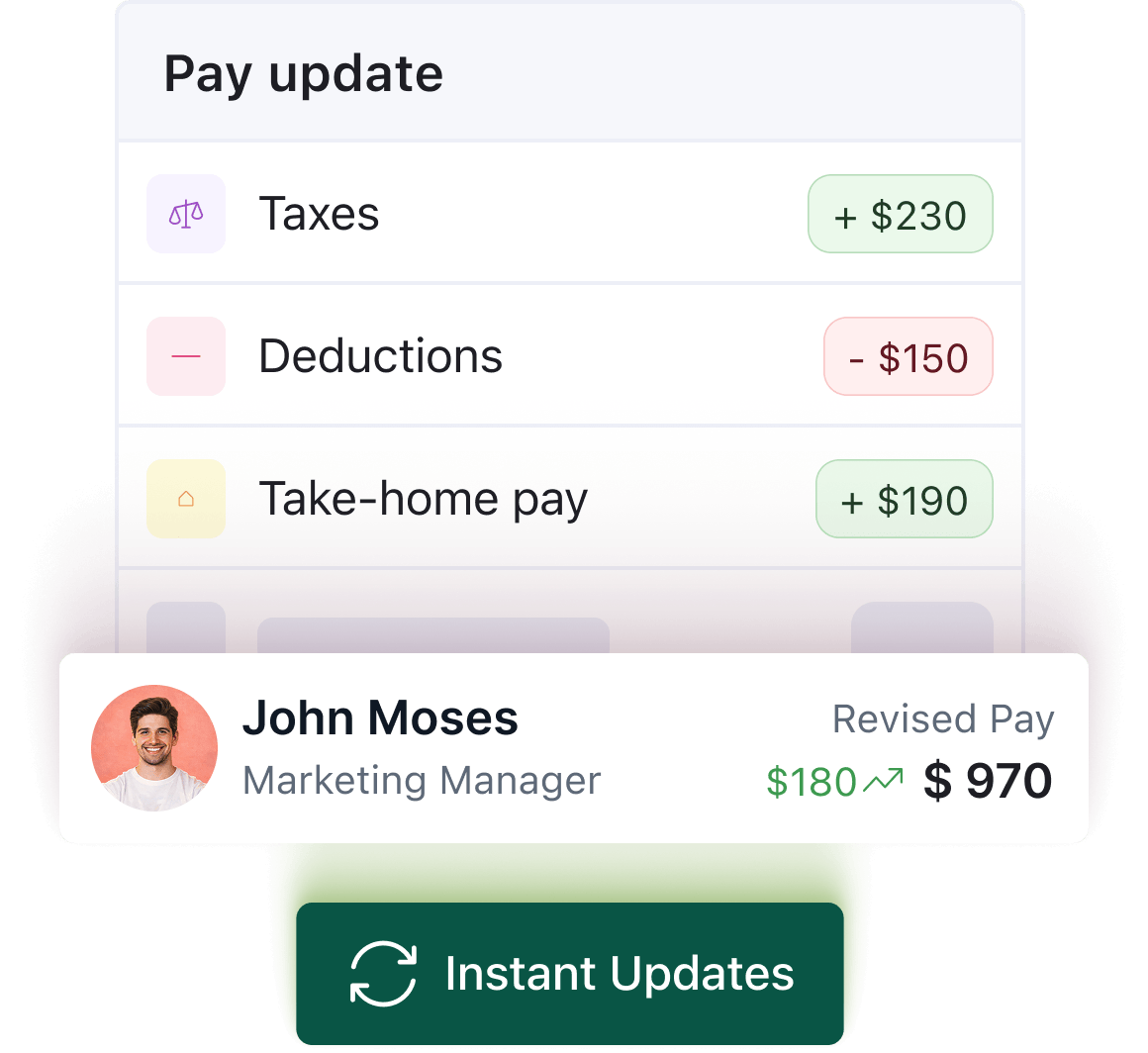
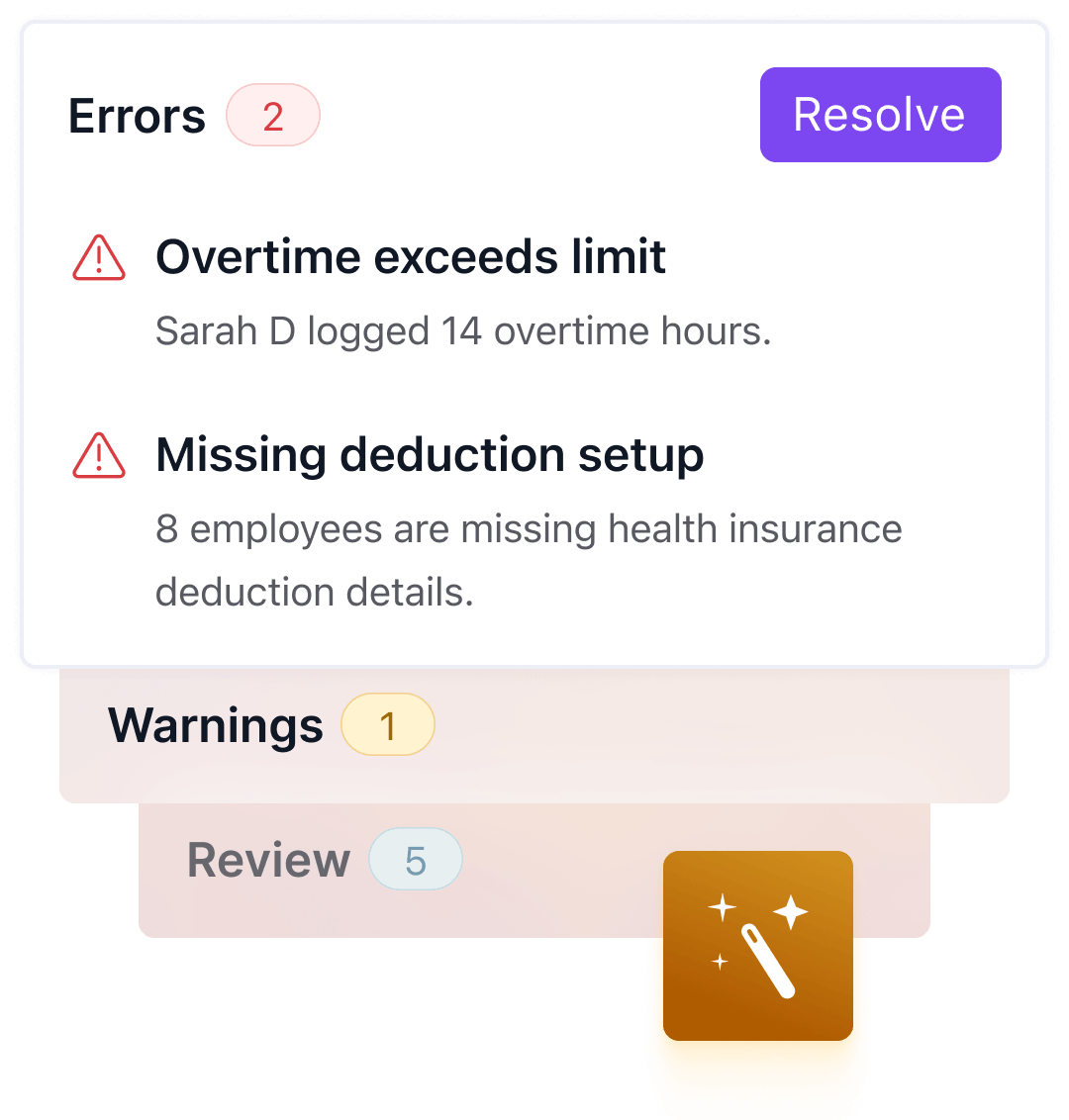
  • Feature to preview payroll period, allowing micro-level changes and error avoidance. 
  • Generate paystubs with a click in the format of your choice, either digitally or in bulk print. 
  • Make leave, time off, and overtime deductions or payments with a unified leave management system. 
  • Keep a track record of newly joined and exited employees with a hire-to-retire platform, where new employees are automatically added to the payroll cycle. 
  • Easy to track arrears, other salary adjustments or pending dues. 
  • Payroll reporting tools to analyze trends and make strategic decisions. 
  • Review and compare the salary of previous months with its complete breakdown and comparison feature. 
  • Third-party integration with other accounting software, MS Excel, and CSV downloads. 

Keka HR has been an industry leader in payroll and HR solutions and serves customers sized 100 to 10,000. With 10,000+ customers and a global presence, Keka HR is on a mission to transform employee experiences worldwide. 

Suitable for: 

Small, medium-sized, and large business enterprises. 

Pricing: 

Keka doesn’t charge any platform fee and offers three packages, with its basic package starting at $9 per employee per month. 

Calculate payroll in minutes without complex processes, take a free trial now!


Gusto 

Founded in 2011, Gusto is a modern cloud-based payroll and HR management solution that simplifies processing payroll for small and medium businesses. 

Key features of Gusto: 

  • Automates payroll processing, saving time and reducing errors. 
  • Handles all tax-related laws, ensuring compliance with regulations. 
  • ESS portal that gives employees access to paystubs, tax forms, and other information. 
  • Third-party integrations with other platforms for seamless data transfer and workforce automation. 

Suitable for: 

Startups, small and medium business enterprises. 

Pricing: 

The basic plan of Gusto starts at $40 a month, plus $6 a month per employee, with basic payroll features.


Paychex 

Founded in 1971, Paychex is a leading provider of payroll, HR and benefits outsourcing solutions for small and medium businesses across the US. 

Key features: 

  • Full-service payroll, including calculations, tax deductions, and direct deposit services. 
  • Helps businesses stay compliant with federal, local, and state tax regulations. 
  • Administers a range of employee benefits like health and retirement. 
  • Additional features like employee handbooks, job descriptions, and HR compliance assistance. 

Best suited for: 

Small and medium-sized businesses. 

Pricing: 

Paychex offers customized pricing plans based on business requirements.


ADP 

Established in 1949, ADP is a cloud-based HCM solutions provider that offers unified HR solutions, including payroll, HR, talent, time, tax and benefits management. 

Key features of ADP: 

  • Efficient payroll processing services encompassing paycheck calculations and tax deductions. 
  • Manages tax compliance across state, federal, and local laws. 
  • ESS portal to access pay stubs, tax forms, and other information on the go. 
  • A robust reporting tool that provides insights into key payroll metrics. 

Best suited for: 

Small, medium, and large business enterprises. 

Pricing: 

ADP offers a customized plan based on client requirements.


Paycor 

Paycor is a leading payroll solutions provider that streamlines HR processes for businesses of various sizes and industrial units. 

Key features of Paycor: 

  • Comprehensive payroll solution encompassing payroll calculations and tax deductions. 
  • Assists businesses remain tax compliant by managing calculations and tax filings. 
  • ESS portal to help employees access their payroll-related records. 
  • Customizable reports to track key payroll metrics and optimize processes. 

Best suited for: 

Medium-sized business enterprises. 

Pricing: 

Paycor follows a quotation-based pricing model, customized to business needs.


BambooHR 

Founded in 2008, BambooHR is a cloud-based HR software solution designed to automate HR processes and improve employee management for small and medium businesses. 

Key features of BambooHR: 

  • Automated wage, taxes, overtime, and deductions calculations. 
  • Helps businesses stay tax compliant by providing alerts on tax law changes. 
  • Allows businesses to create and apply customizable payroll policies. 
  • Mobile accessibility of payroll information. 

Best suited for: 

Small and medium-sized business enterprises. 

Pricing: 

BambooHR provides a quotation-based pricing model, customizable according to business needs.


Oracle NetSuite

NetSuite is a cloud-based business management software designed to help businesses streamline their core operations, including financials, CRM, and ERP. This software was acquired by Oracle in 2016. 

Key features of Oracle NetSuite: 

  • Robust payroll processing capabilities. 
  • Assists businesses in staying tax compliant. 
  • ESS portal for employees that reduces administrative burden on HR teams. 
  • Third-party integration with accounting and core HR functions for workflow automation. 

Best suited for: 

Medium and large-scale business enterprises. 

Pricing: 

Oracle NetSuite follows a subscription-based pricing model with tailored pricing for business needs.


Rippling 

Founded in 2016, Rippling is a cloud-based HR and payroll software platform offering businesses a single platform to manage their HR, IT, and operations management. 

Key features of Rippling: 

  • Automated payroll processing with calculations, tax deductions, and direct deposit services. 
  • Manage leave, attendance, overtime, and benefits calculations under a single platform. 
  • Expense management feature allows employees to submit their expenses for reimbursement. 
  • Integrates with accounting software to ensure accurate financial reporting. 

Best suited for: 

Small and medium-sized business enterprises. 

Pricing: 

Rippling also follows a quotation-based pricing model for its services.


QuickBooks Payroll 

QuickBooks Payroll is a comprehensive payroll software solution designed by Intuit to provide automated payroll processing services to businesses. 

Key features of QuickBooks Payroll: 

  • Simplified payroll processing with automated calculations. 
  • Help businesses stay compliant with state, federal, and local payroll taxes. 
  • ESS portal to access payroll, benefits, and personal information. 
  • Integrates with time tracking software for accurate compliance with wage and hour regulations. 

Best suited for: 

Small and medium-sized business enterprises. 

Pricing: 

The base pack of QuickBooks Payroll starts at $75 a month with an additional $6 per employee per month.


Deel 

Deel is a global payroll and compliance management platform that helps organizations hire, pay, and manage remote teams worldwide. 

Key features of Deel: 

  • Global payroll solution to handle employees from any remote location. 
  • Contact management to ensure compliance with local laws and regulations. 
  • Multiple payment options to make it simpler to pay remote workers around the world. 
  • Provide compliance support for organizations across the globe. 

Best suited for: 

Remote or global teams looking to streamline payroll and compliance solutions. 

Pricing: 

Deel’s global payroll service operates on a quotation-based pricing model.


OnPay 

OnPay, founded in 2011, is an online payroll software solution designed to help organizations streamline their operations. 

Key features of OnPay: 

  • Comprehensive payroll processing suite with wages, deductions, and tax calculations. 
  • Help businesses stay compliant with state, federal, and local laws. 
  • ESS portal for employees to access and update their personal information. 
  • Integration with accounting software for accurate financial reporting. 

Best suited for: 

Small and medium-sized business enterprises. 

Pricing: 

OnPay’s basic package starts at $40 and an additional $6 monthly per employee.


Patriot Software 

Founded in 2002, Patriot Software is a cloud-based payroll and accounting software solution designed to streamline HR solutions, especially for small businesses. 

Key features of Patriot Software: 

  • Full-service payroll software solution with direct deposit support. 
  • Manage payroll tax calculations, filings, and payments with federal and state compliance. 
  • Generate payroll reports to keep track of payroll expenses and analyze payroll reports. 
  • Manage benefits by tracking contributions and deductions for health, retirement, and other plans. 

Best suited for: 

Small business enterprises. 

Pricing: 

Patriot Software’s basic package starts at $17 a month with an additional fee of $4 per employee.


Sure Payroll 

SurePayroll, established in 2000, offers small businesses simple and affordable payroll processing services. 

Key features of SurePayroll: 

  • Comprehensive payroll plans for wage calculations, overtime pay, and tax deductions. 
  • Helps businesses stay compliant with state, federal and local laws. 
  • ESS platform to view payroll information and update benefits information. 
  • Integrated with time and attendance to track employee hours and manage time-offs. 

Best suited for: 

Small business enterprises. 

Pricing: 

SurePayroll’s most popular package starts at $29.99 a month with an additional fee of $5 per employee.


Square Payroll 

Square Payroll is a cloud-based payroll solutions provider that makes payroll management seamless for small businesses. 

Key features of Square Payroll: 

  • Comprehensive and simplified payroll processing. 
  • Allows businesses to stay compliant with state, federal and local tax regulations. 
  • Mobile accessibility to run payroll, view reports, and manage employee information. 
  • Integrated with time-tracking software to record working hours. 

Best suited for: 

Small business enterprises that are already using Square’s other products. 

Pricing: 

Square Patriot’s comprehensive package starts at $35 monthly with an additional $6 per employee. 

Keka is your one-stop solution for all your payroll worries! 

How does Payroll Software work?

Payroll software helps HR professionals save significant time and effort by automating employee payroll processing and ensuring compliance with tax regulations. Here’s how it usually works: 

  • Setting up employee records: HRs input information about their workforce into the payroll software, including name, address, social security number, and tax withholding information. 
  • Tracking employee hours: Some payroll software integrates with attendance tracking software to automatically update clock-ins and clock-outs, automatically tracking effective working hours, while others require manual updates by HR teams. 
  • Calculating pay: Based on factors like total worked hours, overtime pay, attendance deductions, incentives structure, and company policies, the software calculates the gross pay of individual employees. 
  • Deducting taxes and other withholdings: The software calculates and withholds federal, state, and local tax regulations, as well as Social Security and Medicare taxes, based on the employees’ W-4 form and other relevant information. 
  • Additional deductions: The software also makes additional deductions such as retirement contributions, health insurance premiums, and wage garnishments. 
  • Direct deposit or check printing: Once all calculations are completed, the software can generate direct deposit files for the employee’s bank or create checks for printing. 
  • Tax Filing and Reporting: The payroll software also helps employees file their taxes by generating reports and tax forms (such as W-2s and 1099s) and submitting them to appropriate authorities. 
  • Compliance: They also help ensure compliance with federal, state, and local labor laws and tax regulations by constantly keeping track of changes and updating the system. 
  • Employee Self-Service (ESS) Portal: Many payroll software offers an ESS portal for employees to access their paystubs, tax forms, and other payroll-related information. 
  • Integration: These systems often integrate with other HR and accounting systems to streamline processes and ensure workforce automation and data accuracy across multiple systems. 

5 Essential Payroll Service Features

As the business landscape evolves, so should the features of robust payroll software. Here are the key features your ideal payroll processing partner must have: 

5 Essential Payroll Service Features

1. Integration with time-tracking software 

Manually updating individual employee working hours for organizations with a huge workforce or hourly employees is time-consuming and error-prone. Payroll software integrated with time tracking negates this and improves the overall efficiency and accuracy of payroll processing. 

2. Direct deposit feature 

Employees expect instant and convenient access to their paychecks, and software that offers the feature of direct deposit reduces the burden on HR departments to print and distribute paychecks. 

3. ESS portal 

ESS portal feature provides employees transparent access to their profile with information like leave balances, pay stubs, and W-2 forms. It also reduces the administrative burden of your HR team by allowing employees to update their profiles with information like banking details, contact information, insurance details, etc. 

4. Generating comprehensive reports 

Customizable payroll reports provide essential insights from the key payroll metrics, assisting businesses in making accurate data-driven decisions. 

5. Tax filing 

Automated tax filing is the most sought-after feature in payroll software. The system should be able to automatically update tax rate changes, streamline the tax filing and deduction calculations process and generate the essential W-2s for your employees. 

Thus, these are the five most essential features you should hunt for in your payroll processing software. 

Stages in Payroll Processing

Payroll processing can be broken down into three key stages: 

1. Pre-payroll Stage: 

This primary stage involves gathering relevant information before starting the payroll processing and issuing paychecks to employees. The important steps under this are: 

  • Setting up the basic infrastructure: Collecting all the relevant information like Employer Identification Number (EIN), acquiring state and local tax IDs, and establishing a dedicated bank account for payroll. 
  • Gathering relevant employee information: Collecting W-4 forms for federal income tax withholding, I-9 forms to verify employee eligibility, and W-9 forms for independent contractors are crucial steps. 
  • Establishing payroll policies: Defining the company’s payroll frequency, payment methods, and other relevant policies like overtime pay, benefits, bonus structures, etc. 

2. Payroll Processing Stage: 

The core activity of the entire payroll processing stage is where paychecks are calculated. Here are the key steps: 

  • Collecting employee hours data: With the adoption of modern payroll systems, this data gets automatically updated in the system, reducing the errors of manual entries. 
  • Calculating gross pay: This is automatically calculated by payroll software by multiplying employee hourly wages by the total hours worked, factoring in any bonuses or commissions earned. 
  • Calculating deductions: Deducting essentials like federal and state income taxes, Social Security and Medicare contributions, and other deductions like insurance premiums. 
  • Calculating net pay: Subtracting all the deductions from the gross pay results in the final amount to be paid, known as net pay. 
  • Issuing payments: Distributing the net pay to employees through direct deposits, paychecks, or pay cards according to the organizational preferences. 

3. Post-payroll Stage: 

There are a few additional stages, even after the employees receive their final paychecks, they are: 

  • Generating paystubs: Providing employees with a detailed breakdown of their earnings, deductions, and net pay, either electronically or through paystubs. 
  • Tax filings: Submitting withheld payroll taxes to relevant state and federal authorities on designated due dates. 
  • Maintaining payroll records: Maintaining secure and accurate payroll data for a required period, as the law mandates. 

Thus, this is a generalized view that a company’s payroll processing goes through, and this varies depending on company size, industry type, method of processing, and the chosen payroll software. 

Superior payroll processing without budget compromise. Choose Keka!

Types of Payroll Services

Payroll services can be divided into five categories, they are: 

  1. In-house payroll: Organizations have a team of dedicated personnel and software to process payroll internally. This lets organizations have maximum control over sensitive data, but it also needs significant expertise and resources, making it ideal for large organizations with a dedicated HR team. 
  2. Bookkeepers and CPA: Few accounting professionals offer payroll processing as a part of their services, making it ideal for small businesses seeking professional expertise. However, it’s costly for companies with frequent payroll cycles or complex needs. 
  3. DIY Payroll Software: Online cloud-managed payroll services offer user-friendly interfaces and automated features to manage payroll independently. These are affordable options for small businesses but may need more customization or support to manage complex payroll problems. 
  4. Small Payroll Bureau: Specialized firms that provide payroll services to small and medium businesses. They offer personalized services and handle payroll-related tasks, freeing up time and resources. Pricing is based on available features and the complexity of payroll processes. 
  5. PEO (Professional Employer Organization): PEOs assume the responsibility of co-employers, handling payroll processing, tax filing, and other HR operations. This is an ideal solution for businesses seeking comprehensive HR support and compliance expertise, but it’s costly and involves limited control over essential aspects of payroll. 

While there are multiple options in the market, choose your ideal payroll service provider based on company size, budget, payroll complexity, and desired control level. Consider evaluating all these parameters before making the choice. 

How do you choose the right payroll software?

Running a payroll can be complicated, but choosing the right payroll software service provider can be even more challenging. 

The right payroll software can save time, resources, and effort and increase the profitability of your business. Here’s a guide to help you make the right choice: 

1. Assess your business needs 

While choosing payroll software for your business, it’s essential to answer these crucial questions: 

  • Company size and complexity: Determine the size of your workforce and the complexity of your payroll needs. Small teams may require a simple solution, while large teams may need a more robust solution. 
  • Payroll frequency: Consider how often you run your payroll. Choose a partner that offers flexibility to handle your specific payroll frequency. 
  • Employee types: Consider the types of employees in your workforce. Ensure the software can accommodate various pay types and remote locations. 

Tip:

Consider the future growth plans and scalability of your organization, if you expect to expand in the coming years, then invest in a solution that can scale with your growing needs!

2. Identify the must-have features: 

A few of the essential features of any payroll software are: 

  • Automatic tax calculations and filings: Ensure the software can handle accurate and timely tax filings to avoid potential lawsuits and penalties. 
  • Direct deposit: This helps employees access electronic paychecks, making the transfer process more convenient. 
  • ESS Portal: Employees can access their payroll information, like paystubs, W-2s, and update their personal information, reducing the administrative burdens on the HR teams. 
  • Security and compliance: The software must possess robust security measures to protect sensitive information from cyber threats.

Some of the other important features you need: 

3. Evaluate payroll service providers 

Once you have made the list of potential vendors according to your needs, research their key offerings and their USPs, compare the features between the options, assess the pricing, and the efficiency of their customer support teams. 

Pro tip: Look for vendors with positive customer reviews, a proven track record, and a global presence! 

  • Consider payroll system add-ons 

Some payroll providers offer additional services, like HR software, employee benefits administration, etc., and bundling these with your payroll software can simplify your daily HR operations and significantly help you save money and resources. 

  • Request demos and free trials 

Most payroll software providers offer free trials and demos and use this feature to test the user interface, ease of use, integration capabilities, and customer support. This test drive helps you in choosing the right software for your business. 

2025 Payroll Trends

As we enter 2025, the payroll industry is poised for significant transformation driven by automation, blended workforce, and global teams. Here are five key trends that are expected to reshape the payroll landscape: 

  • AI the new game changer 

Manual data entry and error-prone spreadsheets are the tales of the past, as AI takes the center stage by automating tasks like data collection, validation, and even tax calculation. Reports suggest that 72% of businesses plan to implement AI by 2025. Fortune 500 companies are making a shift towards AI chatbots to handle payroll grievances. 

  • Data security and privacy concerns 

A recent IBM survey revealed that more than 51% of businesses are looking to increase their overall investments in data security, making it crucial to safeguard the sensitive payroll data and handle all the compliance with relevant state, national, or international data security standards. 

  • Increase in demand for pay transparency 

The demand for pay transparency is on the rise. In the US, ten states currently have pay transparency laws in their official books, and 65% of organizations agree that it makes them stay competitive. Navigating these laws will be difficult for organizations with a global workforce, making a dedicated payroll service provider essential. 

  • Adapting to the gig economy 

In 2023, there were an estimated 73.3 million freelancers in the US alone, which is over a 20% increase from 2017, and this number is projected to reach 90 million by 2028. This makes it mandatory for organizations to adapt to their needs, making a flexible payroll system essential. Tax regulations also dictate that companies don’t need to worry about off-payroll worker taxes they need to report contractor earnings over $600 in a calendar year. 

  • Holistic and integrated payroll systems 

In 2025, HR teams are expected to move away from the administrative part of HR operations and focus more on the strategic part of it, making an integrated HR and payroll system an absolute necessity. 50% of recent survey respondents agree that consolidated HR and payroll systems will be the new game-changer in payroll industry. 

Make the shift to a holistic payroll service today with Keka! 


Frequently Asked Questions (FAQs)

Q1. What is the payroll processing cycle? 

         The payroll cycle comprises of gathering employee information, calculating pay, tax and withholding deductions, and ensuring compliance with tax regulations, followed by post-payroll activities like reporting and record-keeping. 

Q2. How long does payroll take to process? 

        This activity depends on your company’s size and the complexity of your payroll. On average it takes between one and five days. 

Q3. What are the essential features of payroll software? 

        The key features offered by payroll software are automatic tax calculations, direct deposit, employee self-service portals, security and compliance measures, time and attendance tracking, customizable reporting, and mobile accessibility. 

Q4. What are the pros and cons of using a payroll service provider? 

        The main pros and cons of using a payroll service provider are: 

  • Pros: Saves time, ensures compliance, reduces error, and offers expertise. 
  • Cons: Costly, potential data breaches, and reliance on third parties for sensitive information. 

Awesome gets awarded

We crave for customer love. Awards are just the side-effect.

Crozdesk Quality Choice
G2 Winter 2023 Badge
Softwareadvice Badge
G2 Asia Pacific Leader
Capterra shortlist
software world

We use cookies to ensure you get the best experience. Check our " privacy policy"