Login
Login


HRMS System: Complete Guide to Features & Uses


PRODUCTS
 Payroll Suite
 HR Suite
 Talent Suite
 Project Services Suite
Meet the platform tailored to your business
Core system of record
One platform for the entire employee journey
How Srijan Technologies streamlined timesheets management with Keka
Read customer story
BY INDUSTRY
BY COMPANY SIZE
LEARN
EXPLORE KEKA
Navigate every labor law, wage regulation, and statutory requirement across all 28 states and 8 union territories without the legal headaches.
Learn More
HRMS systems simplify workforce management by bringing HR processes into one platform. This blog explains core features like payroll, attendance, performance, and onboarding. It also helps organizations understand how HRMS tools improve accuracy, efficiency, and employee experience.
When do you think human resource management originated?
1963, you peg?
A lot of HRs might.
But what if I say it dates back to the Mesopotamian era? Or Egyptian civilization in 3150 BC?
Sounds a little hard to believe, I know.
But there are records of worker attendance from when Pyramids were built. The Code of Hammurabi from the Mesopotamian era included regulations concerning labor relations, wages, and worker protection.
We, as humans, have come a long way since then.
Now, we have tools like HRMS that can help automate every stage of an employee’s lifecycle. In this blog, we’ll dive deeper into it. We’ll understand the evolution of HRM, the meaning, functions and importance of HRMS.
So, without further ado, let’s get started.
Human resource management (HRM) is the strategic approach to managing employees within an organization.
An HRMS (aka a human resource management system) is a tool that allows you to automate all HR tasks seamlessly.
It offers services like payroll, time tracking, leave management, hiring, performance management and more. It helps reduce manual errors and equips HRs with people analytics to aid strategic decision making.
Try An HRMS So Powerful, It Runs Itself
Book Demo
HRMS refers to the core HR Systems of Record, often called the HR Management System. These systems store employee name, job title, job history, salary, career history, training records, and a wide variety of important information needed to run a company, run payroll, and maintain compliance.
– Josh Bersin

While strategic HRMS is a rather recent development. Human resource management is not a new concept.
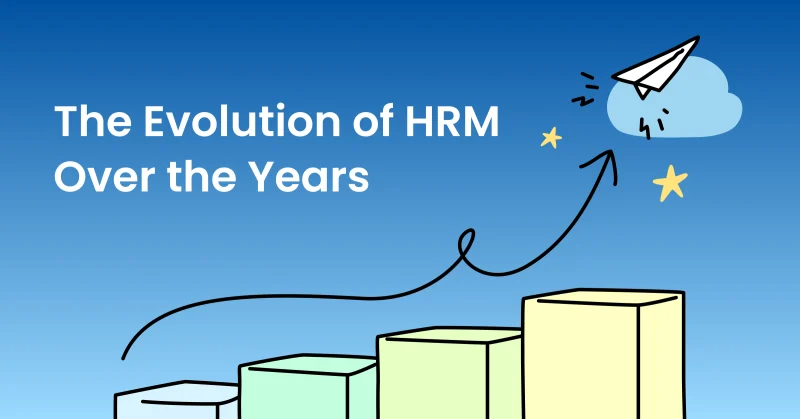
This section will walk you through the evolution of HRMS through the years:
At this point, HR was mostly a clerical job.
Hence, human resource management was primarily clerical. They focused on tasks like record-keeping. There were no policies on labor treatment. Hence. Workplaces were unregulated, most allowing child labor as well.
After 1945, systematic classification of workers started as employers focused on improving productivity.
The advent of compliance meant HRs needed to collect and analyze extensive data. The need for efficient data management became evident and HR process adoption accelerated, especially for Payroll.
Global competition prompted organizations to pay attention to HR as a cost center. HR departments faced pressure to justify their costs. HRs started focusing on strategic aspects as they needed to show their impact on bottom line.
Computer based HR systems became prevalent as organizations grew. Need for compliance grew simultaneously.
Globalization and technological advancement led to a transformation. HRs were now strategic partners in business impact.
Focus on attracting, developing and retaining top talent became a priority so Applicant tracking, and Performance management systems grew in demand.
Human Resources Management System (HRMS) is a tool that helps any organization ensure the right talent is hired, developed, promoted, and supported to help achieve organizational goals
– AIHR
Now that we have covered the basics of HRMS, let’s try to understand its importance.
So, what is the importance of an HRMS in your organization?
I know the answer to this can go on and on.
So, here are the most important reasons why orgs implement HRMS in their organizations:
One of the biggest benefits of an HRMS is this.
It inculcates a culture where vision-based leadership runs, not command based.

Essentially, it creates a culture where your employees are not just doing their work or achieving KPIs for the sake of it.
Instead, they are actively involved in the organization’s growth as they resonate with its purpose. Employees take new initiatives, go beyond their “essential” tasks and advocate for the organization’s cause.
But how does an HRMS achieve that? Well, here are some ways how:
In today’s economy where startup culture and gig economy are rising, inculcating vision-based leadership is a MUST.

You need employees that dedicate their time, potential and creativity towards your purpose. Vision based leadership can turn that into a reality.
One of the obvious benefits of an HRMS is streamlining human errors.
Afterall, committing manual errors can have disproportionately negative results.
Take the example of Payroll, for instance.
Timely and accurate pay is #1 determinator of employee experience. Naturally, payroll errors can have devastating effect on employee satisfaction- and in turn- employee productivity and retention.
Interestingly though, an HRMS can take that worry completely off your plate.
Exhibit A- 75% of organizations using automated payroll solution see a reduction in payroll errors.
Here are some other areas where HRMS can help you reduce human or manual errors:
Here’s the deal:
HRMS helps HRs to rely on themselves.
Not on the Finance Team. Or Admin Team. Or Tech team, for that matter.
An HRMS helps streamline information so HR can handle everything through the portal.
This eliminates the need for constant follow-up between these teams and employees. Therefore, helping HRs save time and costs. In fact, workflow automation can save companies anywhere from $10,000 to millions per year.
Here’s a use case, for instance:
Let’s say Raj, an HR handles asset management for all employees.
Here’s a day in Raj’s life before and after HRMS automation.

Notice how the “facilitating” tasks like coordinating with IT team or employee are completely automated.
Imagine how an HRMS could reduce dependency on other teams when it comes to payroll, document management, L &D and more!
A sweeping win for HRMS is its ability to track and analyze data.
You can access real-time, holistic insights of each department and understand what drives results.
We call it “evidence-based approach.” Basically, you see what works for you and then make decision accordingly. Here are some examples:
Now, an HRMS can equip you with such data points. In return, you can use these data points to connect HR activities to business outcomes.
Essentially, it can help you translate the outcome of HR activities in a language that your Business Heads and CEOs understand.
Let me explain.
You know the HR value chain can help you link HR analytics to a particular business outcome. Through that, organizations can identify areas where they can:
It has three major variables:

Here‘s a quick explanatory example:
OR, to put it in practical terms:
You see, the value of HR analytics is self-explanatory.
And yes, just for the record- the seat for HRs at the business table is attainable!
70% of business leaders report that they spend 45 minutes – 3 hours on repetitive tasks.
In fact, employees estimate that automating tasks might save them 240 hours (about 1 and a half weeks) per year, while company leaders peg this at 360 hours per year.
HRMS, through its automation, inevitably helps save HR resources and time. In fact, 69% of HRs who use automation admit it significantly reduces the operation time.
Here are some of the ways HRMS can help you in saving time and resources.
| Aspect | HRMS Benefits |
| 1. Recruitment | Streamlines hiring processes, automates job postings, and reduces manual paperwork, saving time and resources. |
| 2. Employee Records | Centralizes employee data, making it easy to access, update, and reduce administrative tasks. |
| 3. Time and Attendance | Automates time tracking, reduces payroll errors, and enhances workforce management efficiency. |
| 4. Payroll Processing | Calculates salaries, taxes, and benefits accurately, reducing payroll processing time and errors. |
| 5. Employee Self-Service | Allows employees to access and update their information, reducing HR involvement in routine tasks. |
| 6. Compliance | Helps ensure HR compliance with labor laws and regulations, reducing legal risks and associated costs. |
| 7. Reporting | Generates HR analytics and reports quickly, facilitating data-driven decision-making and resource optimization. |
| 8. Training and Development | Tracks employee training and development, improving skills and productivity while saving on training costs. |
An HRMS can equip your workforce with an employee self-service (ESS) portal.
This portal can help them:
… among other things.
But how do self-service portals help increase workforce satisfaction? Well, here’s how:
HRMS also helps you automate your compliance needs.
For instance, on a monthly basis, your average HR needs to:
Sounds hectic enough?
The right HRMS tool helps you automate these compliances and more, like clockwork.
Now that we have this covered, let’s move on the exact components and functions if an HRMS.
Like I mentioned before, an HRMS is an umbrella term that automates almost every HR need.
Basically, your HRMS can include multiple tools that serve a specific HR function.
Here is a list of the most important HR functions and components.
The first thing you can expect in your HRMS is a complete employee database.
You can either:
An adept HRMS will also offer you the organization’s hierarchy tree. This can help provide a complete view of the organization to any employee/new joiners.
Understand that a complete employee database is important to run any essential HR function like Payroll, time, attendance, performance etc.
One of the first modules you can expect from your HRMS is Payroll.
After all, on-time pay continues to be #1 determinator of employee experience.
So having a fully functioning and intuitive HRMS is necessary.
An adept human resource management system (HRMS) will allow you to:
In addition to this, your HRMS payroll software may be integrated with bookkeeping software like Tally or QuickBooks.
Now, naturally, while the HRMS takes care of your (HR department) needs, an adept HRMS will give equal emphasis to end-employee experience.
HRMS can provide self service employee portals that allow them to:
Here’s one highly cited report that just might blow your mind.
43% of employees commit time theft.
Essentially- a lot of them exaggerate the hours they worked.
Now, for a lot of industries, such reports are almost scary. Reason being- tracking time is not limited to tracking employee productivity. It might be a matter of compliance.
A matter of life and death, perhaps?
Take the example of hospitals. In case shifts are not scheduled appropriately, unexplained absences could mean dearth of resources (doctors/nurses/staff) on roaster. Definitely a matter of life and death, wouldn’t you agree?
A well-equipped HRMS ensures your org can manage employee time and attendance seamlessly. It allows you and your employee to;
Now, this is one side of the coin. The process of managing employee attendance from a manager or HR’s perspective includes a lot of nuances.
Let’s check out how an HRMS can help you lay ‘em out:
And now we come to one of the behemoth tasks HRs take on.
Probably made simpler by HR tech like HRMS.
Truth be told, a lot has been said about optimizing talent acquisition. Lately, companies are paying a lot of attention to candidate experience and hyper-personalized outreaches.
In fact, the popularity of Global capability centers reinforces their mission to elevate the experience of candidates at the time of talent acquisition.
However, in order to reap the benefits of audacious goals like these, you need a reliable HRMS. An HRMS that can deliver technology so your processes do not suffer.
Here are some of Must-have hiring and talent acquisition features in an HRMS:
Goals. OKRs, Objectives, KPIs.
We’ve heard ‘em all.
We’ve followed the John Doerrs and Herman Aguinises of the world.
While embracing performance management is one thing, implementing it is a whole new ballgame.
That is where well-equipped HRMSs come into picture. They help you with setting up and running your performance campaigns while equipping you with relevant dashboards.
Here are some performance management functions your HRMS may render:
Expense management tasks are often considered cumbersome and mind-numbing.
I mean, we don’t blame you.
Manually uploading receipts, then waiting on approval from different stakeholders, then reimbursing expenses within/out of payroll…
Yeah, the task list seems never-ending.
Of course, an HRMS could simplify things a bit. For instance, it could take all these tasks off your list.
In fact, employees can themselves add expenses and:
The expense can be automatically routed to approver (manager/HR)
As an approver, manager or stakeholder, your dashboard will show:
A lot of HR manual processes consist of solving employee queries/issues.
Have an IT issue? Payroll problems? Insurance-related issue, perhaps?
HR executives usually find themselves in the middle of all employee issues. Ideally, an IT related problem should be routed to IT Admin team.
Alternatively, if employees are facing payroll problems, finance team is best suited to resolve this.
So, how do you equip the man in the middle?
With the right resource, ofcourse.
Namely- helpdesk.
It allows employees to upload receipts, select cost centre, department, attach bills and all relevant details. The ticket raised can be marked on basis of priority.
Thereafter, the query is automatically routed to the right department. (Laptop acting weird? IT team it is)
HR Admins and relevant stakeholder can also check reports on employee queries closed successfully, respective TAT and more.
Onboarding, in itself, includes sub-projects. For instance,
Personal document and asset management can be haphazard.
Exhibit A:
But official documentation management?
That’d require a lot more structured, and hopefully- digitized processes. Most org stakeholders (81%) prefer remote access to documents.
Having said that, the real-time situation seems quite dire.
80% of global organizations still have paper-based documentation management.
The results come not long after as:
And then of course, there is the aftermath. For instance- Recreation of lost documents, time and resource wastage and more.
Now, having a cloud-based document management system does not solve all your problems.
As you can see, employees still suffer from:
So, how can an able HRMS help you out?
For starters, it creates workflows based on the documentation’s purpose.
Is the documents required to be:
Once you figure out the purpose of the document, you can set up appropriate workflows for it.
Here’s on, for example
You need to issue Salary increment letter to X employees. Here’s how the workflow could go:
In addition to this, your HRMS can collate and make public all organization documents. So, in case your employees need to access info on company policies/compliances, they are readily available.
Another important management task is that of assets.
An optimal HRMS will help you keep a track of:
Most importantly, it will allow employees to request specific assets directly on their HRMS portal.
Yes, most of the above HRMS components will elucidate this.
But it doesn’t hurt to specifically talk about this.
Your HRMS helps you to create a culture of employee self-service. For instance, employee be able to:
.. and so much more.
An HRMS equips your employee in a way that reduces costs and organizational efforts. Moreover, it saves HR time as automating manual repetitive tasks.
Above all- Employee self-service portals increase employee satisfaction. No more waiting on HRs or Admins for menial tasks. What’s more, employees have access all data (leave/attendance) and can track their requests or queries raised to different departments. (Helpdesk, Asset requests etc)
Employee engagement is no new buzzword.
You’ve read about it. You might have implemented it.
All leaders and reports point to one thing. It is directly tied to revenue. In fact, orgs with high employee engagement are 21% more profitable and 17% more productive.
So now that we have that clear;
Let’s understand: how can your HRMS help measure and increase employee engagement?
Well, a bit like this:
1. Increase Employee Engagement
Measure Employee Engagement
Learning and Development
Your HRMS can also help you in facilitating learning and development programs.
You can choose to collate existing courses or create new ones.
Ensure that your HRMS can:
Now that you’re aware about the uses of HRMS, I bet you’re wondering how to choose one.
Don’t fret because here’s an exhaustive checklist that will help you choose the HRMS suited for your needs.
Ensure that your HRMS provides easy migration. If you are planning to migrate from another HRMS, you’d need to transfer the employee data securely and efficiently.
A plug- and-play HRMS will help you go live within a day.
First up, ensure your HRMS offers all the required tools like Payroll, hiring, performance management etc.
Next, ensure they are integrated with each other.
In other terms, data should seamlessly flow from one tool to another.
Here is one example:
Let’s say your employee took time-off for 2 weeks and it needs to be accommodated in their payroll. This data should seamlessly flow form your attendance system to your payroll system.
When you have everything at your fingertips, would you rely on anyone else to push the button?
I bet the answer is no.
Well, an intuitive HRMS tool provides you just that: End to end control.
Basically, you do not need to rely on finance to run payroll or IT team to verify any employee data.
Your HRMS tool should have such an easy UX, that it runs itself.
The world changes constantly. The needs of your employees will too.
Choose an HRMS with a reputation for keeping up with the market trends.
You’ll need to choose an HRMS with an employee-first mindset.
Your HRMS shouldn’t just be easy to use for you- but also for your employees.
This will encourage fast-paced adoption.
Otherwise, all your time and resources used in implementing your HRMS would go to waste.
Ensure your HRMS tool provides accurate analytics and reports.
Easy-to-digest dashboards can be a big add-on as they help you gauge employee trends easily. Make sure that these dashboards are customizable according to the date range or targeted teams.
People analytics may range from descriptive, diagnostic, predictive, and prescriptive. All serve their own purposes. So, ensure your tool provides the kind of analytics you’re looking for.
Instead of going with the cheapest tool possible, try to look for a tool that provides positive ROI.
This will ensure the tool sits in your budget while providing the highest value.
Check out this free ROI calculator for some personalized insights.
Check out third party platforms like G2 and Software Suggest.
Examine what the HRMS tool’s existing customers say about them as well as their overall ratings.
10K+ Customers Love Us
Now that we have this down pat. Let’s check out some of the best HRMS tools in the market.
Here is a list of top HRMS solution providers in India:
For a detailed list, check out this blog on top HRMS providers in India.
Now, let’s move on to some future trends you can expect in the HRMS space.
Now that we have covered the past and the present, its only fair to give the future its share.
Here are some of the emerging trends in HRMS space.
These trends may shape the functionalities of HRMS in the future.
| Feature/Aspect | HRIS (Human Resource Information System) | HRMS (Human Resource Management System) | HCM (Human Capital Management) |
| Meaning | HRIS is a basic tool that helps in managing employee data and core HR functions. | HRMS is a comprehensive system for handling all HR functions, including payroll and hiring. | HCM is a strategic tool for streamlining all HR functions while aligning them with overall business objectives. |
| Core Functionality | Majorly, employee database management | Payroll, Hiring, Time tracking, Performance management, employee engagement tools and more | Same as HRMS but with more strategic insights using people analytics |
| Primary Focus | Data management | HR automation and strategic insights | Predictive strategic insights that help plan better. |
| Target Users | Small to mid-sized companies | Mid to large-sized businesses | Large enterprises having existing ERPs |
| Integration Capabilities | Limited integration with other systems. | Advanced integration with all required tools | Usually integrated with company-specific ERPs |
| Scalability | Limited scalability. | Scalable, depending on tool’s robustness | Highly scalable and customizable according to needs |
| Advanced Features | Basic reporting and compliance tracking. | Advanced reporting, employee self-service, workflow automation. | Predictive analytics, strategic workforce planning, comprehensive talent management. |
| Implementation | Relatively simple to implement within few days. | Easy to implement within few days. | Harder to implement, spanning months. |
| Cost | Generally lower cost. | Moderate cost, according to features availed | High Cost |
The full form of HRMS is human resource management system.
An HRMS is an umbrella term for tools that automate end-to-end HR functions while an HCM is a strategic tool for streamlining all HR functions while aligning them with overall business objectives while HRMS.
Key features of an HRMS include:
Yes, an HRMS is suitable for business of alll sizes.
Key benefits of using an HRMS includes:
An HRIS is a basic tool that helps manage employee databases while an HRMS is a comprehensive tool that includes all services an organization needs to streamline their HR ops.
Subscribe to keep up with the latest strategic finance content.
Request a demo