


 Login
Login


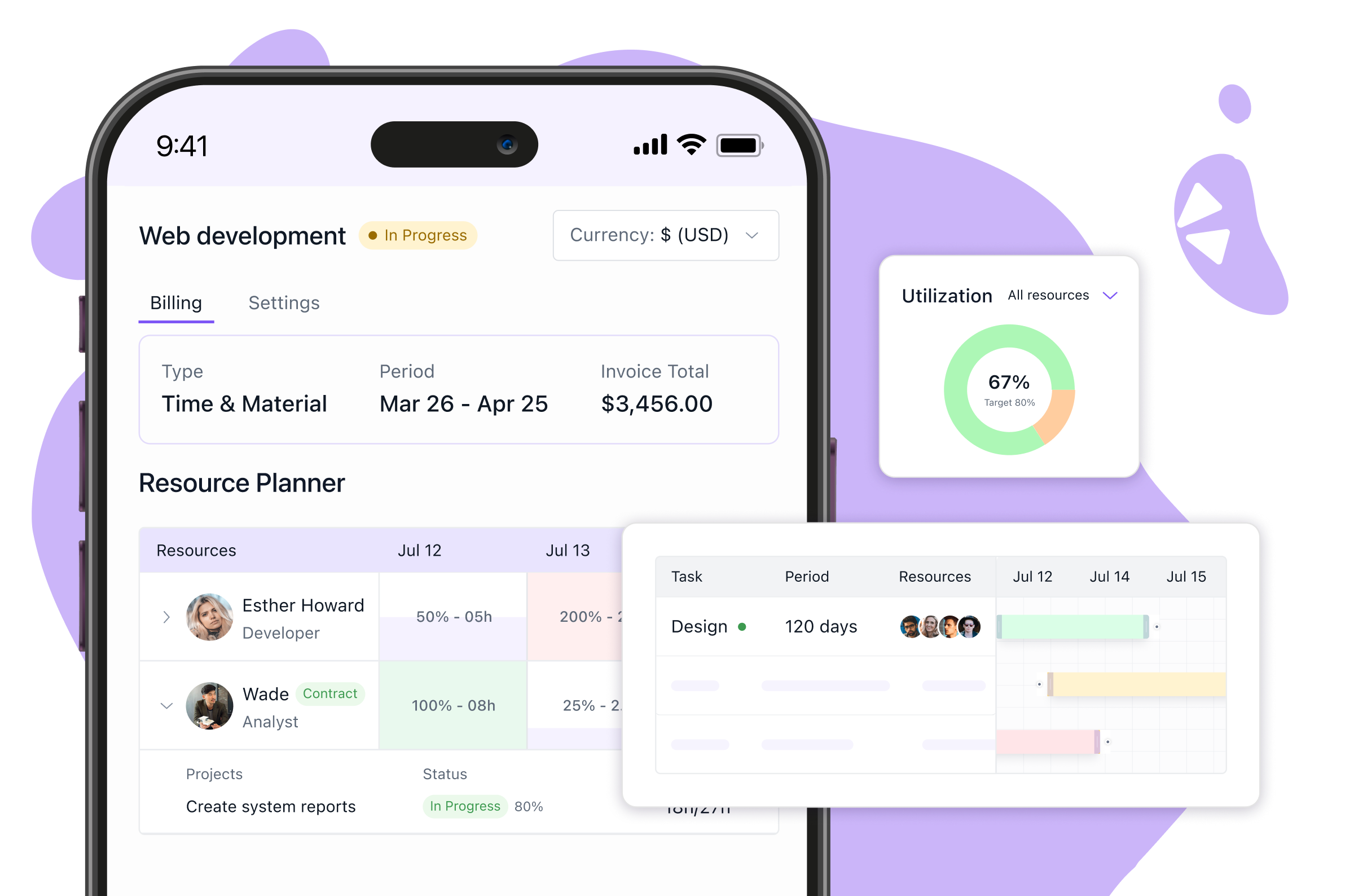
Projects look good on paper until reality sets in. Deadlines pile up, some team members are overloaded while others sit underutilized, and budgets start slipping out of control. Managers end up reacting to problems instead of steering projects forward.
Resource management software changes that. It shows who is available, what capacity looks like, and where bottlenecks may arise. With better visibility, managers can allocate work fairly, prevent burnout, and keep projects profitable and on track.
In this guide, we’ll explore the best resource management software in 2026, along with features, pricing, pros and cons, and our take on which tools fit different business needs.
Research Methodology: How I Evaluated Resource Management Software
To keep this guide practical and unbiased, I reviewed each tool against the factors that shape real project outcomes:
- Resource Allocation and Scheduling: Can the tool assign tasks by skills, workload, and availability without causing double-booking or idle time?
- Financial Management: Does it provide budget visibility at both project and portfolio levels, measure profitability accurately, and integrate with ERP or accounting systems?
- Forecasting and Planning: How well does it project capacity, support scenario modeling, and highlight conflicts before they disrupt delivery?
- Collaboration Features: Does it enable real-time updates, task synchronization, and automated approval workflows?
- Integration Ecosystem: How reliable are the integrations with ERP, CRM, PSA, and project management tools? Is API access flexible for custom setups?
- User Experience: Is the interface intuitive, is onboarding quick, and is customer support dependable?
- Scalability and Customization: Can it scale from small teams to enterprise portfolios while adapting to different project methodologies?
- Mobile Accessibility: Does the mobile app support booking, approvals, and reporting, or only basic viewing?
- Pricing Transparency: Is the pricing model clear, and do costs scale predictably with usage?
Top 10 Resource Management Tools
Managing resources well is the difference between projects that run smoothly and projects that drain time, money, and people. The tools below were reviewed on real-world usability, integrations, scalability, and overall value.
1. Keka PSA
Keka PSA allows project managers to allocate employee time across multiple projects and track utilization rates in real-time. It lets managers assign employees to projects with specific time percentages, ranging from partial allocations to full-time assignments. Teams can view resource availability across departments and redistribute workloads when project priorities shift.


Key Features of Keka PSA:
- Centralized resource requests: Capture, track, and assign all project requests from one place.
- Approval flows: Set custom approval rules that match your project or department structure.
- Skill-based allocation: Match people to tasks by skill, timeline, and budget using smart filters.
- Percent-based assignments: Define allocations in percentages to support part-time or full-time roles.
- Capacity forecasting: Get a forward-looking view of demand and identify skill gaps early.
- AI insights: Receive alerts and recommendations based on real-time project data.
- Utilization dashboards: Monitor workload balance across teams and individuals instantly.
- Timesheet and billing tie-in: Push approved hours into timesheets and billing automatically.
- Mobile access: Approve requests and view project assignments directly in the app.
Pros and Cons of Keka PSA:
| Pros | Cons |
|---|---|
| The visual timeline shows exactly which employees are assigned to which projects | No automated resource leveling to balance workloads across similar skill sets |
| The shadow resource feature automatically suggests backup team members when primary resources become unavailable | The mobile app has limited functionality for resource planning compared to the desktop version |
| Allocation percentages can be adjusted in real-time when project scope changes | |
| Integrates directly with Keka's timesheet system for accurate utilization tracking |
Ideal For: Professional services firms and project-based organizations with 50-500 employees that need resource allocation integrated with existing HR and payroll operations.
Pricing: Contact Keka to get a custom quote based on your business’s unique requirements.
Expert’s Opinion:
Keka’s resource management provides managers with clear visibility into team capacity and makes workload distribution more effective. It reduces the risk of overallocation, supports timely project delivery, and helps organizations use their workforce more efficiently. For companies that want resource planning grounded in HR data rather than complex scheduling, it offers a reliable and scalable solution.
2. Planview
Planview resource management software is built for enterprises that need advanced capacity planning across large, complex portfolios. It connects strategy with execution, enabling leaders to align resources with business priorities. With strong analytics and forecasting tools, Planview supports organizations where resource allocation directly impacts financial performance and long-term planning.

Key Features of Planview Resource Management Software:
- Portfolio-wide visibility: Monitor resource allocation across projects, programs, and business units.
- Capacity forecasting: Predict resource demand against availability for accurate long-term planning.
- Scenario modeling: Test different staffing or investment strategies before committing.
- Financial integration: Link resource plans with cost tracking to measure project profitability.
Pros and Cons of Planview:
| Pros | Cons |
|---|---|
| Shows project capacity and resource allocation clearly. | Setup takes heavy data entry, and small errors create mismatches. |
| Provides strong analytics and budget versus actual comparisons. | The interface is complex and has a steep learning curve. |
| Supports both Agile and traditional project methodologies. | Reports are too generic to track leave and time off properly. |
| Helps forecast resource availability against demand. | Performance slows when handling very large datasets. |
Ideal For: Large enterprises managing multiple portfolios that need resource planning tied to strategy and financial outcomes.
Pricing: Contact Planview for a custom quote based on enterprise size and modules.
Expert’s Opinion
Planview is designed for organizations where resource allocation is a strategic function rather than just operational. Its strength lies in aligning people, budgets, and priorities at scale. While the system requires significant implementation effort, enterprises with complex portfolios gain strong governance and forecasting capabilities that smaller, lightweight tools cannot provide.
3. Kantata
Kantata is a resource management system designed for professional services organizations that depend on billable hours. It connects project staffing with financial outcomes, allowing firms to align people, skills, and availability directly with client demands. By linking utilization and revenue forecasting, Kantata turns resource planning into a driver of profitability and client satisfaction.

Key Features of Kantata Resource Management System:
- Utilization tracking: Measure billable and non-billable hours to optimize revenue.
- Project staffing: Match the right people to the right projects based on skills and availability.
- Revenue forecasting: Estimate margins and financial outcomes from planned allocations.
- Integrated workflows: Connect planning with project management, time tracking, and invoicing.
Pros and Cons of Kantata:
| Pros | Cons |
|---|---|
| Employees can submit and edit their own time off entries. | Access to time off features depends on admin settings. |
| Approved time off automatically reduces available capacity in schedules. | An incorrect workweek or holiday setup leads to wrong time off calculations. |
| Dashboards show availability by role and individual with PTO included. | Utilization reports sometimes show tasks even when PTO is approved. |
| Resource schedules make it easy to shift work around planned absences. | Past time off entries are difficult to correct once the date has passed. |
Ideal For: Professional services firms that want a resource management solution tied to utilization and client profitability.
Pricing: Contact Kantata for a custom quote based on company size and project requirements.
Expert’s Opinion
Kantata is built for services firms where profitability depends on precise staffing. It connects utilization data with revenue forecasts and gives managers a clearer view of both capacity and financial outcomes. The system delivers strong value for professional services but may be less relevant for companies outside that model.
4. Forecast
Forecast is a resource management platform for project-driven companies that want predictive planning. It combines staffing, scheduling, and financial forecasting in one system, giving managers a forward-looking view of capacity. It also uses AI to help organizations anticipate workload conflicts before they affect delivery.

Key Features of Forecast Resource Management Platform:
- AI-driven scheduling: Automates task and resource assignments based on skills and availability.
- Capacity forecasting: Predicts resourcing needs to prevent bottlenecks.
- Financial tracking: Links resource plans to budgets and profitability metrics.
- Scenario planning: Models different staffing strategies for more accurate decision-making.
Pros and Cons of Forecast:
| Pros | Cons |
|---|---|
| Tracks resource availability and capacity in real time. | Leave tracking is basic and does not handle detailed policies. |
| Integrates project schedules with planned absences. | Calendar view lacks clarity when teams are large. |
| Uses AI to predict workload and potential overbooking. | Accruals and statutory leave rules cannot be automated. |
| Provides utilization reports that factor in time off. | Exported leave data is limited and needs manual cleanup. |
Ideal For: Project-based companies that want predictive insights to connect resource allocation with financial outcomes.
Pricing: Contact Forecast for a custom quote. Pricing is based on team size and required modules.
Expert’s Opinion
Forecast shows current allocations and also uses AI to help organizations anticipate future demand and risks. This makes it effective for companies running multiple projects where planning accuracy affects profitability. Smaller teams needing only basic scheduling may find it heavier than required, but for project-driven businesses, it delivers measurable efficiency.
5. Smartsheet
Smartsheet includes resource management tools within its broader work management platform. Teams can plan capacity, assign work, and track utilization in the same system where they manage projects. This helps managers connect day-to-day assignments with overall team availability.

Key Features of Smartsheet Resource Management Tools:
- Team calendars: Show workloads across departments and upcoming availability.
- Utilization reports: Highlight overbooked or underutilized staff for better balance.
- Project staffing: Assign people to tasks with clear visibility into availability.
- Integrated reporting: Provide usage and allocation summaries for leadership.
Pros and Cons of Smartsheet:
| Pros | Cons |
|---|---|
| Flexible sheets allow HR to build custom leave trackers. | No native leave types or balance tracking. |
| Automations can send reminders for approvals or deadlines. | Cannot handle accruals, carry forward, or statutory rules. |
| Calendar view helps visualize when employees are out. | Approval workflows must be built manually and are not standardized. |
| Integrates with common tools like Outlook and Google Calendar. | Reports are manual and provide no ready leave summaries. |
Ideal For: Companies that want resource planning built into a broader collaboration and project management system.
Pricing: Resource management is available as an add-on to Smartsheet plans. Contact Smartsheet for a quote.
Expert’s Opinion
Smartsheet works well for organizations already using its project management platform. It provides managers with visibility into workloads and helps prevent overbooking. It does not offer the advanced forecasting of enterprise systems, but for day-to-day allocation and reporting, it is practical and easy to adopt.
6. Asana
Asana resource management solution helps teams connect project work with capacity planning. Managers can see which team members are overloaded and which have availability. This reduces uneven workloads and lowers the risk of missed deadlines. Because resourcing is built into the same platform where projects are tracked, teams can manage capacity without relying on separate tools.

Key Features of the Asana Resource Management Solution:
- Workload view: Display team assignments and available capacity in real time.
- Task adjustments: Reassign work instantly to balance workloads.
- Timeline integration: Align resource availability with project schedules.
- Reporting dashboards: Track utilization trends and overall project health.
Pros and Cons of Asana:
| Pros | Cons |
|---|---|
| Calendar and timeline views make planned absences visible. | No built-in leave types or accrual tracking. |
| Tasks can be reassigned easily when someone is on leave. | Approval workflows for leave are missing. |
| Integrates with Google Calendar and Outlook for visibility. | Managers must rely on manual updates to mark time off. |
| Simple interface makes it easy to log availability gaps. | Leave balances and compliance rules cannot be tracked. |
Ideal For: Small to mid-sized teams that want lightweight resourcing built into their project management workflows.
Pricing: Included in Asana Enterprise plans. Contact Asana for enterprise pricing.
Expert’s Opinion
Asana makes resource planning clear and accessible. It helps managers balance workloads and keep projects on track without adding complexity. For small and mid-sized teams, it delivers simple and reliable resourcing within a familiar project tool. However, the platform is less suited to organizations that need advanced forecasting or financial controls.
7. Wrike
Wrike resource management software combines task execution with capacity planning. Managers get visibility into workloads, deadlines, and dependencies in one platform. This helps teams adjust assignments quickly and ensure projects stay on track. Wrike integrates resourcing with collaboration features, making it effective for organizations that want everything in a single system.

Key Features of Wrike Resource Management Software:
- Workload charts: Show task distribution and individual capacity.
- Task prioritization: Reorder assignments to match team availability.
- Project timelines: Connect resource planning with schedules and dependencies.
- Custom dashboards: Provide real-time insights into utilization and project health.
Pros and Cons of Wrike:
| Pros | Cons |
|---|---|
| Resource charts show workload and availability clearly. | No native leave management system. |
| Projects update automatically when tasks are reassigned. | Accruals, carry forward, and statutory rules are unsupported. |
| Dashboards can highlight unavailability for planning. | Approvals for time off need third-party apps or workarounds. |
| Integrates with calendars to show scheduled absences. | Reports are focused on tasks, not leave or absence data. |
Ideal For: Mid-sized companies that want resource planning tied directly to task and project management.
Pricing: Starts from $25/user/month
Expert’s Opinion
Wrike is a good option for organizations that want resourcing connected to daily project execution. It helps managers prevent overbooking and keep deadlines realistic. For companies with complex forecasting needs or financial planning requirements, it may feel limited, but as a project-focused resource management tool, it is dependable.
8. Resource Guru
Resource Guru is a resource management tool built for simple scheduling. It provides an intuitive drag-and-drop interface that helps managers assign people, equipment, and meeting rooms. The platform is lightweight and easy to adopt, making it a fit for organizations that want quick visibility into bookings and availability.

Key Features of the Resource Guru Resource Management Tool:
- Drag-and-drop scheduling: Assign resources quickly with a visual interface.
- Availability tracking: See who is booked, overbooked, or available.
- Leave and absence management: Block out time off to avoid scheduling conflicts.
- Reports and utilization: Track how resources are used across projects.
Pros and Cons of Resource Guru:
| Pros | Cons |
|---|---|
| Designed for resource scheduling with clear visibility of who is available. | Does not support leave accruals or statutory leave rules. |
| Leave entries instantly reduce capacity in scheduling views. | Approval workflows are basic and cannot be customized deeply. |
| Calendar view makes it easy to avoid overbooking. | Reporting is limited and does not provide detailed leave analytics. |
| Simple drag-and-drop interface for adding time off. | Integrations with payroll or HR systems are minimal. |
Ideal For: Small to mid-sized businesses that need a simple and visual way to schedule people and resources.
Pricing: Starts at $4 per user per month. Higher plans include reporting and advanced features.
Expert’s Opinion
Resource Guru is effective for teams that want an easy way to schedule staff and equipment. Its visual interface and simplicity encourage adoption. It is not designed for forecasting or financial management, so larger enterprises may find it too limited, but for straightforward scheduling, it is efficient and affordable.
9. Milient
Milient resource management platform is built for companies that need detailed visibility into staffing and project scheduling. It combines capacity planning, time tracking, and reporting in one system. Managers can track utilization, plan ahead, and align resources with client or project needs.

Key Features of Milient Resource Management Platform:
- Resource scheduling: Assign staff across projects with real-time availability.
- Capacity planning: Forecast demand and balance workloads in advance.
- Timesheets: Capture actual hours to compare against planned allocation.
- Reporting suite: Monitor utilization, project performance, and revenue impact.
Pros and Cons of Milient:
| Pros | Cons |
|---|---|
| Designed for resource management with built-in vacation tracking. | Leave management is simplified and lacks advanced rules. |
| Absences reduce capacity automatically in project schedules. | Approval flows are linear and cannot support complex structures. |
| Managers see availability and workload in real time. | Calendar sync is limited and sometimes delayed. |
| Provides utilization and forecasting reports with time off included. | Export options are basic and require manual adjustments for detailed analysis. |
Ideal For: Agencies and service firms that need detailed scheduling and reporting for client or project-based work.
Pricing: Starts at $7 per resource per month. Premium features are available in higher plans.
Expert’s Opinion
Milient is well-suited for service firms that want detailed control over utilization and project demand. Managers can use its scheduling, time tracking, and reporting to manage current workloads and plan future capacity. The platform does require setup and training, but once in place, it supports agencies and consultancies with strong workforce visibility.
10. ClickUp
ClickUp resource management solution integrates capacity planning into its all-in-one project platform. Teams can plan workloads, track availability, and adjust schedules while managing tasks, documents, and communication in the same system.

Key Features of the ClickUp Resource Management Solution:
- Workload charts: Visualize individual and team capacity across projects.
- Task scheduling: Plan assignments with start and end dates for accurate timelines.
- Time tracking: Monitor hours worked to compare against planned allocation.
- Custom dashboards: Provide utilization and performance insights.
Pros and Cons of ClickUp:
| Pros | Cons |
|---|---|
| Highly customizable dashboards can be used to track absences. | No built-in leave types, accruals, or statutory rules. |
| Calendar and workload views make it easy to see when people are off. | Approval workflows for leave must be built manually. |
| Integrates with Google Calendar and Outlook to show time off. | Leave balances are not tracked automatically. |
| Tasks can be reassigned quickly when someone is unavailable. | Reporting is focused on tasks and projects, not leave data. |
Ideal For: Teams that want flexible resourcing built into an all-in-one project and collaboration platform.
Pricing:
- Unlimited: $7/user/month
- Business: $12/user/month
- Enterprise: Contact the company
Expert’s Opinion
ClickUp is suited to teams that want resourcing built into the same system they use for tasks and collaboration. Managers can balance workloads, track utilization, and keep schedules realistic without relying on separate platforms. It lacks advanced forecasting and financial planning, so it is better for small and mid-sized teams than for large enterprises.
Top 10 Resource Management Tools: A Comparison Table
Managing resources well is the difference between projects that run smoothly and projects that drain time, money, and people. The tools below were reviewed on real-world usability, integrations, scalability, and overall value.
| Tool | Key Features | Best For | G2 Rating | Free Trial |
|---|---|---|---|---|
 |
| Professional services firms (50–500 employees) needing resourcing integrated with HR/payroll | 4.5/5 | Yes |
 |
| Large enterprises managing complex portfolios tied to strategy & finance | 4.1/5 | Yes |
 |
| Professional services firms linking resourcing with profitability | 4.2/5 | No |
 |
| Project-based companies that need predictive insights | 4.2/5 | No |
 |
| Companies using Smartsheet that want built-in resourcing | 4.4/5 | Yes |
 |
| Small to mid-sized teams needing simple resourcing in PM workflows | 4.4/5 | Yes |
 |
| Mid-sized companies tying task execution with resourcing | 4.2/5 | Yes |
 |
| Small to mid-sized businesses needing simple scheduling | 4.6/5 | Yes |
 |
| Agencies & service firms needing detailed utilization tracking | 4.2/5 | Yes |
 |
| Teams wanting all-in-one PM + resourcing | 4.7/5 | Yes |
Which Resource Management Tool is Best For You?
The right resource management tool varies by company size, project complexity, and how teams allocate work. Here’s how the leading options compare:
1. Small to Mid-Sized Teams
For teams that require straightforward workload planning with minimal setup:
- Asana: Delivers a workload view with task-level adjustments and reporting dashboards. Suits teams already managing projects in Asana.
- Wrike: Brings workload charts, task prioritization, and configurable dashboards. Helps mid-sized teams balance execution with resource visibility.
- Resource Guru: Includes drag-and-drop scheduling, availability tracking, and leave management. Gives teams a quick, visual way to manage scheduling.
2. Professional Services Firms
For service companies where utilization and billing accuracy are critical:
- Keka: Helps managers balance workloads, track utilization through clear dashboards, forecast capacity, and connect timesheets to billing.
- Kantata: Adds project staffing, utilization tracking, and revenue forecasting. Helps firms align resourcing with financial outcomes.
- Milient: Includes resource scheduling, capacity planning, and detailed utilization reporting. Brings agencies precise tracking of billable hours.
3. Large Enterprises
For enterprises managing resources across portfolios and departments:
- Planview: Delivers portfolio-wide visibility, scenario modeling, and capacity forecasting. Gives decision-makers a clear link between resourcing and strategy.
- Smartsheet: Includes team calendars, utilization reports, and integrated reporting. Works best for companies already using Smartsheet across projects.
4. Predictive and AI-Driven Planning
For organizations that want smarter, data-led resourcing:
- Keka: Adds AI-powered insights, utilization alerts, and capacity forecasting on top of day-to-day scheduling. This gives managers an early warning system for overbooking and staffing gaps.
- Forecast: Brings AI-driven scheduling, capacity forecasting, and financial tracking. Supports project-based companies in improving accuracy for forward planning.
5. All-in-One Platforms
For teams combining project management and resourcing in one system:
- Keka: Connects resourcing with timesheets and project billing in a single platform. This simplifies planning and keeps all workforce data in one place.
- ClickUp: Includes workload charts, time tracking, and dashboards within a single project hub. Gives teams resourcing alongside task management.
Best Picks for Resource Management: Comparison Table
| Category | Software | Why It Stands Out |
|---|---|---|
| Best for Small to Mid-Sized Teams | Asana | Workload view with task adjustments and dashboards, easy for teams already using Asana. |
| Wrike | Workload charts and prioritization tools with flexible dashboards for mid-sized teams. | |
| Resource Guru | Visual drag-and-drop scheduling with availability and leave tracking. | |
| Best for Professional Services Firms | Keka | Balances workloads, tracks utilization, forecasts capacity, and links timesheets with billing. AI alerts prevent overbooking and keep projects profitable. |
| Kantata | Staffing, utilization, and revenue forecasting for firms tying resourcing to financial outcomes. | |
| Milient | Detailed scheduling, capacity planning, and utilization reporting for agencies. | |
| Best for Large Enterprises | Planview | Portfolio-wide resource visibility with capacity forecasting and scenario modeling. |
| Smartsheet | Calendars, utilization reports, and reporting are built into the Smartsheet ecosystem. | |
| Best for Predictive Planning | Keka | AI-powered insights with utilization alerts and capacity forecasting. Gives managers early warnings on staffing gaps. |
| Forecast | Predictive scheduling with financial tracking to improve forward planning accuracy. | |
| Best All-in-One Platforms | Keka | Connects resourcing with timesheets and project billing in one system, simplifying planning. |
| ClickUp | Combines workload charts, time tracking, and dashboards in a single hub. |
How to Choose the Right Resource Management Tool for 2026
The best tool is the one that fits your workflows and future plans. Keep these points in mind while making the choice:
- Define Your Core Needs: Identify whether your priority is resource scheduling, financial tracking, or advanced forecasting. A clear focus will help narrow the options.
- Consider Team Size and Scalability: Some tools work best for small to mid-sized teams, while others are built for enterprise portfolios. Match the tool to your current size and expected growth.
- Evaluate Integration Needs: Check if the platform connects with your existing systems, such as ERP, CRM, accounting, or collaboration software. Strong integrations prevent workflow gaps.
- User Experience and Adoption: Choose a tool that balances advanced features with ease of use. A simple interface and reliable support encourage faster adoption.
- Budget and Pricing Transparency: Look beyond license costs and factor in implementation and training. Avoid platforms with unclear or hidden pricing models.
- Trial and Pilot Programs: Use free trials or pilot projects to test essential features in real scenarios. This reduces risk and builds confidence before full adoption.
Conclusion
Resource management is essential for keeping projects efficient and costs under control. It prevents uneven workloads, missed deadlines, and wasted capacity. Additionally, with clear visibility into people and projects, businesses can plan ahead, avoid bottlenecks, and make sure resources are used where they create the most value.
Among the resource management tools discussed, Keka stands out because it combines scheduling, utilization tracking, capacity forecasting, timesheet integration, and AI-driven insights in one system. This unified approach helps firms plan with accuracy, reduce overbooking, and connect resource use with profitability, making it a strong choice for growing service-oriented companies.


