


 Login
Login


Remote makes international hiring considerably easier. You can employ someone through EOR, run payroll for your own entities, manage contractors, offer local benefits, and increasingly handle everyday HR from the same platform.
But the broader Remote becomes, the more important one question gets: Is Remote still the best tool for the problem you actually have?
For some companies, the answer is yes. But there are good reasons to look elsewhere.
Maybe your international headcount has grown enough that $699 PEPM feels expensive. Maybe you now own local entities and need payroll rather than EOR. Or perhaps you want deeper US payroll, better workforce scheduling, IT provisioning, workforce planning, contractor payments, or Finance reporting than Remote currently provides.
So I reviewed eight Remote alternatives based on a more practical question: If I were already using Remote and wanted to leave, what would actually get better after switching?
Here are the alternatives worth considering.
TL;DR: Which Remote alternative should you choose?
| Alternative | Best for | Pricing | G2 rating (as of September 2026) |
|---|---|---|---|
| Keka HR | Companies of all sizes that want HR, payroll, and PSA in one platform | Custom pricing. Free trial available | 4.4/5 |
| Deel | Companies consolidating their global HR stack | HR from $5 PEPM; EOR from $599 | 4.7/5 |
| Papaya Global | Finance-led multinational payroll operations | Payroll $29 PEPM; EOR from $499 | 4.5/5 |
| Rippling | Companies wanting HR + IT + Finance automation | Custom pricing | 4.8/5 |
| Oyster HR | Companies wanting high-touch EOR support | EOR $699 PEPM | 4.4/5 |
| Multiplier | Cost-conscious global employers | EOR from $499 | 4.7/5 |
| Pebl | Enterprises needing high-touch global employment | EOR from $399 | 4.6/5 |
| Gusto | US-first small and midsize companies | From $49 + $6/person | 4.6/5 |
How we evaluated these Remote alternatives?
I focused on three questions:
- What does this platform genuinely do better than Remote?
- Which Remote customer frustration would actually justify switching?
- Do independent G2, Capterra, and user reviews support that advantage?
I deliberately haven’t treated having more features as automatically being better. The right alternative depends on why you’re leaving Remote in the first place.
A quick transparency note: Keka is our product, so we’ve placed it at rank 1 based on our evaluation criteria, but we’ve also documented 4 genuine cons and clearly stated where isolved or other alternatives may be a better fit. We encourage you to demo multiple platforms before deciding.
8 Best Remote Alternatives in 2026
For every alternative, we’ll show you its key features, who is it best for, who it is not for and pricing.
1. Keka (4.4/5 on G2)
Keka is an all-in-one HR platform and PSA software for global companies of all sizes. It brings payroll, hiring, performance management, and time and attendance together, with Keka AI working across every module. Because it works on live payroll, attendance, and hiring data, managers can ask it direct questions, have it draft routine workflows, and get early warnings about payroll anomalies or attrition risk.
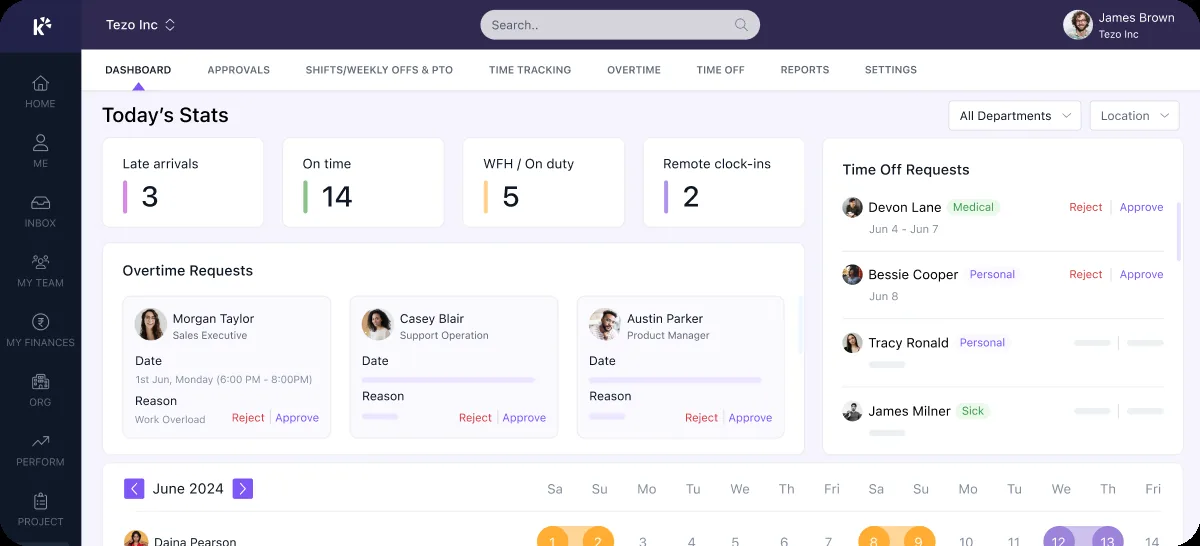
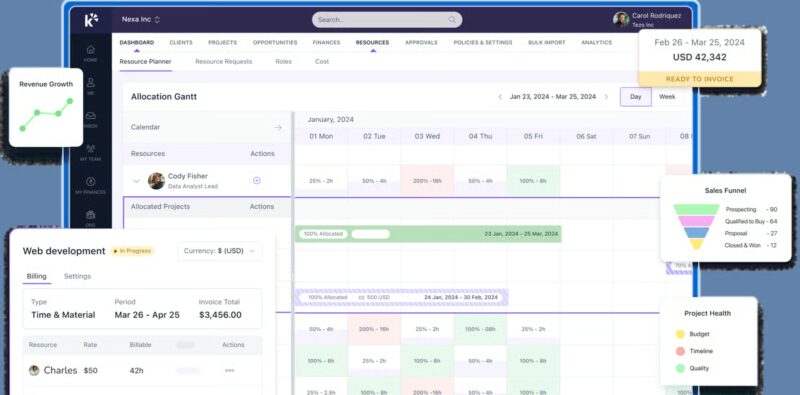
Keka is also the only tool on this list with built-in PSA (Professional Services Automation). Project timesheets, billing, and resource management sit alongside HR instead of in a separate system. Keka integrates with 100+ tools teams already rely on, such as Salesforce, Jira, Xero, and Stripe, and more than 12,500 companies use it today.
Keka offers depth that simpler tools lack. It’s SOC 2, ISO 27001, and GDPR compliant. Its payroll keeps up with federal, state, and local rule changes automatically, which matters for multi-entity companies. In practice, Keka handles the full US payroll cycle in one place. That covers benefits, deductions, direct deposit and ACH, W-2s and 1099s, and automated tax filings across all 50 states. The best part is that everything connects. Attendance, leave, overtime, and shifts flow straight into each pay run, so HR doesn’t have to check timesheets by hand. Hiring, onboarding, approvals, and employee requests run as automated workflows, so managers can handle them all in one place.
This is also where Keka and Remote differ most. Remote is built to help you hire and pay people, especially in other countries. Keka goes a step further: because it includes PSA, it connects your people to the work they do. Take a consultant, for example. Remote can help you employ them. Keka shows you whether they’re billable, which project they’re on, what the client is paying for their time, and how much margin that work brings in.
| Pros | Cons |
|---|---|
| You need more than a payroll and compliance layer: Keka runs attendance, leave, overtime, shifts, and payroll as one connected workflow, so managers and HR work from the same live data. | Works best when teams consolidate onto one platform: Keka can run as a standalone HR or payroll tool. Organizations that adopt the broader platform get the most value from its connected workflows and shared data. |
| Comprehensive US payroll: Keka supports payroll, benefits, deductions, direct deposit, ACH, W2s, 1099s, and automated tax filings across all 50 states, with updates for federal, state, and local rules. | Setup is a chance to tidy up processes: Companies moving from several tools may want to align approval structures and workflows during onboarding. Doing this upfront lets automation run smoothly from day one. |
| Automation across HR workflows: Keka automates hiring, onboarding, approvals, employee requests, and payroll operations, with Keka AI flagging payroll anomalies and attrition risks early. |
Keka pricing
Keka uses custom pricing for its US HR/payroll offering. A free trial is available.
Thinking about switching HR software?
Most teams go live on Keka in weeks, not months, with no hidden fees along the way.
2. Deel (4.7/5 on G2)
Deel is probably Remote’s closest competitor if you want to replace Remote without giving up serious global-employment capability. Both offer EOR, global payroll, contractors, benefits, HRIS, and international compliance. The difference is what Deel has built around those services.
Deel now extends much further into performance, learning, career development, compensation, workforce planning, recruiting, immigration, and IT. Deel’s Workforce Planning product, for example, can model headcount scenarios, budgets, role requests, approvals, and hiring plans. Its Compensation product handles salary bands, merit cycles, manager budgets, bonuses, and pay-equity analysis.
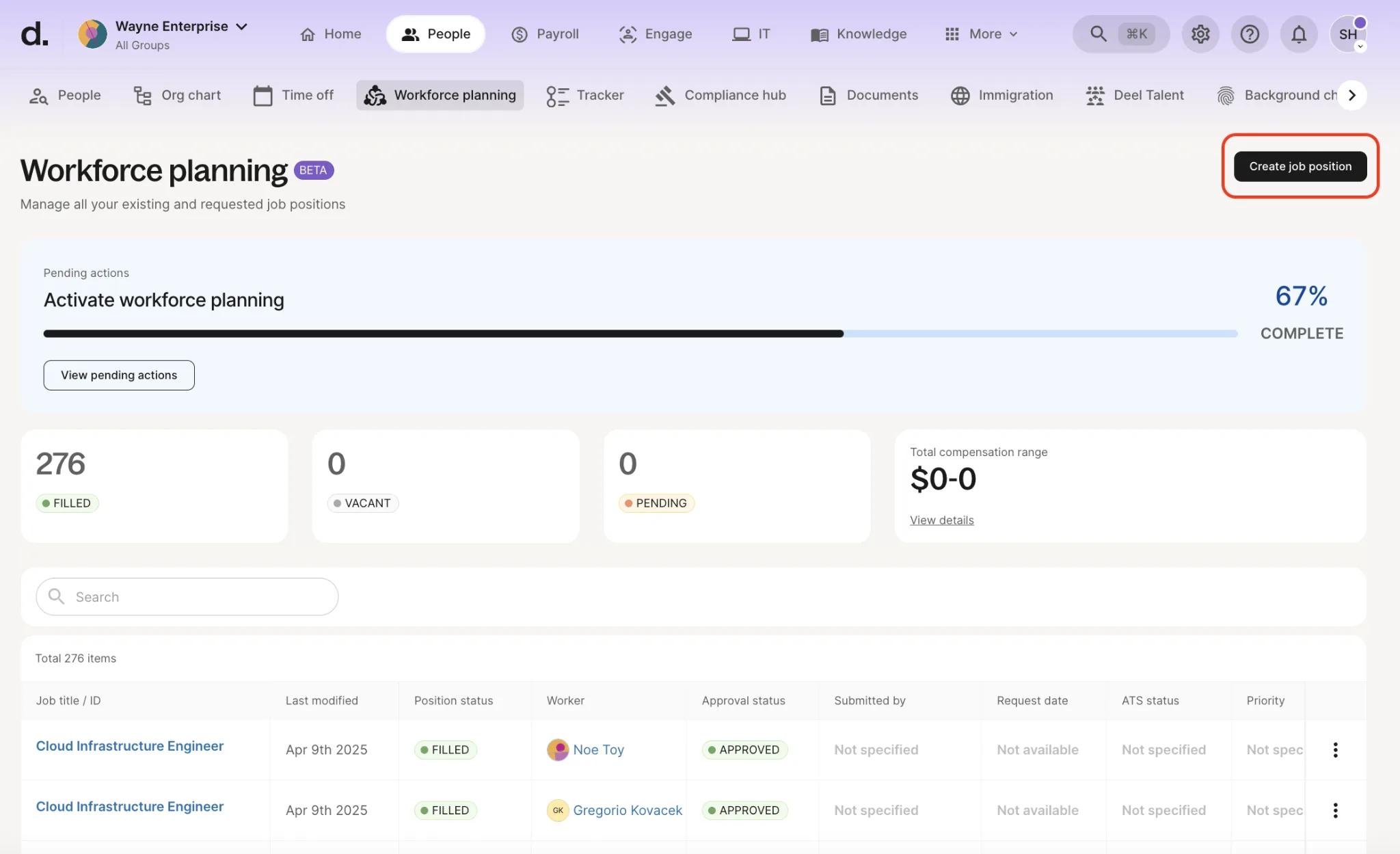
Remote has begun building some of these capabilities, but Deel is currently further along.
| Pros | Cons |
|---|---|
| You’re tired of maintaining tools around Remote: Deel combines HRIS, performance, L&D, career management, compensation, workforce planning, ATS, immigration, payroll, and EOR around the same workforce record. | You want the simplest possible EOR platform: Deel’s breadth can create additional complexity. Remote’s narrower experience can feel cleaner for teams primarily using EOR and payroll. |
| Contractor payment flexibility matters: G2 users currently rate Deel higher than Remote across several contractor-payment measures. Deel supports multiple withdrawal methods and currencies, which is frequently mentioned positively by users. | Contractor subscription cost matters most: Deel’s standard contractor management is $49 per contractor/month versus Remote’s $29. |
| You have serious global mobility requirements: Deel Mobility can now support immigration workflows not only for Deel EOR workers but also employees working through your own entities. | You’re switching only because of international labour-law restrictions: Deel cannot make statutory notice, severance, or local termination rules disappear simply because the EOR vendor changes. |
| You want deeper IT operations: Deel IT covers procurement, configuration, MDM, security, repairs, recovery, storage, and redeployment of devices globally. |
Deel pricing
Pricing details of Deel are as follows:
- HR Core: From $5 per employee/month
- HR Advanced: From $19 PEPM
- HR Elite: From $29 PEPM
- EOR: From $599 per employee/month
- Contractor management: $49 per contractor/month
- Contractor of Record: From $325/month
3. Papaya Global (4.5/5 on G2)
Papaya Global makes the most sense when the person fed up with Remote is not necessarily the HR Director. It’s the Global Payroll Manager or CFO. Papaya’s platform is heavily oriented around moving payroll from: data → gross-to-net → validation → approval → funding → employee payment → statutory payment → reconciliation → Finance reporting.
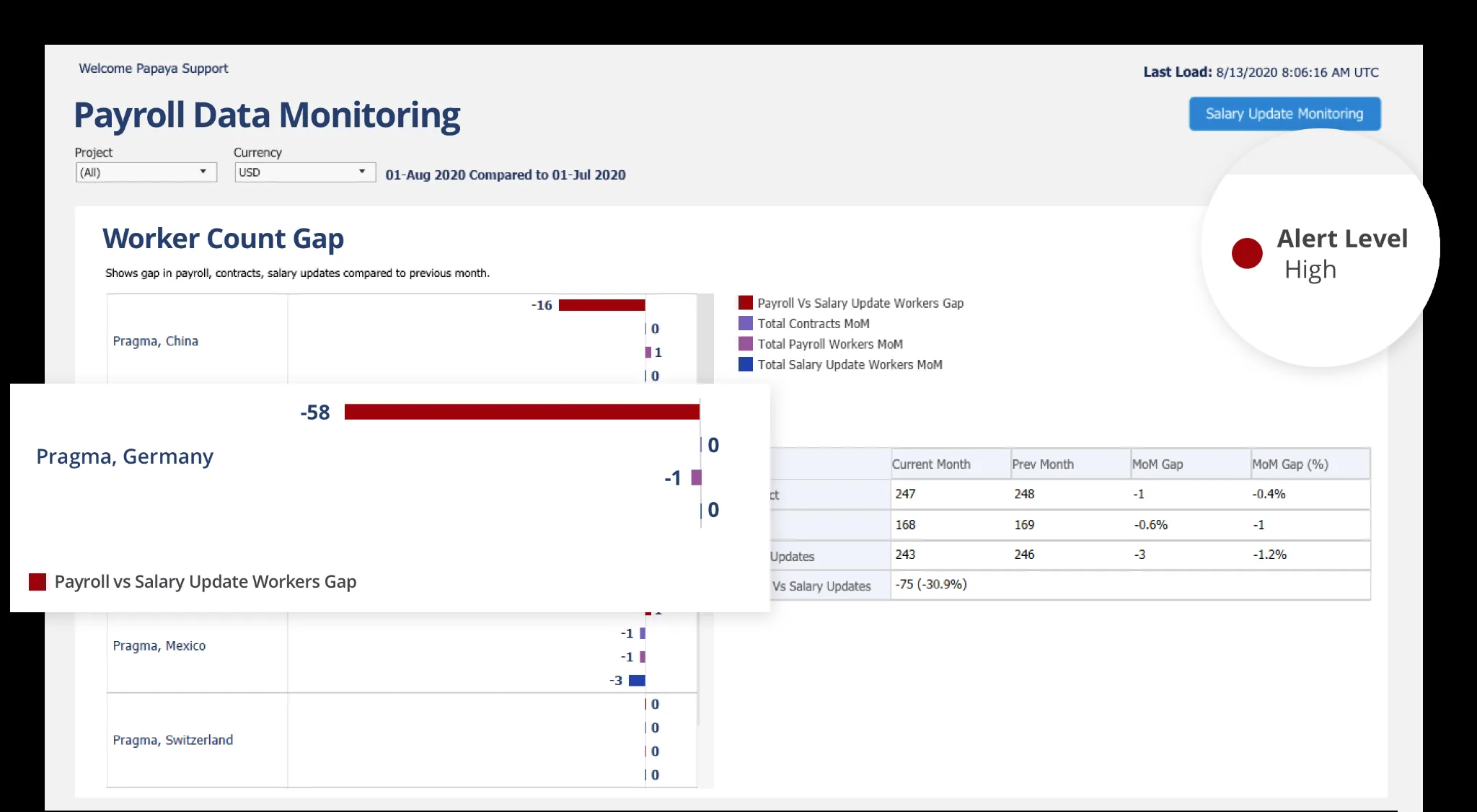
That makes it particularly useful for companies with multiple legal entities, countries, payroll providers, currencies, and statutory payment obligations. One 2026 Capterra reviewer specifically praised Papaya for combining global payroll, contractors, workforce data, payments, and cross-country cost reporting.
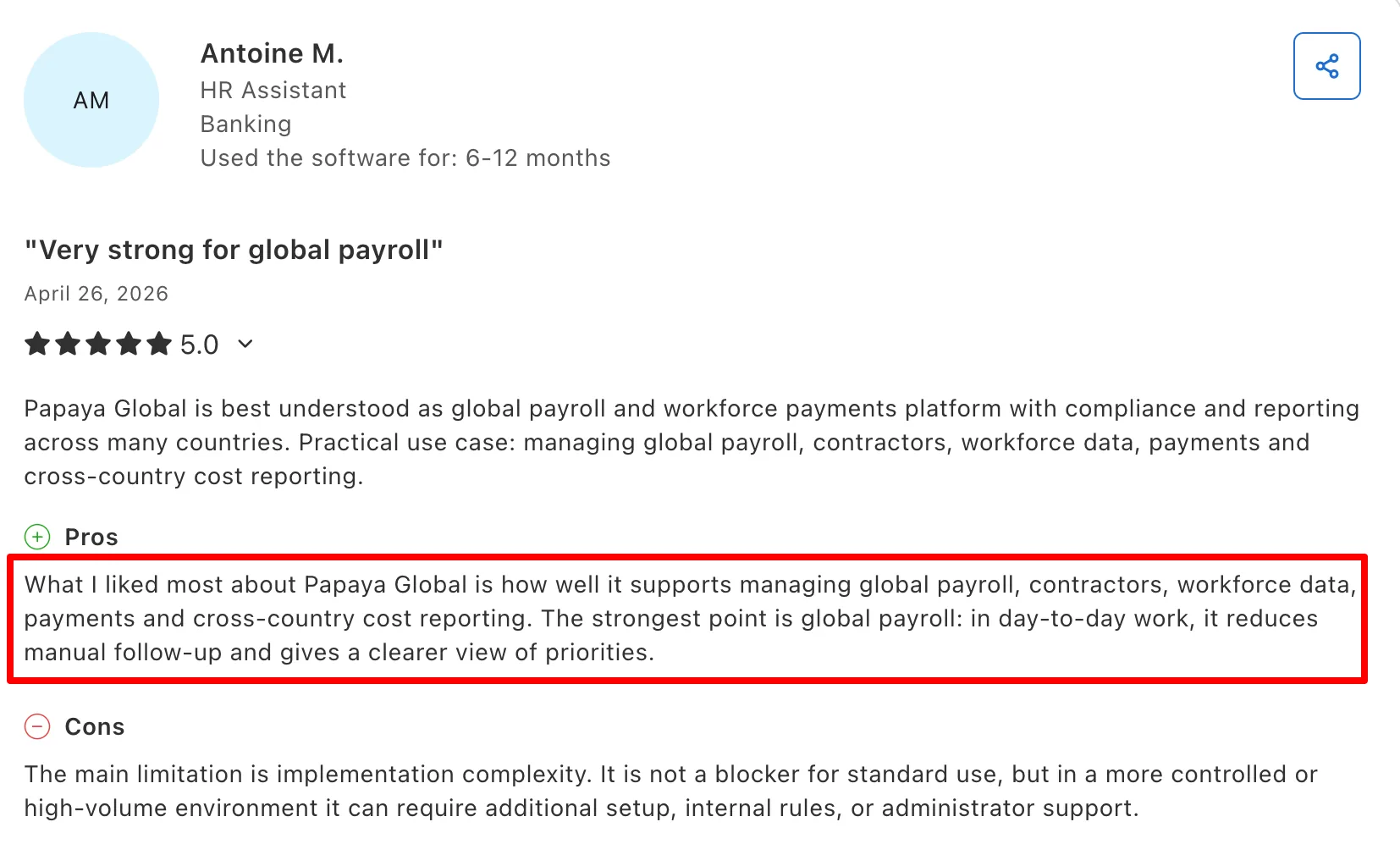
That’s where the platform feels different from Remote.
| Pros | Cons |
|---|---|
| Finance needs tighter control over multinational payroll: Papaya standardizes payroll outputs across countries and adds payroll validation, statutory payments, journal automation, and payroll-centric BI. | You want a broader HR platform: Remote has substantially deeper recruiting, performance, surveys, employee HR workflows, AI, and equity management. |
| Remote’s FX treatment bothers you: For standard payment FX, Papaya uses a market-based reference rate plus a visible processing fee. Remote generally applies its proprietary monthly Remote FX Rate. The Papaya model can be easier for Finance to audit. | You want every EOR worker employed through a provider-owned entity: Papaya combines direct entities with partner coverage in some markets, whereas Remote owns its entire EOR footprint. |
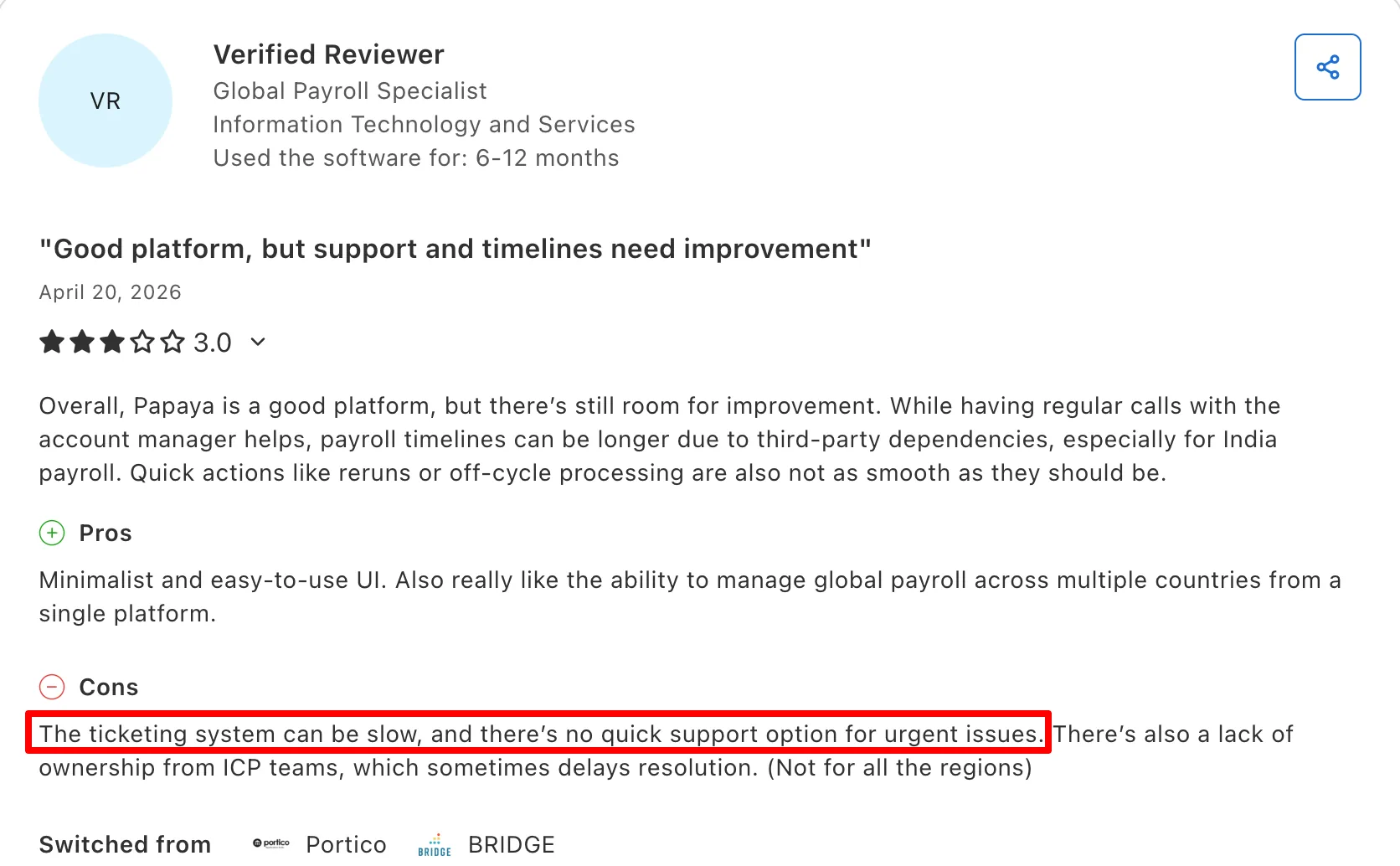
| You manage a large contractor population: Papaya’s standard contractor product starts at just $5 per contractor/month, compared with Remote’s $29. | You expect flawless partner coordination: Some Papaya users report slower reruns, off-cycle processing, or issue resolution when third-party country providers are involved. |
| You already use Workday, SAP, Oracle, or another HRIS: Papaya is comfortable operating as an orchestration and payments layer rather than trying to replace the company’s entire HR stack. |
Papaya Global pricing
Pricing details of Papaya Global are as follows:
- Global Payroll: From $29 PEPM
- EOR: From $499 PEPM
- Contractor Management: From $5/contractor/month
- Contractor of Record: From $199
4. Rippling (4.8/5 on G2)
Rippling is probably the strongest Remote alternative for a company that believes that Remote handles the employee, but everything around the employee is still manual. Rippling’s advantage is the shared employee record connecting HR, payroll, benefits, time, IT, applications, devices, expenses, and Finance.
Hire someone and Rippling can potentially trigger: email creation → Slack access → GitHub → laptop → security policy → payroll → benefits → training → expense permissions. Terminate the same employee and those actions can run in reverse.
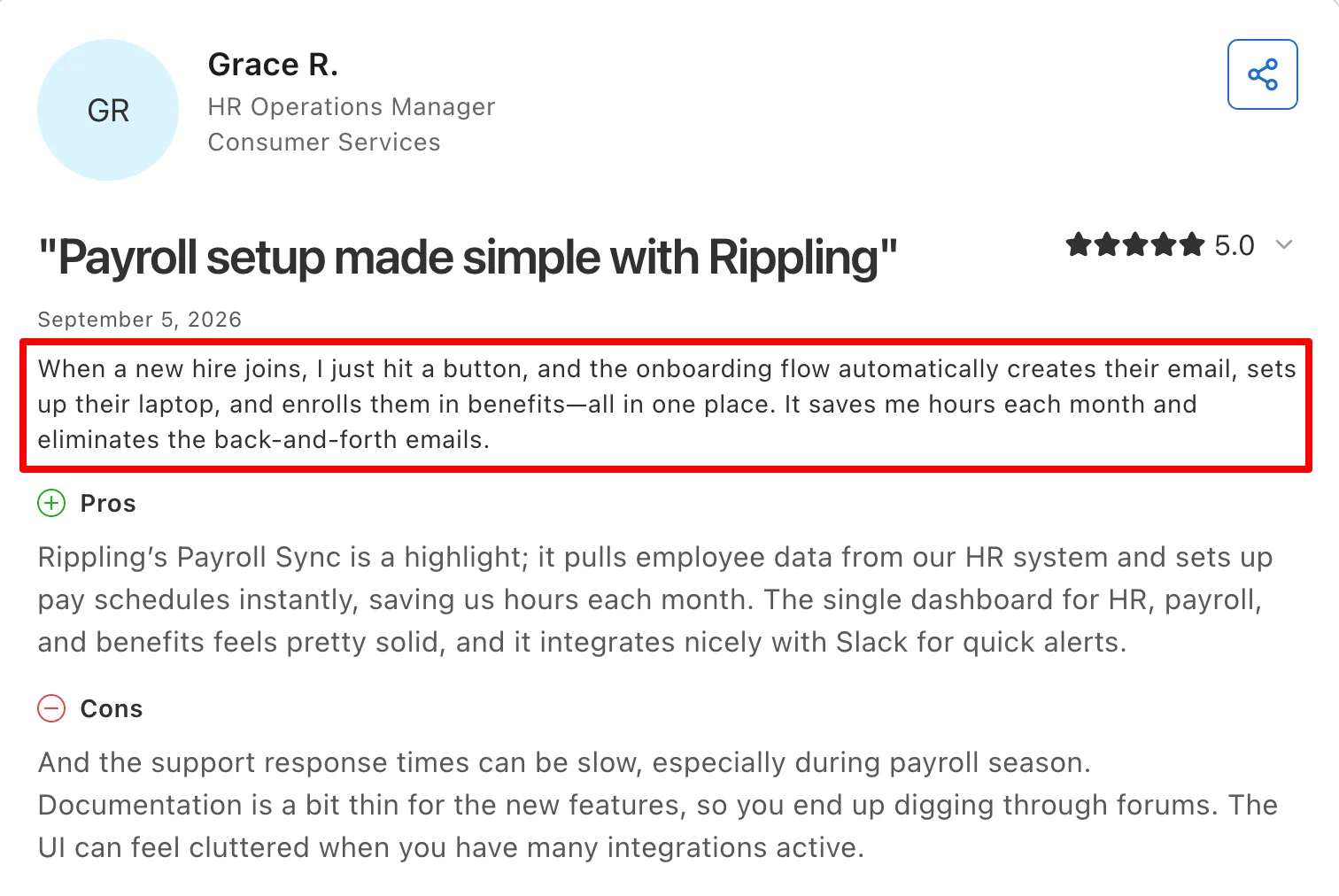
That’s fundamentally different from simply having an HRIS with lots of integrations. A current HR Operations Manager described how a single new-hire workflow could create an employee’s email, prepare their laptop, and enroll them in benefits. She also said the workflow saves her hours each month and reduces back-and-forth emails.
| Pros | Cons |
|---|---|
| Onboarding/offboarding still requires HR, IT, and Finance to coordinate manually: Rippling is built around turning employee events into cross-functional automations. | EOR is the main reason you’re buying: Remote remains more specialized in global employment and uses owned entities throughout its EOR footprint. Rippling combines owned subsidiaries with partners. |
| You need serious IT management: Rippling has native IAM, SSO, MFA, MDM, app provisioning, device inventory, software deployment, endpoint controls, and device recovery. Remote’s current device experience is comparatively lighter. | You want transparent pricing: Rippling’s modular quote-based model makes total cost harder to understand before sales discussions. |
| Your US operations need more payroll/benefits depth: Rippling connects payroll with actual worked hours, multiple pay rates, overtime and break policies, benefits deductions, ACA/COBRA, and extensive carrier integrations. | You want something simpler than Remote: Rippling’s configurability is its strength, but it also means more setup and administration. |
| Remote’s expense functionality is too basic: Rippling adds corporate cards, procurement, bill pay, travel, and spend controls rather than only expense reimbursement. |
Rippling pricing
For small businesses, pricing starts at $8 per user/month plus a $40 base fee, while more comprehensive HCM configurations are custom-quoted.
5. Oyster HR (4.4/5 on G2)
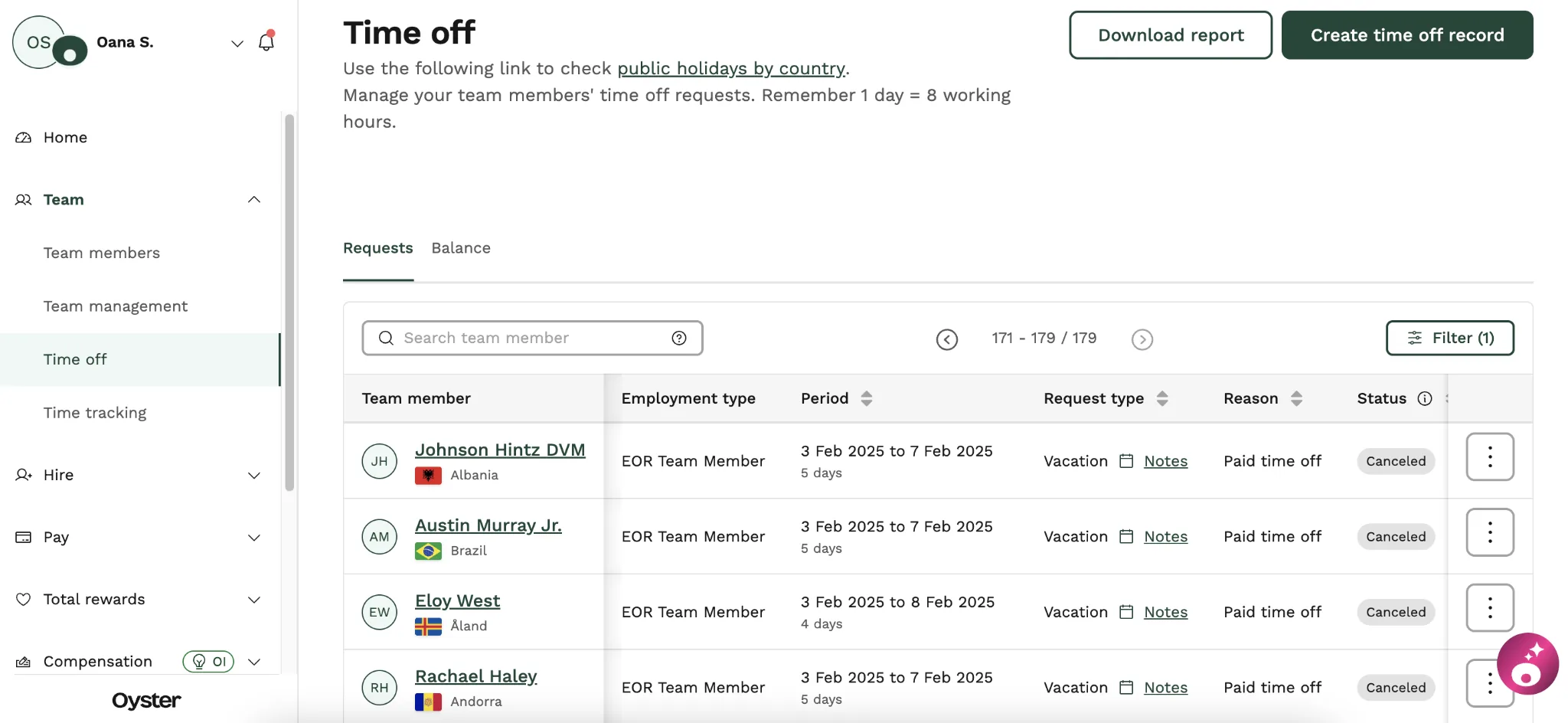
Oyster doesn’t beat Remote by having better technology. It competes through country reach and a more advisory, relationship-led EOR experience. Oyster supports EOR employment across 120+ countries (more than Remote’s current 90+ footprint), and combines its technology with customer-success managers and People Partner Services.
Those People Partners are particularly interesting. Companies can hire experienced multi-country HR professionals for help with policies, difficult employee situations, organizational changes, and HR execution, even for employees who are not employed through Oyster.
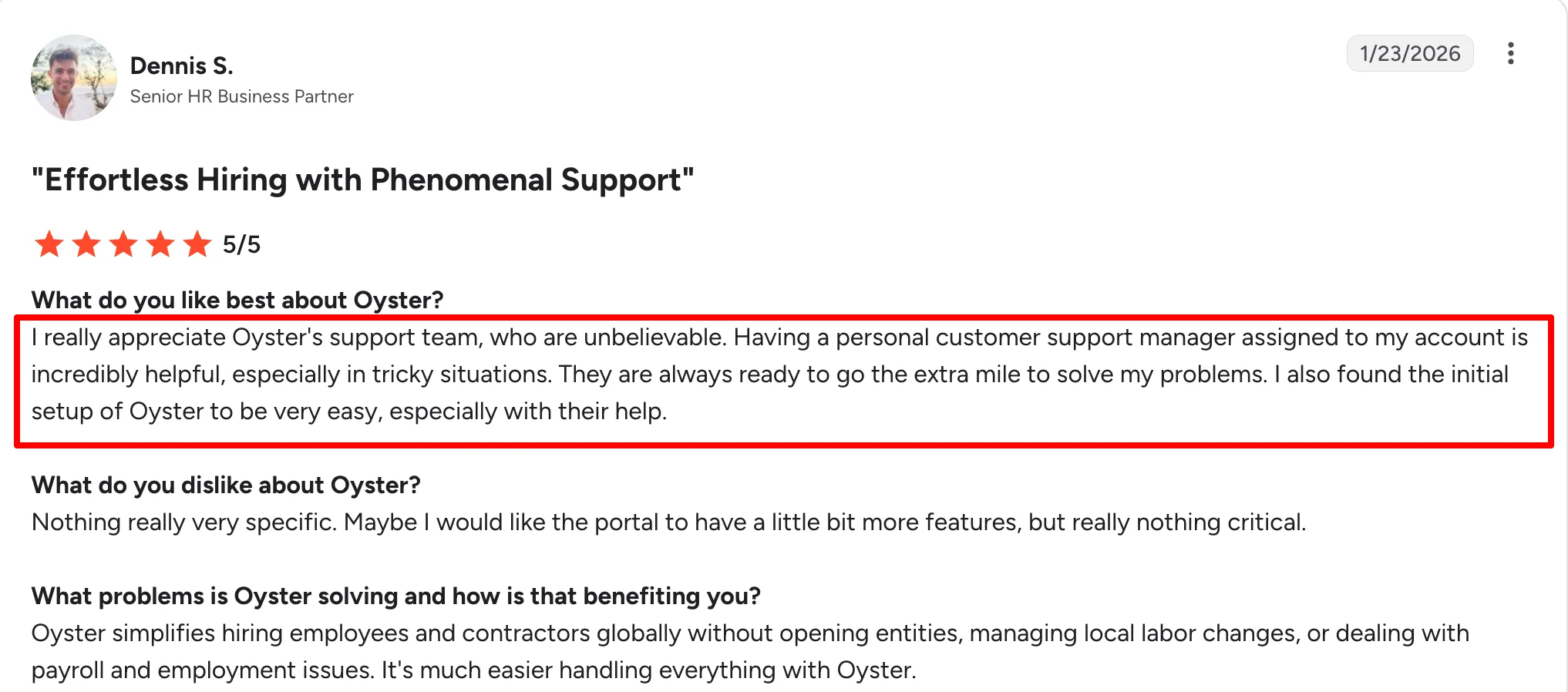
One G2 reviewer specifically praised having a personal customer support manager assigned to his account for help with tricky situations.
| Pros | Cons |
|---|---|
| Remote doesn’t cover a country you need: Oyster’s broader partner-supported EOR network can reach markets outside Remote’s direct footprint. | You dislike partner handoffs: Oyster’s wider geographic reach partly comes from local partners. Some reviewers say partner involvement can slow responses. |
| You want more hands-on HR guidance: People Partner Services can help with actual HR projects and sensitive employee situations rather than only answering compliance questions. | You want more HR technology: Remote is significantly stronger in recruiting, performance, AI, workflows, reporting, equity, and broader HRIS capability. |
| You value named account relationships: Several Oyster reviewers praise their account managers and customer-success contacts during difficult employment cases. | You need wide owned-entity payroll coverage: Oyster’s Global Payroll footprint is considerably smaller than Remote’s. |
| Annual headcount changes frequently: Oyster’s annual EOR seats can be reused when an employee leaves and a replacement is hired. |
Oyster pricing
Pricing details of Oyster HR are as follows:
- EOR: $699 PEPM
- Contractor management: $29/month
- People Partner Services: $300/hour
6. Multiplier (4.7/5 on G2)
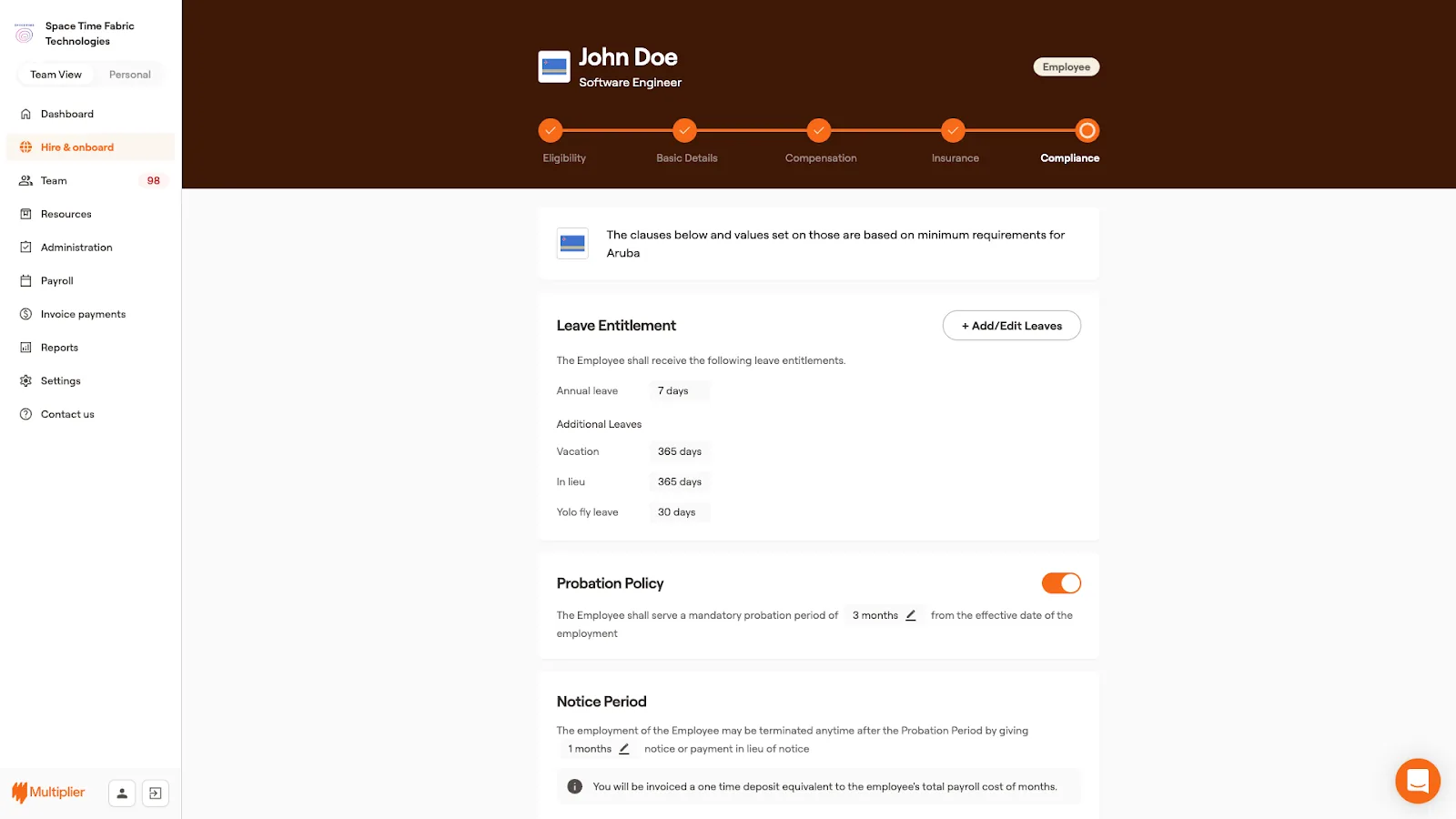
Multiplier is one of the most direct Remote replacements in this list. It competes on the same fundamentals: EOR + global payroll + contractors + compliance + benefits + payments. But there are two areas where its proposition gets particularly interesting: price and country reach.
Multiplier’s Core EOR starts at $499 monthly versus Remote’s $699. At 50 EOR employees, that’s a headline difference of roughly $120,000 per year before country-specific pricing and other costs. It also now claims 150+ owned legal entities, giving it a considerably broader direct-employment footprint than many EOR competitors.
| Pros | Cons |
|---|---|
| Competitive EOR pricing: EOR starts at $499 per employee per month, below several larger providers. | Payroll issues can take time to resolve: One reviewer described a payroll compliance lapse that took weeks to fix, along with unclear paystubs and mixed messages from support. |
| Broad global coverage: Multiplier supports EOR, contractor management, and global payroll in 150+ countries. | Limited workforce operations: Advanced attendance, shift management, and PSA are not part of the platform. |
| Free HRIS for global teams: A basic HRIS is included for managing employee records in one place. |
Multiplier pricing
Pricing details of Multiplier are as follows:
- Core EOR: From $499 PEPM monthly / $459 annually
- Global Payroll: From $20 PEPM
- Contractor management: $49/month
- Contractor of Record: From $400/month
7. Pebl (formerly Velocity Global) (4.6/5 on G2)
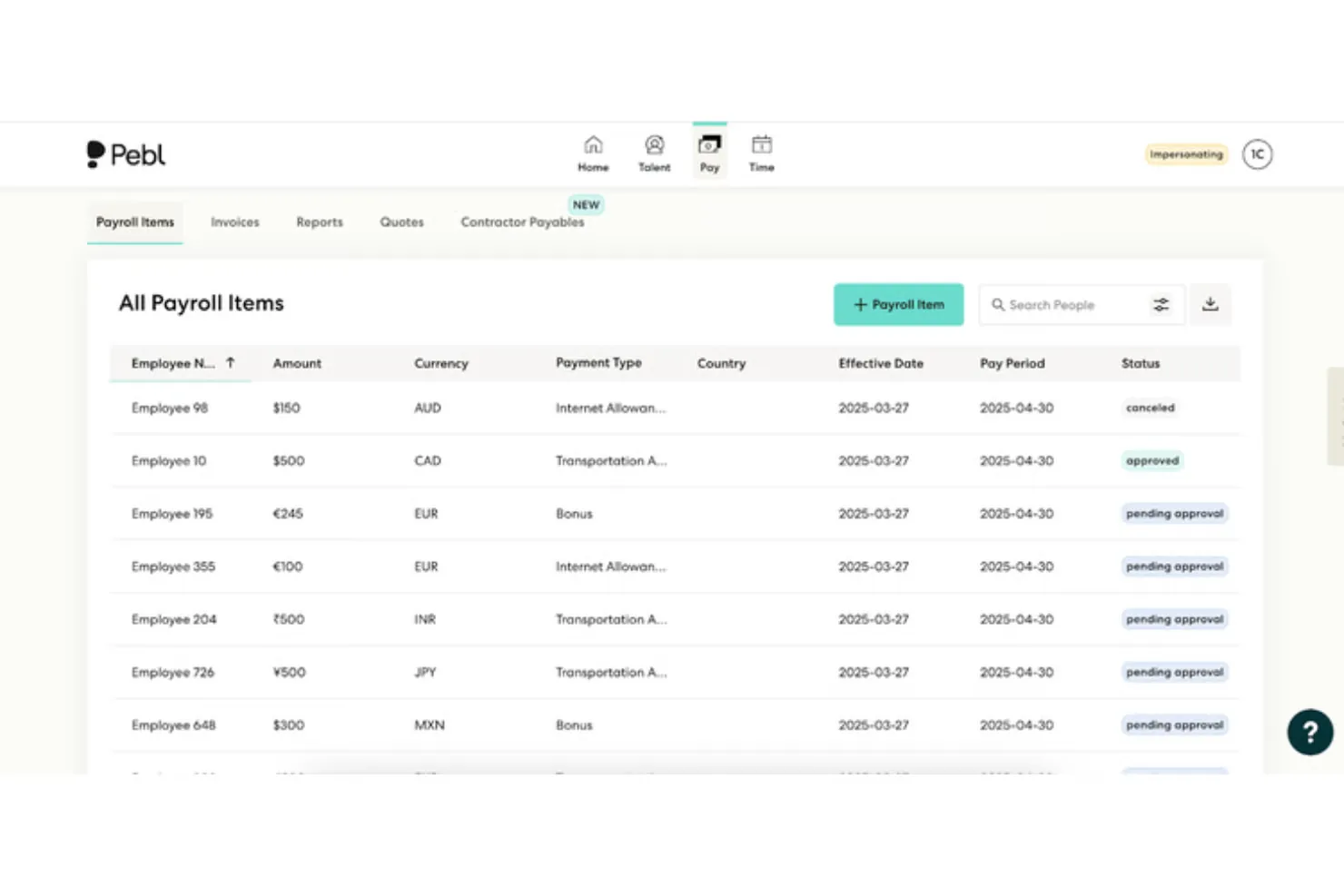
Velocity Global is now Pebl, but its basic proposition hasn’t changed: this is a long-established global-employment specialist. Pebl is especially interesting for bigger organizations that already have their HR stack and want an EOR/payroll partner rather than another HRIS.
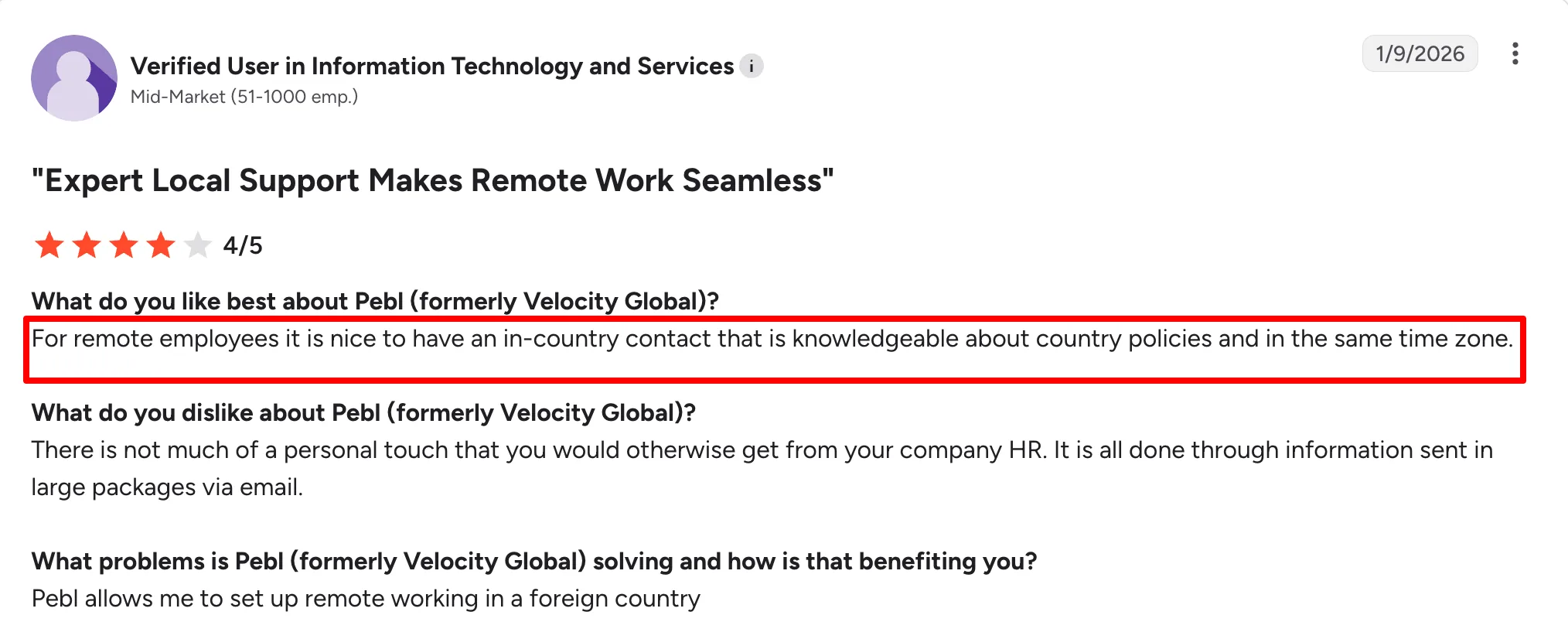
The headline differences are hard to ignore. Pebl currently advertises EOR across 185+ countries and starts at $399 per employee/month, compared with Remote’s $699 monthly rate. It also puts much more emphasis on local human expertise. One current reviewer praised having an in-country contact who understood local policy and operated in the same time zone.
| Pros | Cons |
|---|---|
| You want broader EOR coverage: Pebl’s 185+ country reach is substantially larger than Remote’s direct footprint. | Not every country runs on a Pebl-owned entity:Pebl owns 66 entities and relies on partners in the remaining countries, while Remote owns every entity across its EOR footprint. |
| You want lower EOR fees: At $399 PEPM starting pricing, Pebl can create significant savings as headcount grows. | Limited HR features beyond EOR: Pebl doesn’t match Remote’s depth in recruiting, performance, surveys, AI, equity, and employee management. |
| Complex employment cases require real country experts: G2 currently scores Pebl’s support at 9.4 versus Remote’s 9.0, with reviewers frequently mentioning responsive local expertise. | Less advanced AI capabilities: Pebl offers AI assistance, but Remote’s AI Agent and MCP capabilities are currently more developed. |
| You already have an HRIS: Pebl scores strongly for HCM/Finance integrations and is better suited to sitting underneath an existing enterprise HR stack than trying to replace it. |
Pebl pricing
Pebl’s EOR currently starts at approximately $399 per employee/month. Enterprise pricing and country-specific employment costs vary.
8. Gusto (4.6/5 on G2)
Gusto is the odd one out on this list because it is not really an independent Remote EOR alternative anymore. Since May 2026, new Gusto customers that want to employ full-time workers outside the US are directed to Remote, which handles the EOR relationship.
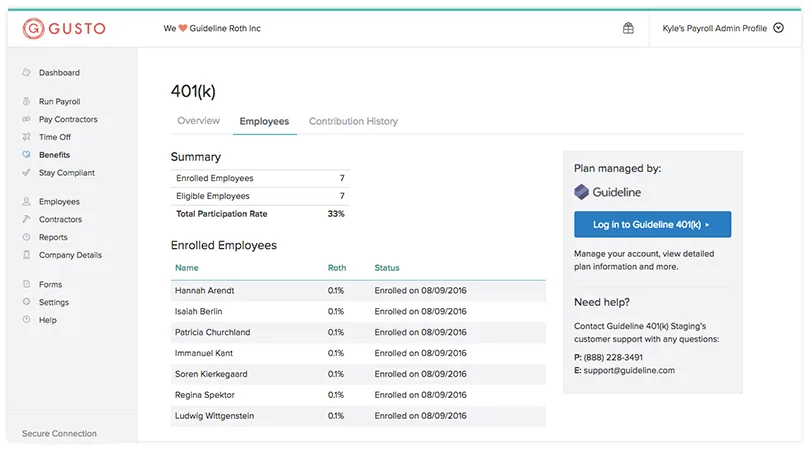
So don’t choose Gusto because you’re angry with Remote EOR. Choose it if you realize you don’t really need Remote EOR anymore. Gusto is excellent for relatively straightforward US businesses that need payroll, taxes, health benefits, 401(k), time tracking, contractors, and accounting integrations without all the machinery of a global-employment platform.
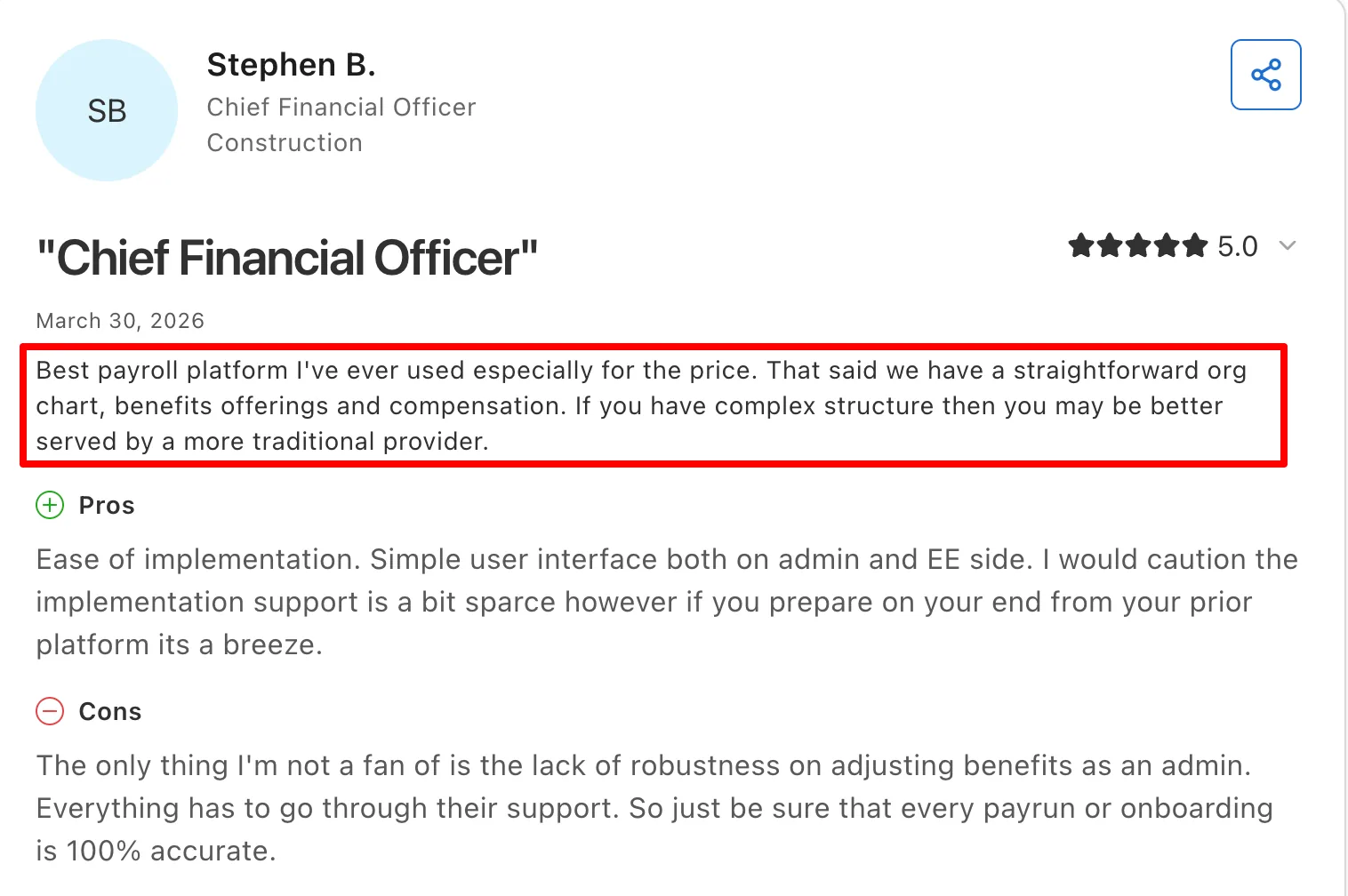
G2 currently rates Gusto above Remote for payroll overall, tax calculations, tax filing, direct deposit, benefits, and accounting integrations. One Chief Financial Officer described Gusto as the best payroll platform their team had used for the price.
| Pros | Cons |
|---|---|
| Your company is now mostly US-based: A 20–200 employee US company can get payroll, taxes, benefits, time tracking, and employee self-service in a much simpler package. | No standalone EOR: New Gusto EOR customers are routed to Remote, so Gusto won’t help if you’re trying to move away from Remote’s international employment service. |
| Remote Payroll feels too expensive: Gusto Plus costs $80/month + $12/person. For a 50-person company, that’s roughly $680/month versus $1,450 at Remote’s $29 PEPM headline payroll price. | Limited international compliance: Gusto is built for US payroll first. Remote goes much deeper into international payroll, benefits, mobility, employment law, and EOR. |
| US payroll-tax administration is the priority: Gusto automatically handles federal, state, and local payroll taxes and receives stronger current G2 scores than Remote for both tax calculation and filing. | Basic contractor compliance: Gusto can pay overseas contractors, but it doesn’t match Remote’s localized agreements, classification protection, or Contractor of Record. |
| Your Finance team lives in QuickBooks or Xero: Gusto’s accounting integrations are mature and heavily used by small businesses. |
Gusto pricing
Pricing details of Gusto are as follows:
- Simple: $49/month + $6/person
- Plus: $80/month + $12/person
- Premium: $180/month + $22/person
Which Remote alternative should you choose?
The right replacement depends on what you’re actually trying to escape.
- Choose Keka for deeper everyday HR, attendance, workforce management, and PSA.
- Choose Deel if you want a broader global HR, talent, IT, and mobility stack.
- Choose Papaya Global for multi-country payroll, payments, FX, and finance visibility.
- Choose Rippling for HR, IT, payroll, and app automation from one employee record.
- Choose Oyster HR for broader EOR coverage and more hands-on HR advisory.
- Choose Multiplier for lower-cost EOR, broader country coverage, and global payroll.
- Choose Pebl for enterprise EOR, local expertise, and high-touch global support.
- Choose Gusto if your workforce is mainly US-based and you need simpler payroll, tax, and benefits.
The important thing is not to replace Remote with the platform that has the longest feature list. Replace it with the platform that solves the reason you’re leaving Remote in the first place.
See how Keka can simplify HR and payroll for your growing workforce.


