


 Login
Login


The key is not to prioritize what’s on your schedule but to schedule your priorities.
– Stephen Covey
That sounds simple, but anyone who has managed shifts knows how quickly things can unravel. One sick call can derail a shift, and a last-minute change can leave you scrambling. That Excel sheet you called organized? It starts to look like a puzzle with missing pieces.
As a result, your time is wasted on fixing conflicts, chasing updates, and covering overtime rather than training staff, serving customers, or running the business.
The real question is not if you need scheduling software, but which tool fits your team without a steep learning curve.
Let’s explore the best employee scheduling software for 2026 with features, pricing, pros and cons, and expert insights to help you choose.
Research Methodology: How I Evaluated Employee Scheduling Software
I reviewed each platform from the perspective of managers and HR teams dealing with no-shows, shift swaps, compliance issues, and the need for clear schedules. I evaluated each platform on features that actually impact your business, including:
- Scheduling under pressure: How quickly can managers create, copy, and adjust shifts? Does the system prevent double-bookings, track overtime, and flag labor law risks?
- Shift swaps and communication: Can employees swap or request changes without relying on WhatsApp groups or last-minute calls? Does the platform send instant notifications?
- Mobile-first access: Does the app function well for frontline staff? Can employees check schedules, clock in, and receive alerts from their phones?
- Integrations: Does scheduling connect directly with payroll and time-tracking, or does it require manual exports?
- Compliance: Are there automated alerts for breaks, overtime, and labor law requirements?
- Ease of adoption: Is the interface simple enough for non-technical managers and hourly staff to use without training?
- Pricing: Are costs clear and scalable without hidden fees?
- User feedback: Do reviews on G2, Capterra, and Trustpilot confirm reliability beyond demo scenarios?
Best Picks for Employee Scheduling Software
The right scheduling software can reshape how your team operates. The best tools save time, reduce errors, improve communication, and help you stay compliant with labor laws. Below are the top employee scheduling platforms to consider.
1. Keka
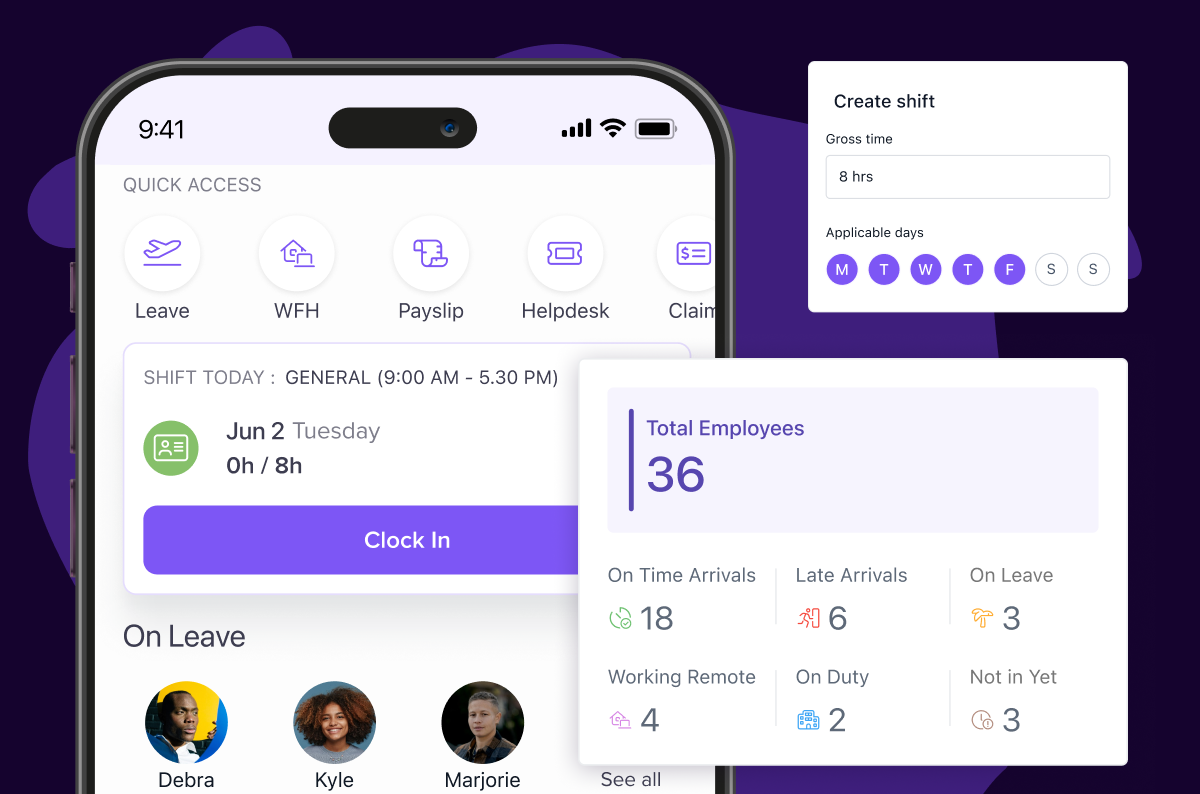
Keka is an HR and payroll platform with strong shift scheduling and attendance features. You can set up recurring, rotating, or fixed shifts, automate allocations, and connect scheduling data directly to payroll. Managers can approve requests, assign permissions, and monitor compliance, while employees can request or swap shifts through the mobile app.


Key Features of Keka:
- Shift scheduling and auto-assignment: Fixed or flexible shifts with templates and rules for automated allocation.
- Overtime policies: Customizable rules for paid OT or comp-off across working days, holidays, and weekly offs.
- Custom templates and breaks: Configurable shift types with break durations.
- Attendance and leave management: Mobile, GPS, and biometric clock-ins with leave/PTO requests and approvals.
- Role-based permissions: Control over who creates, edits, approves, or publishes shifts.
- Compliance tracking: Automated alerts for overtime, holidays, and weekly offs to enforce labour rules.
- Mobile access and offline support: Schedule views, shift swaps, and notifications via mobile, with offline attendance for Android.
- Real-time notifications: Alerts for shift changes, overtime, and attendance reminders.
| Pros | Cons |
|---|---|
| Employees can clock in and out through mobile, biometric, or GPS methods. | Sync errors sometimes record login or logout times incorrectly in the portal. |
| The system applies rules to update attendance, calculate overtime, and record weekly offs. | The system limits access to older records, which makes audits and settlements harder. |
| Managers can track attendance, leave, and shifts from a single dashboard. | |
| The app sends shift reminders to employees, which lowers missed shifts and no-shows. |
Ideal For:
Mid-sized companies (100–1,000 employees) that want payroll, attendance, and scheduling integrated in one system.
Pricing:
- Foundation: $9/employee/month
- Strength: $16/employee/month
- Growth: $22/employee/month
Expert’s Opinion
Keka is a great fit for businesses that don’t want the hassle of juggling multiple tools for payroll, attendance, and scheduling. The integration reduces duplicate work and gives HR teams better control over hours and compliance. The platform is less flexible for businesses with unusual or highly customized shift patterns, but it provides a reliable option for mid-sized teams that want scheduling tied to core HR processes.
2. Connecteam
Connecteam is a mobile-first employee scheduling app designed for deskless and frontline teams. It combines scheduling with time tracking, communication, task management, and training tools. Managers can build schedules quickly while employees receive updates and reminders on their phones.

Key Features of Connecteam:
- Shift Scheduling: Managers can build and assign shifts quickly using drag-and-drop templates.
- Shift Updates: Employees receive automatic notifications and reminders when schedules change.
- GPS Time Clock: Staff clock in from their phones with location verification for accurate attendance.
- Shift Swaps: Employees can request swaps or claim open shifts directly through the app.
| Pros | Cons |
|---|---|
| Managers and employees can navigate the platform easily. | The broad range of features can feel overwhelming for some users. |
| GPS time clock and geofencing support accurate attendance tracking. | Setup and onboarding take time, especially for non-technical teams. |
| Payroll integrations reduce errors and improve back-office processes. | The mobile app can feel crowded when too many features are in use. |
| Customer support responds quickly and resolves most issues | Larger enterprises may find the platform limited for complex compliance. |
Ideal For:
Small and mid-sized teams in industries like retail, hospitality, logistics, and field services where mobile scheduling is essential.
Pricing:
- Basic: $29/month for up to 30 users
- Advanced: $49/month for up to 30 users
- Expert: $99/month for up to 30 users
- Custom pricing available for larger teams
Expert’s View
Connecteam is best suited for teams that rely on mobile access and real-time updates. Scheduling, communication, and time tracking are accessible from one app, which supports industries where staff are often in the field. While the feature set is broad, it can feel heavy during onboarding, and compliance tools are less extensive than those in enterprise-focused platforms.
3. When I Work
When I Work is one of the most popular staff scheduling apps, especially for shift-based industries like retail, restaurants, and healthcare. Managers can publish schedules in minutes, while staff clock in, swap shifts, and receive updates through the mobile app. The tool combines scheduling, attendance tracking, and labor cost controls in one place.

Key Features of When I Work:
- Shift Scheduling: Drag-and-drop schedule builder with templates and auto-assign.
- Time Tracking: GPS and photo-verified mobile clock-ins to prevent time theft.
- Shift Management: Open-shift offers, swaps, and availability requests with manager approval.
- Payroll Integration: Connects with ADP, Gusto, Paychex, and an optional payroll add-on.
| Pros | Cons |
|---|---|
| GPS enforcement ensures staff clock in at the right location | Limited integrations outside major payroll providers |
| Photo clock-in prevents buddy punching | Mobile app users report freezes and glitches |
| Overtime alerts and early clock-in prevention help manage labor costs | No live phone support and limited support hours |
| Multi-location scheduling and labor cost dashboards give branch-level visibility | State-specific scheduling rules (like split-shift premiums) are not fully automated |
Ideal For:
Small to mid-sized businesses in hospitality, healthcare, and retail that need clear schedules and mobile-friendly time tracking without heavy setup.
Pricing:
- Single Location: $2.50 per user per month (scheduling + messaging)
- Multiple Locations: $5 per user per month (adds time tracking, reports, shift coverage views)
Expert’s Opinion:
When I Work works best for shift-driven teams that need schedules built quickly and shared instantly. Its GPS and photo verification features strengthen accountability, and mobile access makes adoption easy for hourly staff. However, companies with complex compliance needs or advanced integration requirements may find it restrictive over time.
4. Homebase
Homebase is one of the best free employee scheduling apps built for hourly teams in restaurants, retail, and local services. It offers scheduling, time clocks, payroll through add-ons, hiring tools, team chat, and shift reminders. A free plan is available for single-location small teams.

Key Features of Homebase:
- Schedule Builder: Create and publish shifts with templates and availability settings.
- Time Clock: Free clock-in and out with GPS and photo verification.
- Shift Management: Employees request shift swaps or covers, and managers approve in the app.
- Payroll Sync: Timesheets link to payroll providers through an add-on.
| Pros | Cons |
|---|---|
| Simple scheduling with templates and repeatable shifts | Limited customization and layout flexibility |
| Team communication and mobile updates keep staff aligned | Payroll features can add costs and sometimes cause glitches |
| Free tier works well for single-location businesses | Customer support can be slow to respond |
| Saves time for managers by reducing manual scheduling work | Reporting tools lack depth and flexibility |
Ideal For:
Small businesses such as cafés, salons, and retail stores that need a free or affordable way to manage hourly staff schedules and time tracking, with basic hiring and payroll options.
Pricing:
- Basic: $0 per location per month
- Essentials: $24 per location per month
- Plus: $56 per location per month
- All-in-One: $96 per location per month
Expert’s Opinion
Homebase is a straightforward scheduling and time tracking tool that most employees can use with little training. It is strong in covering core needs for small teams. However, businesses with advanced payroll or reporting requirements may find the free version limiting and need to upgrade.
5. Deputy
Deputy is workforce scheduling software for shift-based teams in retail, hospitality, healthcare, and logistics. It automates scheduling, time tracking, and task assignment, and provides visibility into labor costs and compliance.

Key Features of Deputy:
- Shift Scheduling: Drag-and-drop interface with auto-scheduling and recurring shifts.
- Task Management: Assign tasks per shift and track completion.
- Compliance Alerts: Notifications for overtime, breaks, and labor law compliance.
- Payroll Integration: Export hours directly to payroll systems.
| Pros | Cons |
|---|---|
| Easy access to schedules and fast shift changes improve planning | Notifications can feel excessive if not adjusted |
| Reliable time tracking with clock-in/out and accurate timesheets | Some users report slow performance or glitches on mobile |
| Clean and intuitive interface makes it easy to manage shifts | Limited customization options for layout and design |
| Compliance features for breaks and rest periods reduce legal risks | Advanced reporting and forecasting are only available in higher-cost tiers |
Ideal For:
Mid-sized businesses and enterprises that need scheduling, attendance tracking, task management, and compliance in one platform.
Pricing:
- Lite: $5 per user per month
- Core: $6.50 per user per month
- Pro: $9 per user per month
Expert’s Opinion
Deputy provides strong scheduling and compliance tools that help businesses control labor costs and reduce errors. It works well for industries with strict labor rules. Setup takes time, but once configured, it saves managers’ effort and improves visibility.
6. 7Shifts
7Shifts is a scheduling and workforce management platform built for restaurants and hospitality businesses. It helps managers reduce labor costs, improve team communication, and maintain shift coverage with real-time visibility.

Key Features of 7Shifts:
- Employee Scheduling: Drag-and-drop builder with reusable templates and auto-scheduling options on higher plans.
- Time and Attendance: Clock-ins and outs with geofencing and photo verification through the 7Punches app.
- Labor Cost Management: Forecast costs, compare scheduled vs actual hours, and receive budget alerts.
- Shift Coverage: Staff can swap or pick up open shifts with manager approval.
| Pros | Cons |
|---|---|
| Color-coded interface makes scheduling simple, even for new users | Many advanced features are only available on higher-tier plans |
| Built-in announcements, messages, and notifications keep teams connected | Reports of slowdowns, downtime, or integration issues with POS and HR tools |
| Handles multiple locations and departments effectively | Bulk management and reporting features lack flexibility |
| Industry-specific design fits restaurant workflows closely | Pricing can rise quickly as teams scale |
Ideal For:
Restaurants, cafes, bars, and hospitality businesses that want a scheduling system designed for their industry with labor cost and communication tools included.
Pricing:
- Comp: Free
- Entree: Starts at $31.99 per month
- The Works: Starts at $69.99 per month
- The Gourmet: Custom pricing
Expert’s Opinion
7Shifts is built for restaurants and works best in environments where staffing needs change with customer demand. It connects schedules to sales data and peak service hours, which helps reduce unnecessary labor costs. The platform is practical for managers who want clear oversight of shifts, labor budgets, and attendance. For teams outside hospitality, its narrow focus may limit usefulness.
7. Shiftboard
Shiftboard is a workforce scheduling and shift management platform designed for complex, high-volume operations. It is used in healthcare, manufacturing, public safety, and staffing agencies to ensure coverage, compliance, and efficiency in environments with dynamic scheduling needs.

Key Features of Shiftboard:
- Advanced Scheduling: Auto-scheduling, templates, and recurring shift patterns for large teams.
- Time and Attendance: Real-time tracking with mobile clock-ins and payroll integration.
- Compliance Management: Alerts for overtime, labor laws, and union requirements.
- Shift Communication: Mobile notifications and broadcast alerts for schedule changes.
| Pros | Cons |
|---|---|
| Clear schedule views make it easy to see coverage | The system can feel rigid and less adaptable to unique needs |
| Multiple viewing options (list, hour, day, week) support planning | Interface takes time to learn and adjust to |
| Staff self-service reduces admin workload | Occasional slowdowns or glitches, especially with large teams |
| Instant updates keep employees aware of changes | Less intuitive compared to lighter scheduling tools |
Ideal For:
Organizations with large, distributed, or unionized teams in healthcare, manufacturing, staffing agencies, or public safety that need robust scheduling, compliance tracking, and labor analytics.
Pricing:
Custom pricing based on team size, features, and deployment model.
Expert’s Opinion
Shiftboard is most useful for large organizations where compliance and scheduling errors can lead to significant costs. It handles rotating shifts and union rules effectively, which reduces the need for manual oversight. Smaller teams may find it heavier than necessary, and it lacks the simple drag-and-drop style offered by other tools.
8. Acuity Scheduling
Acuity Scheduling is an appointment scheduling platform built for service-based businesses, freelancers, and consultants. It simplifies booking, reduces no-shows, and gives clients self-service access to appointment slots.

Key Features of Acuity Scheduling:
- Online Booking: Clients book appointments through a personalized scheduling page.
- Automated Reminders: Email and SMS reminders reduce missed appointments.
- Calendar Integration: Syncs with Google, Outlook, iCloud, and Office 365.
- Payment Integration: Accept payments at booking through Stripe, PayPal, or Square.
| Pros | Cons |
|---|---|
| The interface is simple and easy for both clients and businesses | Reporting features are basic, and integrations with video tools can be smoother |
| Supports recurring appointments, group workshops, and multiple instructors | Exporting data is limited, and duplicate client handling can cause errors |
| Syncs with calendars, payment systems, and CRM tools | Costs can rise for larger teams that need advanced features |
| Clients can book online, receive reminders, and use mobile apps | Better suited for appointment-driven businesses than for staff scheduling |
Ideal Solution for:
Freelancers, consultants, small service-based businesses, wellness professionals, and educators who need straightforward scheduling with reminders and payment options.
Pricing:
- Starter: $16 per month
- Standard: $27 per month
- Premium: $49 per month
- Enterprise: Custom pricing
Expert’s Opinion
Acuity Scheduling works best for client-facing businesses that rely on booked appointments. It combines booking, reminders, and payment in one system, which helps reduce no-shows and keeps schedules accurate. The tool feels more like a client management platform than a staff scheduling system, so organizations without client appointments may find it less useful.
9. Visual Planning
Visual Planning is a resource and workforce scheduling platform that combines project management, staff rostering, and operational planning. It is designed for organizations that need to manage resources, track shifts, and ensure projects stay on schedule.

Key Features of Visual Planning:
- Shift Scheduling: Drag-and-drop interface for quick shift assignment.
- Resource Allocation: Manage people, equipment, and rooms in one system.
- Real-Time Dashboards: Monitor availability, schedules, and project progress.
- Time Tracking: Record hours, attendance, and task completion.
| Pros | Cons |
|---|---|
| Simple scheduling with drag-and-drop, color codes, and labels | Interface design looks dated and less intuitive |
| Helps reduce bottlenecks and keeps staff aligned with projects | Advanced features require time and training to learn |
| Customizable interface gives clear visibility of resources and tasks | Occasional glitches and scrolling issues can disrupt workflow |
| Scales well from small team scheduling to large project planning | The setup process can be complex for new users |
Ideal Solution for:
Medium to large businesses in manufacturing, healthcare, logistics, and project-based industries that need a single system for managing staff, resources, and projects.
Pricing:
- VP Desk (SaaS): $55 per user per month
- VP Portal (SaaS): $40 per user per month
- VP Go (SaaS): $14 per user per month
Expert’s Opinion
Visual Planning is suited for organizations that need to coordinate shifts and resources across different projects. Managers can adjust assignments quickly, which helps avoid scheduling conflicts and delays. Some features take training and practice before staff can use them confidently, but once teams are comfortable, scheduling runs more smoothly.
10. PlanDay
PlanDay is a cloud-based staff scheduling and workforce management platform built to simplify shift planning, communication, and labor tracking. It is used by businesses in hospitality, retail, and healthcare that need to manage multiple locations and rotating shifts.

Key Features of PlanDay:
- Shift Scheduling: Build and adjust employee schedules with drag-and-drop tools.
- Time and Attendance Tracking: Clock-in and out, attendance logs, and overtime tracking.
- Employee Communication: In-app messaging, notifications, and shift reminders.
- Labor Cost Management: Track budgets, monitor overtime, and link with payroll systems.
| Pros | Cons |
|---|---|
| Simple to schedule, view, and adjust shifts across teams | Payroll and Xero integration can be time-consuming |
| Interface is user-friendly, even for new staff | Occasional slow loading or glitches with larger schedules |
| Templates, time clock, and real-time updates save managers time | Holiday management, group messaging, and some setup options feel less intuitive |
| Strong communication tools support time off requests and shift swaps | Reporting and analytics could be more detailed |
Ideal Solution for:
Businesses in hospitality, retail, healthcare, and service industries that operate across multiple locations and need a mobile-friendly scheduling solution.
Pricing:
- Starter: $2.99 per user per month
- Professional: $4.49 per user per month
- Enterprise: Custom pricing
Expert’s Opinion
PlanDay is straightforward for staff while giving managers the tools to keep labor costs under control. Employees can check schedules, request changes, and message through the app, which makes coordination easier. Managers get enough oversight to manage multiple sites without needing complex systems. While the reporting features are not as deep as some competitors, for day-to-day scheduling, it handles the essentials well.
Best Employee Scheduling Tools Comparison Chart
Choosing the right employee scheduling software can be difficult because each platform supports different types of organizations. This chart compares the leading tools by features, ideal use cases, ratings, and starting price.
Here’s a side-by-side look at the best staff scheduling software in 2026
| Employee Scheduling Tool | Features | Best For | Pricing | G2 Rating | Free Tria |
|---|---|---|---|---|---|
| Keka |
| Small and medium businesses that need HR and scheduling in one platform | Starts from $113/employee/month | 4.5/5 | Yes |
| Connecteam |
| Deskless and field-based teams | Free plan available; paid plans start from $29/month | 4.6/5 | Yes |
| When I Work |
| Small businesses with hourly teams | Starts from $2.50 per user/month | 4.4/5 | Yes |
| Homebase |
| Restaurants, retail, and small businesses | Free plan available; paid plans start at $24/month/location | 4.3/5 | Yes |
| Deputy |
| Small to mid-sized businesses that need compliance and workforce insights | Starts from $5 per user/month | 4.6/5 | Yes |
| 7shifts |
| Restaurants, cafes, and hospitality businesses | Starts at $31.99/month | 4.5/5 | Yes |
| Shiftboard |
| Large enterprises with complex workforce needs | Custom pricing | 4.6/5 | No |
| Acuity |
| Service providers, consultants, and appointment-driven businesses | Starts from $16/month | 4.7/5 | Yes |
| Visual Planning |
| Manufacturing, logistics, and project-based teams | Starts from $15/user/month | 3.8/5 | Yes |
| Planday |
| Hospitality, healthcare, and retail | Starts from $2.99 per user/month | 4.5/5 | Yes |
Which Tool is Best for You?
The right employee scheduling software depends on your team size, industry, and scheduling needs. Here’s a breakdown to help you choose:
- Small Teams
For small teams that need straightforward scheduling and time tracking without complex features:
- When I Work: Good for hourly teams that want quick scheduling, shift swaps, and messaging.
- Homebase: Works well for small offices or retail with its free plan covering scheduling, time clocks, and basic payroll.
- Growing Businesses
For companies expanding to multiple locations or needing tighter controls on attendance and costs:
- Keka: Combines scheduling with payroll, attendance, and compliance, making it practical for SMBs scaling beyond spreadsheets.
- Deputy: Useful for teams that want auto-scheduling, labor forecasting, and compliance alerts.
- Large Enterprises
For organizations with complex shift structures, compliance requirements, and large workforces:
- Shiftboard: Advanced scheduling and compliance management designed for large or unionized teams.
- Visual Planning: Suited for enterprises that need to coordinate staff, equipment, and projects in one system.
- Remote and Deskless Teams
For teams working across locations, often on mobile:
- Connecteam: Mobile-first, with scheduling, time tracking, and team communication for field staff.
- Keka: Cloud-based with mobile access, payroll sync, and compliance tracking across distributed teams.
- Industry-Specific Solutions
Some tools are built with certain industries in mind:
- 7Shifts: Tailored for restaurants and hospitality, with POS integration and labor cost management.
- PlanDay: Strong for healthcare and retail, supporting rotating shifts and compliance.
- Acuity Scheduling: Designed for service providers and consultants who rely on client appointments.
- Budget-Friendly Options
For teams needing essential scheduling without high costs:
- Homebase: Free plan for small teams with core scheduling and time tracking.
- Keka: Offers flexible pricing for SMBs that want scheduling together with payroll and compliance, avoiding multiple tools.
Best Picks for Employee Scheduling Software: Comparison Table
| Software | Software | Software |
|---|---|---|
| Best for Small Teams | When I Work | Simple setup for hourly teams, covering scheduling, time tracking, and team messaging at a low cost. |
| Homebase | Free plan for small offices or retail, includes scheduling, time clocks, and basic payroll tools. | |
| Best for Growing Businesses | Keka | Combines scheduling with payroll, attendance, and compliance to support SMBs moving beyond spreadsheets. |
| Deputy | Auto-scheduling, labor forecasting, and compliance features for scaling teams. | |
| Best for Large Enterprises | Shiftboard | Advanced scheduling, workforce analytics, and compliance management for large or unionized organizations. |
| Visual Planning | Suited for enterprises that need to manage staff, equipment, and projects across multiple sites. | |
| Best for Remote or Deskless Teams | Connecteam | Mobile-first platform with scheduling, task management, GPS tracking, and team chat. |
| Keka | Cloud-based with payroll and attendance integration, making it easier to manage distributed teams. | |
| Best Industry-Specific Solutions | 7Shifts | Restaurant and hospitality scheduling with POS integration and labor cost forecasting. |
| PlanDay | Supports healthcare and retail with rotation management and compliance features. | |
| Acuity Scheduling | Appointment-based scheduling for service providers, consultants, and wellness professionals. | |
| Best Budget-Friendly Options | Homebase | Free plan with scheduling and time tracking for small businesses. |
| Keka | Flexible pricing that combines scheduling with payroll and compliance, reducing the need for multiple tools. |
How to Choose the Right Employee Scheduling Software
Selecting the right employee scheduling software comes down to matching your business requirements with the platform’s strengths. Here are the key factors to consider:
- Business Size and Complexity: Smaller teams often need simple, low-cost tools that cover the basics. Larger organizations with multiple locations or complex shifts benefit from platforms that offer advanced automation, reporting, and compliance tracking.
- Industry Fit: Look for software that supports the way your industry operates. Restaurants may need POS integration and labor forecasting, while healthcare and manufacturing require rotation templates and strict compliance controls.
- Integration with Existing Systems: Scheduling works best when it connects seamlessly with payroll, HR, or POS systems. Strong integrations reduce manual entry, save time, and limit errors.
- Ease of Use: A platform should be straightforward enough for employees and managers to adopt quickly. The most feature-rich system is not helpful if it slows down everyday tasks.
- Compliance and Reporting: Choose software that helps meet labor law requirements and gives managers visibility into overtime, attendance, and labor costs. Reporting should provide insights you can act on.
- Budget and Value: Compare pricing tiers carefully. The best choice is not the cheapest, but the one that delivers essential features without unnecessary extras.
- Mobile Access and Communication: Mobile apps and built-in communication tools keep hourly or remote staff updated on schedules, changes, and shift requests. This reduces confusion and missed shifts.
Conclusion
Effective employee scheduling software helps businesses manage shifts, reduce labor costs, and maintain compliance. The best employee scheduling apps provide both managers and employees with clarity on schedules, shift changes, and attendance. This improves coordination, reduces conflicts, and keeps operations consistent across industries where shift work is essential.
While there are many options available, Keka combines employee scheduling with core workforce functions such as payroll processing, attendance tracking, leave management, and compliance monitoring. Managers can build and adjust shifts while ensuring records flow directly into payroll, and employees get easy mobile access for tracking hours or requesting changes.


