


 Login
Login


The best Paychex alternatives in 2026 are Keka, ADP Workforce Now, Rippling, Gusto, Paylocity, Paycor, Paycom, and isolved. Each is evaluated on pricing, features, compliance, integrations, support, scalability, user experience, and verified reviews. It helps buyers of all sizes pick modern payroll and HR software.
The strongest Paychex alternative depends on what you need from your next platform. Gusto is geared toward smaller teams that prioritize payroll simplicity, while platforms such as ADP Workforce Now, Rippling, Keka, and Paylocity offer broader HR and workforce management capabilities for growing organizations.
If you manage HR or finance for a company with 50 to 1,000+ employees, this comparison is for you. Start with the feature comparison table below for a quick side-by-side view.
Side-by-Side Feature Comparison Table
| Feature | Keka | Paychex | ADP Workforce Now | Rippling | Gusto | Paylocity | Paycor | Paycom | isolved |
|---|---|---|---|---|---|---|---|---|---|
| Countries Supported | India + U.S. | US focused | 140+ (global) | 185+ (global) | US focused | 100+ (global) | US focused | Global | US focused |
| Automation & AI | Comprehensive | Moderate | Advanced | Moderate | Good | Good | Good | Good | Good |
| Employee Self-Service | Yes | Yes | Yes | Yes | Yes | Yes | Yes | Yes | Yes |
| Pricing Model | Quote-Based | Tiered | Custom Enterprise | Modular | Per Seat | Quote-Based | Quote-Based | Quote-Based | Quote-Based |
| Mobile App Support | Full | Good | Advanced | Good | Good | Good | Good | Good | Good |
| User Ratings (Global, 2026) | 4.4/5 | 4.1/5 | 4.2/5 | 4.8/5 | 4.6/5 | 4.4/5 | 3.9/5 | 4.6/5 | 4.3/5 |
Disclaimer: Keka is our product and appears as an alternative in this comparison. I’ve applied the same evaluation criteria to Keka as every other tool, including documenting real limitations.
To create this guide, I’ve evaluated eight platforms based on factors that matter for your business. These include pricing, feature depth, compliance, support, integrations, and ease of use. Here’s a closer look.
Key Evaluation Factors I Used to Compare Paychex Alternatives
No single platform will be the best fit for every business. I’ve used these eight criteria across all eight to highlight where each one stands out and where it may fall short.
- Pricing: I reviewed published prices, plan structures, per-employee costs, and additional fees for key features or add-ons.
- Feature set: My comparison covers the core capabilities each platform offers, including payroll, HR, time tracking, performance management, recruiting, and benefits.
- Localization & compliance: I assessed how each provider handles multi-state payroll, tax filings, statutory requirements, and broader compliance needs.
- Integrations: The evaluation looks at connections with accounting software, ERPs, job boards, and collaboration tools such as Slack and Microsoft Teams.
- Support: I considered onboarding assistance, implementation support, account management, available support channels, and recurring issues mentioned by customers.
- Scalability: My review considers how well each platform supports growing headcount, additional modules, and increasingly complex HR and payroll workflows.
- User experience: I also compared the day-to-day experience for both HR admins and employees, including navigation, mobile access, and employee self-service.
- Verified user feedback: Customer reviews from G2, Capterra, and Reddit helped me identify recurring strengths, limitations, and real-world support experiences.
With these criteria in mind, here’s how the leading Paychex alternatives compare in practice.
Top 8 Alternatives to Paychex
1. Keka: Best for businesses of all sizes that need modern HR and payroll
Trusted by over 12,500 companies across 150+ countries, Keka is an all-in-one cloud HRMS that combines payroll, HR, time tracking, and performance management in a single, easy-to-use platform. It supports businesses of different sizes with tools for hiring, HR, payroll, attendance, performance, employee experience, resource management, projects, timesheets, billing, and analytics.
The interface is refreshingly modern, and rollout is faster than Paychex. This means businesses don’t spend months just getting started.
What’s more, Keka’s ATS integrates with AI to generate polished job descriptions from brief prompts. It can also help create candidate scorecards and assist with interview scheduling.
For organizations managing projects, Keka also provides resource management, project management, timesheets, billing, and analytics. The platform is built to bring these processes together while keeping the user experience simple and intuitive.
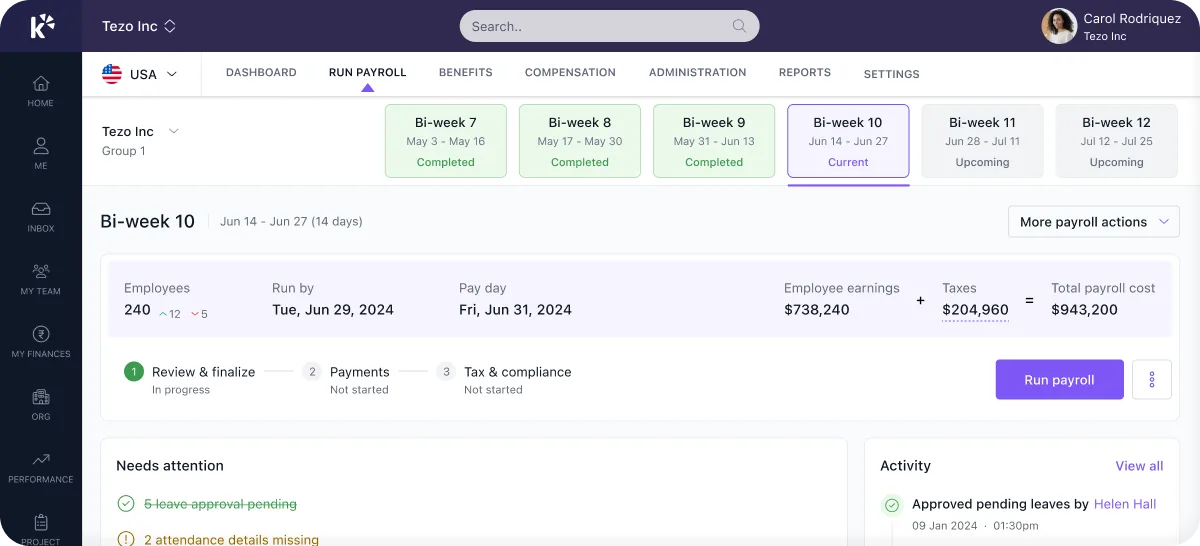
Key features
- Comprehensive HR + Payroll: Covers the full employee lifecycle from hiring to retirement on a single platform, avoiding data silos. Handles on-time salary payments, direct deposits, W-2/1099 in the U.S., plus statutory deductions like Provident Fund, TDS, ESIC, and professional tax in India.
- Advanced time & attendance engine: Provides configurable shift scheduling, overtime rules, biometric integrations, and GPS/photo punch-ins. Further, the “gamified” attendance system makes logging time more engaging.
- Employee self-service & engagement: Keka’s mobile app and self-service portal allow employees to check payslips, apply for leave, submit expenses, and get notifications like birthday reminders. HR teams can broadcast announcements and run pulse surveys to gauge engagement.
- Performance & talent management: Includes 360° feedback, goal/OKR tracking, performance reviews, and training modules (LMS) in higher-tier plans. This means no separate performance appraisal tool.
- Local compliance expertise: Automates region-specific payroll compliance. In India, that includes PF, PT, ESIC, and TDS; in the U.S., it covers federal and state tax filings across all 50 states for accuracy and timeliness.
| Pros | Cons |
|---|---|
| Comprehensive US payroll: Keka supports payroll, benefits, deductions, direct deposit, ACH, W2s, 1099s, and automated tax filings across all 50 states. | Best suited to organizations looking to consolidate HR processes: Keka can work as a single point solution, but organizations that adopt the broader ecosystem can benefit more from the connected workflows and data across the platform. |
| Global workforce capabilities: Keka is used by organizations across 120+ countries, supporting companies with geographically distributed teams. | The PSA capabilities may require some process alignment: Companies introducing project and resource management alongside HR may need to map their existing project workflows into the platform. |
| Covers the employee lifecycle: Keka supports hiring, onboarding, core HR, attendance, performance, payroll, employee experience, and other workforce processes. | Automation works best with well defined processes: Organizations may need to clearly define their existing approval structures and workflows before configuring them for automation. |
| Automation across HR workflows: Keka supports automation across processes such as hiring, onboarding, approvals, employee requests, and payroll operations. | |
| Designed to scale: Keka supports companies of different sizes and combines HR, payroll, and PSA capabilities within one platform. |
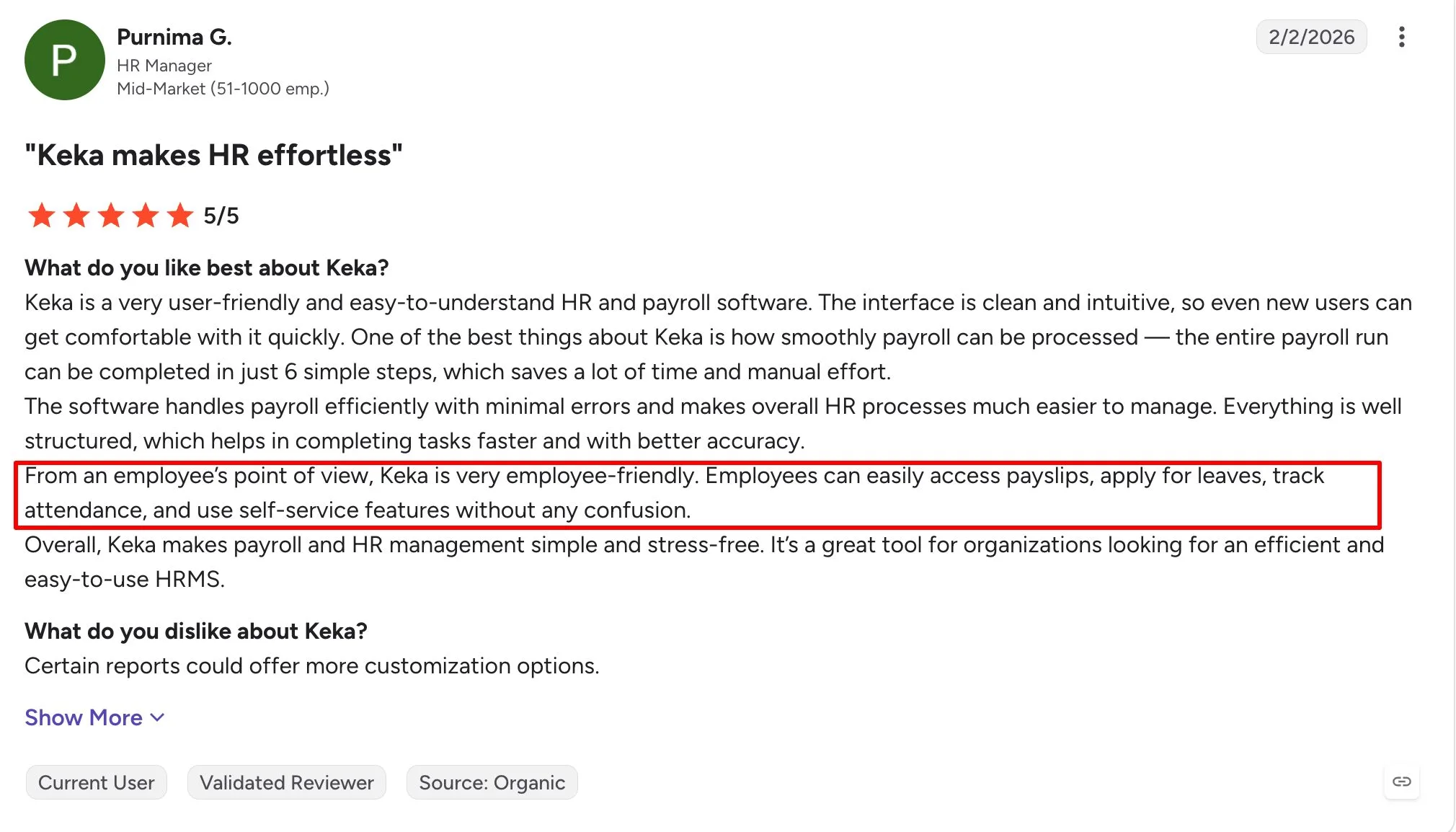
A Keka user review on G2 sums up the experience well, highlighting simple HR workflows, easy self-service, and less manual work for everyday tasks.
Keka pricing: Contact Keka for pricing. Plans are customized based on company size, selected modules, and implementation requirements.
Who is it best for?
Keka is a great fit for businesses of every size that need built-in multi-state and multi-entity compliance, modern employee self-service, and reliable support that doesn’t disappear when you need help most.
For teams that want more flexibility across HR, payroll, IT, and app management, Rippling takes a different approach.
Thinking about switching HR software?
Most teams go live on Keka in weeks, not months, with no hidden fees along the way.
2. ADP Workforce Now: Best for large teams that need robust payroll
ADP Workforce Now is ADP’s cloud-based HCM platform for mid-sized and large organizations. It combines payroll, HR, benefits, time and attendance, talent management, and workforce analytics in one system.
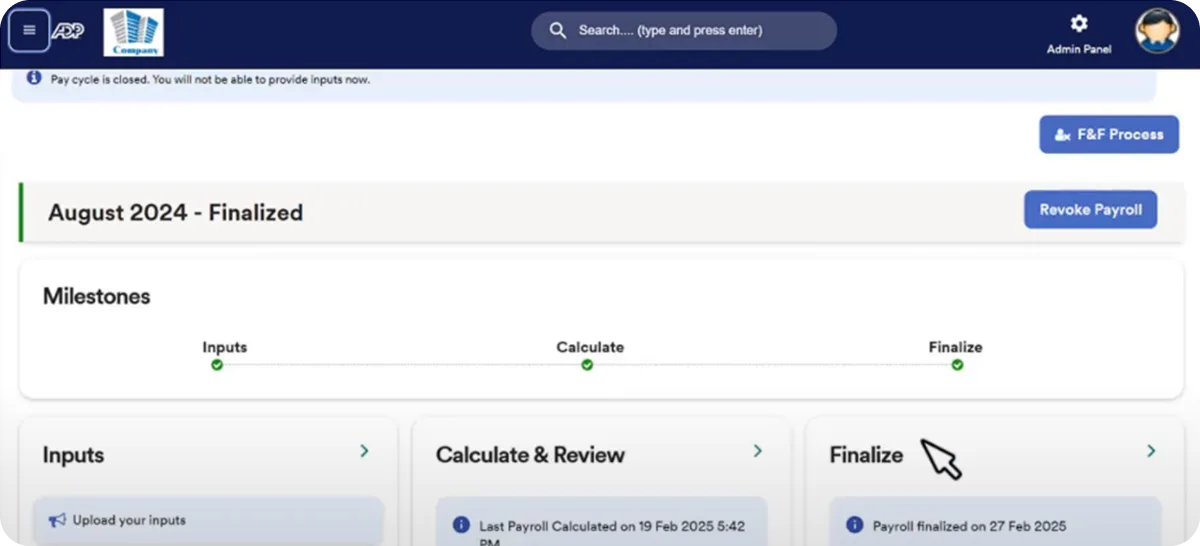
It is built for companies that need strong payroll infrastructure, multi-state compliance support, and the ability to manage a growing workforce across locations. Compared with lighter payroll tools, ADP Workforce Now offers broader enterprise functionality, but implementation and configuration can take more time.
It offers a range of solutions, but the two most relevant are:
- RUN Powered by ADP: Built for small businesses, it covers the essentials, like payroll, W-2/1099 filings, basic HR tools, and tax compliance.
- ADP Workforce Now: The enterprise-grade all-in-one. Think payroll, benefits, time & attendance, recruiting, talent management, and advanced analytics. If you’re mid-market or scaling fast, this is ADP’s sweet spot.
| Pros | Cons |
|---|---|
| Strong payroll and compliance capabilities for complex, multi-state organizations. | Pricing is quote-based and can increase as more modules are added. |
| Gives HR teams visibility into tax notices, W-2/W-2c filings, garnishments, and workforce data. | Implementation can take longer than with lighter HR and payroll platforms. |
| Scales well for larger companies with growing headcount, multiple locations, and broader HR needs. | Some users mention slower support response during high-volume periods such as year-end. |
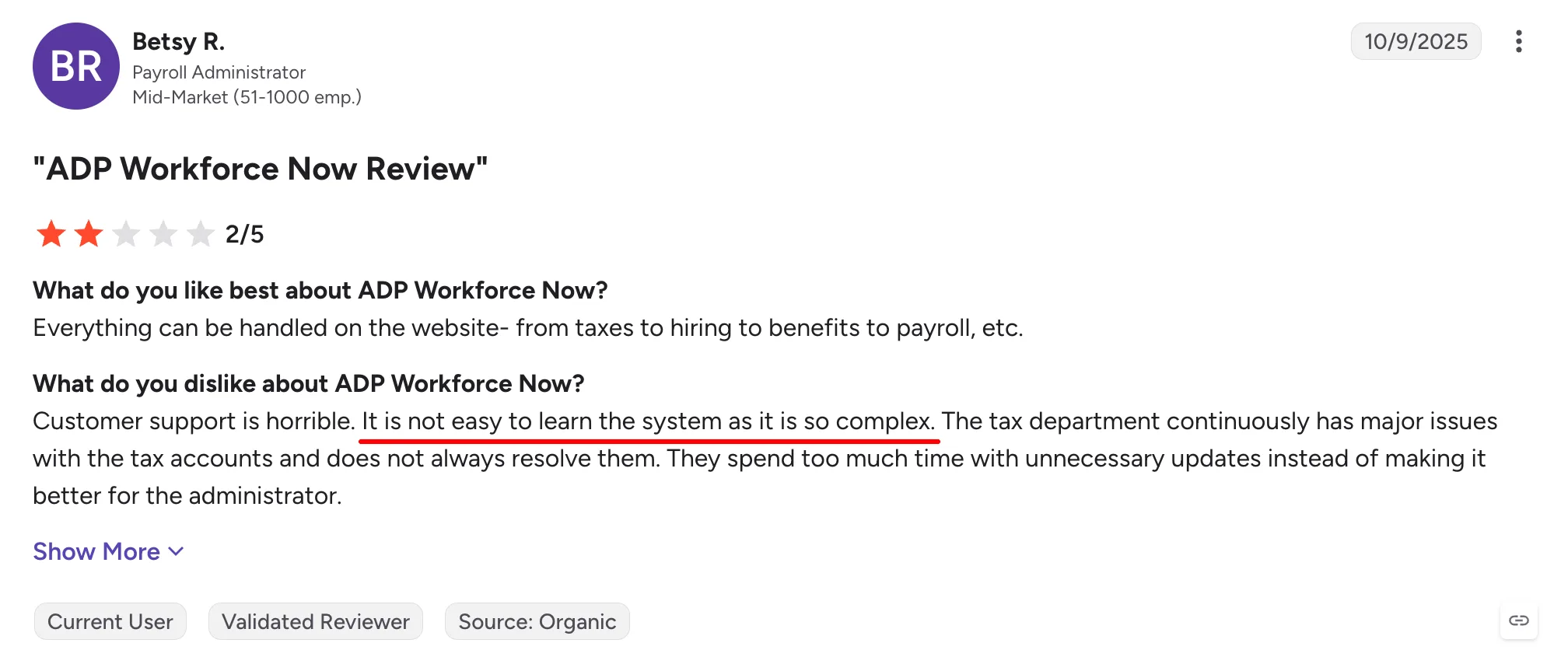
A G2 review from an ADP Workforce Now user sums up a common concern with the platform, noting that the system can feel complex to learn and support can be frustrating.
ADP Workforce Now pricing: Contact vendor for pricing. ADP does not publish standard Workforce Now platform pricing publicly; pricing varies by employee count and selected functionality.
Who is it best for?
Mid-sized to large organizations that need enterprise-grade payroll, compliance, benefits, and HCM capabilities in one platform.
If you want a more modern, unified alternative that brings payroll, HR, attendance, performance, and employee self-service into one system, Keka is a strong option to consider next.
Recommended reading: The Unfiltered Truth About ADP vs. Paychex (Real Users Speak Out)
3. Rippling: Best for tech-savvy teams that need HR and IT together
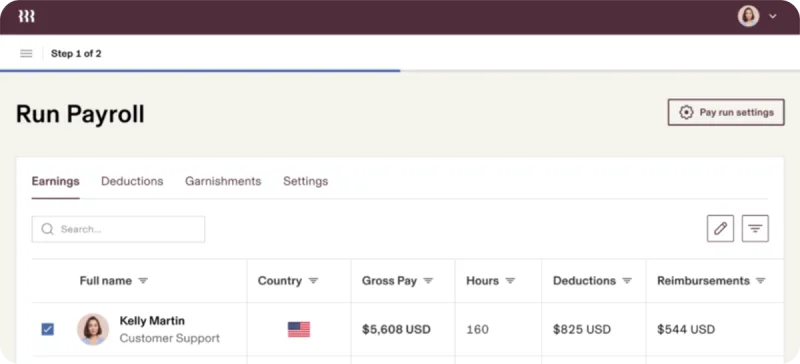
Rippling unifies HR, payroll, IT management, and finance in one system. That means companies can manage offer letters, I-9s, Slack accounts, and laptop assignments all from Rippling’s dashboard.
The platform is modular, so businesses can choose the products they need rather than adopting the entire suite at once.
You also get a custom report builder and a library of automation “workflows” (e.g., send an alert if someone’s timesheet hasn’t been approved) that non-IT folks can use.
| Pros | Cons |
|---|---|
| Modular structure lets companies add HR, payroll, benefits, IT, and other products as their needs grow. | Pricing is not fully published and can increase as more modules are added. |
| Users can manage payroll, time off, employee records, and other HR processes from one platform. | The number of settings and features can create a learning curve for some teams. |
| Employees and managers can clock in and out, view pay information, and access HR tasks through the mobile app. | Support experiences can vary depending on the issue and support channel. |
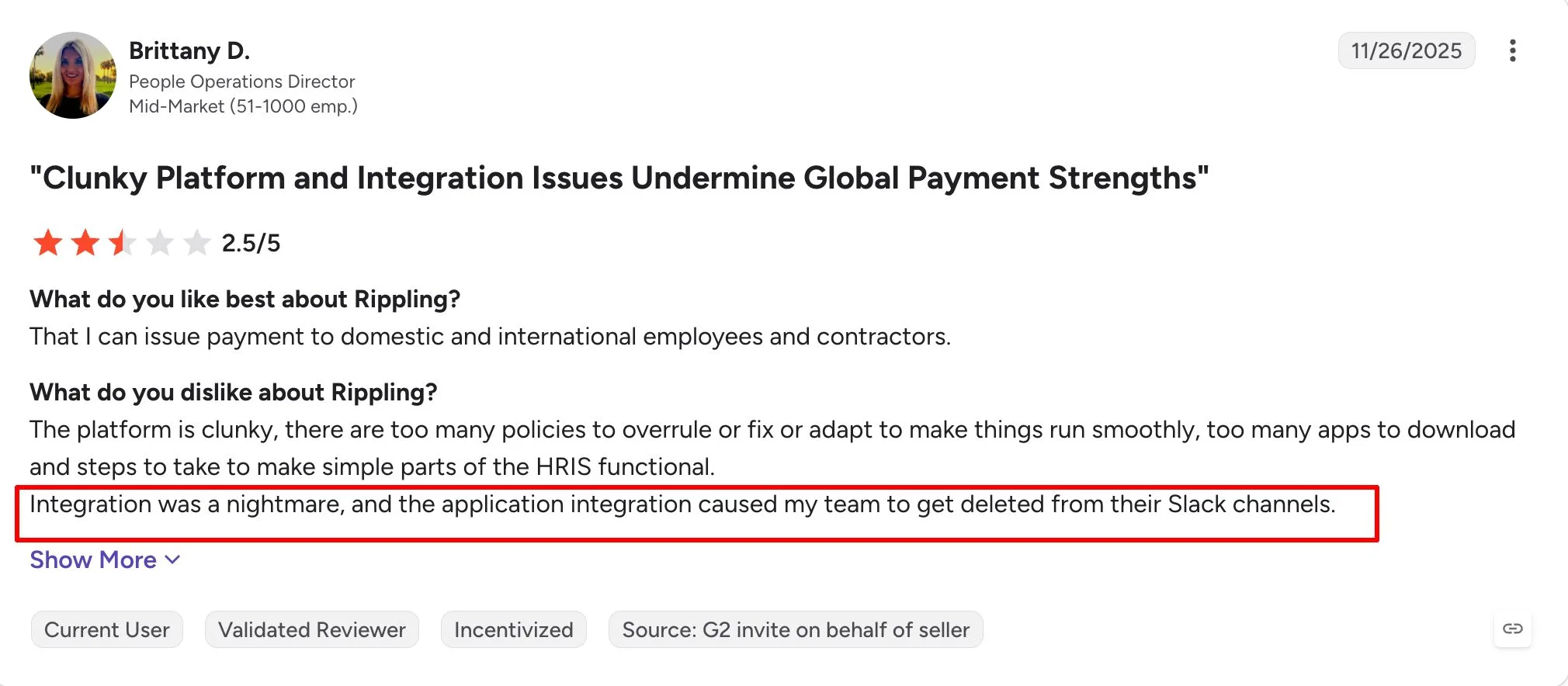
A Rippling user review on G2 flags a key trade-off, with complaints around platform complexity and integration issues despite strong global payment capabilities.
Rippling pricing: Contact vendor for pricing. Rippling states that most products use a per-employee, per-month model, while some include a monthly base fee, but it does not publish a standard list price on its official pricing page.
Who is it best for?
Rippling is a good fit for tech-focused and distributed teams that want to manage HR, payroll, apps, and employee devices through one connected platform.
Recommended reading: Rippling or Paychex? Users Share Their Unscripted Experiences
If Rippling feels more complex than your team needs, Gusto offers a simpler payroll-first experience.
4. Gusto: Best for smaller teams looking for simple payroll and HR
Gusto combines payroll, benefits, hiring, onboarding, time tracking, and basic HR tools in one platform. It is especially popular with smaller businesses that want straightforward payroll without the complexity of a larger enterprise HCM system.
Gusto keeps the experience simple with automated payroll tax filings, employee self-service, benefits administration, and built-in onboarding tools. As your needs grow, you can add features for multi-state payroll, time tracking, performance management, and HR support through higher-tier plans
| Pros | Cons |
|---|---|
| Published pricing makes it easier to estimate payroll costs before speaking with sales. | The entry-level plan is primarily designed for single-state payroll. |
| Payroll tax filing, benefits, onboarding, and employee self-service are available in one platform. | Advanced HR, time tracking, and support features require higher-tier plans or add-ons. |
| The interface is designed for small teams without a large dedicated HR department. | Larger mid-market companies may eventually need deeper HCM functionality. |
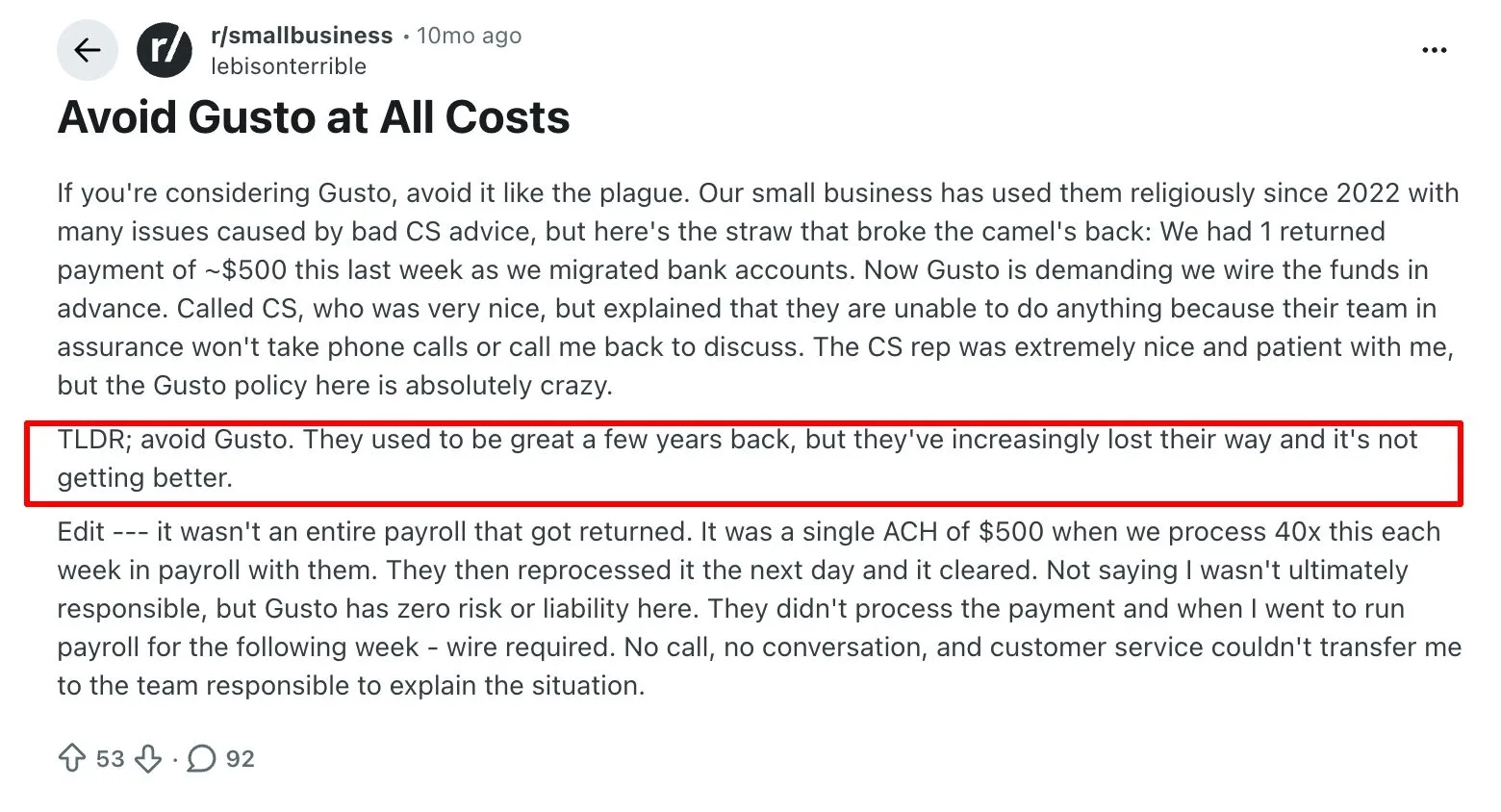
A Reddit user’s experience with Gusto raises concerns around payment handling and limited escalation options when issues become more complex.
Gusto pricing: Gusto’s Simple plan starts at $49 per month plus $6 per person, with higher-tier plans available for teams that need more advanced HR, time tracking, and support features.
Who is it best for?
Small businesses and growing teams that want straightforward payroll, transparent pricing, and essential HR capabilities without enterprise-level complexity.
For growing teams that need more HCM depth and employee engagement tools, Paylocity is a good next step.
5. Paylocity: Best for mid-sized teams that want HR and employee engagement
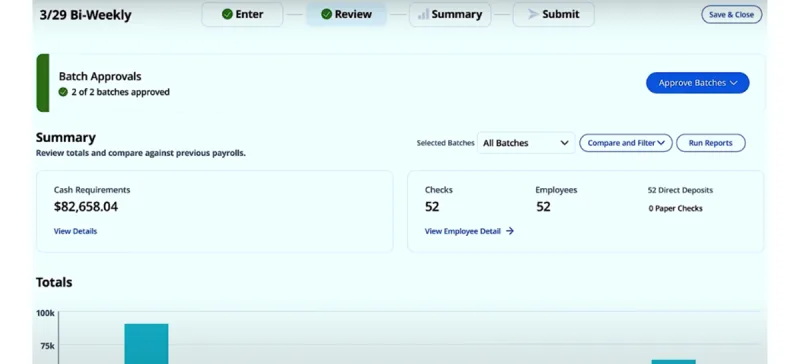
Paylocity is a cloud-based HR and payroll platform. It offers a comprehensive suite: payroll, core HR, benefits, time & attendance, and talent acquisition and management (recruiting and PMS). On top of that, it includes employee engagement tools, all within a single platform.
One of its distinguishing features is Community, a social collaboration space where employees can share updates, recognize colleagues, and engage with company announcements.
The platform also supports configurable workflows and reporting for HR teams managing more complex processes.
| Pros | Cons |
|---|---|
| Users often highlight ease of use, particularly for employee onboarding and self-service. | Complex custom reports may require additional setup or support. |
| Employee engagement tools are built directly into the broader HCM platform. | Pricing is not publicly listed, making upfront cost comparison harder. |
| Customizable workflows allow HR teams to adapt approvals, fields, and processes to their requirements. | Some smaller businesses may find the platform broader than they need. |
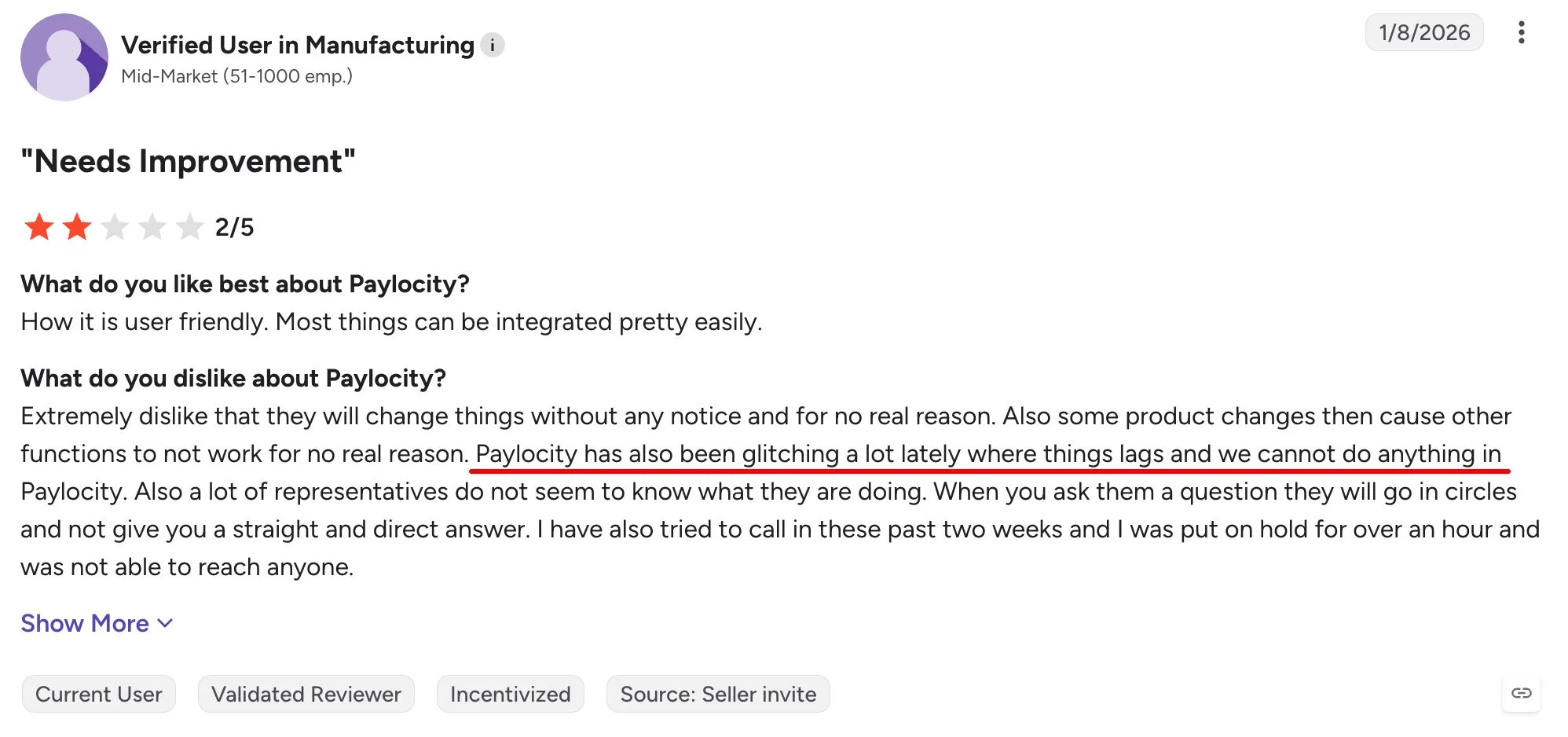
A Paylocity user review on G2 calls out recurring glitches, slow performance, and difficulty getting clear support when issues arise.
Paylocity pricing: Contact vendor for pricing. Paylocity’s official pricing page directs businesses to request pricing based on their requirements.
Recommended reading: Paylocity or Paychex? Real Users Share Their Honest Experiences
Who is it best for?
Mid-sized organizations that want payroll and HR capabilities alongside stronger employee engagement and workforce communication tools.
If your priority shifts toward broader workforce management, analytics, and compliance support, Paycor is worth comparing next.
6. Paycor: Best for growing U.S. businesses that need broader HCM
Paycor combines payroll, HR, recruiting, talent management, time tracking, analytics, and compliance tools in a unified HCM platform. It serves organizations ranging from small businesses to employers with more than 1,000 employees, with a strong focus on U.S.-based workforces.
For smaller businesses, Paycor publishes packaged pricing, while mid-market organizations are directed to customized plans based on workforce size and requirements.
Its platform also includes automated workflows, mobile employee self-service, analytics, and AI-assisted HR capabilities.
| Pros | Cons |
|---|---|
| Combines payroll, HR, recruiting, talent, and workforce management in one HCM suite. | Mid-market pricing requires a custom quote. |
| Strong employee self-service and mobile functionality reduce routine HR administration. | The breadth of features can create a learning curve for smaller HR teams. |
| Offers analytics, compliance support, and automation for growing organizations. | Companies with simple payroll needs may not need the full HCM suite. |
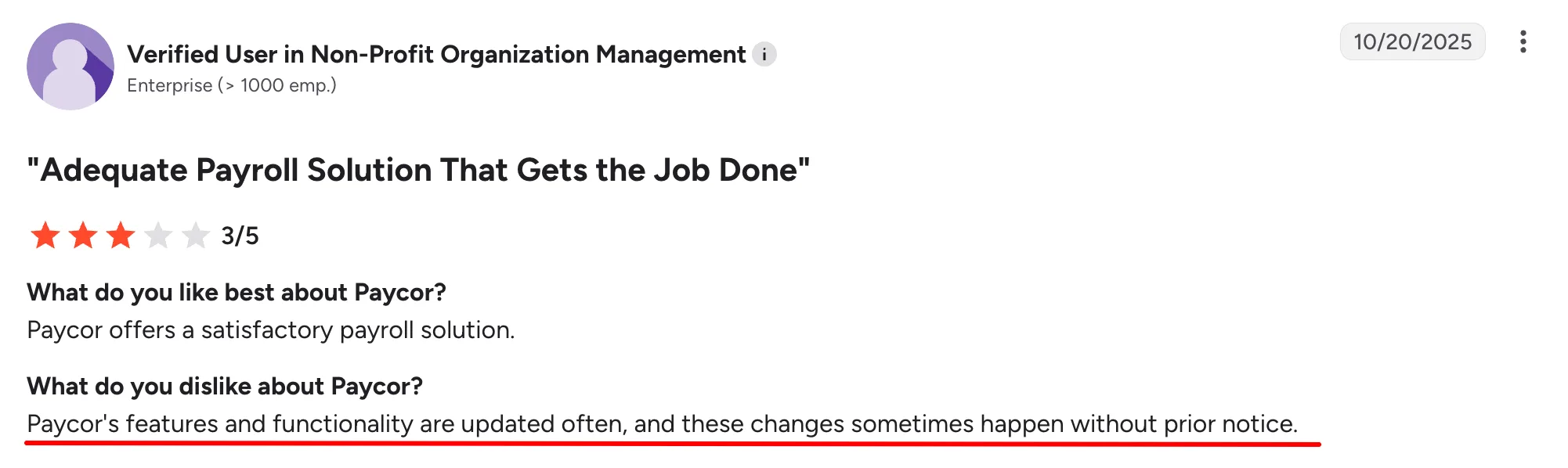
A Paycor user review on G2 points to frequent product changes as a drawback, especially when updates happen without much notice.
Paycor pricing: Contact vendor for mid-market pricing. Paycor publishes some pricing for smaller businesses, but organizations with 50 or more employees typically need a custom quote based on workforce size and selected features.
Who is it best for?
U.S. mid-market organizations that need payroll plus broader HCM capabilities such as recruiting, analytics, talent management, and workforce management.
For larger organizations that want payroll and HCM in a single database, Paycom offers a more centralized model.
7. Paycom: Best for larger teams that want centralized HR and payroll
Paycom brings payroll, HR management, time and labor, talent acquisition, and talent management into a single database. Its model emphasizes employee self-service, with employees able to manage and verify more of their own payroll and HR information directly.
One of its standout payroll features is Beti, which automatically starts payroll, identifies issues, and lets employees review their pay before submission. Paycom uses customized pricing based on workforce size and the tools selected.
| Pros | Cons |
|---|---|
| Uses a single database across payroll and HR, reducing duplicate data entry between modules. | Pricing is customized and not published as a simple per-employee rate. |
| Beti gives employees more visibility into their payroll before it is finalized. | Organizations may need time to adapt processes around Paycom’s employee-driven model. |
| Covers payroll, time, talent, HR management, and workforce analytics in one system. | Companies looking for a highly modular mix-and-match stack may prefer another platform. |
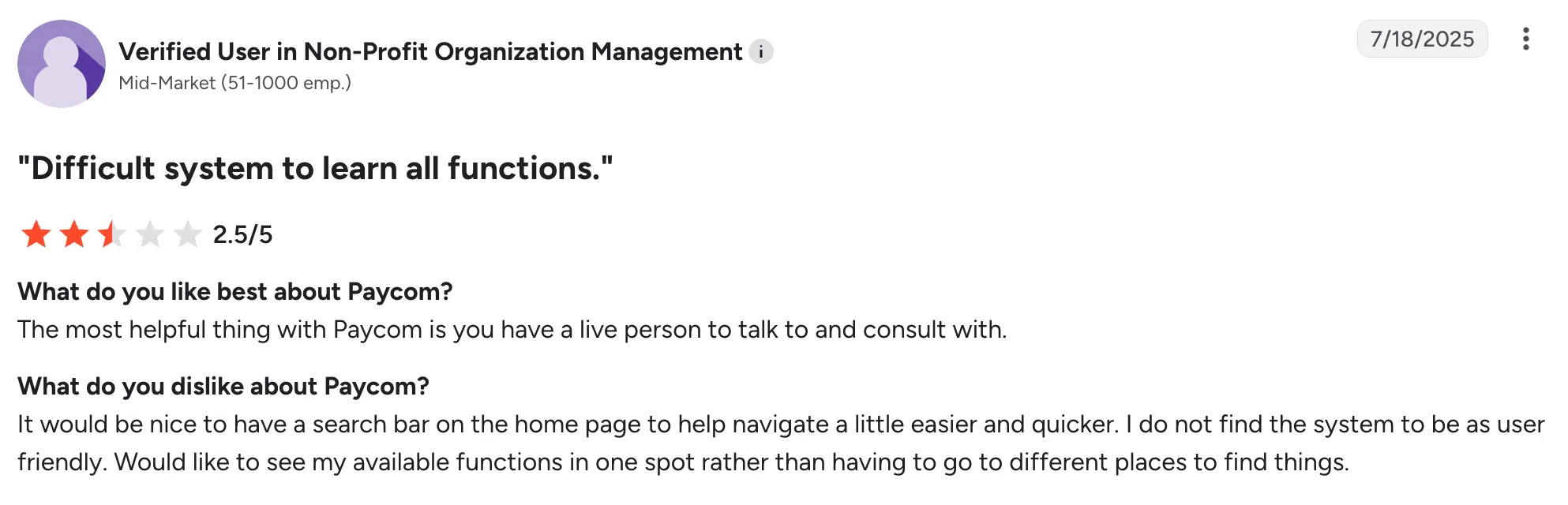
A Paycom user review on G2 highlights another usability concern, with the reviewer saying the system can be difficult to learn and navigate.
Paycom pricing: Contact vendor for pricing. Paycom uses customized pricing based on company size, workforce requirements, and the modules included in the package.
Who is it best for?
Larger organizations that want payroll and HCM in one database and want employees to take more ownership of payroll and HR data.
Recommended reading: Paychex vs. Paycom – What Real Users Are Saying About HR & Payroll
If you want a broader mix of HCM software and optional HR services, isolved is another mid-market option to consider.
8. isolved: Best for mid-sized U.S. employers that need payroll and HR
isolved provides payroll, HR, benefits, talent management, workforce management, analytics, and professional HR services within its HCM offering. It is designed primarily for U.S. employers that want to consolidate core HR and payroll processes while retaining access to additional HR expertise when needed.
The platform includes automated payroll processing, employee data analytics, AI-driven recommendations, and professional services covering HR, talent, and benefits. Pricing is customized based on the organization’s requirements and budget.
| Pros | Cons |
|---|---|
| Combines payroll, HR, benefits, talent, and workforce management capabilities. | Pricing requires a custom quote. |
| Offers both software and access to professional HR and benefits services. | The range of modules can be more than very small businesses need. |
| Includes analytics and AI-assisted recommendations alongside core payroll functionality. | Feature availability and total cost depend on the package selected. |
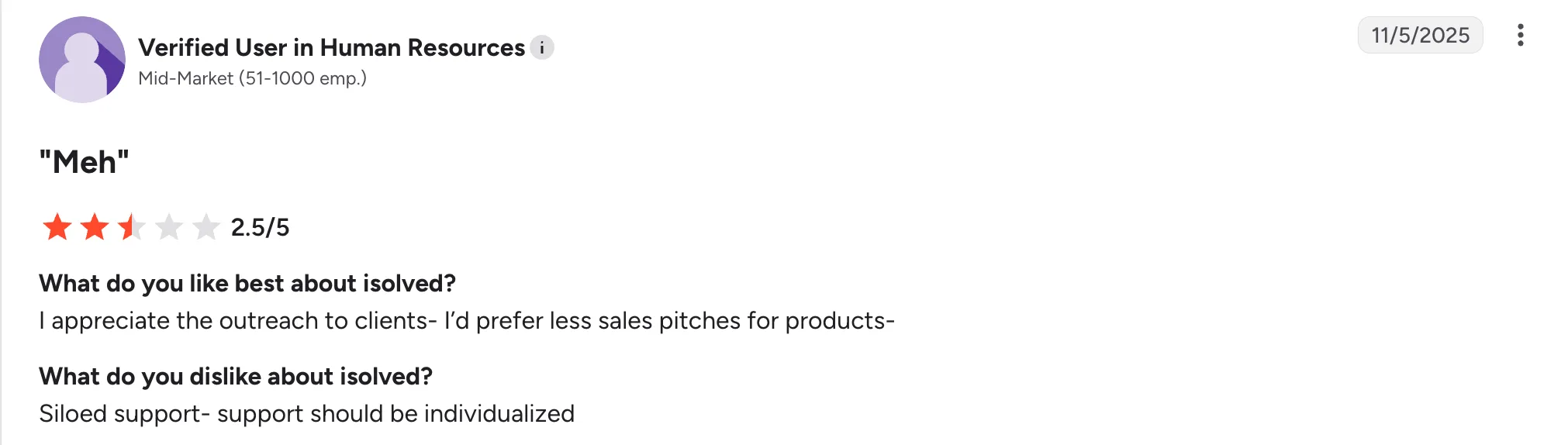
An isolved user review on G2 points to support as a weak spot, with the reviewer calling for more individualized help.
isolved pricing: Contact vendor for pricing. isolved does not publish standard list pricing, so costs vary based on company size, selected HCM modules, and service requirements.
Who is it best for?
Mid-sized U.S. employers that want payroll and HCM software alongside optional HR, benefits, and professional services.
With all eight platforms covered, the next question you might have is which one fits your company size and HR needs best.
How to Choose the Right Paychex Alternative
The right Paychex alternative depends heavily on your company size, the complexity of your HR operations, and how much functionality you need beyond payroll.
| Headcount | Pick | Why |
|---|---|---|
| 10–50 employees | Gusto | Simple, affordable, transparent pricing with no contract commitment—well suited for small teams without a dedicated HR function. |
| 50–200 employees | Keka or Rippling | Both support growing HR needs without unnecessary enterprise complexity. Choose Keka if PSA capabilities matter, and Rippling if IT and app integrations are a priority. |
| 200–1,000 employees | Keka, Paylocity, or Paycor | These platforms offer broader HCM capabilities. Choose Paylocity for employee engagement, Paycor for industry-focused HR and compliance needs, or Keka for a unified HR and payroll platform. |
| 1,000–5,000 employees | ADP Workforce Now, Paycom, or Keka | All three are built for larger organizations that need enterprise-grade payroll, compliance, and scale. ADP stands out for benefits breadth, while Paycom emphasizes employee self-service. Keka is also a strong fit here for organizations that want HR, payroll, PSA, and compliance running on one platform. |
Caption: Best Paychex alternatives by company size
As headcount grows, the decision usually shifts from basic payroll simplicity to broader HCM capabilities, compliance depth, integrations, and scalability.
Once you’ve narrowed down the right provider, the next step is planning the move off Paychex.
How to Migrate Off Paychex
Switching payroll providers takes more than moving employee records from one system to another. A smooth migration requires clean data, clear ownership, parallel testing, and enough time to catch payroll or tax issues before go-live.
A typical migration can take around 10–11+ weeks, depending on company size, payroll complexity, integrations, and the quality of your existing data.
| Phase | Timeline | You own | Vendor owns |
|---|---|---|---|
| Discovery & planning | Weeks 1–2 | Gather current payroll reports, employee data, tax accounts, and deduction codes. | Assign an implementation manager, create the project plan, and identify data requirements. |
| Data migration & mapping | Weeks 3–5 | Export and validate employee data, provide historical payroll records, and verify tax IDs. | Map data fields, import employee records, configure tax jurisdictions, and set up deductions. |
| Configuration & testing | Weeks 6–8 | Define approval workflows, review pay policies, and participate in user acceptance testing. | Configure pay rules, build reports, set up integrations, and run parallel tests. |
| Parallel runs & validation | Weeks 9–10 | Compare payroll results, approve the final configuration, and train admins. | Run parallel payrolls, reconcile variances, and adjust the configuration where needed. |
| Go-live & stabilization | Week 11+ | Execute the first live payroll and monitor employee questions or issues. | Provide go-live support, resolve implementation issues, and conduct a post-go-live review. |
Caption: Paychex migration timeline and responsibilities
The biggest mistake is rushing the transition. Before switching off Paychex completely, make sure payroll calculations, tax settings, deductions, integrations, and employee records have all been validated through at least one parallel run.
A successful migration depends on planning, but the long-term value comes from choosing a platform that reduces complexity after go-live.
Considering a Paychex Alternative?
If Paychex is no longer giving you the flexibility, support, or connected HR experience you need, you have plenty of strong alternatives to consider.
The right choice depends on your team size, payroll complexity, compliance needs, and how many HR tools you want to bring under one platform.
If you want payroll, HR, attendance, compliance, and employee self-service in one place, Keka is a scalable option for businesses of all sizes. It brings disconnected workflows together, simplifies everyday HR operations as you grow, and gives you a clearer sense of fit when you book a demo with the Keka team.
See how Keka can simplify HR and payroll for your growing workforce.


