Login


Quick overview
Top picks for 2026 are Keka (unified multi-state HR and time), UKG Ready (rule-heavy shift pay), ADP Workforce Now (ADP payroll users), TimeClock Plus (public sector and K-12), Replicon (project-based billable time), QuickBooks Time (QuickBooks-based small businesses), Deputy (hourly shift scheduling), Paylocity (unified HR and finance), When I Work (budget hourly scheduling) and Jibble (free field team tracking).
You already know spreadsheets and paper timecards aren’t cutting it. The harder question is which time and attendance software will hold up when payroll closes the month, or when a California manager approves a 10-hour shift, or the Department of Labor asks for two years of punch records.
Time and attendance software captures when employees work, applies your overtime, break, and PTO rules automatically, and sends approved hours straight to payroll. For US employers, the real issue is FLSA compliance and multi-state payroll. A tool that can handle intricate regulations like a pro is a real asset to have.
I compared 10 tools, from enterprise HCM suites to free apps for small teams, on company fit, clock-in methods, payroll integration, compliance depth, and total cost. Use the table below to shortlist two or three, then read the breakdowns before you book demos.
Best Time and Attendance Software at a Glance
Start with the table below for a quick overview of the top options before diving into the detailed reviews.
| Tool | Best for | Pricing details | G2 rating | Free trial |
| Keka | Unified multi-state HR and time | Custom quote; one platform for HR, payroll and time | 4.4 | Free trial; demo recommended |
| UKG Ready | Rule-heavy shift pay | Custom quote | 4.4 | Demo on request |
| ADP Workforce Now | ADP payroll users | Custom quote; time module packaged by plan | 4.2 | Demo on request |
| TimeClock Plus | Public sector and K-12 | Custom quote; hardware priced separately | 4.3 | Demo on request |
| Replicon | Project-based billable time | Custom quote | 4.3 | Yes |
| QuickBooks Time | QuickBooks-based small businesses | Starts from $20/month + $10 per user per month | 4.5 | Yes |
| Deputy | Hourly shift scheduling | Starts from $5 per user per month | 4.6 | Yes |
| Paylocity | Unified HR and finance | Custom quote | 4.4 | Demo on request |
| When I Work | Budget hourly scheduling | From $2.50 per user/month (single location) | 4.4 | 14 days |
| Jibble | Free field team tracking | Free plan for unlimited users | 4.6 | Free plan |
How I Chose the Best Time and Attendance Software in 2026
I have worked in HR, and some of my most stressful payroll weeks came from timecards, where someone missed clocking out on a Friday shift, or worked overtime nobody approved. One small mistake, like a needle in a haystack, and I’d lose sleep during payroll time.
That experience shaped how I judged every employee time and attendance software on this list.
I scored each tool on five criteria:
-
Company fit: Does it suit a 20-person shop, a 500-person multi-state business, or both?
-
Clock-in methods: Mobile GPS, geofencing, web, kiosk, badge, and biometric options, and how well each prevents buddy punching
-
Payroll and HRIS integration: Native payroll on the same record, one-click connectors or CSV exports
-
Compliance scope: Overtime rules, break tracking, state and local rules, rounding settings, and audit trails
-
Budget and deployment: Per-employee, flat-rate or tiered pricing, cloud versus on-premises deployment, hardware costs, and how simple the interface feels for frontline staff
I read verified user reviews on G2, Capterra, TrustRadius, and Trustpilot, watched YouTube walkthroughs, and checked Reddit threads from HR and payroll admins.
Disclaimer: Keka is our product, and I’ve evaluated it using the same criteria and standards as every other platform on this list.
Top 10 Time and Attendance Software in 2026: Ultimate Breakdown
1. Keka (G2: 4.4/5)
Keka is a people operations platform that brings core HR, payroll, time and attendance, hiring, performance, and employee experience into one system for businesses of all sizes. More than 12,500 organizations use Keka, and its marketplace connects 100+ integrations so time data can sit next to the rest of your stack instead of in a separate tool.
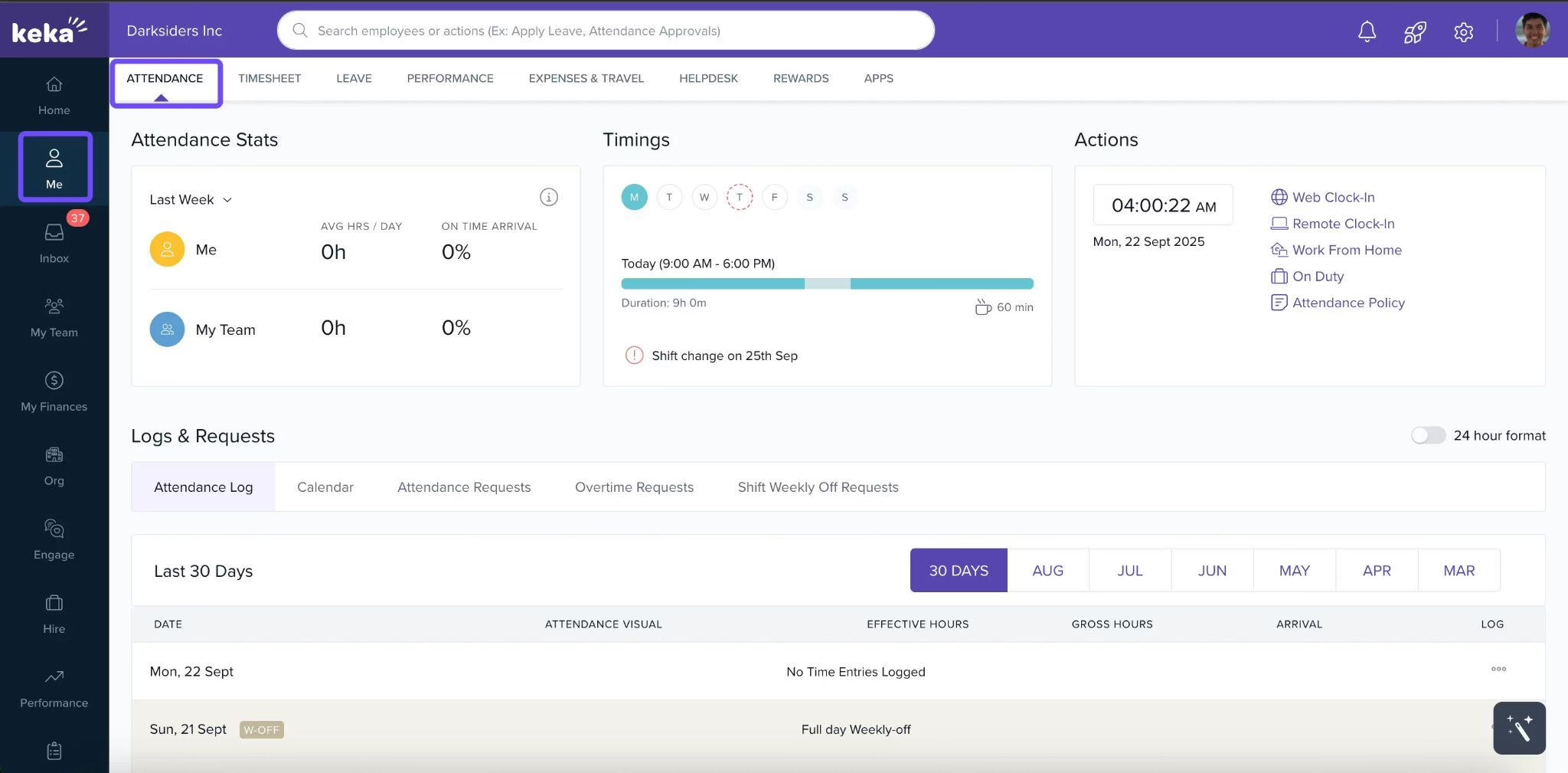
For US employers, the value is the path from punch-in to payday. Employees clock in from a phone, computer, office kiosk, or connected biometric device. Keka applies attendance, shift, overtime, and break policies to those punches, routes exceptions to managers for approval, and passes approved hours straight into payroll. Keka US payroll runs across all 50 states, handles W-2 employees and 1099 contractors in one place, and automates federal, state, and local tax filings.
That single record is what removes the reconciliation step I used to dread: no exporting timecards, rekeying overtime, chasing PTO balances between two systems. Keka is hosted on SOC 2 and ISO 27001 certified infrastructure and complies with GDPR.
What are the key features of Keka?
-
Geofenced punch-ins on mobile and web: Admins set predefined locations and a radius; the Keka app and website record location data with each punch so payroll runs on verified hours
-
Biometric and ID card device sync: Keka works with fingerprint, face scan, and ID card devices, so in-office punches flow into the same timesheet as mobile punches.
-
Overtime, break, and state-rule calculations: Overtime and breaks are calculated against state rules and flow into payroll without spreadsheets.
-
Smart shift scheduler with staffing alerts: Keka auto-schedules shifts around team patterns and vacations, and alerts managers when a shift is over- or understaffed
-
Custom pay codes for shifts: Night and weekend shifts can carry their own pay codes that sync directly to payroll
-
Approvals and requests where people already work: Managers approve PTO, work-from-home, and overtime requests in the mobile app, and employees can request time off and check balances from Slack, Teams or WhatsApp, with Outlook and Google calendars updated automatically.
| Pros | Cons |
| One flow from punch to pay: Time tracking, shifts, PTO, and payroll run on one platform, so approved hours reach payroll without exports | Breadth rewards upfront planning: Organizations with many entities, pay structures, and policies get the most value when they map those policies carefully during implementation |
| 50-state US payroll built-in: Keka calculates federal, state, and local taxes and handles W-2 and 1099 workers in one place | Some AI capabilities roll out in phases: If a specific AI workflow matters to you, confirm availability for your region during the demo. Core time, attendance, and payroll features are available from day one |
| Clock-in options for every workforce: Office, field, and remote teams can punch in by phone, computer, kiosk, geofence, or biometric device | Pricing is quote-based: You’ll need a conversation with sales to get a number for your headcount |
Pricing: Contact the vendor for a custom quote.
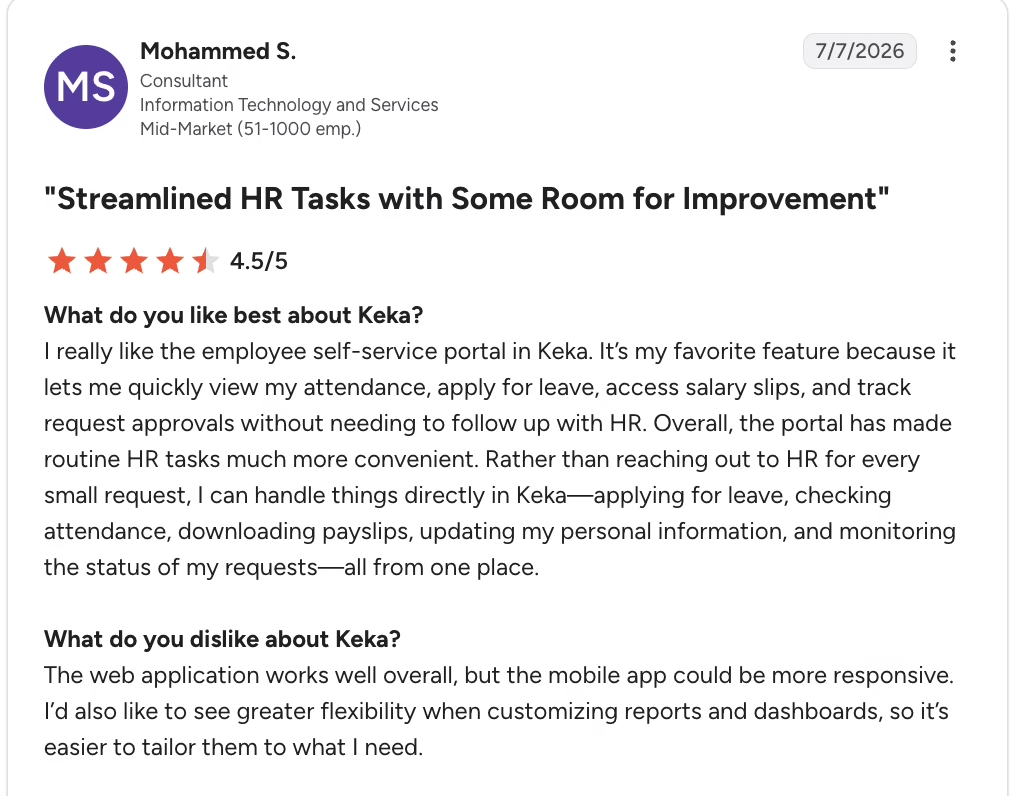
What real users say:
Source: G2
Best for: Teams that need unified multi-state HR and time
2. UKG Ready (G2: 4.4/5)
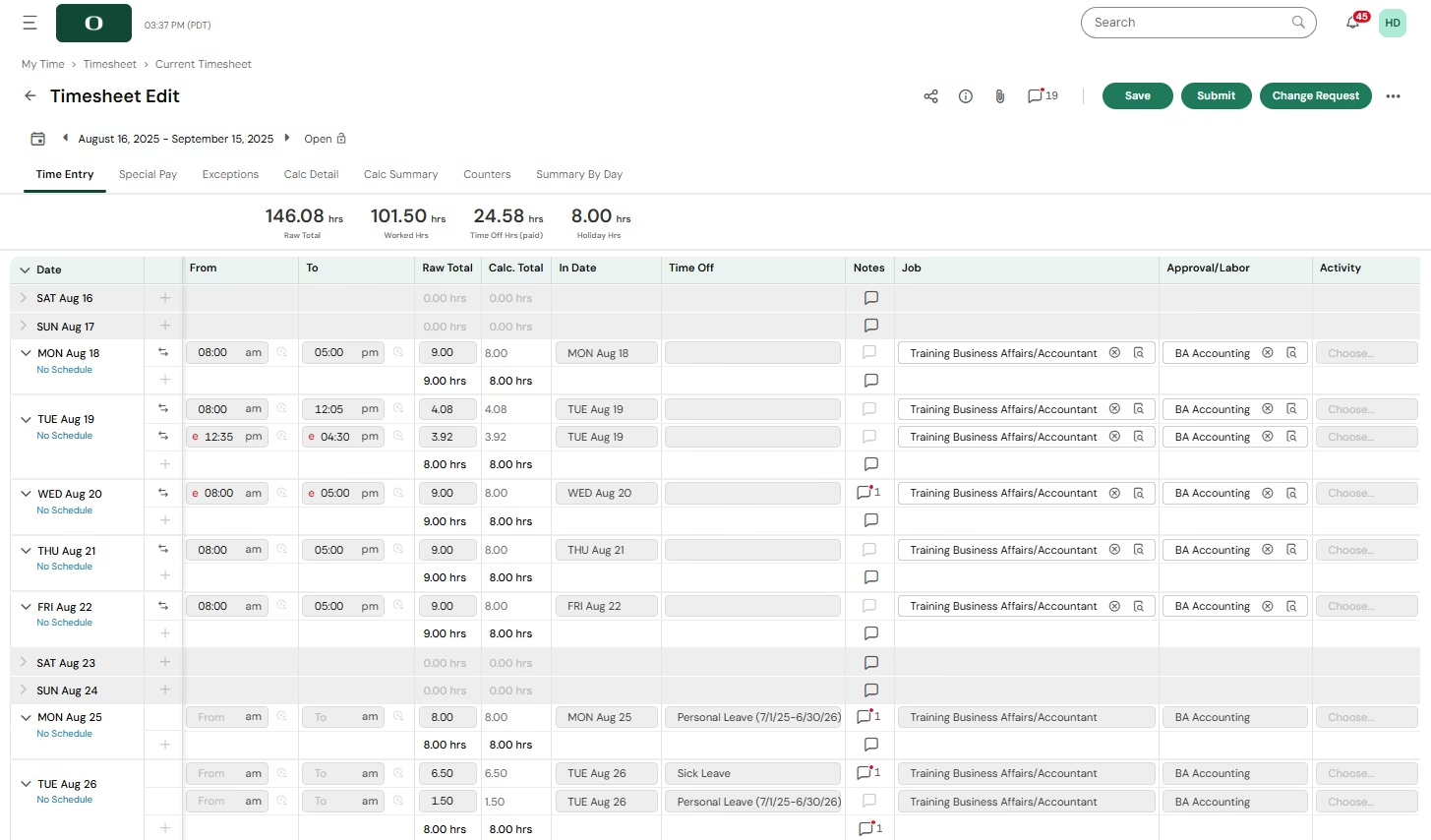
UKG Ready is UKG HCM’s suite for small and mid-sized organizations, combining HR, payroll, benefits, time, talent and scheduling in one database. Its time and attendance module is built for complex hourly work, letting employees clock time against different jobs, locations and schedules while automatically applying overtime and attendance rules.
On G2, its reviewers come mostly from hospitals, healthcare and retail, where hourly employees often hold more than one position and work rotating shifts across locations.
What are the key features of UKG Ready?
-
Flexible pay rules engine: Handles shift differentials and employees who work multiple positions at different rates
-
Continuous payroll calculations: Payroll totals recalculate in the background as timecards change, instead of in one batch at cutoff
-
Compliance-aware scheduling: Managers build schedules based on demand, skills and compliance rules; employees pick up shifts through self-service
-
Automated attendance points: Attendance policies can assign and roll off points automatically, and the rules are configurable per site or client
-
Consistent leave and accrual rules: Accruals and time-off requests follow the same policy for every employee group
| Pros | Cons |
| Employees can clock in and out without logging in, which keeps shift change lines short | Mobile app is slower, smaller and harder to navigate than the web version |
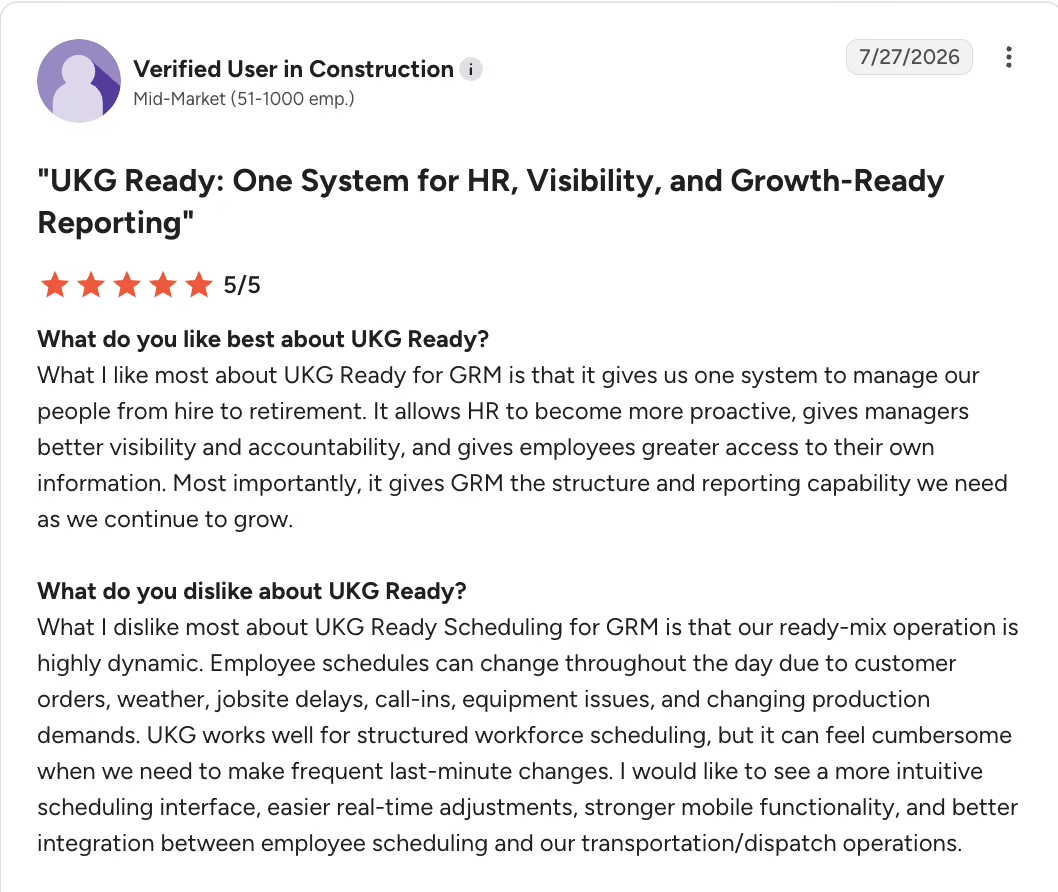
| Advanced scheduler lets teams schedule any employee in any department | Suited to structured schedules only. Frequent last-minute schedule changes, common in dispatch-driven operations, can take extra steps |
| AI is trainable and searches for specific timecard problems and flags them | Accruals break when employees move between hourly and salaried |
Pricing: Contact the vendor for a custom quote.
What real users say:
Source: G2
Best for: Rule-heavy shift pay
3. ADP Workforce Now (G2: 4.2/5)
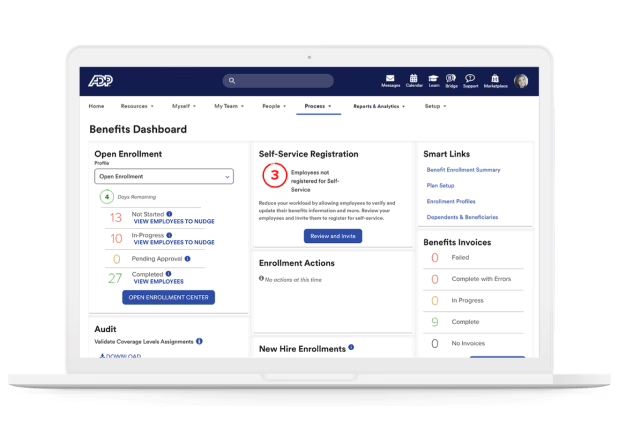
ADP Workforce Now is ADP’s cloud HCM suite for mid-market and larger organizations. It runs payroll, HR, benefits, talent, time, and learning on a single database, and its G2 reviewers come mostly from healthcare and nonprofit organizations with 51 to 1,000 employees.
ADP Workforce Now goes beyond tracking who worked when. You can tie those hours to specific jobs, projects, work orders, or cost centers, so you can see where your people’s time and your labor budget are actually going.
What are the key features of ADP Workforce Now?
-
Single database time-to-pay: Approved timecards feed ADP payroll directly, with no file transfer between systems
-
Real-time attendance and overtime visibility: Managers see attendance, time off, and overtime as it happens, with analytics on labor cost
-
Pre-payroll error review: Admins can review and correct errors before the payroll run is submitted
-
Mobile punches with manager insights: Employees clock in and out on mobile; leaders get workforce insights on their phones
-
ADP API Central and ADP Marketplace: API Central supports custom integrations; the Marketplace offers prebuilt connectors to third-party tools
| Pros | Cons |
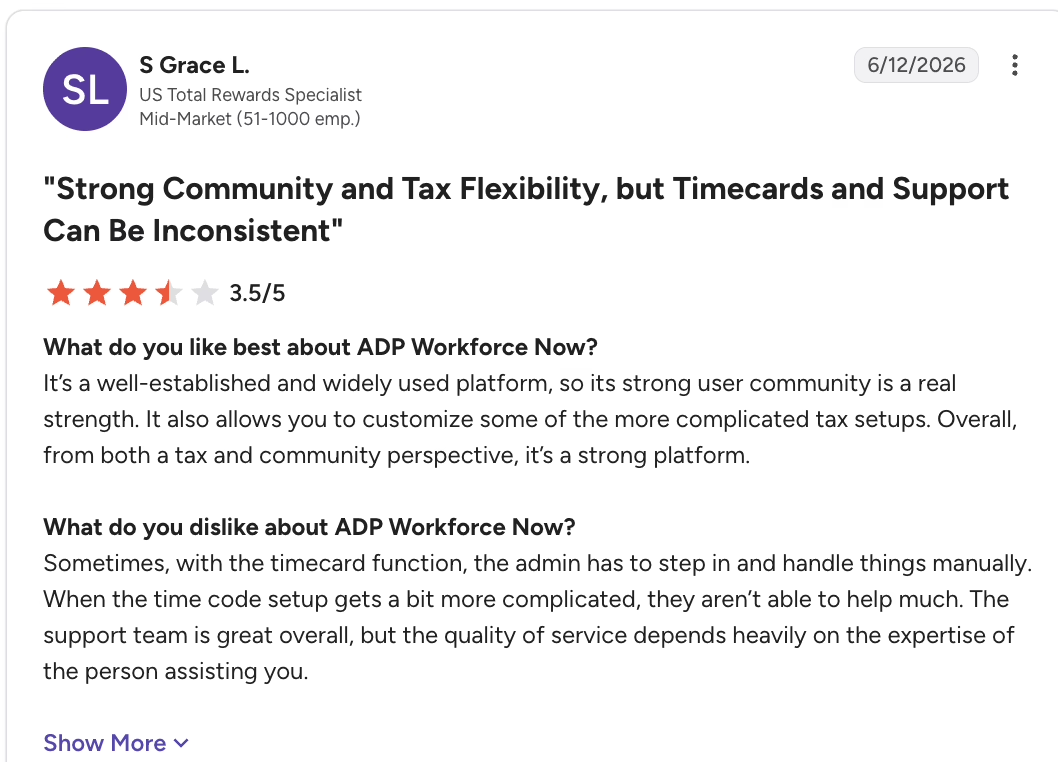
| Timecards are easy to work with, and problems are easy to find | Time off can go over the accrued balance |
| The system is easy to train employees and supervisors on for clocking in and approving time off | Complex time codes need manual fixes |
| Having one system is valuable for timekeeping and payroll | Missing punch fixes can require a workaround, such as deleting the row to add a missing punch |
Pricing: Contact the vendor for a custom quote.
What real users have to say:
Source: G2
Best for: ADP payroll users
4. TimeClock Plus (G2: 4.3/5)
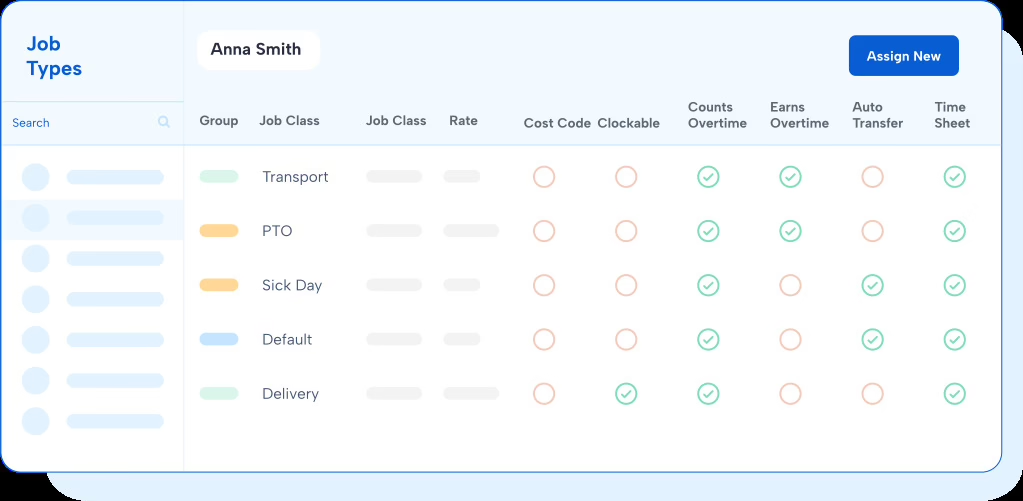
TimeClock Plus is a time and attendance platform by TCP Software in San Angelo, Texas. It is widely used by school districts, local government and mid-market employers that need dependable physical time clocks alongside web and mobile punching. Most of its G2 reviewers come from mid-market organizations.
What are the key features of TimeClock Plus?
-
Badge and biometric time clocks: hardware clocks identify each employee by badge or biometric scan, which blocks buddy punching at the clock
-
K-12 bundle: Districts get time and attendance, absence management and extra-duty tracking in one product
-
Wide range of punch options: Employees can punch at hardware clocks, on the web, or on mobile, depending on role
-
Payroll and ERP exports: Reviewers export hours into ADP and school ERPs such as Infinite Visions
-
Job site and travel time tracking: Hours can be tracked by job and travel time, with daily and biweekly overtime visibility
| Pros | Cons |
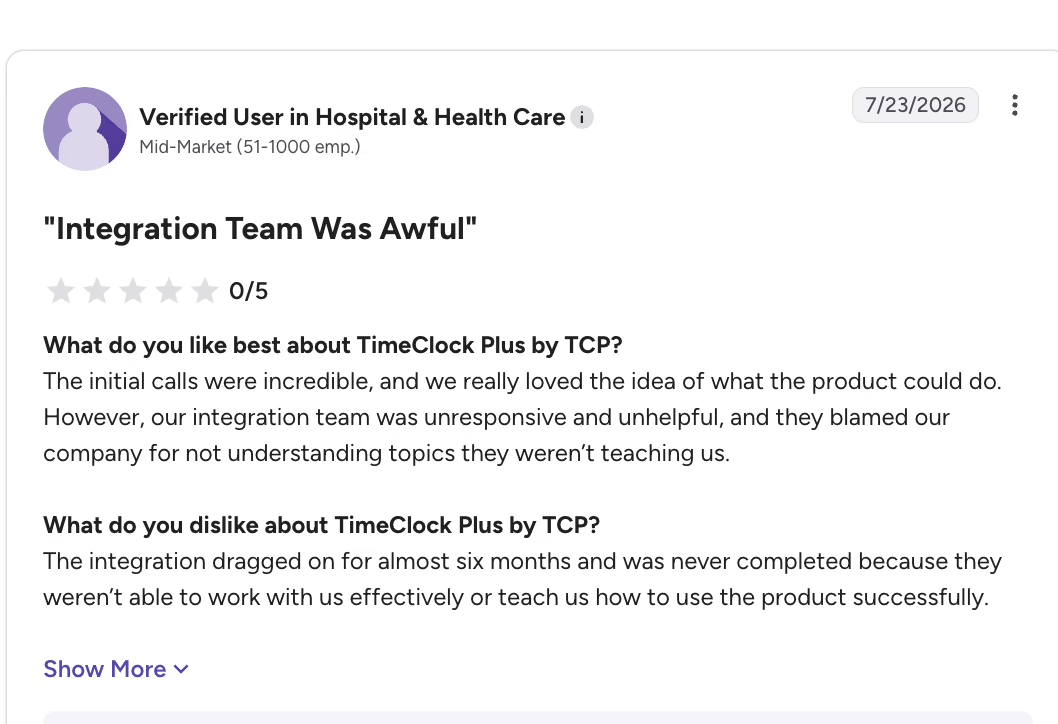
| With badge clocks, no one can clock anyone else in or out, and hours export easily into payroll | Employees who want a running daily total may need a report to see hours worked at the end of the day |
| Seamless integration with multiple tools | Offline punches don’t always land when the server is down |
| Clock-in tablets at multiple sites | Reporting has to improve, big time |
Pricing: Contact the vendor for a custom quote.
What real users say:
Source: G2
Best for: Public sector and K-12
5. Replicon (G2: 4.3/5)
Replicon, now sold as Deltek Replicon Time Tracking, is a cloud time platform for project-based organizations such as consultancies, government contractors and technology firms. It serves mid-market companies through to global enterprises that track time against clients and projects as well as attendance.
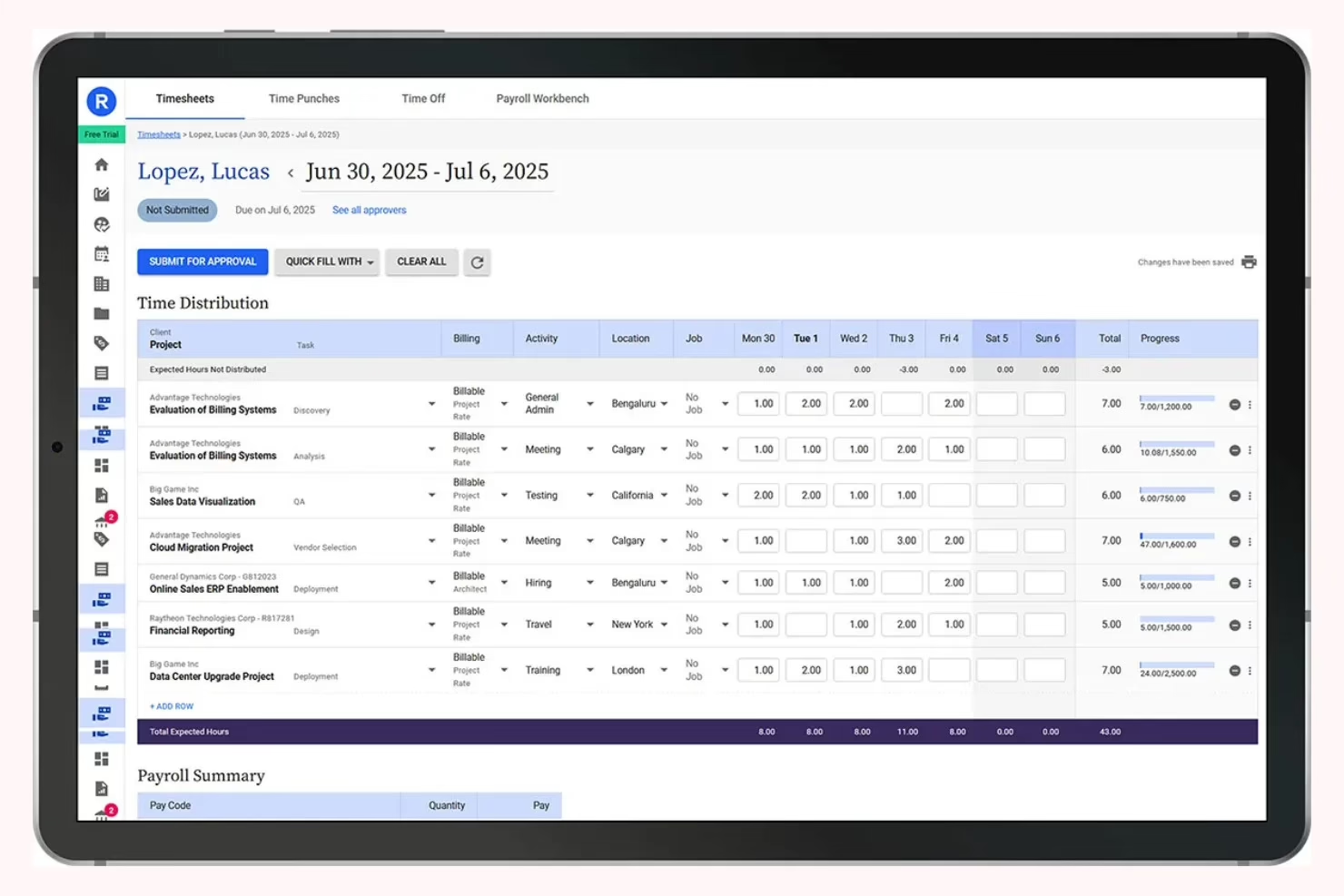
What are the key features of Replicon?
-
ZeroTime AI timesheets: Captures activity from 100+ work applications and turns it into ready-to-submit timesheets
-
Preconfigured global compliance rules: Overtime, break, leave and gross-pay rules come preconfigured for 145+ jurisdictions in 75+ countries
-
CloudClock with facial recognition: A tablet-based clock with facial recognition and voice commands for field and frontline teams
-
Billable versus non-billable tracking: Time and project expenses map to clients and jobs for invoicing and reimbursement
-
BI connections: Custom dashboards plus connections to Tableau and Power BI for labor cost analytics
| Pros | Cons |
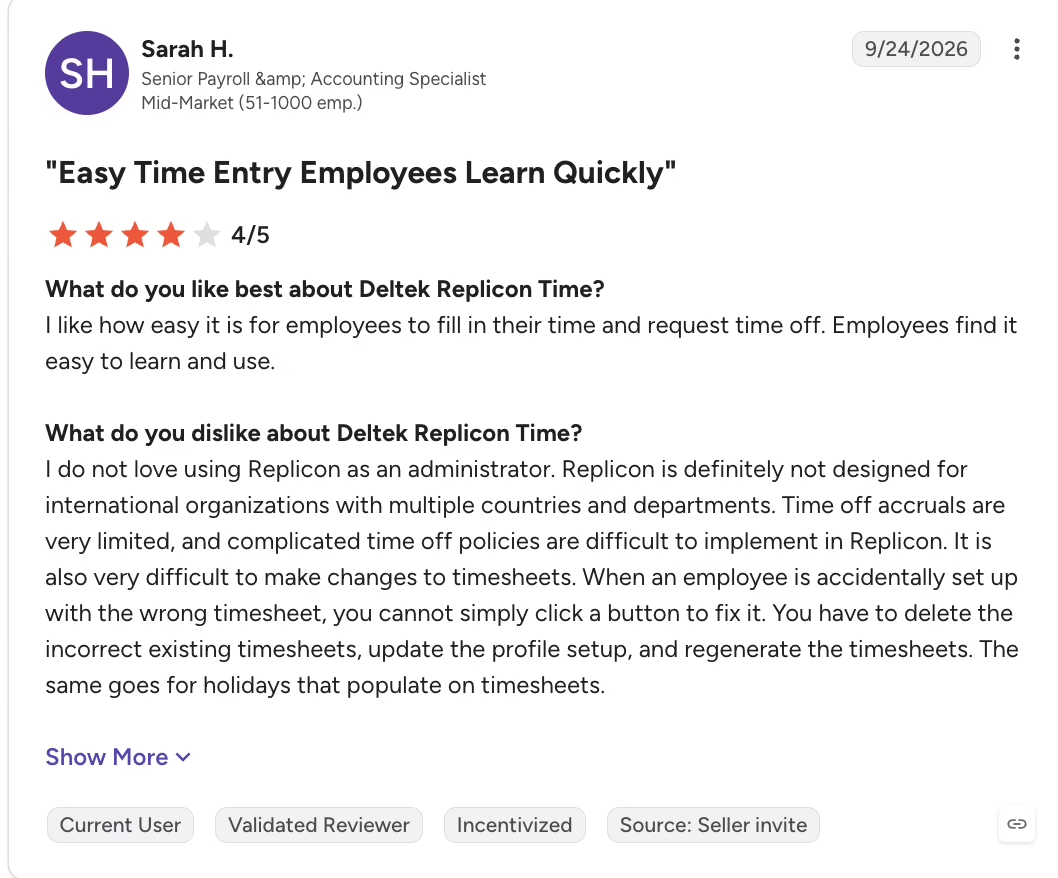
| Attendance entries that are hard to get wrong | Limited time-off accruals and weak support for international teams |
| Time, leave, and approvals in one flow | Accrual rules break repeatedly |
| Easy to correct entries after submitting | Fixing a wrong timesheet setup means rebuilding it |
Pricing: Contact the vendor for a custom quote.
What real users say:
Source: G2
Best for: Project-based billable time
6. QuickBooks Time (G2: 4.5/5)
QuickBooks Time, formerly TSheets, is Intuit’s time tracking and scheduling app for small businesses that already run their books in QuickBooks. It suits office teams and field crews alike, especially in construction, trades and services where hours drive job costing.
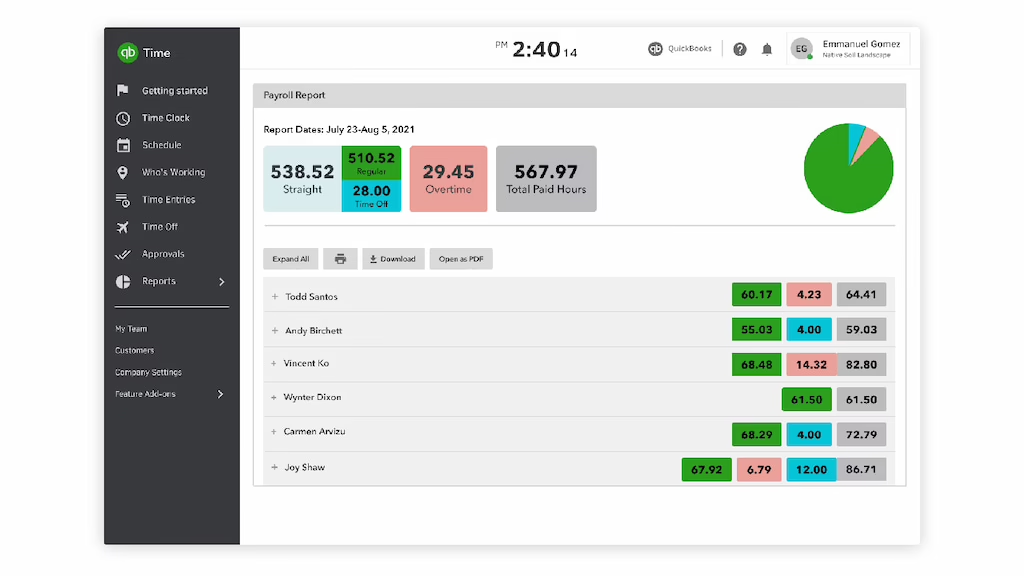
What are the key features of QuickBooks Time?
-
Embedded inside QuickBooks: Review and approve timecards, then run payroll, job costing, or invoices without leaving QuickBooks
-
Geofence clock reminders: The mobile app prompts employees to clock in or out when they enter or leave a job site geofence
-
Offline GPS capture: GPS points are recorded without cell or internet service and sync when the device reconnects
-
Timecard audit log: Every clock-in, job switch, and clock-out is logged, which helps resolve labor disputes
-
Projects: Project managers see estimated versus actual labor hours in real time
| Pros | Cons |
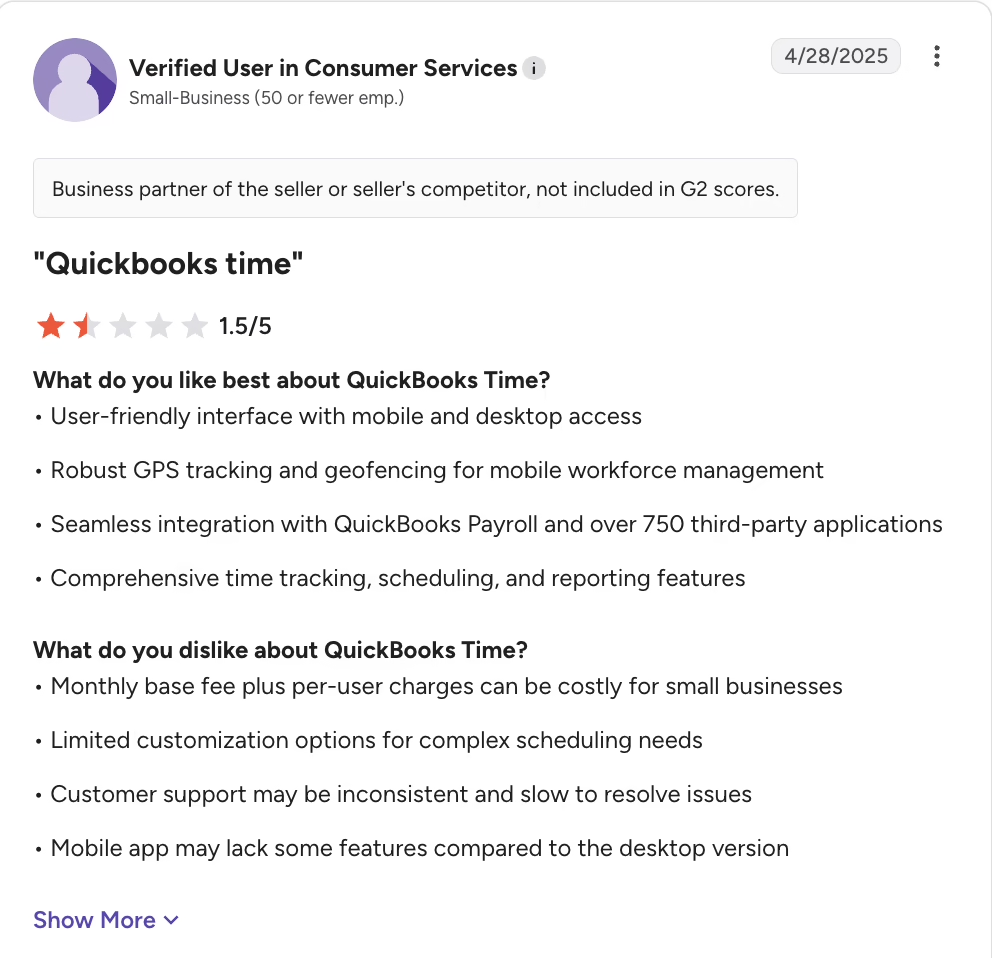
| Seamlessly connects time tracking with payroll and accounting | Schedules are built per person; users need to select each employee individually rather than adding a group |
| Scheduling capabilities are strong | Businesses with several accrual policies should test PTO setup, as it may not manage accrual rules concurrently |
| GPS location at clock-in stops time padding | Admins may want stronger auto clock-out controls |
Pricing: Plans start from $20/month plus $10 per user/month.
What real users say:
Source: G2
Best for: QuickBooks-based small businesses
7. Deputy (G2: 4.6/5)
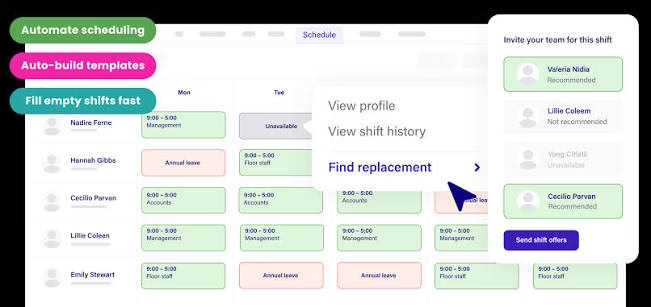
Deputy is a workforce management platform for shift-based businesses such as retail, hospitality, healthcare, and staffing. It combines scheduling, time tracking, labor compliance tools, and HR in one app built for managers who roster hourly teams every week.
What are the key features of Deputy?
-
Auto-scheduling and forecasting: Creates rosters based on employee availability, demand forecasts, and labor budgets across complex shift patterns.
-
GPS-verified timesheets: Restricts clock-ins to a defined radius around the employee’s assigned work location.
-
Meal break attestations: Prompts employees to confirm their breaks when clocking out, supporting meal-break premium calculations in states such as California.
-
Open shifts and shift swaps: Employees can post shifts they cannot work and let eligible coworkers claim them, subject to manager approval rules.
-
Payroll integrations: Sends approved hours directly to connected payroll systems, including ADP, Gusto, Paychex, Paycor and QuickBooks.
| Pros | Cons |
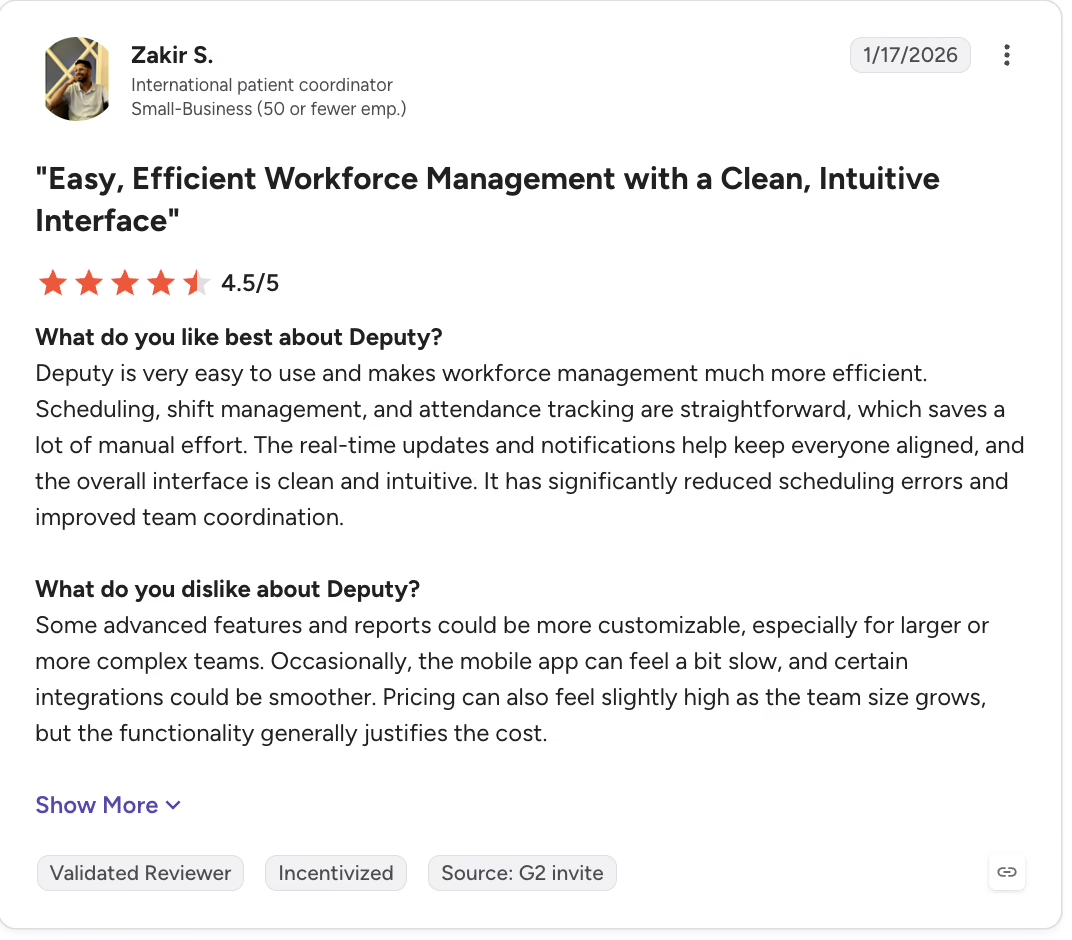
| All timesheets in one place, sortable by person or location | Poor fit for teams across many states |
| Fast shift swaps and timesheet edits | Location errors block clock-ins |
| Employees can fix their own break-time mistakes | Costs rise with headcount; reports are hard to customize |
Pricing: Plans start from $5 per user/month.
What real users say:
Source: G2
Best for: Hourly shift scheduling
8. Paylocity (G2: 4.4/5)
Paylocity is an HCM platform that brings HR, finance, and IT onto a single employee record, covering payroll, benefits, talent, time and labor, spend management, and IT provisioning. Most of its G2 reviewers work at mid-market companies with 51 to 1,000 employees.
What are the key features of Paylocity?
-
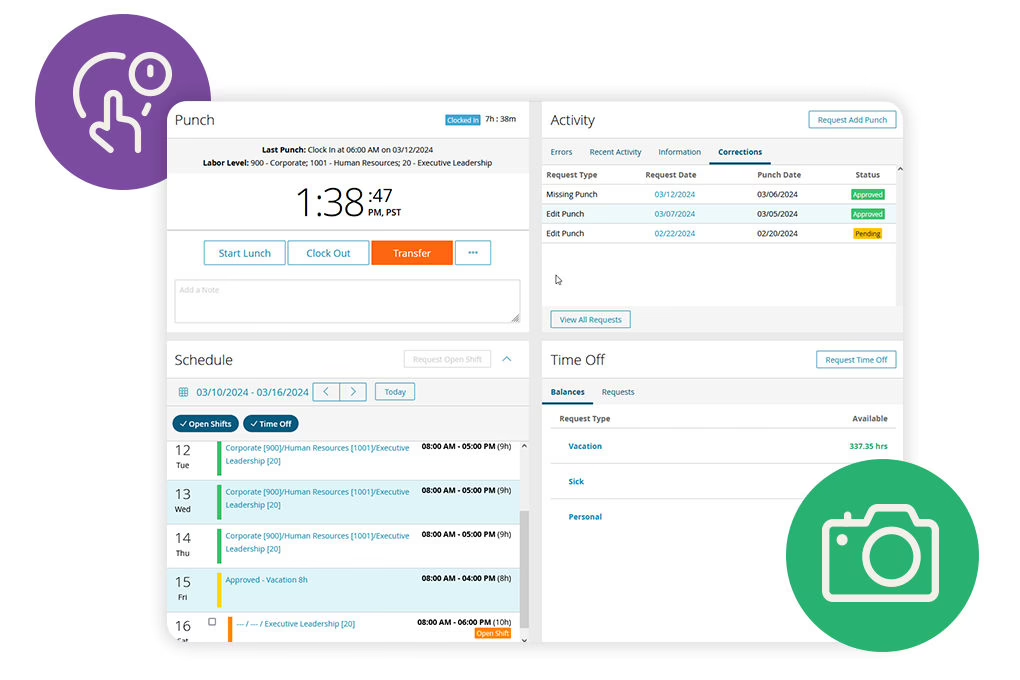
Time and labor with payroll: Punches, PTO, and approvals stay on the same employee record as payroll and HR data.
-
Geofenced clock-ins: Employees can clock in through Paylocity within approved locations, making it suitable for multi-site teams.
-
Labor distribution and GL entries: Payroll GL entries and custom reports help finance teams track labor costs.
-
Flexible time capture: Employees can punch in with badge or biometric clocks, the mobile app, Apple Watch, a tablet kiosk or the web app.
-
AI shift recommendations: Managers get AI-driven shift recommendations, and employees can swap shifts and claim open shifts.
| Pros | Cons |
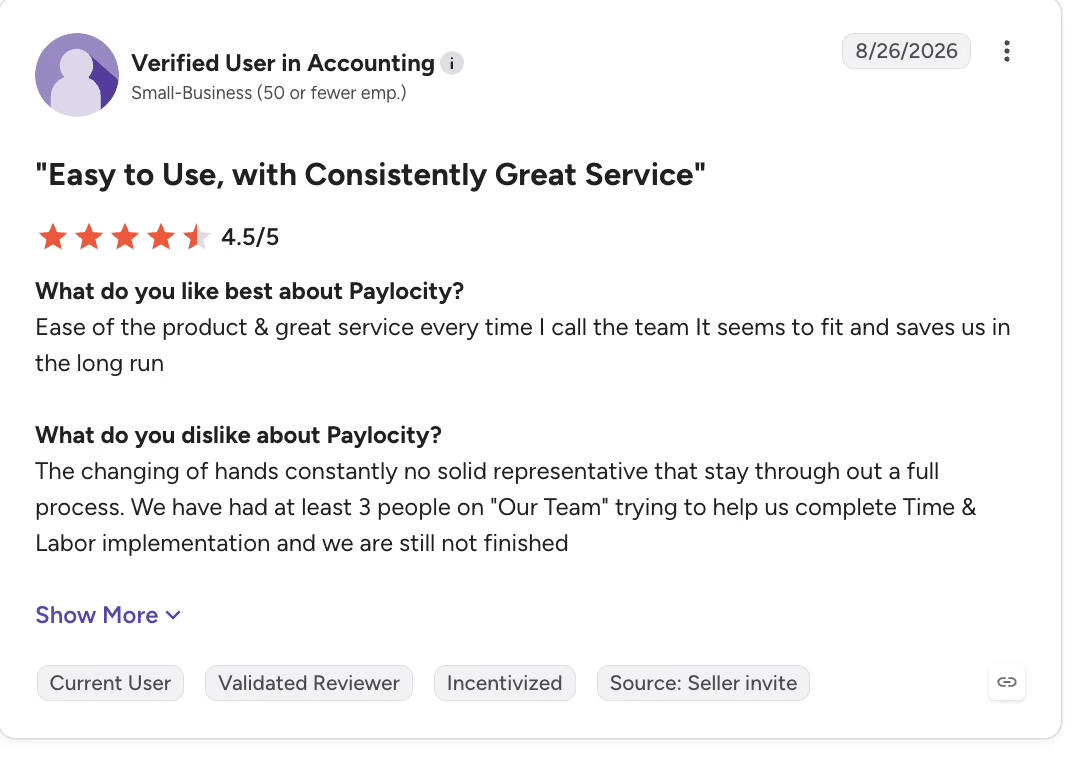
| Geo-fencing works for clock-ins across locations | Time and labor doesn’t connect well with HR and payroll |
| Eliminates most manual entries in payroll and time | PTO accruals don’t work smoothly |
| Any change in regulations comes with an alert from the tool, keeping users updated | Constantly changing support contacts, no reliable help |
Pricing: Contact the vendor for a custom quote.
What real users say:
Source: G2
Best for: Unified HR and finance
9. When I Work (G2: 4.4/5)
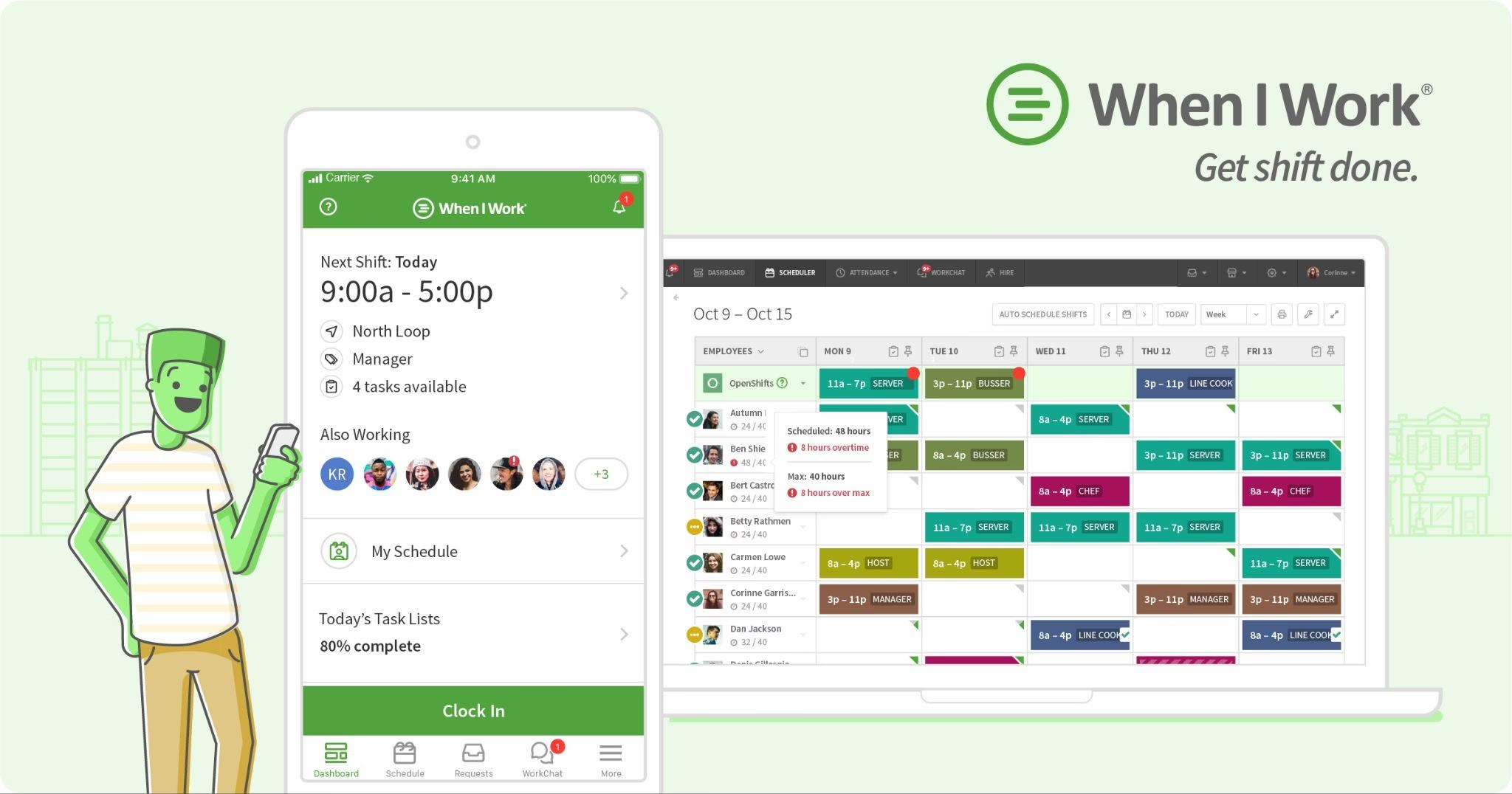
When I Work is a scheduling, time clock and team messaging app for businesses with hourly employees. Most of its Capterra reviewers run small businesses, typically in retail, food service, healthcare and delivery, where shifts change weekly.
What are the key features of When I Work?
-
Employee-led shift swaps and drops: Coworkers can trade shifts among themselves, with manager approval rules you control
-
Schedule and time clock in every pocket: Free iOS and Android apps for viewing schedules and punching in.
-
Availability and time-off inputs: Employee availability and approved time off feed straight into schedule building
-
Location-aware clock-in: Managers can see whether employees are on site when they clock in
-
Payroll provider integrations: Approved hours export to your payroll provider to avoid re-keying
| Pros | Cons |
| Easy clock-time fixes and reusable schedules | Weekly scheduling takes a lot of clicking and navigation |
| Helps staff handle shift reminders, time off, and swaps themselves | Rigid time clock for irregular schedules |
| Mobile time tracking connects directly to payroll | It doesn’t allow teams to take unscheduled breaks |
Pricing: From $2.50 per user/month, with a 14-day free trial.
What real users are saying:
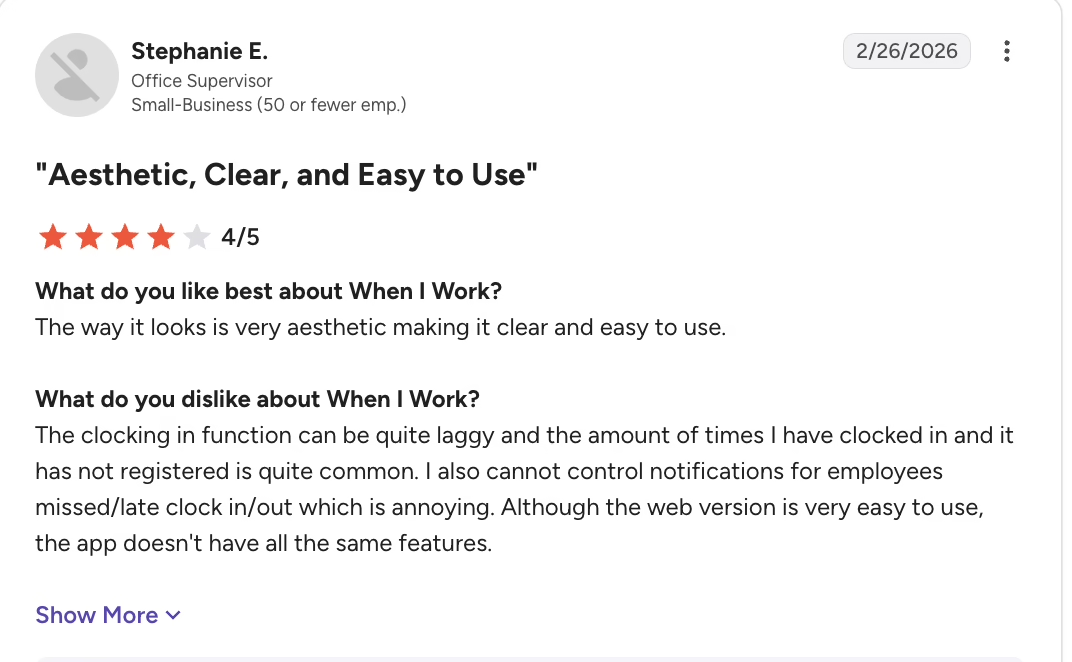
Source: G2
Best for: Budget hourly scheduling
10. Jibble (G2: 4.6/5)
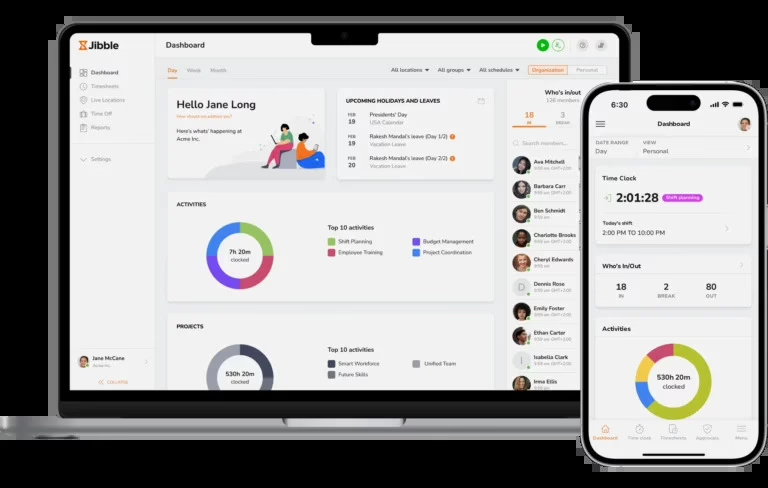
Jibble is a time tracking and attendance platform for deskless and mobile workforces, including construction crews, field service teams, manufacturing floors and hybrid offices. Its free plan covers unlimited users, which makes it a common first system for small teams moving off paper.
What are the key features of Jibble?
-
AI face recognition at clock-in: Confirms the right person is on the clock and stops buddy punching
-
Geofencing and GPS breadcrumbs: Blocks clock-ins outside job-site zones and maps travel routes during shifts
-
Offline time tracking: Punches are captured without a connection and sync automatically once the device reconnects
-
Shared kiosk mode: One tablet can verify attendance for a whole crew at a worksite
-
Project and activity switching: Employees switch projects in one tap, giving managers labor cost visibility by site and cost center
| Pros | Cons |
| Accurate attendance that exports directly into the payroll system for processing | Very basic PTO accrual rules |
| Generous free plan that’s easy to roll out | No alerts for missed clock-ins or location turned off |
| Location-based clock-ins keep remote staff accountable | Hard to set up for afternoon and night shifts |
Pricing: Free plan for unlimited users.
What real users say:
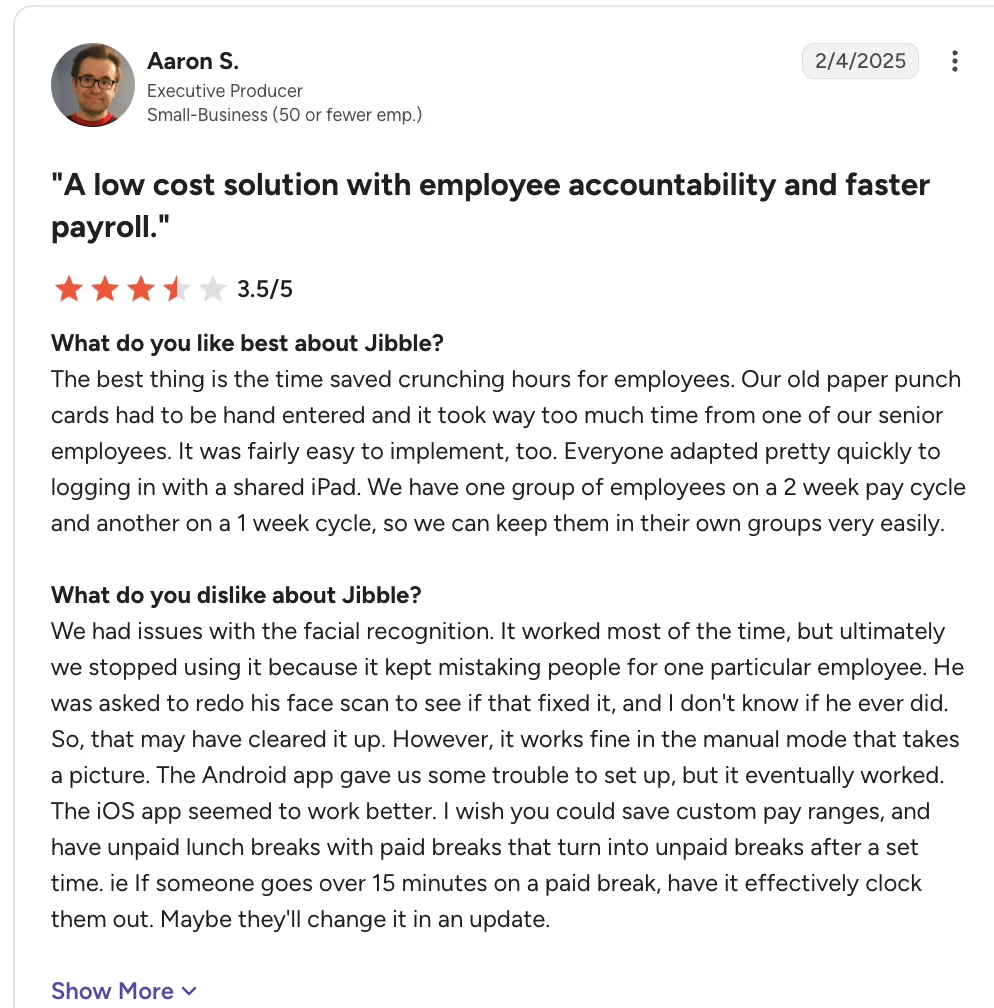
Source: G2
Best for: Free field team tracking
How to Choose the Best Time and Attendance Software For Your Business
If you’re figuring out how to manage employee time and attendance for the first time, or replacing a system that no longer fits, start with how your people actually work. These four questions will narrow a long list quickly.
1. How Will Your Employees Clock In?
Match the clock-in method to the workforce, not the other way around. A 60-person manufacturer with one plant floor usually wants badge or biometric clocks at the door, because buddy punching is the real risk. A landscaping company with crews at five job sites a day needs mobile GPS and geofencing. An office team can live with web punches.
Kiosks on a shared tablet work well for retail and clinics. Pick a tool that supports every method you need today, plus the one you will need when you open your next location.
2. Will It Connect to Your Payroll and Your HR System?
The most common question I hear about how to track employee time is really a payroll question: How do hours get from the clock into the paycheck without someone retyping them? Native payroll on the same record removes that step entirely. One-click integrations come next. CSV exports work but add a weekly manual task. If your team mostly logs hours against client projects rather than shifts, compare these tools against dedicated timesheet software options as well, and check for an open API if you run an ERP.
3. How Deep Does Compliance Need to Go?
A single-state employer with salaried staff needs reliable FLSA overtime and accurate records. A retailer with stores in California, New York City, and Oregon needs daily overtime, meal and rest break tracking, and predictive scheduling rules for each location. Ask vendors to show these rules running on a sample timecard during the demo, not just on a slide.
4. What Will It Really Cost?
Compare total cost of ownership, not the headline price. Per-employee pricing looks cheap for 15 people and adds up quickly at 400. Factor in implementation timelines (some HCM suites take months), hardware such as biometric clocks, training, premium support tiers, and add-on modules like scheduling or advanced attendance. A unified platform can cost more per head than a standalone time clock and still cost less overall once you remove the separate tools it replaces.
US Labor Law Compliance: What Your Time and Attendance Software Must Handle
Wage-and-hour mistakes are expensive and common. In fiscal year 2025, the US Department of Labor’s Wage and Hour Division recovered more than $259 million in back wages for nearly 177,000 workers, an average of $1,465 per worker (DOL, January 8, 2026).
Many wage-and-hour disputes come down to unpaid overtime hours and missed breaks, with no records to prove what was worked. Good time and attendance software is your first line of defense.
FLSA Overtime Compliance
Your system should calculate overtime automatically at 1.5 times the regular rate for non-exempt employees who work more than 40 hours in a workweek, and keep exempt and non-exempt employees on separate rules.
Look for support for edge cases your payroll team actually meets: the section 7(i) exemption for commissioned retail and service employees, and fluctuating workweek pay for salaried non-exempt staff. Rounding and grace-period settings matter too. Rounding must be neutral over time, so the software should let you set and audit the rule rather than hard-code one.
Multi-State Compliance Challenges
Federal rules are the floor. California requires daily overtime after 8 hours and double time after 12, while Florida follows the federal weekly threshold. Meal and rest break rules vary by state, and predictive scheduling ordinances in New York City, San Francisco, Chicago, and Oregon require advance schedule notice and premium pay for late changes.
The software must apply the right rule set by work location, not by headquarters. Enterprise buyers with union employees also need configurable rules for union contracts, such as shift premiums, seniority, and call-in-pay.
Record Retention Requirements
Under the FLSA, employers must keep payroll records for at least three years and the time cards and schedules behind them for at least two. Several states require longer retention. Your system should store original punches, every edit, who made it, and why, so you can produce an audit trail on request.
Conclusion
The best time and attendance software depends on three things: your company size, how much compliance work your locations create, and the tech stack you already run. Small teams on QuickBooks or a tight budget have strong standalone options. Shift-heavy employers should weigh scheduling depth. Multi-state employers need rules that follow each employee’s work location.
If you want time, attendance, scheduling, PTO, and payroll on one record, Keka is the platform I’d shortlist first. It serves businesses of all sizes, from growing teams to enterprises, and keeps multi-state compliance in one system across all 50 US states.
Book a demo to see how Keka’s unified people operations platform replaces separate time, scheduling, PTO, and payroll tools, using your own policies and pay rules.