


 Login
Login


On the surface, both look polished, powerful, and packed with features. It’s when you start digging deeper that the cracks show up. You know, stuff like lack of customization, weak external third party integration. Things that the sales rep never bring up in their pitch.
This review is for people who just want straight answers: Which one is easier to use day-to-day? Which one actually saves time? And which one won’t turn into a headache as your team grows? Instead of repeating sales copy, we pulled insights from real users and hands-on performance.
By the end, you’ll have a clear, honest picture of what each platform does well, where it falls short, and which one truly fits the way your team works.
Rippling vs. Paycom at a Glance
The table below highlights how Rippling and Paycom perform across key HR and payroll categories. It breaks down their core strengths, weaknesses, and which platform ultimately delivers the stronger experience for each feature.
| Feature | Rippling | Paycom | The Winner |
|---|---|---|---|
| Payroll Processing & Compliance |
|
| Tie – Rippling for automation, Paycom for simplicity. |
| Reporting & Analytics |
|
| Rippling dominates with its customization options. |
| Time & Attendance |
|
| Close, but Rippling wins with a unified experience. |
| Employee Self-Service |
|
| Tie – both excel at empowerment. |
| Integration Capabilities |
|
| Rippling wins easily. |
| Customer Support |
|
| Close. Paycom wins for personalized service. |
| User Experience |
|
| Paycom wins slightly for intuitiveness. |
| Mobile Accessibility |
|
| Paycom wins slightly for flexibility. |
Why You Can Trust This Review
Let’s be honest, there are way too many articles out there comparing the Rippling and Paycom. Most are just rehashed feature lists or straight up product pitches that add to your confusion rather than helping you find the right platform. As a reader you’re right to question why you should trust my review. So here’s my methodology.
I decided to dig past the polished marketing and focus on real-world performance. Here’s how I built this review:
Real User Insights: I scoured verified reviews on G2, Trustpilot, and Reddit to understand how actual users — not sales reps — feel about using Rippling and Paycom daily.
Hundreds of Honest Reviews: I analyzed feedback across industries and business sizes to find common themes: what works brilliantly, what breaks under pressure, and what just needs a bit more polish.
Deep Dive into Product Data: I compared pricing structures, integrations, and feature rollouts directly from official sources — minus the corporate gloss.
To be clear, this isn’t a marketing piece. It’s a clear, grounded comparison meant to save you hours of confusion and help you pick the HR platform that truly fits how you work.
Rippling vs. Paycom: Feature-by-Feature Breakdown
Both Rippling and Paycom claim to simplify HR and payroll, but their strengths shine in different ways. Instead of overwhelming you with jargon or endless specs, here’s a clear side-by-side breakdown of their most impactful features and how they perform in real-world use.
Payroll Processing & Compliance
Payroll processing and compliance are the foundation of any reliable HR system. They ensure employees are paid accurately, taxes are filed on time, and businesses stay aligned with ever-changing labor laws. An efficient system minimizes manual work, reduces compliance risks, and saves HR teams countless hours.
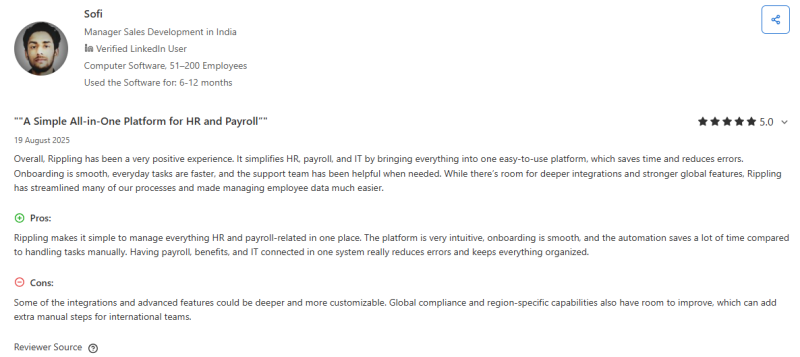
Rippling: Rippling simplifies payroll and compliance by combining HR, benefits, and IT management into one unified platform. Users appreciate how intuitive it feels, especially when automating repetitive tasks like deductions, filings, and direct deposits. Payroll runs quickly and accurately, with tax compliance handled automatically for multiple states. The seamless integration between payroll and employee data ensures fewer errors and smoother audits. However, users note that while Rippling excels domestically, its global compliance tools could be more robust for international teams.
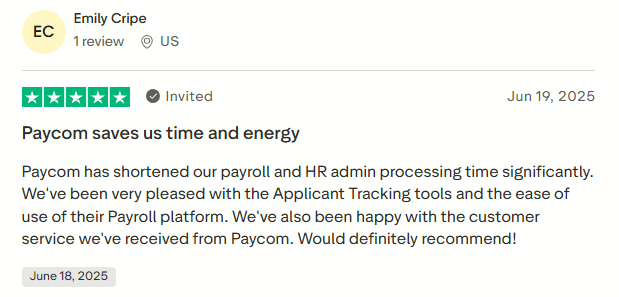
Paycom: Paycom shines in automating payroll calculations and tax submissions. Users highlight its accuracy, speed, and the time it saves on administrative tasks. The system ensures compliance with federal and state regulations effortlessly, giving HR leaders peace of mind. Its real-time tracking and simple interface make payroll processing stress-free and reliable.
Reporting and Analytics
Reporting and analytics are essential for any HR system because they allow organizations to transform raw employee and operational data into meaningful insights. With effective reporting tools, HR teams can track key metrics like headcount, turnover, attendance, performance trends, and payroll accuracy.
Analytics help identify patterns, highlight potential issues, and support strategic decision-making, such as workforce planning or compliance improvements. By providing a clear view of organizational performance, these tools enable managers to act proactively rather than reactively.
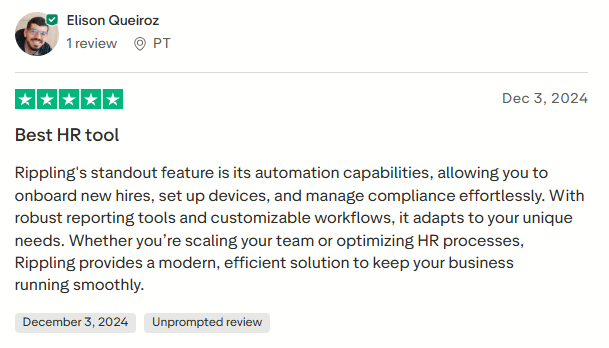
Rippling: Rippling stands out for its robust, customizable reporting capabilities. Users love how it automates data collection and allows reports to be tailored to specific business needs, from compliance summaries to headcount trends.
The system’s ability to link HR, payroll, and IT data in one platform provides deep visibility into workforce operations. This unified approach helps teams quickly identify inefficiencies and track metrics in real time. Its automation also reduces the manual effort traditionally required for report generation, making it ideal for growing businesses managing complex workflows.
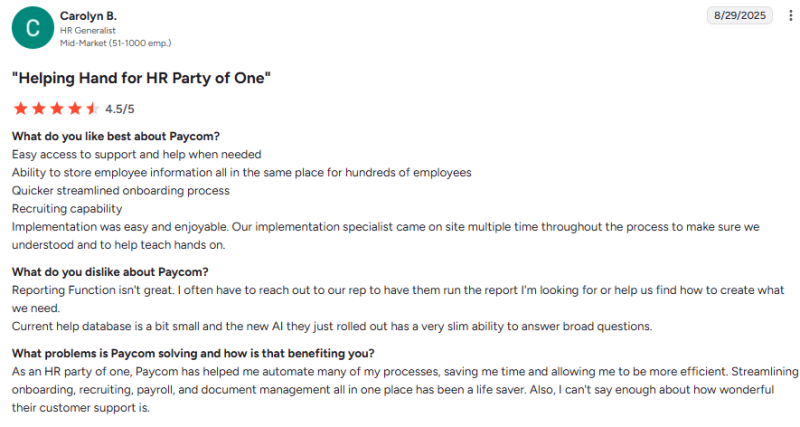
Paycom: Paycom’s reporting tools are functional but less flexible. Users appreciate having all employee data in one place, yet many find the reporting interface limited and often require help from support to create custom reports. While accurate, it lacks the advanced automation and customization depth that Rippling offers.
Time and Attendance
Time and attendance tracking is a critical aspect of HR management, ensuring employees are accurately paid and schedules are properly maintained. Accurate tracking promotes transparency, helps monitor productivity, and supports compliance with labor laws. Effective systems allow employees to clock in and out, request time off, and view schedules easily, while managers can approve requests, track attendance trends, and manage workforce planning efficiently.
Integrated solutions reduce errors, eliminate manual record-keeping, and streamline payroll calculations. By providing real-time visibility into employee hours and absences, a reliable time and attendance system helps organizations run smoothly and maintain fair, consistent practices.
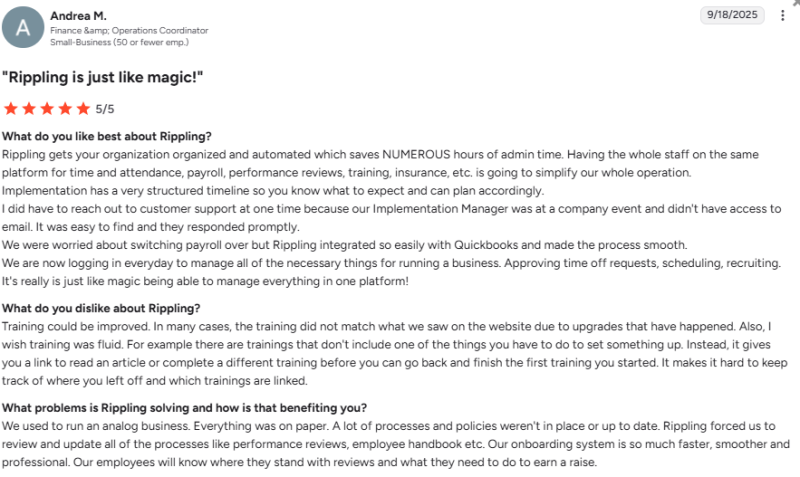
Rippling: Rippling unifies time and attendance with payroll, HR, and IT management, allowing businesses to manage everything from one platform. Employees can easily clock in, request time off, and track attendance, while managers gain full visibility over schedules and approvals. Users highlight how automation saves hours of administrative work and keeps data consistent across systems.
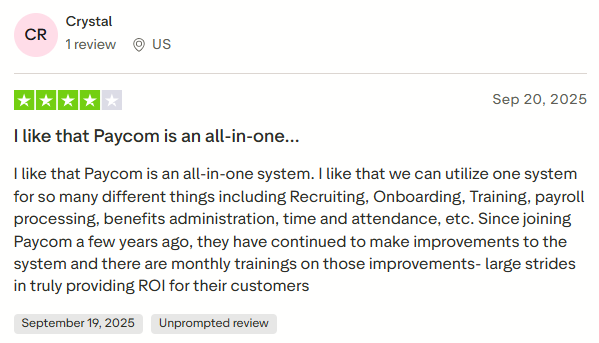
Paycom: Users appreciate Paycom’s automated time-tracking feature and continuous attendance updates that enhance usability. Monthly training sessions help teams stay current with new features. However, some note that customization options for attendance reports could be broader. Overall, Paycom ensures accuracy, compliance, and efficiency in managing workforce time data.
Employee Self-Service
Employee self-service is an important feature of modern HR systems, letting employees manage basic HR tasks on their own. With these tools, employees can check pay stubs, update personal information, request time off, and manage benefits without constantly relying on HR. This saves time for HR teams and makes day-to-day processes smoother.
Both Rippling and Paycom offer simple, easy-to-use dashboards that help employees handle routine HR tasks efficiently while keeping information accurate and organized.
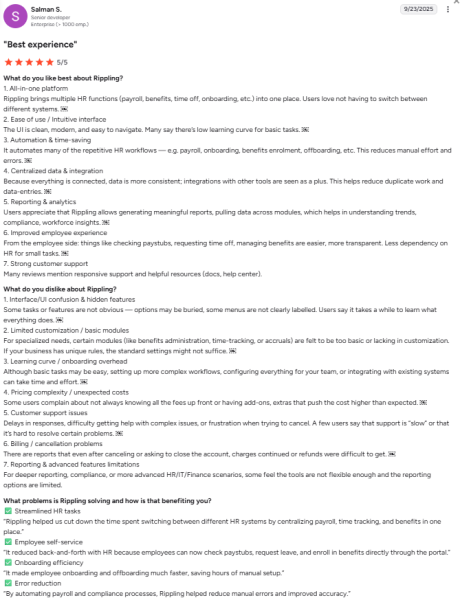
Rippling: Rippling makes employee self-service refreshingly simple. Employees can view pay stubs, request time off, enroll in benefits, or update personal details, all from one modern, intuitive dashboard. Users appreciate the unified experience that cuts down on HR back-and-forth, keeping information centralized and accurate. While advanced configuration or workflow setup may take some effort, once running, Rippling delivers a smooth, time-saving experience that empowers employees and streamlines HR operations.
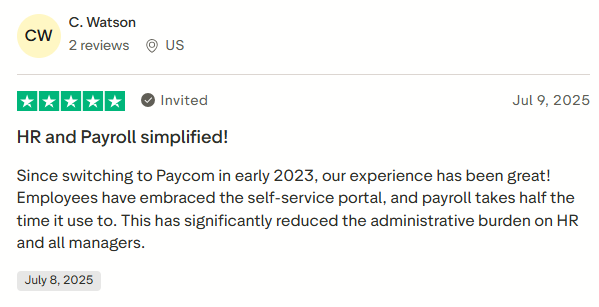
Paycom: Paycom also shines in employee self-service. Its all-in-one portal gives employees full control over their payroll, benefits, and time tracking without needing constant HR assistance. The result? Faster payroll runs, fewer administrative bottlenecks, and happier teams. Many users note that Paycom’s self-service tools have significantly reduced the workload for HR and managers, freeing them to focus on more strategic tasks.
Integration Capabilities
Integration capabilities are essential for any HR or payroll system, as they determine how easily the platform connects with other business tools. A system with strong integrations ensures that data flows seamlessly between HR, payroll, benefits, and other software, reducing the need for manual entry and minimizing errors.
Consistent employee information across platforms improves efficiency and saves time for HR teams. It also allows businesses to maintain a single source of truth for employee data, streamline reporting, and simplify compliance. Effective integrations support smooth workflows, better collaboration across departments, and overall operational productivity
Rippling: Rippling excels at unifying HR, payroll, benefits, and IT management in one system. Its integrations with third-party tools like Slack, Google Workspace, and Microsoft 365 help streamline operations and centralize employee data. Users appreciate how automation across modules reduces errors and saves time. The platform’s scalability also supports growing businesses that need to add new capabilities over time. However, some users mention that the wide range of features can make navigation slightly complex, especially during setup or when managing multiple modules.
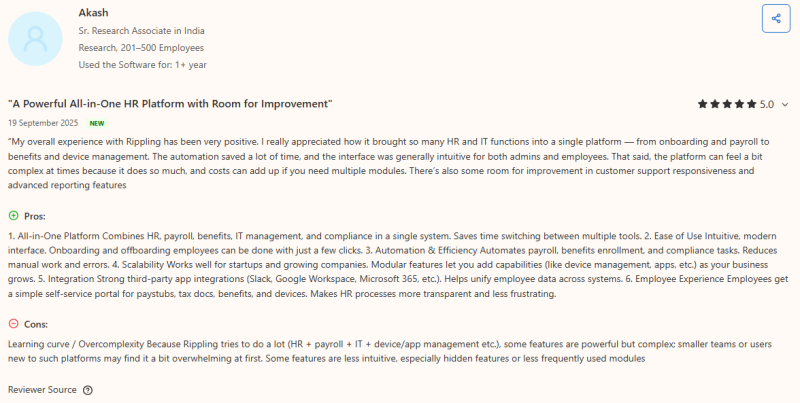
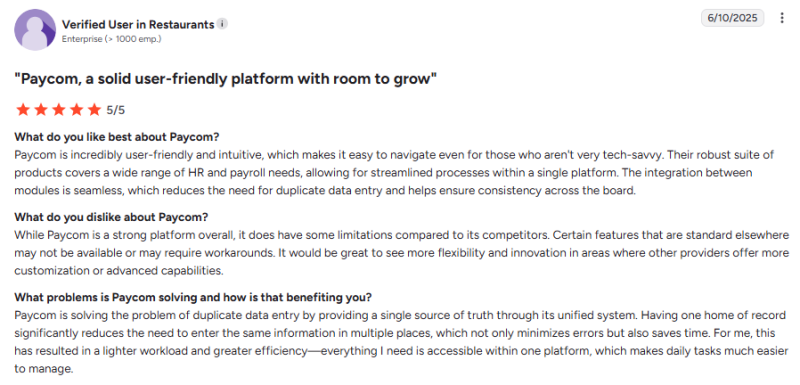
Paycom: Paycom integrates all HR and payroll functions within a single system, offering seamless internal connectivity that minimizes data duplication and errors. Users value the platform’s intuitive interface and consistency across modules. However, integration with external third-party tools remains limited, leaving room for improvement.
Customer Support
Effective customer support is essential for keeping HR and payroll systems running smoothly. When issues arise, whether technical glitches, payroll errors, or compliance questions, quick and knowledgeable assistance can prevent costly delays. A responsive support team helps HR staff navigate the platform, troubleshoot problems, and optimize workflows, ensuring operations stay on track.
Support also provides guidance on best practices, making it easier for teams to use features efficiently. For businesses managing payroll, benefits, and employee data, dependable customer service reduces stress, minimizes errors, and boosts overall confidence in the system.
Rippling: Rippling is widely appreciated for its professional and responsive customer support. Users note that the support team goes above and beyond to resolve issues efficiently, often providing step-by-step assistance. The platform’s user-friendly design also minimizes the need for frequent help, but when support is required, responses are typically quick and helpful. A few users have mentioned that complex cases might take slightly longer to resolve, but overall, Rippling’s support team is known for being proactive, courteous, and committed to ensuring a smooth experience.
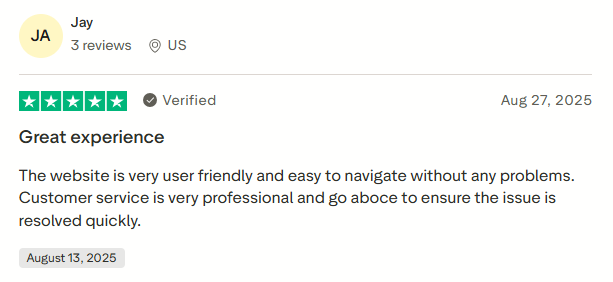
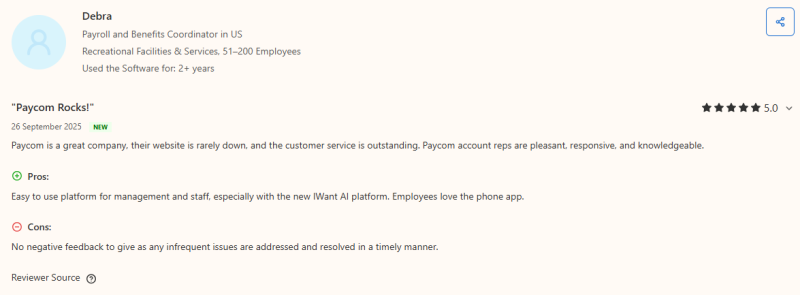
Paycom: Paycom earns strong praise for its exceptional customer service. Users highlight the responsiveness and expertise of their account representatives, who handle issues promptly and thoroughly. Frequent updates, a reliable website, and accessible communication channels contribute to consistently positive support experiences.
User Experience
User experience (UX) is essential for how smoothly teams interact with an HR or payroll platform daily. A simple, clear interface and intuitive navigation make it easy for employees and HR staff to complete tasks, access data, and manage workflows efficiently. Platforms with a good UX reduce the need for extensive training, lower errors, and save time.
When employees find the system easy to use, adoption improves, and HR teams can focus on strategic priorities rather than troubleshooting. Overall, a strong UX enhances productivity, ensures seamless operations, and contributes to a better work experience for everyone.
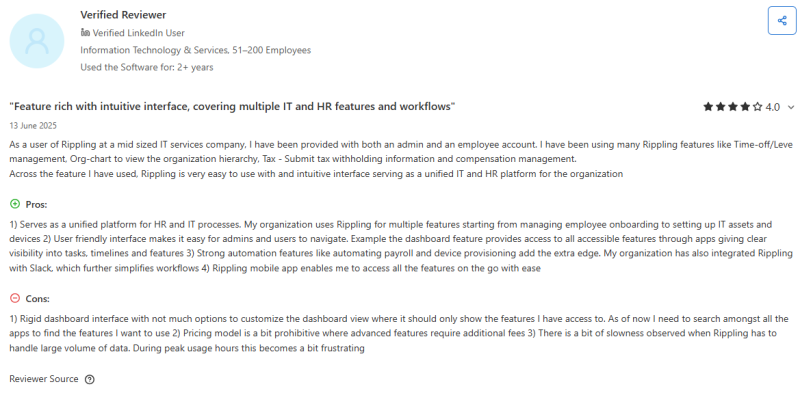
Rippling: Rippling is praised for its modern, intuitive interface that unifies HR and IT workflows in one place. Users find it easy to navigate features like time-off management, onboarding, and payroll automation through a centralized dashboard.
The platform’s integration with tools like Slack and its responsive mobile app enhances accessibility and efficiency for both admins and employees. However, some users note that the dashboard could be more customizable, and performance may slow slightly during high-traffic periods. Despite minor drawbacks, Rippling delivers a powerful and cohesive user experience for growing teams.
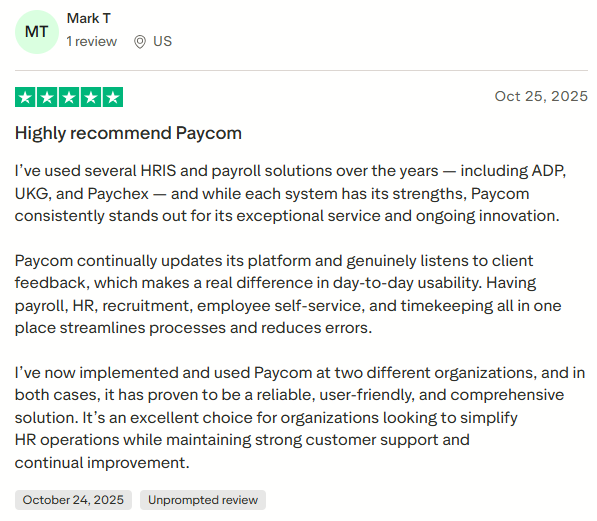
Paycom: Paycom earns strong marks for its user-friendly, all-in-one platform. Users appreciate its consistent updates, streamlined workflows, and how it simplifies daily HR and payroll tasks. The intuitive design enhances usability across departments, improving overall efficiency and satisfaction.
Mobile Accessibility
Mobile accessibility is a key factor in modern HR and payroll systems, allowing employees and managers to handle essential tasks anytime, anywhere. Through a well-designed mobile app, users can check pay stubs, submit leave requests, approve timesheets, and track performance without relying on a desktop. This flexibility ensures timely decision-making, reduces bottlenecks, and keeps HR processes running smoothly.
Mobile access also empowers employees with self-service options, improves communication, and enhances overall productivity. For businesses, having reliable mobile functionality means HR and payroll operations stay efficient, responsive, and connected, even in remote or hybrid work environments.
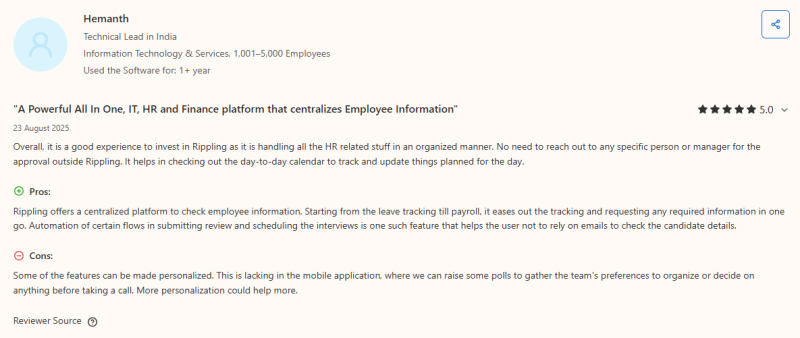
Rippling: Rippling’s mobile accessibility is praised for bringing all HR-related tasks into one centralized platform. From checking leave balances to managing payroll or accessing employee details, users can complete most actions without desktop dependency. The app simplifies everyday workflows by automating approvals, scheduling, and reviews.
However, some users note that the mobile app could benefit from more personalization options, such as creating team polls or customizing dashboards. Despite minor limitations, the platform delivers a strong, all-in-one mobile experience that keeps HR, IT, and finance tasks well-connected and efficient.
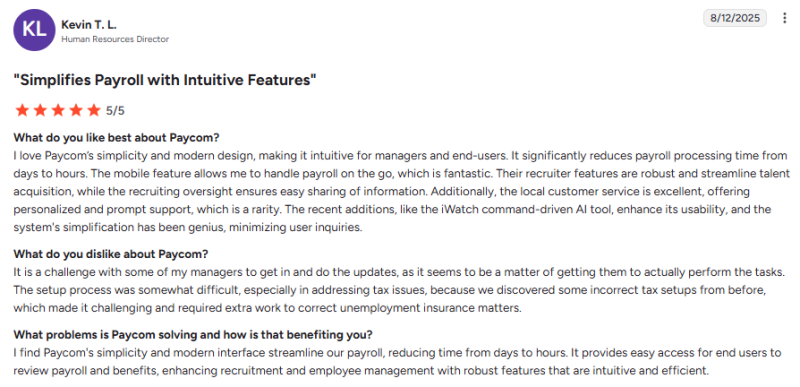
Paycom: Paycom stands out for its intuitive mobile interface that allows users to process payroll, manage recruiting, and access employee data anytime. The app’s modern design, ease of use, and integration with tools like iWatch enhance flexibility and productivity on the move.
Why Keka Is a Strong Alternative to Rippling and Paycom
Choosing the right HR and payroll platform can be challenging. Rippling offers automation and deep integrations, while Paycom focuses on simplicity and employee self-service. Keka provides a balanced solution, combining ease of use with scalable features suitable for teams of all sizes.
Designed for Growing Teams
Keka works well for small teams as well as large organizations. Its intuitive interface ensures that HR managers, payroll teams, and employees can navigate the platform easily without specialized training.
Onboarding new hires, tracking attendance, and managing performance become simpler and faster, allowing HR teams to focus on strategic tasks instead of routine administration. Users frequently mention that the platform is easy to adopt, helping teams get started quickly.
All-in-One HR and Payroll Platform
Keka brings payroll, HR management, attendance, performance tracking, recruitment, and employee engagement into one platform. Payroll processing is automated, compliance is handled efficiently, and real-time analytics provide actionable insights. Advanced features like AI-assisted recruitment and goal management are built in, reducing the need for multiple tools. This integration makes day-to-day HR operations smoother and minimizes the risk of errors.
Simplicity with Scalability
Rippling can feel complex for smaller teams, while Paycom may have limitations when handling larger, multi-location organizations. Keka addresses both concerns. Its clean and straightforward design keeps daily tasks simple, while the system can scale to support growing teams, multiple locations, and evolving HR processes. This flexibility ensures that businesses can expand without outgrowing their HR platform.
Transparent and Predictable Pricing
Keka’s pricing is clear and easy to understand – typically $9 per employee per month – with no hidden fees or confusing add-ons. This makes budgeting straightforward and helps growing companies plan for expansion without worrying about unexpected costs. Users consistently note that Keka provides strong value by combining an extensive feature set with predictable pricing.
Keka effectively combines the best aspects of Rippling and Paycom. It offers automation, compliance, and integrations while remaining user-friendly and easy to manage. For businesses looking for an HR and payroll solution that is scalable, comprehensive, and straightforward, Keka is a reliable, future-ready alternative.
Conclusion
Choosing between Rippling and Paycom isn’t about picking the “best” software – it’s about finding the platform that fits your team’s size, workflow, and growth plans. Rippling is strong in automation and integrations, making it ideal for scaling businesses that need one system to manage payroll, benefits, IT, and compliance.
Paycom, in contrast, focuses on simplicity, employee self-service, and responsive support, making it well-suited for mid-sized teams that prioritize ease and reliability.
For organizations looking for a solution that bridges both worlds, Keka is an excellent alternative. It offers a unified platform for payroll, HR, performance management, recruitment, and employee engagement.
Keka combines automation and scalability with a clean, intuitive interface that’s easy to use for HR teams and employees alike. Its transparent pricing and comprehensive features make it ideal for growing teams who want enterprise-level capabilities without the complexity.
Ultimately, whether your priority is deep automation, simple workflows, or a balance of both, Keka provides a flexible, reliable, and future-ready HR solution that can grow with your business.


