Login
Login


The best HCM platforms for US employers in 2026 include Keka, Workday HCM, ADP Workforce Now, Dayforce, UKG Pro, SAP SuccessFactors, Oracle HCM Cloud, Rippling, Paycor, Paychex Flex, Paylocity, BambooHR, HiBob, and Cornerstone OnDemand. The right choice depends on your workforce size, payroll and compliance requirements, existing software, and how much control you need over HR processes.
Human capital management (HCM) platforms bring HR, payroll, benefits, time tracking, and talent management into one system. They reduce reliance on disconnected records and manual data transfers, helping employers manage employee information across functions.
I evaluated the platforms on this list across payroll and compliance capabilities, integrations, scalability, implementation, support, and cost. The aim of this article is to help you identify which systems deserve a closer look and what to verify before making a decision.
For a quick read on how these platforms compare, the table below is the best place to start.
Best HCM Platforms at a Glance
This table is the short version of the full list of HCM platforms below. Ratings are G2 scores as I found them in October 2026, and they move as new reviews arrive.
| Tool | Best For | G2 Ratings | Free Trials |
|---|---|---|---|
| Keka | US businesses of all sizes that want HR, payroll and PSA on one data model | 4.4/5 | Yes |
| Workday HCM | Large, global enterprises that want HR and finance with one vendor | 4.2/5 | No |
| ADP Workforce Now | Mid-market teams with multi-state compliance needs | 4.2/5 | No |
| Dayforce | Teams with complex time, scheduling and payroll needs | 4.2/5 | No |
| UKG Pro | Large, hourly or shift-based workforces | 4.3/5 | No |
| SAP SuccessFactors | Large enterprises already running SAP | 4.1/5 | Yes |
| Oracle HCM Cloud | Large enterprises on Oracle’s cloud ERP | 3.8/5 | No |
| Rippling | Teams that want HR, IT and finance workflows in one platform | 4.7/5 | No |
| Paycor | Mid-market HR teams that value workforce analytics | 4.0/5 | No |
| Paychex Flex | Payroll-first teams that may want PEO services | 4.1/5 | No |
| Paylocity | Mid-market teams that want HR, payroll and expense in one suite | 4.4/5 | No |
| BambooHR | Smaller teams that put HR experience first | 4.4/5 | Yes |
| HiBob | Mid-market companies that want a modern, people-first HRIS | 4.5/5 | No |
| Cornerstone OnDemand | Organizations that prioritize learning and talent | 4.1/5 | No |
How I Chose the Best HCM Platforms in 2026
I focused on the questions that matter when replacing or consolidating HR software: whether payroll can handle the workforce’s requirements, how employee data moves between modules, what implementation involves, and what the system will cost beyond its subscription.
I used six criteria:
-
Payroll and compliance: Support for US payroll, tax reporting, benefits, and multi-state requirements.
-
Platform architecture: How HR, payroll, time, and talent management share information.
-
Security: Available certifications and documented data protection practices.
-
Implementation and support: Setup requirements, onboarding, and available support arrangements.
-
Total cost of ownership: Subscription fees, additional modules, integrations, training, and implementation.
-
Scalability: Whether the platform can support changes in workforce size, structure, and operating requirements.
I checked the product documentation, available pricing information, third-party user reviews, and published company updates. Review scores provide a useful reference, but they don’t establish whether a platform will suit a particular business. Keep in mind that the implementation experience and the product fit depend on the modules purchased, the processes involved, and the quality of the implementation.
Disclosure: Keka is our product. I have assessed it using the same broad evaluation criteria as the other platforms.
Top 14 HCM Platforms in 2026: Ultimate Breakdown
Let’s get started with discussing the best fourteen HCM platforms for US HR Teams in 2026.
Keka
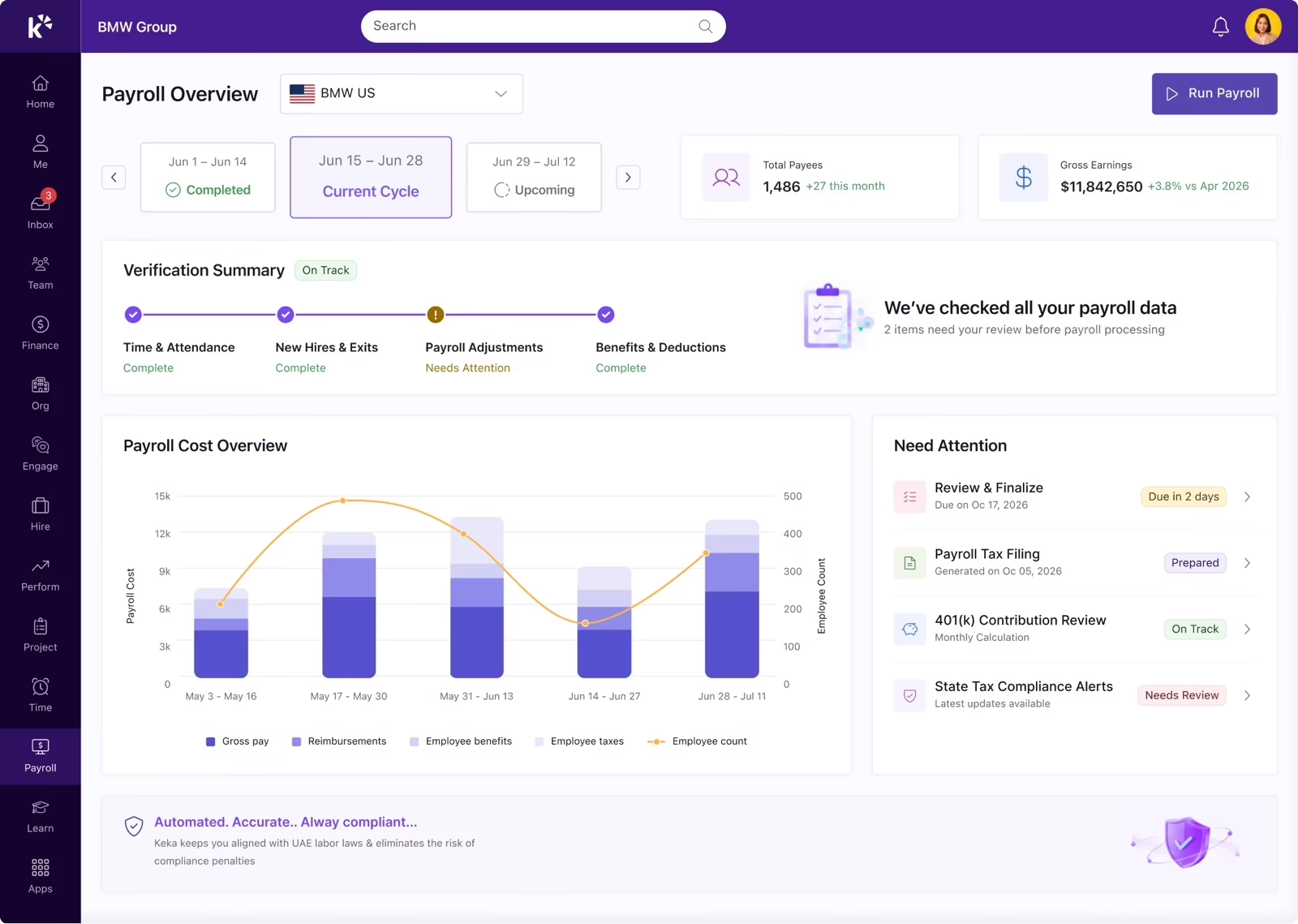
Keka brings HR, payroll, and Professional Services Automation (PSA) together on one data model. HR Cloud covers employee records, hiring, onboarding, attendance, and performance. Payroll Cloud handles US payroll and benefits, while PSA Cloud supports project timesheets, resource management, billing, and utilization reporting.
For US employers, Keka supports payroll across all 50 states for W-2 and 1099 workers. Its connected workflows help employee changes, approved time off, and payroll information move across the platform without repeated manual entry. Keka AI also supports payroll checks and workforce insights.
Key Features:
-
Core HR: Employee records, recruitment, onboarding, employee self-service, and HR administration.
-
Leave and attendance: Leave management, attendance tracking, and related approval workflows.
-
Performance and employee experience: Performance management, feedback, and employee engagement capabilities.
-
US payroll: Payroll processing, multi-state payroll, tax reporting, and W-2 and 1099 worker support.
-
Benefits administration: Benefits-related workflows and deductions connected to payroll.
-
PSA Cloud: Project timesheets, resource management, utilization tracking, and billing-related workflows.
-
Keka AI: Payroll anomaly checks and workforce insights.
-
Reporting and integrations: Workforce reporting and connections with supported business applications.
Pros of Keka:
-
Connected HR and payroll: Employee, attendance, and payroll information can flow across related processes without repeated manual entry.
-
HR and PSA in one platform: Businesses managing project-based work can connect workforce information with project time, resources, and billing.
-
Broad workforce coverage: The combination of HR, payroll, and PSA supports businesses looking to consolidate multiple workforce processes.
Cons of Keka:
-
Moving from multiple systems requires some transition: Organizations replacing several existing HR or operational tools may need to plan data migration and workflow changes as part of implementation.
-
Automation works best with well-defined processes: Organizations may need to clearly define their existing approval structures and workflows before configuring them for automation.
-
The PSA capabilities may require some process alignment: Companies introducing project and resource management alongside HR may need to map their existing project workflows into the platform.
Best For:
US businesses of all sizes looking to connect HR, payroll, and project operations on one platform.
Pricing:
Contact the Keka team for a customized quote.
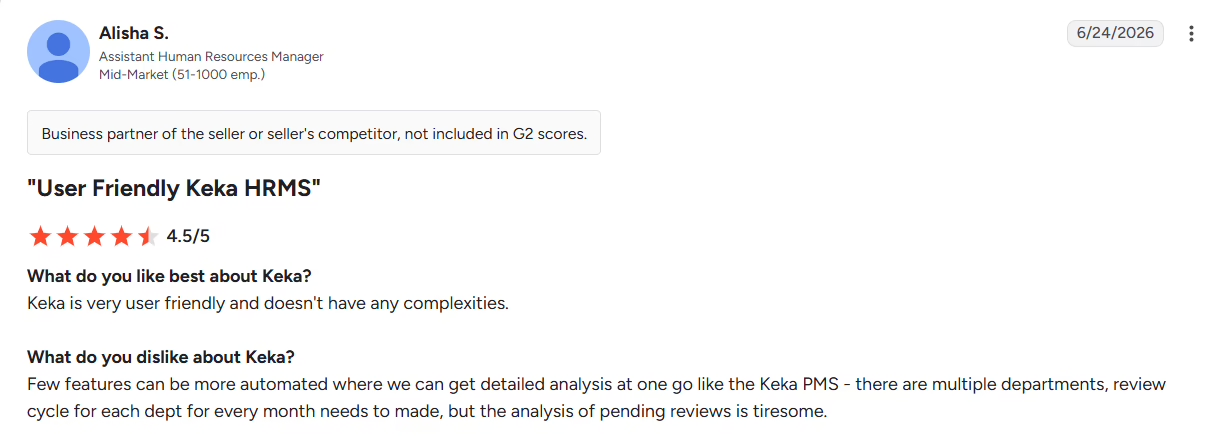
What real users say:
 Source: G2
Workday HCM
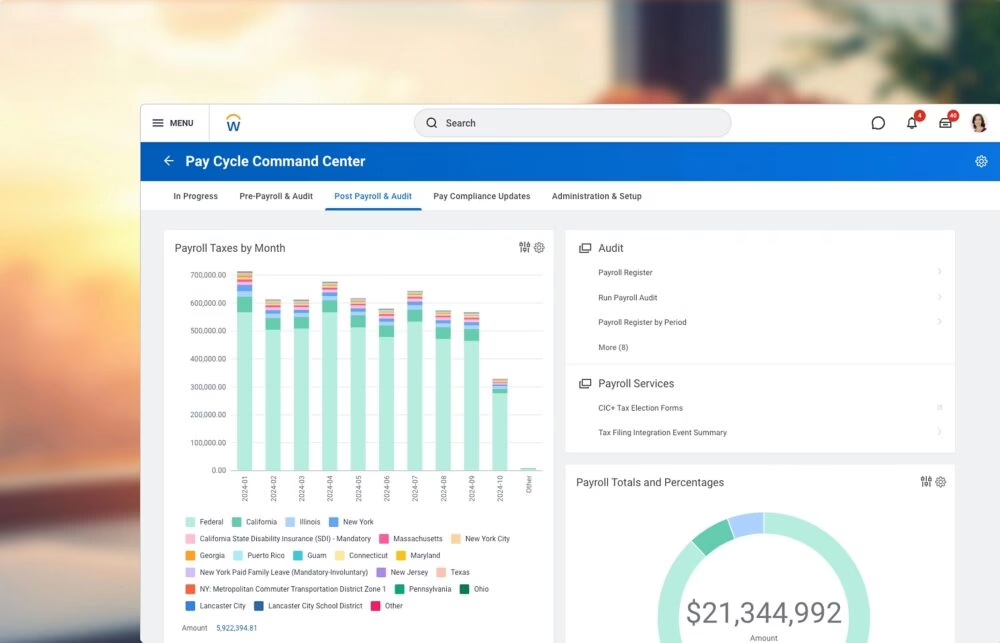
Workday HCM combines core HR, talent management, compensation, benefits, and workforce planning. Its broader enterprise environment connects HR with Workday Financial Management, making it relevant to large organizations managing complex workforce structures.
Its reporting and planning capabilities suit established enterprise teams, though smaller businesses may find the platform expensive to implement and demanding to administer.
Key Features:
-
Core HR: Employee records, organizational structures, and HR workflows.
-
Talent management: Recruiting, performance, compensation, and learning capabilities.
-
Workforce planning: Workforce analytics and planning tools.
-
Enterprise integrations: Connections with Workday Financial Management and supported business applications.
Pros of Workday HCM:
-
Centralized employee information: HR teams can manage employee and organizational data in one system.
-
Enterprise workforce planning: Reporting and planning capabilities support large, complex organizations.
-
Broad HR coverage: Core HR and talent management reduce the need to manage these functions through separate systems.
Cons of Workday HCM:
-
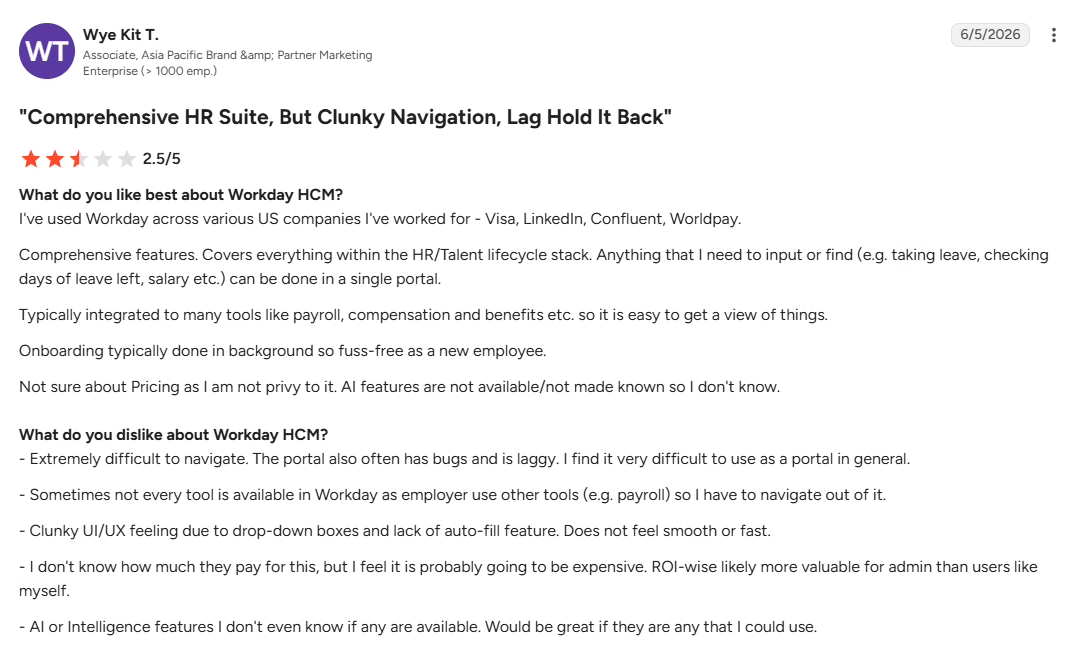
Steep learning curve: Some users find workflows difficult to navigate, particularly when completing less familiar tasks.
-
Complex reporting: Advanced reports and custom configurations can require specialist knowledge or additional training.
-
Implementation effort: Configuring the platform, migrating data, and managing organizational change can require significant internal and external resources.
Best For:
Large, multinational enterprises with established HRIS and finance teams.
Pricing:
Request the team to get a customized quote.
What real users say:
Source: G2
ADP Workforce Now
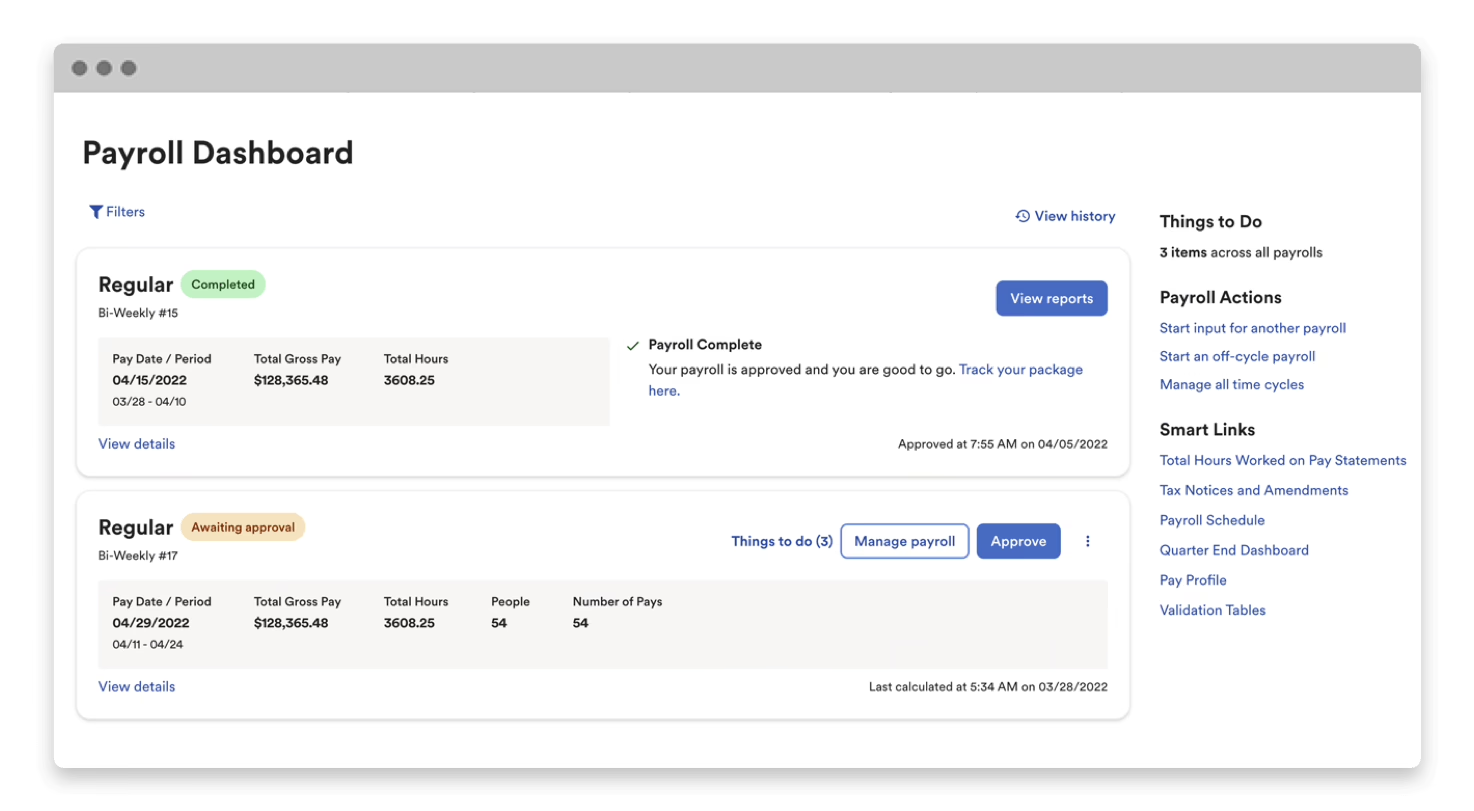
ADP Workforce Now combines payroll, HR administration, benefits, time tracking, and talent management for US employers. Its established payroll and compliance capabilities make it relevant to midsize businesses managing multi-state workforces and recurring reporting requirements.
The platform covers a broad range of HR needs, although reporting can be difficult to customize, and costs may rise as businesses add modules or services.
Key Features:
-
Payroll and tax administration: Payroll processing and associated tax workflows.
-
Time and attendance: Employee time tracking and attendance management.
-
Benefits administration: Employee benefits and related records.
-
HR and talent management: Core HR, recruiting, and related workforce capabilities.
Pros of ADP Workforce Now:
-
Payroll and HR together: Connects employee information with payroll administration.
-
Additional service options: Employers can evaluate related payroll and HR services as their needs change.
-
Broad payroll experience: ADP offers established payroll services for organizations with recurring processing and reporting requirements.
Cons of ADP Workforce Now:
-
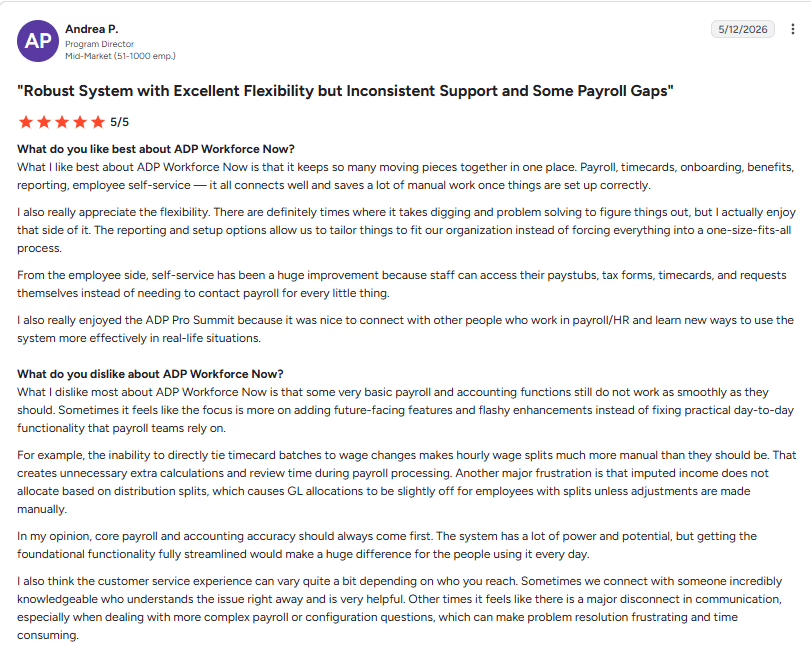
Support experiences vary: Some customers report difficulty getting timely assistance or resolving issues through support channels.
-
Reporting complexity: Users may find it difficult to build or customize reports for specialized requirements.
-
Module-related costs: The total cost can increase when additional services or modules are required, making package comparisons important.
Best For:
Mid-market employers that need payroll and HR administration with support for multi-state operations.
Pricing:
Request the team to get a customized quote.
What real users say:
Source: G2
Dayforce
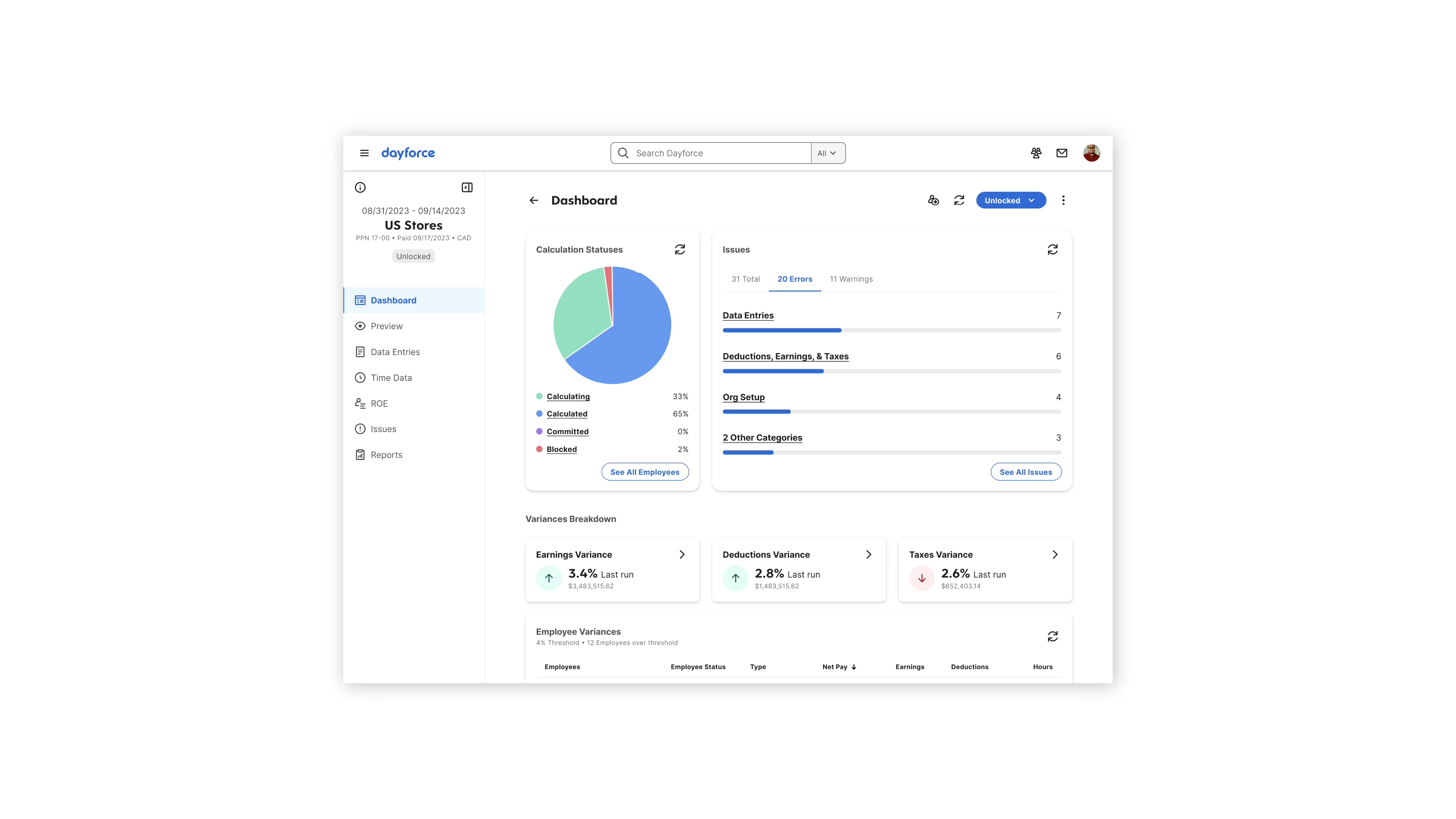
Dayforce combines HR, payroll, time and attendance, workforce management, and talent capabilities. Its connected approach helps employers coordinate employee schedules, working hours, and payroll calculations, making it particularly relevant to hourly and shift-based workforces.
Organizations with complex pay rules can benefit from this coverage, though configuration and custom reporting may require specialist knowledge.
Dayforce was acquired by private equity firm Thoma Bravo in February 2026 in an all-cash deal valued at approximately $12.3 billion. Buyers evaluating the platform should keep an eye on any future changes to pricing, product development, and customer support.
Key Features:
-
Time and attendance: Employee time tracking and attendance management.
-
Workforce scheduling: Shift scheduling and workforce planning.
-
Payroll: Payroll processing connected with employee and time information.
-
HR and talent: Employee administration and talent-related workflows.
Pros of Dayforce:
-
Connected time and payroll: Helps coordinate working hours and payroll calculations.
-
Workforce management: Supports organizations with detailed scheduling requirements.
-
Broad HR coverage: Combines payroll with HR and talent-related capabilities.
Cons of Dayforce:
-
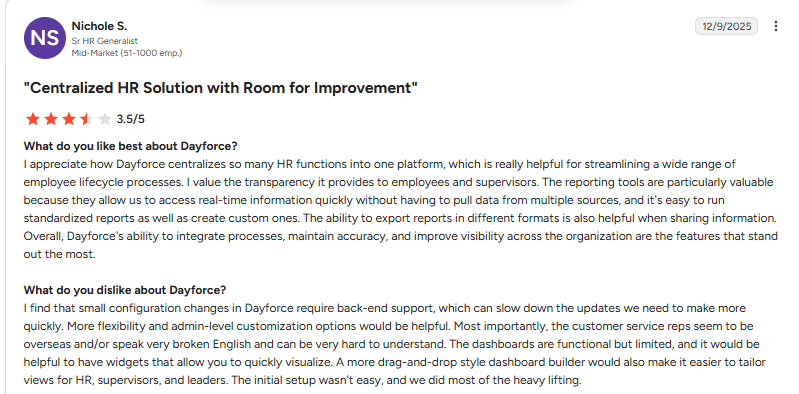
Configuration complexity: Complex pay rules and scheduling requirements can make initial setup demanding.
-
Reporting challenges: Custom reporting may require additional knowledge of the platform and its data structures.
-
Learning curve: Users managing less familiar workflows may need time and training to navigate the system efficiently.
Best For:
Mid-market and large employers with hourly, scheduled, or multi-location workforces.
Pricing:
Request the team to get a customized quote.
What real users say:
 Source: G2
UKG Pro
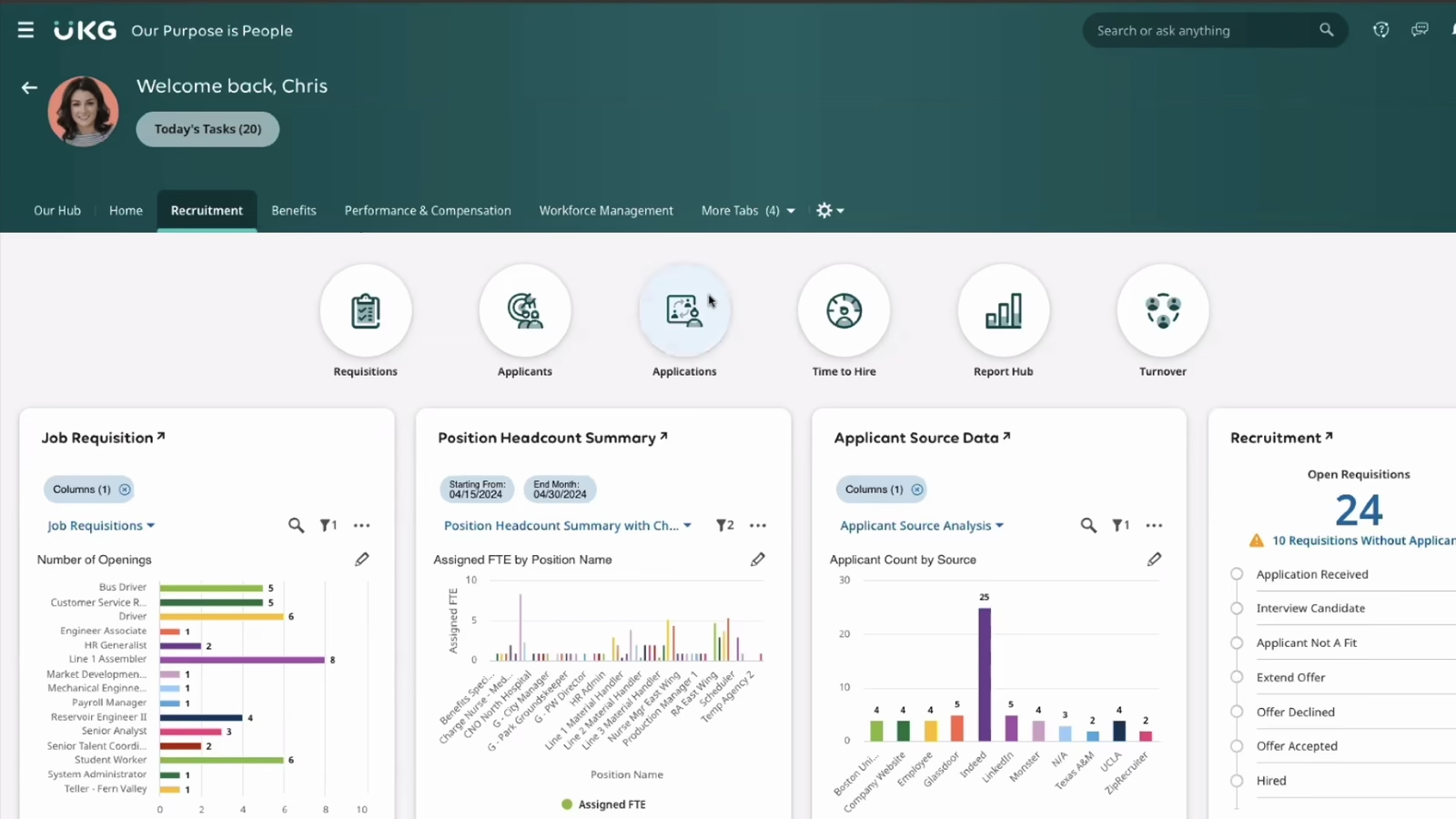
UKG Pro combines HR, payroll, benefits, talent management, and workforce capabilities. Its broader product portfolio makes it relevant to employers managing hourly employees, shift-based operations, and complex staffing requirements.
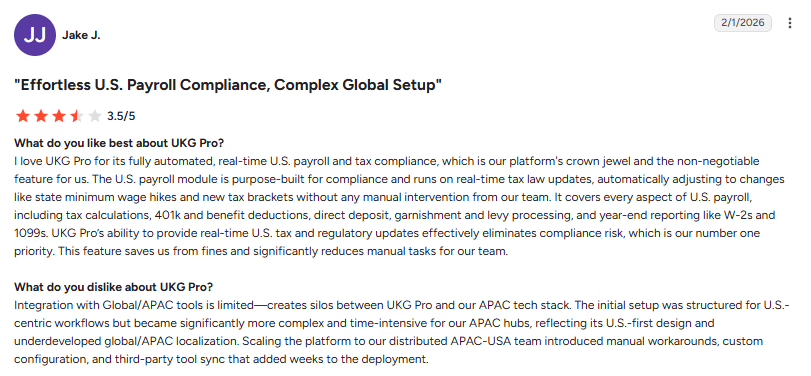
Workforce reporting can help HR teams understand staffing patterns, although some users report difficulties with custom reports and support responsiveness.
Key Features:
-
Core HR and payroll: Employee administration and payroll workflows.
-
Workforce management: Time, attendance, and scheduling capabilities.
-
Talent management: Recruiting, performance, and employee development.
-
People analytics: Workforce reporting and insights.
Pros of UKG Pro:
-
Hourly workforce support: Provides tools for employers managing shifts and working hours.
-
Connected HR processes: Combines employee administration with workforce and payroll capabilities.
-
Workforce reporting: Helps HR teams analyze staffing and employee information.
Cons of UKG Pro:
-
Reporting limitations: Some users report difficulty building the reports they need, with certain custom reports requiring additional assistance.
-
Support concerns: Customer experiences with support can vary, and some reviews identify service responsiveness as an issue.
-
Product complexity: Organizations using several modules may encounter a learning curve when navigating different workflows.
Best For:
Large employers with hourly or shift-based workforces, including organizations in healthcare, retail, and manufacturing.
Pricing:
Request the team to get a customized quote.
What real users say:
Source: G2
SAP SuccessFactors
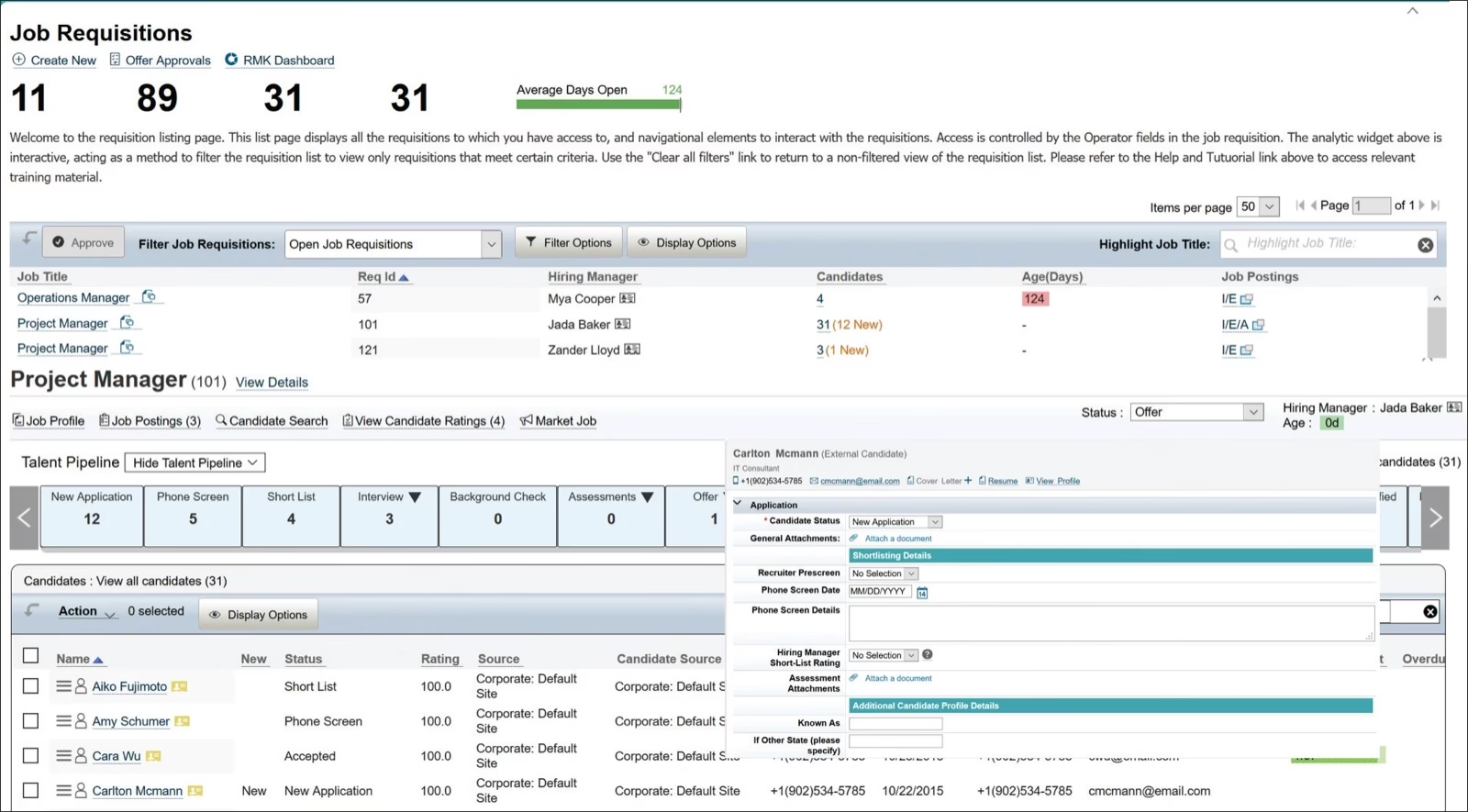
SAP SuccessFactors covers core HR, talent management, learning, performance, and workforce analytics. It is particularly relevant to organizations already using SAP applications and looking to connect HR processes with their wider enterprise environment.
Its breadth supports complex workforce structures, though implementing multiple modules and connecting non-SAP systems can add configuration and integration work.
Key Features:
-
Core HR: Employee records and HR administration.
-
Talent management: Recruiting, performance, learning, and employee development.
-
Workforce analytics: Reporting and workforce insights.
-
SAP integrations: Connections with supported SAP enterprise applications.
Pros of SAP SuccessFactors:
-
Talent management coverage: Supports several stages of the employee lifecycle.
-
SAP ecosystem alignment: Can fit organizations already using SAP applications.
-
Enterprise HR capabilities: Supports complex workforce structures and HR processes.
Cons of SAP SuccessFactors:
-
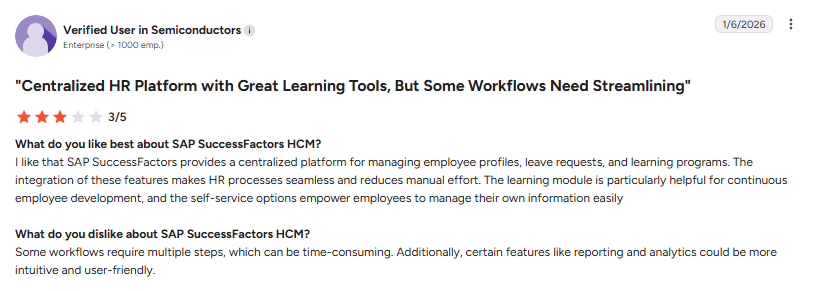
Implementation complexity: Configuring multiple modules can require specialist expertise and substantial project coordination.
-
Navigation and usability: Users may find certain workflows less intuitive, particularly when moving between different modules.
-
Integration work: Connecting the platform with non-SAP systems can require additional configuration or technical resources.
Best For:
Large enterprises with established SAP environments and broad talent management requirements.
Pricing:
SAP lists Employee Central (core HR) at $6.30 per user per month. Request the team to get a customized quote.
What real users say:
Source: G2
Oracle HCM Cloud
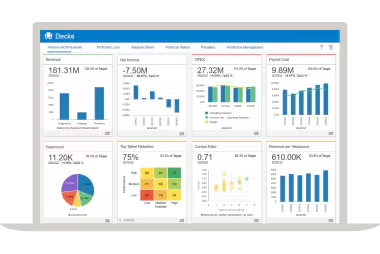
Oracle Fusion Cloud HCM covers core HR, talent management, workforce planning, payroll, and analytics. Its integration with Oracle’s broader cloud applications makes it relevant to enterprises seeking to connect HR information with other business processes.
The platform’s breadth supports complex organizational needs, though its configuration, reporting, and administration can be demanding for teams without dedicated technical expertise.
Key Features:
-
Core HR: Employee records and workforce administration.
-
Talent management: Recruiting, performance, and employee development.
-
Workforce analytics: Reporting and planning capabilities.
-
Oracle ecosystem: Connections with supported Oracle cloud applications.
Pros of Oracle HCM Cloud:
-
Broad enterprise scope: Combines core HR and talent capabilities.
-
Workforce reporting: Provides information for HR planning and management decisions.
-
Oracle alignment: Can suit organizations already using Oracle applications for finance or other enterprise processes.
Cons of Oracle HCM Cloud:
-
Learning curve: The breadth of functionality can make navigation and administration difficult for new users.
-
Configuration effort: Complex workflows and reporting requirements can require specialist knowledge.
-
Implementation demands: Large deployments may involve extensive data migration, testing, and change management.
Best For:
Large organizations seeking enterprise HR capabilities within an Oracle environment.
Pricing:
Request the team to get a customized quote.
What real users say:
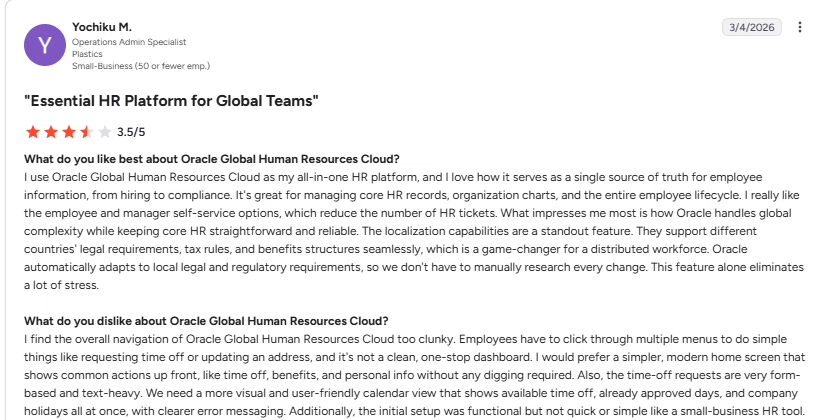
Source: G2
Rippling
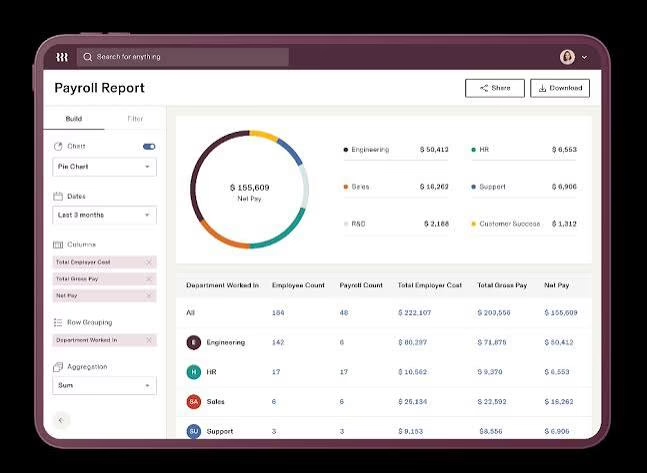
Rippling connects HR with IT and finance workflows. Depending on the modules selected, it can bring employee onboarding, payroll, benefits, device management, and application access into connected processes.
Its ability to trigger IT actions when employee records change is useful for growing businesses, although the modular structure can increase costs, and complex settings may take time to configure.
Key Features:
-
Employee data management: Centralized employee information and related workflows.
-
HR and payroll: Payroll, benefits, time tracking, and applicant tracking.
-
IT management: Device and application access management tied to employee changes.
-
Integrations: Connections with supported business applications.
Pros of Rippling:
-
HR and IT workflows: Can coordinate employee onboarding with device and application setup.
-
Modular capabilities: Businesses can select products based on their HR, IT, and finance requirements.
-
Connected employee data: Helps reduce repeated entry across supported workflows.
Cons of Rippling:
-
Configuration complexity: Some users report that settings, permissions, and platform rules can be difficult to understand during implementation.
-
Module-related costs: Adding products can increase the total subscription cost.
-
Support accessibility: Some users report difficulty reaching support for complex issues.
Best For:
Growing businesses looking to connect HR, IT, and finance administration.
Pricing:
Plans start at $8 per employee per month, plus a monthly base fee. Request the team to get a customized quote.
What real users say:
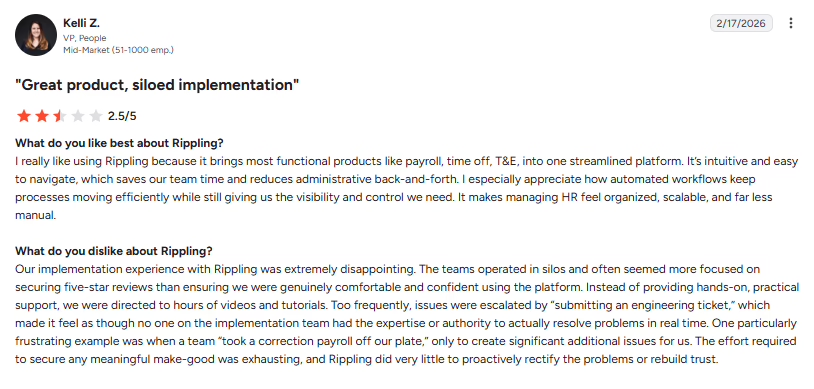 Source: G2
Paycor
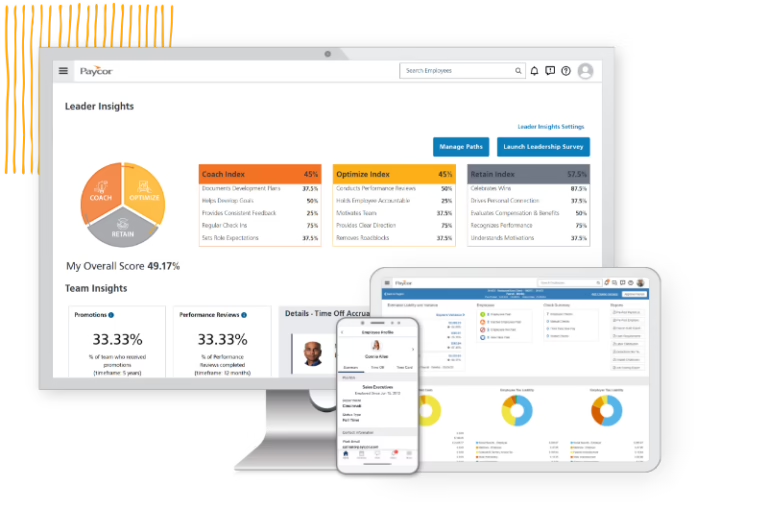
Paycor combines payroll, core HR, recruiting, performance management, and workforce analytics for midsize employers. Its focus on everyday HR and payroll operations makes it a practical option for businesses looking to manage employee administration and talent processes in one suite.
Organizations with specialized reporting needs may require additional configuration.
Key Features:
-
Payroll and core HR: Employee records and payroll administration.
-
Workforce analytics: Reporting for HR and management teams.
-
Recruiting and performance: Applicant tracking and performance-related workflows.
-
Industry capabilities: Solutions for sectors such as healthcare, manufacturing, and restaurants.
Pros of Paycor:
-
Connected HR and payroll: Brings employee administration and payroll into one suite.
-
Talent management: Supports recruiting and performance-related processes.
-
Workforce reporting: Provides information for HR and management decisions.
Cons of Paycor:
-
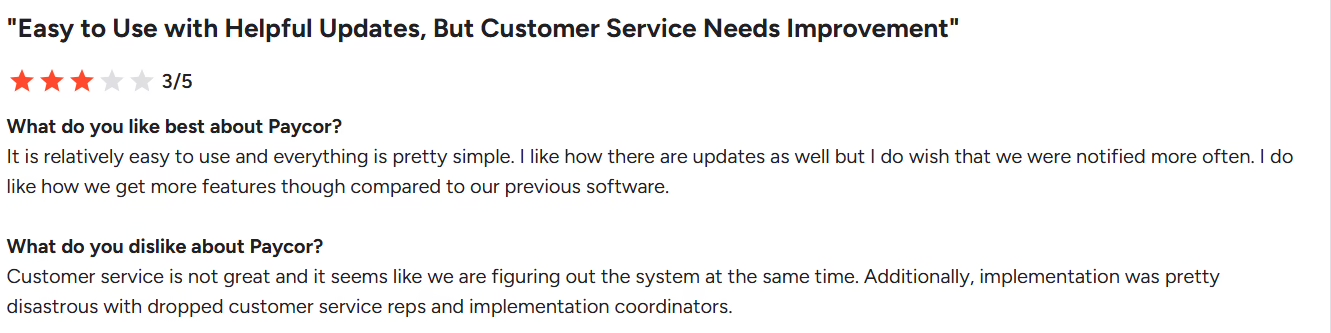
Support responsiveness: Delays in resolving payroll or account issues can disrupt time-sensitive HR work.
-
Reporting limitations: Employers with specialized reporting needs may find that standard reports require additional configuration.
-
Package complexity: Businesses may find it difficult to compare total costs when multiple modules and services are involved.
Best For:
Mid-market employers seeking payroll, HR, recruiting, and workforce analytics.
Pricing:
Request the team to get a customized quote.
Recent Update: Paychex completed its acquisition of Paycor on April 14, 2025, for about $4.1 billion in enterprise value.
What real users say:
 Source: G2
Paychex Flex
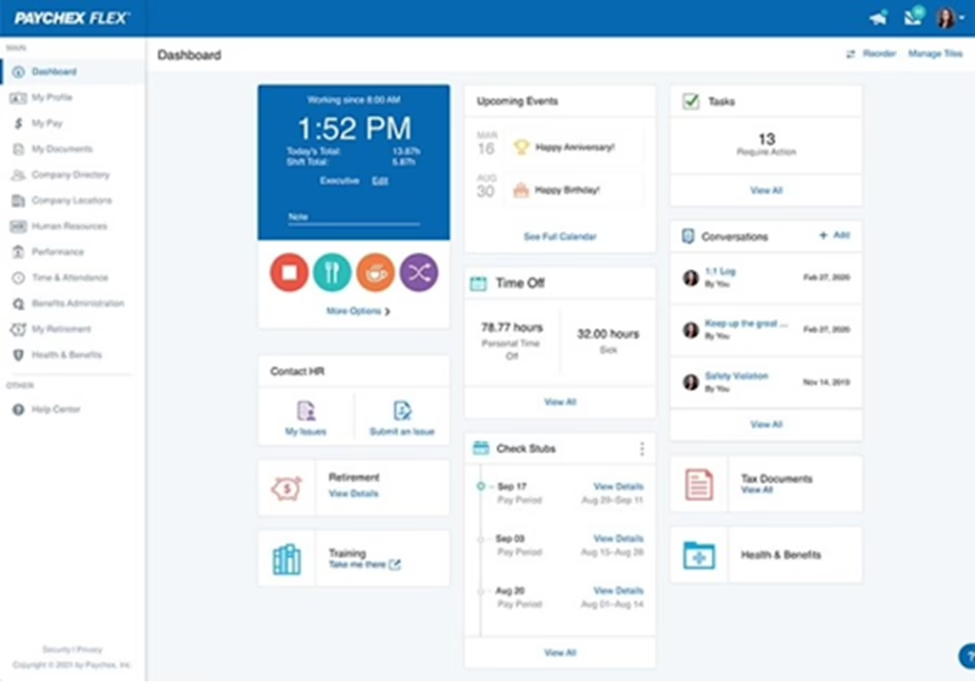
Paychex Flex focuses on payroll and HR services, with options for benefits, time and attendance, and related workforce administration. Employers can also evaluate additional advisory and professional employer organization (PEO) services based on their requirements.
Its payroll-led approach suits businesses seeking help with recurring payroll tasks, though available capabilities and overall costs depend on the selected package and add-on services.
Key Features:
-
Payroll processing: Recurring payroll administration and reporting.
-
HR services: Employee administration and related HR capabilities.
-
Benefits and retirement: Benefits administration and retirement-related services.
-
Time and attendance: Working hours management connected to payroll processes.
Pros of Paychex Flex:
-
Payroll administration: Supports recurring payroll processing and related filings.
-
Service options: Employers can evaluate additional payroll and HR support.
-
Connected workforce tools: Brings time and attendance into payroll-related workflows.
Cons of Paychex Flex:
-
Package limitations: Some capabilities depend on the selected plan or service package.
-
Additional costs: Optional services and add-ons can increase the overall cost.
-
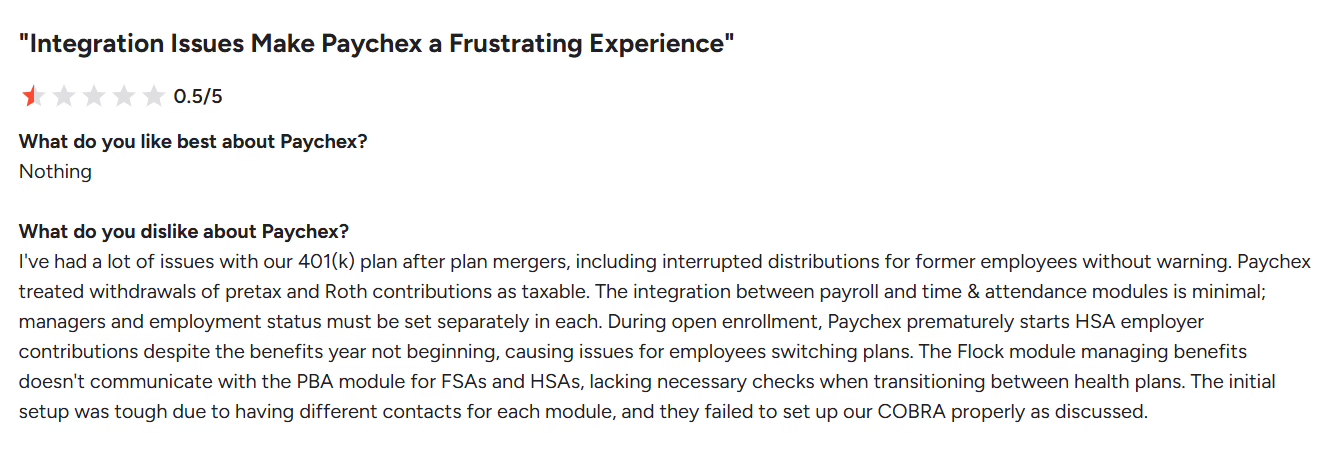
Support experiences: Users’ experiences with service responsiveness may vary, particularly when resolving payroll or account issues.
Best For:
Payroll-first employers looking for related HR services and optional PEO support.
Pricing:
Request the team to get a customized quote.
What real users say:
 Source: G2
The remaining four platforms on the list serve narrower needs, from people-first HRIS tools to learning-led talent suites. Read their trade-offs with your own priorities in hand.
Paylocity
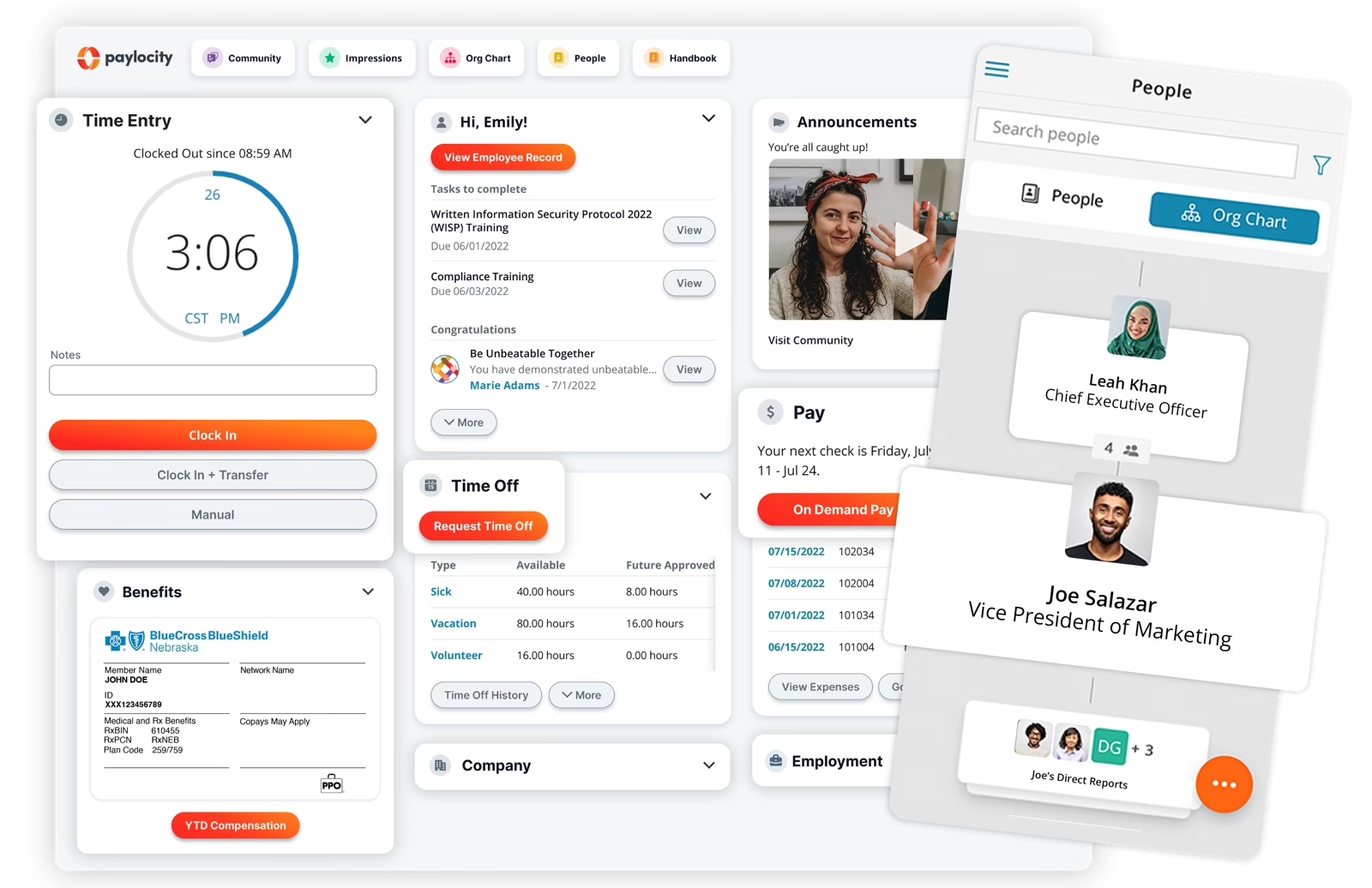
Paylocity combines payroll, HR, benefits, workforce management, and employee experience capabilities. It also offers expense management and reporting features for employers looking to manage more employee-related processes in one environment.
Its broad coverage suits midsize businesses that want connected HR operations, although custom reporting, specialized pay rules, and integrations may require additional configuration.
Key Features:
-
Payroll and HR: Payroll administration and employee management.
-
Workforce analytics: Reporting and compliance-related dashboards.
-
Employee experience: Engagement and employee-facing workflows.
-
Expense management: Tools for managing employee expenses and related processes.
Pros of Paylocity:
-
Connected payroll and HR: Brings employee administration and payroll into one platform.
-
Employee experience tools: Supports engagement and employee-facing processes.
-
Configurable workflows: Provides capabilities for employers with specific pay types and leave policies.
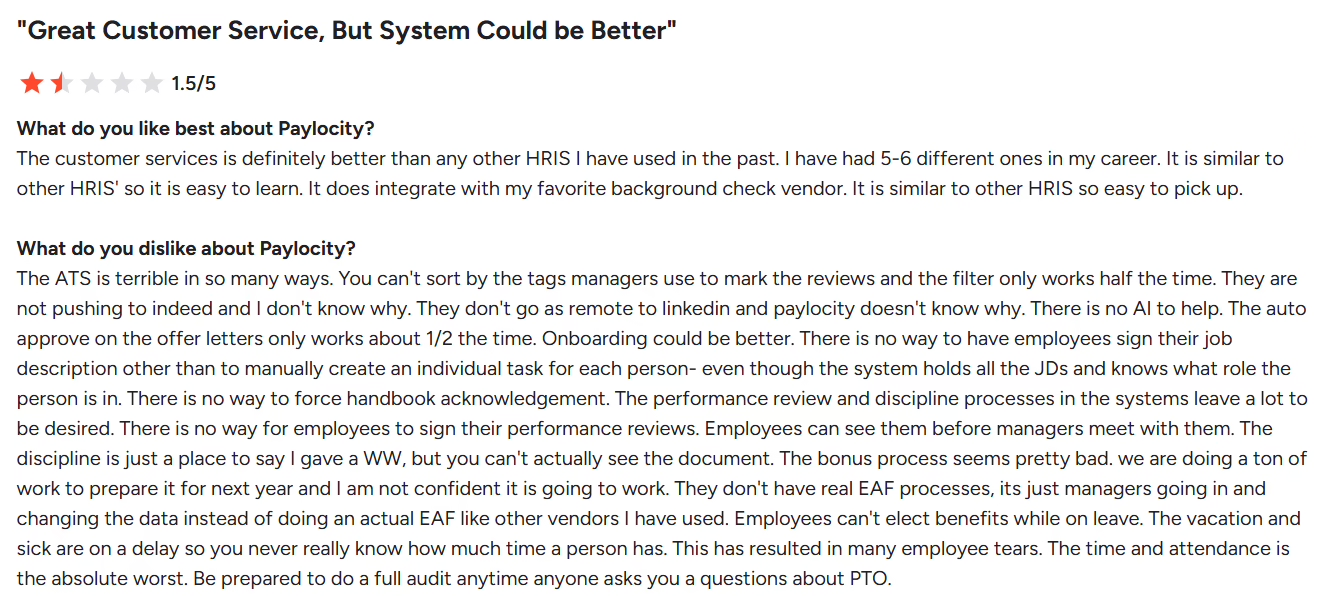
Cons of Paylocity:
-
Reporting complexity: Custom reports may require additional work when standard reporting doesn’t cover a specific requirement.
-
Configuration effort: Specialized pay rules and approval workflows can take time to set up correctly.
-
Integration limitations: Employers may need additional configuration to connect their existing systems and move data between them.
Best For:
Mid-market employers seeking payroll, HR, expense management, and employee experience tools.
Pricing:
Request the team to get a customized quote.
What real users say:
 Source: G2
BambooHR
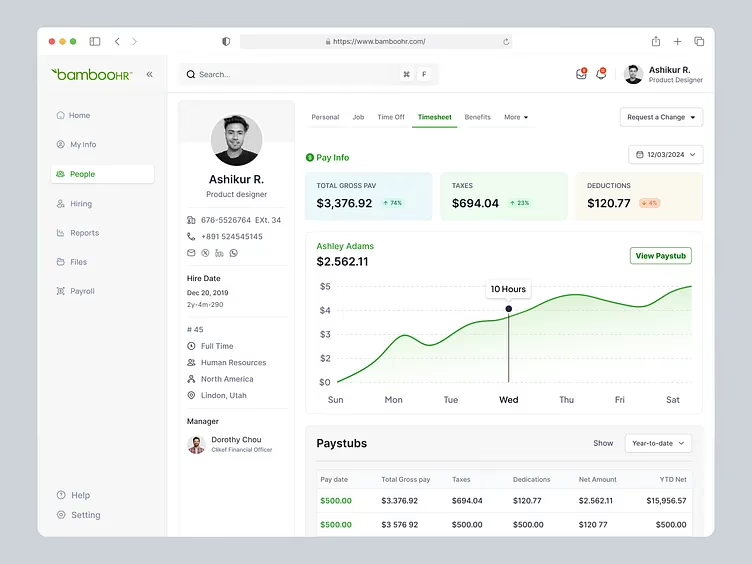
BambooHR focuses on core HR, employee records, onboarding, time off, performance, and recruiting. Depending on the selected products and availability, businesses can also evaluate payroll and benefits capabilities.
Its approachable interface makes it a strong option for smaller organizations that want to simplify routine HR administration, though companies with complex global payroll or advanced workforce planning needs may require additional systems.
Key Features:
-
Core HR: Employee records and HR administration.
-
Hiring and onboarding: Applicant tracking and onboarding workflows.
-
Time off and performance: Leave management and performance review tools.
-
Employee experience: Employee-facing tools and feedback capabilities.
Pros of BambooHR:
-
Core HR administration: Helps organize employee information and recurring HR tasks.
-
Hiring and onboarding: Supports recruitment and employee onboarding.
-
Employee-facing workflows: Provides tools for common employee and manager activities.
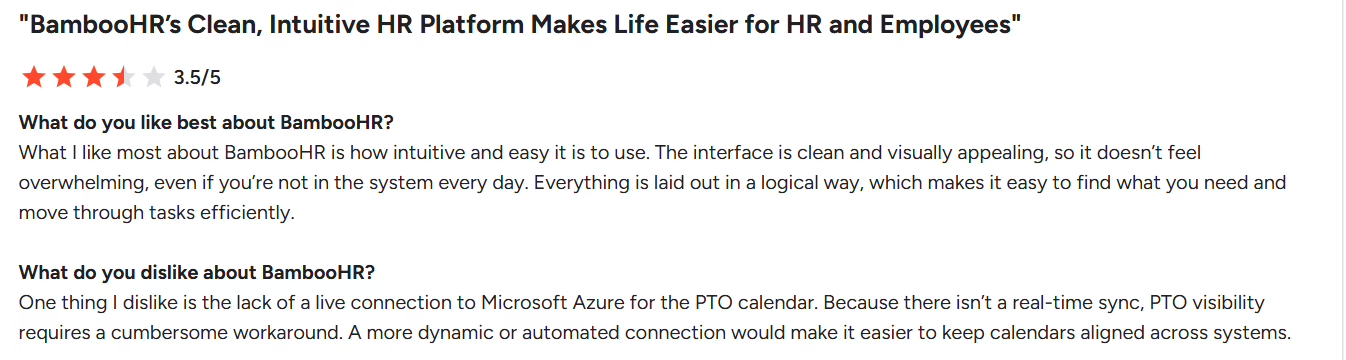
Cons of BambooHR:
-
Limited depth for complex requirements: Businesses with specialized workforce structures may find that their needs exceed the platform’s core HR focus.
-
Additional module costs: Payroll and other add-ons can increase the overall price.
-
Reporting limitations: Teams with complex analytics requirements may need additional tools or workarounds.
Best For:
Smaller organizations prioritizing core HR, onboarding, and employee experience.
Pricing:
Starts at $10.25 per employee per month (Core) for companies with more than 25 employees, or a flat $250 per month for 25 or fewer. Request the team to get a customized quote.
What real users say:
 Source: G2
HiBob
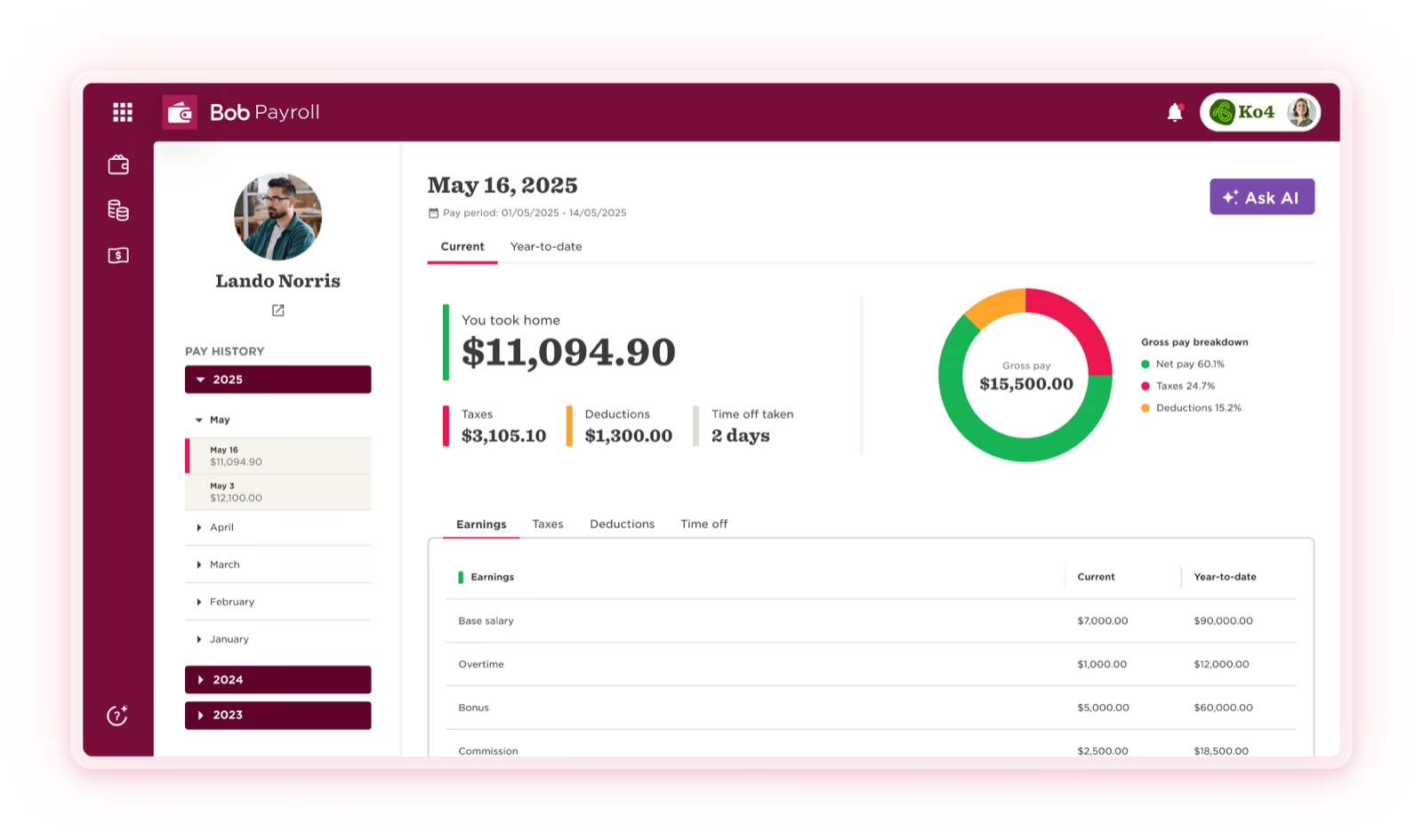
HiBob is a people-focused HR platform covering employee records, onboarding, performance, engagement, surveys, and workforce reporting. Its flexible workflows and people-oriented features suit growing, distributed companies that want to support employee development alongside HR administration.
HiBob announced its native US payroll and benefits administration solution in September 2025, with general availability planned for January 2026.
Key Features:
-
Employee records: Centralized employee information.
-
Performance management: Performance-related workflows.
-
Engagement and surveys: Employee feedback and engagement initiatives.
-
Integrations and reporting: Connections with supported applications and workforce reporting.
Pros of HiBob:
-
Employee experience: Supports employee and manager interactions with HR processes.
-
Feedback tools: Helps organizations gather employee input through surveys.
-
HR reporting: Provides workforce information for people operations.
Cons of HiBob:
-
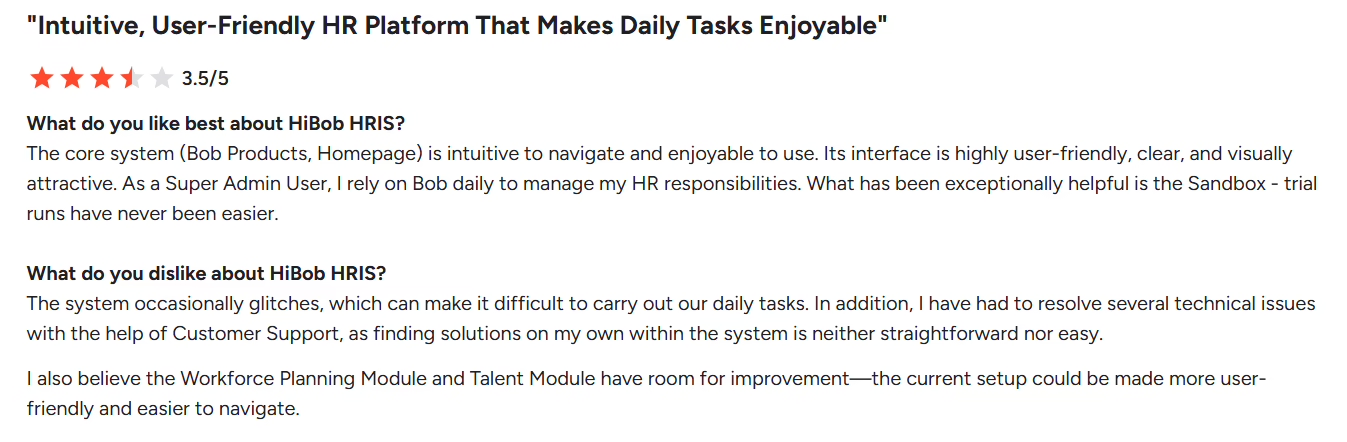
Specialized workflow limitations: Employers with unusual approval or reporting requirements may need additional configuration.
-
Payroll maturity: HiBob’s native US payroll and benefits administration offering is relatively new, so buyers should evaluate its capabilities and fit with their payroll requirements.
-
Reporting depth: Some complex workforce analysis may require external reporting tools or additional data preparation.
Best For:
Mid-market organizations prioritizing employee experience and people operations.
Pricing:
Request the team to get a customized quote.
What real users say:
 Source: G2
Cornerstone OnDemand
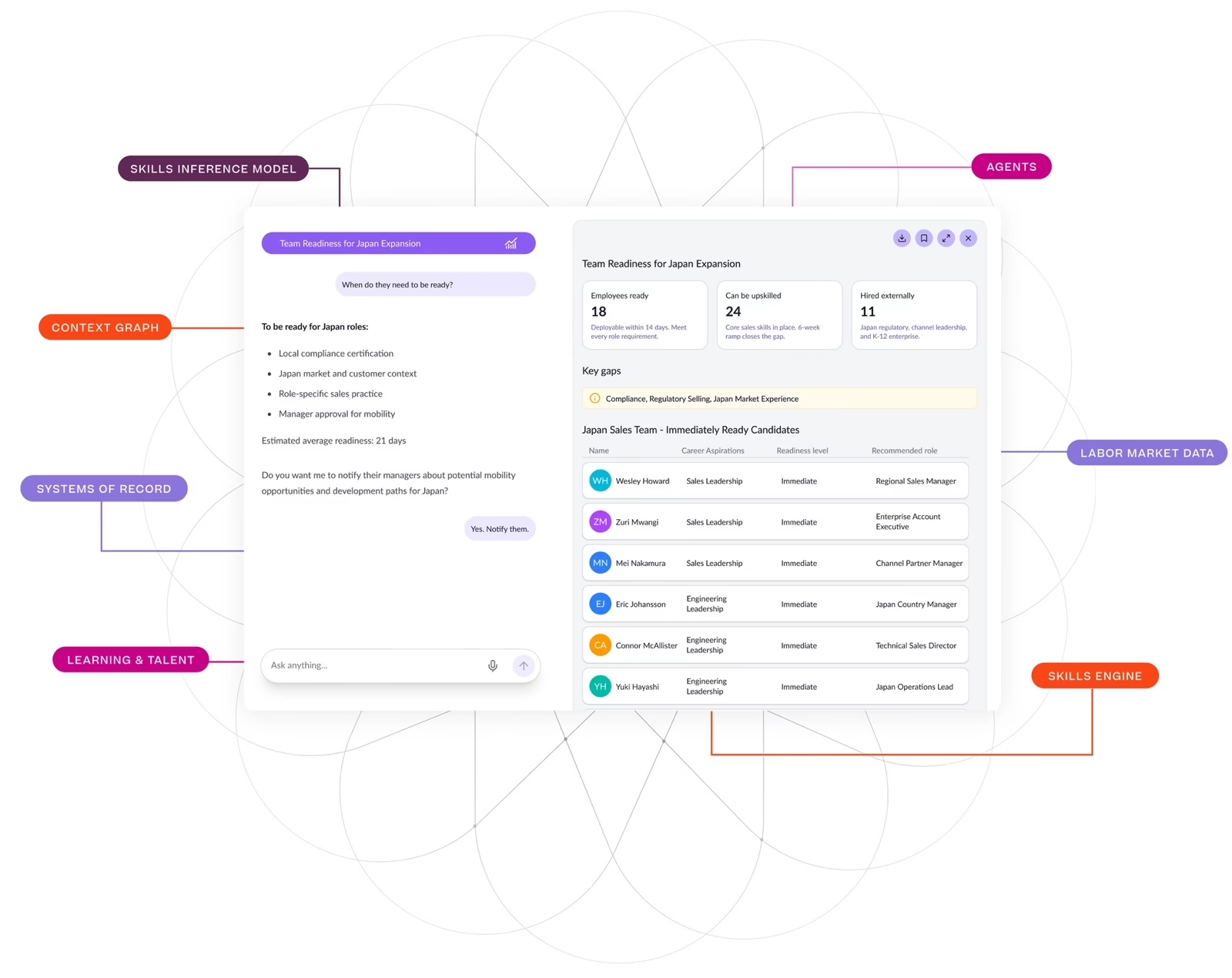
Cornerstone OnDemand focuses on learning, skills management, performance, and talent development, helping organizations build employee capabilities and manage training at scale.
Its depth in learning and development makes it particularly relevant to businesses with extensive compliance training or structured employee development programs. However, it is not a direct replacement for a full core HR and payroll platform, so organizations seeking both will need complementary applications.
Key Features:
-
Learning management: Employee training and learning programs.
-
Talent development: Learning and employee development processes.
-
Talent-related modules: Additional capabilities for talent management.
-
Analytics: Reporting on learning and workforce development.
Pros of Cornerstone OnDemand:
-
Learning capabilities: Supports structured employee training programs.
-
Talent development: Connects learning with broader development requirements.
-
Learning analytics: Helps organizations review training participation and outcomes.
Cons of Cornerstone OnDemand:
-
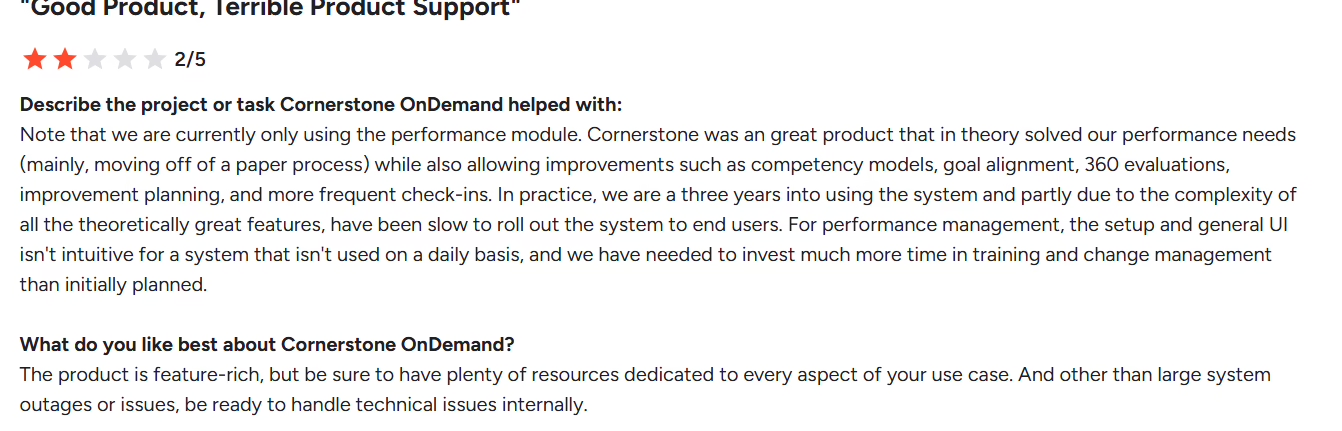
Learning curve: Administrators may need time to understand and configure complex learning workflows.
-
Integration requirements: Connecting learning data with core HR systems can require additional setup.
-
Core HR limitations: Employers seeking a complete HR and payroll suite may need separate systems to cover those functions.
Best For:
Organizations prioritizing learning, performance, and talent development.
Pricing:
Request the team to get a customized quote.
What real users say:
 Source: G2
With the fourteen software options behind you, the harder part is turning them into a decision. The checklist below is how I would run that process if I were in your seat.
How to Choose the Right HCM Platform: Buyer Checklist
Start by identifying the gaps in your current system, then compare vendors on capabilities, total cost of ownership, and how well they handle your key workflows. Use the checklist below to evaluate your options and identify the best fit for your business.
Buyer Checklist
Core HR capabilities: Does the platform manage employee records, onboarding, attendance, leave, and performance in one place?
US payroll and tax compliance: Can it handle federal and state payroll requirements, tax calculations, reporting, and year-end filings? Check whether it supports employees across the states where you operate.
Benefits administration: Does it support benefits enrollment, deductions, eligibility rules, and benefits reporting?
Workforce planning and analytics: Can HR teams track headcount, turnover, workforce costs, and other metrics without relying on manual spreadsheets?
Employee and manager experience: Can employees access payslips, request leave, update personal details, and complete HR tasks through a straightforward self-service portal?
Integrations: Does it connect with your existing accounting, finance, recruiting, time-tracking, and other business systems?
Scalability and flexibility: Can the platform accommodate more employees, locations, entities, and complex workflows as your business grows?
Security and access controls: Does it offer role-based permissions, audit trails, and appropriate safeguards for sensitive employee and payroll data?
Implementation and support: What is the expected implementation timeline? What training, migration assistance, and ongoing support are included?
Total cost of ownership: Compare subscription fees, implementation costs, add-on modules, support charges, and costs that may increase as your workforce grows.
Security and tax compliance overlap, and compliance is where the cost of a wrong choice shows up fastest. That is the topic of the next section.
US Compliance Capabilities: What Your HCM Platform Must Handle
US payroll compliance involves federal taxes, state and local requirements, benefits, and employment rules. The obligations depend on your workforce and locations, so confirm which tasks the platform automates and which remain your responsibility.
-
Federal tax and reporting: Check support for withholding, payroll tax deposits, and applicable forms such as W-2, W-3, 941, and 940.
-
Multi-state payroll: Confirm support for state income tax, unemployment insurance, local taxes, and reciprocity rules where applicable.
-
Benefits compliance: Ask about relevant ACA reporting, COBRA administration, retirement deductions, and benefits integrations.
-
Wage and hour rules: Verify how the system handles overtime, time records, and applicable state-specific requirements.
During a demonstration, ask the vendor to walk through an employee working in multiple states, a mid-period new hire, and a year-end payroll correction. These scenarios help you assess how the platform handles employee data, tax calculations, reporting, and exceptions.
Wrapping it Up
The best HCM platform depends on your workforce, existing systems, payroll requirements, and implementation priorities. Workday, SAP SuccessFactors, and Oracle address broad enterprise needs, while ADP, Dayforce, UKG, and other platforms offer different combinations of payroll, HR, and workforce management.
Keka brings HR, payroll, and PSA together on one data model for businesses of all sizes. If connecting workforce and project operations is a priority, request a personalized demo and assess the platform against your own requirements.
Ready to simplify your HR operations?
Switch to Keka to see how you can manage HR, payroll, and workforce operations on one platform.