Login


SUMMARY
The best expense management software in 2026 ranges from Keka (expenses + payroll in one system) and Ramp (free, AI-driven spend control) to SAP Concur (enterprise travel and expense). The right pick depends on your company size, whether you’re card-first or reimbursement-first, and how deeply you need it to connect to payroll and accounting.
The first time I watched a finance team close the books was with a calculator in one hand and a shared spreadsheet in another. While it made sense till the point we were a small company, soon the methods started to feel archaic. Someone was logging in card transactions by hand, while the other was chasing three people for missing receipts, and reconciling it all against the bank feed at 9 p.m. the day before the deadline. It was chaos. That’s when I understood why expense software exists. Because good expense management software fixes that with receipt capture, approval workflows, corporate-card controls, and a clean sync into your accounting system, so the month-end close stops feeling like a fire drill.
Let’s start with the headline first. The 10 best expense management software in 2026 are Keka (expenses and payroll in one system), Ramp (AI-powered spend control), Brex (corporate card controls for high-growth companies), SAP Concur (enterprise travel and expense), Expensify (user-friendly expense reporting), Navan (unified travel and expense), BILL Spend & Expense (AP-integrated expense management), Mercury (startup banking with built-in expense tools), Coupa (procurement-centric enterprises), and ExpensePoint (mid-market workflow customization).
This guide is for US SMBs, mid-market, and enterprise employers, and it’s built to help you match a tool to your size and workflow rather than crown a single winner.
Best Expense Management Software at a Glance
Table 1: The 10 best expense management tools at a glance. Ratings from G2 (as of October 2026); pricing from each vendor’s own pricing page; “Free Trial” reflects genuine free plans/trials vs demo-only access.
| Tool | Best For | Pricing (2026) | G2 | Free Trial? |
|---|---|---|---|---|
| Keka | Expenses, reimbursements & payroll in one system | Custom | 4.4 | Yes |
| Ramp | AI-powered spend control | Free; Plus $15/user/mo | 4.8 | Free plan + trial |
| Brex | Card controls for funded, high-growth companies | Free; Premium $12/user/mo | 4.8 | Free plan (eligibility) |
| SAP Concur | Enterprise travel & expense | From $7/report | 4.0 | Demo |
| Expensify | User-friendly expense reporting | Free tier; Collect $5/member/mo | 4.5 | Free plan + trial |
| Navan | Unified travel & expense | Free ≤300 emp; $15/user/mo | 4.6 | Free plan |
| BILL Spend & Expense | AP-integrated expense management | Free ($0/user) | 4.5 | Free plan |
| Mercury | Startup banking with built-in expense tools | Free; Plus $29.90/mo (billed annually) | 4.4 | Free plan |
| Coupa | Procurement-centric enterprises | Custom (quote) | 4.2 | Demo |
| ExpensePoint | Mid-market workflow customization | Custom (quote) | 4.7 | Demo |
How I Came Up With the 10 Best Expense Management Software
I started with the criteria a finance or People Ops leader weighs most: receipt-capture accuracy, approval-workflow flexibility, accounting integrations (QuickBooks, NetSuite, Xero), corporate-card controls, mobile experience, US compliance reporting, and implementation effort, then pressure-tested each tool against them.
Where a genuine free plan or trial exists, such as Ramp, Brex, Expensify, Navan, and Mercury, I signed up and ran sample expenses through it. For sales-led enterprise tools like SAP Concur, Coupa, and ExpensePoint, there’s no self-serve trial, so I reviewed them through product demos and walkthroughs instead. Across all of them, I read in-depth user reviews on G2, Capterra, and Trustpilot, dug into YouTube demos, and followed Reddit threads where finance teams compare notes on what actually breaks in production.

Disclaimer: Keka is our product, and I’ve evaluated it using the same criteria and standards as every other platform on this list.
Top 10 Expense Management Software in 2026: Ultimate Breakdown
1. Keka — 4.4/5 on G2
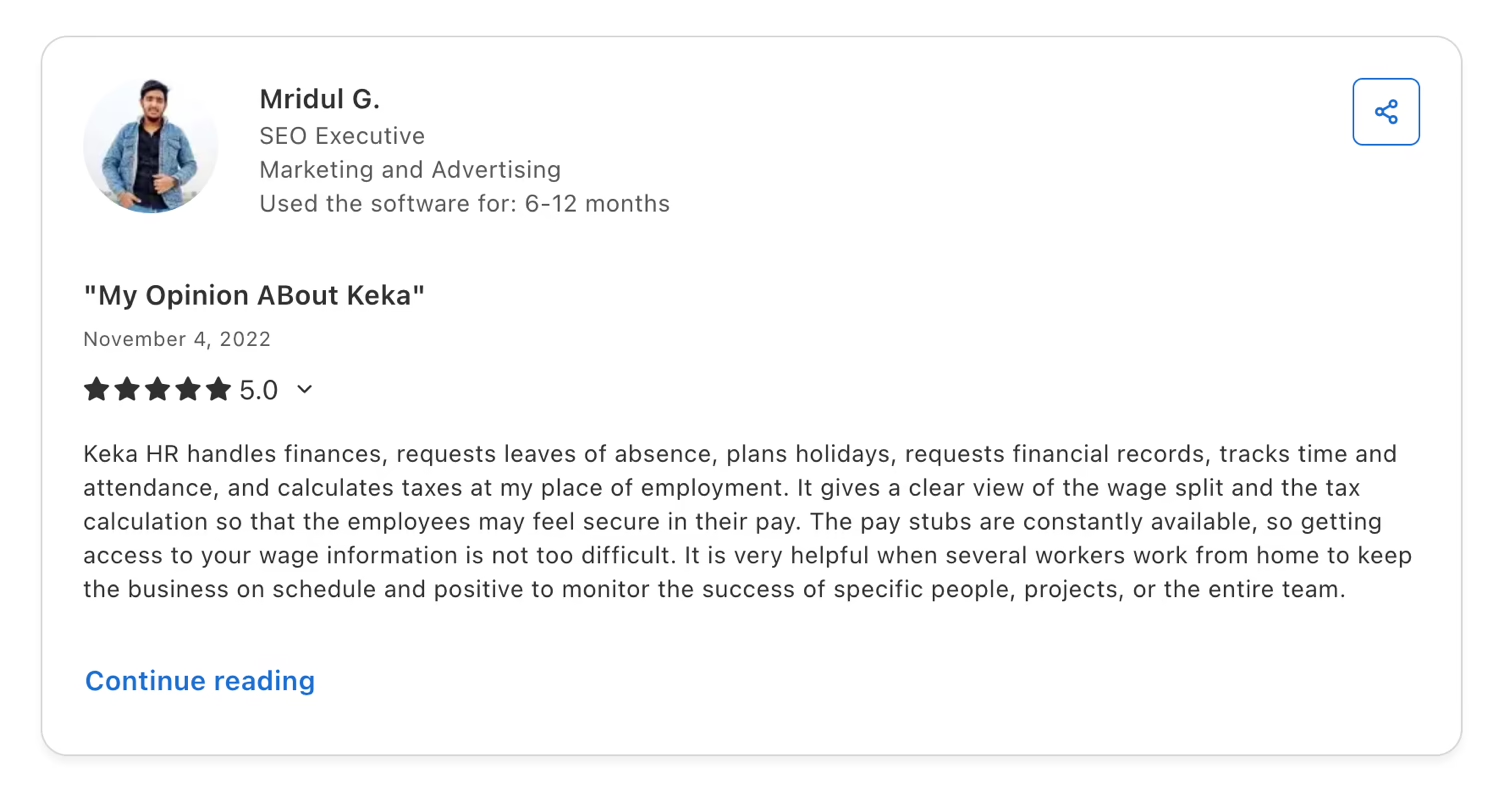
Keka is an all-in-one HR platform and PSA software for global companies of all sizes, and its expense management is built into the same system that runs payroll. That’s the core angle: when an expense is approved, the reimbursement flows straight into the next payroll run, so there’s no reconciliation gap between your expense tool and your pay. Submissions, approvals, and reimbursements all live in one place, with the policy checks and real-time spend visibility finance teams need.
As someone who raises expenses on the Keka mobile app myself, what stands out is how little friction there is to the entire process: snap a receipt, submit, and multi-level approvals move through without email chains. For US teams, Keka runs payroll and expenses across all 50 states, so reimbursements, deductions, and filings stay in sync.
Key Features:
-
Multi-level approval hierarchies
-
Automated policy enforcement
-
Reimbursements synced to payroll
-
Compliance reporting
-
Real-time spend visibility
-
A well-liked mobile app for on-the-go submissions
| Pros | Cons |
|---|---|
| Keeps the entire expense ecosystem fluent as it’s easy to scale with rising headcount. | As organizations expand their use of the platform, administrators may need to decide which features, workflows, and permissions are most relevant to their teams. |
Pricing: Custom (free trial or demo).
Best for: CFOs, controllers, finance leaders, and People Ops directors at US SMBs, mid-market, and enterprise companies who want expenses, reimbursements, and payroll in one system instead of separate point solutions.
2. Ramp — 4.8/5 on G2
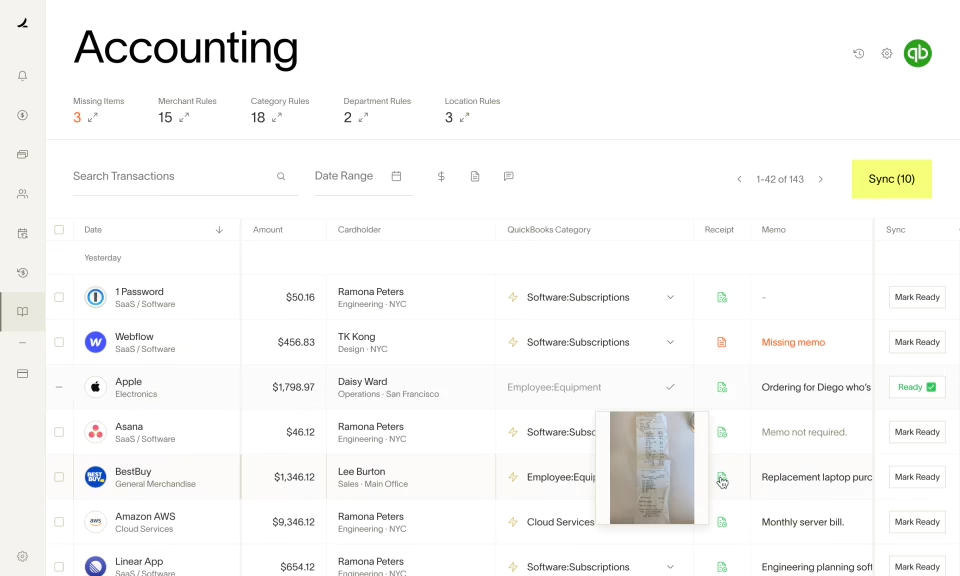
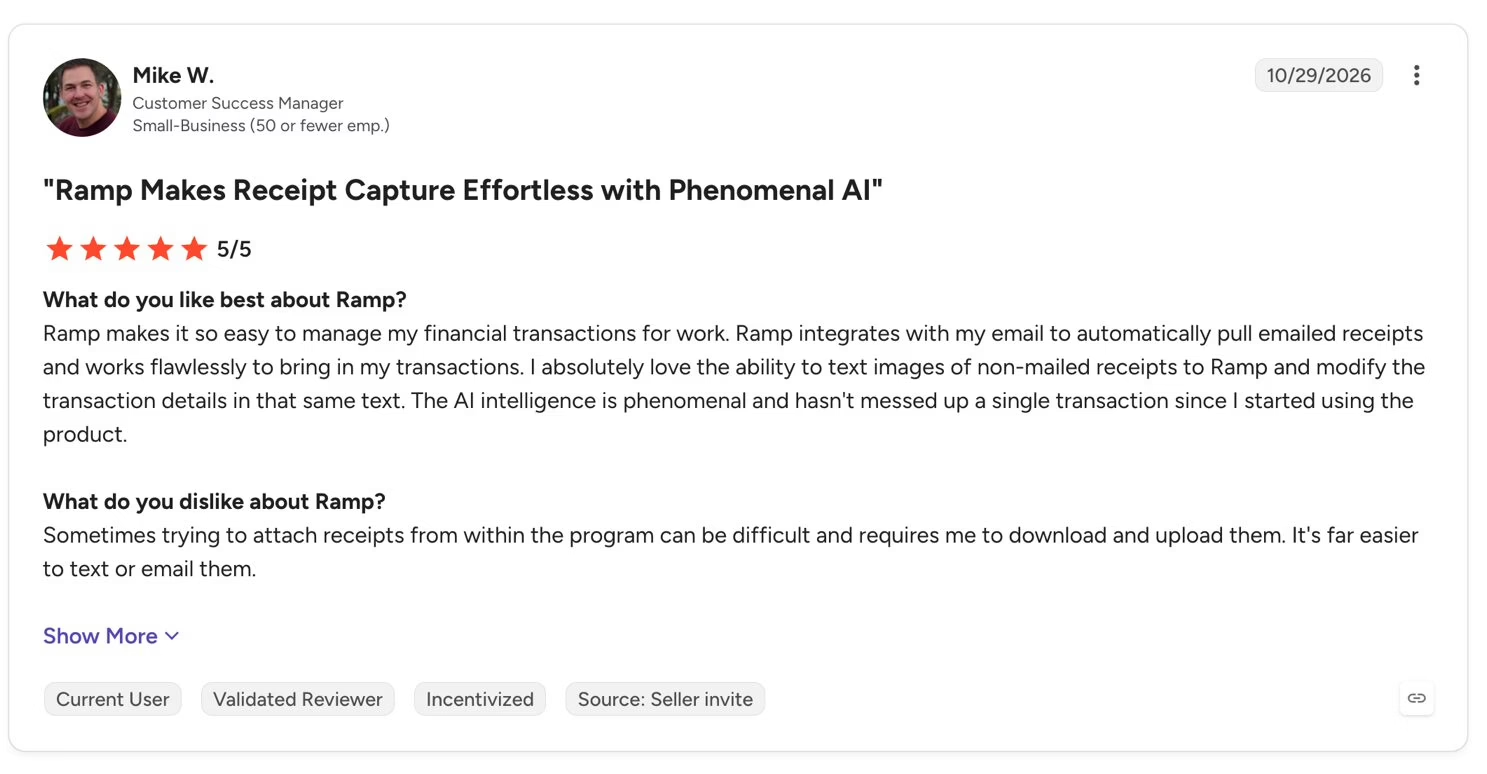
Ramp is the tool I reach for when a finance team wants serious spend control without a price tag. It pairs corporate cards with AI that auto-collects receipts, matches them to transactions, and codes expenses.
I ran a sample through Ramp’s free plan: receipts sent by text or the mobile app, or pulled in from Gmail, attach themselves to the right transaction.
Key Features:
-
Corporate cards
-
AI receipt matching and auto-coding
-
Bill pay
-
Cashback on card spend
-
QuickBooks and Xero sync (NetSuite and Sage Intacct on paid tiers)
| Pros | Cons |
|---|---|
| • The instant messaging/emails on an expense is a genuine USP. | • For Finance teams managing budgets on an accrual this can create a mismatch between Ramp’s budget reporting. |
Pricing:
Free ($0); Plus $15/user/mo plus a platform fee; Enterprise custom. See Ramp pricing.
Best for: US small-to-mid-market finance teams that want a free, AI-driven card + expense + bill-pay platform that deploys fast.
Not for: Teams needing built-in accounts receivable or heavy global multi-entity travel programs out of the box (those sit on paid tiers).
3. Brex — 4.8/5 on G2
Brex is card-first and built for funded, high-growth companies. Policy enforcement happens at the point of purchase, so out-of-policy spend gets caught before it’s approved, and the Essentials plan is free. One thing to know up front: Brex is selective about who it onboards, as it’s aimed at funded startups (accelerator, angel, or VC) and companies with more than $500,000 in annual revenue, and funded startups generally need a $50,000 minimum cash balance to qualify.
Key Features:
-
Global corporate cards
-
AI-powered custom rules
-
Point-of-purchase policy enforcement
-
Travel booking
-
Multi-entity support on paid tiers
| Pros | Cons |
|---|---|
| • Strong all-in-one spend management with a near-zero learning curve. | • Customer service and account management can be slow to respond. |
Pricing:
Essentials free ($0); Premium $12/user/mo; Enterprise custom. See Brex pricing.
Best for: VC- or accelerator-backed startups and high-growth companies that want a card-first global spend platform (cards + expense + travel + bill pay) with multi-entity scale.
Not for: Unfunded or very small, low-revenue businesses that don’t meet Brex’s funding or revenue requirements.

4. SAP Concur — 4.0/5 on G2
SAP Concur is the enterprise travel and expense standard. If you’re a large or global organization that needs mature compliance, deep SAP and ERP integration, and travel, expense, and invoice in one connected suite, Concur is the benchmark competitors measure themselves against. It’s sales-led: rollouts go through a demo and a quote.
Key Features:
-
Connected travel + expense + invoice
-
Expense receipt capture
-
Deep SAP/ERP integration
-
Global compliance
-
SSO
-
A traveler mobile app
| Pros | Cons |
|---|---|
| • All-in-one travel, expense and payment with strong spend visibility at scale. | • Dated, complex UI with a steep learning curve for infrequent users. |
Pricing:
Base from $7/report; Plus from $11/report; Premium (adds Concur Travel) is custom. See SAP Concur pricing.
Best for: Large and global enterprises that need a mature, compliant travel + expense + invoice suite with deep SAP/ERP integration.
Not for: Small teams or anyone wanting a modern UI or quick no-implementation setup

5. Expensify — 4.5/5 on G2
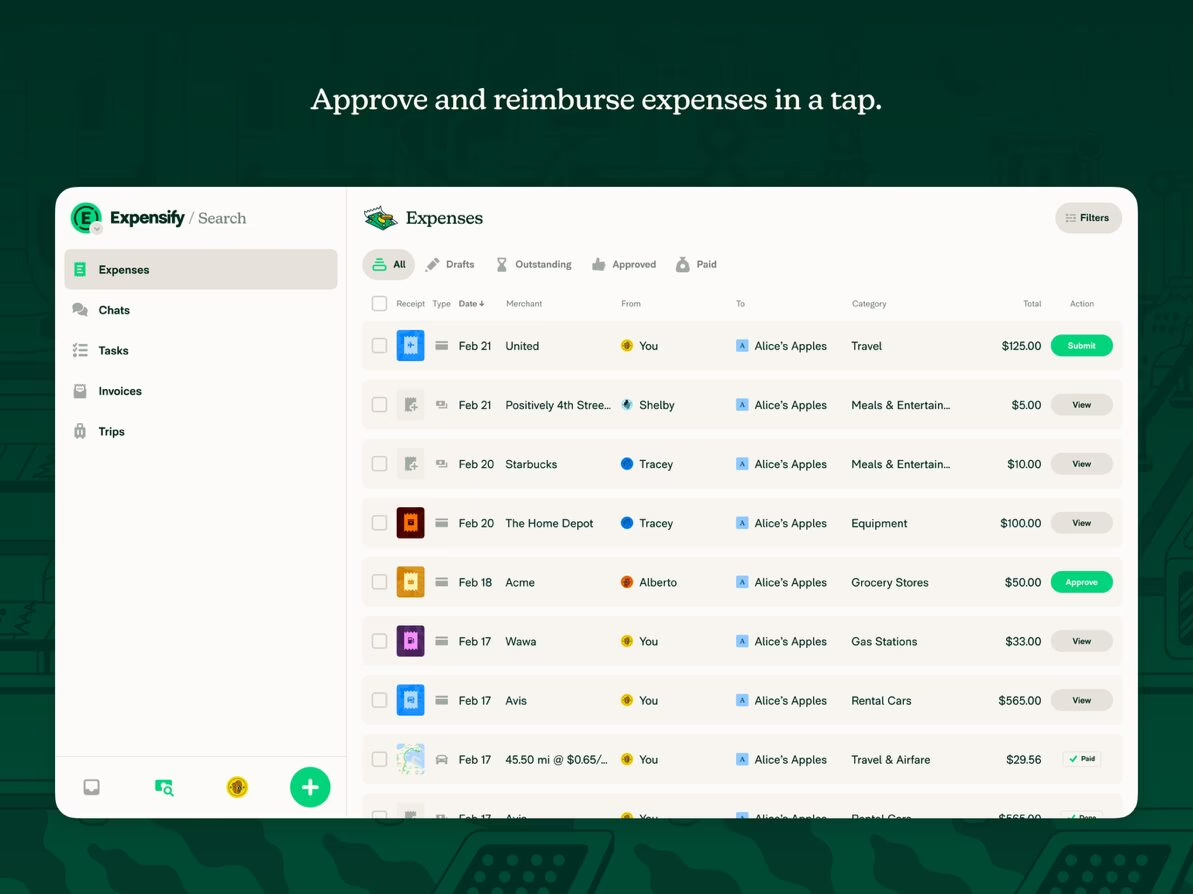
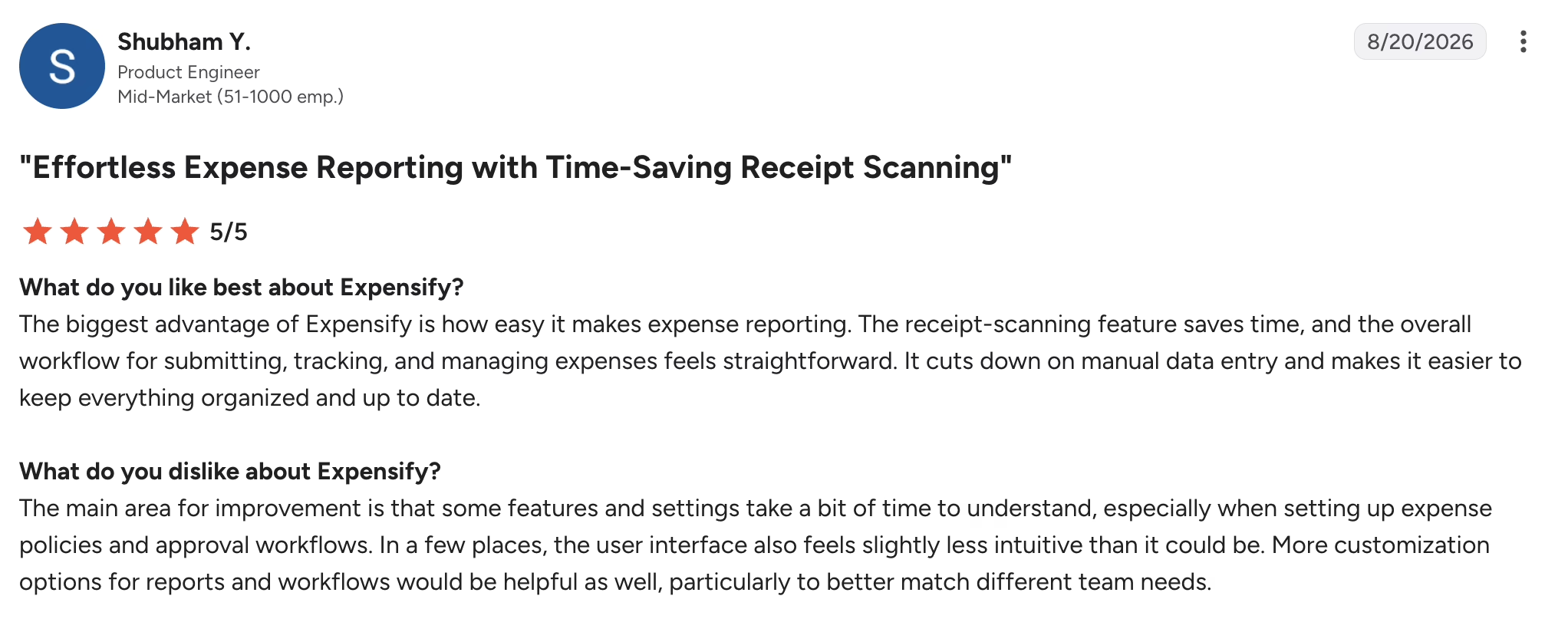
Expensify leans hard into app-based expense tracking, and SmartScan is the piece doing the heavy lifting: photograph a receipt and it reads the merchant, date, and total for you, with no manual entry. Running a couple of reports through it, the experience is less about dashboards and policy trees and more about getting a receipt from your pocket into a submitted report in a few taps.
Key Features:
-
SmartScan OCR receipt capture
-
Mileage tracking
-
Corporate-card management
-
QuickBooks and Xero sync (NetSuite and Sage Intacct on Control)
-
Approval flows
-
The Expensify Card
| Pros | Cons |
|---|---|
| • SmartScan pulls details from a photo so you barely touch the data. | • Some features take time to understand like setting up expense policies and workflows. |
Pricing:
Free “Submit” tier; Collect $5/member/mo; Control custom (from $9/active member/mo). See Expensify pricing.
Best for: Small teams and receipt-first, self-submitting employees who want dead-simple mobile capture and a free tier.
Not for: Finance teams wanting a sleek modern UI out of the box, or complex multi-entity approval setups without configuration effort.
6. Navan — 4.6/5 on G2
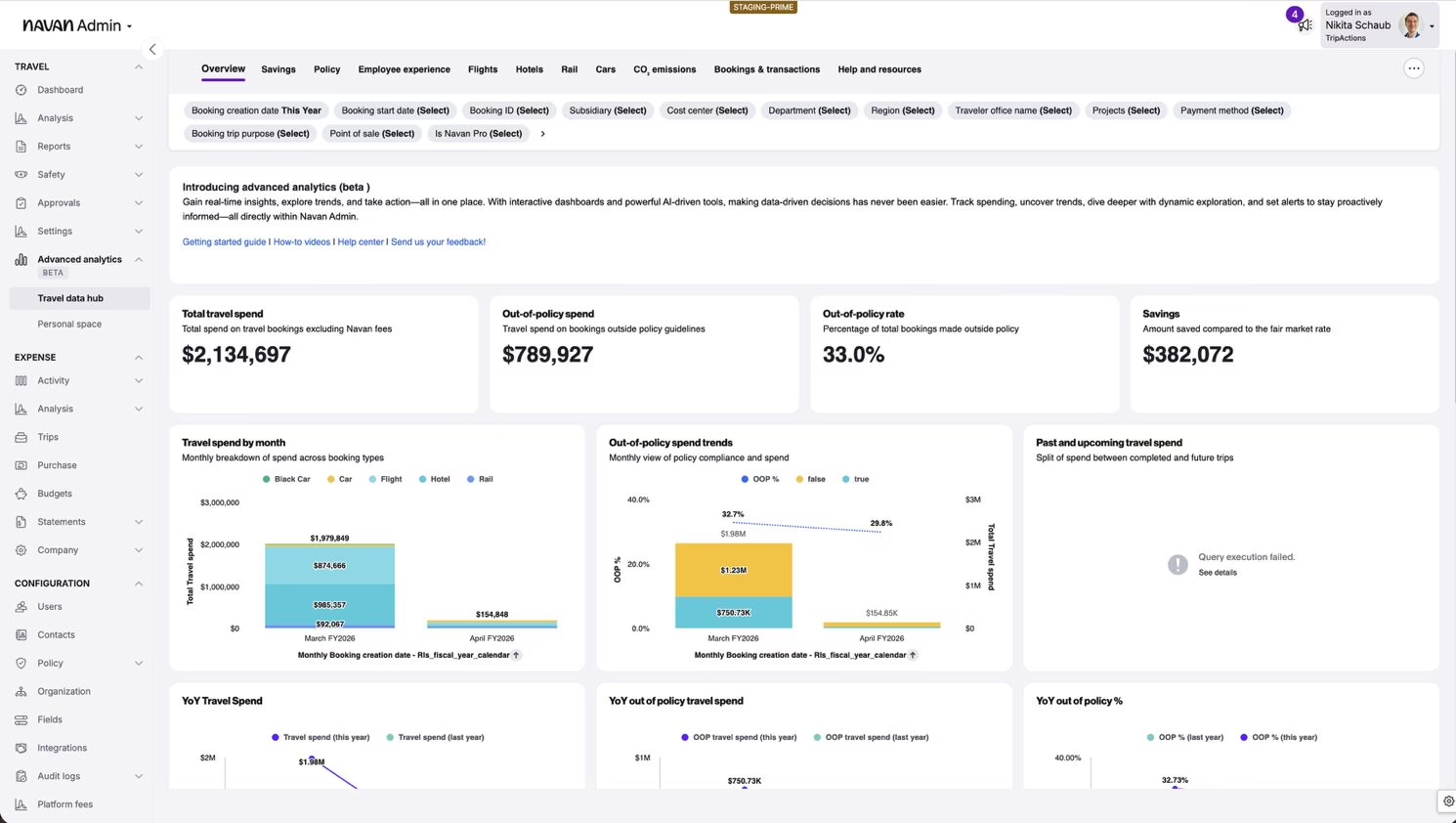
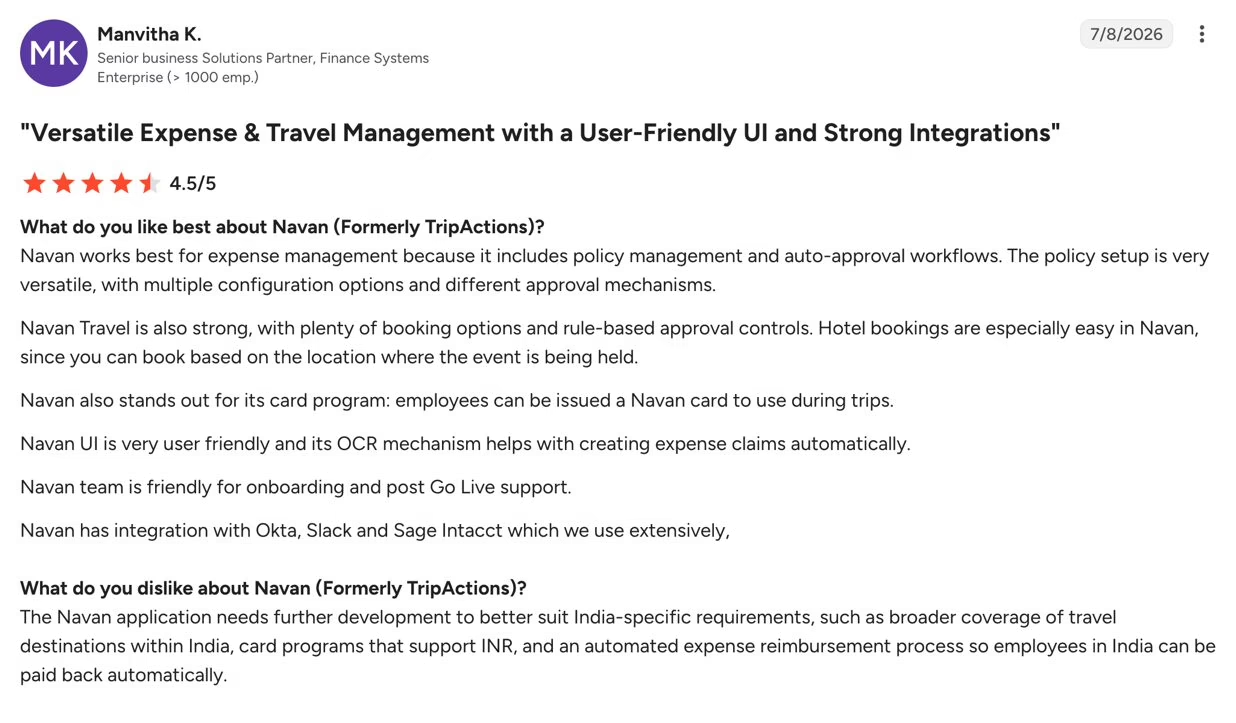
Navan (formerly TripActions) puts travel booking and expense in one app, with travel policy built in. Employees book flights, hotels, and cars; the expenses reconcile automatically, and for companies up to 300 employees, Navan Business is free.
Key Features:
-
Integrated travel booking
-
Automatic expense reconciliation
-
Corporate cards
-
Built-in travel policy controls
-
Rewards and 30+ HRIS integrations
| Pros | Cons |
|---|---|
| • Navan Events lets admins set flight and hotel rules and send one booking link for group travel. | • Flight rescheduling has been a challenge for some users. |
Pricing:
Free for companies up to 300 employees; Navan Expense is free for the first 5 monthly users, then $15/user/mo; Enterprise custom. See Navan pricing.
Best for: Travel-heavy teams (up to 300 employees can run it free) that want booking + expense + corporate cards in one app.
Not for: Teams that book most travel directly for the lowest fares, or admins needing simple single-limit cards without category-by-category setup.
7. BILL Spend & Expense — 4.5/5 on G2
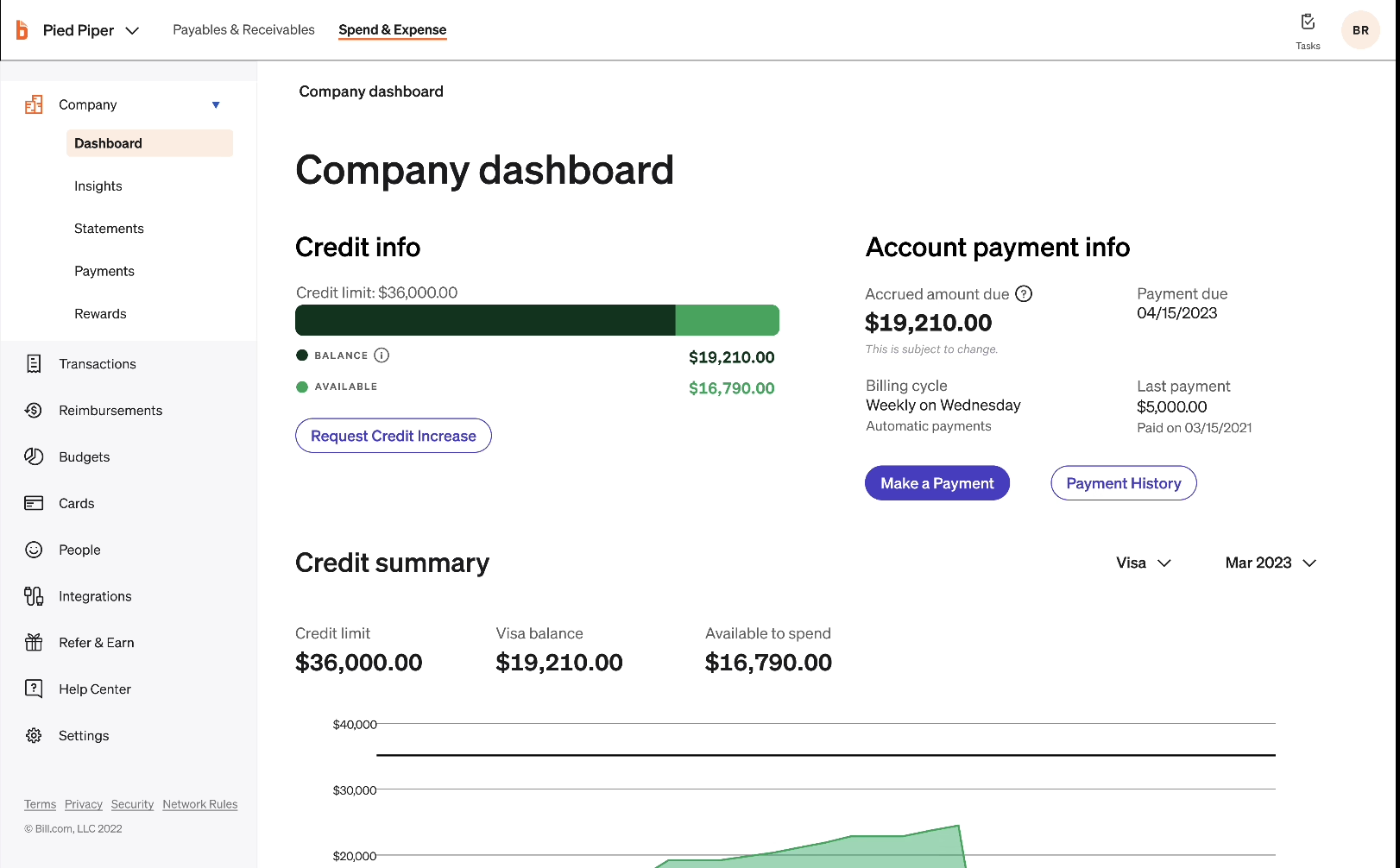
BILL Spend & Expense — formerly Divvy — pairs free corporate cards and budgets with BILL’s accounts-payable tools. You issue physical or virtual cards with per-user, team, or category limits, set budgets, and the spend side is free; BILL earns on card interchange rather than a subscription. It’s a natural fit if you already use (or want) BILL for AP and want spend control alongside it.
Onboarding runs through a credit application since it issues real cards, so I reviewed it via walkthrough and user reviews rather than a self-serve trial.
Key Features:
-
Free corporate cards (instant virtual and physical)
-
Budgets and spend controls
-
Receipt matching
-
Cash-back rewards
-
QuickBooks/Xero/NetSuite sync
-
Tight pairing with BILL’s AP automation
| Pros | Cons |
|---|---|
| • Free, with employee card controls, budgets and cash back. | • You can’t restrict one user’s spending criteria without setting up a separate budget. |
Pricing:
Free ($0/user) for Spend & Expense; BILL’s accounts-payable product is a separate paid subscription. See BILL Spend & Expense.
Best for: Small-to-midsize businesses that want free corporate cards and budget controls that pair with BILL’s AP automation to close the books faster.
Not for: Teams that need fast, high-touch human support, or those needing a large, guaranteed credit line.

8. Mercury — 4.4/5 on G2
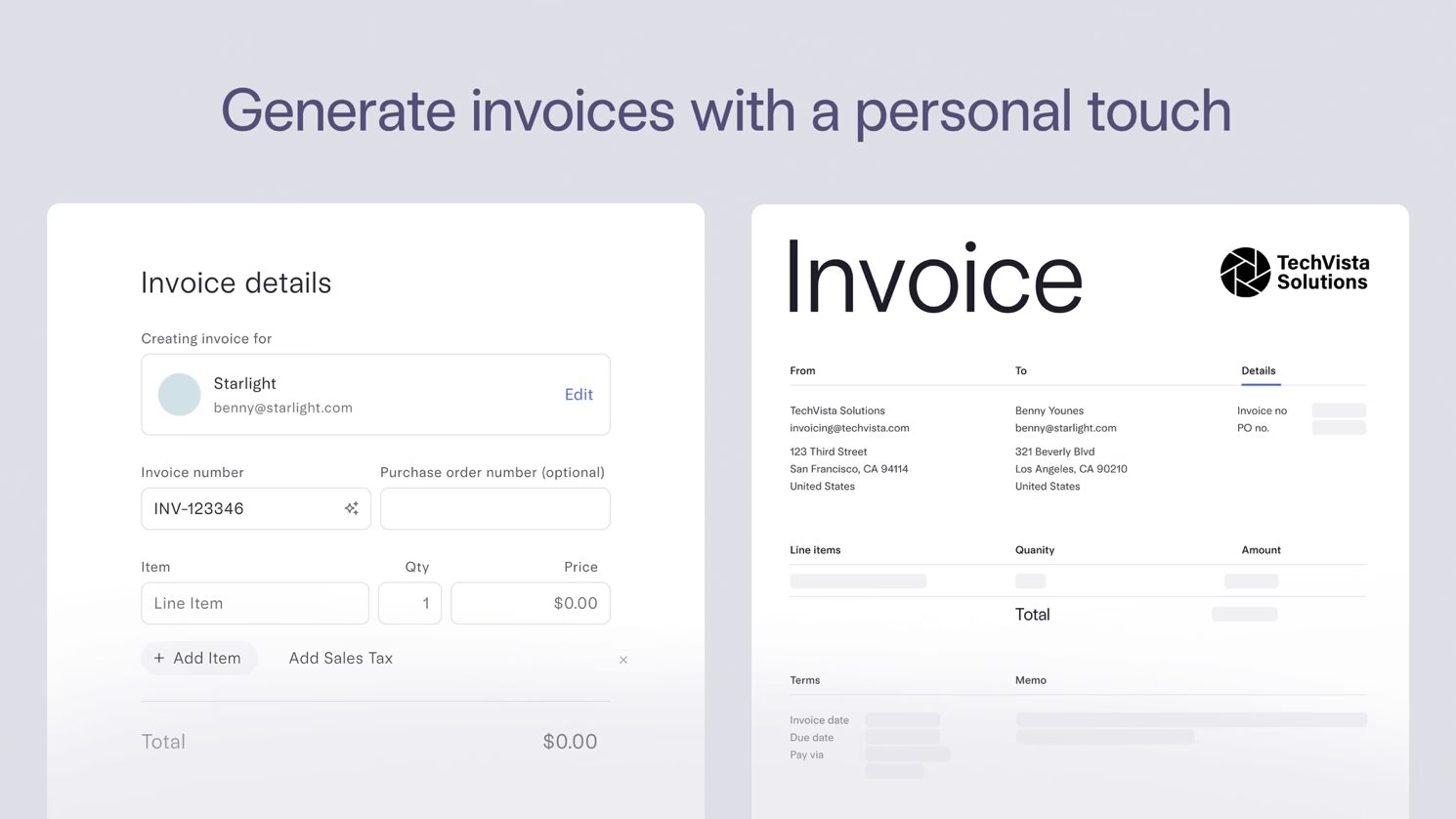
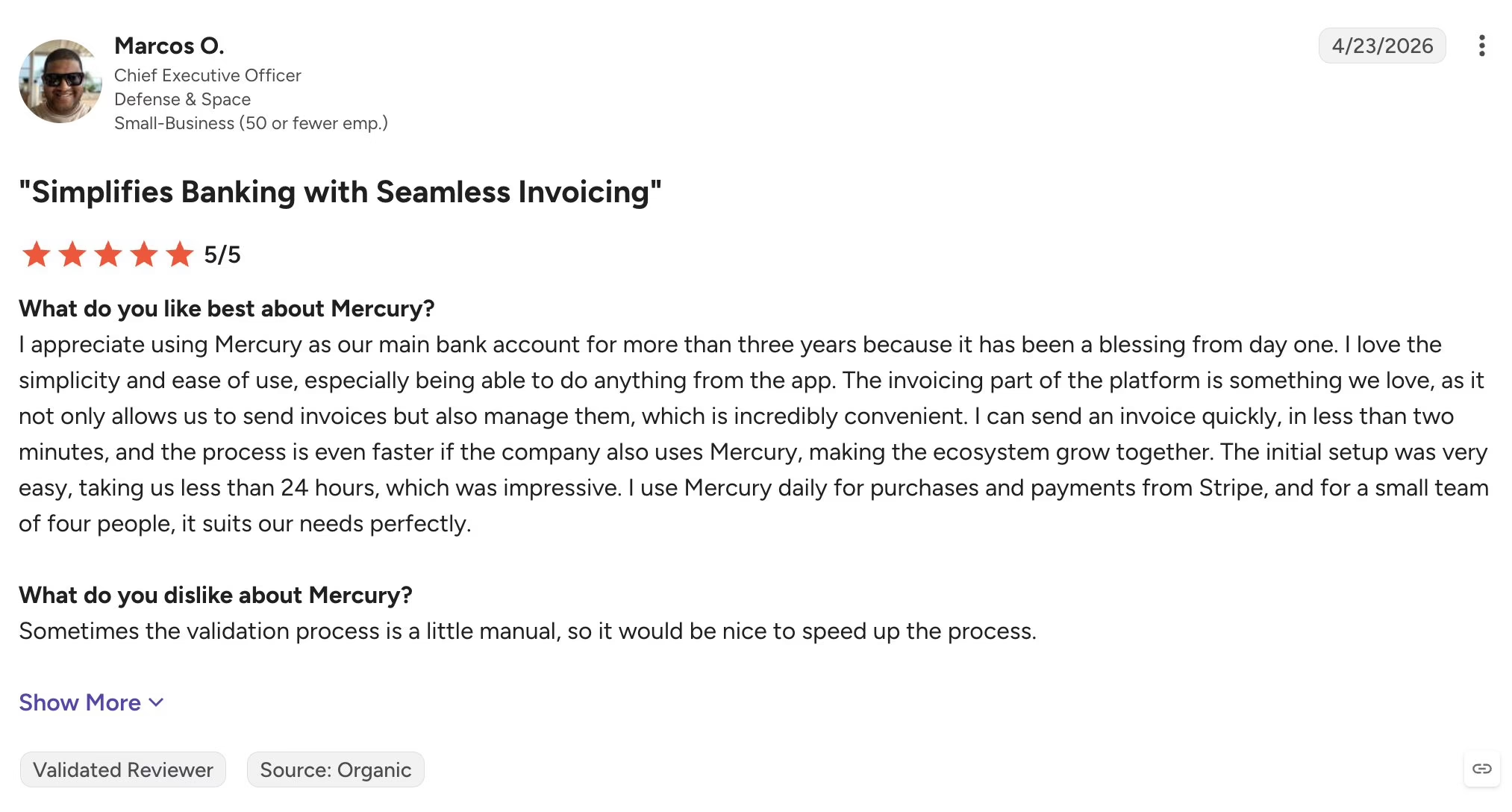
Mercury is a financial technology company that combines business banking with cards and light expense tools, aimed at early-stage startups; Mercury says 1 in 3 startups choose it. You get free checking and savings, debit and credit cards, employee cards with limits, automatic receipt matching, and reimbursements, all in one clean dashboard. The expense features are convenient rather than deep, so treat it as banking-plus-expense rather than a dedicated expense platform.
Key Features:
-
Free business checking and savings
-
Debit and credit cards
-
Employee cards with limits
-
Automatic receipt matching
-
Reimbursements
-
Bill pay and invoicing
| Pros | Cons |
|---|---|
| • Clean, intuitive interface and fast account setup. | • Abrupt account holds or closures, especially with an international footprint. Reviewers have complained of subpar resolutions. |
Pricing:
Free ($0); Plus $29.90/mo and Pro $299/mo billed annually ($35/mo and $350/mo billed monthly); core banking, cards and expense tools are free. See Mercury pricing.
Best for: Early-stage US startups and SMBs that want free, modern banking with cards and light built-in expense tools in one place.
Not for: Companies needing deep, dedicated expense management (advanced policy, approvals, per-diem, analytics), or those with a significant international footprint.
9. Coupa — 4.2/5 on G2
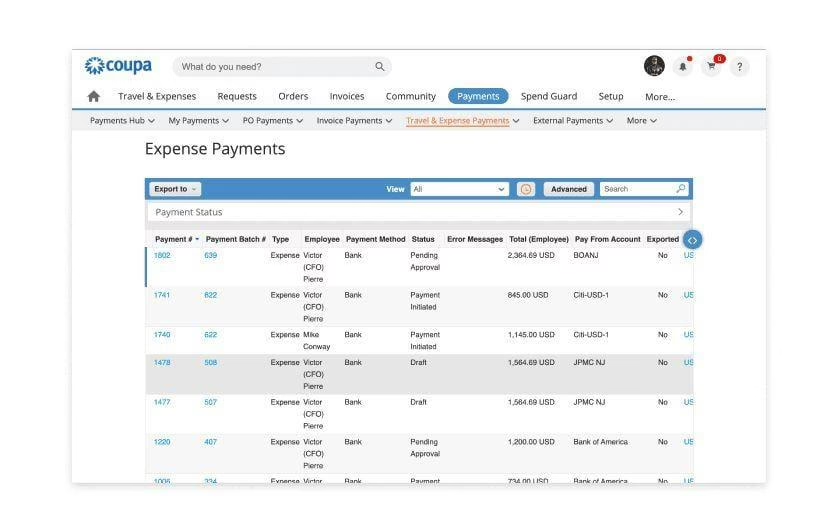
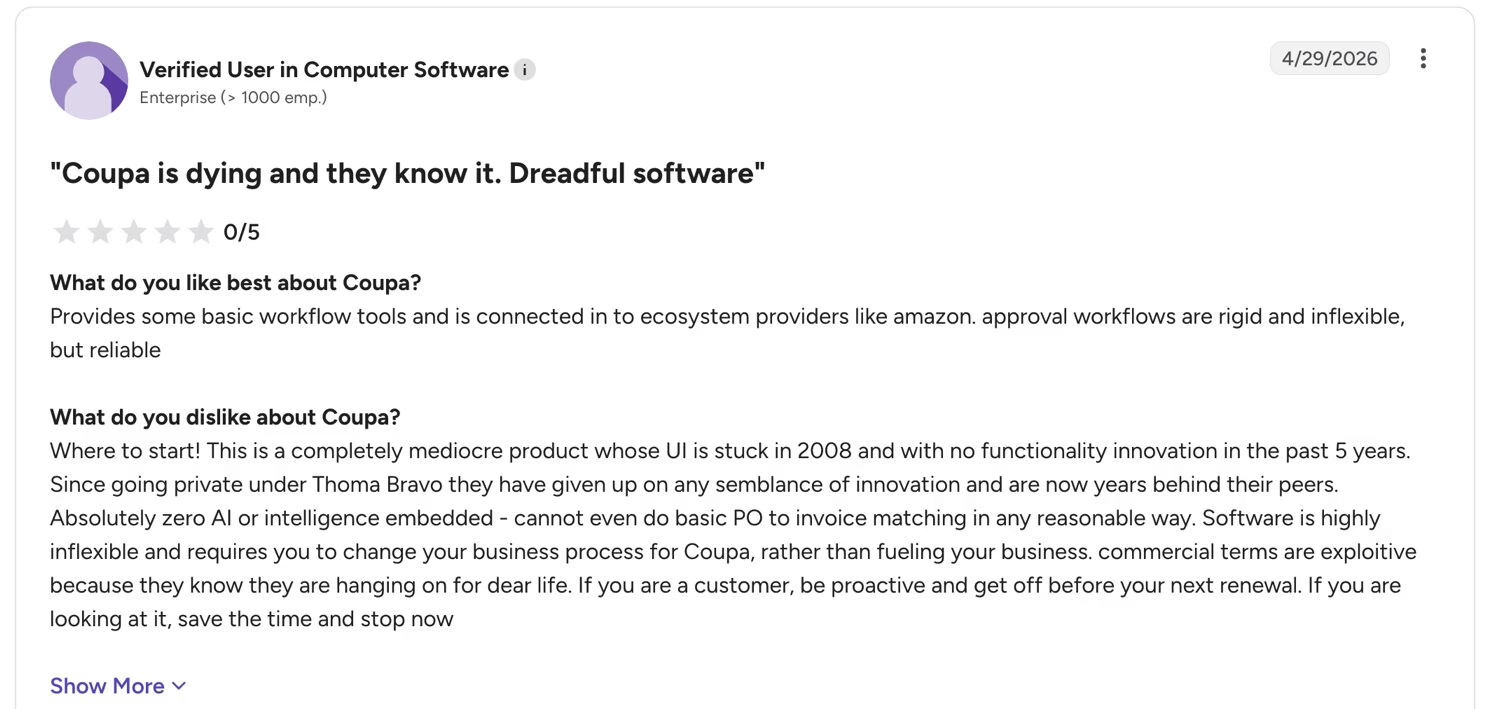
Coupa folds expense management into a much larger procurement and spend-management suite built for large enterprises, from intake, sourcing, purchasing, invoicing, and expenses in one system. If you’re standardizing all company spend, not just travel and expense, Coupa’s breadth and controls are the draw. It’s quote-based and demo-led.
Key Features:
-
Procurement (intake, sourcing, purchase-to-pay)
-
Invoice-to-pay
-
An expense module
-
A supplier portal
-
Approvals with complete analytics and broad enterprise integrations
| Pros | Cons |
|---|---|
| • Centralizes spend, new POs creation, approvals and invoices in one auditable system. | • UI can feel slow and clunky, especially when moving between modules |
Pricing:
Custom, quote-based. Request Coupa pricing.
Best for: Large enterprises that want expense folded into one end-to-end procurement and spend-management suite with deep controls and a supplier network.
Not for: Small businesses, startups, or teams wanting a quick, self-serve, modern, low-cost standalone expense tool.
10. ExpensePoint — 4.7/5 on G2
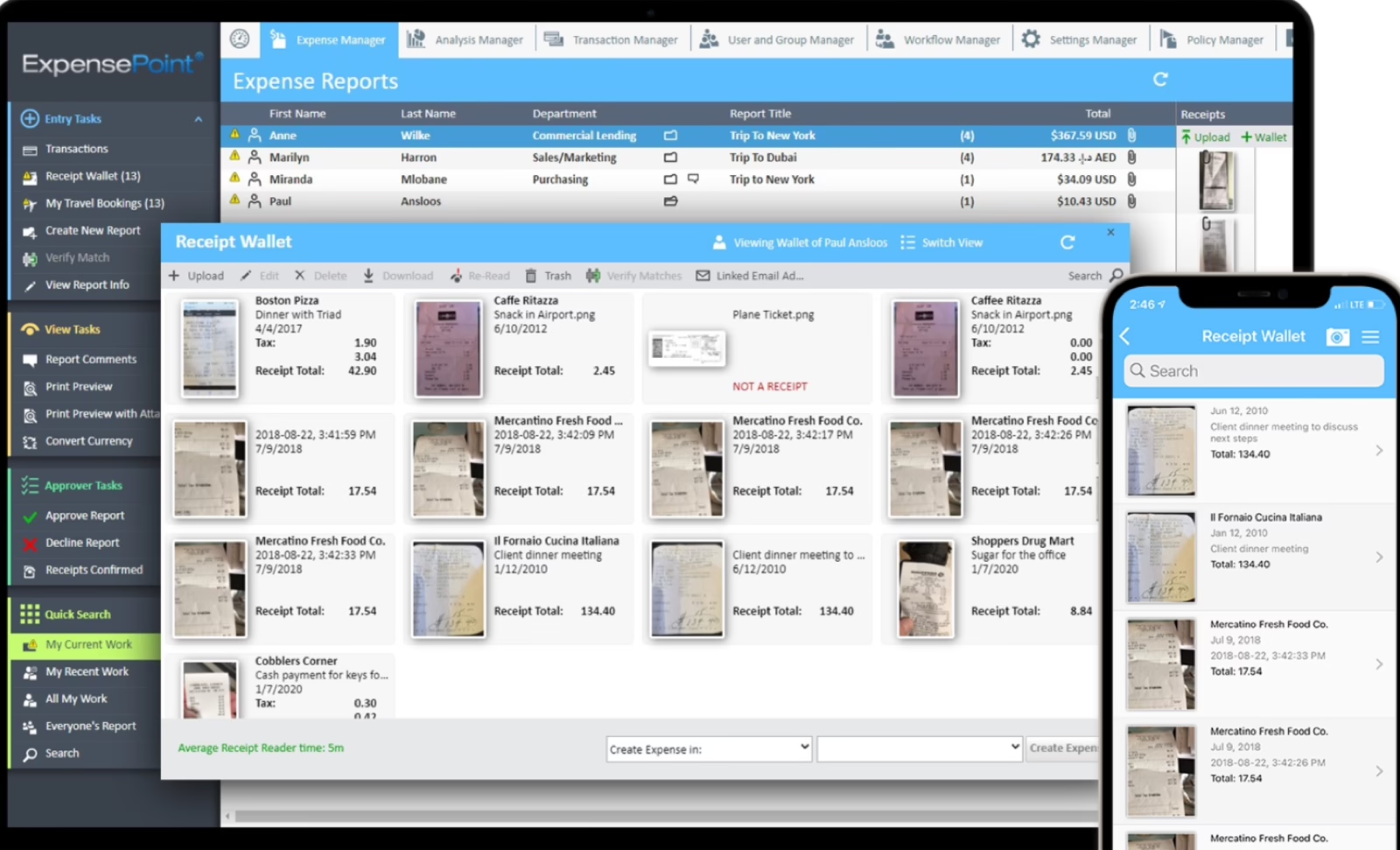
ExpensePoint is a dedicated expense platform built around highly configurable workflows, aimed at mid-market finance teams. You can tailor approval chains, expense coding, and compliance rules to how your company actually works, and it’s card-agnostic, so you keep your existing corporate cards. It’s quote-based and demo-led with no free trial, so I reviewed it through a walkthrough and user reviews.
Key Features:
-
OCR receipt capture
-
GPS mileage tracking
-
Credit-card auto-matching
-
Configurable approval workflows and policy rules
-
36+ reports
-
Multi-currency and multi-language
-
Card-agnostic support
| Pros | Cons |
|---|---|
| • Outstanding, responsive customer support and hands-on implementation. | • Admin setup including adding users can be clunky and multi-step. |
Pricing:
Quote-based; pricing varies by team size and usage. Request ExpensePoint pricing.
Best for: Mid-market finance teams that want a dedicated, highly configurable expense + mileage/receipt platform with strong, hands-on onboarding.
Not for: Tiny teams or buyers who want self-serve signup, a free trial, or instant transparent pricing.

How to Choose the Best Expense Management Software for Your Business
The right tool is the one that fits your company size, your spend workflow, and your compliance needs; not the one with the longest feature list. Here’s how to narrow it down.
1. Company Size and Spend Volume
Small teams usually want free tiers and quick setup (Expensify, BILL Spend & Expense, Mercury). Mid-market companies need a balance of features and setup effort (Keka, Ramp, Brex, ExpensePoint). Enterprises need multi-entity consolidation and compliance depth (Keka, SAP Concur, Coupa). Match the tool to where you are now, with a little room to grow.
2. Must-Have Features Checklist
At minimum, look for receipt capture and OCR, multi-level approvals, policy enforcement, mobile submission, and real-time spend visibility. The bigger decision is card-first versus reimbursement-first: card-led tools (Ramp, Brex, BILL) control spend at the point of purchase, while reimbursement-led tools (Keka, Expensify) shine when employees pay first and claim later. That single choice rules several tools in or out.
3. US Compliance Requirements
US teams need IRS standard mileage handling, accountable-plan and per diem rules, receipt retention, and audit trails for SOX and internal audits. The 2026 IRS standard mileage rate is 76 cents per mile for business from July 1, 2026 (it was 72.5 cents in the first half of the year), so the tool should update that rate automatically rather than make you edit it by hand.
4. Integration Ecosystem
Prioritize native, real-time sync over manual export. The essentials are accounting (QuickBooks, NetSuite, Xero), plus HRIS, payroll, corporate cards, and travel booking. If reimbursements feed your payroll, a tool that ties the two together removes an entire reconciliation step every cycle.
5. Implementation and Scale
Finally, weigh the rollout: how long implementation takes, how clean the migration from spreadsheets or an old tool is, how much admin work it adds, and whether it grows with your headcount and entities. A free tool that can’t scale past your next funding round is a false economy.
Expense Management Features That Prevent Fraud and Policy Violations
The strongest reason to move off manual expenses isn’t speed; it’s control. Modern tools stop out-of-policy and fraudulent spend before it’s reimbursed, using automated policy checks, duplicate and fraud detection, and audit-ready records. These are the features worth paying for.
Automated Policy Enforcement
Instead of an approver catching a $400 dinner against a $75 limit, the system flags or blocks out-of-policy spend before approval on the basis of category limits, receipt thresholds, preferred vendors, and spend caps. Card-first tools like Ramp and Brex enforce many of these at the point of purchase, so the card simply declines a non-compliant charge.
Duplicate and Fraud Detection
Good software catches the things humans miss: the same receipt submitted twice, an amount that doesn’t match the receipt image, mileage that doesn’t add up, or unusual spending patterns on a single card. AI-powered receipt matching compares the claim against the card transaction and the image, so altered or duplicated expenses surface automatically rather than after the money is gone.
Audit Trails and Card Reconciliation
Every submission, edit, and approval should leave a timestamped record: the SOX-ready audit trail internal and external auditors expect. Automated corporate-card reconciliation then matches each card transaction to its receipt and expense line, so the books tie out continuously instead of in a frantic month-end sweep.
Final Verdict
There’s no single “best” expense management software, just the best fit for your company size, your integration needs, and whether you run card-first or reimbursement-first. Startups do well with free, self-serve tools like Ramp, Brex, and Mercury; travel-heavy teams lean toward Navan or SAP Concur; large enterprises standardizing all spend look at Coupa; and companies that want expenses, reimbursements, and payroll in one system land on Keka.
If that last one sounds like you, the payoff is never reconciling reimbursements across separate tools again.