


 Login


Quick Summary:
The best applicant tracking systems in India for 2026 are Keka (recruiting connected to HR and payroll), Zoho Recruit (standalone ATS with a free plan), Greenhouse (structured hiring), Naukri RMS (Naukri-led sourcing), greytHR Recruit (greytHR users), Darwinbox (enterprise hiring), and CEIPAL ATS (staffing agencies). Choose based on hiring volume, Indian job board support, HR and payroll integration, and total cost.
Hiring in India often means juggling Naukri, LinkedIn, email, spreadsheets, and interview calendars at the same time. An applicant tracking system (ATS) brings all of it into one place, so recruiters can track every candidate from application to offer.
The right ATS depends on your hiring volume, existing HR software, and budget. Keka suits teams that want recruiting connected to HR and payroll. Zoho Recruit offers a standalone ATS with a free plan, Greenhouse focuses on structured hiring, Naukri RMS suits teams that source mainly through Naukri, and greytHR Recruit suits businesses already on greytHR.
In this guide, I compare 12 of the best applicant tracking systems in India on features, pricing, Indian job board support, and fit by company size.
Best Applicant Tracking Systems in India at a Glance
| Tool | Best For | Starting Price (INR) | Key Differentiator |
|---|---|---|---|
| Keka | Recruitment connected to HR and payroll | Custom | Hiring within a broader HR and payroll platform |
| Zoho Recruit | Teams looking for a standalone ATS | ₹1,250 – ₹2500/recruiter/month | Recruiter-focused workflows and a free tier |
| Greenhouse | Structured, collaborative hiring | Custom | Interview kits, scorecards and hiring analytics |
| greytHR Recruit | Teams that want recruitment alongside greytHR | ₹2,500/recruiter/month | Recruitment add-on connected to an HR and payroll platform |
| Naukri RMS | Recruiters sourcing heavily through Naukri | Custom | Access to Naukri’s recruitment ecosystem |
| Darwinbox | Enterprise hiring connected to HR operations | Custom | Recruitment workflows connected to Core HR |
| PeopleStrong Recruit | Large-scale and multi-location recruitment | Custom | AI-assisted matching, sourcing and hiring workflows |
| HROne | Recruitment within a wider HRMS | Custom | HRMS, recruitment and employee workflows |
| Oracle Taleo | Organizations with established enterprise hiring processes | Custom | Configurable talent acquisition workflows |
| Zimyo | Businesses looking to combine HRMS and recruitment | ₹4,000/recruiter/month | Recruitment alongside HR and payroll capabilities |
| iSmartRecruit | Staffing agencies, executive search and corporate recruiting | Custom | ATS, recruitment CRM and automation in one platform |
| CEIPAL ATS | Staffing and recruitment operations | Custom | Recruitment workflow and staffing-oriented capabilities |
Pricing and feature details checked against publicly available vendor information on October 14, 2026.
How I Chose the Best Applicant Tracking Systems in India in 2026?
Disclaimer: Keka is our product. I assessed it against the same criteria as every other platform on this list.
I reviewed each product’s pages and demos, then read user reviews on G2, Capterra and Trustpilot, along with YouTube walkthroughs and Reddit threads, to see where real buyers got stuck.
I scored each tool on:
- Recruitment workflow: Support for requisitions, candidate tracking, resume parsing, screening, interviews, scorecards, and offers.
- Indian job board support: Available integrations with Naukri, LinkedIn, Indeed, and other relevant sourcing channels.
- HR and payroll connectivity: How candidate information moves into onboarding, employee records, and payroll where supported.
- Pricing transparency: Whether pricing is published in INR, charged per recruiter or employee, or available only through a custom quote.
- Fit by company size: Suitability for SMB, mid-market, enterprise, and staffing agency recruitment.
- Security and compliance readiness: Available data controls, candidate information handling, and support for hiring documentation.
Product capabilities and pricing can vary by plan. Businesses should compare the specific features included in their proposed package, particularly when job board integrations, advanced reporting, automation, or connected HR modules are essential.
Top 12 Applicant Tracking Systems in India in 2026: Ultimate Breakdown
Keka: Best for Recruitment Connected to HR and Payroll
G2 Rating: 4.4/5
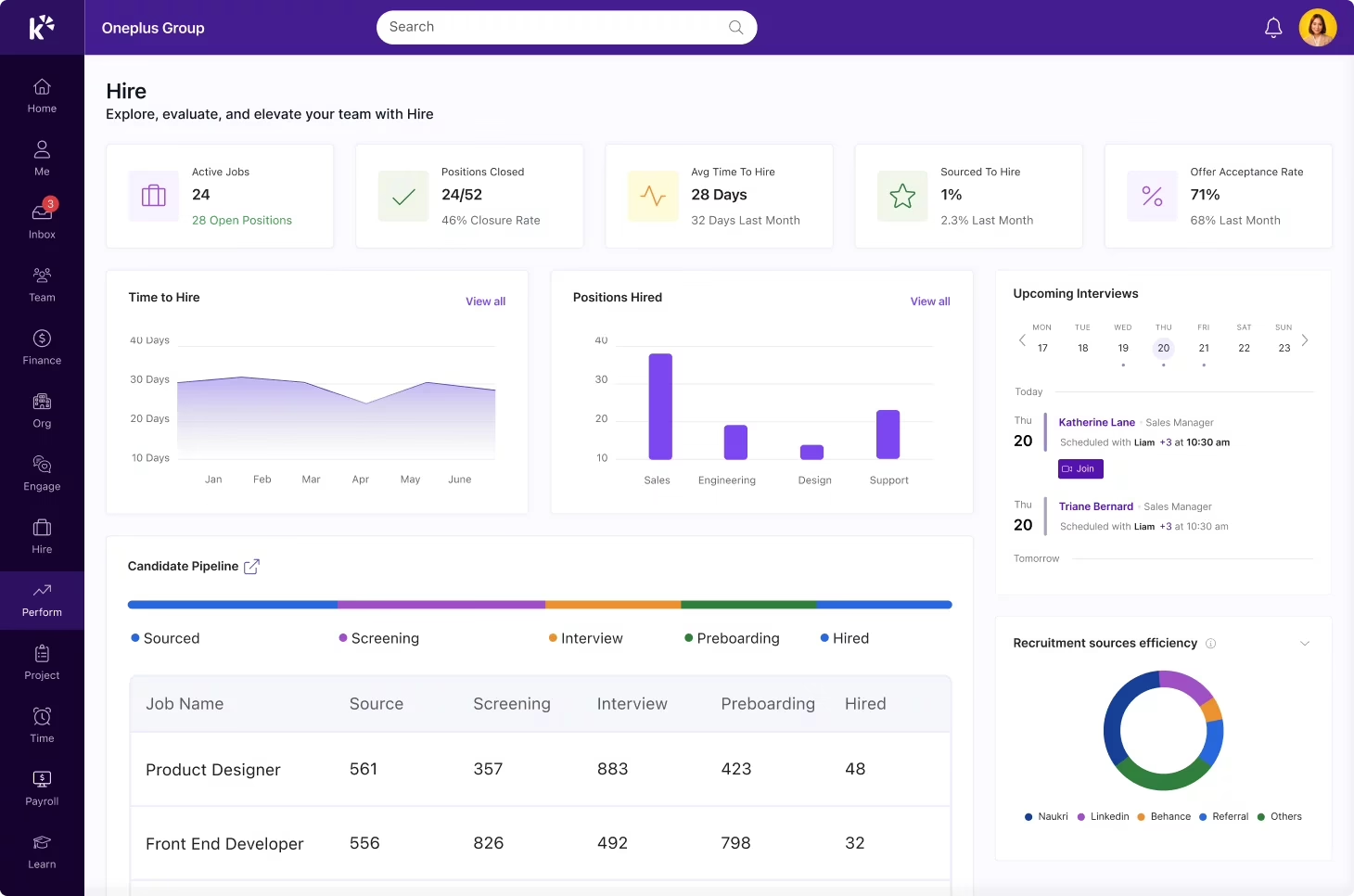
Keka brings recruitment into a wider HR platform that also covers onboarding, core HR, attendance, payroll, and performance management. Recruiters can manage hiring requests, publish openings through supported job boards and career pages, track candidates, coordinate interviews, and manage offers within the platform.
Its broader HR capabilities make it relevant for businesses that want to reduce the handoffs between recruitment and employee administration. Once a candidate accepts an offer, relevant information can move into onboarding and employee records, depending on the configuration and modules in use.
Keka also supports resume parsing, candidate matching, recruitment workflows, and reporting. Its connected HR and payroll capabilities can help teams manage employee information in one system instead of maintaining separate records across multiple applications.
Key features:
- Requisition and approval management: Create hiring requests and configure approval workflows before a role moves into recruitment.
- Job distribution and employer branding: Create job descriptions, publish openings through supported job boards and career portals, and manage candidate-facing career pages.
- Candidate tracking and screening: Maintain candidate pipelines, use resume parsing and CV-to-job-description matching, and organize talent pools.
- Interview and assessment coordination: Schedule interviews, collect feedback, use screening questions, and support structured candidate evaluation.
- Offer and onboarding workflows: Manage offers and move accepted candidates into preboarding and employee records.
- Recruitment analytics: Use reports and dashboards to review hiring activity, sourcing channels and pipeline progress.
- Connected HR and payroll: Carry relevant employee information into the wider HR platform, subject to configuration and module availability.
| Pros | Cons |
|---|---|
| Accepted candidates move straight into onboarding and employee records, with no re-entry. | Works as a standalone ATS, but adds the most value when you also use Keka for HR and payroll. |
| Resume parsing and CV-to-job-description matching speed up screening. | Teams may need to map approval chains and hiring stages before setting up automation. |
| Requisition approvals run before a role goes live, so hiring stays within plan. | Using more of the platform means deciding which features and permissions each team needs. |
Best for:
Businesses of all sizes that want recruitment, onboarding, core HR and payroll on one platform.
Pricing:
Custom. Contact Keka’s sales team for plan details.
Expert opinion: Keka is worth considering when recruitment needs to connect with the wider employee lifecycle. During a demo, follow one role from requisition approval through offer acceptance, onboarding, and the first payroll run to understand how the handoff works.
Zoho Recruit: Best for Configurable Recruitment Workflows
G2 Rating: 4.4/5
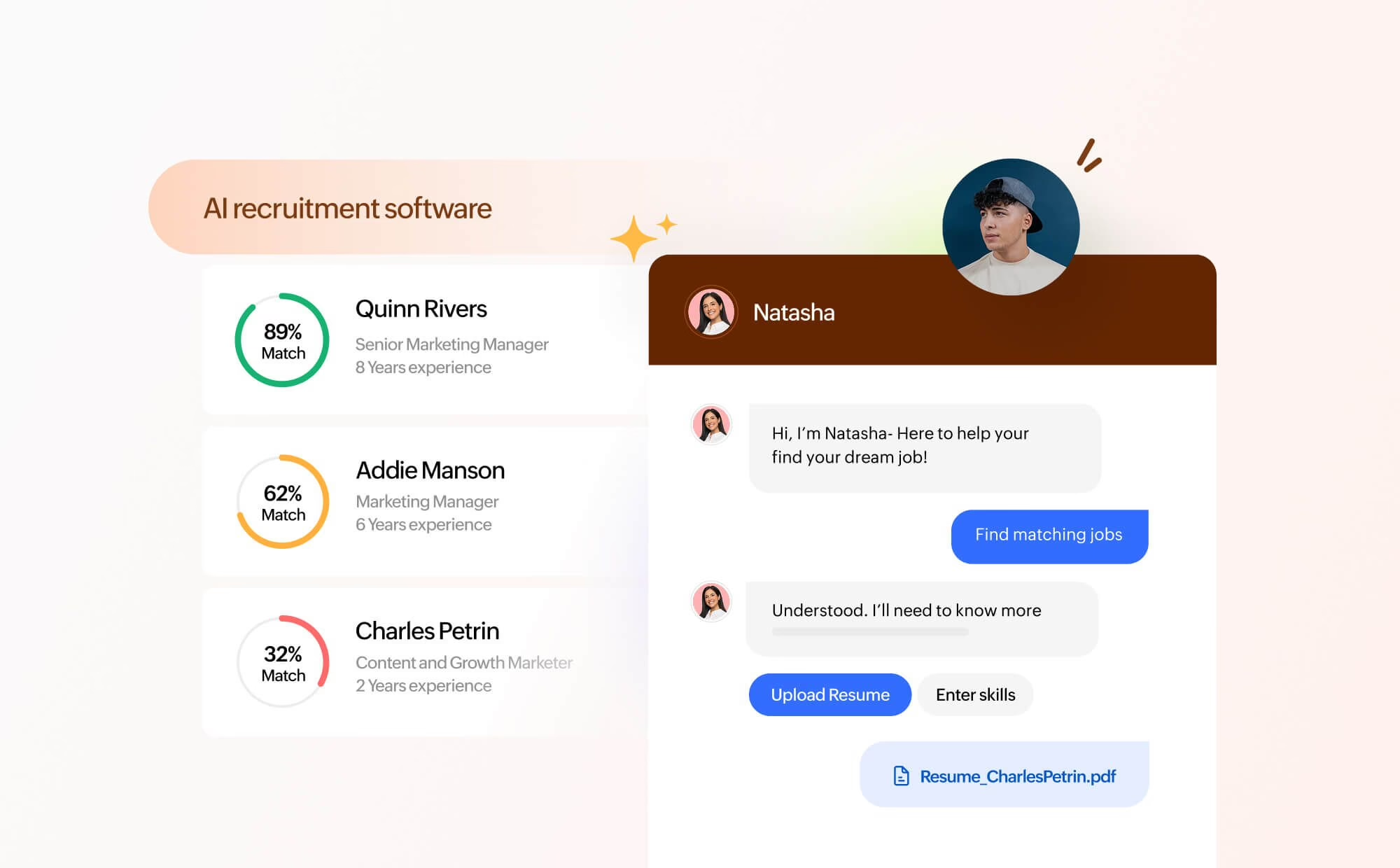
Zoho Recruit combines applicant tracking with a recruiting CRM, for in-house HR teams and staffing agencies. Custom stages, fields, career pages, and automated emails let teams adapt hiring to different roles, and a free plan lets them try it before paying.
Advanced workflows take time to set up, and some features are only available on higher plans. If you rely on Indian job boards, check which integrations your plan includes.
Key features:
- Candidate and job management: Organize candidate profiles against open positions and hiring stages.
- Resume management: Use the parsing and matching capabilities available in the selected plan.
- Interview coordination: Manage interview stages and share feedback with recruiters and hiring managers.
- Workflow automation: Configure supported reminders, emails, and recruitment tasks.
- Career pages and reporting: Manage candidate-facing job pages and review available pipeline reports.
| Pros | Cons |
|---|---|
| Configurable hiring stages let different roles follow different workflows. | Advanced workflows take time to set up, and may need someone to own the configuration. |
| A free plan lets small teams start without paying. | Some integrations with outside tools have gaps, so check what data each one actually syncs. |
Best for:
Staffing agencies and in-house recruitment teams that need configurable candidate management.
Pricing:
₹1,250–₹2,500 per recruiter per month, depending on the plan.
Expert’s Opinion: Zoho Recruit is a practical option for teams that want control over their recruitment workflows. Compare the features in each plan and consider the time needed to configure integrations, automation, and reporting.
Greenhouse: Best for Structured Hiring and Interview Consistency
G2 Rating: 4.4/5
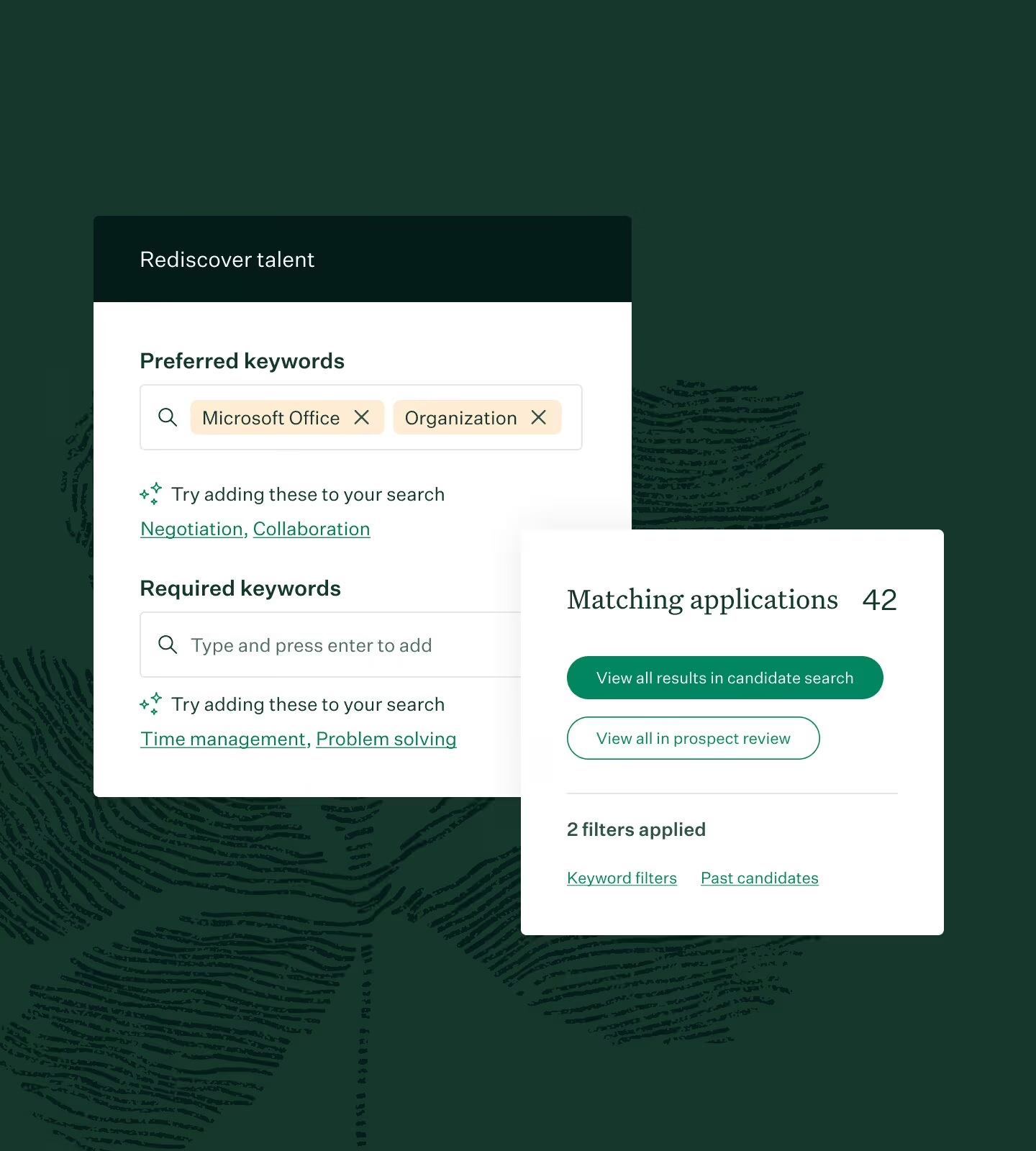
Greenhouse suits growing businesses and enterprises that want a consistent hiring process across teams. Structured interviews, interview kits, and scorecards help every interviewer rate candidates on the same criteria, while reporting, scheduling, and integrations keep recruiters and hiring managers on the same page.
Advanced reporting and some newer features depend on your plan. Indian businesses should also check how well it covers local job boards, offers support during Indian business hours, and connects to their HR and payroll systems.
Key features:
- Structured interviews and scorecards: Use shared criteria to collect and compare interviewer feedback.
- Scheduling and workflow automation: Coordinate interviews and manage supported hiring tasks and approvals.
- Recruitment reporting: Review hiring activity through available dashboards and reports.
- Sourcing and candidate pools: Organize prospects and past applicants for future vacancies.
- Integrations: Connect the recruitment process with supported third-party tools.
| Pros | Cons |
|---|---|
| Interview kits and scorecards help teams rate candidates on the same criteria. | Custom reporting can take extra setup for teams with specific needs. |
| Recruiters and hiring managers work through one shared hiring process. | Built for global markets, so Indian job boards and HR integrations may need extra setup. |
Best for:
Growing businesses and enterprises that want a structured, collaborative hiring process.
Pricing:
Custom. Contact Greenhouse for a quote.
Expert’s Opinion: Greenhouse is worth considering when interview consistency and collaboration are priorities. Include Indian job board integrations and the cost of connecting the platform to existing HR systems in your evaluation.
GreytHR Recruit: Best for Businesses Using greytHR
G2 Rating: 4.4/5
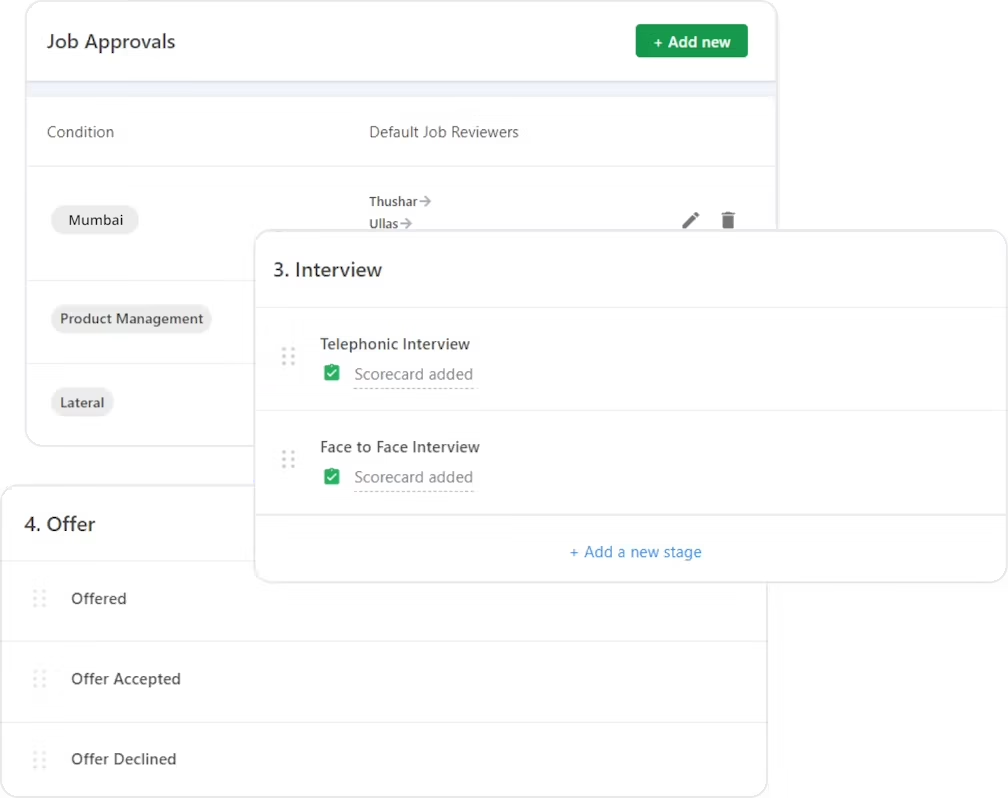
greytHR Recruit suits small and growing businesses that already use greytHR for payroll and HR. It adds job posting, candidate tracking, shortlisting, interviews, and offers to the same system, so hiring data sits alongside employee records.
Its recruiting features are more basic than a standalone ATS, though. If your hiring is complex, check its workflow flexibility, reporting, and performance with large candidate volumes in a demo.
Key features:
- Job and candidate management: Openings, applicants and progress stay in one place.
- Screening and shortlisting: Applications move through hiring stages beside employee data.
- Interview and offer coordination: Candidates progress from interview to offer without a separate tool.
- HR ecosystem connection: Recruitment sits next to your greytHR payroll and employee records.
| Pros | Cons |
|---|---|
| Lets teams already on greytHR run hiring inside the HR system they know. | Recruiting features are basic, so teams with advanced sourcing or complex workflows may find it limited. |
| Shares employee information with greytHR, cutting duplicate data entry. | Reporting is limited for teams that track specific recruiting metrics. |
Best for:
Businesses that want recruitment alongside an existing greytHR HR and payroll setup.
Pricing:
₹2,500 per recruiter per month. The final cost depends on the required plan and package.
Expert’s Opinion: I’d consider greytHR Recruit if payroll already runs on greytHR. Ask for a demo that covers candidate tracking, interview coordination and the post-offer handoff.
Naukri RMS: Best for Naukri-Led Candidate Sourcing
G2 Rating: 4.4/5
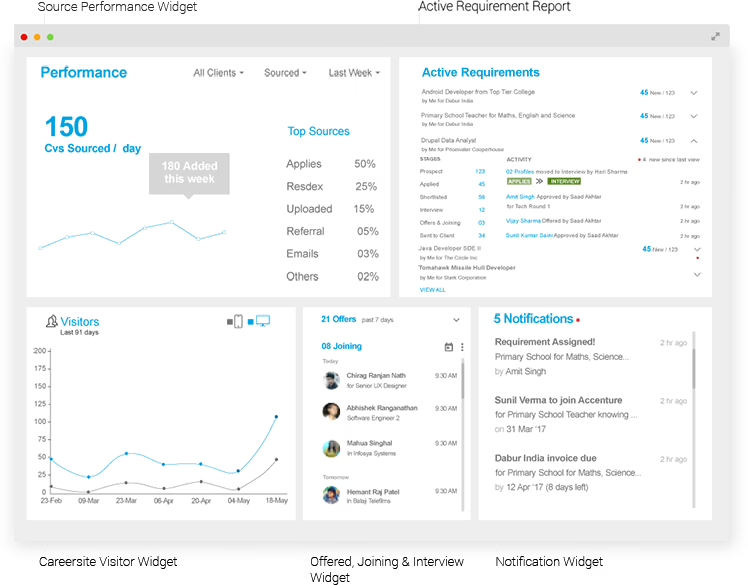
Naukri RMS suits Indian hiring teams that source mainly through Naukri. It’s built around searching Naukri’s candidate database, with filters, Boolean search, and bulk invitations through Nvite. AI resume insights summarize candidate profiles, which helps recruiters narrow down large applicant pools.
Its main limits are subscription cost, candidate data quality, and weaker support for hiring outside Naukri. If you also source from other channels, check how well it handles interviews, reporting, and integrations.
Key features:
- Candidate sourcing: Search and filter candidates using the capabilities available in the subscription.
- Recruitment workflow management: Assess how candidates move through screening, interviews, and hiring decisions.
- Recruiter collaboration: Review tools for sharing candidate information and coordinating recruitment activities.
- Hiring reports: Evaluate the reports available for recruitment progress and recruiter activity.
- Bulk candidate outreach: Use supported invitation and communication features to contact suitable candidates.
| Pros | Cons |
|---|---|
| Gives access to a large Indian candidate pool through Naukri. | Subscriptions can be expensive for small teams with low hiring volume. |
| Filters like location and notice period, plus bulk invitations, speed up shortlisting and outreach. | Some candidate profiles are duplicated or outdated, so recruiters need to check details. |
Best for:
Recruitment teams that rely heavily on Naukri for sourcing.
Pricing:
Custom. Contact Naukri for subscription details.
Expert’s Opinion: Naukri RMS belongs on the shortlist when Naukri is a major sourcing channel. Assess how candidates from other channels move through the process and whether the available reporting supports your hiring decisions.
Darwinbox: Best for Enterprise Talent Acquisition
G2 Rating: 4.4/5
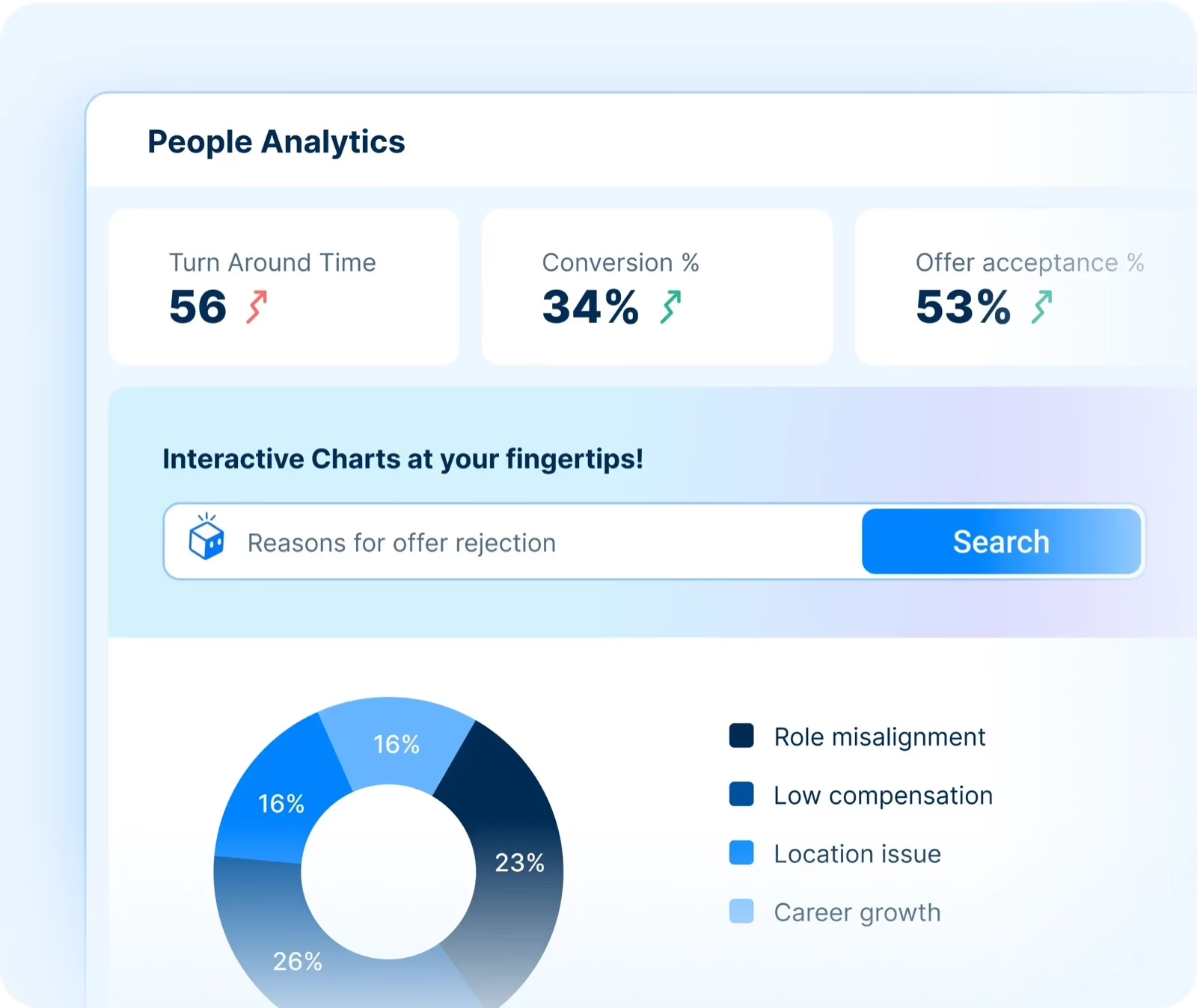
Darwinbox is an HCM platform for mid-market and large companies that want recruiting connected to core HR. It covers requisitions, sourcing, screening, and configurable hiring workflows across multiple entities and locations.
Because candidate records flow straight into employee records, there’s no duplicate data entry. Its breadth means setup takes planning, though.
Key features:
- Requisition management: Support role requests and hiring approval workflows.
- Sourcing and candidate screening: Assess the available sourcing channels, matching, and shortlisting capabilities.
- Configurable recruitment workflows: Set up hiring stages and collaboration processes for different teams.
- Recruitment analytics: Review available reports for hiring activity and pipeline progress.
- HCM connectivity: Assess how candidate information connects with employee records and wider HR processes.
| Pros | Cons |
|---|---|
| Runs recruiting inside a broader HCM platform, so candidate records flow into HR without duplicate entry. | Setup takes time, especially for complex org structures and workflows. |
| Handles complex approvals and multi-location hiring. | The full platform may be more than a small team needs, so compare its cost with a standalone ATS. |
Best for:
Mid-sized and large organizations with structured hiring workflows.
Pricing:
Custom. Contact Darwinbox for a quote.
Expert’s Opinion: Darwinbox is worth considering when recruitment needs to sit within an enterprise HCM system. Use the demo to walk through requisition approvals, candidate sourcing, reporting, and the transition from candidate to employee.
PeopleStrong Recruit: Best for High-Volume and Enterprise Hiring
G2 Rating: 4.5/5
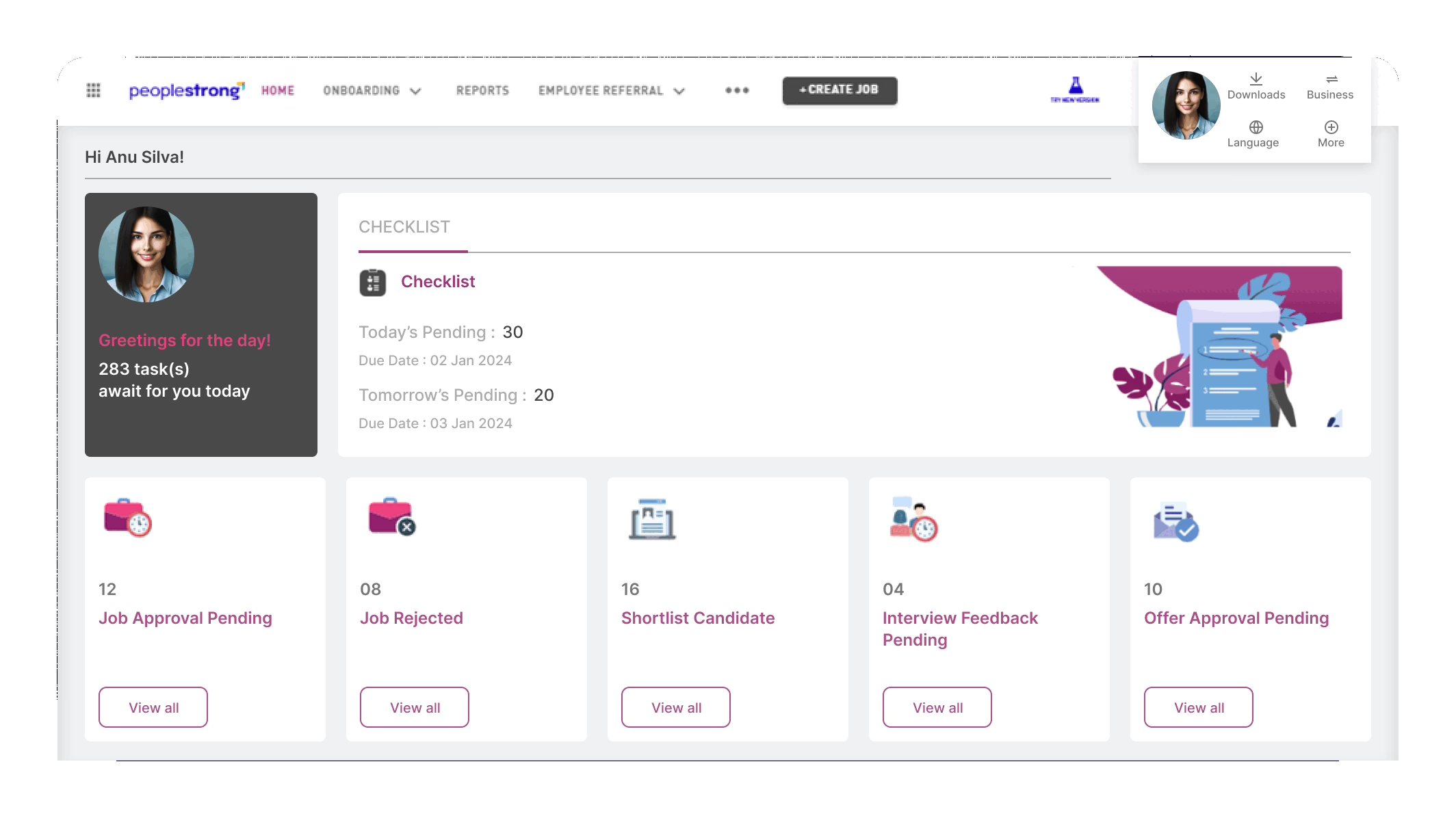
PeopleStrong Recruit is built for companies with complex hiring needs across multiple teams or locations. It covers job distribution, resume parsing, assessments, candidate communication, automation, and analytics.
Since PeopleStrong also sells a wider HR platform, confirm which of these features come with the recruiting product itself.
Key features:
- Multi-channel job distribution: Publish vacancies through supported job boards, social channels, and internal portals.
- Resume parsing and candidate matching: Help recruiters identify applicants whose profiles align with role requirements.
- Assessments and workflow automation: Evaluate candidates and automate supported recruitment tasks.
- Recruitment analytics: Track sourcing channels, candidate progress, and recruitment bottlenecks.
- Recruiter collaboration: Coordinate recruitment activity across teams and hiring managers.
| Pros | Cons |
|---|---|
| Handles large, high-volume hiring with complex requirements. | Setup for large recruiting workflows takes planning, configuration, and training. |
| Resume parsing and candidate matching help narrow large applicant pools. | Navigation and permissions can be hard to learn, so test them in a demo with real users. |
Best for:
Organizations managing complex or high-volume recruitment across teams and locations.
Pricing:
Custom. Contact PeopleStrong for a quote.
Expert’s Opinion: PeopleStrong Recruit is worth considering when hiring spans multiple teams, locations, or large applicant volumes. Ask for a demonstration that follows one role from sourcing through assessment, offer, and reporting.
HROne: Best for Recruitment Within a Broader HRMS
G2 Rating: 4.8/5
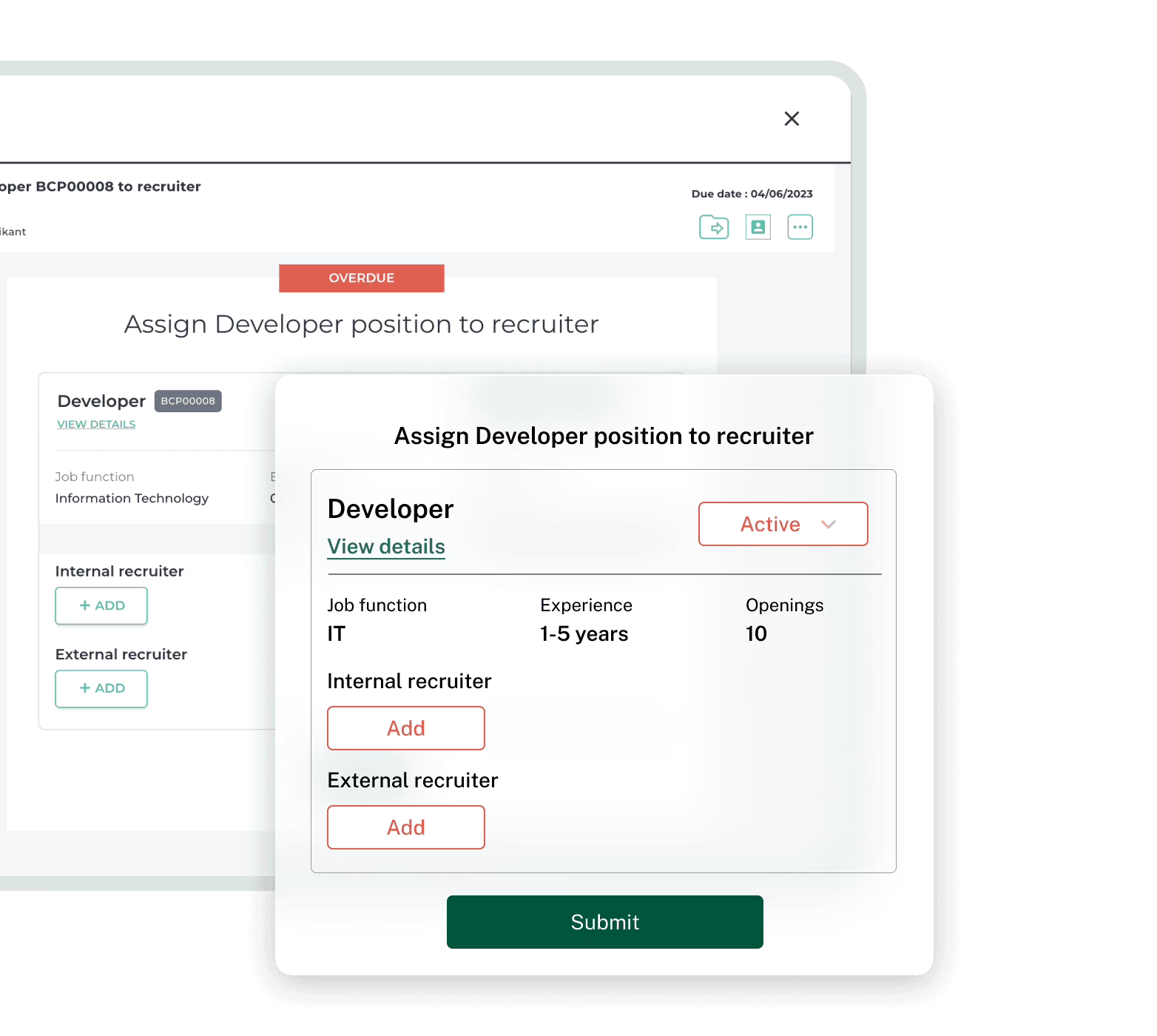
HROne is an HR platform that combines recruiting and onboarding with attendance, payroll, and employee self-service. It suits mid-sized businesses, including those with shift-based or field teams, that want hiring and HR in one system.
Once a candidate accepts an offer, HROne moves them into onboarding and employee records without a separate handoff. Its recruiting module is less advanced than a standalone ATS, though, so test it from application through offer before you commit.
Key features:
- Candidate and vacancy management: Organize applicants against open roles.
- Recruitment workflows: Manage screening, interviews, and offer coordination.
- Recruitment automation: Assess available reminders, approval steps, and automated tasks.
- Onboarding connection: Understand how accepted candidates move into onboarding and employee records.
- HRMS capabilities: Evaluate attendance, payroll, and employee self-service if these are also part of the purchase.
| Pros | Cons |
|---|---|
| Runs recruiting alongside wider HR processes, for teams that want an HRMS rather than a standalone ATS. | Sourcing and candidate management are less advanced than in dedicated ATS tools. |
| Onboarding checklists help HR track pending tasks for new joiners. | Reporting can be limited, so test the reports your recruiting managers need. |
Best for:
Businesses evaluating recruitment alongside wider HR and employee management processes.
Pricing:
Custom. Contact HROne for a quote.
Expert’s Opinion: HROne is worth considering if recruitment is part of a wider HRMS purchase. Compare its candidate workflow with dedicated ATS products before making a decision.
Oracle Taleo: Best for Existing Enterprise Recruiting Environments
G2 Rating: 3.4/5
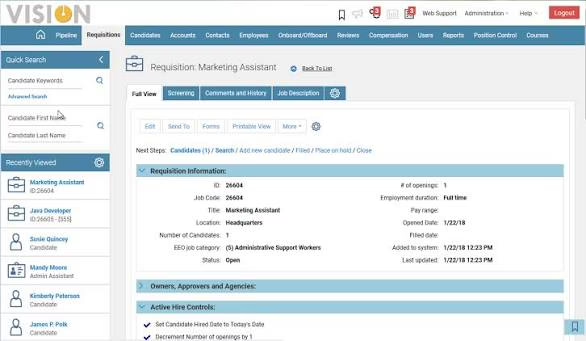
Oracle Taleo is a legacy enterprise recruiting platform associated with organizations that have established, multi-stage hiring processes. Its recruitment workflows cover areas such as requisitions, approvals, candidate records, and reporting.
For large organizations, the main question is whether the existing Oracle environment and established processes make Taleo a suitable fit. Buyers should assess the current product arrangement, support, integration requirements, and long-term roadmap before selecting it for a new implementation.
Key features:
- Structured recruitment workflows: Manage requisitions, candidate records, and hiring stages.
- Approval processes: Configure hiring approvals and stakeholder responsibilities.
- Candidate records: Maintain candidate information and recruitment history.
- Reporting and integrations: Assess available reports and connections with the organization’s HR and business systems.
- Enterprise process support: Evaluate its fit with established recruitment policies and workflows.
| Pros | Cons |
|---|---|
| Handles complex, multi-stage hiring with configurable approval workflows. | The interface can feel dated, which can slow everyday recruiting tasks. |
| Keeps candidate records and hiring history in one place. | Too complex for smaller teams with simple hiring needs. |
Best for:
Large organizations with established enterprise recruiting processes and a relevant existing Oracle environment.
Pricing:
Custom. Contact Oracle for product and pricing details.
Expert’s Opinion: Consider Oracle Taleo when an existing enterprise environment makes it relevant. Assess its current support and roadmap, then test the recruitment tasks users perform most often before comparing it with other platforms.
Zimyo: Best for Recruiting Alongside Core HR
G2 Rating: 4.5/5
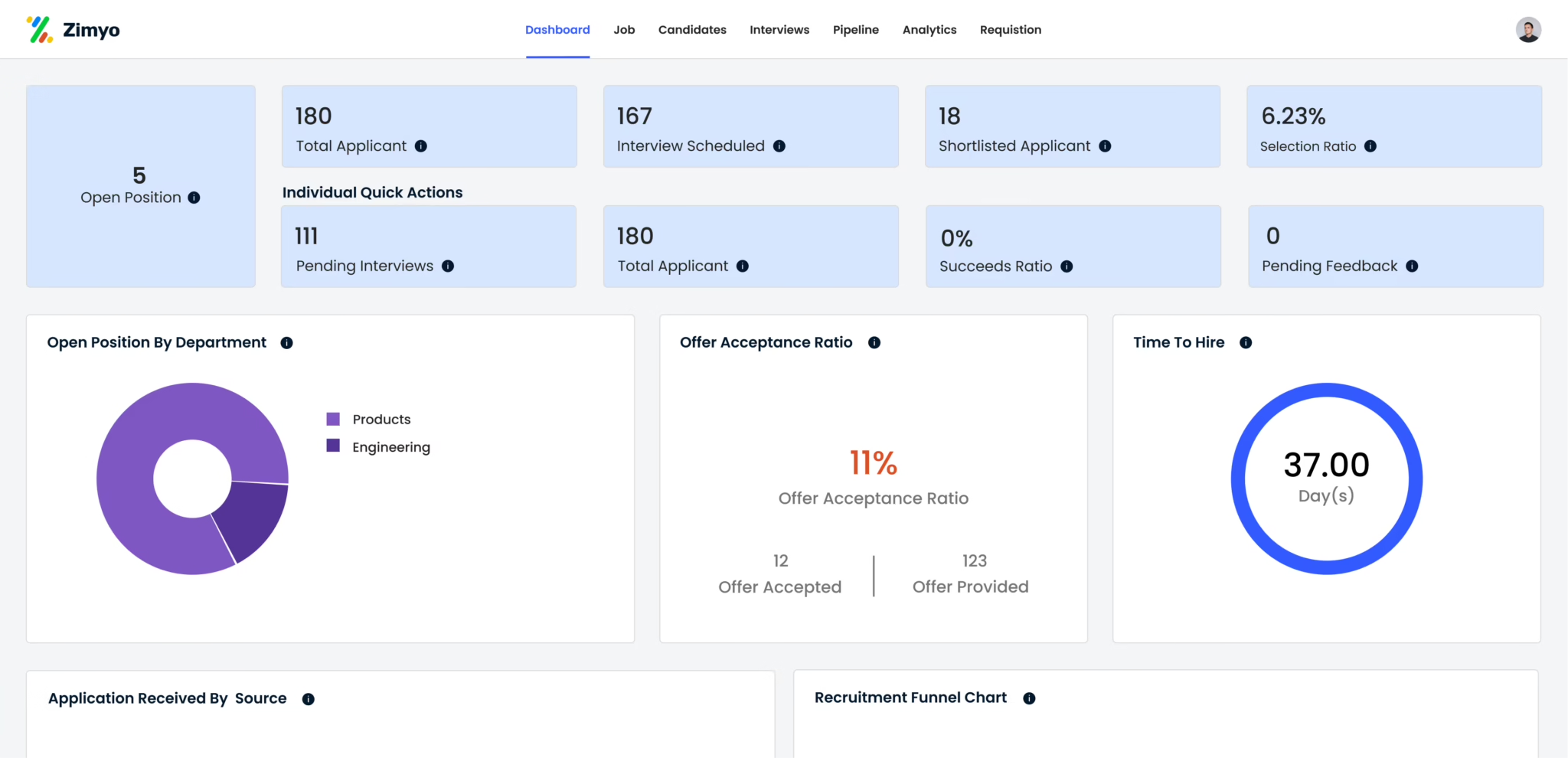
Zimyo offers HR management software with recruitment-related capabilities. Businesses considering the platform should assess how its hiring workflows cover vacancy management, candidate tracking, screening, interviews, and offer coordination.
The wider HRMS context can matter when recruitment records need to connect with onboarding and employee administration. For smaller and mid-sized teams, an integrated system may be useful when it reduces the number of separate tools needed for everyday HR work.
Key features:
- Vacancy and candidate management: Organize openings, applications, and candidate stages.
- Screening and shortlisting: Assess available resume parsing, candidate matching, and screening-question capabilities.
- Recruitment workflows: Review supported approvals, reminders, and interview coordination.
- Recruitment reporting: Evaluate available hiring dashboards and pipeline metrics.
- HRMS connectivity: Assess how recruitment connects with onboarding and employee administration.
| Pros | Cons |
|---|---|
| Runs recruiting inside a wider HRMS, so hiring and core HR share one system. | Custom recruitment reports can take extra work, so check them against what leadership needs. |
| Configurable application and onboarding forms adapt to how your team hires. | Bulk candidate imports can be slow, so test with a realistic number of resumes. |
Best for:
Small and growing businesses evaluating recruitment as part of an HRMS.
Pricing:
₹4,000 per recruiter per month, based on the available pricing information.
Expert’s Opinion: Zimyo is worth considering if you’re evaluating a broader HRMS and want recruitment in the same system. Compare sourcing, screening, reporting, and module costs against your requirements.
iSmartRecruit: Best for Recruitment Agencies and In-House Talent Teams
G2 Rating: 4.7/5
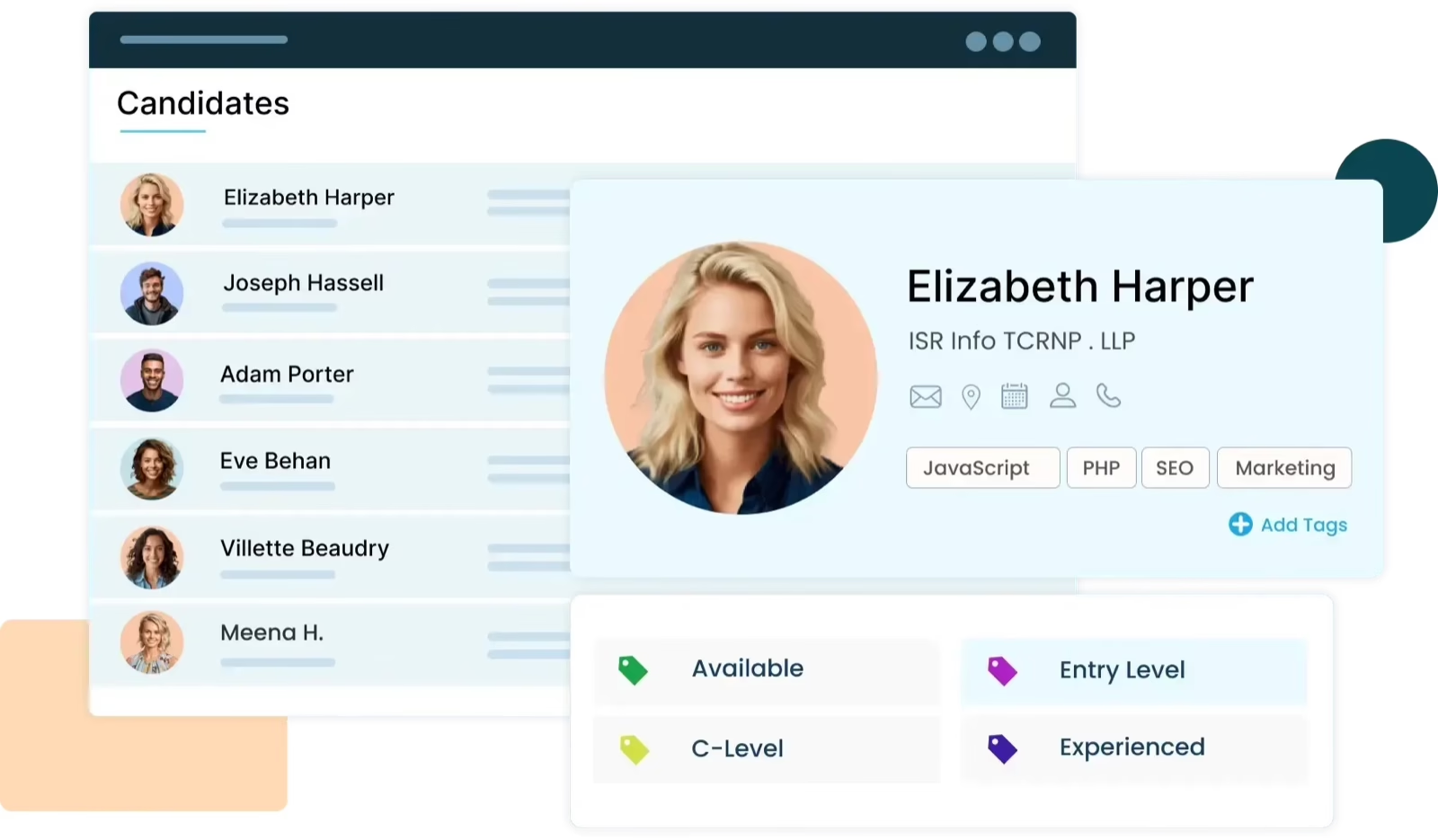
iSmartRecruit is a recruitment-focused platform designed for staffing agencies, executive search firms, and in-house talent teams that need configurable hiring pipelines. Its capabilities include candidate management, resume parsing, candidate matching, and workflow automation.
The platform also offers newer AI-related capabilities through iSmartRecruit 2.0, including AI agents, generative AI, and chatbots. Organizations evaluating these features should understand which capabilities are included in their plan and how they fit into the recruitment process.
Key features:
- Recruitment pipeline management: Track candidates across vacancies and hiring stages.
- Resume parsing and candidate matching: Organize candidate information and identify profiles that align with role requirements.
- Recruiter collaboration: Share candidate information and coordinate recruitment activity.
- Workflow configuration: Tailor recruitment stages and process rules to the team’s needs.
- Reporting and implementation: Assess available pipeline reports, migration requirements, and training support.
| Pros | Cons |
|---|---|
| Automates reminders, emails, and interview scheduling, cutting manual coordination. | Advanced features may need training, so plan for onboarding time. |
| Works for both recruiting agencies and in-house hiring teams. | Job board integrations vary, so confirm the ones your team needs are supported. |
Best for:
Recruitment agencies, executive search firms, and in-house teams that need configurable hiring pipelines.
Pricing:
Custom. Ask whether migration, third-party subscriptions, and training are billed separately.
Expert’s Opinion: Choose iSmartRecruit when you want a recruitment-focused system rather than a general HRMS. Run a real vacancy through the platform and include implementation requirements in the comparison.
CEIPAL ATS: Best for Staffing and High-Volume Recruitment
G2 Rating: 4.6/5
CEIPAL ATS is built for staffing firms and recruiting teams that handle high candidate volumes. It covers job orders, candidate records, resume parsing, and matching candidates to client requirements. It focuses on recruiting only, so companies that also need HR and payroll will need separate tools.
Key features:
- Candidate and job management: Organize candidate records against job requirements.
- Recruitment workflows: Manage screening, shortlisting, interviews, and candidate progression.
- Recruiter productivity: Coordinate multiple openings and candidate pipelines.
- Reporting and integrations: Evaluate available recruitment reports, supported connections, and data migration.
- Staffing operations: Assess how the system supports job orders and candidate-to-client matching.
| Pros | Cons |
|---|---|
| Built for staffing agencies managing many jobs and candidate pipelines. | The interface can feel crowded, so test it with real recruiting tasks. |
| Resume parsing organizes candidate details and cuts manual data entry. | Core HR and payroll need separate products, which adds to the total cost. |
Best for:
Staffing firms and recruitment teams with high candidate volumes.
Pricing:
Custom. CEIPAL does not publish prices; request a demo for a quote.
Expert’s Opinion: CEIPAL ATS is worth considering when staffing or high-volume recruiting is central to your operation. Test the candidate-to-job workflow and account for implementation and connected-system costs before comparing it with other platforms.
How to Choose the Best ATS for Your Indian Company?
The right ATS should support your hiring process without making routine recruitment tasks harder. Use the following criteria to narrow your options.
Define your hiring volume and capacity
Start with the number of open roles, applications, recruiters, and hiring managers involved in your process.
A small business may need candidate tracking, interview scheduling, and basic reporting. An enterprise with multiple locations may need requisition approvals, role-based access, structured interviews, and configurable workflows.
Check Indian job board integrations
If Naukri is a major sourcing channel, assess whether the ATS supports the actions your team needs. Job posting, candidate imports, resume access, and application tracking are separate requirements. Review LinkedIn, Indeed, career page, and other sourcing needs as well.
Assess recruitment and HR system connectivity
Recruitment rarely ends when a candidate accepts an offer. HR teams may need to transfer candidate information into onboarding, employee records, and payroll.
If you already use an HRMS, check whether the ATS integrates with it and which data moves between systems. If you’re purchasing a broader HR platform, assess recruitment alongside the other modules you intend to use.
Compare the total cost of ownership
The listed subscription price is only one part of the cost. Compare annual costs, including licenses, job board subscriptions, setup, migration, training, and paid add-ons. Ask how the price changes as your team grows. A platform with a lower starting price may cost more once you add the features needed for your hiring process.
Test the workflow before buying
Use a trial or guided demo to run one real role through the complete recruitment process:
- Create a requisition and obtain the required approvals.
- Publish the opening or add candidates from your sourcing channels.
- Screen applications and shortlist candidates.
- Schedule interviews and collect feedback.
- Prepare an offer and move the candidate into onboarding.
- Review the reports available to recruiters and hiring managers.
This exercise helps you assess how much manual work remains, how easily users can complete everyday tasks, and whether the system fits your existing process.
Indian Hiring Compliance and Requirements
An ATS can organize hiring documents and candidate data, but the employer is still responsible for meeting the legal requirements. Candidate records contain personal data, so data protection should be part of choosing an ATS.
Offer letter compliance
Offer letters should state the role, pay, joining terms, and employer details, and follow central and state rules. Templates, approval workflows, and e-signatures help keep them consistent.
Background verification requirements
Background checks can cover education, past employment, references, and identity. Check whether the ATS runs them itself, through a third-party integration, or not at all, and limit access to results to the people who need them.
Data privacy and IT act considerations
The Digital Personal Data Protection Act, 2023 governs how employers collect, use, store, and delete candidate data. Its rules were notified in November 2025, and most obligations take effect in May 2027, so employers should prepare now. When you assess an ATS, ask about:
- Role-based access and audit logs
- Data hosting and security
- Candidate consent
- Data retention and deletion
- Data shared with third-party providers
Wrapping it Up
The best ATS in India depends on how you hire:
- Recruitment connected to HR and payroll: Keka
- Standalone ATS with a free plan: Zoho Recruit
- Structured interviews: Greenhouse
- Naukri-led sourcing: Naukri RMS
- ATS inside a wider HRMS: greytHR Recruit, Darwinbox, HROne, or Zimyo
- High-volume or enterprise hiring: PeopleStrong Recruit or Oracle Taleo
- Staffing agencies: iSmartRecruit or CEIPAL ATS
Before you commit, run one real role through each shortlisted tool. To see how hiring connects to onboarding and payroll in Keka, book a demo.


