


 Login
Login


TriNet is a popular choice for growing companies that want big-company benefits without building an HR team. As a PEO, it co-employs your staff and takes on benefits, payroll, and compliance. Its pooled buying power often gets small teams better health plans than they could negotiate alone.
But in my experience, the model starts to feel less like a fit as headcount grows. Per-employee fees add up, benefits renewals get pricier, and many teams want more control over their own HR.
In this guide, I compare eight TriNet alternatives, including other PEOs and payroll software you run yourself. For each one, I cover what it is, key features, pricing, pros and cons, and who it fits best. I’ll also help you match a pick to your company size, explain what migrating off TriNet involves, and answer the questions buyers ask me most.
Here’s a Quick Overview of the Tools
| Alternative | Best for | Price | G2 rating |
|---|---|---|---|
| Keka | Companies of all sizes that are outgrowing PEO who want unified HR, payroll, and PSA ownership | Custom pricing | 4.4/5 |
| Rippling | Tech-forward teams wanting IT and HR automation in one platform | HCM from $8/employee/mo | 4.8/5 |
| Justworks | Startups wanting PEO simplicity with transparent, published pricing | From $79/employee/mo | 4.6/5 |
| ADP TotalSource | Large enterprises needing full-service PEO at scale | Custom pricing | 4.3/5 |
| Insperity | Companies wanting white-glove HR consulting alongside PEO | Custom pricing | 4.3/5 |
| Paychex PEO | Small businesses wanting local, in-person PEO support | Custom pricing | 4.1/5 |
| Gusto | Small teams under 50 wanting simple, transparent payroll | From $49/mo | 4.6/5 |
| Paylocity | Mid-market companies wanting payroll depth with employee engagement | Custom pricing | 4.4/5 |
Why do Teams Look for TriNet Alternatives?
Pricing starts the conversation, but it’s rarely the only reason companies look at TriNet alternatives. Here’s what shows up in reviews, Reddit threads, and complaints about TriNet:
Pricing that changes without warning
Pricing opacity shows up constantly in TriNet complaints, and it’s not just the sticker price that catches people off guard.
One small-business reviewer on G2 flagged pricing that ran higher than other PEO providers, on top of “many hidden fees” they weren’t told about when they signed up.
Another G2 reviewer described paying “fees for every little thing,” right down to a $40 charge just to roll over a 401(k) balance, something their previous provider didn’t charge for at all.

Payroll and filing mistakes
System reliability and payroll issues are another common thread, especially around tax filings when a company is offboarding.
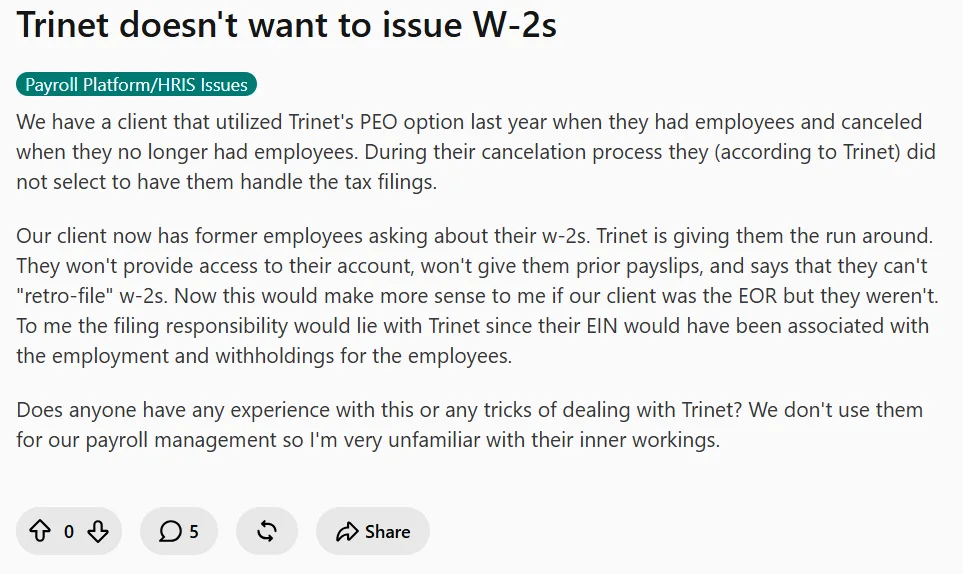
In fact, a user on Reddit said that after a client ended their TriNet PEO contract, former employees couldn’t get their W-2s. TriNet wouldn’t restore account access, wouldn’t hand over prior payslips, and claimed it couldn’t “retro-file” the forms, even though TriNet’s own EIN had been tied to the withholdings the whole time.
Support that’s slow to respond
Poor customer service and communication is another frequent complaint about TriNet.
One user on G2 said Tier 1 chat support “can be lacking,” and that more complex issues get kicked to an escalation and an email response instead of a real-time answer, so they can’t always get a solution from chat right away.

Service got worse after the Zenefits acquisition
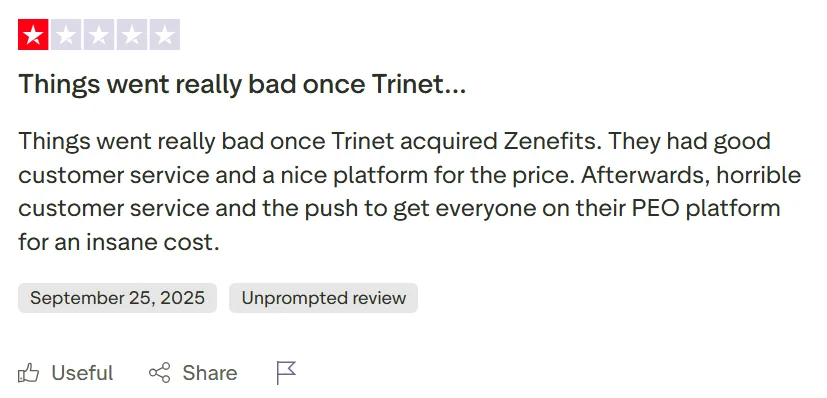
TriNet’s acquisition of Zenefits has been a sore point for a lot of longtime customers, who say service went downhill fast once the takeover happened. Case in point, a Trustpilot review of one former Zenefits customer said things were good before the deal, with solid customer service and a fair price, but that TriNet’s takeover brought “horrible customer service” along with pressure to push everyone onto TriNet’s pricier PEO platform.
How I Evaluated
I compared all eight platforms against the same six criteria, based on what mid-market or enterprise buyers moving off TriNet run into during evaluation and implementation.
| Criterion | What I checked |
|---|---|
| Multi-state US payroll depth | Coverage across all 50 states, local tax jurisdictions, state reciprocity handling, W-2/1099 processing, and year-end filing accuracy. |
| Payroll engine & accuracy controls | Off-cycle runs, retroactive pay adjustments, garnishment processing, audit trail depth, and approval workflows. |
| Breadth vs. point-tool sprawl | How many separate vendors a buyer can consolidate into one platform, across HR, payroll, benefits, time tracking, and performance. |
| Implementation time & migration support | Realistic go-live timelines, who owns historical data migration, and whether parallel payroll runs are supported before cutover. |
| Pricing transparency & TCO | Whether pricing is published or requires a sales call, PEPM versus bundled versus percentage-of-payroll models, and 3-year cost predictability. |
| Support responsiveness | Named account rep versus ticket queue, published SLAs, and what reviewers say specifically about support quality. |
Disclosure: Keka is our product. However, in order for this to be a unbiased assesment, I have applied identical criteria to every platform, included genuine limitations for Keka based on real use-case fit, and sourced every price and rating independently rather than assuming any vendor’s own claims.
In-Depth Review: The 8 Best TriNet Alternatives in 2026
1. Keka (4.4/5 on G2)
Keka is an all-in-one HR, payroll, and PSA software designed to manage the complete employee and project lifecycle. Today, 12,500+ organizations across 120+ countries use Keka. The platform brings together hiring, onboarding, HR management, payroll, attendance, performance, employee experience, project management, resource management, timesheets, billing, and analytics. Keka works with companies of all sizes and is built around a simple, intuitive user experience.
Unlike a PEO, Keka doesn’t become your employer of record. You keep full control over HR policy, your own benefits broker relationships, and your employee data, while still getting native multi-state payroll, a built-in HRIS, and professional-services automation for project-based businesses.
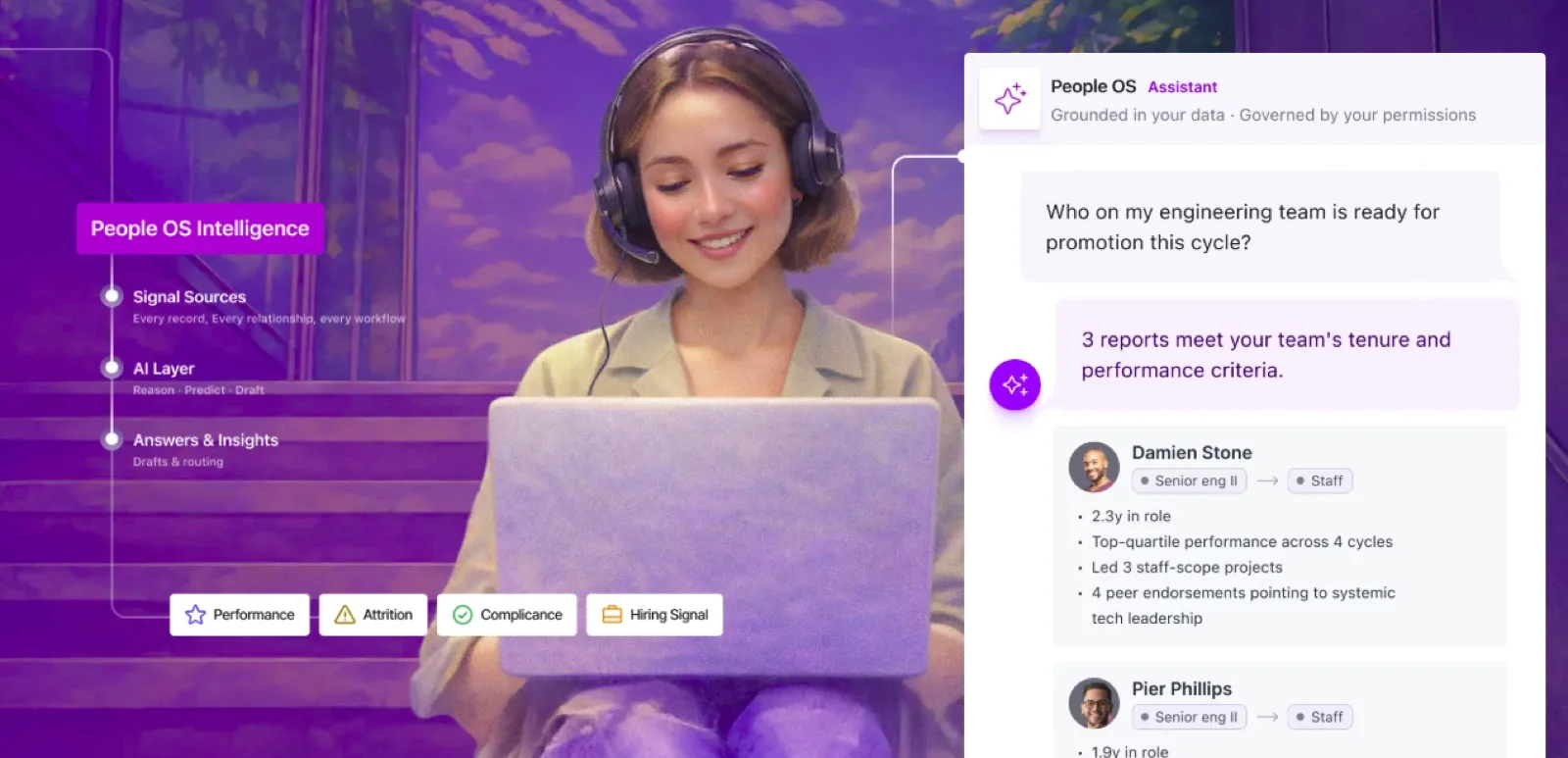
KEKA People OS Platform
Key features
- Native multi-state US payroll with federal, state, and local tax calculations across all 50 states
- Integrated HRIS covering onboarding, documents, org charts, and employee self-service
- Professional Services Automation (PSA) for project tracking, resource allocation, and utilization
- Off-cycle payroll runs, retroactive adjustments, and comprehensive audit trails
- Performance management with continuous feedback, OKRs, and 360-degree reviews
- Consumer-grade interface designed for employee adoption without heavy training
Pros and cons
| Pros | Cons |
|---|---|
| Genuine all-in-one eliminates the need for 5 to 10 separate point tools | Keka can work as a single point solution, but organizations that adopt the broader ecosystem can benefit more from the connected workflows and data across the platform. |
| Full HR policy control instead of PEO co-employment constraints | As organizations expand their use of the platform, administrators may need to decide which features, workflows, permissions, and reports are most relevant to their teams. |
| PSA Cloud is a genuine differentiator for professional services firms | Organizations may need to clearly define their existing approval structures and workflows before configuring them for automation. |
| Modern interface drives higher employee self-service adoption |
Best for: Companies of all sizes with internal HR capability who want to own their people operations stack, especially professional services firms that need integrated PSA.
Not for: Small businesses under 25 employees looking to fully outsource HR, or companies that specifically want PEO co-employment for benefits access and shared compliance risk.
Pricing
Custom pricing. Free trial available.
Thinking about switching HR software?
Most teams go live on Keka in weeks, not months, with no hidden fees along the way.
2. Rippling (4.8/5 on G2)
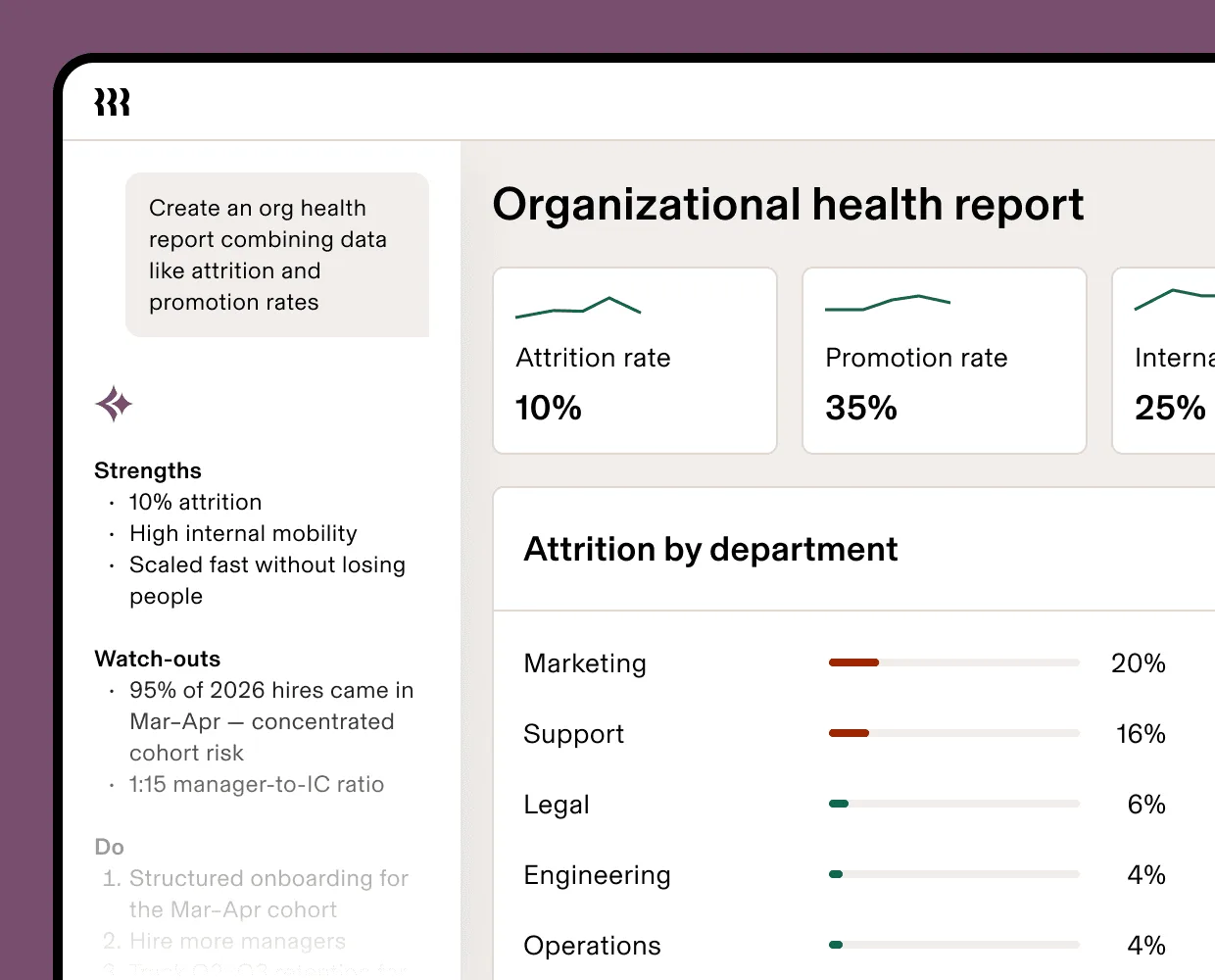
Rippling is a workforce management platform that combines HR, payroll, benefits, and IT device management in a single system. It serves tech-forward companies that want to automate employee lifecycle events across both HR and IT, and it also offers an optional PEO model for companies that want to stay in co-employment while gaining that automation. That flexibility makes it one of the more adaptable TriNet alternatives on this list.
Rippling
Key features
- Unified employee record connecting HR, payroll, benefits, and IT systems
- Automated device provisioning and app access tied to HR events like onboarding and offboarding
- Multi-state payroll with global contractor payments in 150+ countries
- Optional PEO model available alongside standard software-only payroll
- Workflow automation engine for multi-step HR and IT processes
- 400+ pre-built integrations with other business applications
Pros and cons
| Pros | Cons |
|---|---|
| IT and HR unification is unique among the alternatives on this list | Modular, per-app pricing can escalate quickly as you add features |
| Powerful workflow automation cuts down on manual admin work | IT device management is unnecessary overhead for non-tech companies |
| Choice between PEO and software-only gives buyers a migration path either way | Full platform implementation can get complex |
| Strong international contractor payment capabilities | Support quality varies by review as the company scales quickly |
Best for: Technology companies (50 to 500 employees) managing real device fleets and SaaS stacks, who want HR lifecycle events to automatically trigger IT provisioning.
Not for: Companies without significant IT infrastructure needs, or those wanting the simplest possible HR setup without automation complexity.
Pricing
Rippling’s HCM module starts at $8 per employee per month, and its Payroll module starts at $35 per month plus a per-employee fee. The PEO option is quoted separately. Costs depend heavily on which modules you add. See our Rippling vs TriNet comparison for a full side-by-side breakdown.
3. Justworks (4.6/5 on G2)
Justworks is a PEO built for simplicity. It serves startups and small businesses who want the benefits of co-employment, like access to large-group health insurance, without the complexity that comes with older, legacy PEOs. Justworks stands out for publishing its per-employee pricing up front rather than routing everyone through a sales call, which makes it one of the more transparent TriNet alternatives for companies staying in the PEO model.
Key features
- PEO co-employment with access to large-group health insurance rates
- Published, transparent pricing without percentage-of-payroll models
- Multi-state payroll and tax administration across all 50 states
- Compliance support for employment law and HR best practices
- 24/7 customer support with access to certified HR consultants
- Simple onboarding, with median go-live under 2 weeks for small teams
Pros and cons
| Pros | Cons |
|---|---|
| The most transparent, published pricing among the major PEOs | Limited HRIS depth compared to full HR platforms |
| Modern, intuitive platform compared to legacy PEO interfaces | No performance management or advanced HR modules |
| Strong benefits access for small companies | Same co-employment control tradeoffs as any PEO |
| Responsive support, frequently praised in reviews | Less extensive HR consulting than Insperity or TriNet |
Best for: Startups and small businesses (10 to 150 employees) who want PEO benefits access and compliance support with predictable costs and minimal admin burden.
Not for: Companies needing deep HRIS capability, performance management, or extensive HR consulting within their PEO relationship.
Pricing
Justworks publishes four plans. Payroll starts at $8 per employee per month plus a $50 monthly base fee. PEO Basic starts at $79 per employee per month with compliance and HR consulting included. PEO Plus, the most popular tier, starts at $124 per employee per month and adds medical, dental, and vision administration. A Global EOR plan for international hires starts at $599 per employee per month. See our Justworks vs TriNet comparison for a full side-by-side breakdown.
4. ADP TotalSource (4.3/5 on G2)
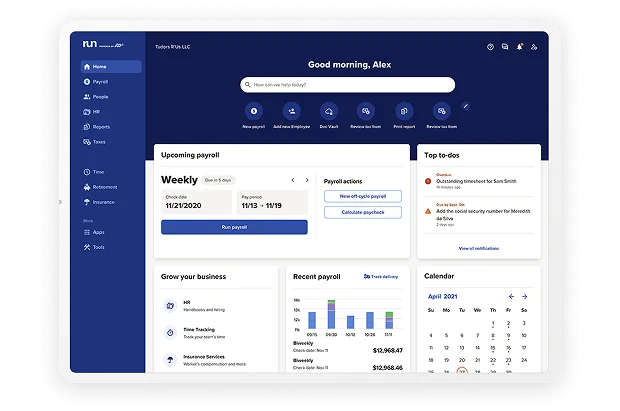
ADP TotalSource is ADP’s PEO, built for mid-size to large companies that want comprehensive outsourced HR backed by the largest payroll provider in the US. TotalSource bundles co-employment, benefits administration, risk management, and access to ADP’s compliance and legal resources, making it a premium TriNet alternative for larger organizations that prioritize scale and compliance certainty over a modern interface.
ADP Dashboard
Key features
- Full PEO co-employment with Fortune 500-level benefits access
- Dedicated HR business partner assigned to your account
- ADP’s payroll infrastructure with 50-state and international capability
- Comprehensive risk management and workers’ compensation programs
- Access to ADP’s legal and compliance advisory services
- A path into the broader ADP ecosystem if you outgrow PEO
Pros and cons
| Pros | Cons |
|---|---|
| ADP’s unmatched payroll infrastructure and compliance expertise | Premium pricing reflects ADP’s enterprise positioning |
| Strong benefits options leveraging ADP’s purchasing scale | Interface feels dated next to newer competitors |
| A clear path to ADP Workforce Now if you outgrow the PEO model | Minimum employee thresholds apply for enrolment |
| Extensive HR consulting resources | Contract terms are complex and need careful review |
Best for: Mid-size to large companies (200 to 1,000+ employees) that want the security of ADP’s infrastructure and scale while keeping PEO benefits access and compliance support.
Not for: Small businesses seeking a simple, affordable PEO, or companies that prioritize a modern user experience above all else.
Pricing
ADP doesn’t publish TotalSource pricing. It’s quoted based on company size, industry, and benefits selection. See our ADP vs TriNet comparison for a full side-by-side breakdown.
5. Insperity (4.3/5 on G2)
Insperity is a PEO that differentiates on the depth of its HR consulting. Instead of just administrative support, it provides dedicated HR specialists who act as strategic advisors on top of running payroll and benefits. Insperity serves companies who want hands-on HR partnership alongside PEO administration, which makes it a strong TriNet alternative for buyers who value the relationship as much as the service.
Key features
- Dedicated HR specialist assigned as a strategic business partner
- Full PEO co-employment with comprehensive benefits packages
- Performance management consulting and implementation support
- Recruiting and talent acquisition advisory services
- Risk management and workplace safety programs
- Organizational development and training resources
Pros and cons
| Pros | Cons |
|---|---|
| The deepest HR consulting relationship among the major PEOs | Premium pricing for the consulting-heavy model |
| Strong performance management advisory services | Technology platform is less modern than Justworks or Rippling |
| Proactive compliance guidance and risk mitigation | May be over-serviced for companies that just want self-service |
| High-touch support model, frequently praised in reviews | Support strength varies by region |
Best for: Companies (50 to 500 employees) who want their PEO relationship to include strategic HR consulting, organizational development guidance, and a true HR business partner.
Not for: Self-sufficient HR teams that just need payroll and benefits administration, or cost-sensitive buyers who’d rather pay for less service depth.
Pricing
Insperity doesn’t publish pricing. It’s quoted based on company size and services selected.
6. Paychex PEO (4.1/5 on G2)
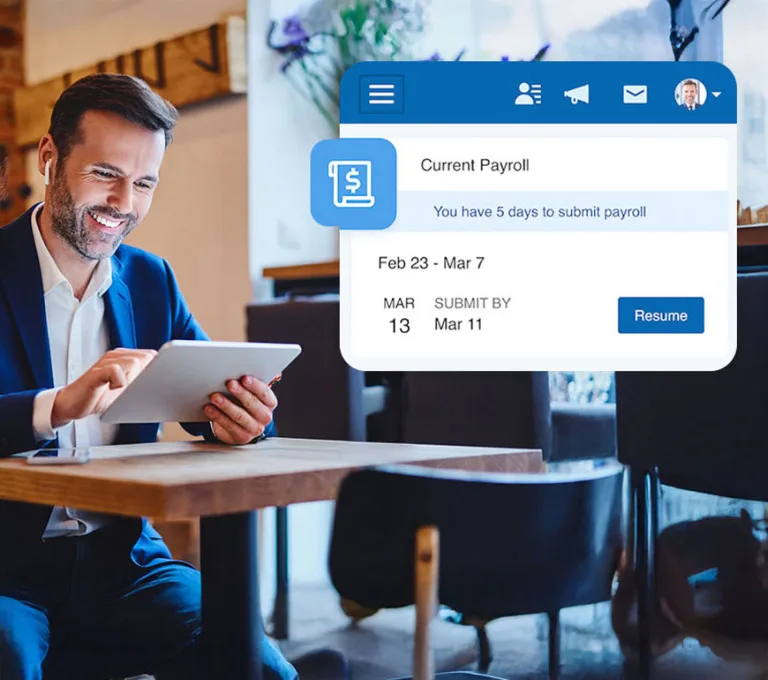
Paychex PEO is the professional-employer-organization arm of Paychex, one of the largest HR service providers in the US, backed by a network of over 100 local offices. What sets it apart from the other PEOs here is flexibility: you can start with Paychex’s standalone payroll software and add full PEO services later, or run a mix of both, without switching platforms. That makes it a good fit if you’re not yet sure whether you want to fully outsource HR or keep it in-house.
Key features
- Full PEO co-employment with benefits, payroll, and compliance
- Local representatives available for in-person meetings
- Integration with the broader Paychex product ecosystem
- Workers’ compensation and risk management programs
- HR advisory services with certified professionals
- A scalable path to Paychex Flex if you outgrow the PEO model
Pros and cons
| Pros | Cons |
|---|---|
| The strongest local, in-person support network among the national PEOs | Platform technology trails more modern competitors |
| Well-established 50-state compliance infrastructure | Service quality can vary by local office |
| A flexible path to non-PEO Paychex products | Less transparent pricing than Justworks |
| Strong understanding of small business needs | Benefits options may be narrower than larger PEOs |
Best for: Small businesses (20 to 150 employees) in areas with a strong Paychex presence who value face-to-face relationships over a digital-first experience.
Not for: Companies that prioritize a modern technology platform, or those in regions without a strong local Paychex office.
Pricing
Quote-based.
7. Gusto (4.6/5 on G2)
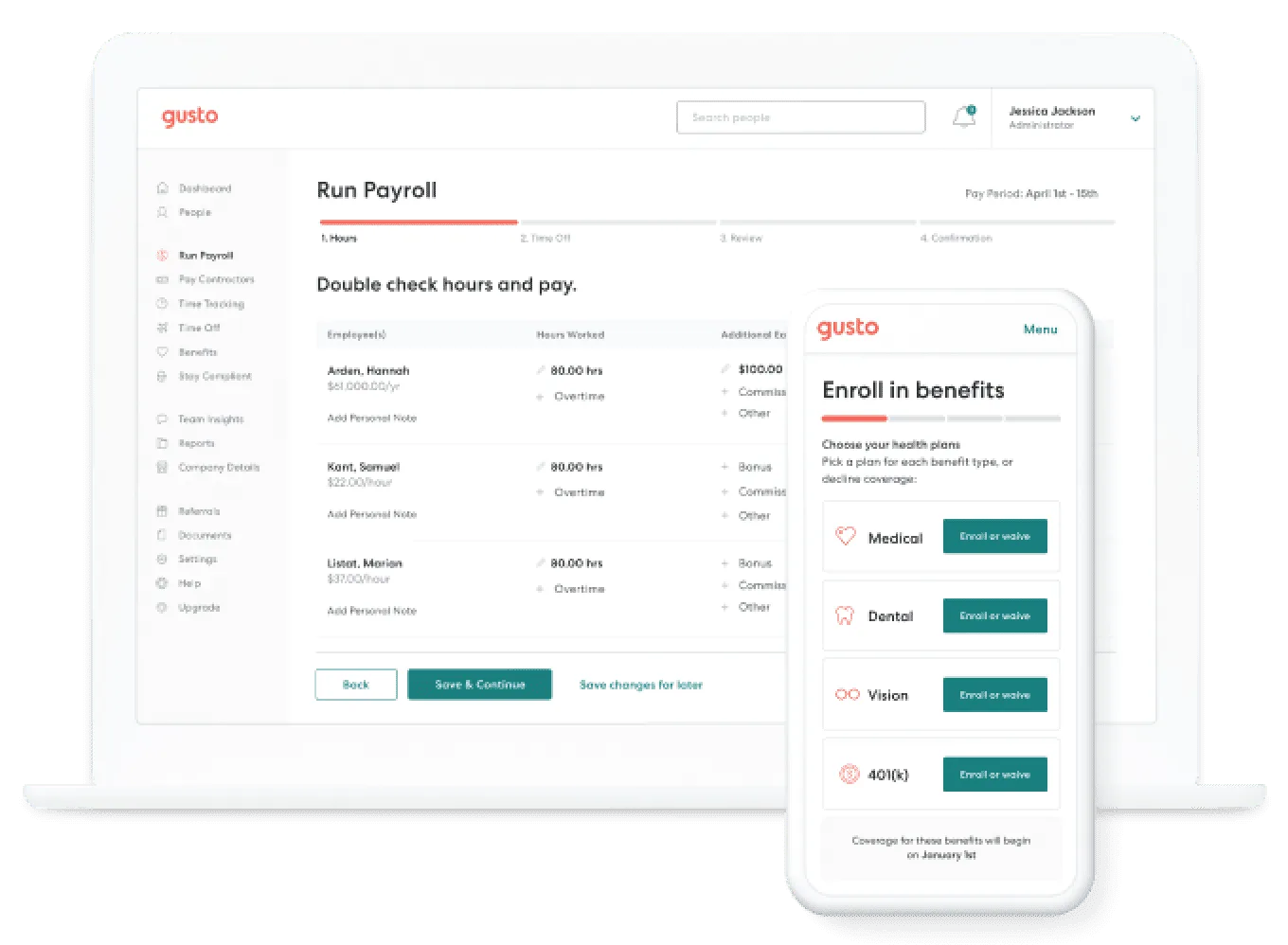
Gusto is a cloud-based payroll and HR platform built for small businesses, known for an easy interface and simple, published pricing. It isn’t a PEO: you stay the employer of record, choose your own benefits broker, and manage HR in-house. For companies leaving TriNet specifically because they’re comfortable handling HR themselves and want a clean, affordable software alternative, Gusto is usually the simplest answer.
Gusto
Key features
- Full-service payroll across all 50 states with automatic tax filing and payments
- Benefits administration through a broker marketplace, including health insurance and 401(k)
- Employee self-service portal for pays tubs, tax documents, and benefits enrolment
- Built-in time tracking and PTO management at higher tiers
- Basic hiring and offer letter tools
- Contractor payments with 1099 filing
Pros and cons
| Pros | Cons |
|---|---|
| Publicly listed pricing with no hidden fees | No PEO option for companies wanting shared compliance risk |
| Fastest onboarding among the alternatives evaluated | Performance management is basic at best |
| Strong small-business benefits broker marketplace | Support response times decline at scale, per reviews |
| Unlimited payroll runs on every plan, with no long-term contract | Limited HR depth for companies that are actively scaling |
Best for: Startups and small businesses (5 to 50 employees) with basic HR capability in-house who want simple, transparent payroll without PEO complexity or cost.
Not for: Companies wanting outsourced HR administration, large-group benefits access, or deep HRIS functionality.
Pricing
Gusto publishes three pricing tiers:
- Simple starts at $49 a month plus $6 per employee and covers single-state payroll.
- Plus starts at $80 a month plus $12 per employee and adds multi-state payroll and time tracking.
- Premium starts at $180 a month plus $22 per employee and adds a dedicated advisor and same-day ACH transfers.
See our Gusto vs TriNet comparison for a full side-by-side breakdown.
8. Paylocity (4.4/5 on G2)
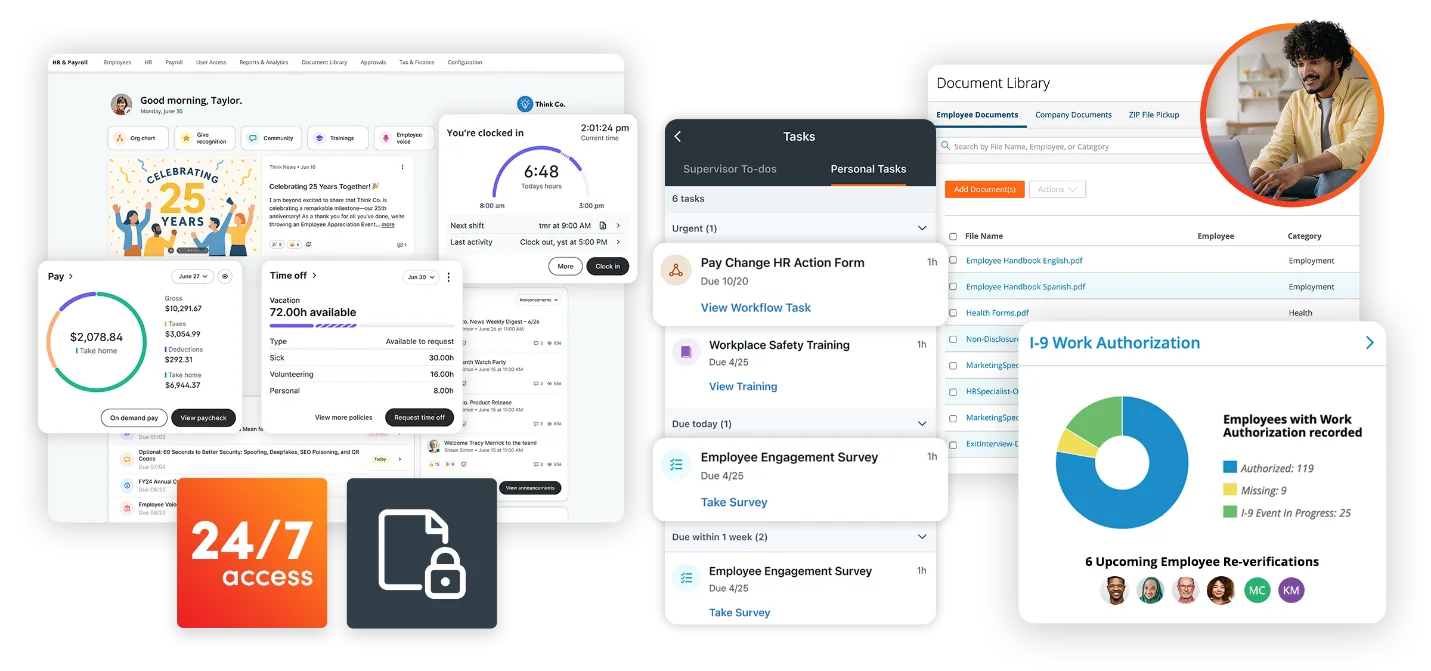
Paylocity is a clou-based payroll and HCM platform built for mid-market companies that want deep payroll capability alongside modern employee engagement features. It isn’t a PEO: you keep HR in-house, with tools like Community (an internal social feed) and On-Demand Payment layered on top of a strong payroll engine. It’s a solid TriNet alternative for companies ready to manage HR internally without giving up PEO-level benefits access entirely, since Paylocity connects to outside benefits brokers.
Paylocity
Key features
- Comprehensive multi-state payroll with a deep tax engine
- On-Demand Payment for earned wage access
- Community social-collaboration tools for employee engagement
- Learning management and performance modules
- Time and attendance with scheduling
- Recruiting and onboarding workflows
Pros and cons
| Pros | Cons |
|---|---|
| A strong payroll engine, well-regarded by practitioners | No PEO option, so there’s no shared compliance risk or bundled benefits |
| Innovative employee engagement features | Full-suite implementation can take a while |
| Good mid-market fit with scalable pricing | Pricing isn’t published; it requires a sales conversation |
| Modern mobile experience for employees | Some modules feel less integrated than core payroll |
Best for: Mid-market companies (100 to 1,000 employees) with an established HR team that want deep payroll capability plus modern employee engagement, without PEO constraints.
Not for: Companies seeking outsourced HR or PEO benefits access, or small businesses wanting the simplest possible self-service.
Pricing
Paylocity doesn’t publish pricing. Core, Enhanced, and Premium tiers all route to a sales conversation.
Feature-by-Feature Comparison
Here’s a more neck-to-neck comparison of TriNet and the rest of the tools:
| Tool | Model | All 50-state payroll | Benefits administration | Performance management | Published pricing |
|---|---|---|---|---|---|
| TriNet | PEO | Yes | Yes (master policies) | Basic | No |
| Keka | Software | Yes | Yes | Full module | No |
| Rippling | Software (PEO optional) | Yes | Yes (with PEO) | Yes | Partial |
| Justworks | PEO | Yes | Yes (bundled) | No | Yes |
| ADP TotalSource | PEO | Yes | Yes (ADP scale) | Add-on | No |
| Insperity | PEO | Yes | Yes (bundled) | Consulting support | No |
| Paychex PEO | PEO | Yes | Yes (bundled) | Add-on | No |
| Gusto | Software | Yes | Via broker marketplace | Basic | Yes |
| Paylocity | Software | Yes | Via carrier connections | Yes | No |
Note: PEOs handle payroll as part of co-employment and bundle benefits under a master policy. Software platforms give you payroll tools you run yourself and connect to your own broker or carrier.
How to Choose the Right TriNet Alternative?
With eight solid alternatives on this list, the right pick usually comes down to two things: whether you want to stay in a PEO or leave co-employment behind, and how big your company is. Here’s a quick way to narrow it down before you start booking demos.
| Headcount | Pick | Why |
|---|---|---|
| 5-25 employees | Justworks or Gusto | Justworks if you want PEO benefits access; Gusto if you’re comfortable managing HR yourself and want simplicity |
| 25-100 employees | Justworks, Keka, or Rippling | Justworks to stay in a PEO; Keka or Rippling if you’re ready to bring HR operations in-house with full platform ownership |
| 100-500 employees | Keka, Paylocity, or Insperity | Keka for unified platform consolidation; Paylocity for payroll depth with engagement; Insperity for high-touch PEO with consulting |
| 500-5000+ employees | Keka, ADP TotalSource, or Rippling | Enterprise requirement makes Keka’s unified platform a good bet, ADP’s enterprise infrastructure, or Rippling’s automation capabilities deserve a mention too |
How to Migrate off TriNet?
Switching off TriNet usually takes 8 to 12 weeks from start to finish. Here’s what that timeline looks like broken down by phase, along with who owns what.
| Phase | Timeline | You own | Vendor owns |
|---|---|---|---|
| Decision and planning | Weeks 1-2 | Vendor selection, internal stakeholder alignment, timeline commitment | Scoping, pricing, implementation resource assignment |
| Data extraction from TriNet | Weeks 2-4 | Requesting a full data export from TriNet, validating completeness | Data mapping templates, import validation tools |
| System configuration | Weeks 4-6 | Policy decisions, approval workflows, org structure | Platform setup, payroll tax registration, benefits carrier connections |
| Parallel payroll run | 1-2 pay cycles | Reconciliation between TriNet and the new system | Support for discrepancy resolution, adjustment processing |
| Go-live and TriNet termination | Coordinated with quarter-end | Employee communication, TriNet termination notice per contract | First live payroll support, post-go-live issue resolution |
Common failure points
Watch out for these three things. They’re the most common reasons a TriNet migration goes sideways.
- Benefits continuity gap: Line up your new benefits’ effective date with your TriNet termination date so coverage never lapses.
- Historical data completeness: Request and verify full payroll history, tax filings, and employee documents before the relationship ends.
- State tax registration timing: If TriNet held your state registrations, apply for your own unemployment and withholding accounts early. Some states take 4 to 6 weeks.
Okay, So What’s Next?
TriNet isn’t a bad platform. It’s simply not the only option at this price point anymore, and for a lot of mid-market and enterprise companies, it’s no longer the best one.
The worst outcome is staying on autopilot because evaluating alternatives feels like a hassle. Most of the platforms in this guide will give you a real number within a few days, and the gap between what you’re paying now and what you could pay only gets bigger the longer you wait.
For companies ready to move off the PEO model entirely, Keka offers a free trial, published evaluation criteria, and an implementation timeline measured in weeks rather than months. Start there.
See how Keka can simplify HR and payroll for your growing workforce.


