


 Login
Login


The best Gusto alternatives for US businesses in 2026 are Keka (unified HR, enterprise payroll, and PSA platform), Rippling (IT-HR automation), Paychex (enterprise payroll services), OnPay (affordable small business payroll), Justworks (PEO model), Paycor (mid-market HR suite), Patriot Software (budget payroll), and QuickBooks Payroll (accounting integration), each evaluated on real-world product usage, pricing structure and scaling costs, workflow fit for growing teams, support responsiveness, and review sentiment from G2, Trustpilot, and Reddit.
As your business grows, Gusto payroll may start to feel limiting. Managing payroll across multiple states, rising costs as headcount increases, and the need for deeper HR support can push growing businesses to look for a more robust solution.
I created this comparison for businesses of all sizes, focusing on what HR, finance, and operations leaders need to manage payroll, HR, and workforce operations as their organizations grow.
Use the feature comparison below to see how each option stacks up and find the right fit for your growing team.
Quick Comparison: 8 Best Gusto Alternatives in 2026
| Tool | Best for | Pricing | Free trial |
|---|---|---|---|
| Keka (HR + payroll) | Businesses of all sizes that want HR, payroll, performance, and workforce management in one platform | On request | Yes |
| Rippling (HR + IT ops) | Teams where HR, IT, and finance need to talk to each other. Best automation depth on this list. | Custom | No |
| Paychex (Service-led HR) | Midsize teams that want a service partner, not just software. Good for regulated industries. | Custom | No |
| Paycor (Workforce analytics) | Teams that need workforce planning, retention insights, and performance tied to compensation decisions and salary planning | Custom | No, only guided demos |
| Justworks (PEO model) | Founders who want payroll, taxes, and benefits handled without building an in-house HR team | Payroll: $8/employee/month PEO Basic: $79/employee/month PEO Plus: $124/employee/month |
Payroll free for 3 months |
| QuickBooks Payroll | Teams already using QuickBooks who want payroll synced directly with their books | From $88/month + $7/employee | Yes |
| Patriot Software | Very small teams that want the cheapest full-service payroll option and don’t need deep HR features | Basic from $17/month + $4/worker Full Service from $37/month + $5/worker |
Yes |
| OnPay | Small businesses that want one transparent plan covering payroll, tax filing, and light HR, with hands-on onboarding support | From $49/month + $6/worker | Yes |
strong>Disclosure: Keka ranks first in this evaluation, but every vendor is assessed against the same criteria, with Keka’s limitations backed by third-party reviews and linked sources for independent verification.
How I Evaluated These Tools
I approached it like a buyer who needs the platform to hold up in production. Here is what I looked at:
- Reddit sentiment across r/sysadmin, r/SmallBusiness, r/startups, and r/SaaS for recurring themes that separate real frustrations from noise.
- Review patterns from G2, Trustpilot, and other platforms to identify consistent product issues rather than isolated complaints.
- Pricing structure: base fees, per-employee costs, add-ons, and where pricing tends to scale faster than expected.
- Workflow fit across startups, SMBs, growing teams, multi-state payroll, international hires, and compliance-heavy organisations.
- Support experience: response quality, escalation paths, and whether users can actually resolve issues without weeks of back-and-forth.
- Scalability and integrations: how each product performs when teams grow, and HR complexity increases.
- Risk factors: payroll errors, tax filing accuracy, onboarding complexity, and hidden operational friction.
That mix gave me a clearer picture than any single review site could.
Before comparing the alternatives, it helps to understand what’s pushing businesses to look beyond Gusto in the first place.
Why Are Companies Moving Away From Gusto?
Pricing might trigger the conversation, but it’s rarely the full story. Here’s what consistently shows up across user reviews, Reddit threads, and buyer feedback when teams start evaluating alternatives:
Limited depth beyond payroll: Gusto handles core payroll cleanly, but areas like performance management, advanced HR workflows, and workforce planning often require additional tools or workarounds.
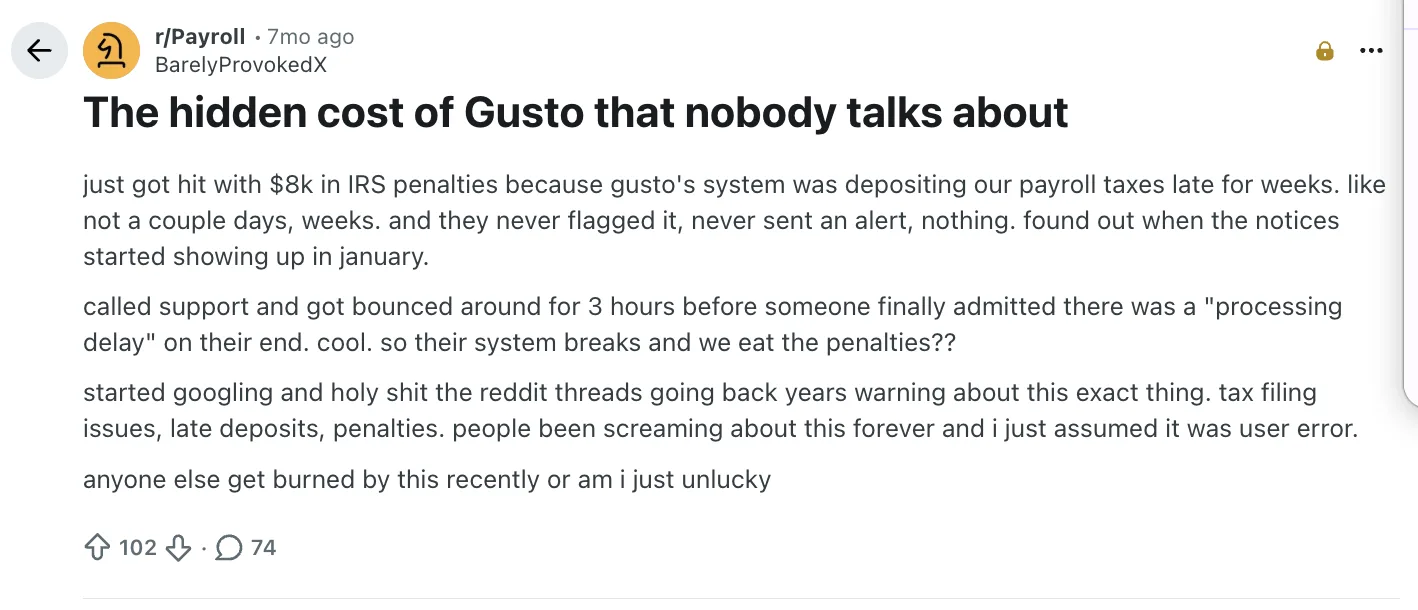
One recent Gusto payroll review on Reddit highlights a particularly costly Gusto pain point: payroll tax deposits allegedly being delayed without clear alerts, leaving businesses to deal with penalties and support headaches
Compliance strain as complexity grows: Multi-state filings, edge-case regulations, and evolving compliance needs can start feeling less seamless, especially as teams expand across regions.
Weak integration depth: While Gusto Payroll integrates with many tools, teams often find themselves stitching workflows together manually instead of operating within a truly unified system.
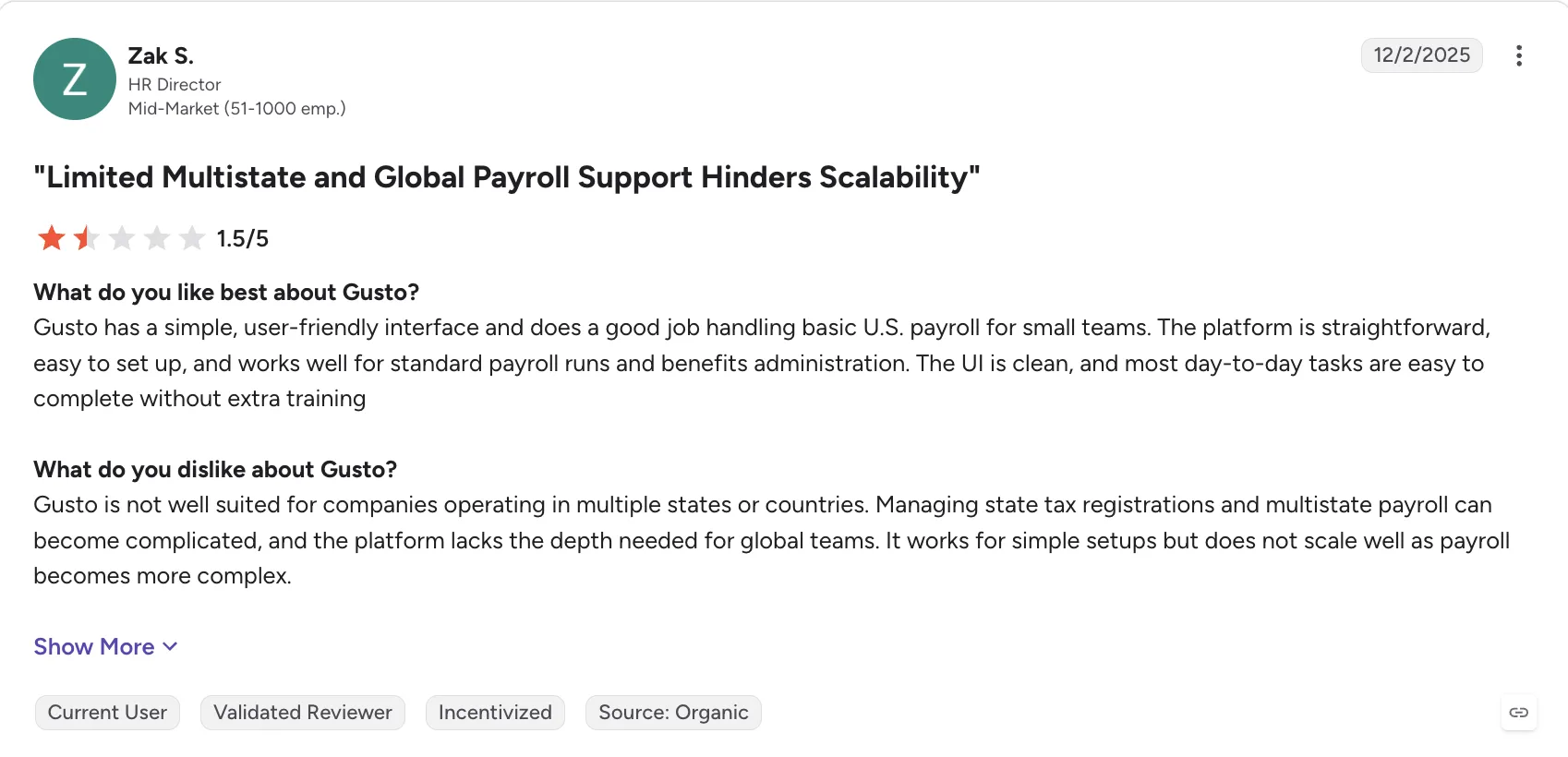
For a small team with simple payroll needs, Gusto can be easy to use. But as this reviewer found, that simplicity can start to feel limiting once payroll operations span multiple states or countries.
Manager and employee adoption gaps: Outside of payroll tasks, day-to-day engagement from managers and employees can be limited, reducing the platform’s role in broader HR operations.
Cost creep with growth: What starts as predictable pricing can shift as headcount increases or additional features and services are layered in.
Limited global readiness: For companies hiring internationally or planning to, Gusto Payroll’s capabilities can fall short compared to platforms built for global workforce management.
Now, let’s look at the eight alternatives that made our shortlist.
In-Depth Review: 8 Best Gusto Alternatives in 2026
1. Keka HR – 4.4/5
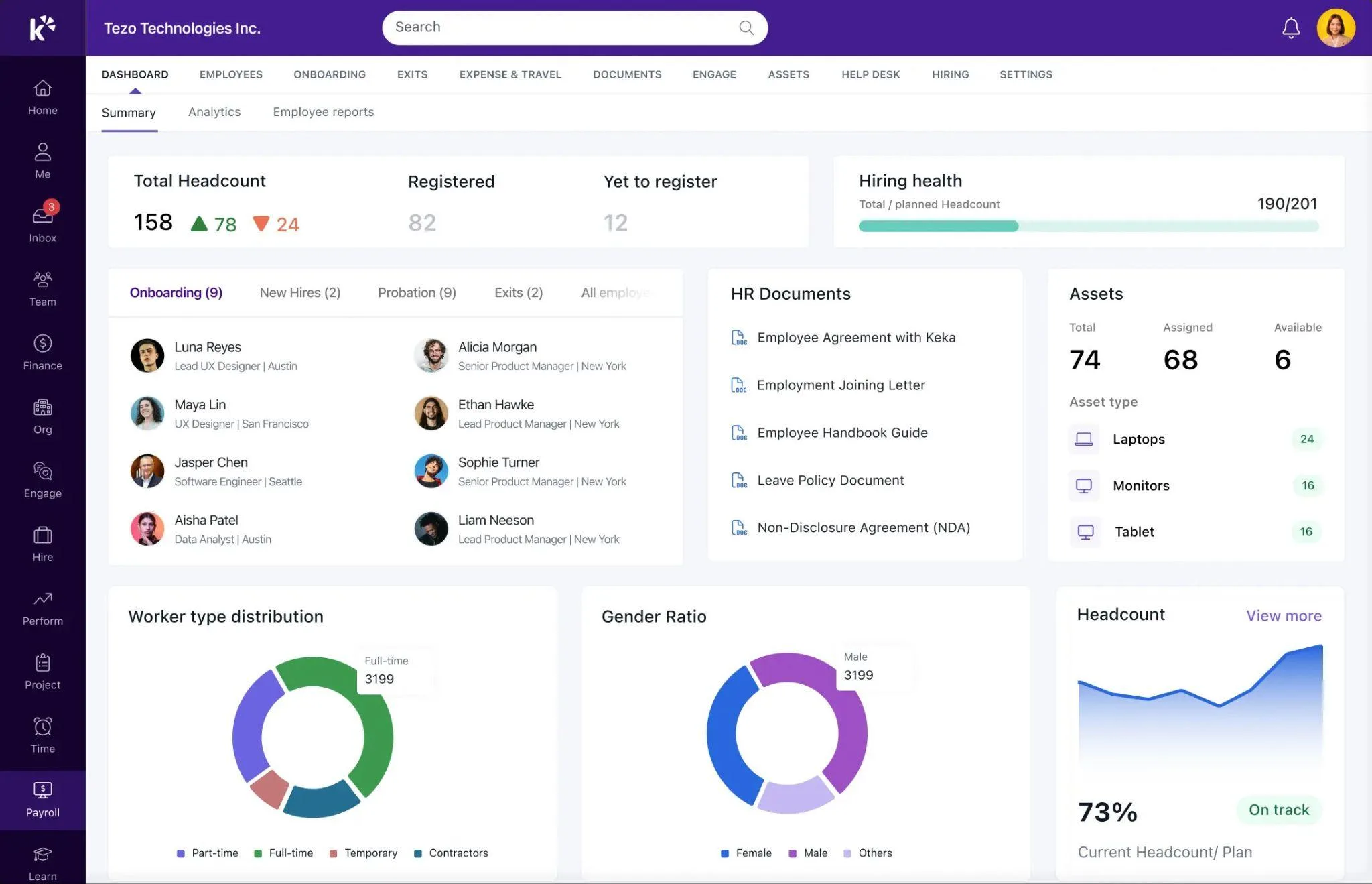
For teams that have hit the ceiling of what a payroll-first tool can offer, and want HR, performance, and compliance to work as one connected system.
Keka is built to handle businesses of all sizes, and it’s SOC 2, ISO 27001, and GDPR compliant. Payroll stays current on federal, state, and local rules, so multi-entity teams don’t have to track tax changes themselves.
Keka runs payroll, hiring, performance, and time and attendance from one system, with Keka AI layered across all of it. The AI reads live payroll, attendance, and hiring data. It can answer a manager’s direct question, draft a routine workflow, or flag a payroll anomaly or attrition risk before it becomes a problem.
Keka also includes Professional Services Automation: project timesheets, billing, and resource management. It connects with 100+ tools already in most companies’ stacks, including Salesforce, Jira, Xero, and Stripe. More than 12,500 companies use Keka today.
What Are the Key Features in Keka HR?
- Full U.S. payroll compliance: Coverage across all 50 states, with automated federal and state tax filings included, no separate add-ons required.
- Employee self-service (mobile-first): Access to payslips, leave requests, expense claims, and time tracking through a dedicated app.
- Built-in performance management: OKRs, continuous feedback, pulse surveys, and structured review cycles included as part of the platform.
- PSA capabilities for project teams: Integrated time tracking, billing, invoicing, and resource management, all linked directly to payroll.
- Global hiring support (EOR): Enables international expansion without needing separate vendor relationships.
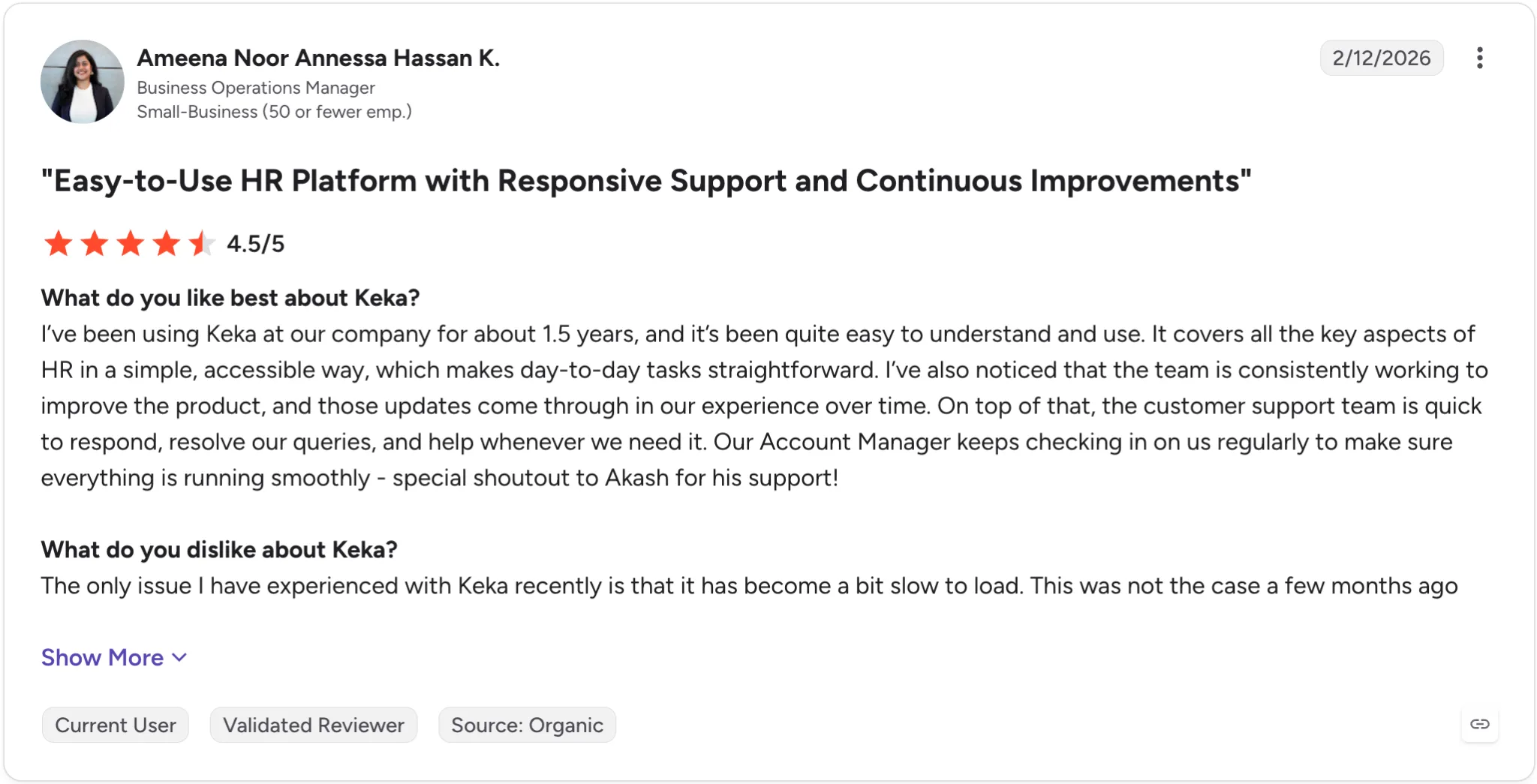
Keka retains customers long-term, with a 1.5-year G2 user praising its reliable support, continuous product updates, and proactive account management.
| ✅ Pros | ❌ Cons |
|---|---|
| Broad HR and PSA coverage: Keka brings HR, payroll, talent, employee experience, project management, resource management, timesheets, and billing into one platform. | Best suited to organizations looking to consolidate HR processes: Keka can work as a single point solution, but organizations that adopt the broader ecosystem can benefit more from the connected workflows and data across the platform. |
| Comprehensive US payroll: Keka supports payroll, benefits, deductions, direct deposit, ACH, W2s, 1099s, and automated tax filings across all 50 states. | The PSA capabilities may require some process alignment: Companies introducing project and resource management alongside HR may need to map their existing project workflows into the platform. |
| Global workforce capabilities: Keka is used by organizations across 120+ countries, supporting companies with geographically distributed teams. | Automation works best with well defined processes: organizations may need to clearly define their existing approval structures and workflows before configuring them for automation. |
| Connected workforce data: employee, attendance, payroll, performance, project, and resource information can be managed within a connected system. | |
| Designed to scale: Keka supports companies of different sizes and combines HR, payroll, and PSA capabilities within one platform. |
How Much Does Keka HR Cost?
The Foundation, Strength, and Growth tiers are priced on request based on headcount and modules. No additional implementation fee. Free trial available on all plans.
Thinking about switching HR software?
Most teams go live on Keka in weeks, not months, with no hidden fees along the way.
2. Rippling – 4.8/5
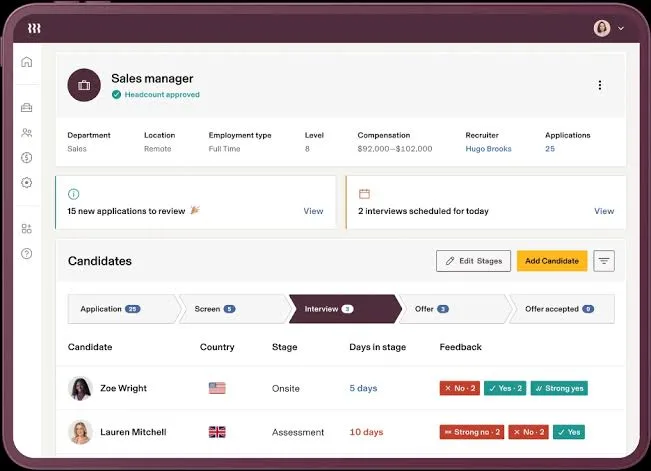
For teams where the real problem is not just payroll, but four different systems that were never meant to talk to each other and increasingly do not.
Rippling turns your HR system into an operations engine. Employee data, devices, apps, and workflows all plug into the same layer, so actions in one place trigger outcomes everywhere else.
That level of control is a big advantage when you actually need it. But it also introduces a certain weight. Without clear boundaries, teams can end up building more than they use, and paying for more than they planned.
For companies that rely on tight automation across HR and IT, Rippling fits naturally.
What Are the Key Features of Rippling?
- HR and IT in one place; onboarding can trigger device setup, app access, and payroll together
- Global payroll and EOR support across many countries (broad international coverage, though not always fully native everywhere)
- 650+ integrations with tools like Greenhouse, Slack, NetSuite, Salesforce, and Google Workspace
- Detailed role-based permissions with support for multi-state tax compliance
- Modular pricing, so you pay for what you use
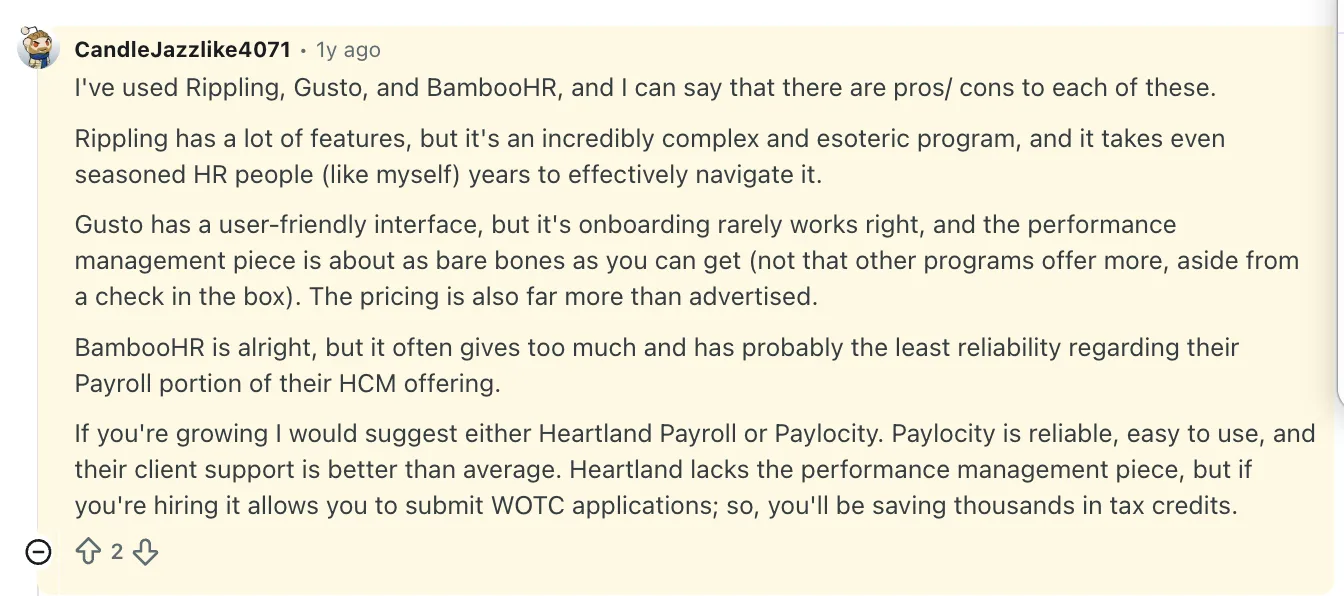
For a more practical perspective, here’s what one small business owner found after using Gusto and its alternatives:
| ✅ Pros | ❌ Cons |
|---|---|
| Strong automation across HR and IT workflows | Can become expensive quickly as modules are added |
| Excellent for HR + IT crossover use cases | Module sprawl can confuse buyers |
| Clean modern experience with broad platform ambitions | No free trial, demo only |
| 600+ integrations, the strongest ecosystem in this list | Best value depends heavily on how deeply you use it |
How Much Does Rippling Cost?
Custom pricing. Modular pricing is often fair, but buyers need to understand what they’re turning on before they commit.
3. Paychex – 4.1/5
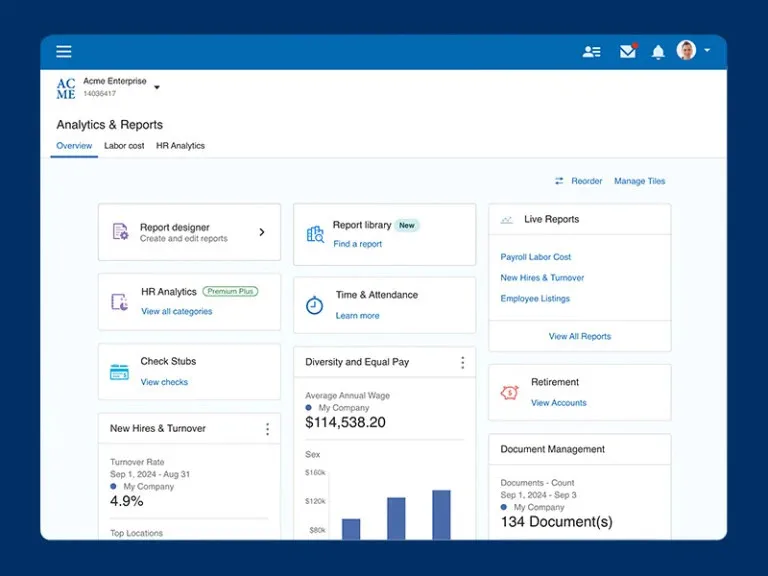
For midsize organisations where payroll complexity is a daily operational reality, not an occasional edge case.
Paychex is built around a service-first model, less “log in and figure it out,” more ongoing support you can actually lean on. For many teams, that shows up as dedicated reps, guided onboarding, and help navigating payroll, compliance, and benefits without having to piece everything together internally.
That approach appeals especially to companies that don’t have large in-house HR or payroll teams. Instead of relying purely on software workflows, there’s a layer of human support that helps keep things moving and reduces the pressure on internal teams.
The trade-off is that it doesn’t feel as modern or fluid as some newer platforms. The interface and overall experience can feel a bit traditional. But in return, you get consistency and a partner-led approach that many teams value once operations get more demanding.
What Are the Key Features of Paychex?
- Solid payroll heritage with strong compliance orientation
- Good for businesses that want service support alongside software
- Broad HR and benefits coverage
- Familiar to many finance and operations teams
- Strong compliance orientation for businesses in regulated environments
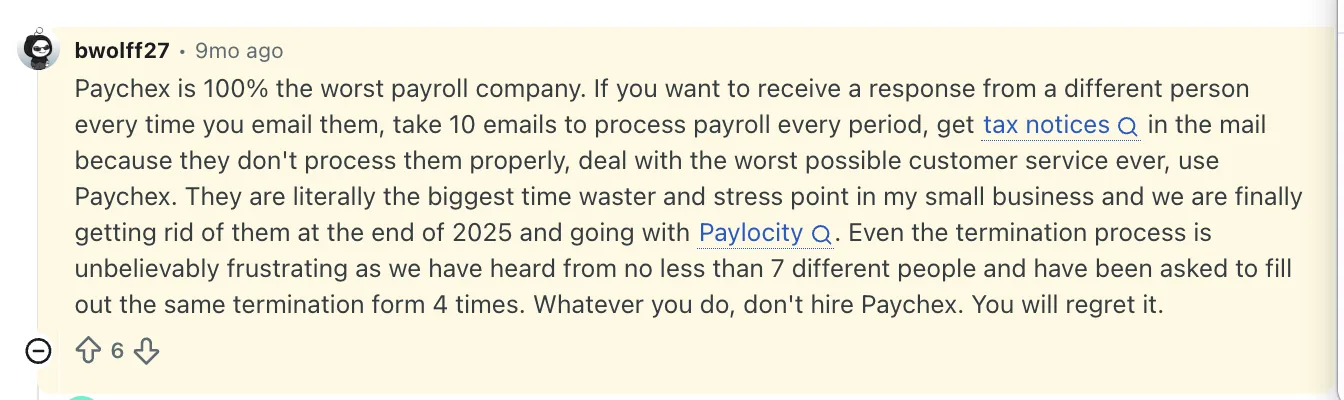
Feedback from users on Reddit who have used Paychex firsthand highlights a few recurring pain points:
| ✅ Pros | ❌ Cons |
|---|---|
| Strong payroll foundation with deep compliance focus | Interface feels dated compared to modern SaaS tools |
| Service-led approach for teams that prefer guided support | Support experience can vary depending on account setup |
| Covers payroll, HR, and benefits in one ecosystem | Less flexibility than newer, more configurable platforms |
| Familiar and trusted by finance and operations teams | Reporting and overall UX may fall short for modern HR teams |
How Much Does Paychex Cost?
Paychex pricing is generally customized, with cost depending on the number of employees, payroll frequency, support level, HR modules, and benefits.
4. Paycor – 4.0/5
For the small business owner who is already living in QuickBooks and wants payroll to feel like a natural extension rather than a separate system to manage.
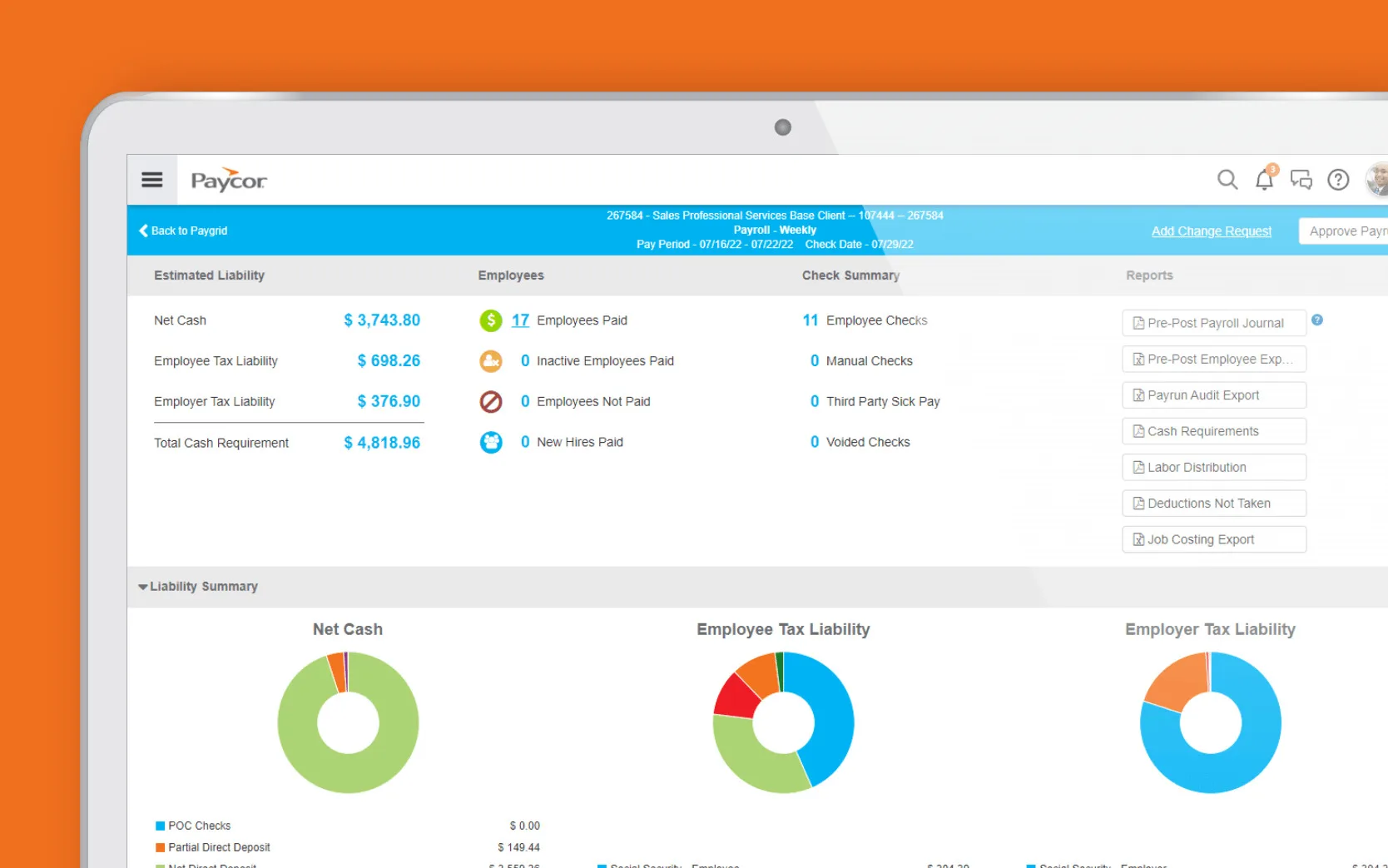
Paycor steps in when payroll and HR data need to do more than just exist; they need to explain what’s happening in your workforce. It gives you a clearer view into trends that usually stay buried: who might be at risk of leaving, how your compensation actually compares in the market, and how performance today connects to future roles and growth.
That context becomes valuable when decisions start carrying weight. Hiring plans, workforce costs, retention risks- these aren’t guesses anymore. Paycor helps surface patterns early, so teams can act with a bit more clarity instead of reacting late.
What stands out is that it brings this level of insight without turning the system into something overwhelming. You’re still operating within a platform that’s usable day to day, while having access to a deeper layer of workforce intelligence when you need it.
If your focus is on understanding and planning your workforce with more precision, Paycor fits well.
What Are the Key Features of Paycor?
- Performance that connects to outcomes: From PIPs to performance insights and succession planning, it links day-to-day performance with long-term growth and leadership pipelines
- End-to-end payroll coverage: Handles multi-state compliance, garnishments, and ACA/COBRA tracking without breaking stride as complexity increases
- Smarter recruiting workflows: AI-assisted job descriptions and built-in candidate tracking help teams move faster without losing structure
- Time and labor with real-world controls: Geofencing, kiosks, and overtime rules bring accuracy to how work is tracked and paid
- Connected ecosystem: Integrates with tools like QuickBooks and other business systems, keeping data in sync without constant manual effort
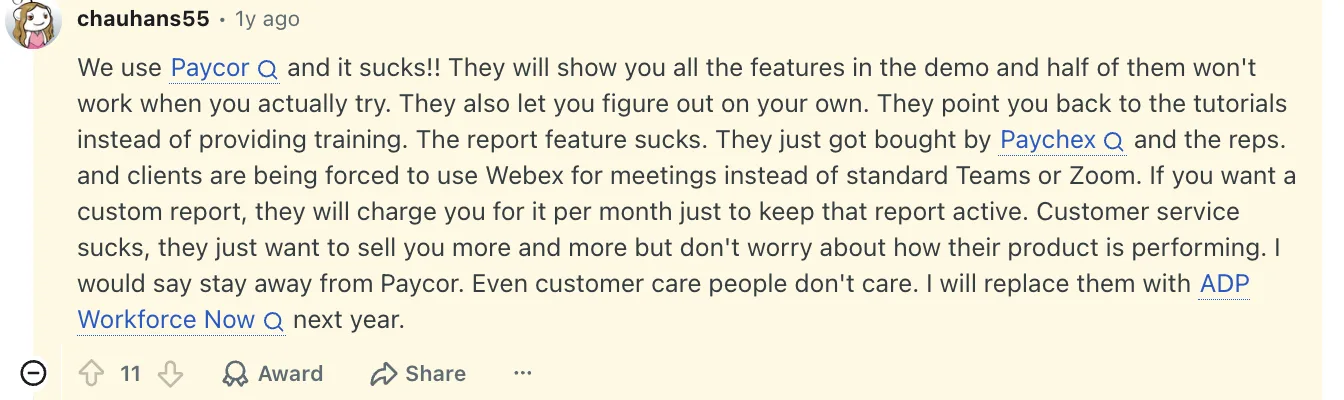
Users point to unreliable features, inadequate training, limited reporting, unexpected costs, and poor customer support as recurring issues:
| ✅ Pros | ❌ Cons |
|---|---|
| Among the strongest workforce analytics capabilities in the mid-market, offering clear visibility into trends, risks, and performance drivers | Customer support experience can be inconsistent, with rep turnover noted in user feedback |
| Talent development, PIPs, and performance reviews are connected within a single, continuous cycle | Features are packaged modularly, often with separate pricing and individual implementation fees |
| AI-assisted recruiting tools help reduce manual effort in sourcing and screening | Implementation can take longer than lighter-weight payroll platforms |
| Designed to support organizations from small businesses through 1,000+ employees |
How Much Does Paycor Cost?
Custom pricing for each plan. Only guided demos available, no free trial.
5. Justworks
For founders and small business owners who want HR compliance handled properly and are willing to trade some control to make that happen.
Running a business and managing HR compliance are two very different responsibilities, and most founders don’t want to take both on.
Justworks is built around that reality. Instead of asking you to build in-house HR expertise, it takes on payroll, benefits, and compliance through a PEO model, co-employing workers on your behalf.
That means filings, regulations, and benefits administration are handled within a structured, supported framework rather than pieced together internally.
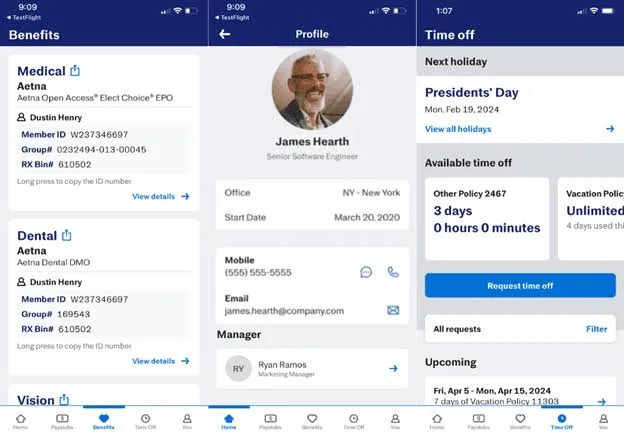
The biggest advantage is access. Through Justworks, small and midsize companies can tap into large-group health insurance plans, rates, and coverage that are typically out of reach when you’re negotiating on your own. Alongside that, you get guided support on compliance, onboarding, and employee management, which reduces the operational load on founders and lean teams.
It’s a different trade-off compared to traditional HR software: less control and customization, but far less complexity to manage day-to-day.
What Are the Key Features of Justworks?
- Operates on a PEO co-employment model, taking on employer-of-record responsibilities for taxes and compliance
- Provides access to large-group health, dental, and vision plans that small businesses typically can’t secure on their own
- Handles payroll taxes, filings, and labor law requirements within the platform, reducing internal compliance burden
- Strong emphasis on benefits enrollment and administration alongside payroll
- Offers 24/7 human support for both employers and employees
- Structures onboarding, documentation, and policies within built-in compliance guardrails
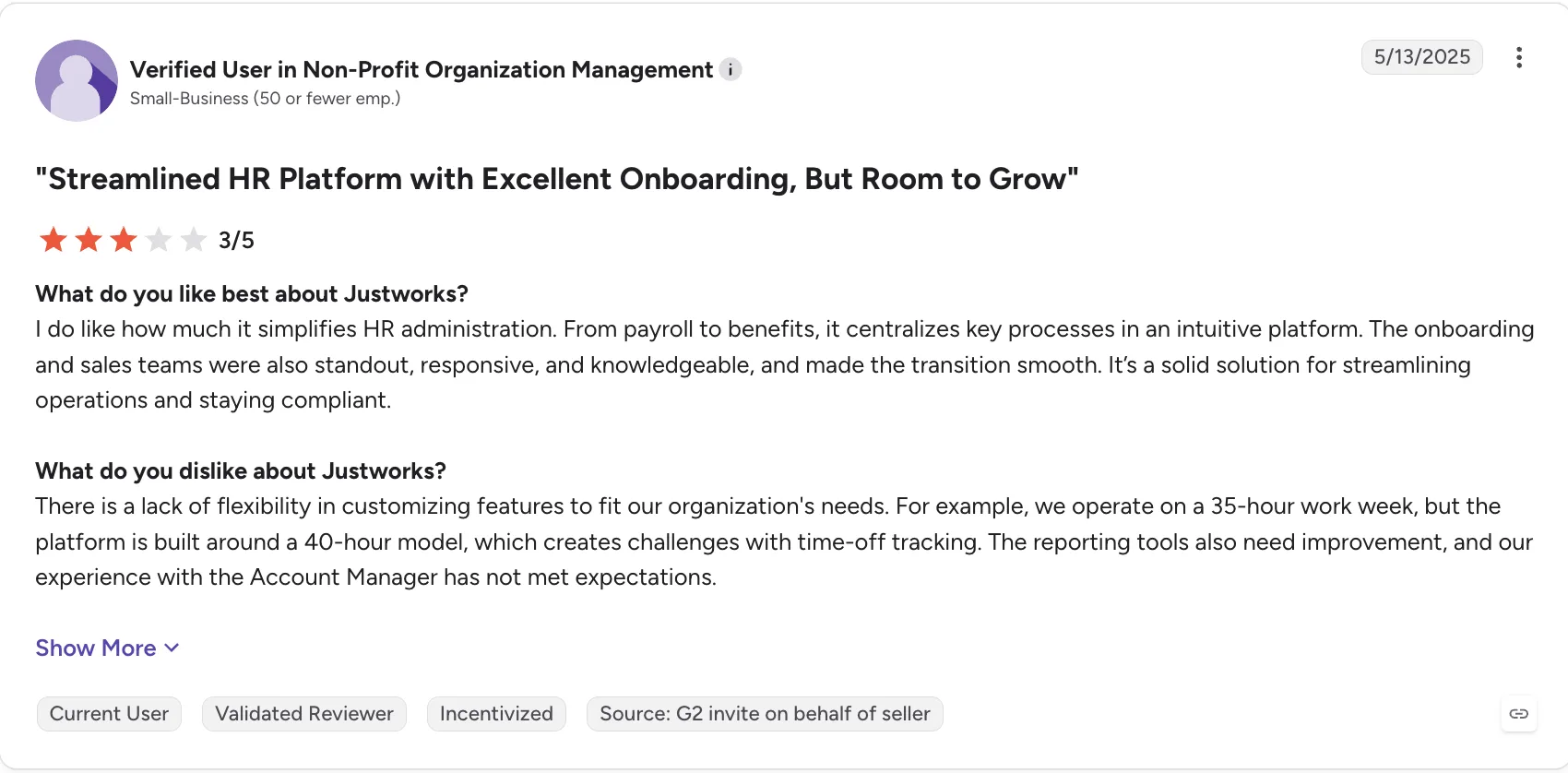
Users praise Justworks for simplifying HR, but some find its rigid setup, limited reporting, and account management frustrating:
| ✅ Pros | ❌ Cons |
|---|---|
| Access to large-group health insurance and benefits typically unavailable to small businesses | The PEO model means less control over certain HR policies and structures |
| Offloads payroll, tax filings, and compliance responsibilities | Not ideal for companies that want full ownership of their HR stack |
| 24/7 human support for both employers and employees | Limited customization compared to standalone HR platforms |
| Transparent, bundled pricing with fewer surprise add-ons | Costs can add up as headcount grows |
How Much Does Justworks Cost?
The foundational payroll page starts with $8 PEPM (with a $50 monthly base fee), PEO Basic starts at $79 PEPM, and PEO Plus is at $124 PEPM. Payroll is available for free for 3 months.
6. QuickBooks Payroll – 4.4/5
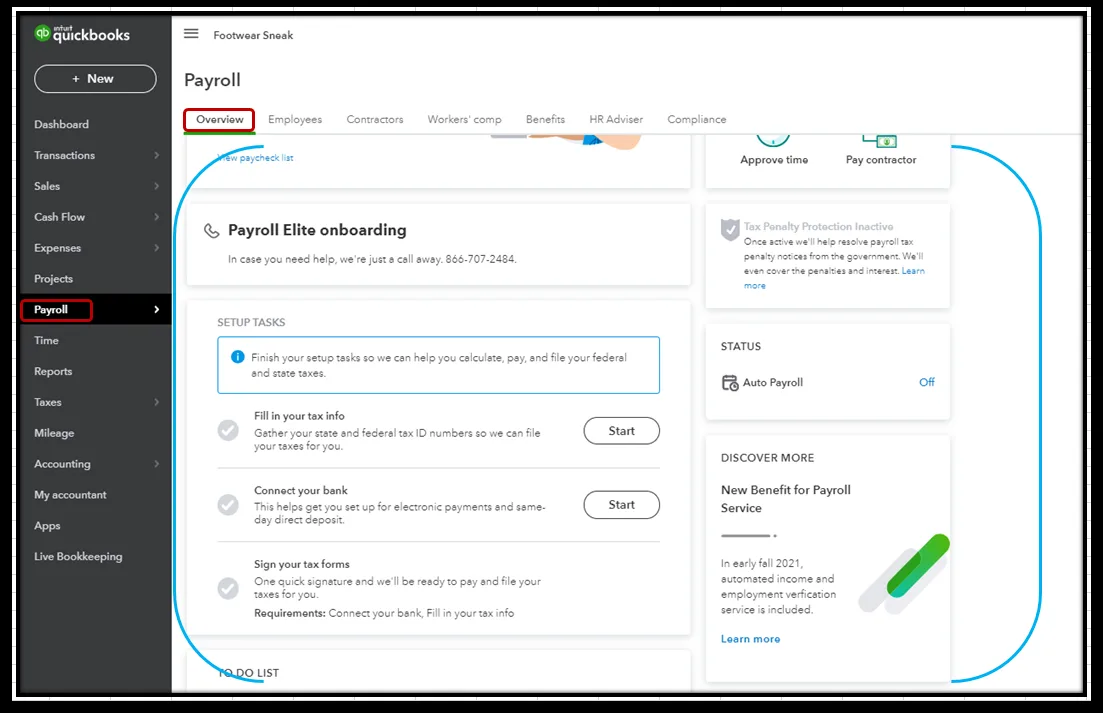
Best for businesses already using QuickBooks Online that want payroll and accounting to stay in sync.
If your business already runs its accounting through QuickBooks Online, adding a separate payroll system can create unnecessary work. Payroll gets processed in one platform, accounting lives in another, and someone has to make sure the numbers match after every pay run.
QuickBooks Payroll removes much of that reconciliation work by keeping payroll inside the QuickBooks ecosystem. Once payroll is processed, employee wages, payroll taxes, and deductions flow into your QuickBooks Online accounts automatically. There’s no need to download payroll reports and manually enter the figures into your books.
That tight integration is also the product’s biggest limitation as a Gusto competitor. QuickBooks Payroll makes the most sense when QuickBooks Online is already your accounting system. If you’re using another accounting platform, much of its appeal disappears. Pricing and plan structures have also changed recently, so businesses should verify current rates rather than relying on older pricing comparisons.
What Are the Key Features of QuickBooks Payroll?
- Payroll data automatically syncs with QuickBooks Online after each payroll run
- Federal, state, and local payroll taxes are calculated and handled automatically
- Same-day direct deposit is available with Premium and Elite plans
- Higher-tier plans include up to $25,000 in tax penalty protection when an Intuit filing error results in a penalty or notice
- Integration with QuickBooks Time supports employee time tracking and job costing
- Elite includes access to a dedicated HR advisor and additional HR resources
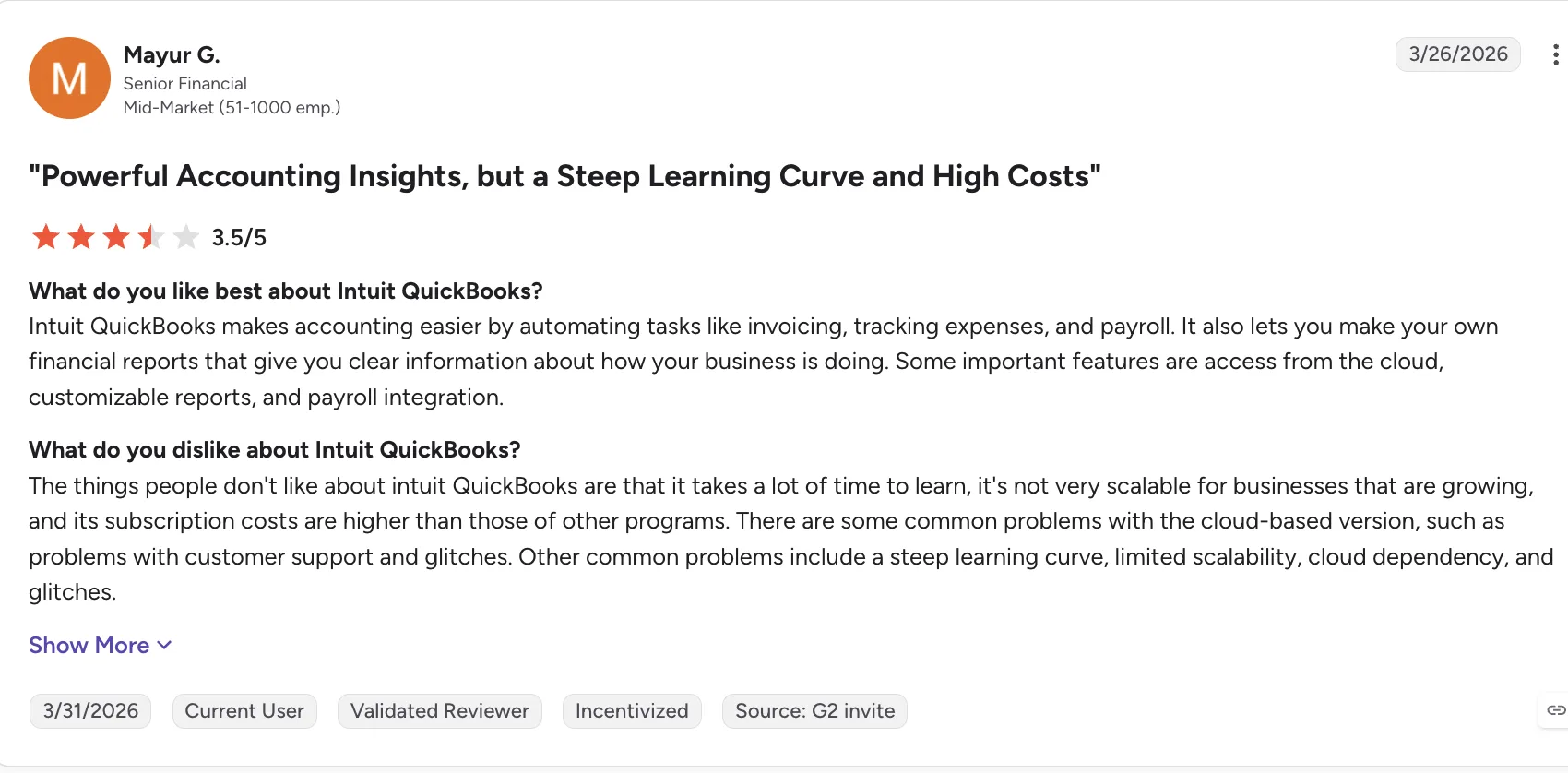
For growing businesses, QuickBooks’ learning curve, higher subscription costs, and occasional glitches can become significant drawbacks:
| ✅ Pros | ❌ Cons |
|---|---|
| Payroll transactions flow directly into QuickBooks Online | Most valuable when your accounting already runs on QuickBooks Online |
| Higher-tier plans offer tax penalty protection of up to $25,000 | Per-employee pricing can become expensive as your workforce grows |
| Same-day direct deposit is available on select plans | Additional state filing fees can increase the total cost |
| Plans range from basic payroll to more comprehensive HR support | Pricing and plan structures have changed multiple times |
| QuickBooks Time adds time tracking and job-costing capabilities | Core users may need to pay extra for certain capabilities |
How Much Does QuickBooks Payroll Cost?
Workforce Payroll + Simple Start starts at $88/month plus $7 per employee, Workforce Payroll + Essentials at $125/month plus $7 per employee, and Workforce Premium + Plus at $203/month plus $13 per employee. Intuit discounts the base fee by 50% for the first three months; the per-employee fee is not discounted.
7. Patriot Software – 4.8/5
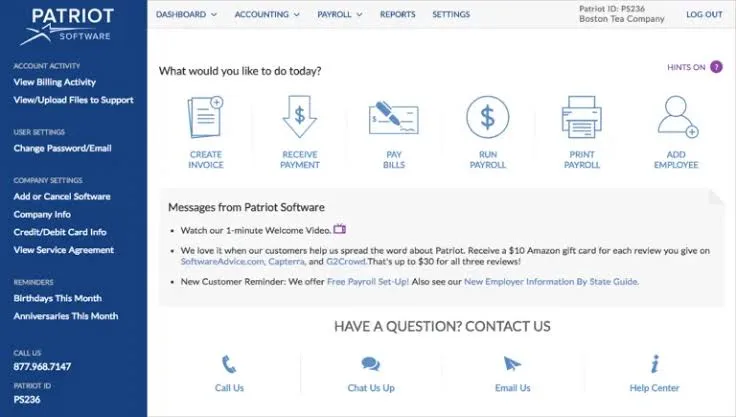
Best for very small businesses that want affordable payroll without a large HR platform attached to it
Not every small business needs workforce analytics, sophisticated HR workflows, or a long list of enterprise integrations. If your main requirement is simply to pay employees accurately and stay on top of payroll taxes, Patriot Software takes a more stripped-down approach.
Patriot offers two straightforward payroll options. The Basic plan keeps tax filing in your hands, while Full Service Payroll handles the calculations, filings, and payments for you. Both plans support unlimited payroll runs and give employees free access to their own payroll information.
Patriot also has its own accounting software, allowing businesses that want an all-in-one setup to keep bookkeeping and payroll under the same roof.
The tradeoff is functionality. Patriot intentionally focuses on the fundamentals, so businesses looking for deeper HR capabilities, sophisticated reporting, or advanced workforce management may find it limiting. Companies running payroll across multiple states also need to factor additional state fees into the overall cost.
What Are the Key Features of Patriot Software?
- Basic and Full Service payroll options for different levels of tax-filing support
- Unlimited payroll processing without per-run charges
- Employee self-service access to pay stubs, PTO information, and tax documents
- Native connection with Patriot’s accounting software
- Direct deposit options, including 2-day and qualifying 4-day processing
- Optional time and attendance and HR modules
- U.S.-based customer support included with the payroll plans
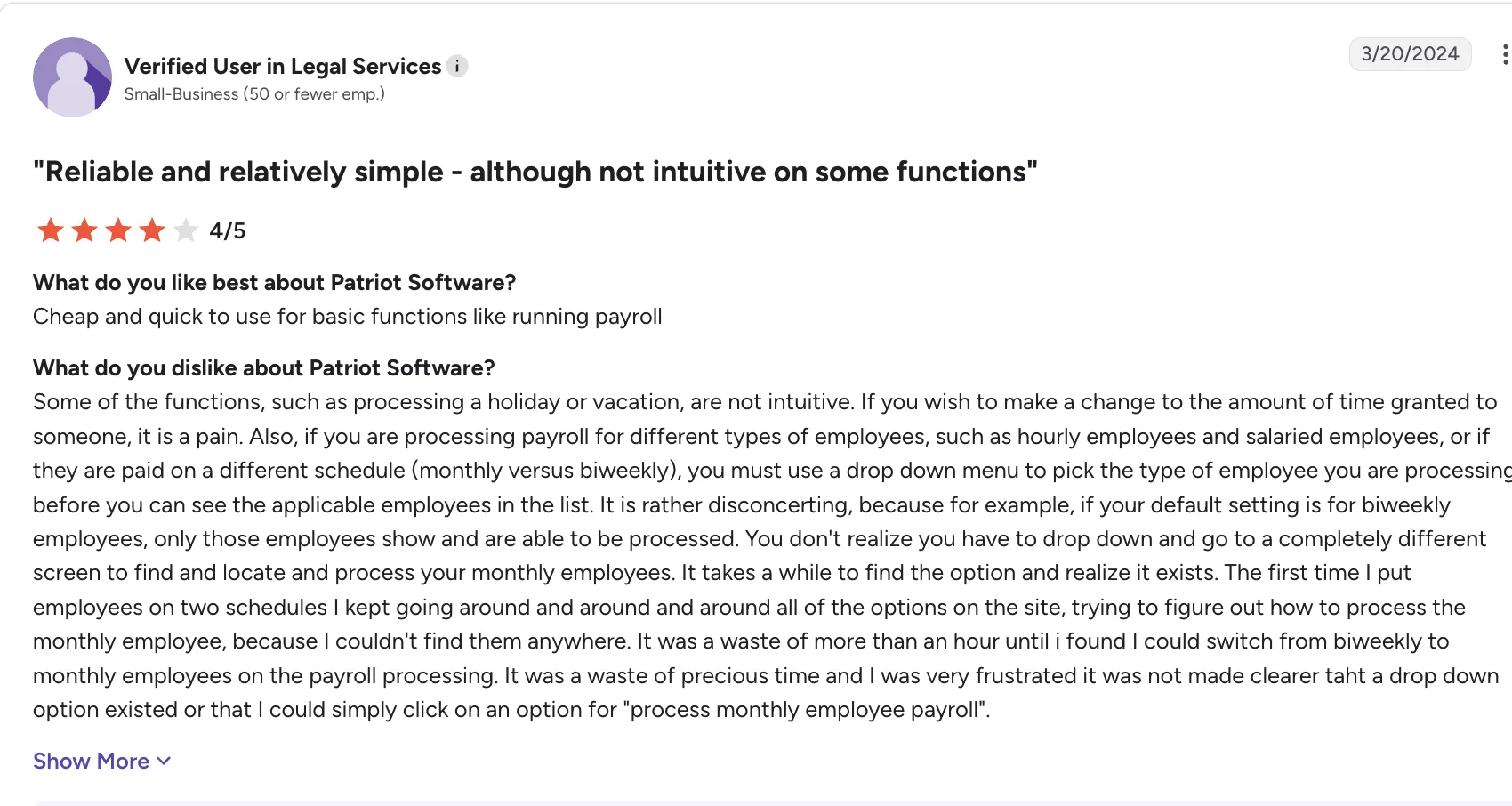
Patriot keeps payroll affordable, but managing different employee types and pay schedules can be more cumbersome than expected:
| ✅ Pros | ❌ Cons |
|---|---|
| One of the more affordable payroll options for small businesses | Basic Payroll leaves tax filing and payments to the employer |
| Straightforward pricing structure | Additional states cost extra |
| No long-term contract required | HR and workforce reporting are relatively limited |
| Unlimited payroll runs included | Better suited to small teams than complex organizations |
| 30-day trial available | Advanced workforce management features are limited |
| U.S.-based support is included | Costs can rise as multi-state needs become more complex |
How Much Does Patriot Software Cost?
Basic Payroll starts at $17/month plus $4 per worker paid, and Full Service Payroll at $37/month plus $5 per worker paid.
Patriot typically offers a 30-day free trial and promotional pricing for new customers, including discounts during the initial months of service.
8. OnPay – 4.8/5
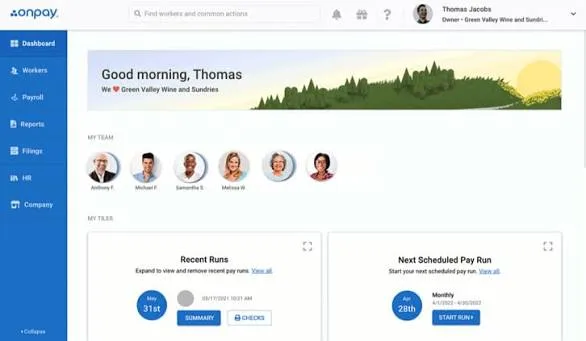
Best for small businesses that want full-service payroll without having to compare multiple feature tiers
OnPay takes a different approach as a Gusto competitor, way different from payroll providers that divide their product into several increasingly expensive packages. Instead, it offers one primary payroll plan with the core features most small businesses need already included.
Payroll processing, tax calculations and filings, unlimited pay runs, and basic HR capabilities are bundled into the main plan. Businesses can then add specialized HR and compliance services separately rather than upgrading to an entirely different payroll tier.
OnPay also puts considerable emphasis on getting new customers set up properly. New accounts receive assistance from an onboarding specialist who can help transfer employee and payroll information from an existing provider.
The platform isn’t as comprehensive as some larger payroll and HR suites, though. Employers won’t find a native mobile app, advanced reporting is limited, and customer support isn’t available around the clock. Businesses that need built-in time tracking will also need to connect a separate solution.
What Are the Key Features of OnPay?
- One primary payroll plan with payroll, tax filing, and HR essentials included
- Full-service payroll and tax filing available across all 50 states
- Unlimited payroll runs included without additional per-run charges
- Dedicated onboarding assistance and employee data migration
- Optional HR, compliance, and live HR support services
- Benefits administration for health, dental, vision, 401(k), and workers’ compensation
- No additional charge specifically for running payroll across multiple states
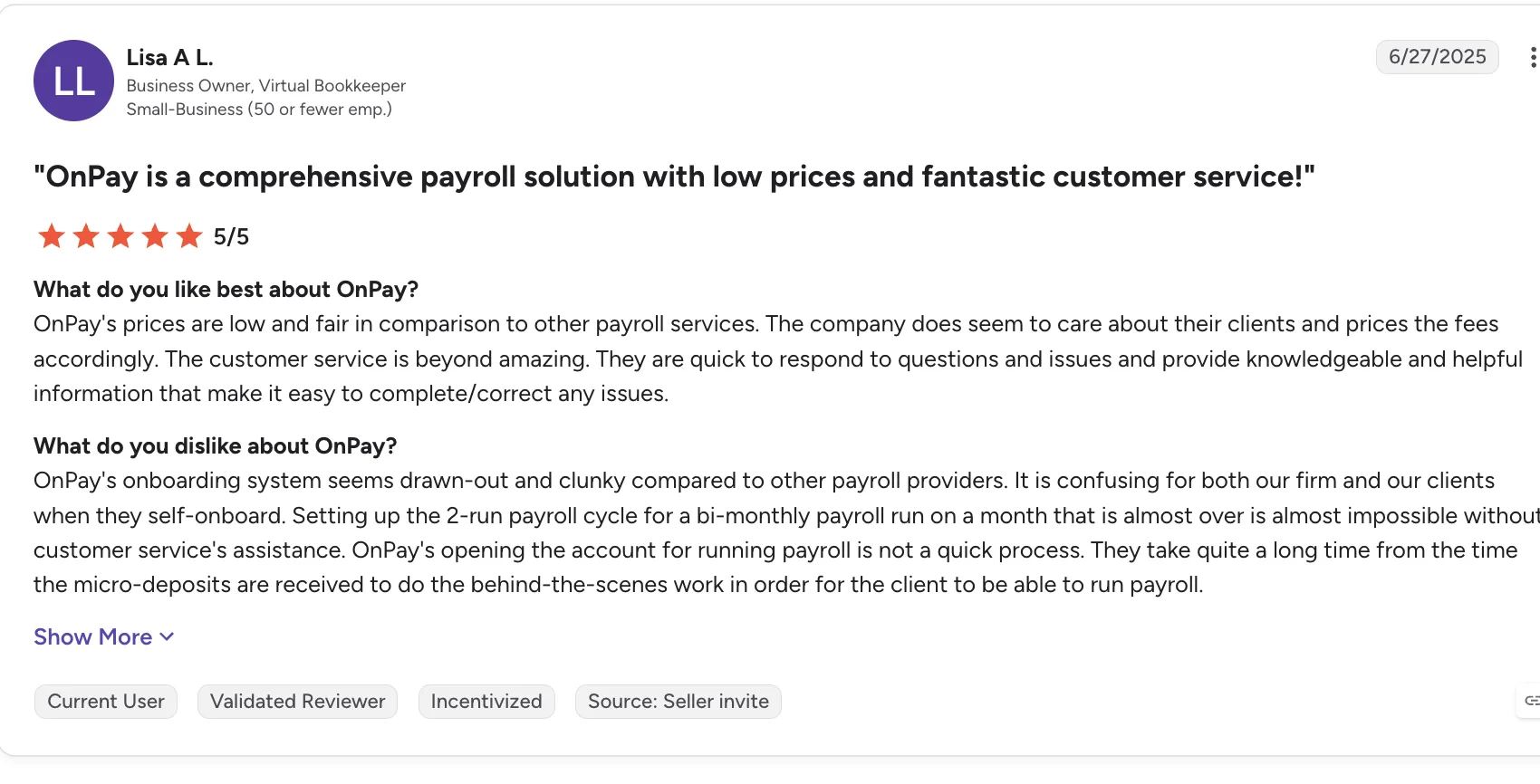
OnPay earns praise for its pricing and customer support, but some users find the onboarding process slow, confusing, and unnecessarily cumbersome:
| ✅ Pros | ❌ Cons |
|---|---|
| Simple single-plan pricing makes comparison easier | No dedicated employer mobile app |
| Onboarding specialist helps migrate payroll data | Customer support isn’t available 24/7 |
| Multi-state payroll is included without separate state fees | Reporting isn’t as flexible as larger payroll platforms |
| Unlimited payroll runs included | No native employee time clock |
| One-month trial available without requiring a credit card | Some advanced HR capabilities require paid add-ons |
How Much Does OnPay Cost?
Starts at $49/month plus $6 per worker.
How to Choose the Right Gusto Alternative
Not every Gusto alternative will fit every business. Here’s what to consider before choosing one.
| Headcount | What to consider | Why |
|---|---|---|
| 1-25 employees | OnPay or Patriot Software | Simple needs match simple tools, avoid paying for features you won’t use. OnPay if you want a bit more polish; Patriot if cost is paramount. |
| 25-100 employees | Rippling, or OnPay | Growth stage where tool sprawl becomes painful. Rippling for IT-heavy environments. OnPay for straightforward payroll and HR needs without tiered plans or per-run fees. |
| 100-500employees | Keka, Paycor, or Paychex | Need real HR depth — performance management, analytics, compliance support. Keka for a unified platform, Paychex for a managed-service model. |
| 500- 5000+ employees | Keka or Paycor | Enterprise needs with mid-market agility. Evaluate implementation support and customization capabilities carefully. |
How to Migrate Off Gusto
Once you’ve chosen your new provider, the next step is moving your payroll data and processes off Gusto:
| Phase | Timeline | You own | Vendor owns |
|---|---|---|---|
| Assessment & Planning | 2-3 weeks before cutover | Gather employee census, current deduction configurations, tax jurisdiction list, historical payroll reports, benefits carrier contacts | Account setup, pricing finalization, implementation kickoff, project plan |
| Data Migration | 2-4 weeks | Review and approve imported data, verify employee information accuracy, confirm tax jurisdiction mappings | Import employee records, configure tax accounts, set up deductions and garnishments, register for state accounts (if service included) |
| Parallel Testing | 1-2 pay periods | Run parallel payrolls, compare outputs, identify discrepancies, approve go-live | Support parallel run reconciliation, adjust configurations, resolve discrepancies |
| Cutover & Go-Live | First live payroll | Final approval, employee communication, benefit enrollment transition | Process first payroll, file taxes, provide go-live support |
The Bottom Line
Choosing a replacement for Gusto comes down to fit.
As I compared these platforms, I found that each has a different focus. Some prioritize compliance, others automation, employee experience, or global payroll. Keka brings HR, payroll, talent, workforce management, and PSA together on one platform, giving businesses of different sizes the flexibility to manage their people operations as they grow.
When I evaluate a platform like this, I look at how well it fits the way a business operates today and where it plans to go next. I’d recommend mapping your headcount, locations, growth plans, compliance requirements, and internal bandwidth before choosing the platform that can support your needs as they evolve.
See how Keka can simplify HR and payroll for your growing workforce.


