


 Login
Login


The top Deel alternatives in 2026 are Keka, Remote, Papaya Global, Oyster, Velocity Global, Multiplier, Globalization Partners, and Rippling EOR. We evaluated all eight based on key criteria like real-world workflow fit, pricing structure, feature depth beyond core payroll, and verified user feedback. These eight platforms serve US companies hiring globally who need EOR services, contractor management, or unified payroll across borders.
The search for Deel alternatives usually begins with escalating cost. Deel’s per-employee and contractor fees add up quickly once hiring spans a dozen countries. Its workflows can also feel rigid as hiring gets more complex. Support can be another pain point, especially when a payroll issue needs a same-day answer. Teams that need deeper HR functionality or integrations Deel doesn’t support well may also look elsewhere.
Then there are the operational issues. One European company reported waiting nearly three weeks for a support response on an amendment, followed by a termination fee that was significantly higher than expected.

Source: Reddit
We built this comparison for companies that need more from their HR and payroll stack, whether that’s global hiring and EOR support, deeper domestic HR and payroll capabilities, or both.
Here’s how all eight stack up side by side, followed by a full breakdown of each platform.
Quick Comparison of the Top 8 Deel Alternatives
| Platform | Best For | Pricing (PEPM) | Free Trial | G2 Rating |
|---|---|---|---|---|
| Keka | Teams of all sizes that need enteprise-grade payroll and HRMS in one system | Custom Pricing | Yes (free trial) | 4.4/5 |
| Remote | Global-first teams that want owned compliance infrastructure | $699+ PEPM (EOR) | No | 4.5/5 |
| Papaya Global | Finance-led teams needing unified cost visibility across countries | $499+ PEPM (EOR) | No | 4.5/5 |
| Oyster | Remote-first teams needing fast, compliant onboarding | $699 PEPM (EOR) | Yes (contractor only) | 4.4/5 |
| Velocity Global (Pebl) | Enterprises wanting AI-assisted EOR with in-house immigration handling | $399 PEPM | No | 4.6/5 |
| Multiplier | Cost-conscious teams that want published, transparent pricing | $499+ PEPM (EOR) | Occasional promotional offers | 4.7/5 |
| Globalization Partners | Enterprises where owned-entity compliance is non-negotiable | $599+ PEPM (EOR) | 14-day free trial for (G-P Gia only) | 4.4/5 |
| Rippling | US-headquartered teams wanting HR, IT, and EOR on one system | Custom Pricing | 14-day free trial | 4.8/5 |
Disclosure: Keka is our product. We’ve included it in this comparison using the same criteria as the other platforms and have called out its limitations where relevant. Pricing, ratings, and review data are sourced from third-party sources so you can verify them independently.
How I Evaluated These Tools
I evaluated these platforms from the perspective of a company deciding whether they can handle its actual hiring and payroll workflows, not just what’s listed on the product page. I looked at:
- Global coverage & compliance: EOR country coverage, owned entities versus local partners, local compliance, and immigration support.
- Payroll & workforce management: EOR, global payroll, contractor management, payments, benefits, and related workflows.
- HR functionality: How much each platform offers beyond global employment, including domestic payroll, performance, recruiting, analytics, and broader HR operations.
- Pricing & cost structure: Published rates, PEPM costs, deposits, FX charges, discounts, and additional costs that can affect the real price.
- Implementation & support: Onboarding timelines, implementation requirements, support responsiveness, and recurring issues reported by customers.
- Workflow fit: How each platform handles day-to-day tasks such as hiring, contracts, approvals, payroll, reporting, and employee self-service.
- Integrations & automation: Native integrations and newer automation or AI capabilities that can reduce manual work.
- Real-world feedback: G2 and Reddit reviews to identify recurring strengths, limitations, billing issues, support problems, and other operational friction.
My goal was to judge fit, friction, and reliability. The things that matter once the contract is signed.
1. Keka
Keka is an all-in-one HR, payroll, and PSA platform used by 12,500+ organizations across 120+ countries. It helps companies manage everything from hiring and onboarding to payroll, performance, employee experience, projects, resources, timesheets, and billing. Built for companies of different sizes, Keka brings multiple HR and business processes together on one platform, while keeping the experience simple and intuitive for HR teams, managers, and employees.
Deel leads on global EOR coverage across 150+ countries. Keka leads on the depth of HR functionality. It covers a complete employee lifecycle, includes all-50-state US payroll compliance, and provides more predictable pricing as headcount grows.
The mobile app is one of its most-cited strengths on G2, since employees who can handle payslips and leave requests without a support ticket cut down on the HR team’s day-to-day workload.
One G2 reviewer credited Keka with easing the transition as their team grew from roughly 45 to 140 employees, without needing to change systems.
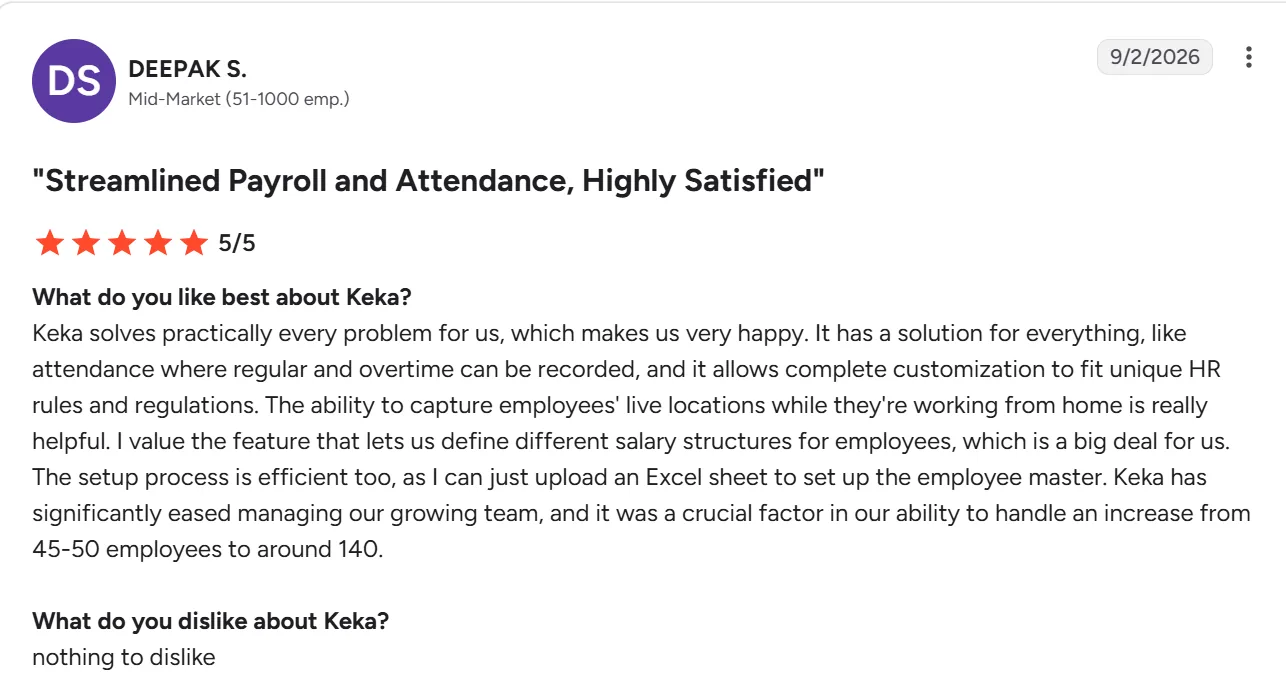
Source: G2
What Are the Key Features of Keka HR?
- Performance module’s goal-setting and review workflows run without HR chasing every submission.
- Mobile app self-service for leave, payslips, and payroll, integrated with time tracking so manual adjustments and payroll errors drop.
- All-50-state US payroll compliance, including federal and state tax calculations and direct deposits, built into the base plan.
- End-to-end employee lifecycle management from hiring to offboarding in one system.
- Real-time people analytics across payroll, performance, and attendance without exporting data.
- 100+ native integrations, including Salesforce, Jira, Xero, and Stripe.
- SOC 2, ISO 27001, and GDPR certifications built into the platform.
| Pros | Cons |
|---|---|
| Comprehensive US payroll: Keka supports payroll, benefits, deductions, direct deposit, ACH, W2s, 1099s, and automated tax filings across all 50 states. | Best suited to organizations looking to consolidate HR processes: Keka can work as a single point solution, but organizations that adopt the broader ecosystem can benefit more from the connected workflows and data across the platform. |
| HR and project operations in one system: Keka connects employee information with projects, resources, timesheets, and billing. | Global functionality can introduce more configuration: Companies operating across multiple countries may need to configure workflows around their different workforce and compliance requirements. |
| Global workforce capabilities: Keka is used by organizations across 120+ countries, supporting companies with geographically distributed teams. | Moving from multiple systems requires some transition: Organizations replacing several existing HR or operational tools may need to plan data migration and workflow changes as part of implementation. |
| Intuitive user experience: Keka is designed to make HR and workforce processes easy to navigate for HR teams, managers, and employees. |
How Much Does Keka HR Cost? The Foundation, Strength, and Growth tiers are priced on request based on headcount and modules, a guided implementation process is available. Free trial available on all plans.
Best For: US-based or US-primary small to mid-sized companies that want payroll, HR, and performance running on one system, and needs all-50-state compliance. If your hiring is mostly outside the US, Remote or Oyster below fit that specific need more directly than Keka does.
Thinking about switching HR software?
Most teams go live on Keka in weeks, not months, with no hidden fees along the way.
2. Remote
Remote hires full-time employees and contractors in more than 90 countries without requiring a local entity, and it owns most of that legal infrastructure directly instead of relying on third-party partners the way some competitors do.
That ownership shows up in day-to-day use as fewer surprises and pricing that holds steady as headcount grows. Remote has also started shipping a genuinely new capability this year. Remote MCP gives an AI agent a live, secure connection to payroll, contracts, compliance data, and org structure, so an internal tool can pull real employment data without a custom integration project. Deel is more widely used, but Remote tends to feel more direct and more predictable in how it handles global employment specifically.
One G2 reviewer, mostly positive on onboarding and compliance, still flagged Remote’s security deposit policy as the main friction point. Every EOR hire ties up 1 to 2 months of salary and taxes upfront.
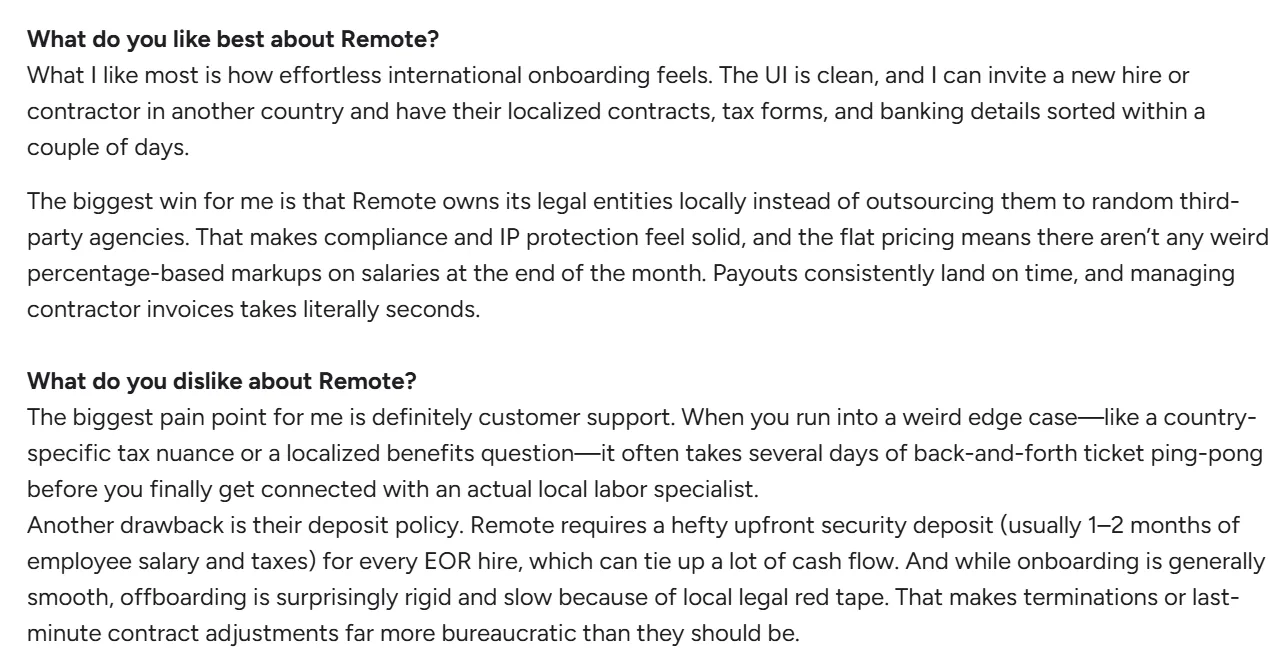
Source: G2
What Are the Key Features of Remote?
- Hire full-time employees in 90+ countries without setting up a local entity
- Contractor management with locally compliant contracts and payments built in
- Owns its legal infrastructure directly across most of its country coverage, instead of relying on partners
- Remote MCP gives AI agents a live, secure connection to payroll, contracts, and compliance data without custom integration work
- Global payroll with local tax and compliance handling built in
- Built-in IP protection with country-specific agreements
| Pros | Cons |
|---|---|
| More control through owned legal infrastructure in several countries | Coverage in some regions still relies on partners |
| Transparent, predictable pricing model | Not as feature-rich in core HR compared to full HRMS platforms |
| Strong global hiring with EOR and contractor support in many countries | Limited customization for complex workflows |
| Remote MCP gives internal tools direct access to real employment data without a custom integration | Reporting and analytics are relatively basic |
How Much Does Remote Cost? Global Payroll starts at $29 PEPM and has separate plans for EOR, recruiting talent, and more.
Best For: Companies whose hiring is majority international and want a vendor that owns its own compliance infrastructure rather than leaning on local partners. If cash flow tied up in security deposits is a concern, Oyster’s pricing structure below is worth comparing directly against Remote’s deposit requirement.
3. Papaya Global
Papaya Global has repositioned itself this year around three connected products. Workforce OS handles payroll and EOR, Contingent OS covers contractor and freelance management, and OnePay processes cross-border payments through its own banking rails with J.P. Morgan and Citi.
A new AI layer called Papaya One now drafts jurisdiction-specific offer letters, onboarding checklists, and termination guidance, with a human expert stepping in for edge cases like contractor misclassification. Where Papaya still stands apart is financial visibility. Workforce costs across regions, entities, and employment types show up in real time, without someone manually consolidating spreadsheets from a dozen local vendors.
One G2 reviewer described replacing 15 separate payroll vendors across 27 countries and roughly 600 hours of manual work a week with a single Papaya setup, though they also noted the AI tooling still has room to grow.

Source: G2
What Are the Key Features of Papaya Global?
- Single platform for payroll, EOR, and contractors across 160+ countries
- Real-time dashboards that break down workforce costs by country, entity, and role
- Papaya One AI agent drafts jurisdiction-specific offer letters, onboarding checklists, and termination guidance, with human review for edge cases
- OneData layer unifies data from SAP, Workday, BambooHR, and time-tracking sources in real time
- Payment orchestration through owned banking rails (J.P. Morgan, Citi), rather than relying on separate local banking setups
- Strong audit trails, useful for compliance reviews and financial audits
| Pros | Cons |
|---|---|
| Normalizes payroll data across countries into one structure, so cross-border reporting doesn’t need manual reconciliation | Requires internal alignment between HR and finance to fully leverage its data layer |
| Built-in payment orchestration means cross-border payouts don’t need a separate banking setup per country | Limited flexibility if you already have a preferred local payroll vendor you want to keep |
| Handles EOR, contractors, and direct employees within one framework, so mixed workforces don’t need separate systems | Reported gaps in how far the AI tooling currently goes, per user reviews |
| Real-time cost dashboards by country and entity, useful for finance teams managing budget across regions | Better suited to companies already operating in several countries than to a single-market hire |
How Much Does Papaya Global Cost? Payroll Plus starts at $29 per employee per month, EOR starts at $499 per employee per month, and Contractor of Record starts at $199 per contractor per month.
Best For: Finance-led teams operating in five or more countries who need one number for total workforce cost, not a spreadsheet stitched together from regional vendors. If your priority is a full HR system rather than payroll visibility, Keka or Rippling further down cover that ground more directly.
4. Oyster
There’s a real difference between a platform that says it onboards fast and one that gets a contractor compliant in two working days. Oyster falls into the second camp. It supports hiring in 180+ countries, with payments in 140+ currencies. The company became a certified B Corp this year, the only EOR with that certification by its own claim, and picked up several G2 leader badges for mid-market accounts in 2026.
For a closer look at how it stacks up specifically against Deel, see our Deel vs Oyster comparison.
One G2 reviewer, based in Germany and paid through a UK employer via Oyster, praised the day-to-day currency and tax handling but flagged a specific gap in support. Closed tickets don’t reopen automatically when you reply to them.
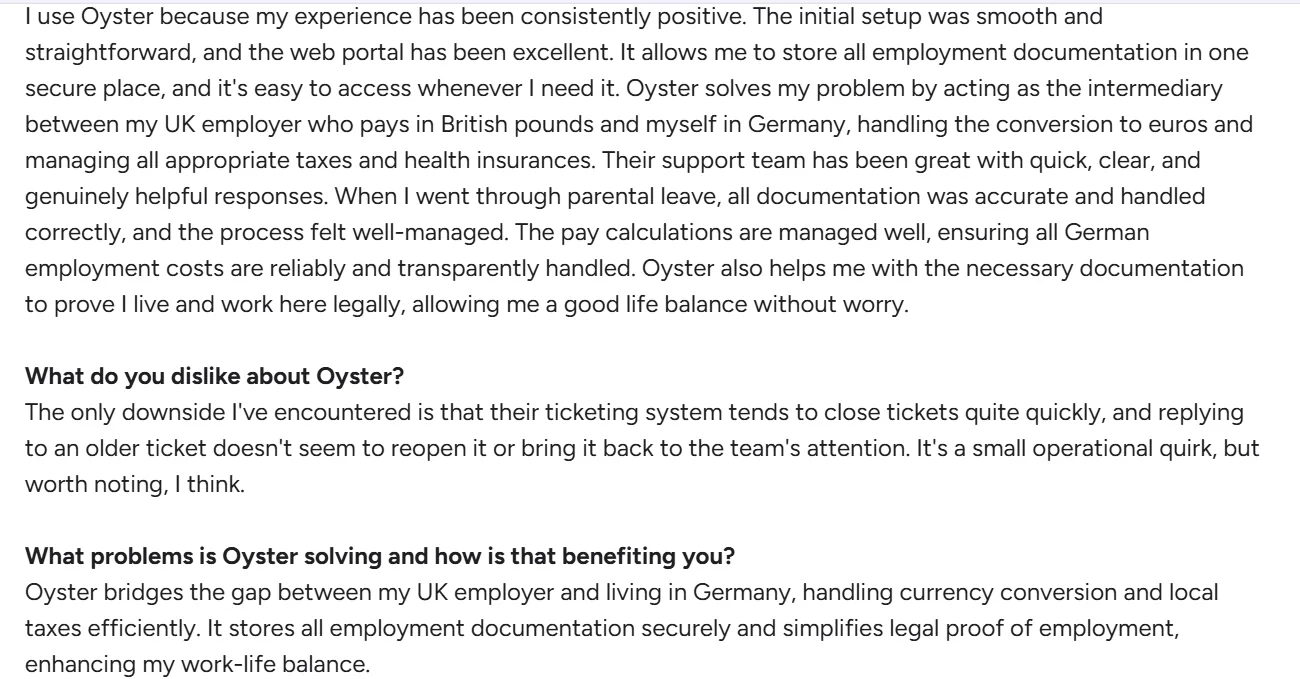
Source: G2
What Are the Key Features of Oyster?
- Hiring and onboarding across 180+ countries, with contractor compliance turnaround measured in days, not weeks
- Location-based salary benchmarks that reduce guesswork when setting pay in a new market
- Compliant contractor-to-employee conversion pathways for teams that outgrow contractor status
- Certified B Corp status, the only EOR platform with that certification by its own claim
- Employee and contractor self-service portals for documents, payments, and profile management
| Pros | Cons |
|---|---|
| Contractor compliance turnaround measured in days rather than weeks, per its own onboarding claims | Support tickets that get closed don’t automatically reopen on a reply, per user reviews |
| Location-based salary benchmarks help with fair, competitive pay | Core HR features stay limited to payroll and global hiring, without deeper HRMS functionality |
| B Corp certification may matter for companies with ESG reporting requirements | Costs increase as you add more countries, like other EOR-first platforms |
| Compliant contractor-to-employee conversion pathway avoids a manual re-onboarding process | Less control than owning your own entities directly |
How Much Does Oyster Cost? Employer of Record starts at $699 per employee per month. Global Contractors start at $29 per contractor per month, free for the first 30 days. People Services starts at $300 per hour.
Best For: Remote-first teams that need a contractor compliant within days rather than weeks, and that value B Corp certification for their own reporting. Companies with heavier support needs should weigh Oyster’s ticketing gaps against Remote’s more direct compliance ownership above.
5. Velocity Global (Now Pebl)
Velocity Global rebranded to Pebl in September 2025. The company and team are the same, but the AI-first pitch is new. Pebl pairs an AI assistant called Alfie with human compliance experts backed by Baker McKenzie, and covers EOR, global payroll, benefits, and immigration in 185+ countries. Unlike some competitors that route visa and relocation work through outside vendors, Pebl handles immigration in-house, which its own reviewers point to as a real differentiator rather than a marketing line.
One G2 reviewer specifically credited Pebl’s in-house visa and relocation team as the reason they chose it over competitors that outsource that work.
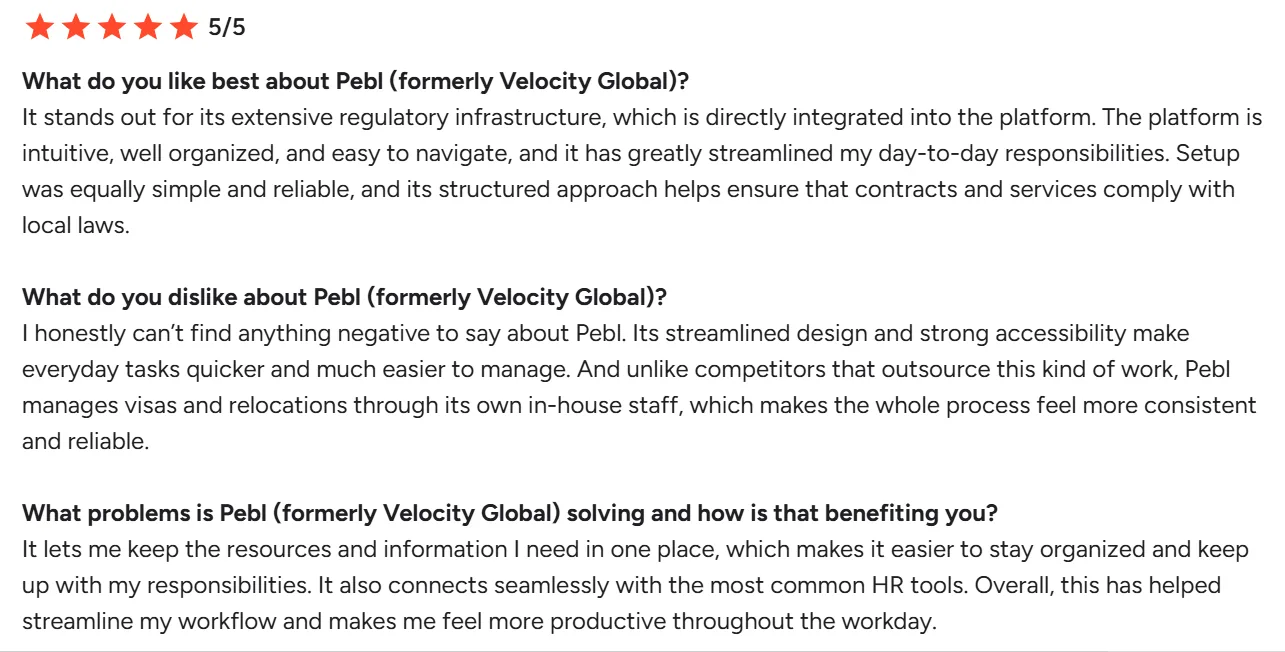
Source: G2
What Are the Key Features of Pebl (formerly Velocity Global)?
- AI assistant “Alfie” gives 24/7 guidance in 50+ languages, with contract generation in 25+ languages
- In-house immigration and relocation team, rather than outsourcing visa work to a third party
- Compliance backed directly by Baker McKenzie’s global employment law team
- EOR, global payroll, benefits, and talent sourcing across 185+ countries
- Native integrations with BambooHR, Greenhouse, HiBob, JazzHR, Lever, and Workday HCM
| Pros | Cons |
|---|---|
| In-house visa and immigration handling, instead of outsourcing to a third party | No published pricing anywhere on the site, so every quote requires a sales conversation |
| Backed directly by Baker McKenzie’s employment law expertise across covered countries | Reviewers cite delays and support responsiveness as recurring friction points |
| AI assistant Alfie provides guidance in 50+ languages, useful for a genuinely global workforce | Recent rebrand means less brand recognition than more established names on this list |
| Native ATS/HRIS integrations reduce manual data entry between hiring and onboarding | Reviewer base skews smaller than the more established platforms on this list |
How Much Does Pebl (Velocity Global) Cost? Contact vendor for pricing. No dollar figures are published on the vendor’s own site.
Best For: Companies that specifically need in-house visa and immigration handling rather than a third-party referral, and that are comfortable getting pricing through a sales call rather than a published rate card. If a published price matters more than in-house immigration handling, Multiplier below publishes its full rate card upfront.
Multiplier takes the opposite approach on pricing transparency, putting every rate on its website instead of behind a sales call.
6. Multiplier
Multiplier publishes actual dollar figures for every plan, which is rare in this category. EOR starts at $459 per employee per month billed annually, contractor management starts at $400 per contractor per month, and global payroll starts at $20 per employee per month. The platform covers 150+ countries for EOR and payments in 120+ currencies, backed by 150+ owned legal entities rather than a patchwork of local partners. Companies like Pfizer and The Economist show up in its customer list, alongside a broader base of mid-market and smaller companies than some of the more enterprise-skewed platforms on this list.
Pricing transparency doesn’t guarantee a smooth process One G2 reviewer who switched to Multiplier as their EOR reported repeated payroll and compensation issues, including incorrect pay checks, an incorrect HSA deduction, unpaid sick hours, and delayed sick pay. The reviewer also flagged incorrect and unusually high prepayment invoices, describing the experience as a significant administrative and financial headache.

Source: G2
What Are the Key Features of Multiplier?
- Published pricing for every plan and tier, no sales call required to see a starting rate
- EOR coverage in 150+ countries, backed by 150+ owned legal entities
- Global payroll starting at $20 per employee per month, one of the lower published entry points in this category
- Cross-border payments in 120+ currencies
- Bundled plans (hiring plus contracting, hiring plus payroll) with a stated discount over buying separately
- Immigration support with visa assistance in 140+ countries
| Pros | Cons |
|---|---|
| Full pricing published for every tier, so budgeting doesn’t require a sales call first | Country coverage figures are inconsistent across its own site, worth double-checking for a specific country before committing |
| 150+ owned legal entities reduce reliance on third-party partners for compliance | User reviews cite payment errors and invoicing issues as a recurring theme |
| Bundled plans (hire and pay, hire and contract) come with a built-in discount | Support responsiveness comes up as a complaint in a meaningful share of reviews |
| Lower published entry price for global payroll than most competitors on this list | Enterprise-scale customization is more limited than platforms built for large multinational rollouts |
How Much Does Multiplier Cost? EOR starts at $459 per employee per month billed annually ($499 monthly). Contractor of Record starts at $400 per contractor per month. Global Payroll starts at $20 per employee per month.
Best For: Cost-conscious teams that want to see the actual bill before talking to sales, and that are hiring in the more common markets rather than edge-case countries where Multiplier’s own coverage numbers get inconsistent. For enterprise-scale rollouts, Globalization Partners below is built specifically for that scenario.
When local compliance risk is high enough that a company needs its own legal entity in every market, Globalization Partners builds its entire model around that requirement.
7. Globalization Partners
Globalization Partners has quietly stopped hiding its pricing behind a sales call. Its EOR plan now starts at $599 per employee per month, contractor management starts at $39 per contractor per month, and Gia, its new agentic AI compliance assistant, starts at $500 per seat per month with a 14-day trial. Gia is a genuinely new product this year. It generates compliant HR documents, contracts, and offer letters by drawing on more than 100,000 vetted compliance sources, and G-P has been picking up G2 leader badges across multiple regions since the launch. The core pitch hasn’t changed. In markets where hiring without a local entity carries real compliance risk, G-P’s owned-entity model and hands-on support give companies more certainty than platforms that lean on third-party partners.
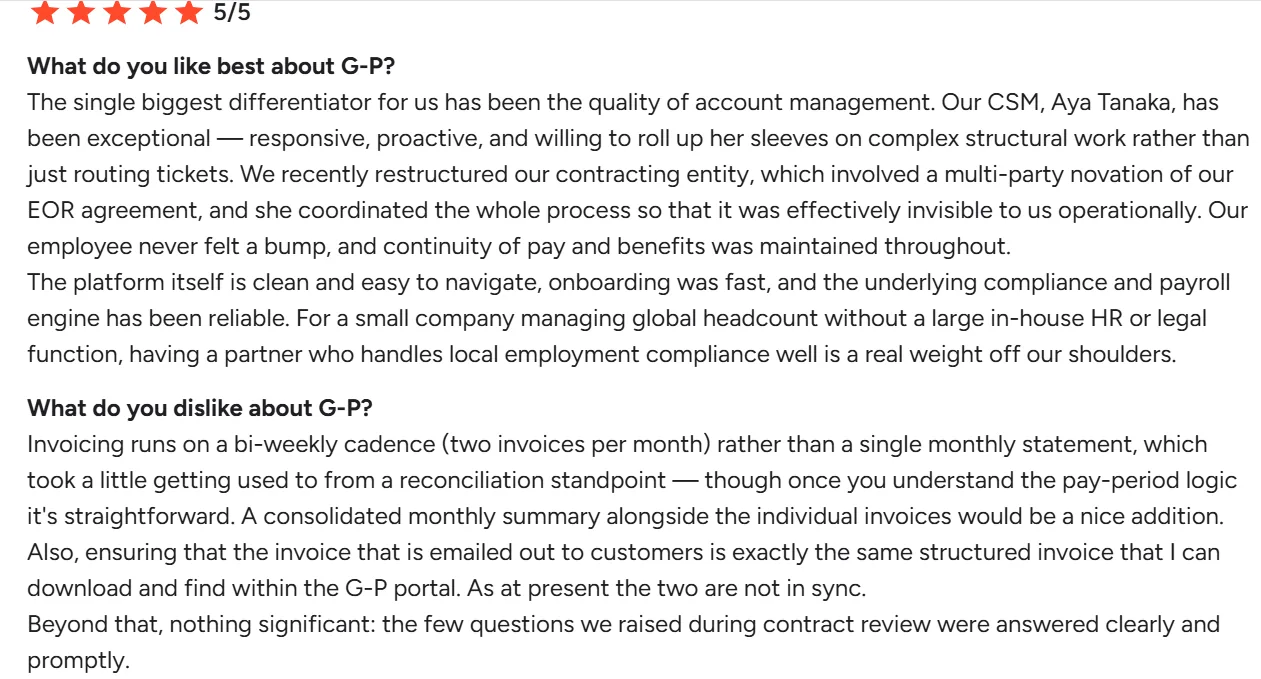
One G2 reviewer flagged the bi-weekly invoicing cadence as an adjustment at first but credited their account manager with handling a multi-party entity restructuring so smoothly that it was invisible to the business day-to-day.
Source: G2
What Are the Key Features of Globalization Partners?
- Owned-entity model in many countries, rather than relying on third-party partners for compliance
- G-P Gia, an agentic AI assistant, drafts compliant HR documents and contracts from over 100,000 vetted sources
- Enterprise-grade EOR with country-specific legal coverage built for high-risk, complex markets
- White-glove support with dedicated experts guiding hiring and compliance decisions
- Published starting prices for EOR, contractor management, and Gia, a recent change from proposal-only pricing
| Pros | Cons |
|---|---|
| Owned-entity model gives tighter compliance control than partner-reliant platforms | Minimum contract terms can reduce flexibility for short-term or exploratory hires |
| Gia generates compliant contracts and documents directly from a large vetted source base | Contract or term changes often need manual intervention and a longer turnaround |
| Now publishes starting prices instead of requiring a proposal for every quote | Reporting leans more compliance-focused than analytics-driven |
| Dedicated account support for complex situations like entity restructuring | Billing runs on a bi-weekly cadence, which takes some adjustment from a monthly-invoice habit |
How Much Does Globalization Partners Cost? EOR starts at $599 per employee per month, contractor management starts at $39 per contractor per month, and Gia starts at $500 per seat per month with a 14-day trial.
Best For: Enterprises hiring in markets where compliance risk is high enough to justify paying for owned legal entities and hands-on support, typically above 5,000 employees. Companies at a smaller scale will likely find Papaya Global’s pricing above more proportionate to their size.
8. Rippling
Rippling still does more than any other platform on this list, connecting device management, payroll, app provisioning, expense management, and global EOR under one login. Its EOR product is now a dedicated line rather than an afterthought, with a payday timeline of 5 days in common markets and 12 days elsewhere, against 3 or more weeks at some competitors. It’s picked up G2’s #1 EOR and #1 Multi-Country Payroll badges this year, along with a #1 AI Agent for HR badge tied to its newer Rippling AI product line. For US-centric teams juggling six different tools and stitching them together manually, that consolidation is genuinely compelling.
See our full Deel vs Rippling head-to-head for a deeper side-by-side.
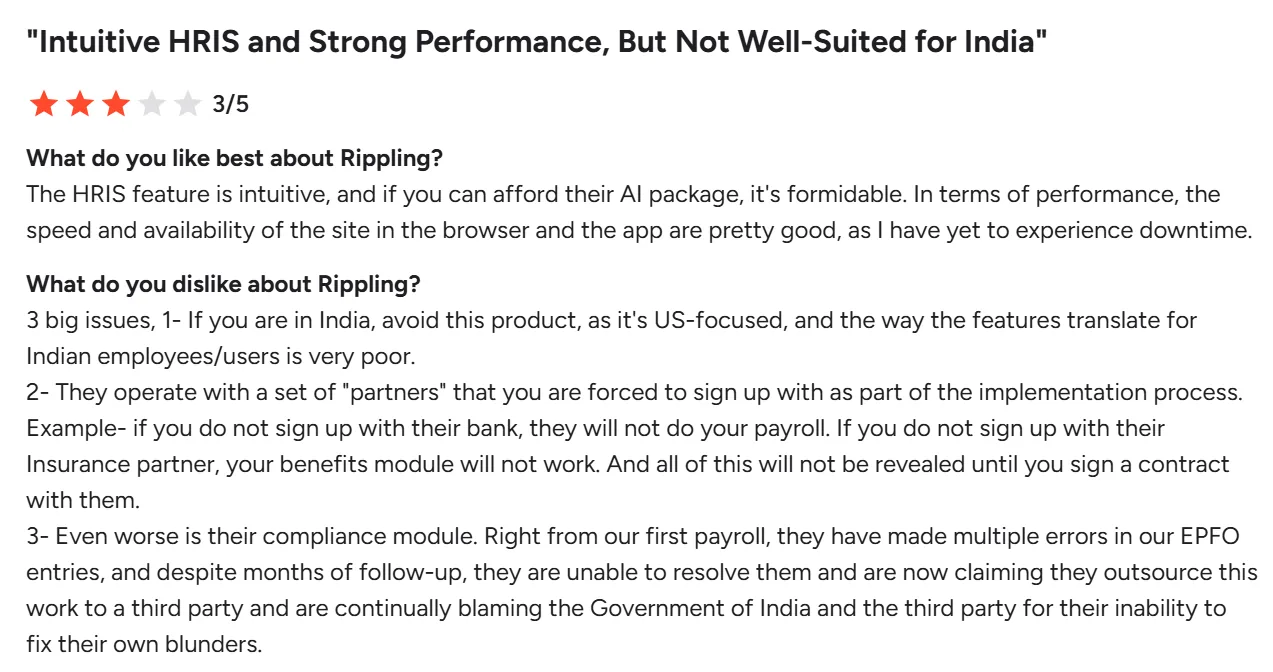
Not every review is glowing. One G2 reviewer described repeated errors in EPFO filings for their India-based payroll, along with being required to sign up with Rippling’s own banking and insurance partners as part of implementation.
Source: G2
What Are the Key Features of Rippling?
- Device management, payroll, app provisioning, and expense management running off one employee record
- Dedicated EOR product with a stated 5 to 12 day payday timeline, faster than the 3+ weeks it cites for some competitors
- 600+ native integrations (Google Workspace, Slack, Salesforce, and others), with role-based automatic access provisioning
- Rippling AI product line, including an AI Spend Console that ties token usage to business outcomes
- Custom report builder with real-time data across HR, IT, and finance
| Pros | Cons |
|---|---|
| Consolidates HR, IT, and finance workflows under one login, cutting down on tool-switching for admins | Costs climb quickly as more modules get added |
| 600+ integrations, so most of an existing tech stack likely connects natively instead of needing custom work | No free trial, demo only, so there’s no hands-on evaluation before committing |
| EOR payday timeline of 5 to 12 days, faster than the 3+ weeks it cites for some competitors | Implementation reportedly requires signing up with Rippling’s own banking and insurance partners |
| Runs payroll across multiple countries from the same system used for US HR and IT, avoiding a separate global vendor | Compliance errors in specific countries, like India’s EPFO filings, have shown up in user reviews |
How Much Does Rippling Cost? Custom pricing. Modular pricing is often fair, but buyers need to understand what they’re turning on before they commit.
Best For: US-headquartered companies that want HR, IT, and global EOR on one system and are willing to accept EOR as an added layer rather than a native build. If IT and device management aren’t part of what you need, a platform built specifically around global employment, like Remote or Oyster above, is a more focused fit.
With all eight profiled, the next question is which one fits your specific headcount and hiring mix.
How to Choose the Right Deel Alternative
The right pick among these Deel competitors depends mostly on headcount and where your compliance risk sits. If you’re weighing a broader set of payroll options beyond this list, our best payroll software guide covers the full market.
| Headcount | Pick | Why |
|---|---|---|
| 50–200 employees | Oyster or Gusto | Right-sized for mid-market without enterprise complexity or pricing |
| 200–1,000 employees | Keka + Remote, or Rippling EOR | Consolidation benefits outweigh multi-vendor overhead at this scale |
| 1,000–5,000 employees | Keka, Papaya Global or Rippling EOR | Enterprise support infrastructure and volume pricing become material |
| 5,000+ employees | Keka, Globalization Partners or Papaya Global | Compliance certainty and owned entities justify premium for large-scale risk management |
How to Migrate Off Deel
Moving off any EOR platform takes real planning, not just a data export. Most migrations run 6 to 8 weeks end to end, split across four phases. If US compliance is part of what’s driving the move, our US compliance resources hub covers state-by-state requirements in more depth.
| Phase | Timeline | You own | Vendor owns |
|---|---|---|---|
| Discovery & planning | Weeks 1-2 | Compile current employee census, contract inventory, payroll schedules, and benefit enrollments | Provide implementation timeline, assign dedicated project manager, conduct compliance review of current setup |
| Data migration & validation | Weeks 3-4 | Validate migrated employee data, approve new employment contracts, coordinate employee communications | Import historical payroll data, generate compliant local contracts, set up benefits with local providers |
| Parallel processing | Weeks 5-6 | Approve parallel payroll runs, verify tax withholdings match expectations, escalate discrepancies | Run shadow payroll alongside existing provider, reconcile differences, prepare cutover plan |
| Go-live & stabilization | Weeks 7-8 | Final sign-off on cutover, communicate transition to employees, monitor first live pay cycle | Execute production payroll, handle employee questions, provide hypercare support for 30 days |
Conclusion
If you’re moving away from Deel, I’d start with what isn’t working today and what you need your next platform to handle. A growing US company with a mostly domestic workforce may need deeper payroll and HR capabilities, while a more international team may care more about EOR coverage, compliance infrastructure, contractor management, or global payroll.
I’d also look beyond the headline price. Support, implementation, billing, integrations, and the way a provider handles compliance can have a bigger impact once you’re managing hundreds or thousands of employees across multiple countries.
After comparing these eight platforms, you should have a clearer shortlist based on your headcount, hiring footprint, HR requirements, and the specific friction you’re trying to solve. If Keka fits that profile, see what it can do.
See how Keka can simplify HR and payroll for your growing workforce.


