Login
Login


The 10 best time tracking software tools in 2026 are Keka, Toggl Track, Harvest, Clockify, Time Doctor, Hubstaff, ActivTrak, Connecteam, Timely, and Replicon. This guide covers features, pricing, and use cases to help you choose the right tool for timesheets, employee monitoring, project budgeting, or billable hours. Keka suits businesses managing time tracking, attendance, leave, and payroll in one platform.
When employee hours sit across spreadsheets, timesheets, and disconnected apps, payroll errors become harder to catch. Teams also spend more time verifying billable hours, correcting entries, and maintaining records for labor law compliance.
The right time tracking software can help address these problems, but not every tool works the same way. Some focus on project time tracking, while others offer employee monitoring, GPS verification, or direct payroll integration.
To help you compare your options, I’ve shortlisted 10 time tracking tools for 2026. I have evaluated each tool based on automatic tracking capabilities, payroll, integrations, employee monitoring approaches, pricing transparency, and enterprise scalability.
You’ll also find a breakdown of features, pros, cons, and ideal use cases to help you choose the right fit.
Best time tracking software at a glance
| Tool | Best For | Pricing Details | G2 Review | Free Trial |
|---|---|---|---|---|
| Keka | US-based businesses of all sizes that need integrated HR, time tracking, and payroll | Custom pricing | 4.4/5 | Yes |
| Toggl Track | Freelancers and teams needing simple time tracking | Free plan; paid plans from $9/user/month | 4.5/5 | Yes |
| Harvest | Agencies managing billable hours, projects, and invoicing | Free plan; paid plans from $9/seat/month | 4.3/5 | Yes |
| Clockify | Small teams looking for free time tracking | Free for up to 5 users; paid plans from $3.99/seat/month | 4.5/5 | Yes |
| Time Doctor | Remote teams needing productivity and activity monitoring | From $6.67/user/month | 4.4/5 | Yes |
| Hubstaff | Distributed and field teams needing GPS and activity tracking | From $4.99/seat/month | 4.4/5 | Yes |
| ActivTrak | Organizations analyzing workforce productivity | Free for 3 users; paid plans from $10/user/month | 4.3/5 | Yes |
| Connecteam | Deskless teams managing shifts, attendance, and GPS tracking | Free for up to 10 users; paid plans from $29/month | 4.6/5 | Yes |
| Timely | Agencies needing automatic project time tracking | From $9/user/month | 4.8/5 | Yes |
| Replicon (Deltek) | Enterprises and government contractors managing complex time tracking | Custom pricing | 4.3/5 | Demo |
How I chose the best time tracking software in 2026
Choosing the right employee time tracking software requires more than comparing feature lists. I focused on how each platform handles everyday timekeeping needs, from recording employee hours to approving timesheets and preparing payroll.
My evaluation framework covers five areas:
-
Time tracking capabilities: Manual timesheets, automatic time tracking, billable hours, and GPS location verification for field employees.
-
Payroll and accounting integrations: Connections with payroll systems, QuickBooks, and other accounting tools to reduce manual data entry.
-
Employee monitoring and privacy: Screenshot capture, activity monitoring, employee privacy controls, and options for tracking hours without constant surveillance.
-
Pricing and accessibility: Free plans, paid pricing tiers, feature restrictions, and additional costs for advanced functionality.
-
Scalability and usability: Timesheet approval workflows, reporting, mobile access, and support for larger teams across multiple locations.
I also considered customer feedback from platforms such as G2, Capterra, and Trustpilot, alongside product documentation and publicly available walkthroughs, to identify practical strengths and limitations.
Disclaimer: Keka is the company behind this site, and its product appears in this list. I’ve evaluated Keka using the same criteria and standards as every other platform.
Top 10 time tracking software in 2026: Ultimate breakdown
1. Keka
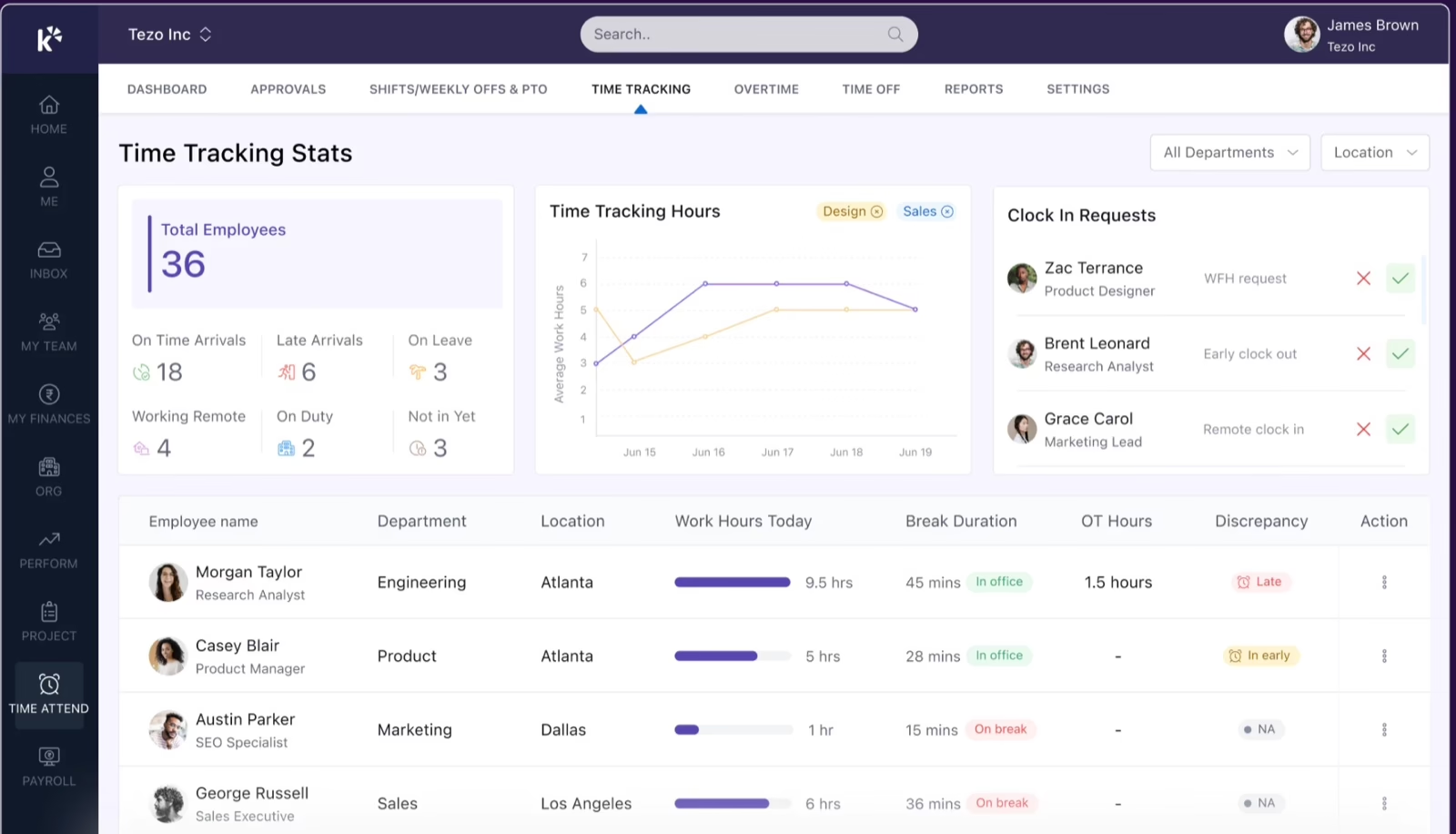
Keka brings employee time tracking, project billing, resource utilization, and payroll together on one platform. Employees can log billable and non-billable hours against projects and tasks through daily timesheets on the web or mobile app. They can also use start-and-stop timers to record time as they move between tasks.
Managers can configure timesheet policies for individual employees, set submission deadlines, and route entries through multi-level approval workflows.
Automated reminders through email, Slack, or Microsoft Teams help employees submit hours on time. Since Keka also manages HR records, approved leave and holidays appear in the same system, reducing the need for manual reconciliation.
Keka also connects approved timesheets to project billing and payroll. Finance teams can generate invoices based on time-and-materials work, project milestones, or retainers, while utilization reports show how employees divide their hours between billable and non-billable work. Teams can run payroll in Keka’s US payroll, or push approved project billing data to accounting tools such as QuickBooks. Keka also offers an API for connecting timesheet and payroll data to other systems.
Key features
-
Project and task time tracking: Employees can record billable and non-billable hours through daily timesheets or start-and-stop task timers on the web and mobile app.
-
Timesheet approval workflows: Configure multi-level approvals, submission deadlines, automated reminders, and audit trails to track every timesheet edit and approval.
-
Automated work-hour and overtime calculations: Keka calculates working hours, overtime, and attendance deviations based on configured company policies, reducing manual calculations before payroll.
-
Payroll and accounting integrations: Approved time records can flow into Keka’s US payroll or connect with third-party systems such as QuickBooks, Gusto, Paylocity, Paycom, and ADP.
-
Project billing and utilization tracking: Generate invoices from approved timesheets or project milestones, and compare billable and non-billable hours to understand resource utilization.
-
Shift scheduling and leave management: Build schedules by role, team, or location, manage shift changes, and reflect approved leave in employee time records through Keka Time & Attendance.
-
Mobile attendance and location verification: Employees can clock in through mobile, web, or integrated devices, while location-based controls help managers verify attendance across office, remote, and field teams.
Pros and cons
| Pros | Cons |
|---|---|
| Easy navigation: A user-friendly interface makes everyday HR and workforce tasks straightforward. | Company-specific automation: Automating processes around company policies may require adjustments to fit the available settings. |
| Connected attendance and payroll: Attendance monitoring and payroll processing sit in one platform, making daily administration easier. | Utilization reports depend on consistent logging: Teams that log non-billable and internal hours see real capacity, which takes a short adjustment. |
| HR and project operations in one system: Keka connects employee information with projects, resources, timesheets, and billing. | PSA depth calls for process alignment: Teams combining project, billing, and time tracking with HR map their existing project workflows into the platform. |
Keka pricing
Custom pricing based on business requirements.
Best for
US-based employers of all sizes that need project-based time tracking connected to HR, payroll, and billing.
2. Toggl Track
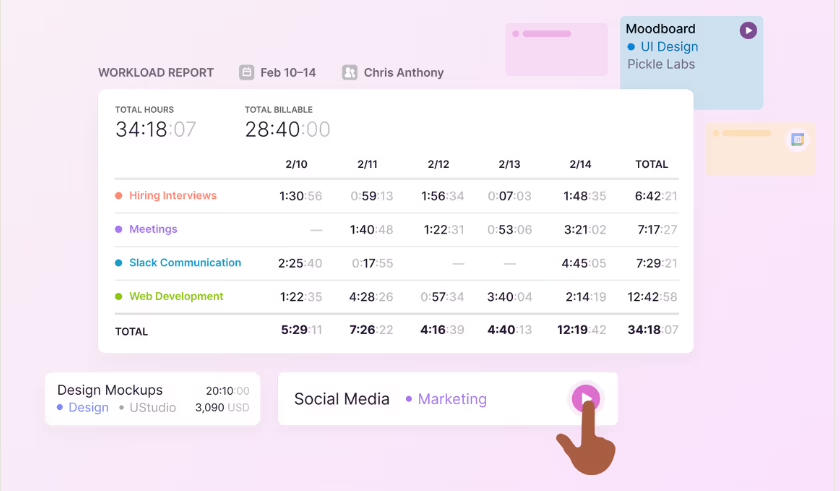
Toggl Track records employee hours across projects and tasks through web, desktop, and mobile apps, along with browser extensions. It supports automatic time tracking through background activity detection, calendar events, and keyword-based rules.
For project-based teams, Toggl Track connects recorded hours with billable rates, project estimates, and profitability reports. Managers can compare planned and actual hours, review team capacity, and monitor project costs. However, Toggl Track doesn’t include native HR and payroll management, so organizations that need these functions must rely on separate systems or integrations.
Key features
-
Automatic time tracking: Capture desktop activity, calendar events, and selected browser activity with automated tracking options.
-
Project-based time allocation: Assign recorded hours to clients, projects, and tasks, then compare actual time against project estimates.
-
Billable hours tracking: Set billable rates, track revenue by project, and generate reports for client billing.
-
Browser extension time capture: Track time through Chrome and Firefox extensions while working in supported web applications.
Pros and cons
| Pros | Cons |
|---|---|
| Convenient task timers: Starting a timer, moving entries, and duplicating recurring tasks makes daily time tracking easier. | Report adjustments: Summary reports can be tricky to customize, and the default analysis may not match the views users need. |
| Useful integrations: Connections with Slack, Asana, Jira, and other tools help fit time tracking into existing workflows. | Initial familiarization: Some features take practice to understand. |
| Workload visibility: Historical time records and flexible reports help administrators review workloads and plan team capacity. | Extra project assignment: Assigning entries to a project can feel repetitive for someone working on just one project. |
Pricing
Free plan available; paid plans start at $9/user/month.
Best for
Freelancers, agencies, and professional services teams that need project-based time tracking, billable hours reporting, and capacity planning.
3. Harvest
Harvest tracks employee hours across projects, clients, and tasks, with options to use one-click timers, daily or weekly timesheets, and calendar-based entries. Teams can record billable hours, assign billing rates, and compare tracked time against project estimates and budgets.
Harvest also connects time tracking with invoicing, expense tracking, and project profitability reporting. While teams can connect billing data with accounting tools such as QuickBooks, Harvest does not offer native HR and payroll management, and features such as timesheet approvals and profitability reporting require higher-tier plans.
Key features
-
Billable hours tracking: Record billable and non-billable hours against projects and tasks, with billing rates assigned by employee, project, or task type.
-
Invoicing automation: Generate client invoices from tracked hours and expenses, manage receivables, and accept payments.
-
QuickBooks integration: Connect Harvest with QuickBooks to transfer invoice and accounting information without manually entering the same records.
-
Project time allocation: Organize hours by client, project, and task, then compare recorded time against project estimates and budgets.
-
Project profitability reporting: Review labor costs, billable revenue, utilization, and project profitability to understand how employee time affects project finances.
Pros and cons
| Pros | Cons |
|---|---|
| Straightforward setup: A simple interface makes tracking time easy to learn without formal training. | Manual timer control: Recording work requires users to start and stop timers manually. |
| Time entry and invoicing: A clean interface brings recording hours and invoicing clients into one workflow. | Project planning scope: Project planning offers fewer capabilities than needed. |
| Billing from tracked hours: Recorded time can be used to create client invoices, which an engineering consultancy finds useful for billing its work. | Subscription increases: Some customers reported a significant increase in annual subscription costs. |
Pricing
Free plan available; paid plans start at $9/seat/month.
Best for
Agencies, consultants, and professional services teams that need billable hours tracking, project budgeting, and client invoicing.
4. Clockify
Clockify is a time tracking software that lets employees record work hours across projects and tasks using timers, weekly timesheets, and automatic activity tracking. Its free plan supports up to five users, while desktop and mobile apps let employees track hours across devices, including offline time tracking.
Teams can allocate hours to projects, track billable time, monitor budgets, and generate reports on employee activity. Clockify also offers invoicing, scheduling, and timesheet approvals.
While it covers several workforce management needs, features such as invoicing, approvals, and labor cost reporting require paid plans, and HR and payroll management remain outside its core offering.
Key features
-
Free time tracking: Track unlimited hours across projects and tasks with the free plan for up to five users.
-
Project-based time allocation: Assign employee hours to projects and tasks, monitor estimates, and review project progress.
-
Billable hours tracking: Set billable rates, calculate earnings, and generate invoices from recorded time.
-
Mobile and offline tracking: Record work hours through mobile apps, including when an internet connection is unavailable.
-
Timesheets and reporting: Submit weekly timesheets, review employee activity, and export reports for payroll or client billing.
Pros and cons
| Pros | Cons |
|---|---|
| Quick setup: A straightforward installation and short tutorial make it easy to start tracking time. | Additional project tools: Task management, progress tracking, and collaboration may require separate tools. |
| Flexible time entries: Users can edit logged hours and manually add missed time, including when working offline. | Billable entry confusion: The billable feature can be confusing for some users. |
| At-a-glance dashboards: Task dashboards help managers see what employees are working on and how it affects project finances. | Occasional login issues: One user reports unexpected logouts in Chrome and difficulty signing back in. |
Pricing
Free plan available; paid plans start at $3.99/user/month.
Best for
Freelancers, small businesses, and project-based teams looking for free time tracking software with options to add billing, reporting, and workforce management features.
5. Time Doctor
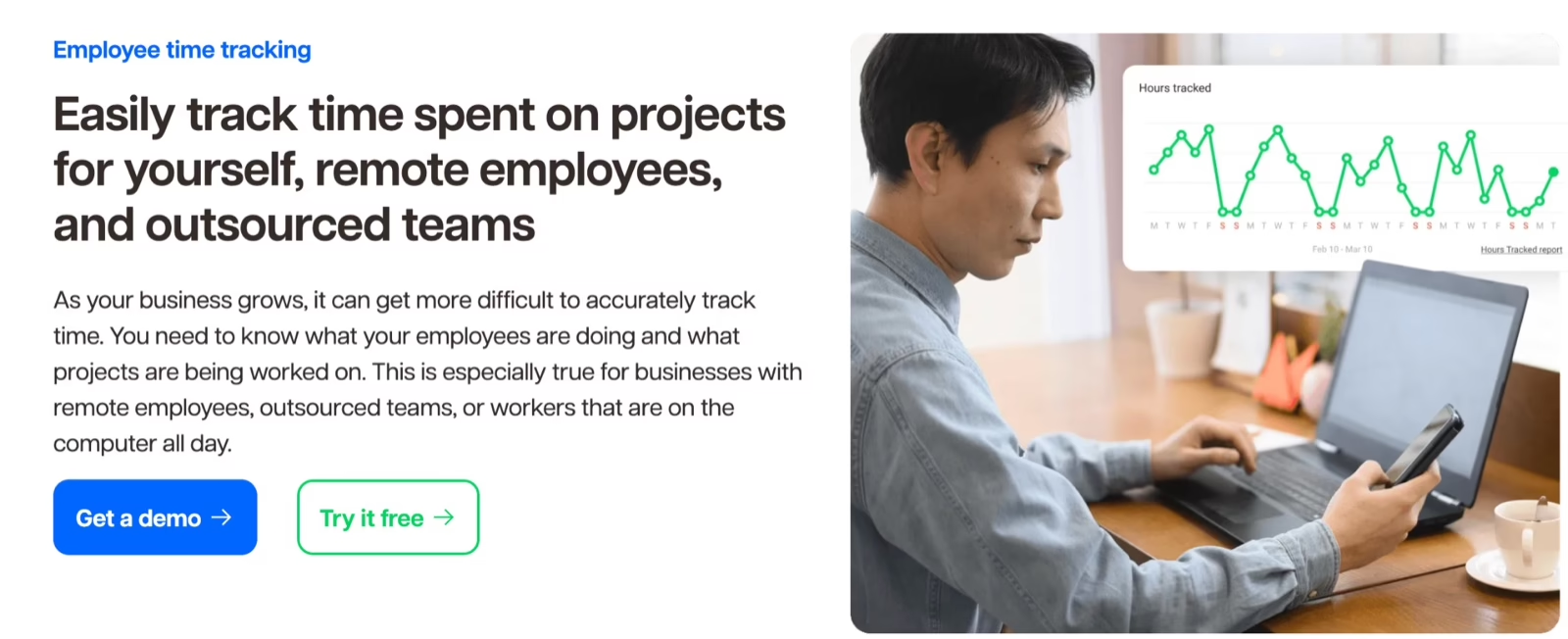
Time Doctor combines employee time tracking with activity monitoring for remote and hybrid teams. It records hours spent on projects and tasks while offering screenshot monitoring, website and application usage reports, and idle time detection.
The platform also supports timesheet approvals, productivity reports, and payroll-related workflows. Teams can configure monitoring features based on their internal policies, including screenshot capture and role-based permissions. Its monitoring-focused approach may not suit organizations that prefer time tracking without activity surveillance, while native HRIS and payroll integrations can involve additional costs.
Key features
-
Screenshot monitoring: Capture employee screenshots during tracked work hours, with configurable monitoring settings and screenshot blurring.
-
Idle time detection: Identify periods of inactivity and notify employees when the system detects idle time.
-
User activity monitoring: Track website and application usage, activity levels, and time spent on individual tasks.
-
Remote workforce monitoring: Review attendance, work schedules, employee activity, and productivity across distributed teams.
Pros and cons
| Pros | Cons |
|---|---|
| Offline recording: Work hours can be recorded without an internet connection, with reminders to start tracking. | Activity detail: The activity monitoring information may not provide the level of detail some users need. |
| Clear time reports: Reports show hours spent working, helping users review their recorded time. | Switching between views: Checking login hours, breaks, and idle time requires visiting multiple sections. |
| Easy installation: An intuitive interface and straightforward installation make everyday time tracking simple. | Tracking intensity: The level of tracking can sometimes feel too detailed, one user notes. |
Pricing
Plans start at $6.67/user/month.
Best for
Remote and hybrid teams that need employee time tracking, screenshot monitoring, and productivity analytics.
6. Hubstaff
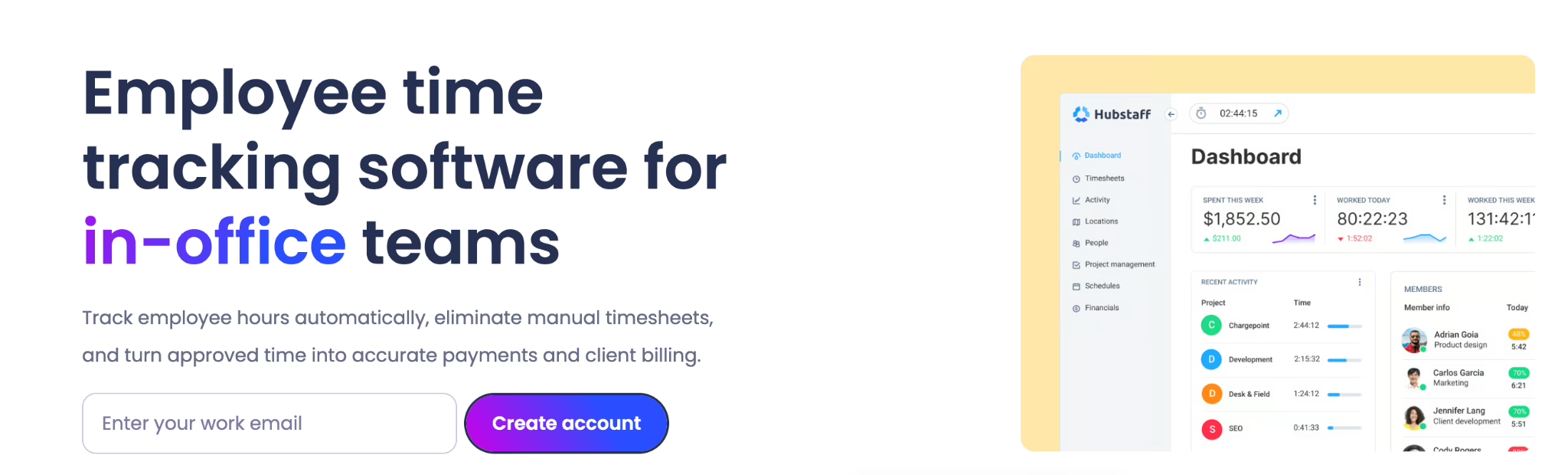
Hubstaff tracks employee work hours across projects, tasks, and locations through desktop, web, and mobile apps. It combines time tracking with productivity monitoring, including screenshots, application usage, activity levels, and idle time detection.
Hubstaff connects tracked hours with timesheet approvals, employee scheduling, project budgets, and payments through integrations such as PayPal, Wise, and Deel. Although it covers several workforce management activities, GPS tracking, advanced analytics, and certain automated tracking capabilities require higher-tier plans or paid add-ons.
Key features
-
GPS tracking and geofencing: Track employee locations, record time at job sites, and manage location-based attendance.
-
Automatic time tracking: Record hours through desktop and mobile timers, with background tracking available as an add-on.
-
Employee activity monitoring: Capture screenshots, monitor application usage, and review activity levels during tracked hours.
-
Project time and budget tracking: Assign hours to projects, monitor labor costs, and compare tracked time against project budgets.
-
Timesheets and payments: Review employee hours, approve timesheets, and process payments through supported integrations.
Pros and cons
| Pros | Cons |
|---|---|
| Client project tracking: Hours can be tracked across different clients and projects, with tasks assigned to employees. | Missing tracked time: On some occasions, 30 minutes to an hour of working time was missing. |
| Simple timesheet management: Timesheets are easy to manage and understand. | Interface navigation: Finding the right information can take some searching, with one user suggesting a simpler interface. |
| Useful reporting: Generated reports help with time and payroll management, saving administrative effort. | Timeline visibility: Agent logs could appear in real time within the Timeline view. |
Pricing
Plans start at $4.99/seat/month.
Best for
Remote, hybrid, and field teams that need employee time tracking, GPS verification, and productivity monitoring.
7. ActivTrak
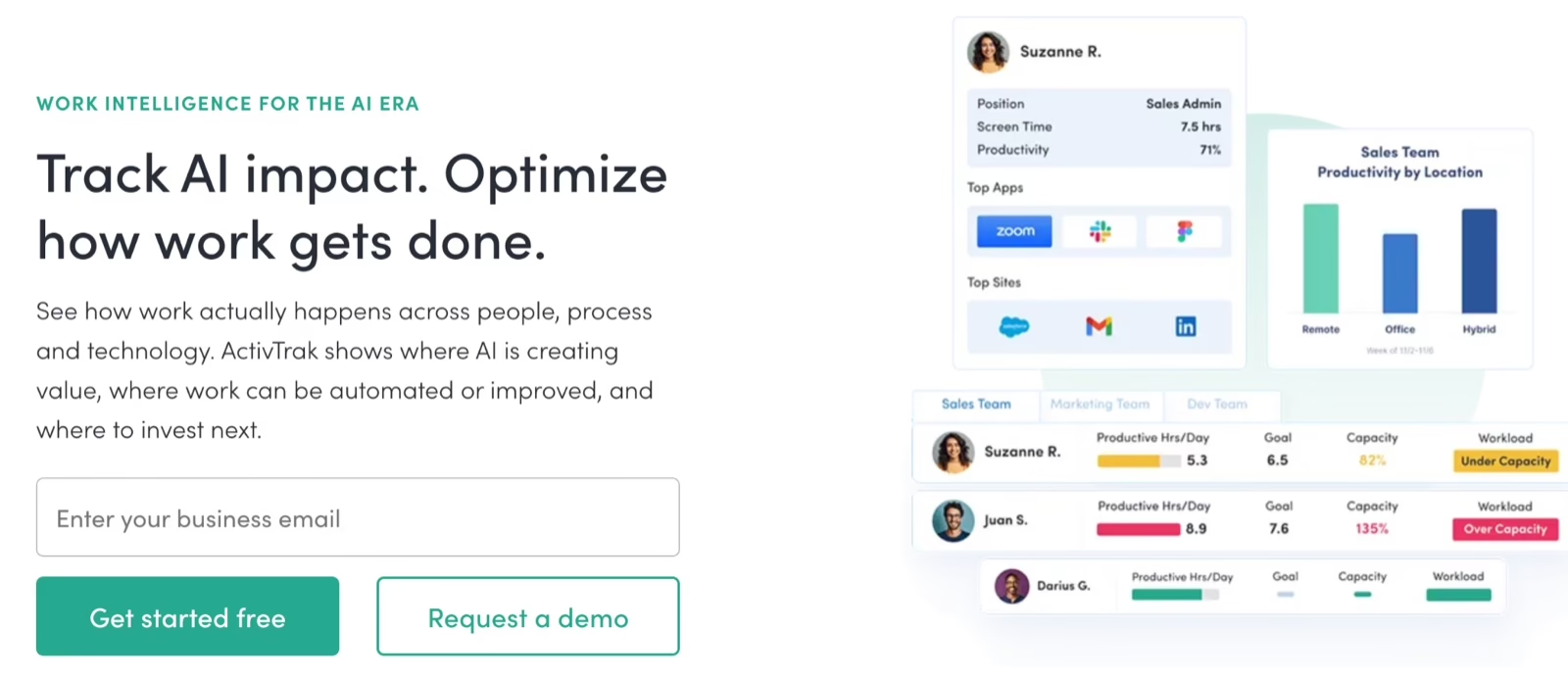
ActivTrak tracks employee work activity across applications, websites, and digital workflows. It uses automatic time tracking and productivity analytics dashboards to show how employees spend their working hours, identify productivity trends, and monitor schedule adherence. Managers can also review workload distribution, employee utilization, and team performance.
The platform includes user activity monitoring, AI-powered productivity insights, and employee privacy controls such as configurable anonymization and role-based access. Its focus is primarily on workforce analytics rather than project-based time tracking and billing. Organizations that need native payroll processing, project invoicing, or broader HR management will need additional systems.
Key features
-
Productivity analytics dashboards: Review employee productivity trends, workload distribution, and team performance through visual reports.
-
User activity monitoring: Track application and website usage, working hours, breaks, and schedule adherence.
-
Automatic time tracking: Capture employee work activity without requiring manual timers or daily time entries.
-
Workforce utilization analytics: Analyze employee capacity, workload balance, and productivity across teams and locations.
-
Employee privacy controls: Configure role-based access, data anonymization, and monitoring settings to manage employee privacy.
Pros and cons
| Pros | Cons |
|---|---|
| Real-time work visibility: Activity reports show who is working and how their activity compares with expected schedules. | Deployment through RMM: Installing the software through a remote monitoring and management tool can be difficult. |
| Application usage insights: Website and application activity gives managers a clearer picture of how work time is spent. | Mobile integration: Easier mobile integration and more activity signals from those devices would be welcome. |
| Policy notifications: Custom pop-ups notify employees when defined policy conditions are met, while administrators receive alerts. | Weekly email detail: More detail in weekly emails would make it easier to review activity without logging in as often. |
Pricing
Free plan available; paid plans start at $10/user/month.
Best for
Mid-sized and enterprise teams that need workforce productivity analytics, employee activity monitoring, and workload visibility.
8. Connecteam
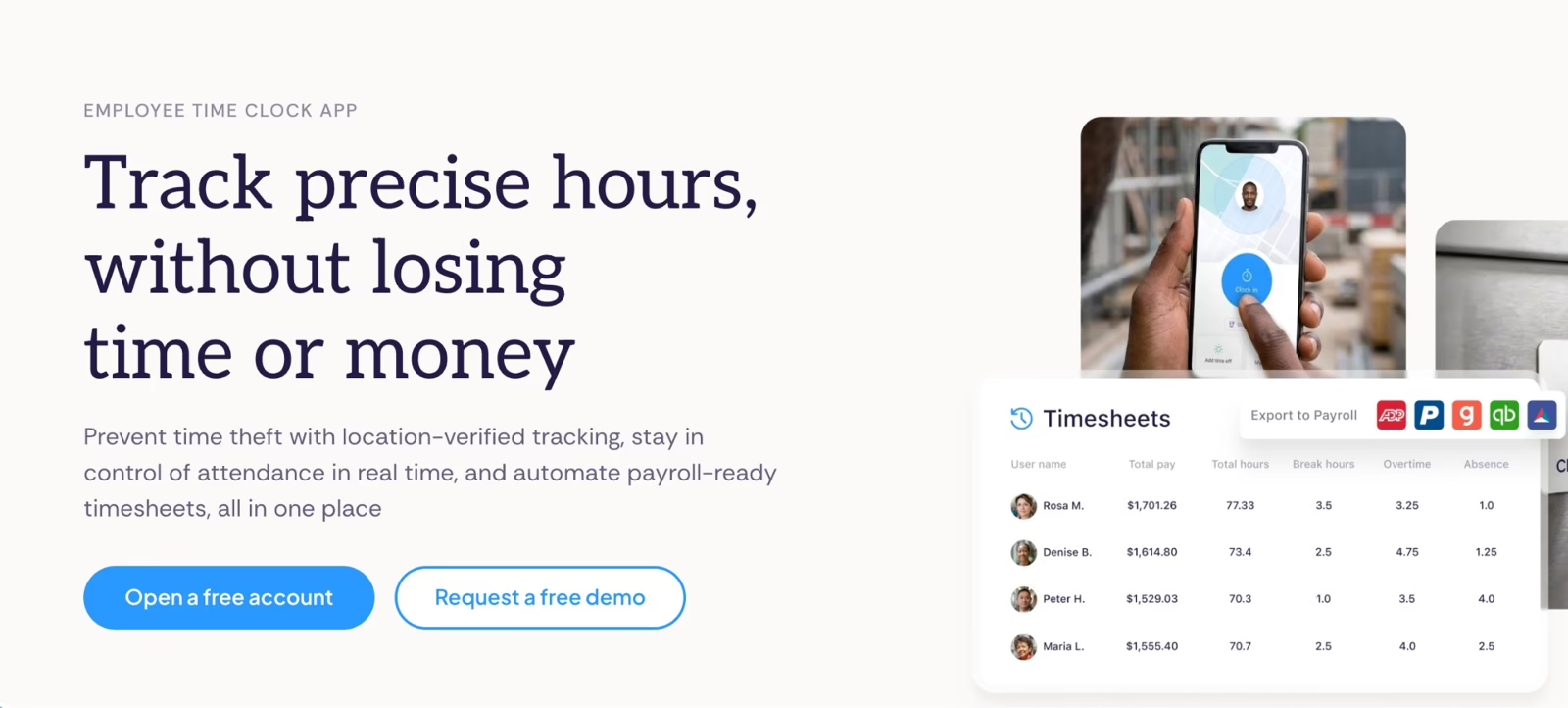
Connecteam combines employee time tracking, scheduling, and workforce communication in a mobile-first platform. Employees can clock in and out through the mobile app, while managers use GPS location verification and geofencing to check attendance across job sites.
Beyond time tracking, Connecteam offers break management, time-off tracking, onboarding, and employee training. Managers can configure work-hour limits, automate clock-outs, and manage schedules for field and shift-based teams. Its broader HR features focus on workforce operations, while payroll processing relies on integrations rather than a native payroll engine.
Key features
-
GPS location verification: Record employee clock-in and clock-out locations, with geofencing available on higher-tier plans.
-
Mobile time tracking: Let employees clock in and out from the mobile app, with GPS location recorded at each punch. Clocking does require an active internet connection.
-
Employee scheduling: Create shifts, assign employees, manage open shifts, and update schedules.
-
Break and work-hour controls: Configure break policies, daily work limits, and automatic clock-out rules to support attendance management.
-
Timesheet and payroll integration: Review employee hours, manage timesheets, and transfer approved time data to supported payroll systems.
Pros and cons
| Pros | Cons |
|---|---|
| Accessible payroll timesheets: Employee timesheets are easy to access when preparing payroll. | Permission setup: Configuring detailed permissions, employee groups, and custom workflows can take time. |
| Hours and location tracking: Managers can track hours and locations for employees working at remote sites. | Internet dependency: Clocking in and out requires an active internet connection, which can be inconvenient for employees working in areas with poor connectivity. |
| Connected staff coordination: Scheduling, time tracking, and communication sit together, making availability and updates easier to manage. | Mobile performance: Occasional slow loading and syncing delays can occur on older smartphones. |
Pricing
Free plan available; paid plans start at $29/month.
Best for
Field service, retail, construction, and shift-based teams that need mobile time tracking, GPS verification, and employee scheduling.
Not for
Organizations that need native payroll processing and more comprehensive HR administration alongside time tracking.
9. Timely
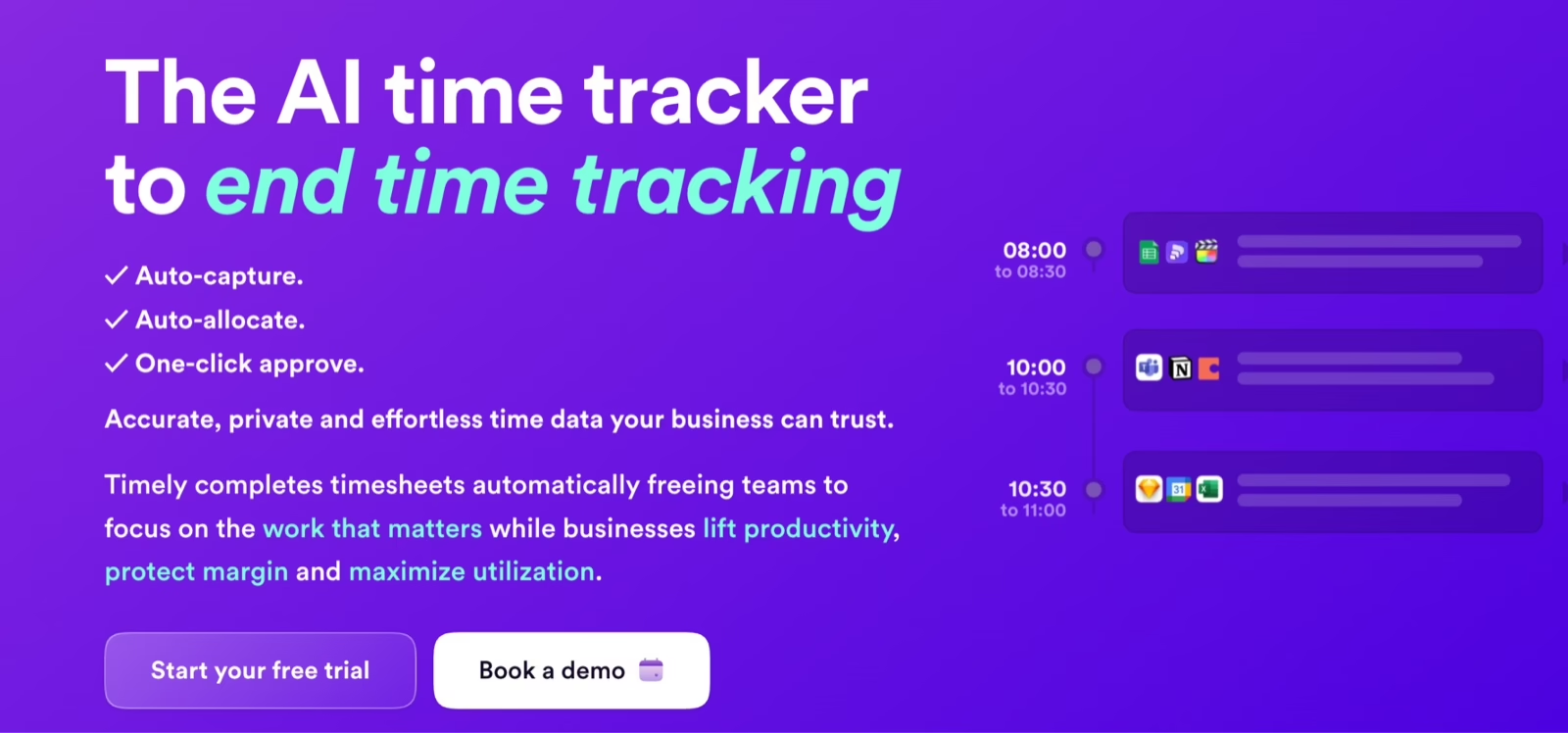
Timely uses automatic time tracking to record work activity across desktop applications and websites without requiring employees to start or stop timers. Its AI-powered timesheets organize captured activity into suggested entries, which employees can review and approve.
The platform supports project-based time allocation, billable hours tracking, and resource utilization reporting. Unlike employee monitoring tools, Timely keeps recorded activity private until employees approve what they share, without screenshots or keystroke logging. However, it focuses on project time management rather than native payroll processing or broader HR administration.
Key features
-
Automatic time tracking: Capture work activity across applications and websites without manual timers.
-
AI-powered timesheets: Generate suggested time entries and automatically allocate recorded activity to projects and clients.
-
Calendar-based time reconciliation: Connect Google Calendar and Outlook to account for meetings alongside tracked work activity.
-
Project-based time allocation: Assign hours to projects, track billable rates, and monitor project budgets.
-
Resource utilization reporting: Review team capacity, billable hours, and workload distribution through project and people dashboards.
Pros and cons
| Pros | Cons |
|---|---|
| Trainable automatic tracking: Automatic time tracking can be trained to reflect how a user works. | Crowded timeline: The timeline can become difficult to read, although the classic view helps. |
| AI-assisted comments: AI auto-commenting helps users register their working time more quickly. | Calendar event handling: Out-of-office events from Google Calendar can appear in the timeline and misrepresent working hours. |
| Easier retrospective timesheets: Activity data gathered from multiple sources helps users fill in timesheets after completing their work. | iOS app experience: The iOS app may not work for some users. |
Pricing
Plans start at $9/user/month.
Best for
Agencies, consultancies, and professional services teams that need automatic time tracking, accurate project allocation, and billable hours reporting.
10. Replicon (Deltek)
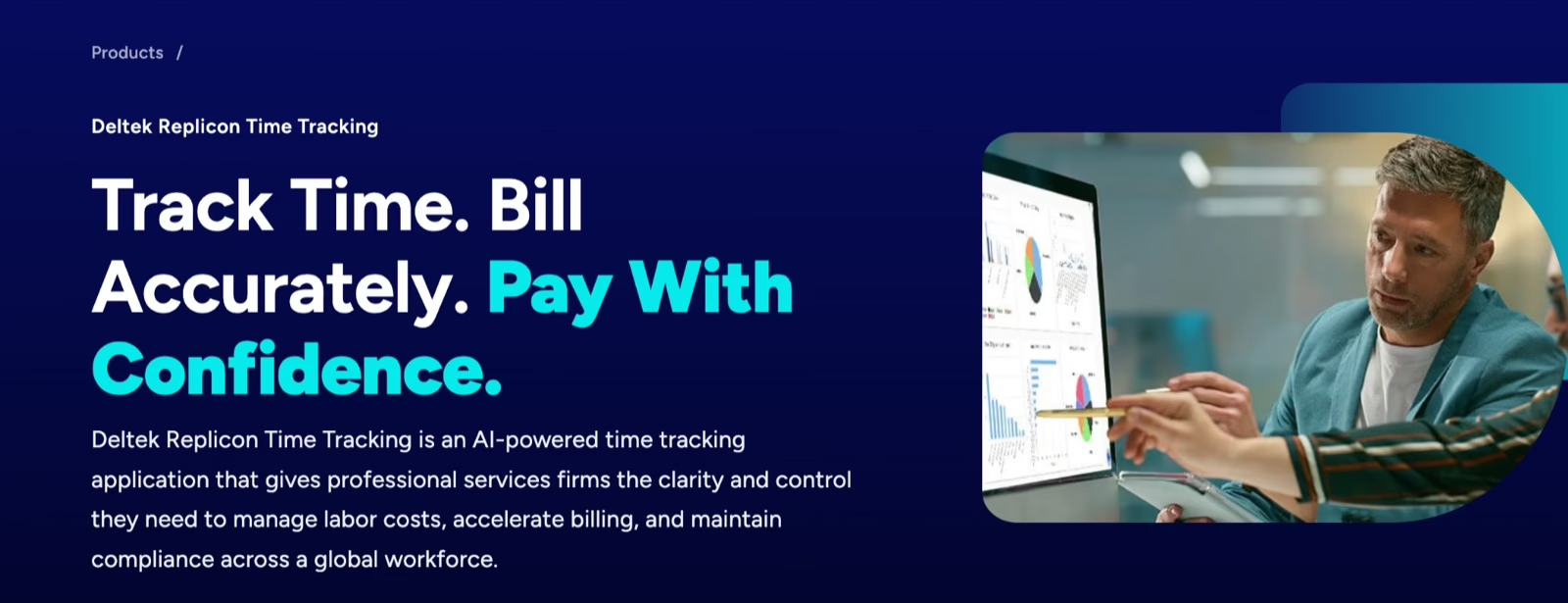
Replicon, now part of Deltek, is an AI-powered time tracking platform designed for project-based businesses and global workforces. Its automated timesheets capture work activity across more than 100 applications, helping teams allocate hours to projects, track billable time, and monitor labor costs.
Beyond project tracking, Replicon offers workforce scheduling, attendance, leave management, and configurable labor rules across multiple countries. It supports recordkeeping requirements relevant to DCAA compliance for government contractors. However, its extensive configuration and enterprise-focused capabilities may be more than smaller teams need for basic time tracking.
Key features
-
AI-powered time tracking: Automatically capture work activity across 100+ applications and generate timesheets.
-
Project-based time allocation: Assign employee hours to projects and tasks, compare estimated and actual costs, and monitor project profitability.
-
Billable hours tracking: Record billable and non-billable work, manage complex billing models, and support accurate client billing.
-
DCAA compliance support: Maintain time records and validation workflows that support government contractor audit requirements.
-
Global workforce management: Manage attendance, overtime, leave, and multi-currency billing requirements for international teams.
Pros and cons
| Pros | Cons |
|---|---|
| Connected project workflows: Project management, time tracking, and invoicing sit together, reducing the need to switch between applications. | Manual timesheet entry: Timesheets may still need to be entered manually in some workflows. |
| Faster timesheet entry: A useful search function saves time when entering timesheet data. | Data extraction steps: Extracting data sometimes involves additional steps. |
| Easy timesheet navigation: The weekly view and straightforward interface make timesheets easy to use with little training. | Custom reporting effort: Building custom reports can take more effort than expected. |
Pricing
Custom pricing based on business requirements.
Best for
Professional services firms, multinational organizations, and government contractors that need project-based time tracking, billable hours management, and complex labor compliance support.
Legal requirements for employee time tracking in the US
Accurate time tracking is more than an administrative task. It helps employers pay employees correctly, maintain reliable wage records, and demonstrate compliance with labor laws. The US Department of Labor requires employers covered by the Fair Labor Standards Act (FLSA) to maintain accurate records of hours worked and wages paid.
The right employee time tracking software should support these requirements through configurable overtime rules, time rounding policies, break tracking, and employee privacy controls.
| Requirement | What the rule says | What your software should support |
|---|---|---|
| FLSA recordkeeping | Under the FLSA, employers must record daily and weekly hours worked by covered nonexempt employees, including overtime. Most nonexempt employees must receive at least 1.5 times their regular rate of pay for hours worked beyond 40 in a workweek. The Department of Labor’s guidance also explains record retention requirements. | FLSA overtime calculation automation, preserved timesheet changes, and configurable lawful time rounding policies. |
| State-specific overtime laws | Federal rules establish a baseline, but states may impose additional requirements. California overtime laws generally require daily overtime after eight hours, while Colorado overtime laws include daily and consecutive-hour thresholds. Other states, including Florida, generally follow federal overtime standards, so review Florida overtime laws when configuring payroll policies. | State-specific overtime calculations and applicable break time enforcement rules. |
| Employee monitoring and privacy | The federal Electronic Communications Privacy Act (ECPA) regulates certain electronic communications monitoring, while state laws may require employee notice or consent. | Configurable employee privacy controls, clear monitoring disclosures, and restricted access to activity records. |
Conclusion: Find the right time tracking software for your team
The best time tracking software depends on how your team works and what you need to track. Tools like Toggl Track and Clockify work well for basic time tracking, while Time Doctor and Hubstaff offer employee monitoring capabilities. For project-based teams, Harvest and Timely provide features to manage billable hours, project budgets, and resource utilization.
But if you’re looking for more than a standalone time tracker, Keka brings time tracking, attendance, leave management, and payroll together in one platform. Your HR and finance teams can manage employee hours, overtime, approvals, and payroll without switching between multiple tools. Explore Keka’s time and attendance software to see how it fits your team’s needs.