PRODUCTS

  • Payroll Suite
  • HR Suite
  • Talent Suite
  • Project Services Suite
PeopleOS

The unified people platform - HR, payroll & talent in one core system.

Keka AI

AI woven across every workflow to save your team hours each week.

Marketplace

Connect 100+ integrations and the apps your team already runs on.

Customer Story

How Noise unified HR on a single people platform

Read the story
PAYROLL COMPLIANCE

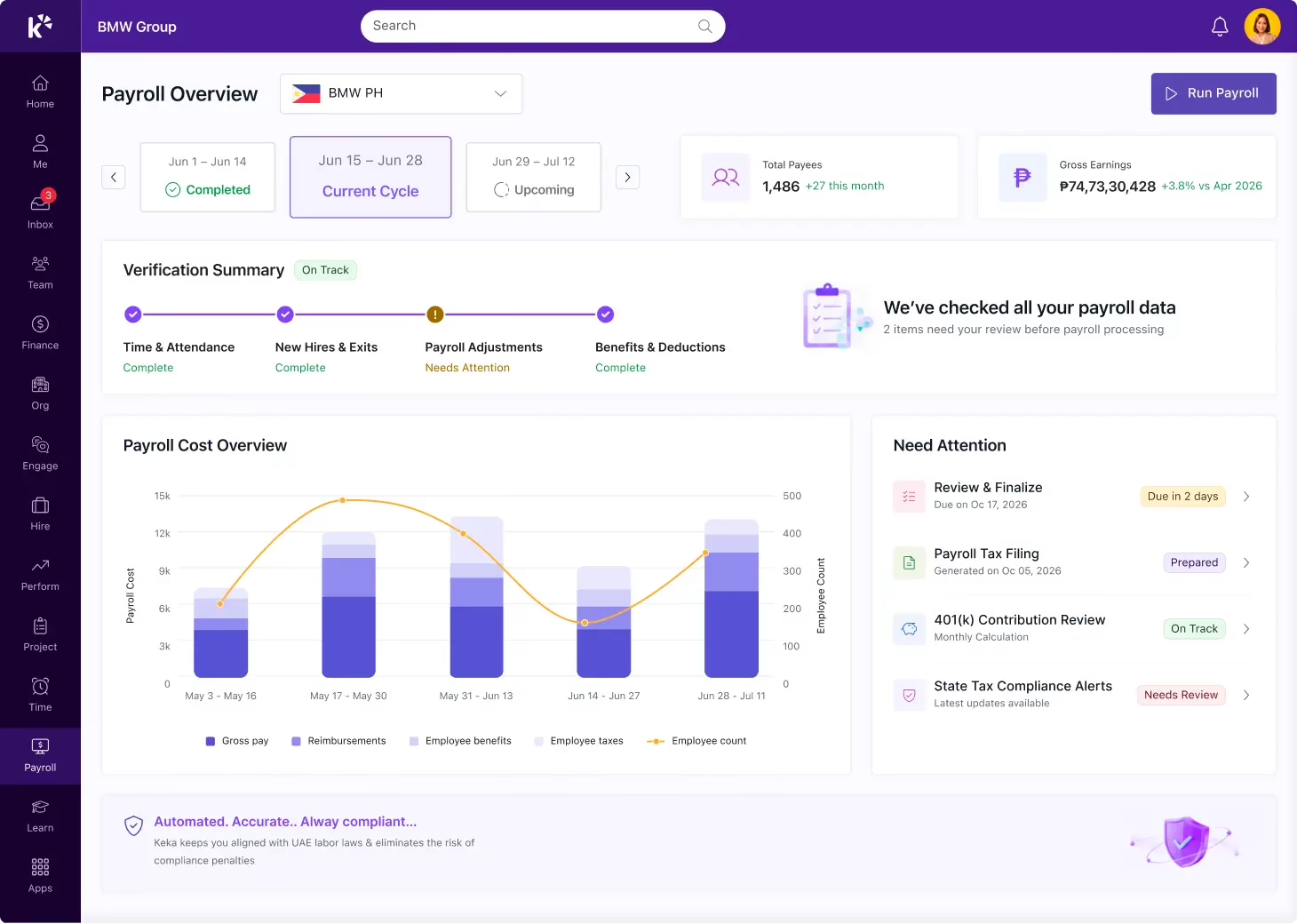
Account for every peso and filing, every cutoff

Compute every rate precisely

Overtime, night differential, holiday pay, SSS, PhilHealth, Pag-IBIG, and withholding tax are computed against current rates on every cutoff.

Flag errors before payout

Each run is checked against expected totals and prior cycles before anyone signs off, so mismatches and missing data get flagged early

File every form on time

Salaries go out on schedule, payslips are sent the same day, and statutory remittances and year-end forms get filed on time.

CUTOFF DATA

Pull every cutoff’s attendance together automatically

Attendance, tardiness, absences, and approved leave come together the moment a cutoff closes. Payroll starts from that data directly, with nobody compiling it by hand.

PREMIUM PAY

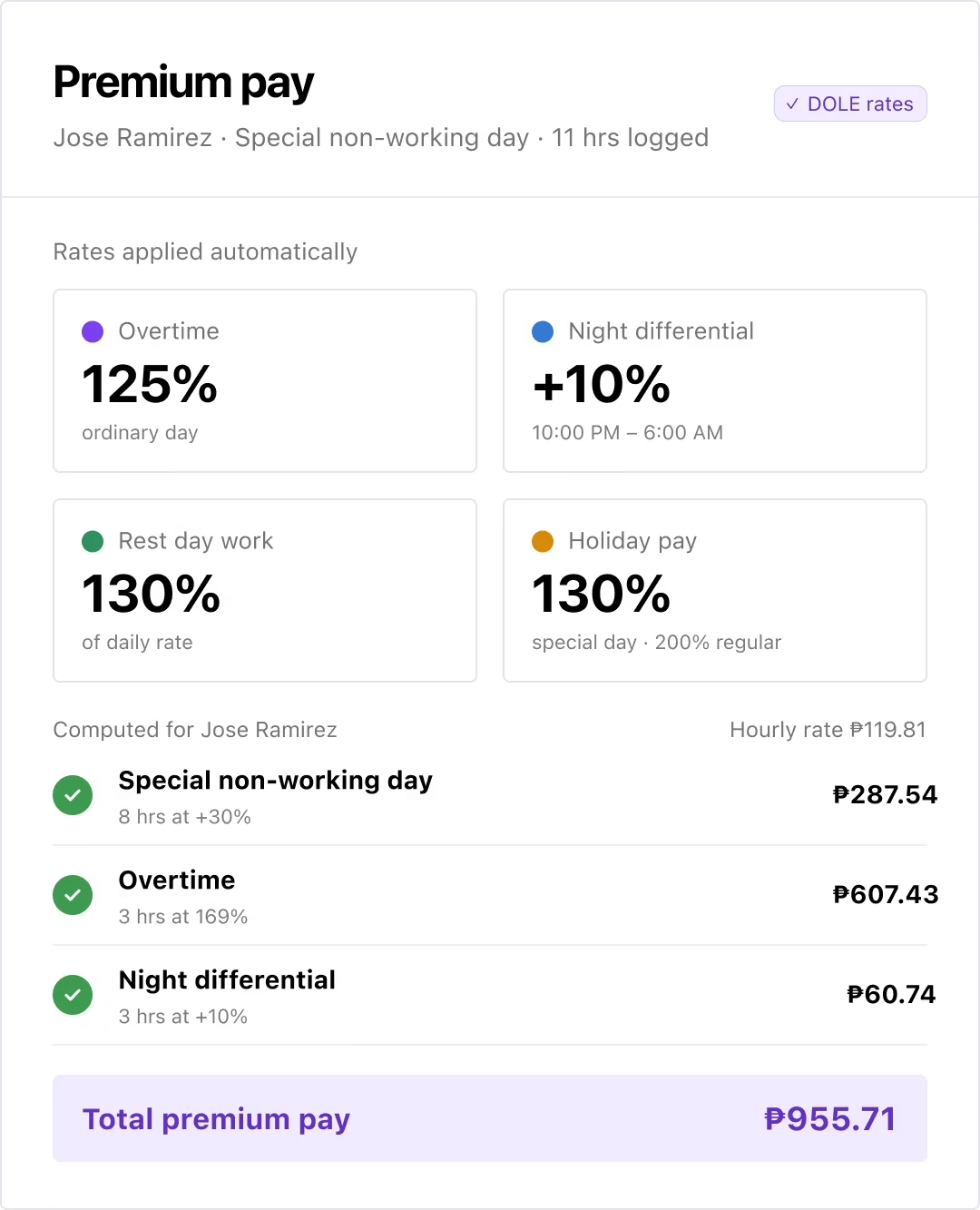
Calculate every premium rate without manual math

Overtime, night differential, rest day work, and holiday pay are computed at the rates DOLE sets. You don’t have to look up a percentage or run the numbers yourself.

STATUTORY CONTRIBUTIONS

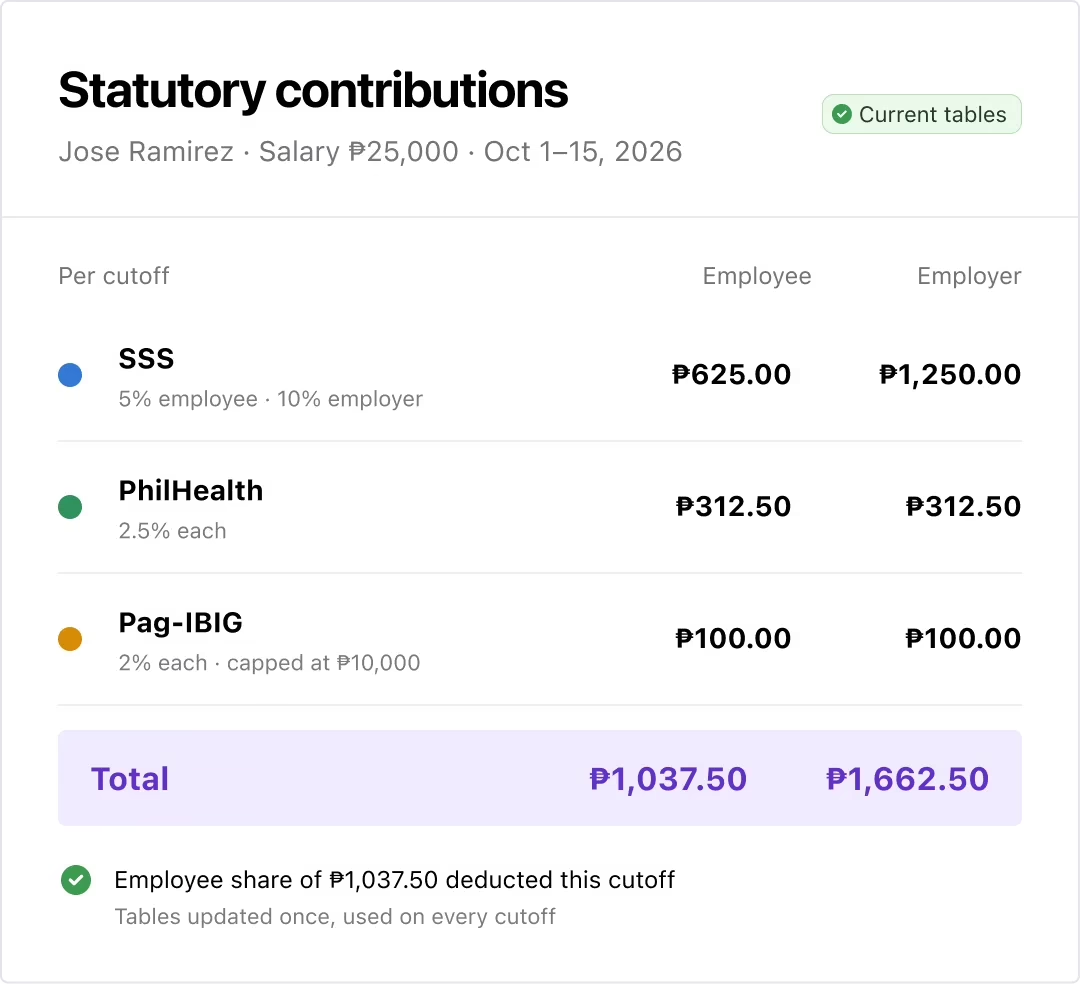
Compute SSS, PhilHealth, and Pag-IBIG correctly, automatically

Employee and employer shares are calculated against the current contribution tables and salary brackets. Update those tables once and every future cutoff uses them.

WITHHOLDING TAX

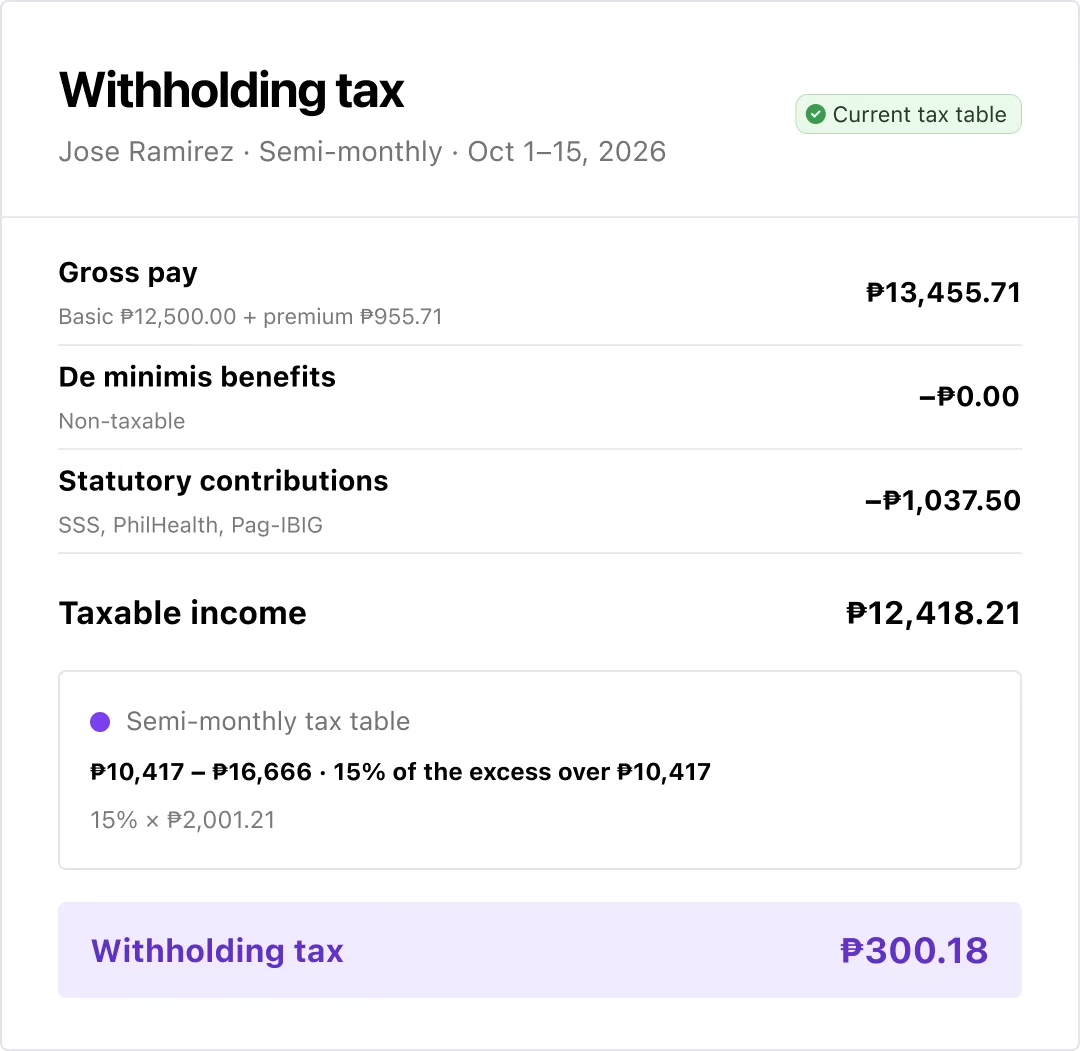
Get BIR withholding tax right, every cutoff

Withholding tax is computed from the current tax table, after de minimis benefits and statutory contributions are netted out. You don’t have to do that math yourself.

LOANS & DEDUCTIONS

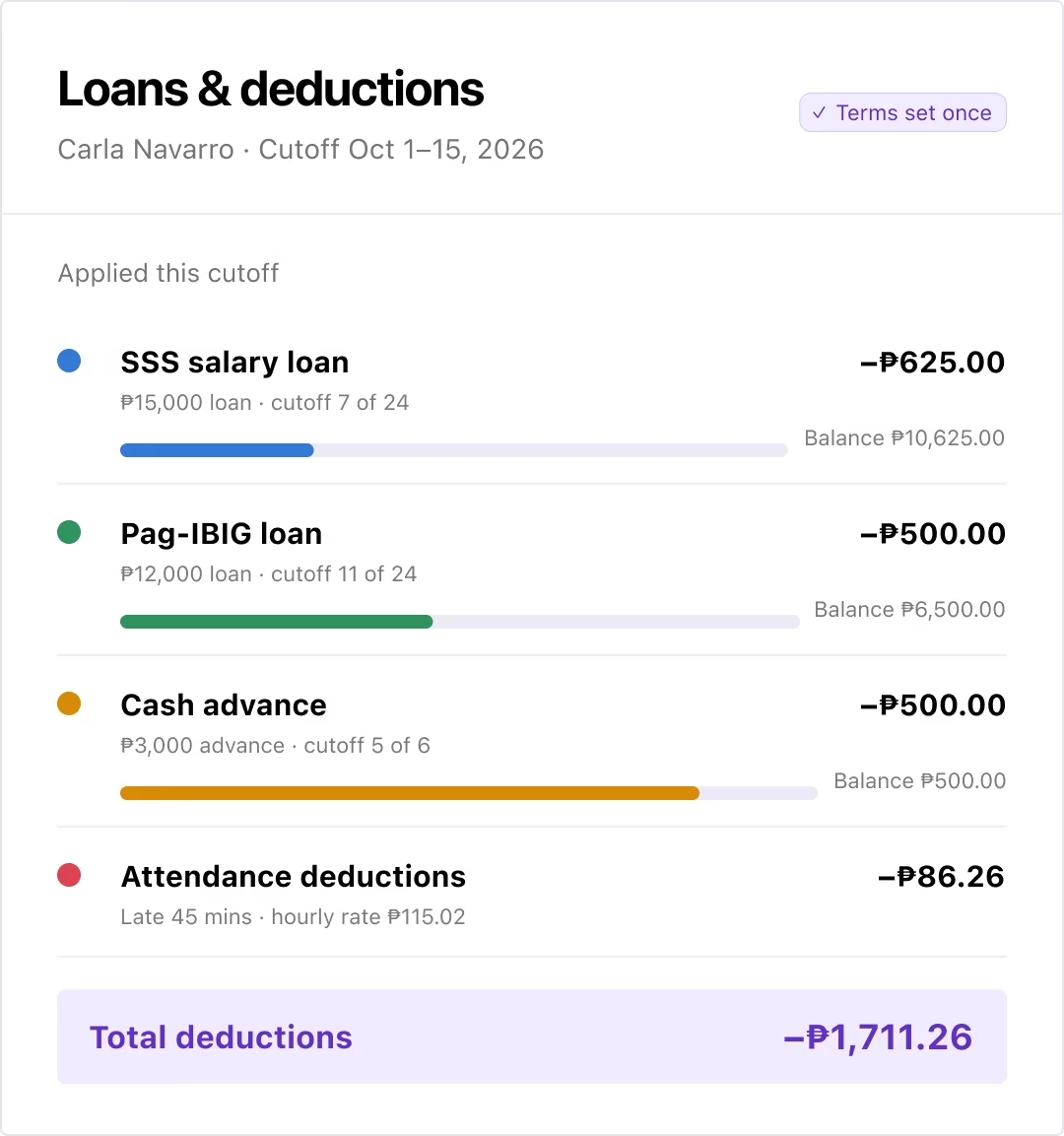
Apply every loan and deduction correctly

SSS loans, Pag-IBIG loans, cash advances, and attendance deductions are applied each cutoff based on the balance owed. You only set the terms once.

PAYROLL VALIDATION

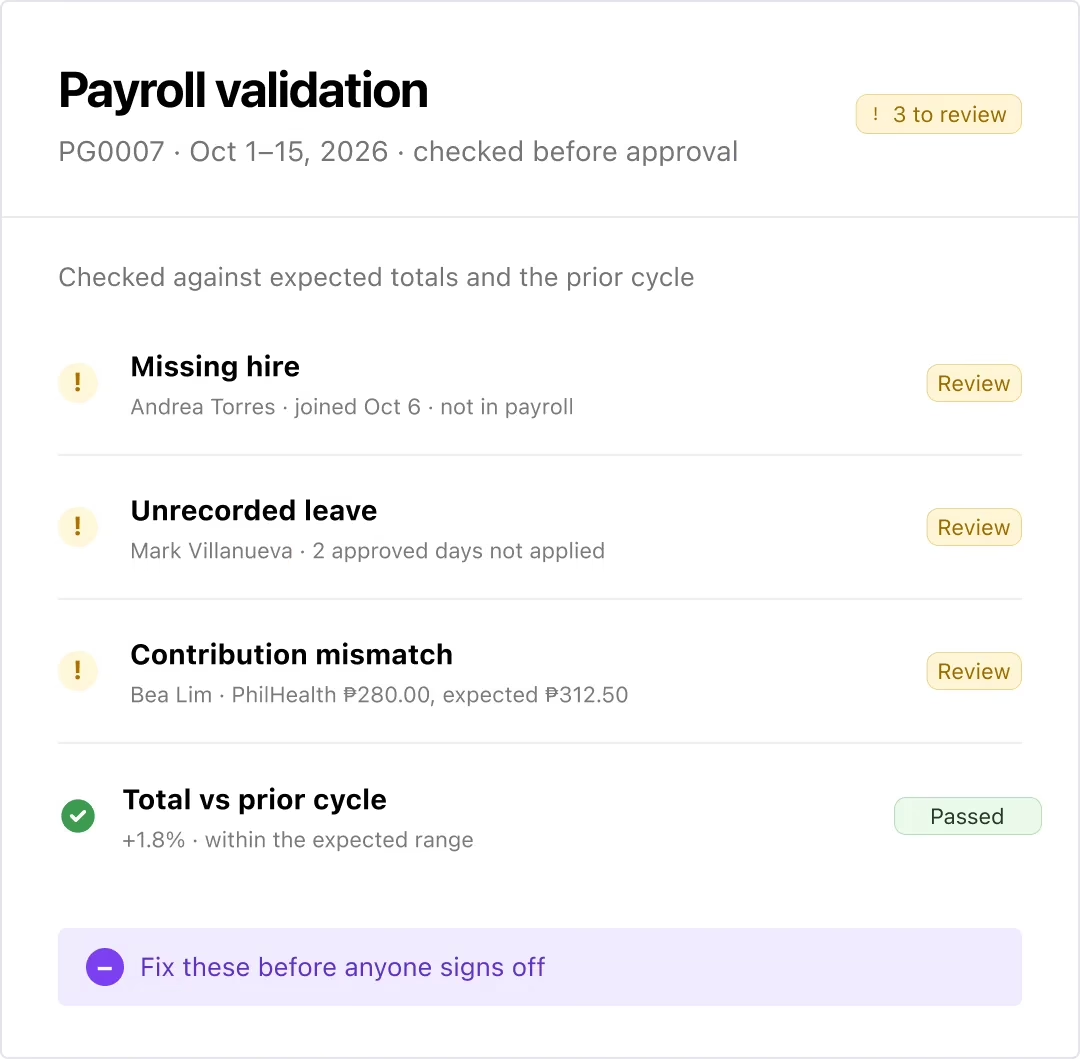
Catch payroll errors before anyone signs off

Every run gets checked against expected totals and the prior cycle. A missing hire, an unrecorded leave, or a wrong contribution shows up here, before approval.

APPROVAL WORKFLOW

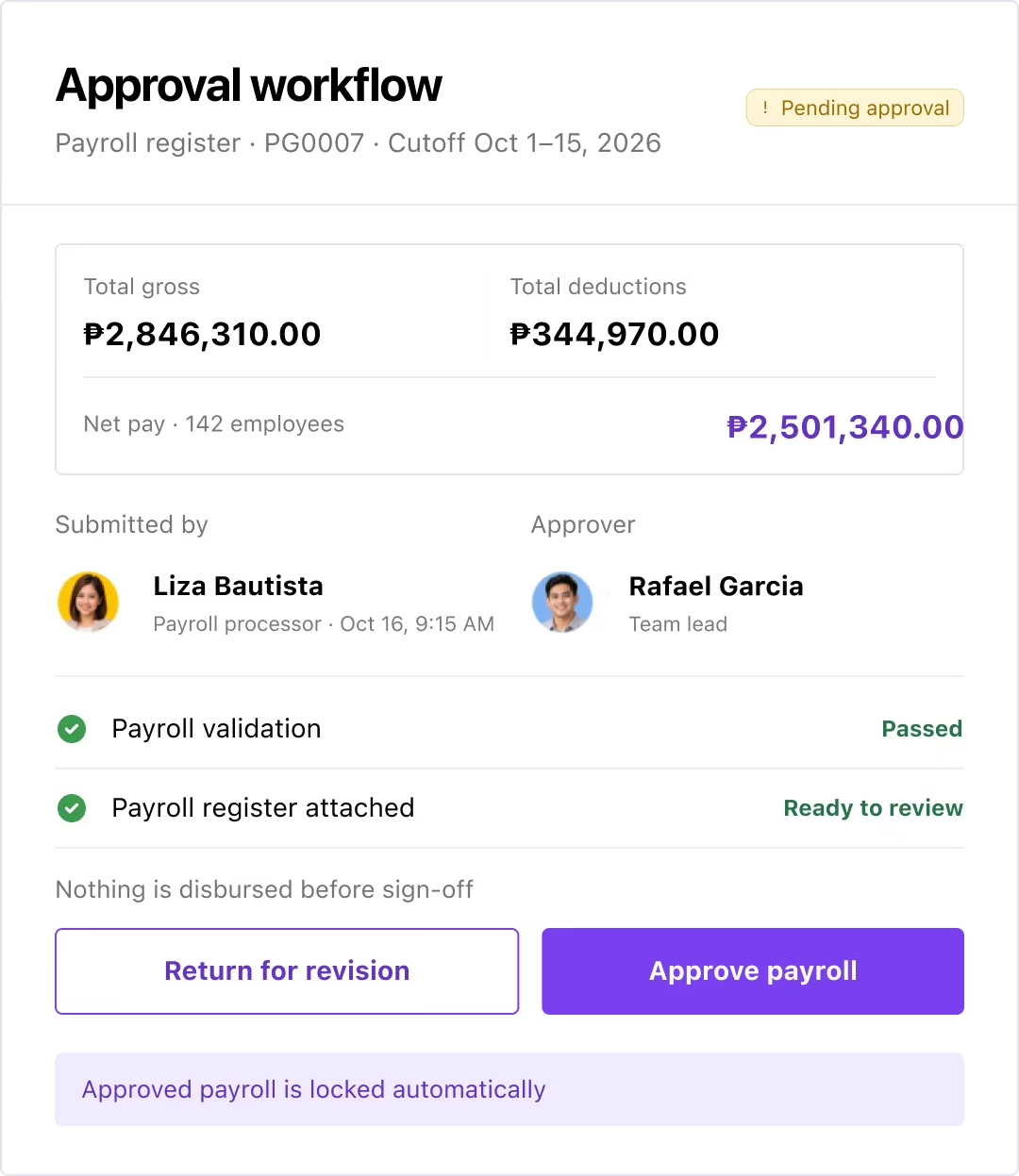
Review and approve payroll before it’s final

Authorized approvers see the payroll register for the cutoff and sign off before anything is disbursed. The final call stays with your team.

SALARY DISBURSEMENT

Pay your people accurately, on the right date

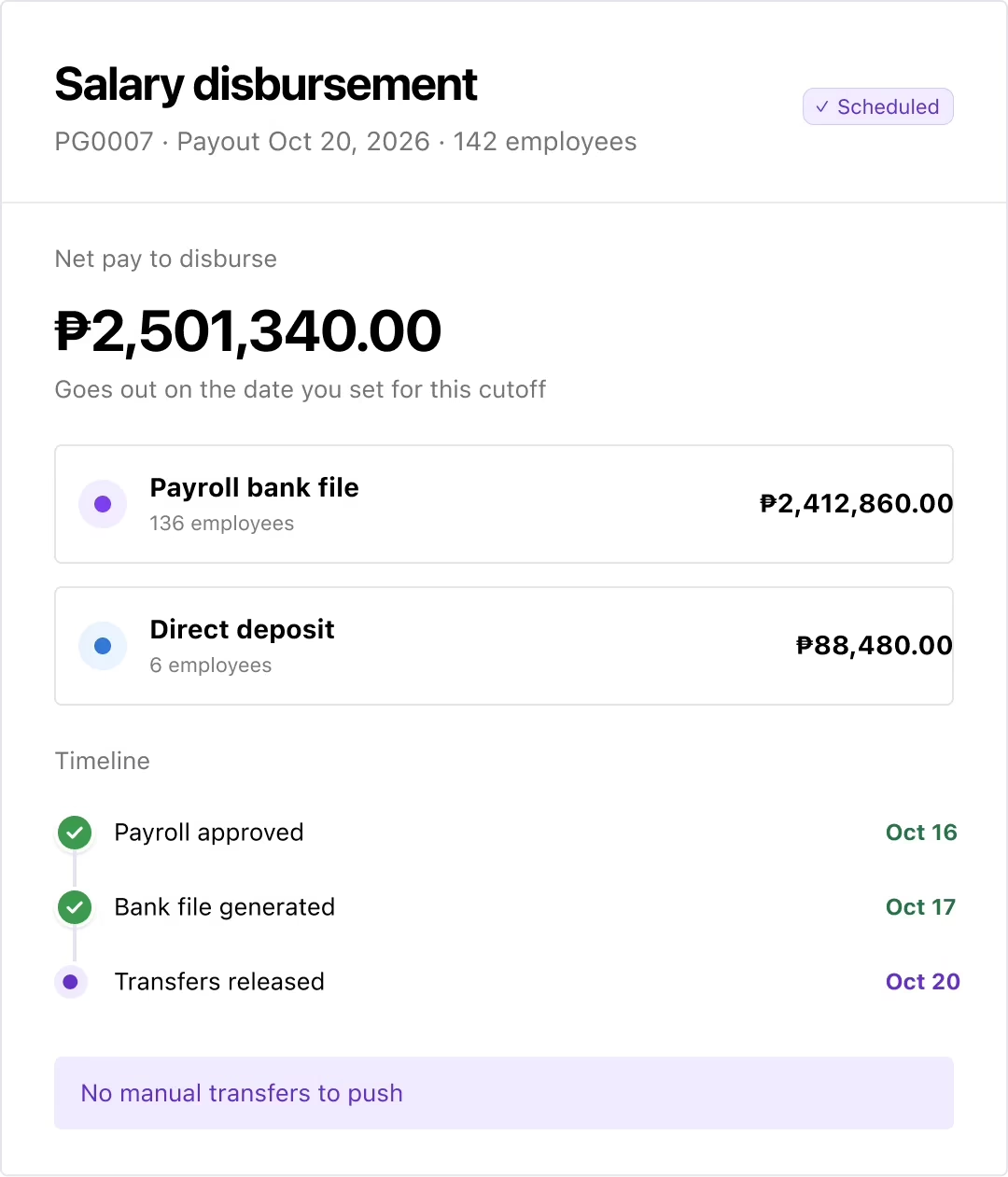
Net pay goes out through a payroll bank file or direct deposit, on the date you set for that cutoff. You no longer have to push transfers manually.

PAYSLIPS & REMITTANCE

Send payslips and file remittances automatically

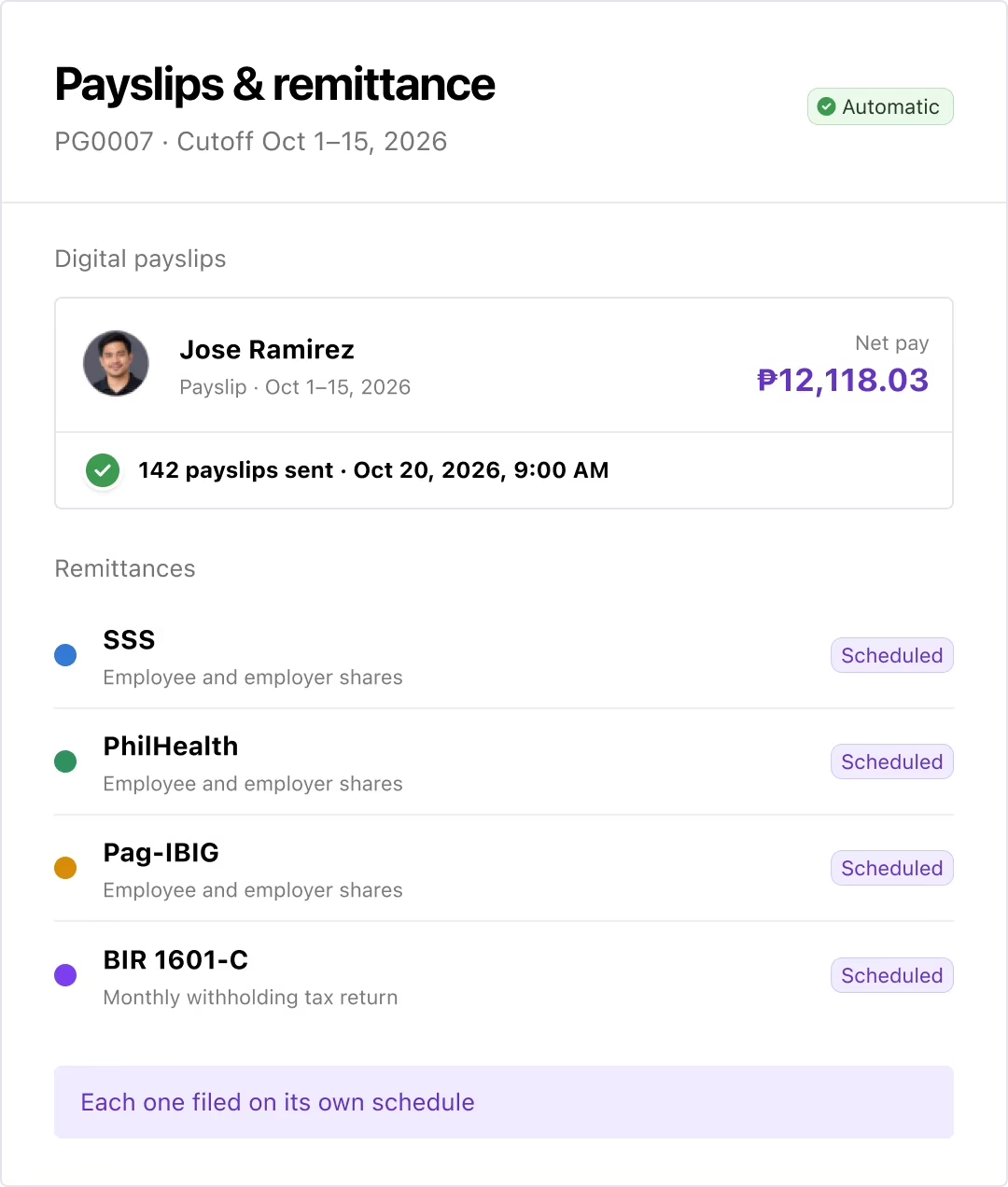
Digital payslips go out to employees as soon as payroll closes. SSS, PhilHealth, Pag-IBIG, and BIR 1601-C remittances are filed on their own schedules.

YEAR-END PAYROLL

Handle 13th month and year-end filing easily

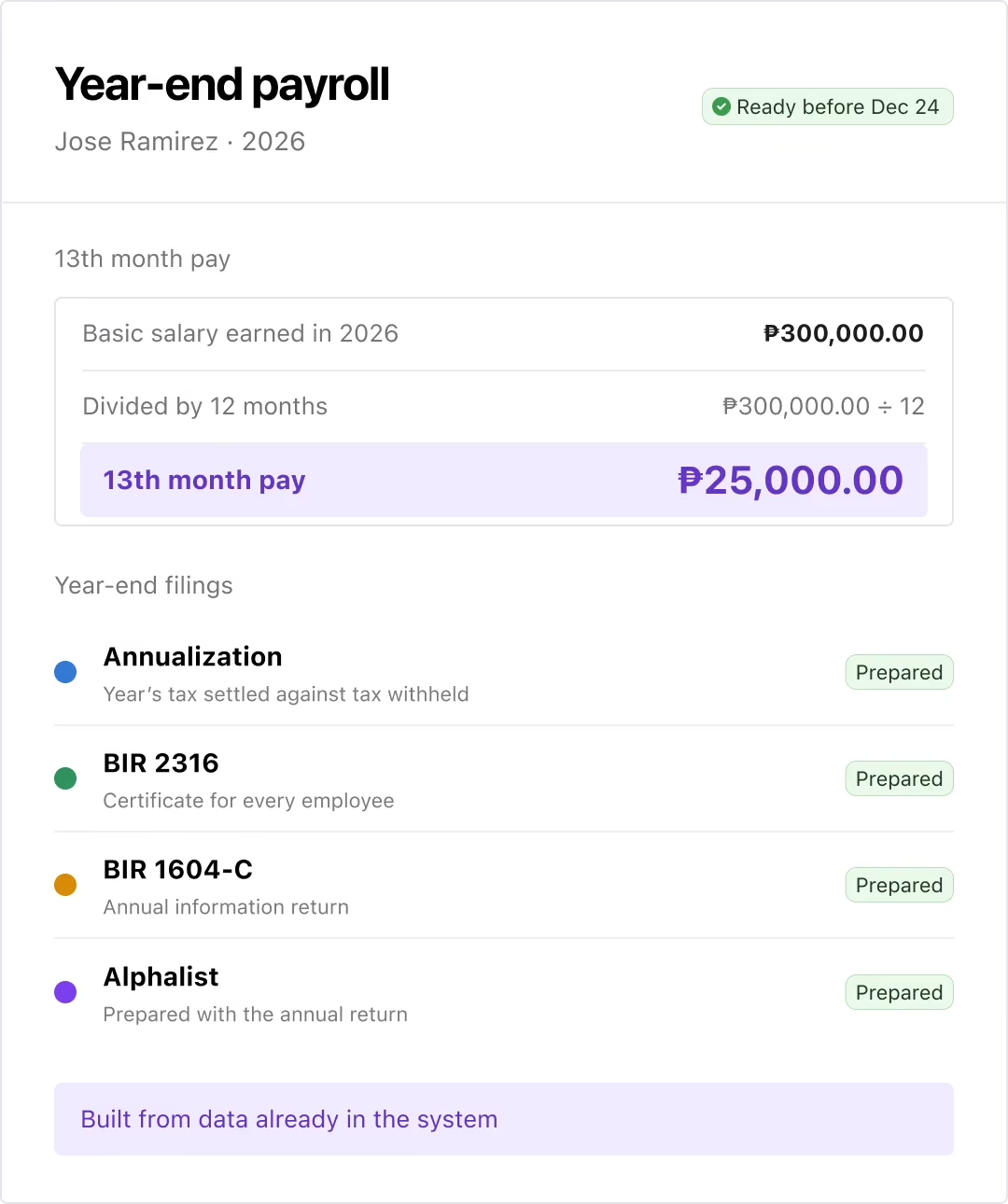
13th month pay is computed from the year’s basic salary, ready ahead of December 24. Annualization, BIR 2316, 1604-C, and Alphalist are prepared from data already in the system.

INTEGRATIONS

Integrations that carry payroll data straight into your accounting system

Journal entries, tax liabilities, and workforce costs flow directly into your accounting system after every payroll run. Eliminate manual reconciliation and gain clearer visibility into payroll spend.

Frequently Asked Questions

What is payroll processing?

Payroll processing is the end-to-end workflow of calculating employee wages, withholding taxes, managing deductions and benefits, and issuing payments each pay cycle. Done manually, it’s error-prone and time-consuming – which is why most growing US businesses move to automated payroll processing software.

Does Keka's payroll processing software support all 50 states?

Yes. Keka handles federal, state, and local tax calculations across all 50 states – including multi-state employees, remote workers, and employees who move between jurisdictions. SUI/SUTA rates, locality taxes, and reciprocity rules are applied automatically every pay run.

How does automated payroll processing reduce errors?

Automated payroll processing eliminates the manual touchpoints where mistakes happen – data re-entry, missed deductions, incorrect overtime calculations. When time, benefits, and employee data flow directly into payroll from connected systems, every calculation starts from accurate inputs.

Can Keka handle both W-2 employees and 1099 contractors?

Yes. Keka processes payroll for full-time employees, hourly workers, and independent contractors in the same system – with the right tax logic applied automatically for each worker type, so nothing needs to be handled separately.

What should a payroll processing system include?

A good payroll processing system should cover automated tax calculations, multi-state compliance, direct deposit, benefits and deductions sync, garnishment processing, year-end filings like W-2s and 1099s, and a full audit trail. Integration with time, attendance, and HR data is what separates solid systems from spreadsheet replacements.

How does Keka connect time and attendance to payroll?

Approved hours, overtime, and shift data flow directly from Keka’s time and attendance module into payroll – with FLSA-compliant overtime and regular rate calculations applied automatically. Nothing needs to be exported or manually entered before running payroll.

How does payroll software handle year-end processing?

Payroll processing software automatically consolidates earnings, deductions, and tax data across the year to generate accurate W-2s and 1099s. Good systems flag discrepancies before year-end so there are no last-minute corrections with the IRS or state agencies.

Can Keka handle payroll across multiple legal entities?

Yes. Keka supports multi-entity payroll with centralized oversight – so you can manage subsidiaries and business units separately while maintaining consolidated reporting. Payroll costs map to the right business units automatically, without manual spreadsheet work.

Still weighing your payroll processing
software options?

Let us show you how much easier payroll can be - with fewer clicks and zero surprises.