


 Login
Login


The top Paycor alternatives in 2026 are Keka, ADP Workforce Now, Rippling, Paylocity, Paycom, UKG Ready, Dayforce, and Gusto. I evaluated them on multi-state payroll depth, pricing transparency, implementation speed, and their ability to consolidate point-tool sprawl.
Businesses often explore Paycor alternatives for more flexible reporting, responsive support, and smoother implementation. Paychex acquired Paycor in April 2025, so potential changes to its pricing, support structure, or product roadmap are also worth considering.
I wrote this comparison for HR directors and CFOs at U.S. companies that need payroll and HR in one platform. I compared each option across pricing, features, compliance, integrations, support, scalability, and user experience.
Side-by-Side Feature Comparison Table
| Feature | Keka | Paycor | ADP Workforce Now | Rippling | Paylocity | Paycom | UKG Ready | Dayforce | Gusto |
|---|---|---|---|---|---|---|---|---|---|
| Best For | HR and payroll consolidation for businesses of all sizes | Small to mid-market HCM | Mid-market payroll + compliance | Mid-market HR + IT | Mid-market employee engagement | Mid-market unified HCM | Small to mid-market shift-based teams | Larger mid-market + enterprise | Small businesses |
| Key Differentiator | HR + payroll + PSA | Broad HCM suite | Payroll infrastructure + compliance | HR + IT management | Employee engagement | Single-database HCM | Workforce management | Complex/global workforce management | Simplicity + transparent pricing |
| Payroll | U.S., all 50 states | U.S. | U.S. + global capabilities | U.S. + global | U.S. | U.S. | U.S. + Canada | Global | U.S. |
| Automation & AI | Keka AI + talent AI | AI-assisted HCM | Payroll insights + anomaly detection | AI across HR, IT + finance | Ignite AI agents | Beti + IWant | AI workforce insights | AI workforce insights + automation | Compliance automation |
| Employee Self-Service | Yes | Yes | Yes | Yes | Yes | Yes | Yes | Yes | Yes |
| Pricing Model | Custom quote | Custom quote | Custom quote | Custom quote | Custom quote | Custom quote | Custom quote | Custom quote | Published tiered pricing |
| AI Capabilities | AI answers HR questions and surfaces payroll and workforce insights | Expanded AI-powered HR workflows and workforce insights | AI detects payroll anomalies and provides workforce insights and recommendations | AI supports HR, IT, finance, payroll, and employee workflows | AI agents support recruiting, payroll, time, expenses, and employee questions | IWant uses natural language to access workforce information and HR tasks | Expanded AI capabilities alongside its broader payroll offering | AI surfaces workforce insights across complex HR and workforce operations | Mosey acquisition adds AI-powered compliance capabilities for small businesses |
| User Ratings (G2, 2026) | 4.4/5 | 4.0/5 | 4.2/5 | 4.8/5 | 4.4/5 | 4.6/5 | 4.4/5 | 4.2/5 | 4.6/5 |
Disclaimer: Keka is our product, so I’ve aimed to keep the comparison balanced by highlighting where its unified HR + payroll + PSA breadth and consumer-grade UX can be a strong fit. I’ve also included three real cons for Keka and highlighted alternatives for specific use cases where they may be a better fit.
How I Evaluated the Paycor Alternatives
To identify the top Paycor alternatives, I evaluated every platform against the same core criteria so you can compare the options on a consistent basis.
- Pricing: I reviewed how each vendor structures pricing, whether rates are publicly available, and how add-ons or optional modules can affect the total cost.
- Feature set: I compared core capabilities such as payroll, time tracking, performance management, recruiting, benefits, and other HR functions.
- Localization and compliance: I assessed how each platform handles multi-state payroll, tax filings, local requirements, and broader compliance needs.
- Integrations: I looked at connections with accounting software, ERPs, applicant tracking systems, and collaboration tools such as Slack and Microsoft Teams.
- Support: I considered implementation assistance, account management, available support channels, and recurring support issues mentioned by customers.
- Scalability: I considered how well each platform supports growing headcount, additional modules, and increasingly complex HR and payroll workflows.
- User experience: I compared the day-to-day experience for HR admins and employees, including navigation, mobile access, and employee self-service.
- Verified user feedback: I reviewed customer feedback from G2, Capterra, and Reddit to identify recurring strengths, limitations, and real-world support experiences.
With these criteria in mind, I’ll look at why companies consider moving away from Paycor and how the leading alternatives compare.
Top 8 Paycor Alternatives & Competitors
Now that I’ve covered what I evaluated, let’s look at eight of the best Paycor alternatives, including their key features, pros and cons, pricing, and ideal use cases.
1. Keka: HR, Payroll, and PSA in One Platform for Businesses of All Sizes
Keka is a unified HR and payroll platform that brings payroll, HR, talent, time and attendance, and project services into one system, with Keka AI layered across it.
For U.S. businesses, Keka supports multi-state payroll, automated tax filings, benefits administration, time tracking, and compliance across federal, state, and local requirements. Its guided onboarding and migration tools are designed to help teams get up and running in days, with structured training and parallel payroll runs for a smoother go-live.
Keka also brings AI into everyday HR workflows. Keka AI can answer questions across payroll, attendance, hiring, and performance, surface insights such as payroll anomalies and attrition risks, and help teams complete routine HR tasks. Its talent suite includes AI-powered candidate matching, interview scheduling, and hiring analytics.
Keka is built to handle different workforce sizes and increasingly complex HR needs. It’s SOC 2, ISO 27001, and GDPR compliant, with payroll that stays current on federal, state, and local rules, so multi-entity teams don’t have to track tax changes themselves.
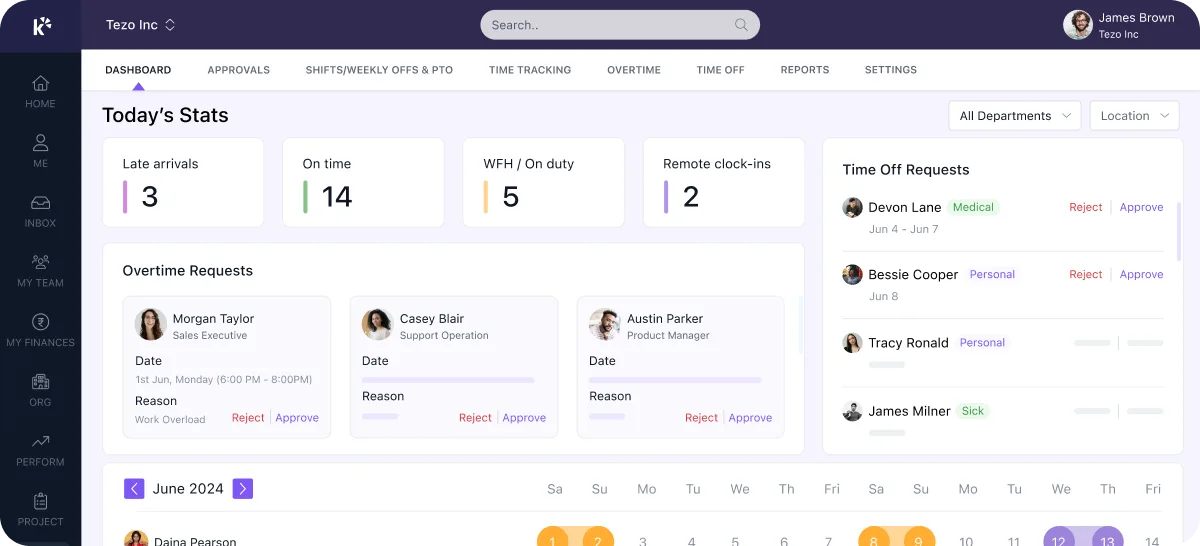
Key features
- U.S. payroll and compliance: Runs payroll across all 50 states, with automated federal, state, and local tax calculations and filings. Keka also handles W-2s, 1099s, garnishments, and multi-state payroll requirements.
- Connected HR and payroll: Employee data, time and attendance, benefits, expenses, and payroll stay connected in one system, reducing manual data entry and reconciliation.
- Benefits administration: Keeps benefits deductions and employer contributions synchronized with payroll, with support for healthcare, retirement plans, HSA, Section 125, and COBRA workflows.
- Time and workforce management: Tracks employee hours, overtime, time off, and scheduling, with approved time data flowing directly into payroll.
- AI-powered HR: Keka AI answers questions across payroll, attendance, hiring, and performance, completes everyday HR tasks, and surfaces insights such as payroll anomalies, attrition risks, and goal drift.
- Talent management: Covers hiring, onboarding, performance, skills, and career development. Keka Hire adds AI-powered resume scoring, candidate matching, interview scheduling, and interview insights.
- Professional Services Automation: Connects project planning, resource allocation, timesheets, billing, and utilization with HR and payroll data, making it particularly relevant for professional services businesses.
| Pros | Cons |
|---|---|
| Broad HR and PSA coverage: Keka brings HR, payroll, talent, employee experience, project management, resource management, timesheets, and billing into one platform. | Best suited to organizations looking to consolidate HR processes: Keka can work as a single point solution, but organizations that adopt the broader ecosystem can benefit more from the connected workflows and data across the platform. |
| Comprehensive US payroll: Keka supports payroll, benefits, deductions, direct deposit, ACH, W2s, 1099s, and automated tax filings across all 50 states. | The PSA capabilities may require some process alignment: companies introducing project and resource management alongside HR may need to map their existing project workflows into the platform. |
| Global workforce capabilities: Keka is used by organizations across 120+ countries, supporting companies with geographically distributed teams. | More functionality can mean more decisions: as organizations expand their use of the platform, administrators may need to decide which features, workflows, permissions, and reports are most relevant to their teams. |
| Designed to scale: Keka supports companies of different sizes and combines HR, payroll, and PSA capabilities within one platform. |
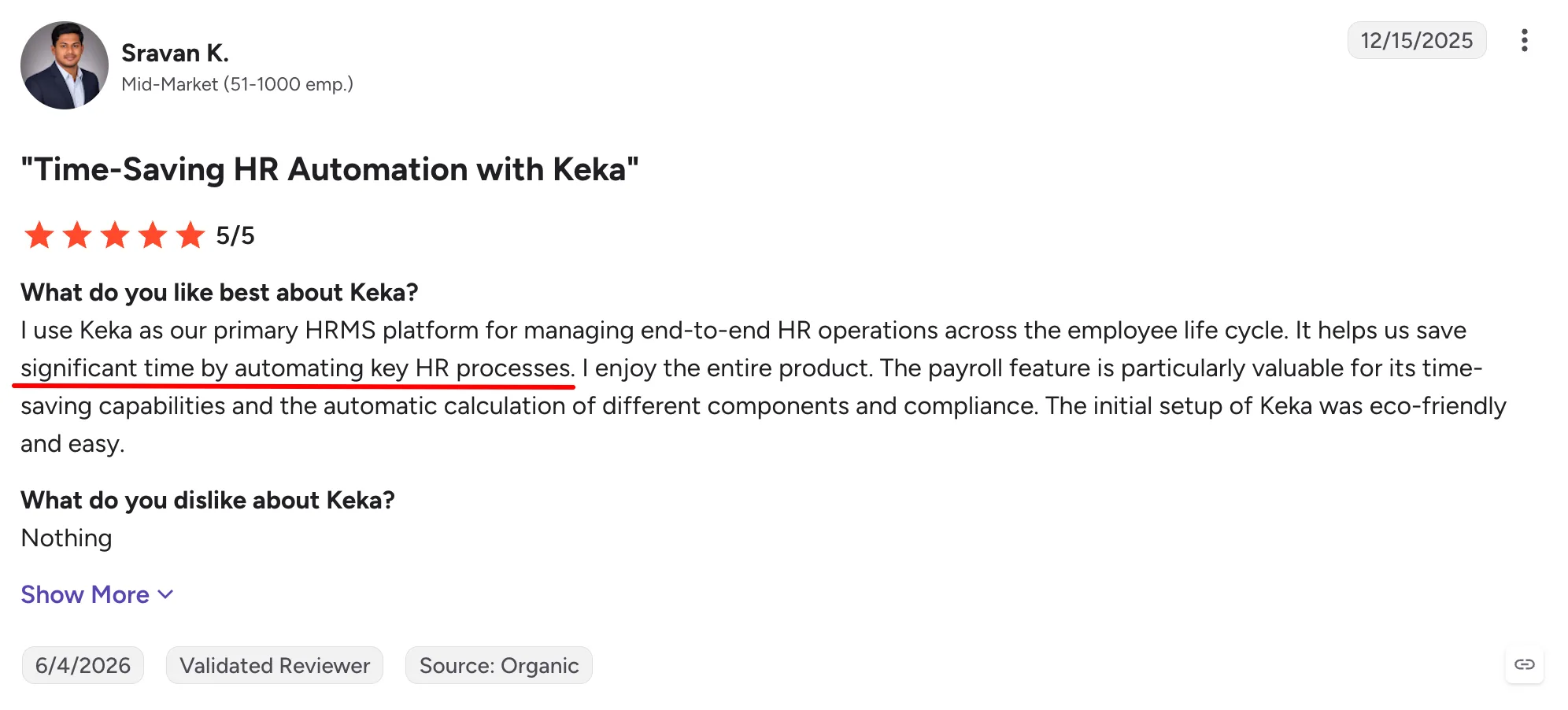
Keka’s time-saving automation is a strong point for teams looking to simplify routine HR work. The review below also speaks to its efficient payroll calculations and straightforward setup.
Keka pricing: Contact Keka for pricing. Pricing is customized based on company size, the modules you choose, and implementation requirements, so the final cost depends on your setup.
Who is it best for?
Businesses that want to consolidate HR, payroll, attendance, performance, and project operations, particularly professional services companies and multi-entity organizations that also need PSA capabilities.
If connecting HR with IT and app management matters more than PSA, Rippling takes a different approach.
Thinking about switching HR software?
Most teams go live on Keka in weeks, not months, with no hidden fees along the way.
2. Rippling: HR and IT Management in One Platform
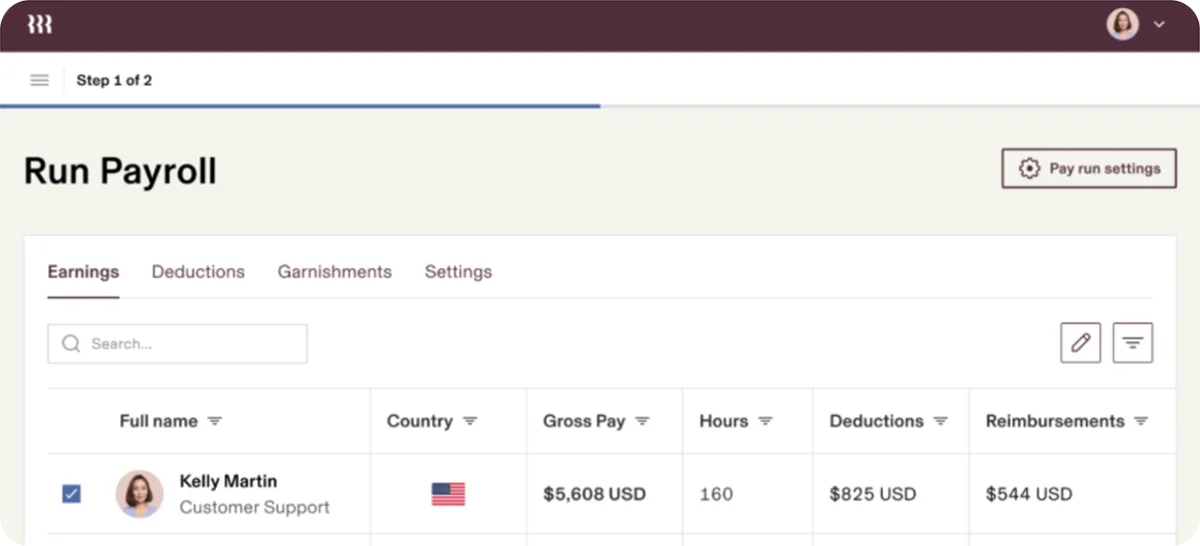
Rippling connects HR, payroll, benefits, IT, and finance workflows through a single employee record. Its standout feature is the link between HR and IT, which helps companies automate onboarding, app access, device management, and offboarding. It is best suited to mid-sized and growing businesses, particularly technology companies.
Rippling has expanded its AI capabilities across HR, payroll, finance, and IT, including AI Spend Console for monitoring employee AI usage and spending. For companies considering Paycor, Rippling goes further into IT management by connecting payroll and employee data with applications, identities, and devices.
Key features
- U.S. payroll: Run payroll, calculate and file taxes, manage direct deposits, and automatically sync changes from employee data.
- Core HR: Manage employee records, onboarding, offboarding, documents, benefits, and other HR processes from one system.
- Time and attendance: Track hours, overtime, PTO, and schedules, with approved time flowing directly into payroll.
- IT management: Control app access, employee identities, devices, and security policies throughout the employee lifecycle.
- Benefits administration: Manage benefits enrollment and keep employee elections and payroll deductions connected.
- Workflow automation: Build custom workflows across HR, payroll, IT, finance, and connected third-party apps.
- AI: Query workforce data, generate insights, and complete supported tasks across HR, payroll, IT, and finance using natural-language prompts.
| Pros | Cons |
|---|---|
| Connects HR, payroll, and IT functions through employee records. | The number of products and configuration options can add complexity for smaller HR teams. |
| Automates onboarding and offboarding tasks across HR and IT. | Some G2 users mention a learning curve when navigating or configuring the platform. |
| Supports U.S. and global workforce management requirements. | Total costs can increase as companies add payroll, benefits, IT, and other modules. |
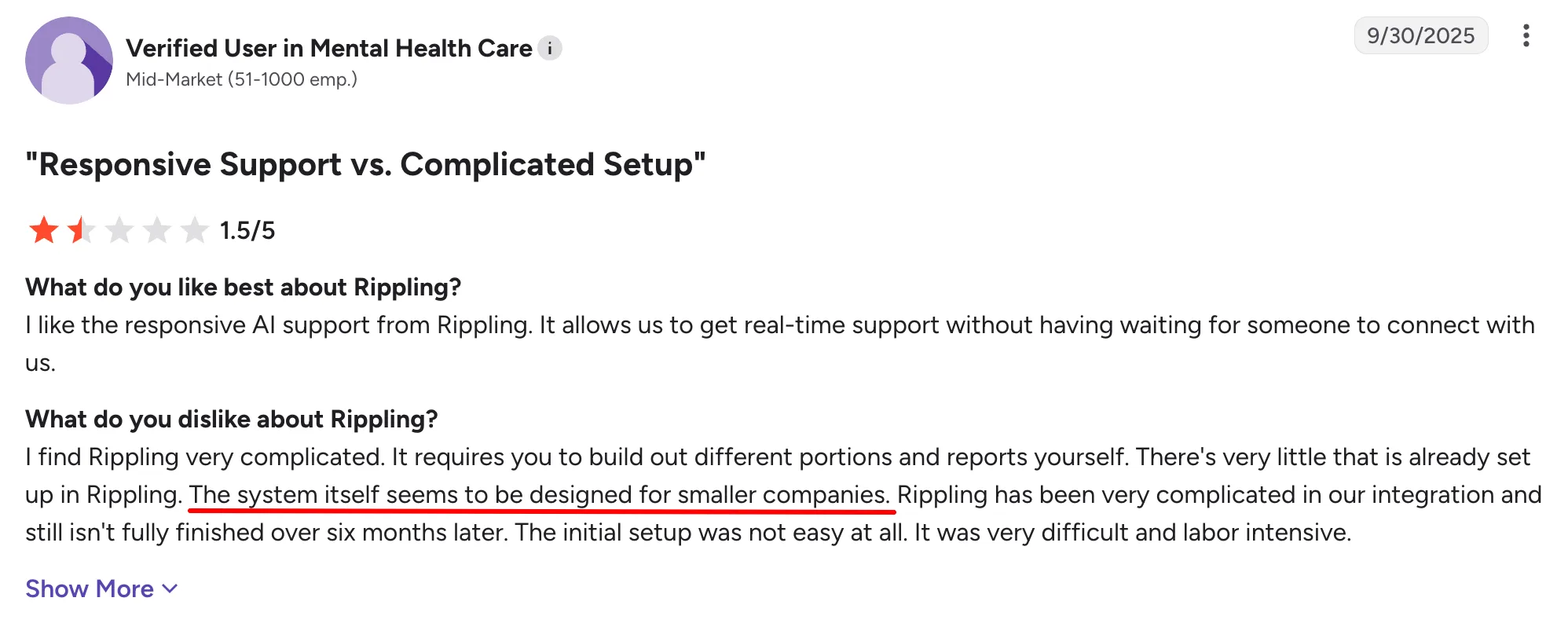
Rippling’s responsive support can be useful when teams need help, but setup may require more effort. One customer review highlights the complexity around configuring reports and integrations.
Rippling pricing: Contact vendor for pricing. Rippling does not publish a fixed price for a complete HR and payroll configuration.
Who is it best for?
Companies that want to manage HR and payroll alongside employee apps, identities, and devices.
If IT management isn’t a priority and employee engagement matters more, Paylocity takes a different approach.
3. Paylocity: HR and Payroll with Employee Engagement Tools
Paylocity is a cloud HCM platform that combines payroll, HR, benefits, time, talent, and employee engagement. What sets it apart is its stronger focus on the employee experience, with built-in tools for communication, recognition, surveys, and community alongside core HR and payroll. It is best suited to mid-sized businesses that want employee experience built into their HCM.
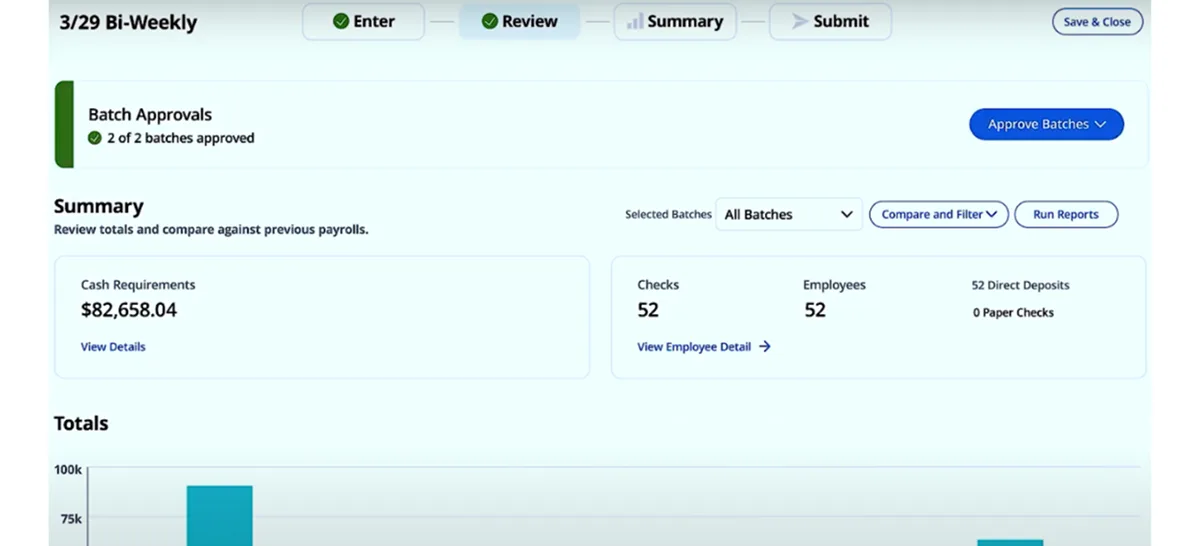
In 2026, Paylocity expanded its AI strategy with purpose-built agents spanning recruiting, payroll, time, expenses, and employee questions. Paylocity is a strong Paycor alternative for organizations that want deeper employee engagement capabilities alongside payroll and AI-driven automation.
Key features
- Payroll: Manage payroll processing, tax administration, employee payments, and compliance-related tasks.
- Core HR: Centralize employee records, onboarding, documents, workflows, and self-service.
- Time and attendance: Track time, schedules, attendance, and time off, with data connected to payroll.
- Talent management: Support recruiting, onboarding, performance, learning, and employee development.
- Benefits administration: Manage employee enrollment and give employees self-service access to benefits information.
- Employee engagement: Use community, surveys, recognition, and communication tools built into the HCM.
- AI: Deploy Ignite AI agents across payroll, recruiting, time, expenses, and employee support.
| Pros | Cons |
|---|---|
| Connects payroll with time and attendance data, reducing the need to transfer information between systems. | Some users report inconsistent experiences with customer support. |
| Includes employee communication, surveys, and recognition alongside HR functions. | Setting up custom workflows and more complex configurations can take additional time. |
| Employees can access pay, schedules, time off, and other common tasks through the mobile app. | Pricing can vary depending on the modules and services selected. |
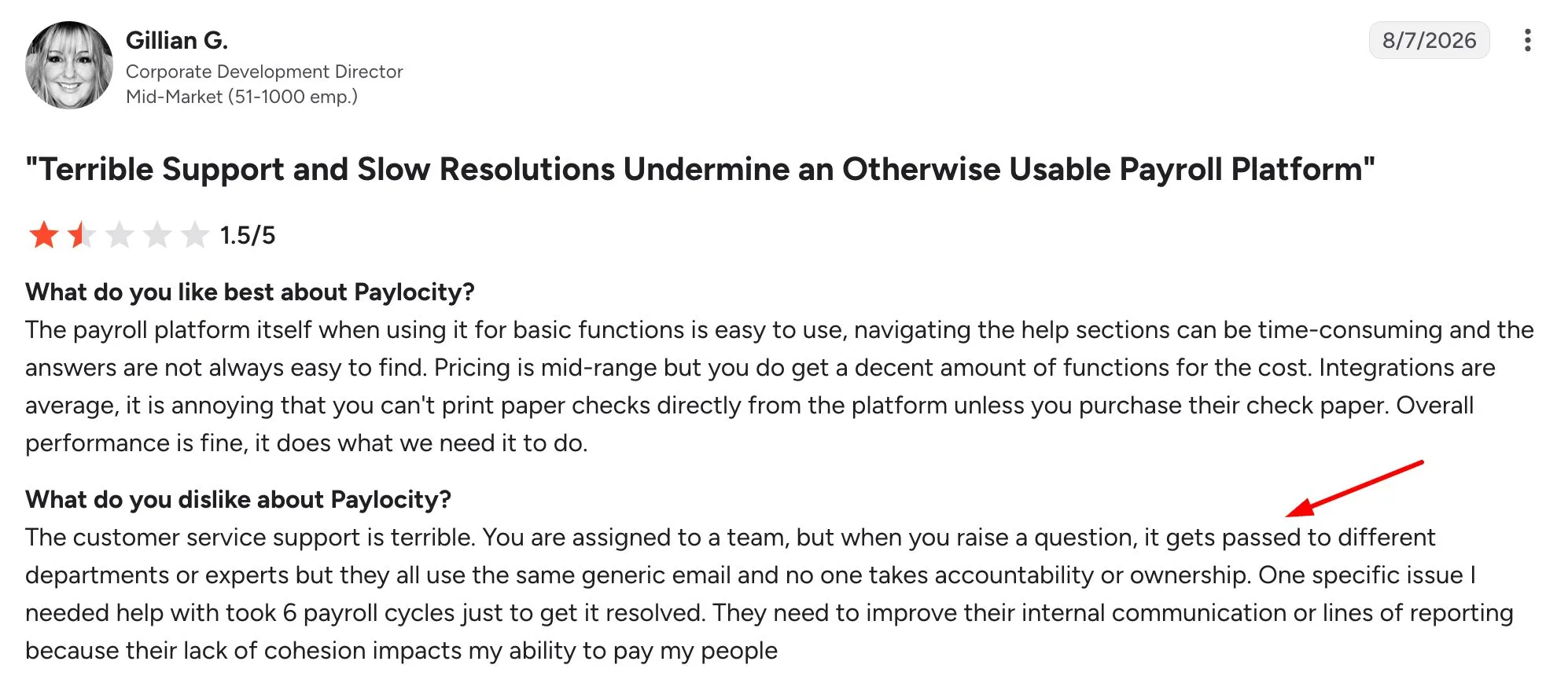
Paylocity keeps everyday payroll tasks relatively straightforward for users. Customer feedback below, however, raises concerns about support consistency and resolving issues.
Paylocity pricing: Contact vendor for pricing. Paylocity provides customized pricing based on company size and the products selected.
Who is it best for?
Mid-sized companies that want payroll and core HR capabilities alongside employee communication and engagement tools.
For companies that prioritize payroll infrastructure and broader compliance capabilities, ADP Workforce Now is another option to consider.
4. ADP Workforce Now: Payroll and HR for Midsized Businesses
ADP Workforce Now brings payroll, HR, benefits, time, talent, and workforce management into one platform. Its strength lies in ADP’s deep payroll infrastructure, compliance expertise, and broad integration ecosystem. It is best suited to mid-sized businesses with increasingly complex HR and payroll needs.
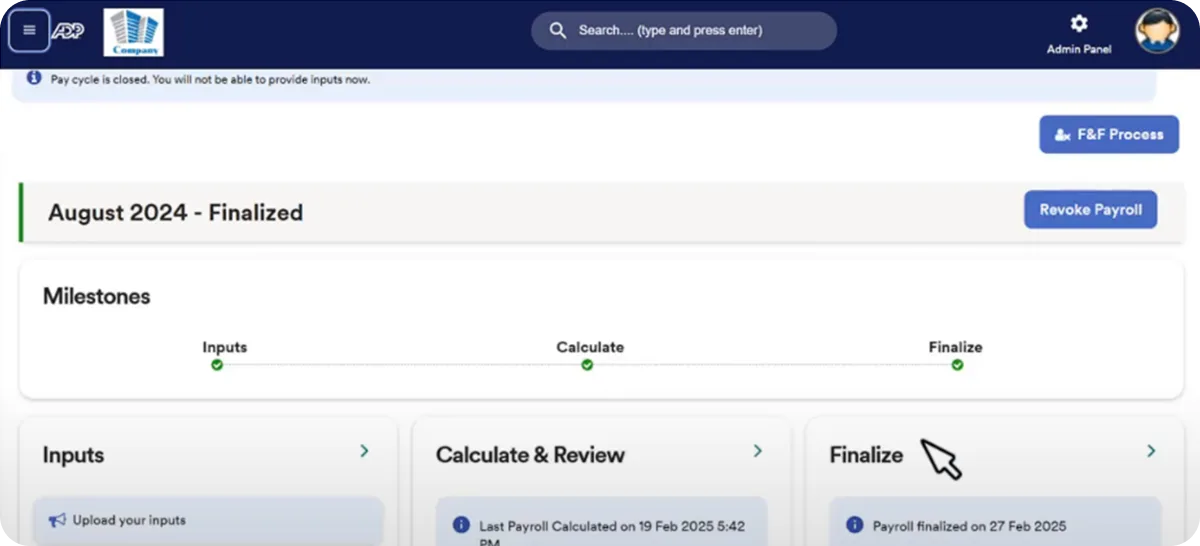
ADP has added AI-powered payroll insights, anomaly detection, workforce analytics, and guided recommendations across the platform.
Organizations moving beyond Paycor’s capabilities may prefer ADP Workforce Now for deeper payroll infrastructure, compliance support, integrations, and workforce analytics.
Key features
- Payroll: Manage payroll processing, tax filing, deductions, direct deposit, and day-to-day payroll administration.
- Core HR: Centralize employee records, onboarding, documents, HR workflows, and employee self-service.
- Time and attendance: Track employee hours, attendance, schedules, overtime, and time off, with data connected to payroll.
- Benefits administration: Manage enrollment, eligibility, benefits information, and payroll deductions.
- Talent management: Support recruiting, performance management, compensation, learning, and employee development.
- Reporting and analytics: Analyze payroll, HR, labor, and workforce data through reports and dashboards.
- Workforce insights and AI: Identify payroll anomalies, surface workforce insights, and deliver AI-supported recommendations.
| Pros | Cons |
|---|---|
| Payroll, HR, time, benefits, and talent can sit within the same HCM platform. | The number of modules and configuration options can add complexity for smaller teams. |
| Payroll tools include tax support and anomaly detection for potential payroll issues. | Advanced reporting or configuration may take additional setup. |
| ADP offers a broad ecosystem of HR and payroll integrations. | Pricing is not publicly listed, which makes upfront cost comparisons harder. |
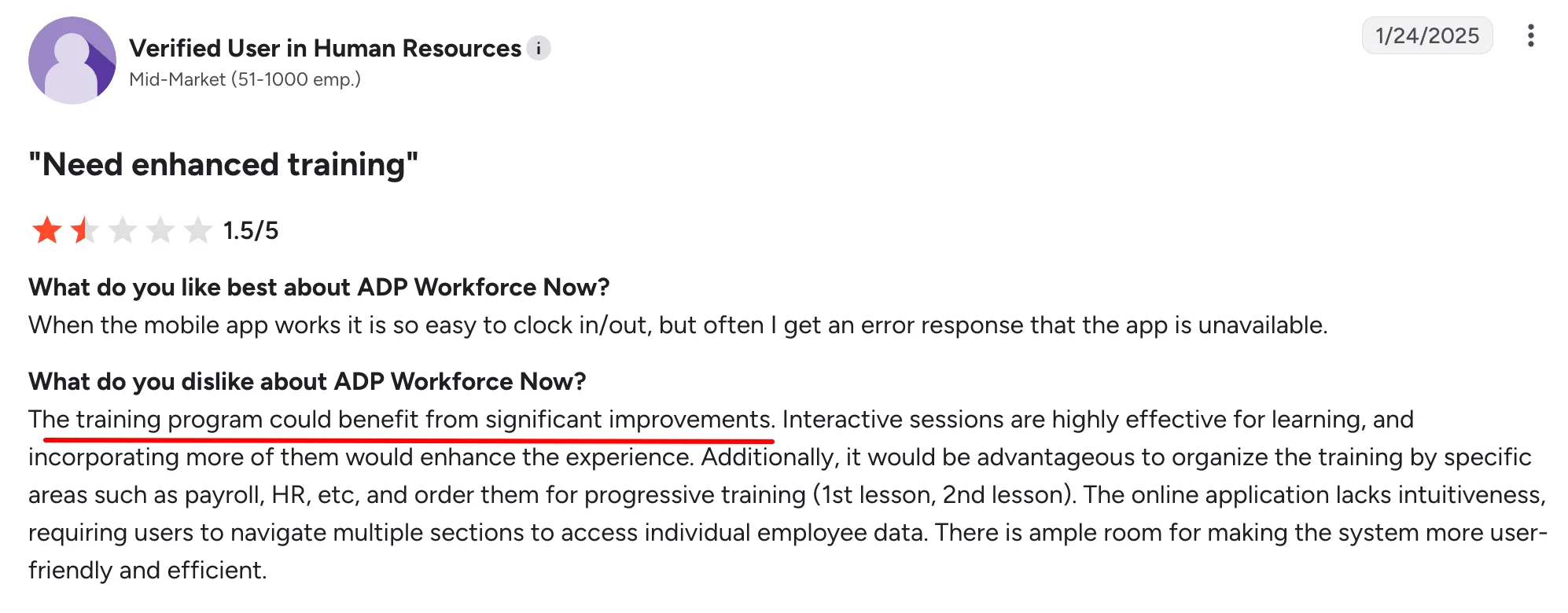
ADP Workforce Now offers a broad set of payroll and HR capabilities, though getting comfortable with the platform can take some training. The review below reflects that, pointing to gaps in training alongside an easy-to-navigate mobile experience.
ADP Workforce Now pricing: Contact vendor for pricing. ADP offers Select, Plus, and Premium packages but asks buyers to request pricing for each plan.
Who is it best for?
Midsized businesses that need payroll, HR, benefits, time tracking, and compliance support in one platform.
For companies that prefer HR and payroll to run from a single database, Paycom takes a different approach.
5. Paycom: HR and Payroll on a Single Database
Paycom brings payroll, HR, benefits, time, talent, and employee management into one cloud HCM platform. Its key differentiator is a single-database approach that keeps employee information connected across HR and payroll workflows, reducing duplicate data entry and helping employees and managers access information from one system.
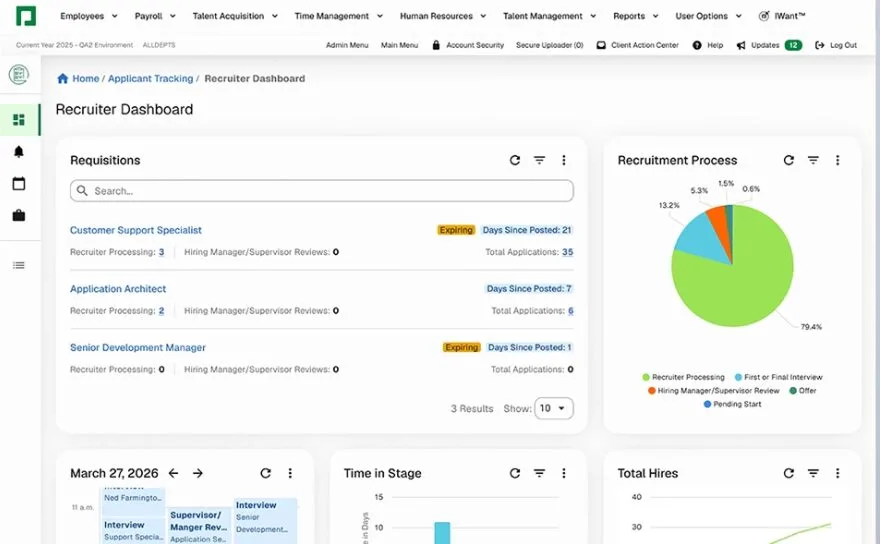
It is best suited to mid-sized and larger businesses seeking a unified HCM. Paycom’s Beti lets employees review potential payroll issues before submission, while IWant provides natural-language access to workforce information and supported HR tasks. Compared with Paycor, Paycom takes a more unified approach by keeping HR and payroll data within a single database.
Key features
- Payroll: Handles payroll processing, tax management, garnishments, and employee payments in the same system.
- Single database: Keeps HR, payroll, time, talent, and other employee data connected to cut down on duplicate entry.
- Time and labor: Tracks hours, schedules, attendance, and time off, with approved data flowing into payroll.
- Talent management: Supports recruiting, onboarding, performance reviews, and employee development.
- Benefits administration: Gives employees access to benefits information and related self-service options.
- Beti: Lets employees review their pay, spot flagged issues, and resolve them before payroll is submitted.
- Paycom IWant: Uses natural-language prompts to help employees find workforce information and complete supported HR tasks.
| Pros | Cons |
|---|---|
| HR, payroll, time, and talent data operate from a single database. | Companies that prefer combining specialized HR tools may find the single-platform approach less flexible. |
| Employee data updates can flow between HR and payroll without duplicate entry. | The breadth of the platform can require more setup and training than simpler payroll tools. |
| Beti gives employees a role in reviewing their pay before payroll is submitted. | Public pricing is not available, making initial cost comparisons harder. |
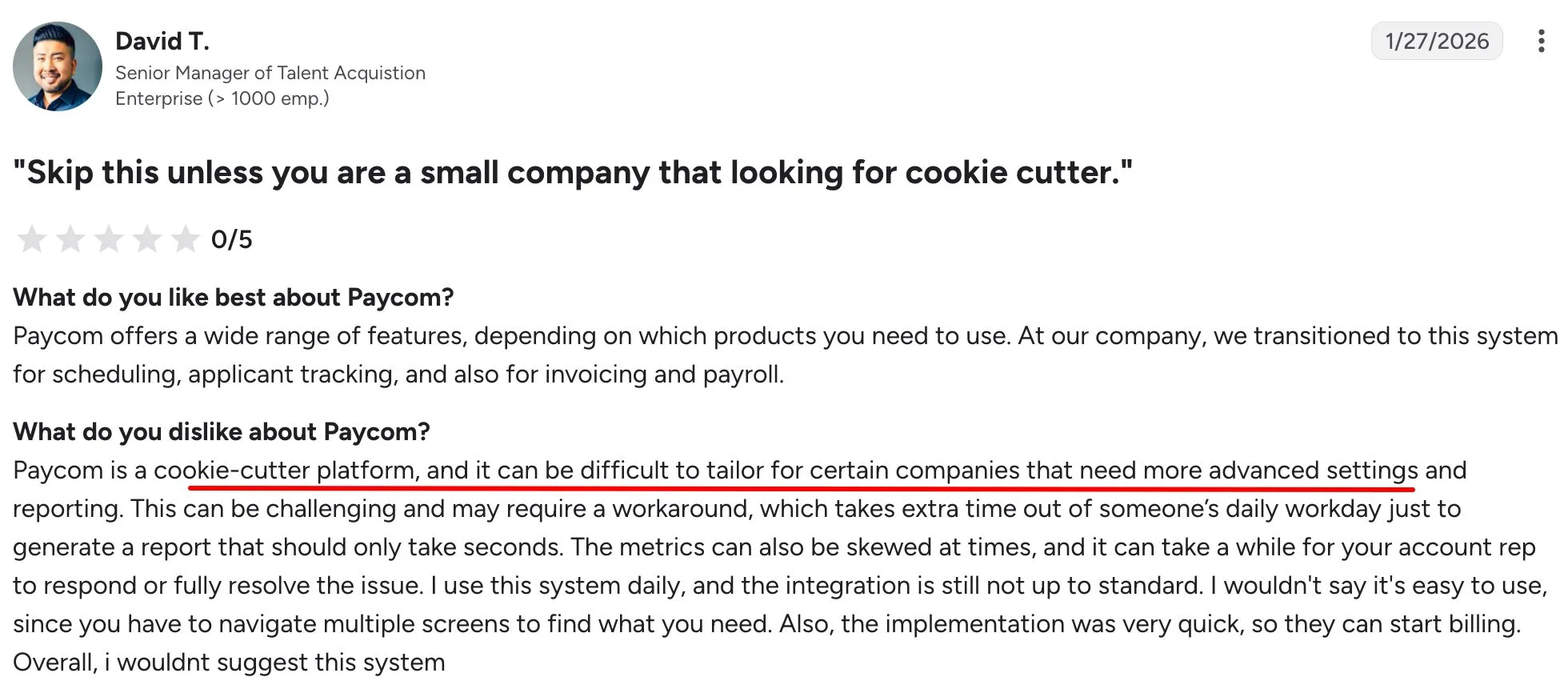
Paycom brings a wide range of HR functions into one platform, but that breadth may come with customization challenges. The customer feedback below specifically calls out difficulties with advanced settings and reporting.
Paycom pricing: Paycom provides customized quotes based on workforce size and the tools and services selected. A one-time implementation fee is included in the quote.
Who is it best for?
Mid-sized companies that prefer to manage payroll and HR data within a single-database HCM platform.
For organizations where scheduling, time tracking, and shift-based workforce management play a larger role, UKG Ready is another option to compare.
6. UKG Ready: HR, Payroll, and Workforce Management
UKG Ready is an HCM platform for payroll, HR, time, scheduling, benefits, and talent management. Its strength is workforce management, especially the scheduling and time-tracking needs of hourly and frontline teams.
It is best suited to small and mid-sized businesses with shift-based workforces. UKG has also expanded its AI capabilities and added to its payroll offering through the acquisition of Inova Payroll. For companies where scheduling, time tracking, and frontline workforce management play a major role in payroll, UKG Ready is a more specialized alternative to Paycor.
Key features
- Payroll: Run payroll with continuous calculations, flexible pay rules, tax support, and tools for identifying potential payroll issues.
- Core HR and benefits: Manage employee records, onboarding, HR workflows, documents, benefits enrollment, and employee self-service.
- Time and attendance: Track hours, overtime, time off, absences, and approvals, with time data connected to payroll.
- Scheduling: Build schedules around demand, employee skills, availability, preferences, and compliance requirements.
- Talent management: Manage recruiting, performance, compensation, learning, and employee development.
- Reporting and workforce insights: Access dashboards and reports covering labor, payroll, HR, and workforce trends.
- AI: Use Bryte AI for employee and manager guidance, workforce insights, and assistance with HR and payroll processes.
| Pros | Cons |
|---|---|
| Payroll, HR, time, and scheduling work within the same platform. | The number of features and configuration options can require additional setup. |
| Time and scheduling capabilities suit companies with hourly and shift-based employees. | Some capabilities are available only with higher-tier packages or add-ons. |
| Different packages let companies choose capabilities based on their workforce needs. | Pricing is not publicly listed, making direct cost comparisons more difficult. |
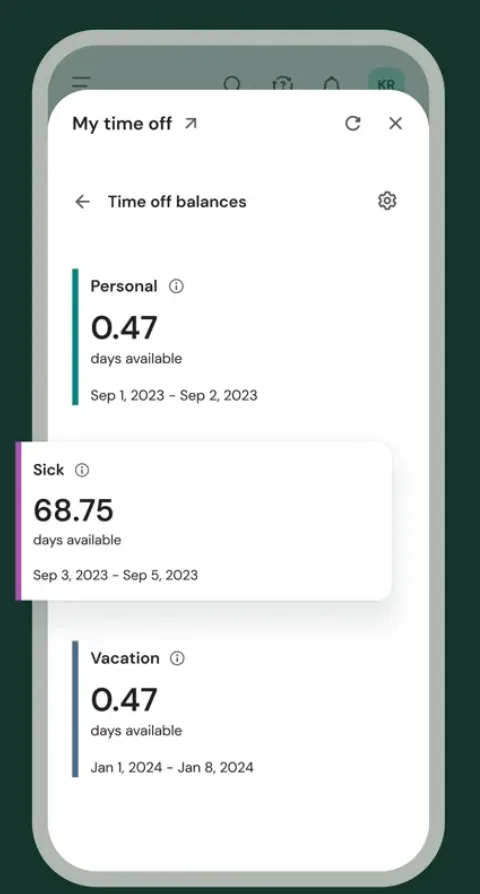
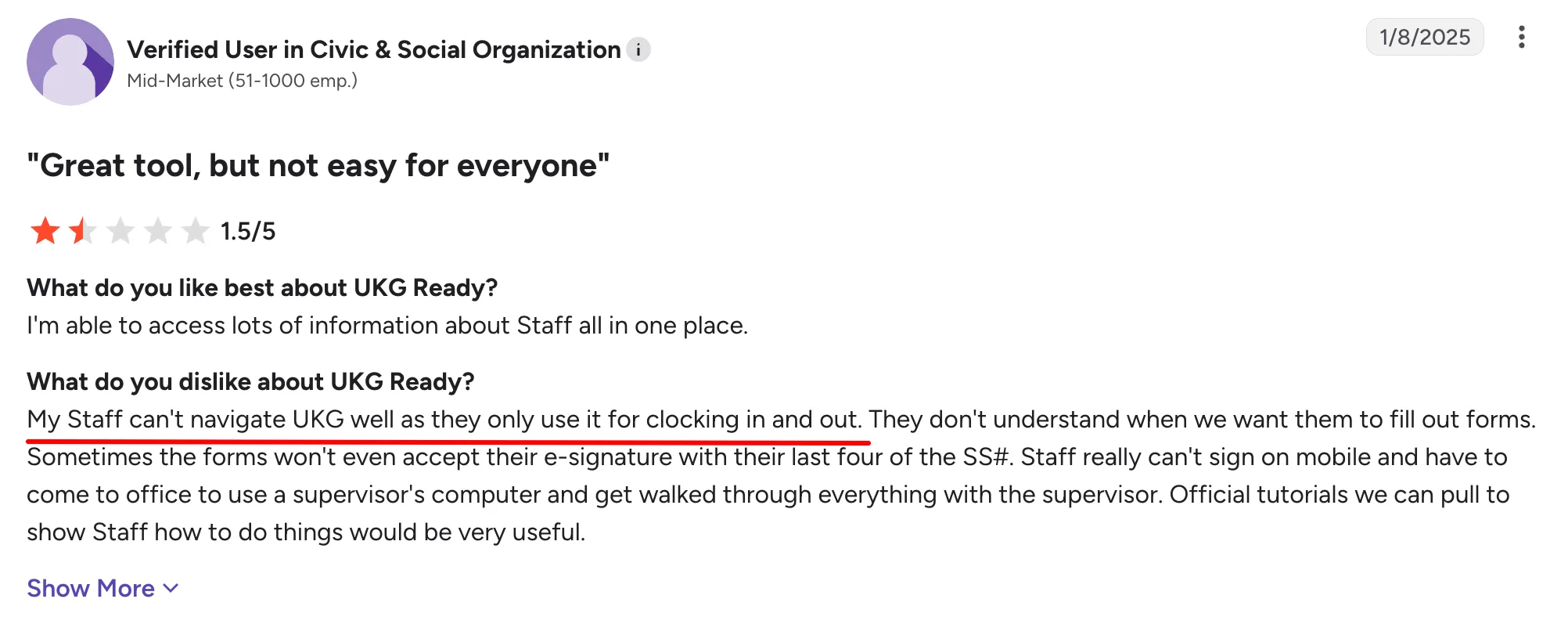
UKG Ready puts workforce information and tools in one place, which can be valuable for shift-based teams. The review below, however, highlights some friction with employee navigation, forms, and mobile access.
UKG Ready pricing: Contact vendor for pricing. UKG provides personalized quotes based on the package, workforce size, and capabilities selected.
Who is it best for?
Organizations with hourly or shift-based employees that need payroll, HR, time tracking, and scheduling in one system.
For larger organizations managing payroll and workforce requirements across multiple countries, Dayforce offers another approach.
7. Dayforce: HCM for Complex Workforce Needs
Dayforce is built for payroll, HR, workforce management, talent, benefits, and analytics within a single HCM system. It stands out for supporting complex workforce needs, particularly advanced scheduling and multinational payroll.
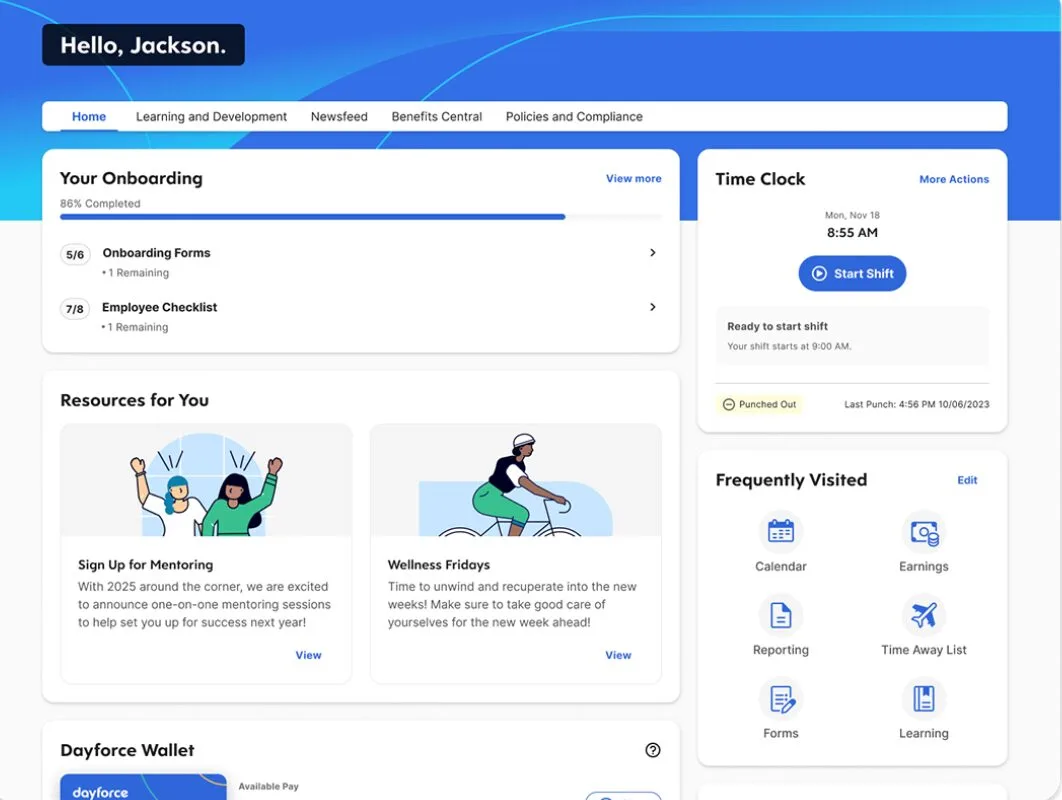
It is best suited to larger mid-market and enterprise organizations. In February 2026, Thoma Bravo completed its approximately $12.3 billion acquisition of Dayforce, a move the company said would support further growth and AI investment. For organizations with complex workforce structures or international payroll needs, Dayforce may be a better fit than Paycor.
Key features
- Global payroll: Run payroll across 200+ countries and territories with localized tax, compliance, and payroll support.
- Core HR: Manage employee records, compensation, benefits, documents, and other HR processes through a unified employee record.
- Workforce management: Track time and attendance, create schedules, manage labor, and connect workforce data directly with payroll.
- Talent management: Manage recruiting, onboarding, performance, learning, compensation, succession planning, and employee development.
- Benefits administration: Manage benefits enrollment and employee information alongside HR and payroll data.
- Analytics: Turn HR, pay, time, talent, and labor data into reports, dashboards, and workforce insights.
- AI: Use AI assistants and agents to answer questions, surface insights, automate tasks, and support workflows across HR, pay, time, talent, and analytics.
| Pros | Cons |
|---|---|
| Payroll, HR, time, and workforce management operate within the same HCM platform. | The range of capabilities can add complexity for smaller HR teams. |
| Global payroll capabilities suit organizations managing employees across multiple countries. | Implementation and configuration can require more resources for complex deployments. |
| Workforce management covers scheduling, time, attendance, and labor requirements. | Pricing is not publicly available, making upfront cost comparisons difficult. |
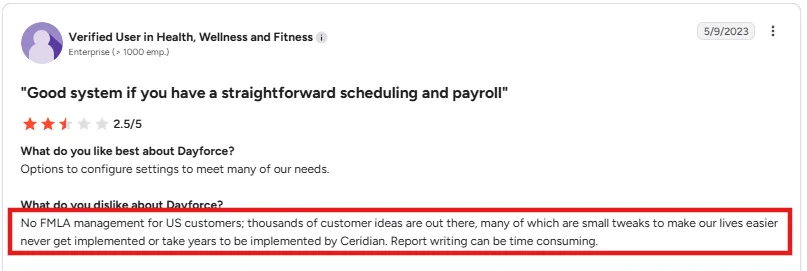
Dayforce’s flexibility is a plus for teams with specific configuration needs. However, the review below points to some gaps in functionality and slow implementation of customer-requested improvements.
Dayforce pricing: Contact vendor for pricing. Dayforce does not publish standard pricing and provides quotes based on an organization’s workforce and selected capabilities.
Who is it best for?
Larger organizations with complex payroll, workforce management, or global HCM requirements.
For smaller companies that need straightforward payroll and core HR rather than a broad HCM suite, Gusto is the final Paycor alternative on our list.
8. Gusto: Payroll and HR for Small Businesses
Gusto focuses on payroll, benefits, hiring, onboarding, time tracking, and employee self-service in a relatively simple platform. It is known for ease of use and transparent public pricing, making it a good fit for small businesses that need core payroll and HR without a broad HCM suite.
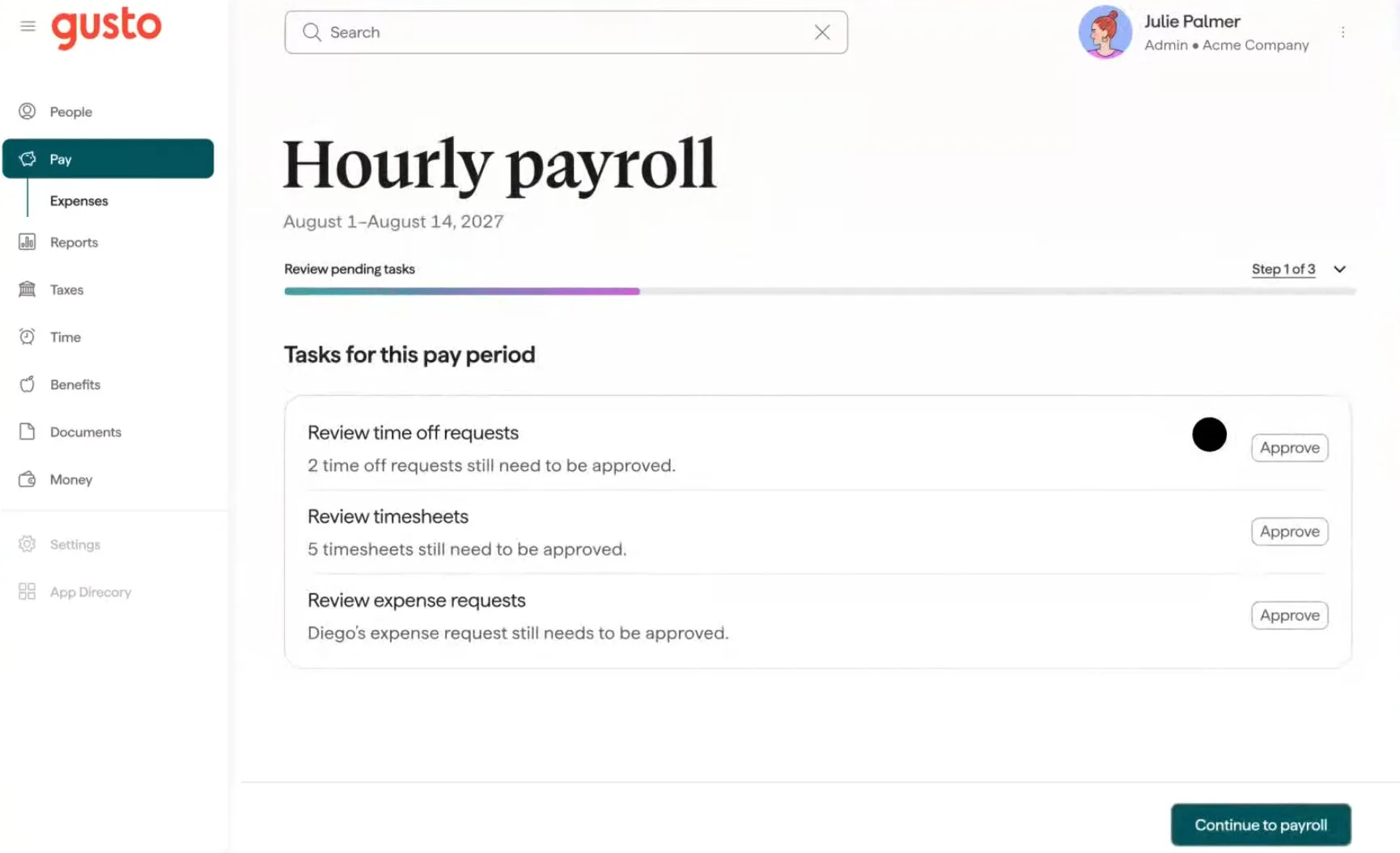
In 2026, Gusto acquired AI-powered compliance platform Mosey, adding more compliance capabilities to its offering. Smaller companies may prefer Gusto over Paycor when simple payroll, clear pricing, and essential HR tools matter more than having a broader HCM platform.
Key features
- Payroll: Run payroll with direct deposit, automatic tax calculations, and federal, state, and local tax filings.
- Benefits: Manage health insurance, 401(k) plans, and other employee benefits, with deductions synced to payroll.
- Hiring and onboarding: Hire and onboard employees with offer management, digital documents, and new-hire workflows.
- Time and attendance: Track hours, PTO, and attendance, with approved timesheets flowing directly into payroll.
- Core HR: Manage employee records, documents, self-service, and day-to-day HR processes.
- Compliance: Automate payroll tax filings, new-hire reporting, forms, and other compliance tasks.
- Reporting: Review payroll, workforce, and HR data through reports and business insights.
| Pros | Cons |
|---|---|
| The platform covers payroll and common HR tasks without requiring a broad HCM setup. | HR and talent management capabilities are more limited than broader platforms such as Paycor or ADP Workforce Now. |
| Public pricing makes it easier to estimate the initial software cost. | Companies with complex workforce management requirements may need additional tools. |
| Payroll connects with time tracking, benefits, and employee records. | Some advanced HR and support capabilities require higher-tier plans. |
Gusto keeps everyday employee tasks simple, particularly for smaller teams. Feedback from a customer below suggests that this simplicity can become limiting as administrative and integration needs grow.
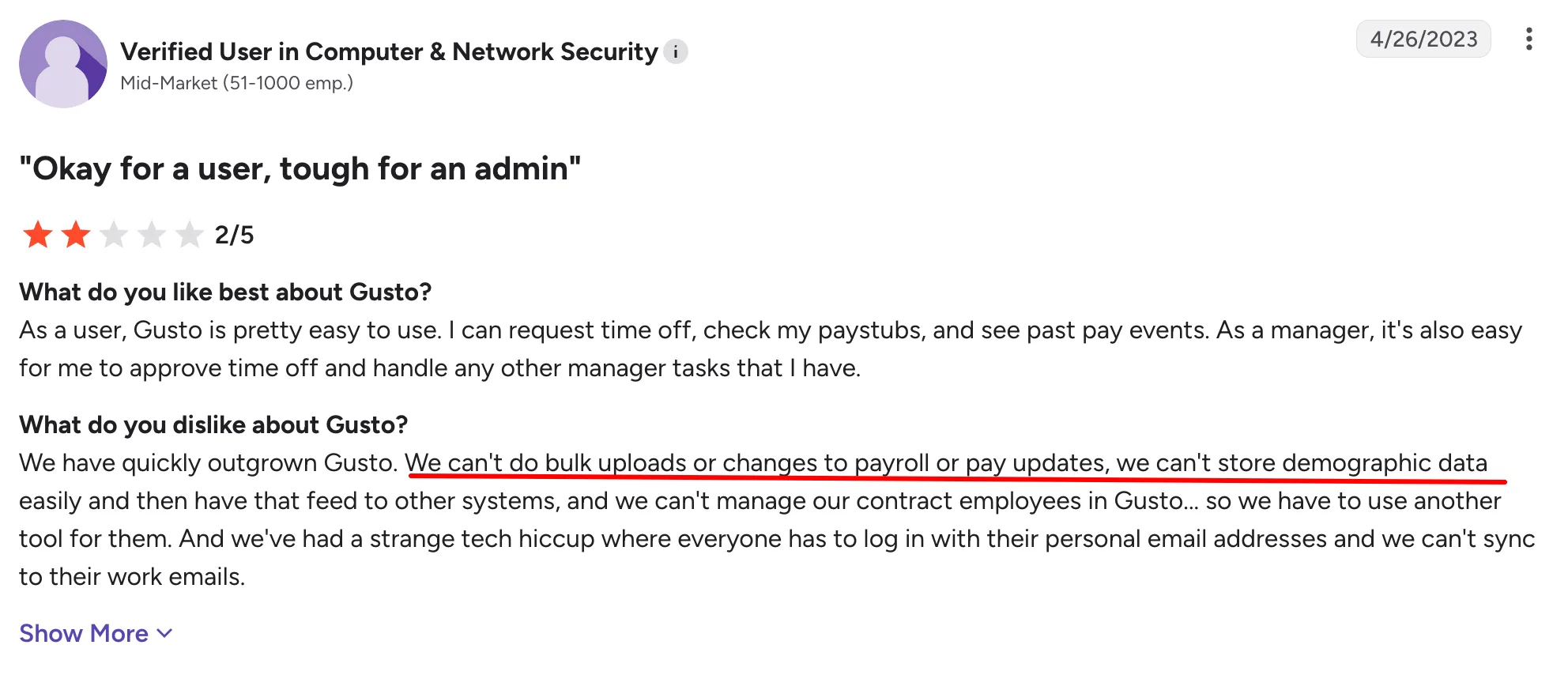
Gusto pricing: The Simple plan starts at $49/month plus $6 per person. Plus costs $80/month plus $12 per person, while Premium costs $180/month plus $22 per person.
Who is it best for?
Small businesses that want payroll and essential HR capabilities without the complexity of a broader HCM platform.
Now that I’ve compared the leading Paycor alternatives, the next step is choosing the right option based on your headcount, HR requirements, and payroll complexity.
How to Migrate Off Paycor
Moving from Paycor to a new payroll and HR platform requires careful planning, especially when transferring payroll history, tax data, deductions, and employee records.
A typical migration can span around 10–12 weeks, depending on your workforce size, payroll complexity, integrations, and data quality.
| Phase | Timeline | You own | Vendor owns |
|---|---|---|---|
| Data export and audit | Weeks 1–2 | Request employee data from Paycor, including demographics, tax elections, YTD earnings, deductions, and garnishments. | Provide data-mapping templates and validate the completeness of the exported data. |
| Parallel configuration | Weeks 3–5 | Review mapped data and verify pay rules, deduction codes, and other payroll settings. | Configure the new platform, import historical data, and set up tax accounts and integrations. |
| Parallel payroll runs | Weeks 6–8 | Run shadow payroll in the new system, compare results with Paycor, and reconcile differences. | Troubleshoot discrepancies, adjust configurations, and validate gross-to-net calculations. |
| Cutover and go-live | Week 9 | Give final approval, communicate the change to employees, and notify benefits carriers where required. | Complete the cutover, process the first live payroll, and monitor for issues. |
| Post-go-live stabilization | Weeks 10–12 | Monitor employee questions and flag payroll or HR edge cases. | Provide post-launch support, resolve outstanding issues, and confirm year-end readiness. |
Before fully moving off Paycor, complete at least one parallel payroll run and verify employee records, taxes, deductions, benefits, and integrations. This gives your team time to catch discrepancies before they affect a live payroll.
How to Choose the Right Paycor Alternative
The right Paycor alternative depends on your company size, HR complexity, and the capabilities you need beyond payroll. Here’s a quick way to narrow down your options:
| Headcount | Pick | Why |
|---|---|---|
| Under 50 employees | Gusto | Simple payroll and HR for smaller teams that may not need Paycor’s broader HCM capabilities. |
| 50–200 employees | Keka or Rippling | Keka suits services businesses that need HR, payroll, and PSA; Rippling works well for tech companies that want to connect HR and IT. |
| 200–500 employees | Keka, Paylocity, or Paycom | Keka for HR and payroll consolidation; Paylocity for employee engagement; Paycom for a single-database approach. |
| 500–1,000 employees | Keka, ADP Workforce Now, or Paycom | ADP Workforce Now for deeper compliance capabilities; Paycom for a single-database approach; Keka for organizations that also want PSA and project billing unified with HR and payroll. |
| 1,000+ employees | Keka, Dayforce or UKG Ready | Dayforce for global and real-time workforce needs; UKG Ready for organizations managing complex, shift-based workforces; Keka for larger organizations that need a unified platform across multiple entities, with enterprise security and support for complex HR and payroll operations. |
As your headcount grows, the decision typically shifts from payroll simplicity toward compliance, integrations, workforce management, and scalability.
Choose the Right Paycor Alternative for Your Team
Paycor remains a capable HR and payroll platform, but it may not be the best fit for every growing business. The right Paycor alternative depends on your company size, payroll complexity, compliance needs, integrations, and how much you want to consolidate into one system.
Gusto works well for smaller teams that want simplicity, while Rippling stands out for HR and IT unification. Paylocity is a strong option for employee engagement, and ADP Workforce Now or Dayforce may suit organizations with more complex compliance and workforce requirements.
If you want to bring HR, payroll, attendance, performance, and employee self-service into one platform, I’d consider Keka. Book a demo to see how Keka fits your HR and payroll requirements.
See how Keka can simplify HR and payroll for your growing workforce.


