


 Login
Login


OnPay is a favorite among small businesses for good reason. It offers full-service payroll at a simple flat price, handles tax filings in all 50 states, and gets consistently strong reviews for customer support. For a small team that mainly needs to pay people correctly and on time, it’s hard to beat.
But in my experience, companies start looking elsewhere once they grow. They need deeper HR, better performance and time tracking, or support for more complex operations than OnPay was built to handle.
In this guide, I compare eight OnPay alternatives across six weighted criteria specific to US payroll, from multi-state tax handling to pricing transparency. I’ll show which tool suits which company size, budget, and growth plan.
I’ll also explain why Keka stands apart: it’s the only platform here that combines HR, payroll, and professional services automation with one employee record across all three.
So let’s dive in.
All OnPay Alternatives At a Glance
Here’s a quick snapshot of each OnPay alternative before I get into the details.
| Alternative | Best for | Price | G2 rating |
|---|---|---|---|
| Keka | Rapidly scaling organisations of all sizes that need a unified HR + payroll + PSA platform | Custom pricing. | 4.4/5 |
| Gusto | Small businesses wanting polished UX | $49/month + $6/employee | 4.6/5 |
| Paychex | Companies wanting optional HR outsourcing | ~$39/month + $5/employee | 4.1/5 |
| Patriot Software | Budget-conscious small businesses | $17/month + $4/employee | 4.8/5 |
| Rippling | Tech-forward teams unifying IT + HR | $35/month base + $8/employee | 4.8/5 |
| Paycor | Mid-market compliance automation | Custom quote | 4.0/5 |
| QuickBooks Payroll | QuickBooks accounting users | $50/month + $6/employee | 4.4/5 |
| Justworks | Startups wanting PEO benefits access | $50/month + $8/employee | 4.6/5 |
Why Teams Look for OnPay Alternatives
OnPay has earned a strong reputation for transparent pricing, responsive customer support, and reliable full-service payroll that handles all 50 states without complexity tiers. For small businesses with straightforward payroll needs, it’s a genuinely good choice.
But the reasons companies start shopping for replacements tend to cluster around four specific friction points.
Limited advanced HR functionality
OnPay covers HR basics well: onboarding, document storage, PTO tracking, and org charts. Where it stops is the strategic HR layer. There’s no performance management, succession planning, recruiting or applicant tracking, or workforce analytics. For a 30-person company, that’s fine. But mid-market teams past 100 employees eventually need those capabilities, and bolting on separate tools to fill the gap creates data silos and manual work that compounds over time.
Reporting depth constraints
OnPay offers 20+ standard reports and a custom report designer with 50+ data points. For routine payroll analysis, it does the job. But finance teams and HR analysts who need granular workforce cost breakdowns, custom dashboards, or advanced data exports find the ceiling quickly.
Integration ecosystem scope
OnPay connects to QuickBooks, Xero, FreshBooks, and a handful of time-tracking tools like When I Work and Deputy. That covers a standard small business stack. But the total sits around ten to fifteen apps, which gets tight fast for companies running industry-specific software, specialized CRMs, or larger enterprise systems.
Scaling beyond small business
This limitation ties the others together. OnPay works great for 25 or 40 employees. By 100 to 150, the missing HR tools, limited reporting, thin integrations, and lack of native time tracking start creating real friction.
How I Evaluated These Alternatives
I didn’t just read feature pages and call it a day. Our evaluation combined hands-on testing, real support interactions, and hours of user reviews on G2, Capterra, and Reddit.
- Multi-state US payroll depth: I signed up for free trials and tested multi-state tax setup across all 50 states plus DC, including local jurisdictions, reciprocity agreements, W-2/1099 processing, and year-end filing. Pennsylvania was our stress test. Some platforms handled it automatically. Others needed manual configuration.
- Payroll engine and accuracy controls: I tested off-cycle runs, retroactive adjustments, garnishment setup, audit trails, and approval workflows. The core question: when something goes wrong on payday, how fast can you fix it without calling support?
- Breadth vs. point-tool sprawl: I mapped how many vendor relationships each platform can replace across HR, benefits, time tracking, performance, recruiting, and PSA. Then cross-referenced with real feedback on G2, Capterra, and subreddits to see what actually works versus what just looks good on a features page.
- Implementation and migration support: I submitted tickets to each vendor as prospective buyers. Response times ranged from 47 minutes to over three business days.
- Pricing transparency and TCO: I checked published pricing, requested quotes, and calculated three-year TCO for a 100-employee company growing to 130 by year three. We also filtered reviews for “hidden fees” and “surprise charges.”
- Support responsiveness: I read hundreds of reviews filtered by support keywords. A few negatives are normal. A consistent thread of “took two weeks to resolve a payroll error” across dozens of reviews is not.
Disclosure: Keka is our product, and I evaluate every alternative here using the same structured approach. I encourage you to verify our assessments against current G2 and Capterra reviews.
Top 8 OnPay Alternatives & Competitors in 2026
Now let’s get into the specifics of each platform, starting with what they do well and where they fall short against OnPay.
1. Keka: 4.4/5 on G2
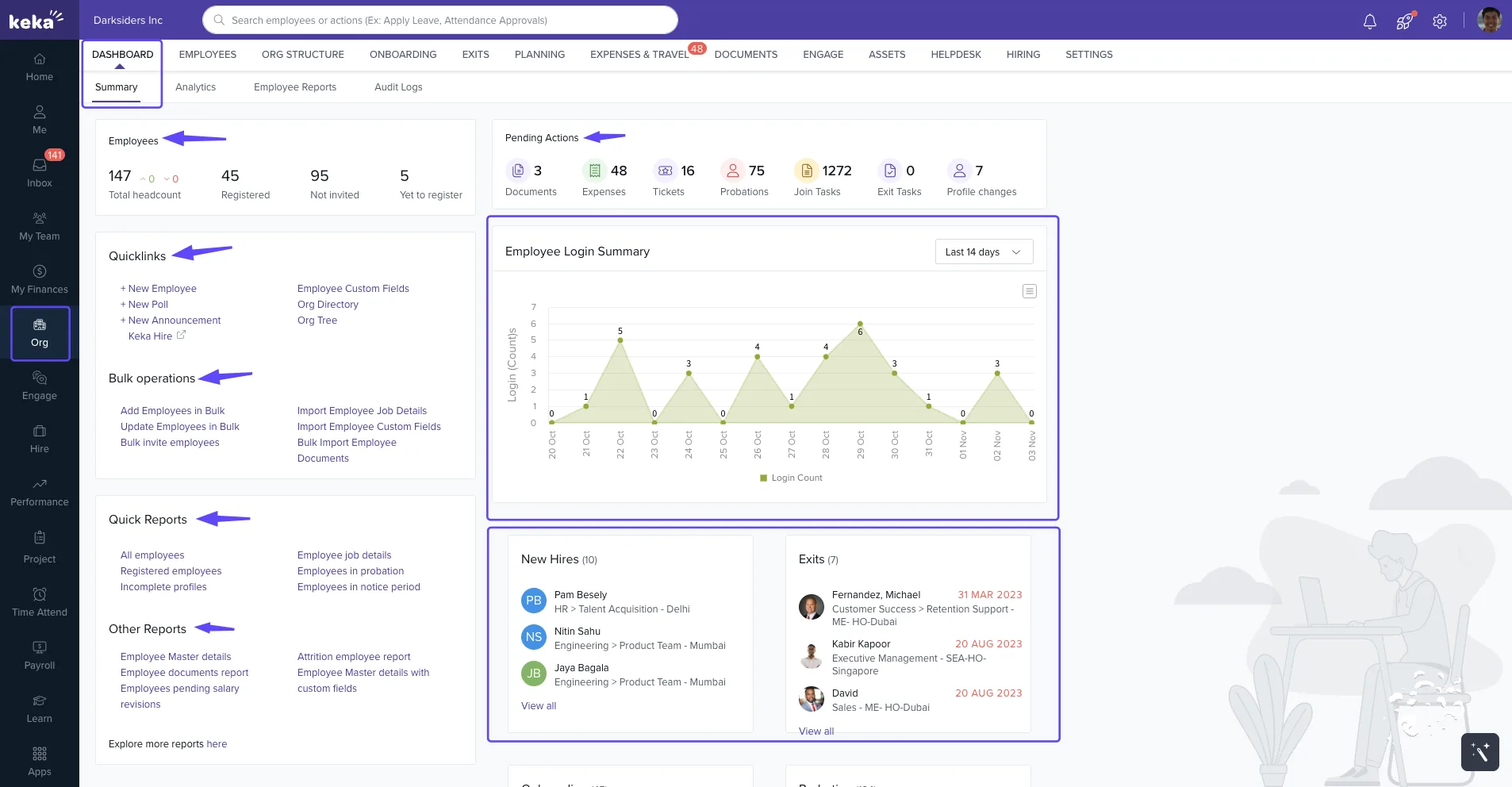
Image source: Keka
Keka is a People Operations Platform that brings HR, payroll, and professional services automation under one roof. Rather than connecting separate tools for each of those functions, Keka runs them as integrated modules (HR Cloud, Payroll Cloud, and PSA Cloud) sharing a single employee record. The platform serves US businesses across all 50 states and has built a user base of over 12,500+ companies, with traction among consulting firms, IT services companies, and mid-market organizations scaling past their first payroll tool.
Key features
- Native US payroll engine with local tax jurisdiction handling, W-2 and 1099 processing, and automated year-end filing
- HRIS covering onboarding, document management, org charts, and full employee lifecycle tracking
- PSA module for tracking billable hours, project profitability, and resource allocation
- Performance management with continuous feedback, 360-degree reviews, and goal tracking
- Compliance automation for FLSA, ACA, and state-specific employment regulations
- AI-powered helpdesk where employees resolve routine queries about leave, payroll, and policies through a conversational assistant. Managers approve requests through the same layer, and the system suggests learning paths based on performance data.
| Pros | Cons |
|---|---|
| Replaces five to ten separate HR tool with all-in-one HR platform, removing integration maintenance and data sync failures | As organizations expand their use of the platform, administrators may need to decide which features, workflows, permissions, and reports are most relevant to their teams. |
| PSA capabilities are rare in this category; most payroll competitors don’t touch project costing at all. For services organisation, resource management can be a great | Companies operating across multiple countries may need to configure workflows around their different workforce and compliance requirements. |
| Interface is intuitive enough that employee adoption happens without heavy training investment | Companies introducing project and resource management alongside HR may need to map their existing project workflows into the platform. |
| Multi-state payroll sits in the base tier rather than a premium add-on (unlike lot of competitors), which keeps costs predictable as you expand |
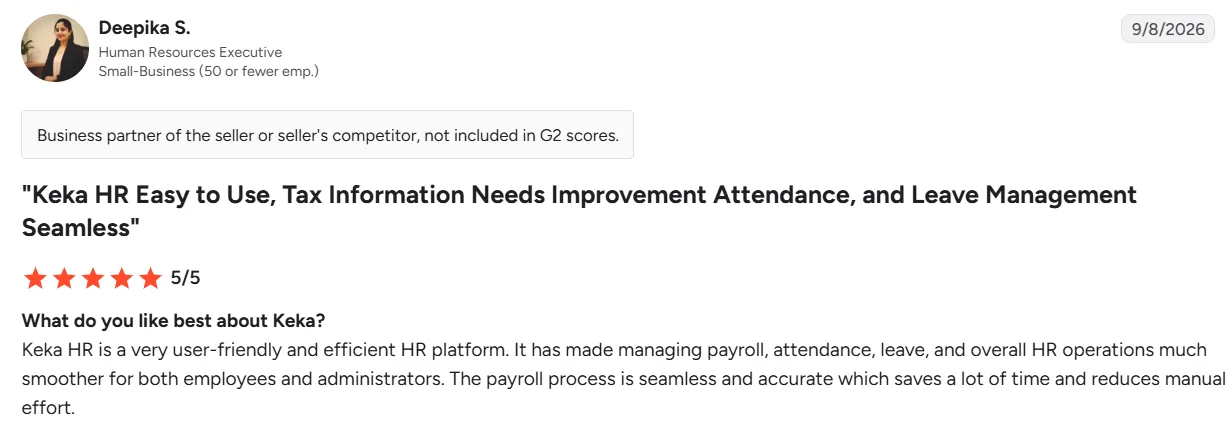
Image source: G2
Pricing
Custom pricing.
Best for: Growing US companies of all sizes that want to consolidate HR, payroll, and professional services automation into one platform with room to scale.
Not for: Sole proprietors or very small businesses under 20 employees seeking basic payroll without broader HR functionality.
Thinking about switching HR software?
Most teams go live on Keka in weeks, not months, with no hidden fees along the way.
2. Gusto: 4.6/5 on G2
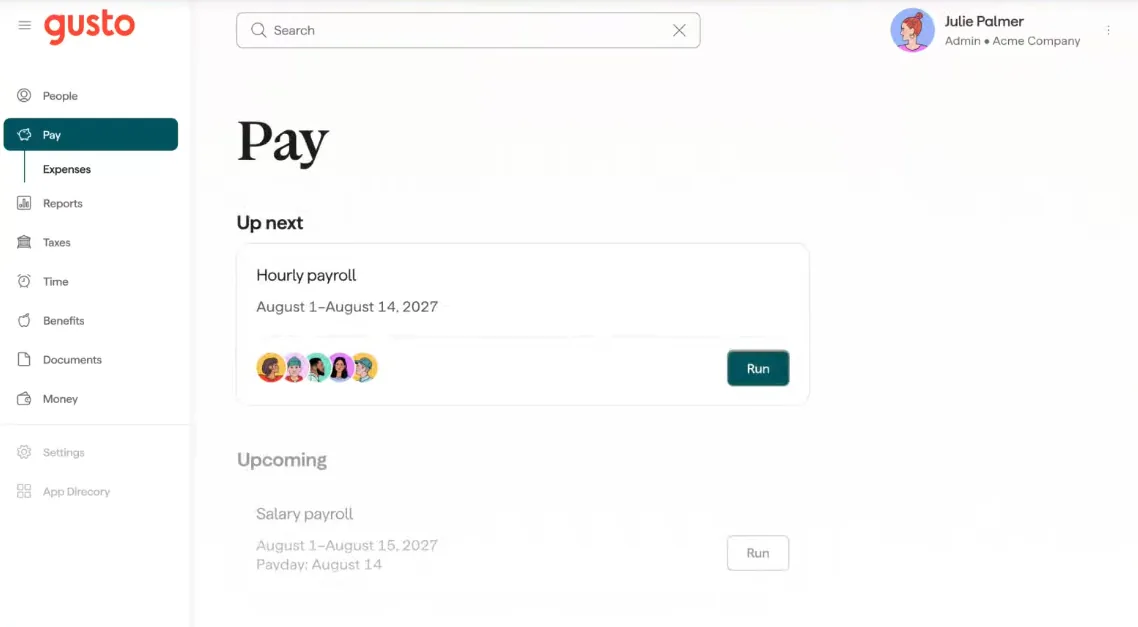
Image source: Gusto
Gusto was built from the ground up to make payroll approachable for people who have never run it before, and that shows in every part of the product. The guided setup, the clean interface, and the way each payroll runs you through confirmation screens before anything processes. It’s designed for small teams under 100 employees that want polished software without needing to become payroll experts.
Key features
- Full-service payroll with automated tax filing across all 50 states
- Benefits administration covering health insurance, 401(k), HSA, and workers’ compensation
- Employee self-service portal for paystubs, tax documents, and benefits enrollment
- Time tracking and PTO management on Plus and Premium tiers
- Automated new hire reporting and onboarding workflows with offer letter templates and e-signatures
- 130+ third-party integrations including QuickBooks, Xero, and FreshBooks
| Pros | Cons |
|---|---|
| Industry-leading UX makes payroll approachable for non-experts | HR functionality remains basic; limited performance management |
| Strong benefits administration with broker integrations | Pricing scales quickly as headcount grows beyond 50 |
| Excellent accounting software integrations reduce manual reconciliation | No PSA or project costing for services businesses |
| Comprehensive help center and responsive support team | Advanced reporting requires higher tiers or workarounds |
Pricing
Gusto runs three main plans.
- Simple costs $49 per month plus $6 per employee.
- Plus, costs $80 per month plus $12 per employee.
- Premium costs $180 per month plus $22 per employee. For a side-by-side with OnPay, see our detailed Gusto vs OnPay comparison.
Best for: Small businesses (10 to 75 employees) that prioritize ease of use and strong benefits administration, especially single-state teams where the Simple plan is sufficient.
Not for: Mid-market companies needing advanced HR capabilities, or budget-conscious multi-state businesses where OnPay’s flat pricing is the better deal.
3. Paychex: 4.1/5 on G2
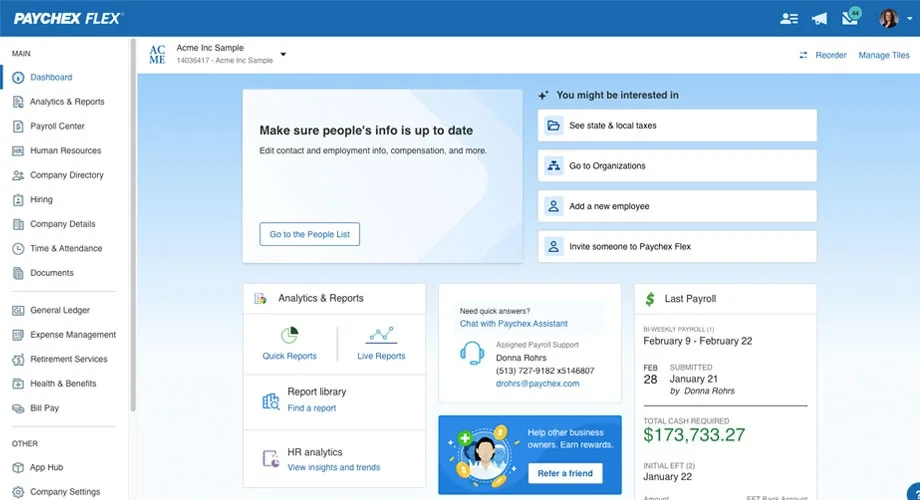
Image source: Paychex
Paychex is one of the largest payroll and HR services providers in the United States, serving businesses from startups to enterprises. Unlike every other tool on this list, Paychex isn’t just a software company. It operates across the full spectrum from self-service payroll software (Paychex Flex) to fully outsourced HR and PEO services. That range makes it appealing to businesses that aren’t sure today whether they’ll want to manage HR themselves long-term or eventually hand it off.
Key features
- Paychex Flex platform with modular payroll, HR, and benefits administration
- All 50-state payroll with local tax jurisdiction handling
- Optional HR outsourcing services including dedicated HR professionals
- Retirement services (401k administration) with in-house advisory
- Workers’ compensation and business insurance services
- ACA, FLSA, and state-specific compliance support
| Pros | Cons |
|---|---|
| Escalation path from software to full HR outsourcing within same provider | Pricing can be opaque; requires quote for accurate comparison |
| Decades of US payroll compliance experience and tax expertise | Platform UX lags behind modern software like Gusto and Keka |
| Broad service portfolio covering insurance, retirement, and HR consulting | Feature access varies significantly by plan tier |
| Large support organization with multiple contact channels | Some reviews cite inconsistent support quality across representatives |
Pricing
Custom pricing.
Best for: Growing companies (50 to 300 employees) wanting a single vendor they can scale with, from self-service software to partial or full HR outsourcing.
Not for: Small businesses that want to compare pricing online, sign up, and get started without a sales call.
4. Rippling: 4.8/5 on G2
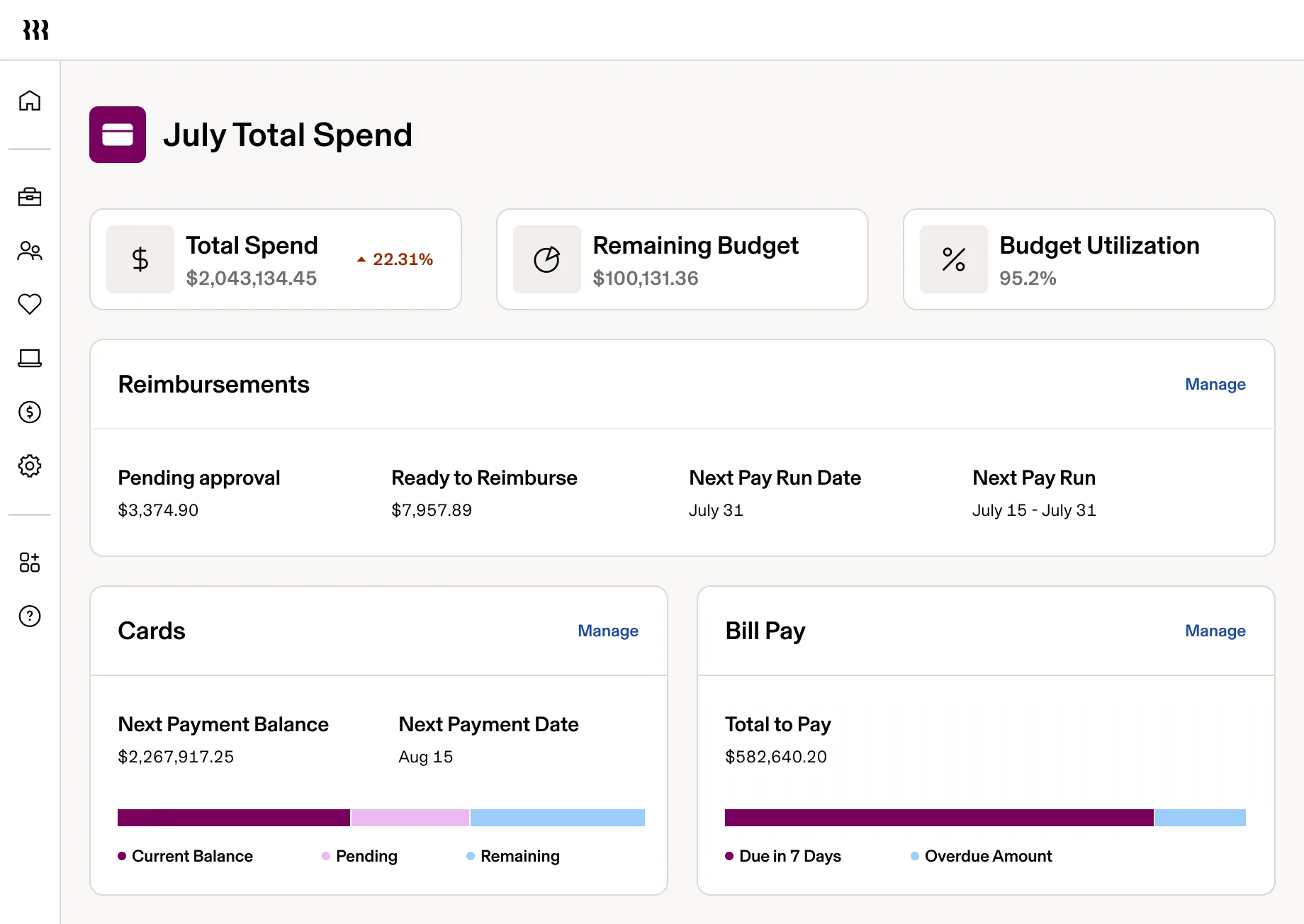
Image source: Rippling
Rippling positions itself as an employee management platform that brings HR, IT, and Finance under one system. Founded in 2016, the platform’s core bet is that identity management, device provisioning, payroll, and HR shouldn’t live in separate tools.
When you onboard someone, their laptop configuration, software access, benefits enrollment, and payroll setup happen in one automated workflow. When they leave, everything gets revoked simultaneously. This resonates strongly with technology companies and distributed teams where SaaS sprawl and security gaps are real operational problems.
Key features
- Unified HR and IT management with device provisioning and app access control
- Full-service US payroll with global contractor payments capability
- Modular architecture allowing purchase of only needed components
- Workflow automation engine connecting HR events to IT and finance actions
- Benefits administration with multiple carrier options
- Time and attendance with geolocation and project tracking
| Pros | Cons |
|---|---|
| IT and HR unification eliminates onboarding/offboarding gaps | Modular pricing means costs add up quickly across modules |
| Modern, fast interface built on contemporary tech stack | IT management features unnecessary for non-tech companies |
| Strong automation capabilities reduce manual administrative work | Relatively newer; less tenure than legacy payroll providers |
| Global contractor payments for companies with international teams | Support quality varies based on plan tier according to some reviews |
Pricing
- Unity platform: $35/month + $8/employee
- US Payroll module: ~$8/employee add-on
- IT Cloud: separate add-on, quote-based
Best for: Technology companies and businesses with distributed workforces (25 to 500 employees) where device management and app provisioning are part of the onboarding process.
Not for: Traditional businesses without IT management complexity, or anyone looking for straightforward payroll at a predictable monthly price.
5. Patriot Software: 4.8/5 on G2
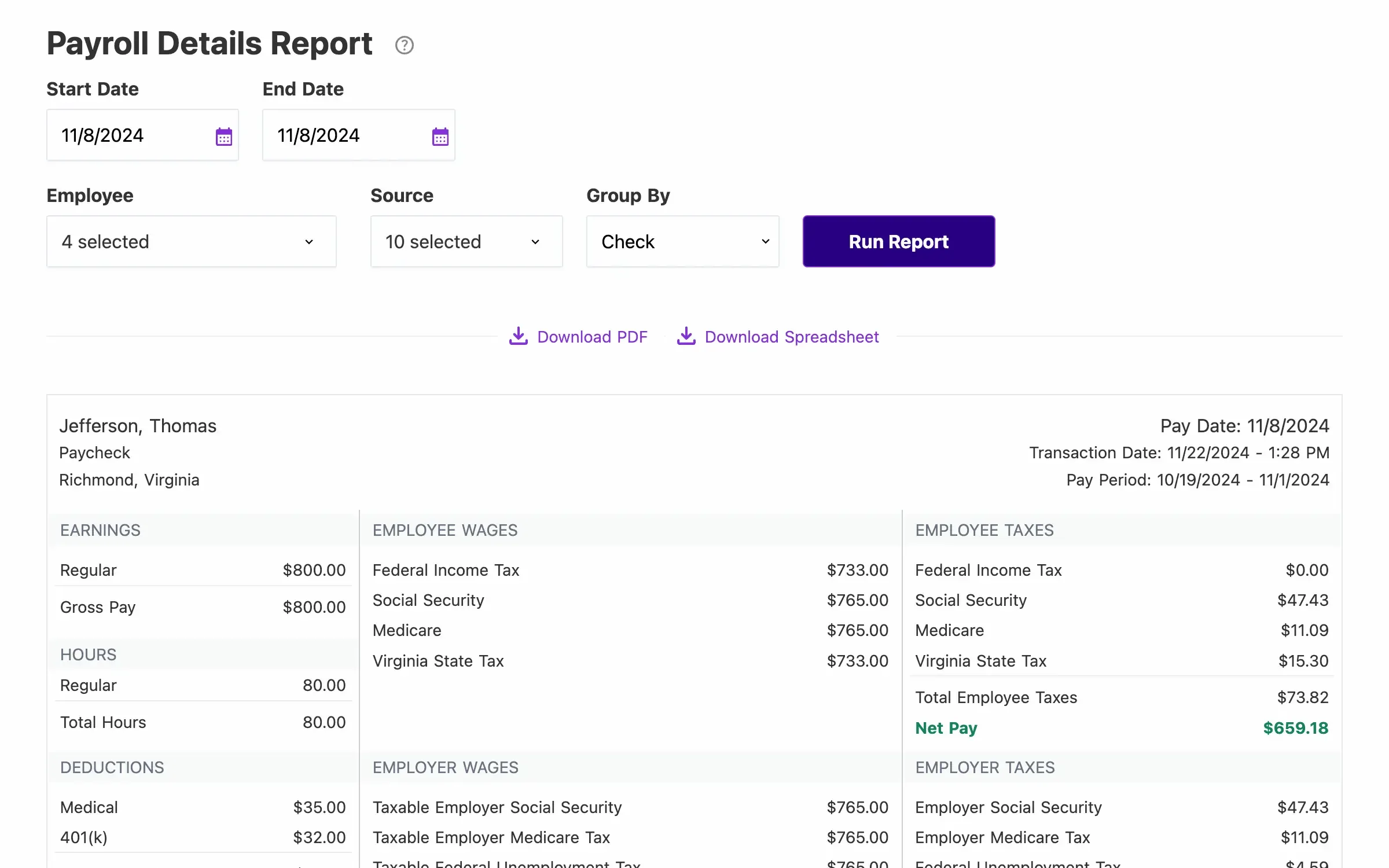
Image source: Patriot Software
Patriot Software is an Ohio-based company that competes primarily on price. With both basic (you handle tax filing yourself) and full-service (they handle everything) payroll options, Patriot targets small businesses where budget is the deciding factor. The platform doesn’t try to be an HR suite or a workforce management tool. It does payroll; it does it reliably, and it costs less than almost everything else on the market.
Key features
- Full-service payroll with automated federal and state tax filing
- All 50-state coverage with local tax handling
- Free direct deposit for employees
- Basic HR add-on for employee records and PTO tracking
- Integrated accounting software option
- 1099 contractor payments included
| Pros | Cons |
|---|---|
| Among the lowest per-employee costs for full-service payroll | HR features are very basic; minimal beyond record-keeping |
| US-based phone support included at all tiers | No benefits administration for health insurance or 401(k) |
| Simple interface appropriate for non-technical users | Limited integrations compared to larger platforms |
| Free direct deposit reduces total payroll costs | No performance management or advanced HR tools |
Pricing
- Basic Payroll: $17/month + $4/employee
- Full Service Payroll: $37/month + $5/employee
- HR add-on: $6/month + $2/employee
- Time & Attendance add-on: $6/month + $2/employee
Best for: Very small businesses (under 50 employees) where cost is the primary driver, and HR needs stop at payroll and basic recordkeeping.
Not for: Companies needing benefits administration, performance management, or planning to grow past 75 employees.
6. Paycor: 4.0/5 on G2
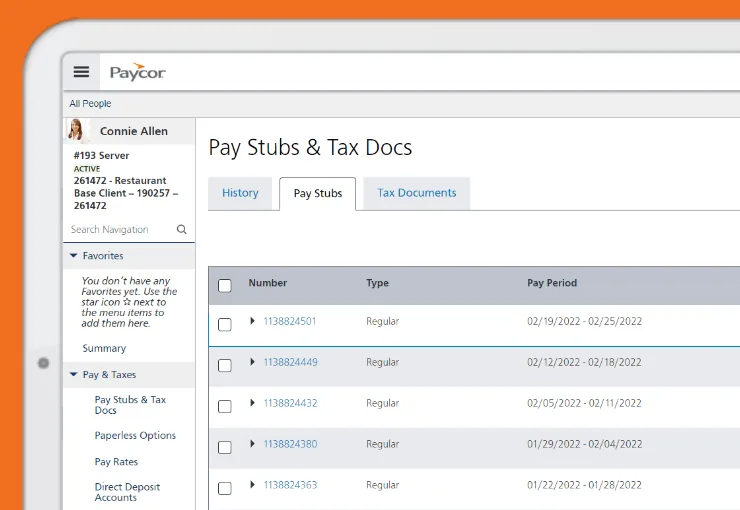
Image source: Paycor
Paycor serves mid-market businesses with an HCM platform spanning payroll, HR, talent management, and workforce management. Originally focused on the Cincinnati market, Paycor has expanded nationally and positions itself on compliance expertise and analytics capabilities. The platform targets companies outgrowing basic payroll solutions but not ready for enterprise HCM systems.
Key features
- Full-service payroll with strong multi-state and local tax handling
- Compliance dashboard with automated alerts for regulatory changes
- Recruiting and applicant tracking integrated with payroll
- Performance management with goal tracking and reviews
- Workforce analytics and customizable reporting
- Learning management system for employee training
| Pros | Cons |
|---|---|
| Strong compliance automation with proactive regulatory alerts | Implementation timelines can extend longer than competitors |
| Talent management covers recruiting through performance | Interface complexity higher; steeper learning curve |
| Analytics depth exceeds basic payroll platforms | Pricing not published; requires sales engagement |
| Scales effectively from 50 to 1,000+ employees | Some reviews mention support response time variability |
Pricing
Custom pricing.
Best for: Mid-market companies (100 to 750 employees) prioritizing compliance automation and wanting recruiting-to-retirement HR capabilities in one platform.
Not for: Small businesses under 50 employees who would find the complexity unnecessary and the pricing excessive.
7. QuickBooks Payroll: 4.4/5 on G2
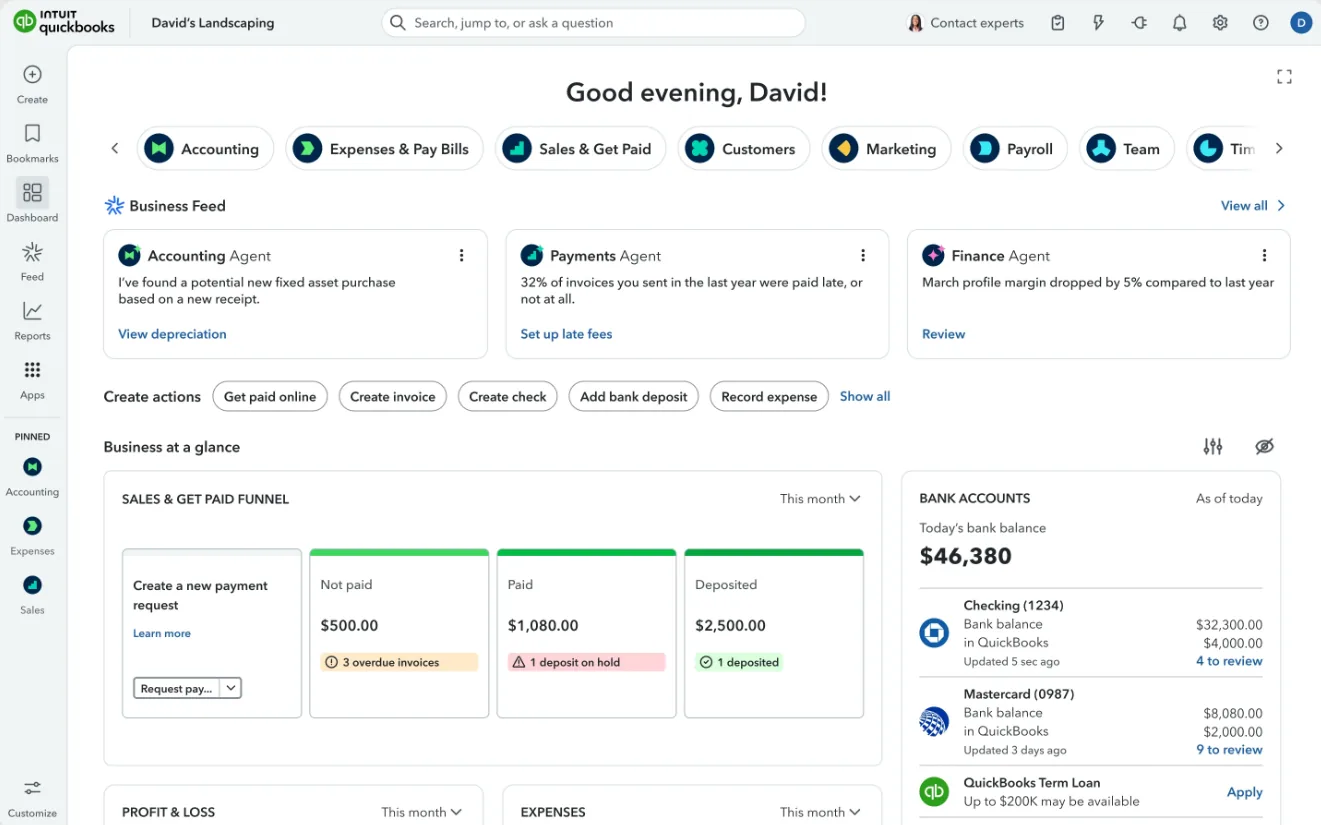
Image source: [QuickBooks](https://QuickBooks https://quickbooks.intuit.com)
QuickBooks Payroll, recently rebranded as QuickBooks Workforce, is Intuit’s payroll solution designed to integrate directly with QuickBooks Online accounting software. For businesses already invested in the QuickBooks ecosystem, adding payroll eliminates data entry between systems and provides a unified view of financial and payroll data. The product focuses on small businesses and prioritizes accounting integration over HR functionality.
Key features
- Native QuickBooks Online integration with automatic journal entries
- Full-service payroll with automated tax filing across all 50 states
- Same-day direct deposit available at higher tiers
- 1099 contractor payments with tracking
- Basic time tracking included in higher tiers
- Health benefits and 401(k) options through partners
| Pros | Cons |
|---|---|
| QuickBooks accounting integration eliminates duplicate entry | Minimal HR functionality; payroll only, not an HR platform |
| Same-day direct deposit for time-sensitive payments | No performance management, recruiting, or advanced HR |
| Familiar Intuit interface for QuickBooks users | Less competitive outside QuickBooks ecosystem |
| Strong 1099 contractor management | Support quality varies; some reviews cite difficulty reaching agents |
Pricing
- Workforce Payroll (formerly Core): $50/month + $6/employee
- Workforce Premium: $85/month + $9/employee
- Workforce Elite: $130/month + $11/employee
Best for: Small businesses already running QuickBooks Online that want payroll in the same system and prioritize accounting integration above everything else.
Not for: Companies using other accounting software, or businesses needing any meaningful HR functionality alongside payroll.
8. Justworks: 4.6/5 on G2
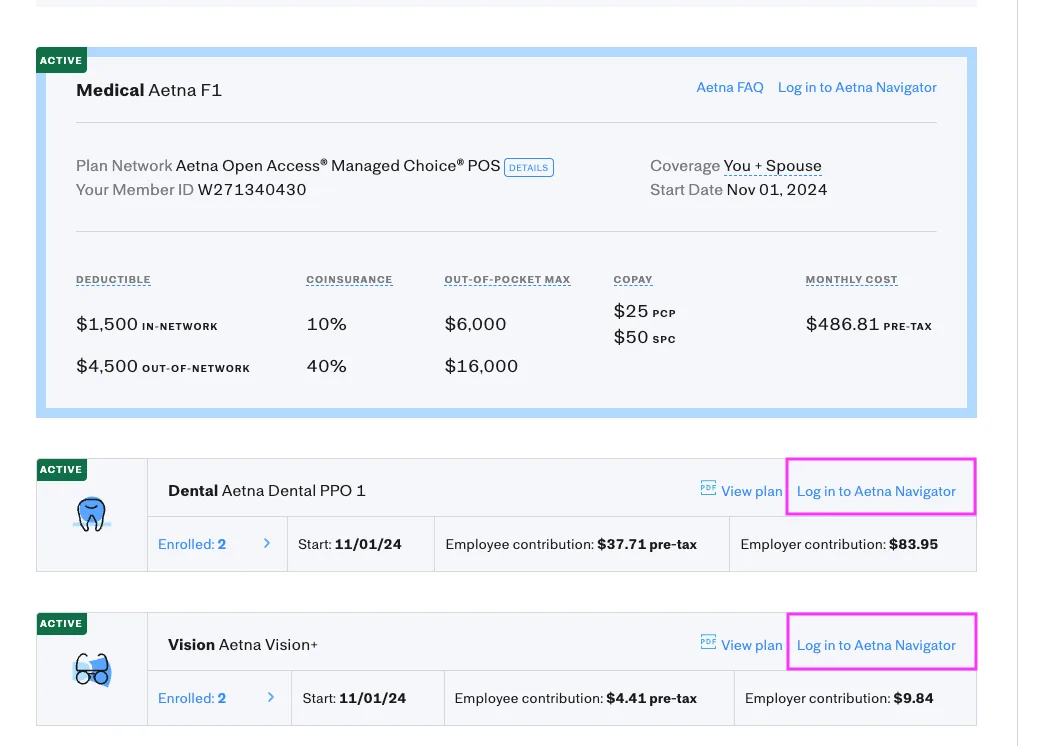
Image source: Justworks
Justworks is a Professional Employer Organization (PEO) providing payroll, benefits, HR, and compliance through a co-employment model. Unlike software-only solutions, Justworks becomes the employer of record for benefits and certain HR functions, allowing small companies to access large-group benefits rates typically unavailable to them. This model suits companies wanting strong benefits without building internal HR infrastructure.
Key features
- PEO model with co-employment for benefits and compliance
- Access to large-group health insurance rates
- Full-service payroll as part of PEO services
- Compliance management with employment law support
- Workers’ compensation included and managed
- HR support for employee relations issues
| Pros | Cons |
|---|---|
| Access to enterprise-tier benefits rates unavailable to small businesses | Co-employment model means shared employer responsibilities |
| Compliance burden shared with PEO; employment law expertise included | Higher per-employee cost than software-only solutions |
| Workers’ comp integrated and pay-as-you-go | Less flexibility; must use Justworks benefit offerings |
| HR support for complex employee situations | Leaving PEO requires significant transition effort |
Pricing
- Payroll (software only): $50/month + $8/employee
- PEO Basic: $79/employee/month
- PEO Plus: $109/employee/month
Best for: Startups and small companies (under 200 employees) wanting premium benefits access and comfortable with the co-employment trade-off.
Not for: Companies wanting to maintain full employer control, or those where benefits access isn’t a primary driver.
Feature-by-Feature vs OnPay
Beyond pricing and positioning, here’s how each alternative compares to OnPay on the specific payroll capabilities that matter most during day-to-day operations.
| Tool | Multi-state local tax handling | Off-cycle payroll flexibility | Garnishment management | Custom reporting builder |
|---|---|---|---|---|
| OnPay | Yes, all 50 states + localities | Yes, unlimited | Yes, automated | Standard reports, limited custom |
| Keka | Yes, all 50 states + localities | Yes, unlimited | Yes, automated with compliance tracking | Advanced custom report builder |
| Gusto | Yes, all 50 states + localities | Yes, with fees at lower tiers | Yes, automated | Custom reports at higher tiers |
| Paychex | Yes, extensive local expertise | Yes, standard | Yes, with dedicated support | Advanced analytics at higher tiers |
| Rippling | Yes, all 50 states | Yes, flexible | Yes, automated | Advanced with workflow triggers |
| Paycor | Yes, compliance-focused | Yes, standard | Yes, with audit trail | Advanced analytics suite |
| Patriot | Yes, all 50 states | Yes, basic | Manual setup required | Basic reporting |
| QuickBooks Payroll | Yes, all 50 states | Yes, with fees | Yes, basic | QuickBooks reporting |
| Justworks | Yes, PEO handles | Yes, PEO processed | PEO managed | Standard PEO reports |
How to Choose the Right OnPay Alternative
The right pick depends more on where your company is headed than where it is today. For a broader look at the category, see our guide to the best payroll software for US businesses.
| Headcount | Pick | Why |
|---|---|---|
| 1-25 employees | OnPay, Gusto, or Patriot | Simple needs don’t justify platform complexity; focus on UX and cost |
| 25-75 employees | Gusto or Keka | Growing HR needs favor platforms with room to scale; evaluate benefits administration |
| 75-200 employees | Keka or Paycor | Mid-market complexity requires deeper HR tools; compliance automation becomes valuable |
| 200-500 employees | Keka, Paycor, or Paychex | Scale demands strong workflows, analytics, and possibly a hybrid software-service model |
| 500-5000+ employees | Keka or Paychex (with HR services) | Enterprise complexity may warrant dedicated support; evaluate implementation depth |
Migrating Off OnPay: A Practical Timeline
Plan for six to eight weeks total. Rushing a payroll migration introduces errors that can take months to untangle, so build in buffer time and aim for a January 1st or quarter-boundary cutover to simplify tax reconciliation.
| Phase | Timeline | You own | Vendor owns |
|---|---|---|---|
| Data extraction from OnPay | Week 1-2 | Export employee data, YTD payroll history, and tax documents from OnPay | Provide import templates and data mapping guidance |
| New system configuration | Week 2-4 | Verify company information, approve pay schedules, confirm deduction codes | Configure payroll engine, set up tax accounts, establish approval workflows |
| Data import and validation | Week 4-5 | Review imported records for accuracy, flag discrepancies | Execute data migration, reconcile totals, resolve mapping issues |
| Parallel payroll run | Week 5-6 | Run shadow payroll in new system, compare results line by line | Support parallel run analysis, explain variances, adjust configurations |
| Go-live and first live payroll | Week 6-8 | Final approval, employee communication, cutover decision | Production payroll processing, tax filing, support escalation path |
Common Failure Points
- YTD wage and tax data mismatch: OnPay’s export format may not map cleanly to your new system, and skipping manual reconciliation before the first run is how companies end up with incorrect W-2s.
- Benefits deduction timing: If you’re switching benefits providers alongside payroll, coordinate enrollment windows carefully to avoid coverage gaps or double deductions.
- Local tax registration transfer: Some jurisdictions require re-registration with a new payroll provider, and OnPay may have handled registrations you’ll need to verify exist independently before cutover.
Final Verdict
For most companies outgrowing OnPay, the right pick comes down to what’s driving your switch. Keka suits teams of all sizes that want HR, payroll, and PSA in one platform instead of five vendors. Gusto fits small businesses that want a polished interface and strong benefits. Paychex works if you want one vendor with room to add HR outsourcing later.
Otherwise: Rippling (IT-heavy teams), Patriot (tightest budgets), Paycor (compliance-first mid-market), QuickBooks Payroll (accounting integration), or Justworks (PEO benefits).
See how Keka can simplify HR and payroll for your growing workforce.


