


 Login
Login


Insperity is known for its high-touch service. As a full-service PEO, it co-employs your staff and handles payroll, benefits, compliance, and HR support, often with dedicated specialists who get to know your business. For companies that want to hand off employer responsibilities entirely, that support is a big draw.
But in my experience, the costs start to weigh more as teams grow. Insperity is one of the pricier PEOs, and many companies reach a point where they’d rather own their HR with better tools than keep outsourcing it.
In this guide, I compare eight Insperity alternatives, including other PEOs and HR or payroll software that keeps you in full control as the employer. I’ve judged each one on multi-state payroll depth, HR breadth, implementation complexity, pricing transparency, and support quality. I’ll also help you figure out which model suits you: outsourcing employment responsibilities or running HR in-house.
A Quick Overview of all Insperity Alternatives
| Alternative | Best for | Pricing | G2 rating |
|---|---|---|---|
| Keka | Companies of all sizes looking for tools that provides unified HR + payroll | Custom quote only | 4.4/5 |
| TriNet | Industry-specific PEO with vertical expertise (tech, nonprofit, finance) | Custom quote | 4.2/5 |
| ADP TotalSource | Large mid-market needing PEO with global expansion path | Custom quote | 4.3/5 |
| Justworks | Startups and small teams wanting simpler PEO onboarding | PEO Basic: $79/employee/month,
PEO Plus: $124/employee/month |
4.6/5 |
| Paychex PEO | Regional businesses valuing local service reps and branch access | Custom pricing | 4.1/5 |
| Rippling | Tech-forward teams wanting software control with optional PEO | Custom quote | 4.8/5 |
| Paylocity | Mid-market HR teams prioritizing employee experience features | Custom quote | 4.4/5 |
| Gusto | SMBs under 100 employees needing simple payroll + basic HR | Simple: $49/month + $6/employee
Plus: $80/month + $12/employee Premium: $180/month + $22/employee |
4.6/5 |
Why Teams Look for Insperity Alternatives?
Loss of Employer Control in Co-Employment
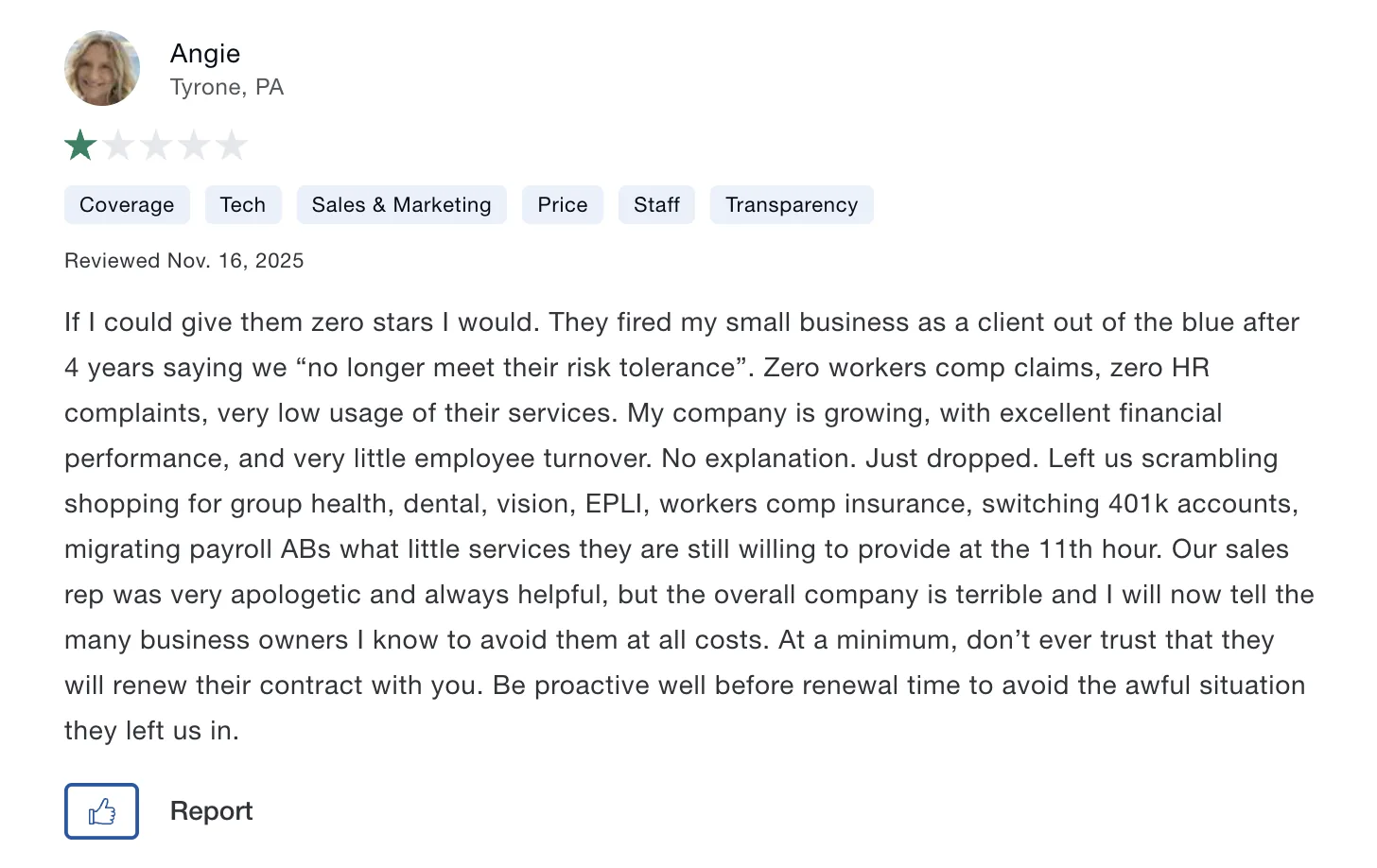
Since Insperity becomes the employer of record, terminations, policy changes and benefit customizations often have to route through Insperity’s own processes rather than being decided unilaterally. Reviewers describe the relationship feeling ‘one-sided’ once onboarding wraps up, with rigid manual workflows, even for routine HR decisions. One reviewer described being dropped as a client abruptly after four years, with no warning over a shift in risk tolerance.
Pricing Opacity
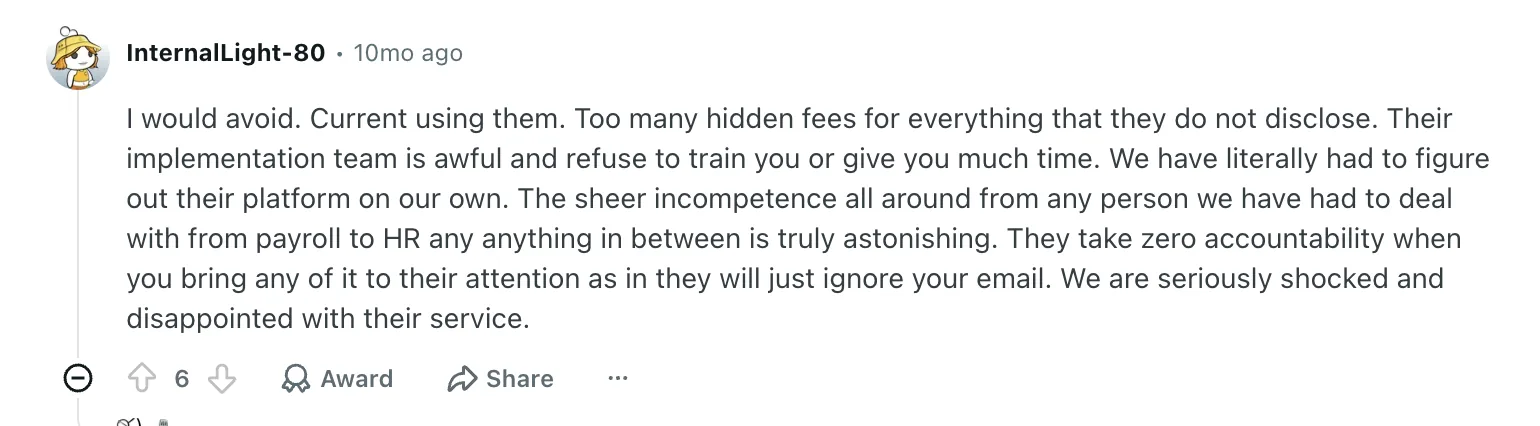
Insperity shares custom quotes. Its PEO model also bundles payroll, benefits, HR, and compliance services, which can make it harder to see exactly what each service costs or remove capabilities you don’t need. There’s no transparency on how the pricing is structured.
Customer reviews for Insperity flag concerns around fees, implementation, and customer support.
Dated Platform, Inconsistent Support
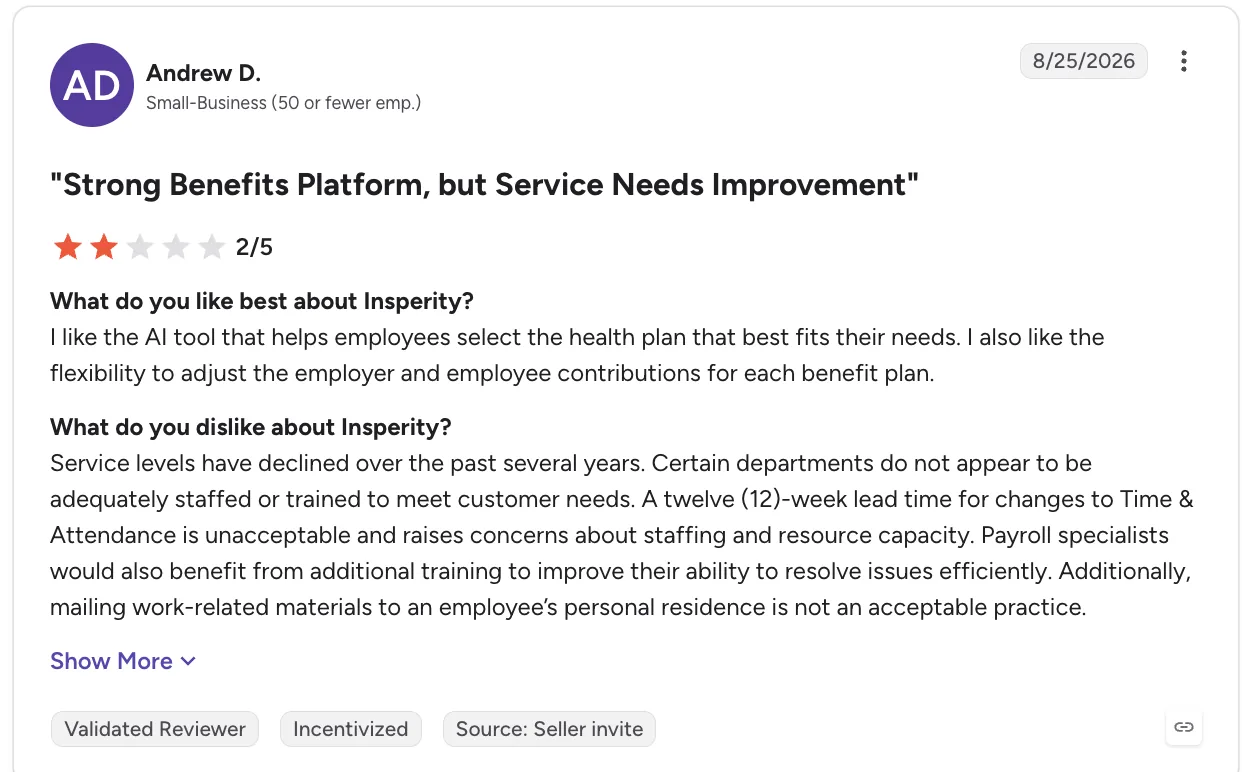
While Insperity provides the core technology needed to manage payroll and HR, some users describe its platform and reporting experience as functional rather than especially modern or customizable. Teams looking for sophisticated workflows, extensive integrations, or a more polished user experience may find the platform limiting.
One recent review sums up the trade-off: strong benefits, but room for improvement in service and support.
Complexity Exiting the PEO Relationship
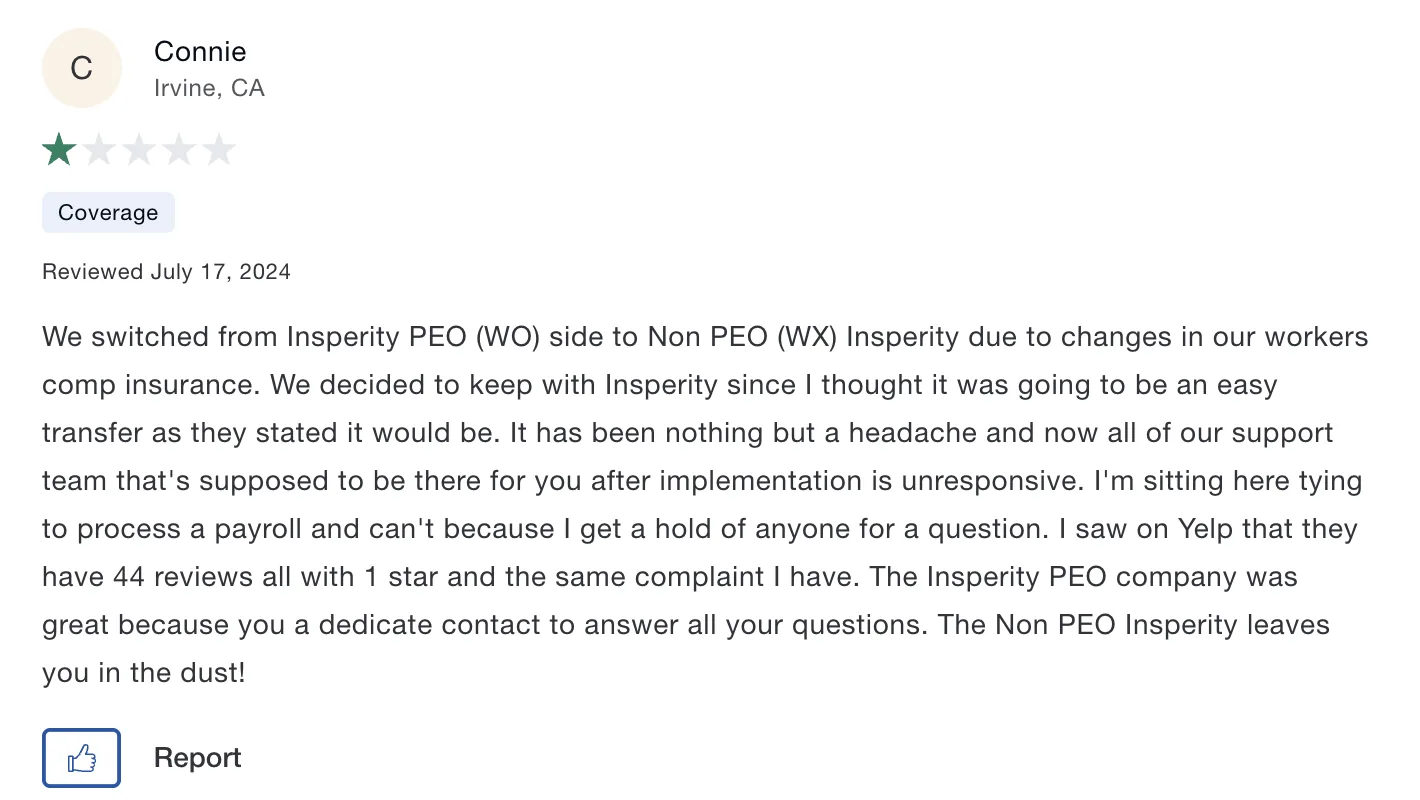
Leaving a PEO can involve more than simply switching payroll software. Businesses may need to transition benefits, payroll records, tax registrations, compliance processes, and other employer responsibilities back in-house or to another provider. That can make switching a substantial project rather than a straightforward software migration.
With these limitations in mind, the next step is to understand how I evaluated the alternatives to identify which providers offer a stronger fit for different HR and payroll needs.
How I Evaluated These Insperity Alternatives
I looked beyond feature checklists to assess what actually matters when choosing an HR and payroll partner, especially for growing, multi-state businesses.
- Multi-state payroll depth: Coverage across states and local tax jurisdictions, tax filings, W-2s/1099s, and multi-state employees
- Payroll engine and accuracy: Off-cycle runs, retroactive adjustments, garnishments, approvals, audit trails, and error controls.
- HR breadth: How much of your HR stack the platform can consolidate, including payroll, benefits, time tracking, compliance, and onboarding
- Implementation and migration: Time to go live, data migration, parallel payroll support, and hands-on implementation help
- Support quality: Availability of dedicated support, phone/chat options, response times, and customer sentiment.
Disclosure: Keka is included in the comparison and evaluated against the same five criteria as every provider, with limitations and market-fit considerations documented objectively.
In-Depth Review: 8 Insperity Alternatives for 2026
With the evaluation framework in place, let’s take a closer look at the 8 Insperity alternatives and see where each one stands.
1. Keka – 4.4/5
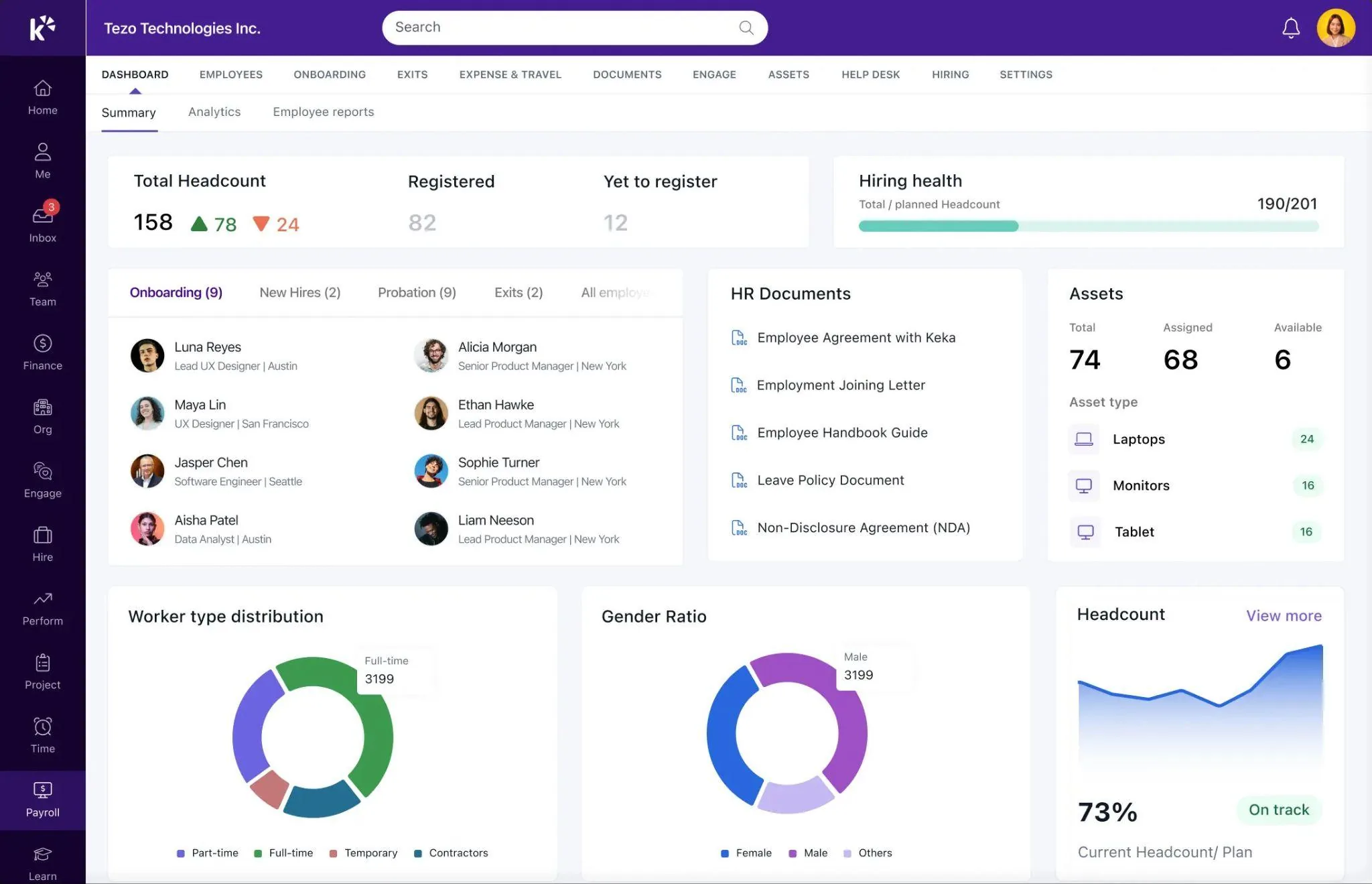
Best for Companies of all sizes looking for Full HR + Payroll Control
If you like what Insperity brings to the table but don’t want a PEO making you share employer responsibilities, Keka takes a different route.
Keka is an all-in-one platform for HR, payroll, and professional services automation. It is used by 12,500+ organizations across 120+ countries and supports businesses of different sizes. Keka helps companies manage core HR, hiring, payroll, attendance, performance, employee experience, projects, resources, timesheets, billing, and analytics from one connected platform. It is designed to make everyday HR and business processes easier to manage.
Keka also supports multi-state US payroll, making it particularly relevant for growing teams with employees spread across multiple states.
Key Features
- Multi-state US payroll with federal, state, and local tax capabilities
- HR, onboarding, documents, and employee management in one platform
- Native applicant tracking system
- Time and attendance management and ATS
- Performance management, including 360-degree reviews, continuous feedback, goal setting, and employee development tools
- Project costing, resource planning, time tracking, and utilization management for professional service teams
- A modern, easy-to-navigate interface that minimizes training and day-to-day HR admin effort
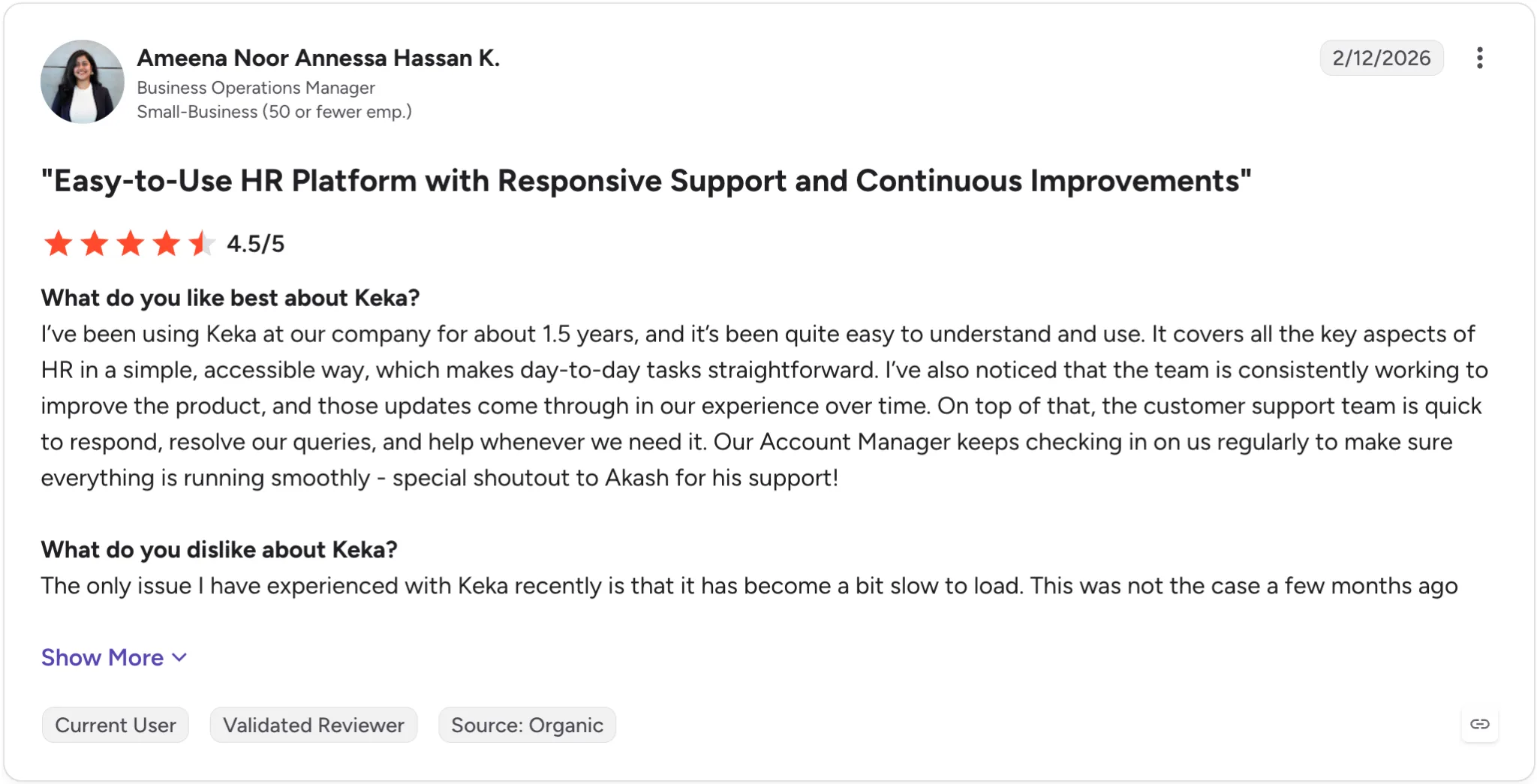
Keka users often praise its reliable support, continuous product updates, and proactive account management.
| Pros | Cons |
| Broad HR and PSA coverage: Keka brings HR, payroll, talent, employee experience, project management, resource management, timesheets, and billing into one platform. | Best suited to organizations looking to consolidate HR processes: Keka can work as a single point solution, but organizations that adopt the broader ecosystem can benefit more from the connected workflows and data across the platform. |
| Comprehensive US payroll: Keka supports payroll, benefits, deductions, direct deposit, ACH, W2s, 1099s, and automated tax filings across all 50 states. | Moving from multiple systems requires some transition: Organizations replacing several existing HR or operational tools may need to plan data migration and workflow changes as part of implementation. Though Keka team provides proactive support for the same. |
| Intuitive user experience: Keka is designed to make HR and workforce processes easy to navigate for HR teams, managers, and employees. | Global functionality can introduce more configuration: Companies operating across multiple countries may need to configure workflows around their different workforce and compliance requirements |
Pricing: Custom/quote based. Free trial available.
Best for: HR and finance leaders at 50-2,000 employee companies that want to consolidate HR and payroll while retaining control of the employer relationship
Not for: Companies that specifically want to transfer employment administration and related responsibilities to a third-party PEO.
Thinking about switching HR software?
Most teams go live on Keka in weeks, not months, with no hidden fees along the way.
2. TriNet – 4.2/5

Best for companies that want a PEO with industry-specific expertise
If you want an alternative that works much like Insperity, TriNet is one of the most natural places to look. It uses the same core PEO/co-employment model, combining payroll, benefits, HR, compliance, and risk management under one provider.
Where TriNet stands apart is its industry-focused approach. It offers specialized expertise for sectors including technology, financial services, life sciences, nonprofits, and professional services. For companies operating in a specialized or regulated industry, having HR guidance tailored to the realities of that sector can be more valuable than working with a generalist provider.
Key Features
- PEO/co-employment model with access to large-group employee benefits
- Industry-specific HR and compliance expertise
- Multi-state payroll with tax filing and year-end reporting
- Dedicated HR consultants and strategic workforce support
- Workers’ compensation and risk management
- Employee self-service and manager workflows through the TriNet platform
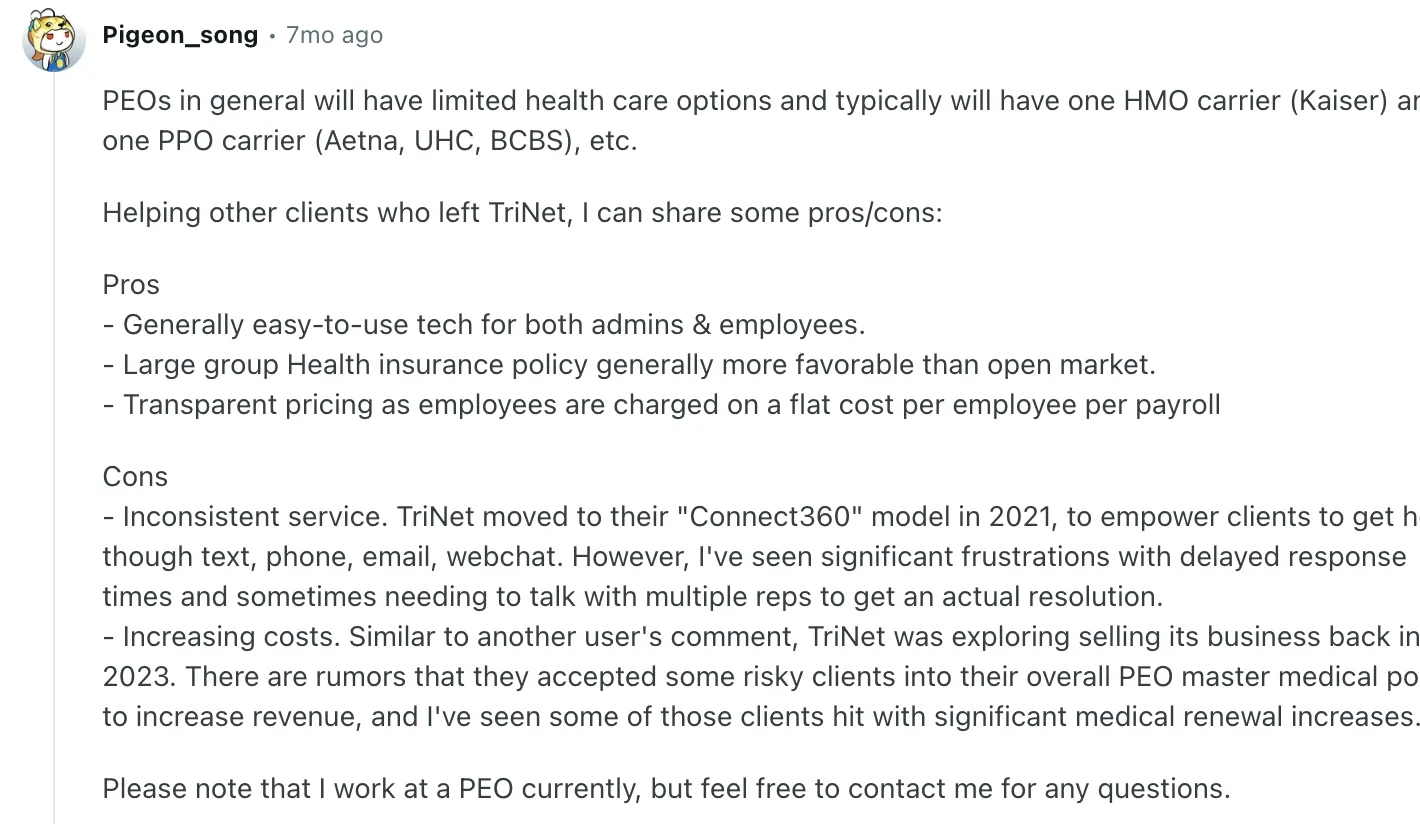
Here’s what users say they like, and where the platform falls short:
| Pros | Cons |
|---|---|
| Industry-vertical packages for multi-state tech, finance, nonprofit sectors | Same co-employment trade-offs as Insperity; you share employer control |
| Access to Fortune 500-level health and retirement benefits | Pricing not published; varies by industry and risk profile, usually deemed steep |
| Full HR outsourcing including compliance and risk transfer | Platform UX issues compared to modern HR software |
| Strong service reputation for mid-market companies | Exiting PEO requires careful planning for benefits and payroll transition |
Pricing: Custom quote only, depending on your needs.
Best for: Mid-market companies in specialized industries that want PEO benefits, HR outsourcing, and sector-specific guidance
Not for: Companies that want to remain the sole employer, maintain complete control over benefits and HR administration, or move away from PEO altogether.
3. ADP TotalSource – 4.3/5
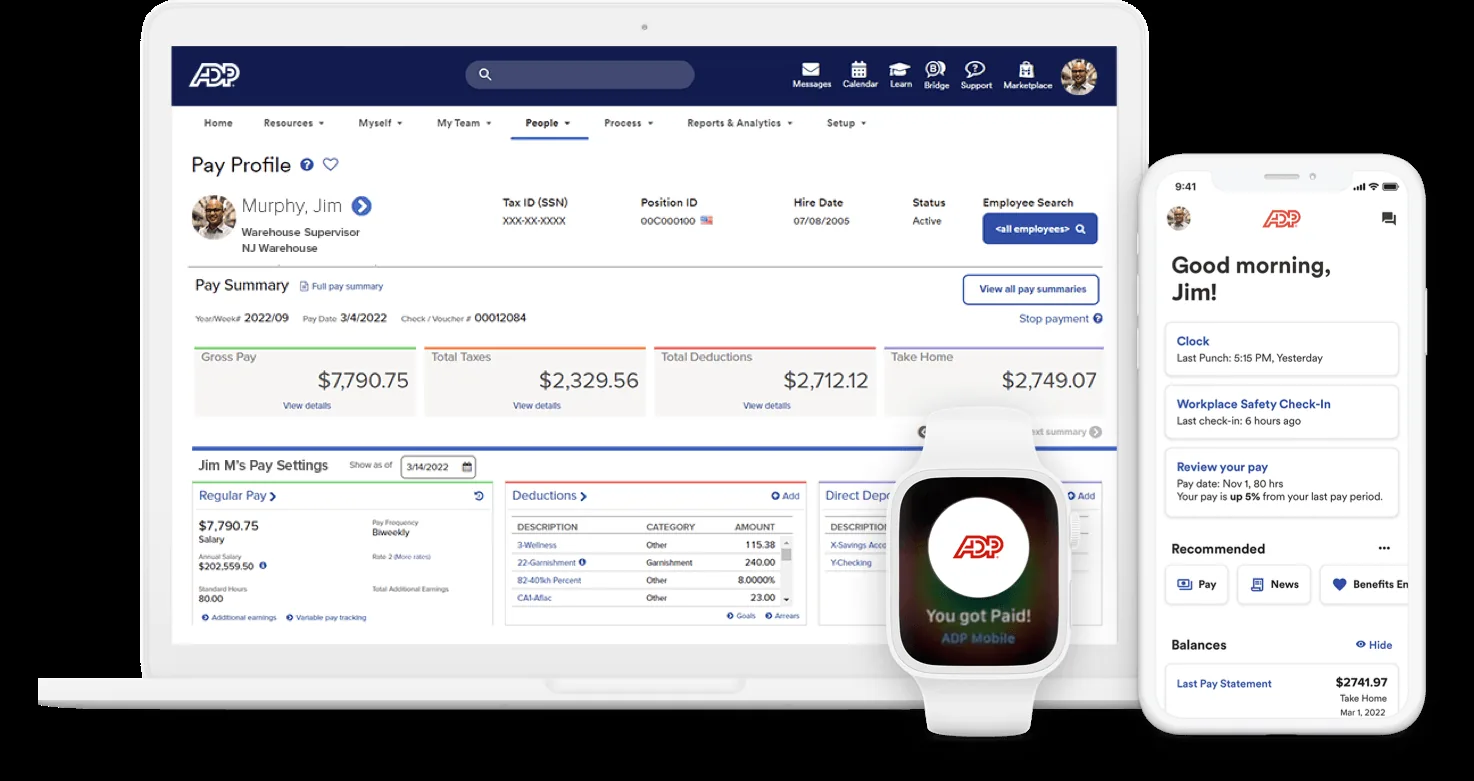
Best for Large mid-market companies needing a PEO with global expansion capabilities
ADP TotalSource is ADP’s PEO offering, combining the benefits and compliance advantages of co-employment with the infrastructure of one of the largest HR and payroll providers in the US. It’s particularly appealing for companies that expect to expand internationally, since they can move into ADP’s global payroll ecosystem without switching vendors.
Key Features
- PEO model with ADP’s compliance and HR resources
- Access to large-group health insurance, 401(k), and workers’ comp
- Integration with ADP Workforce Now for payroll, HR, and time tracking
- Multi-state and US-territory payroll support
- Pathway to ADP’s global payroll solutions for international expansion
- Dedicated HR support and compliance resources
Customer feedback highlights both the strengths and trade-offs of ADP TotalSource. Here’s one review worth looking at:

| Pros | Cons |
|---|---|
| ADP’s scale provides deep compliance resources and stability | Co-employment model with same employer-control trade-offs |
| Clear migration path for companies going global | Pricing complexity—often requires custom quote and negotiation |
| Strong integration with ADP’s broader product ecosystem | Platform can feel enterprise-heavy for smaller teams |
| Extensive benefits options from multiple carriers | Some users report slower responsiveness from large-company support structure |
Pricing: Custom quote only, and includes payroll, HR, benefits, compliance, and workers’ comp
Best for: Companies with 150-3,000 US employees that expect international growth or want the stability and resources of a large HR provider
Not for: Smaller businesses looking for a highly personalized experience or a lighter, more modern platform
4. Justworks – 4.6/5
Best for Startups and small teams wanting simpler PEO onboarding
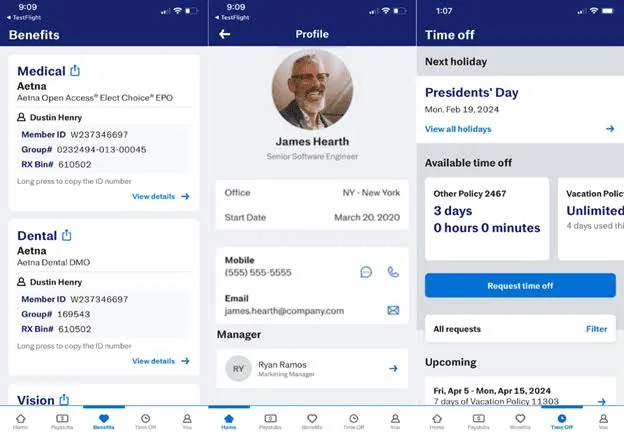
Justworks is a PEO built with startups and small businesses in mind. Compared with Insperity’s more traditional, sales-led approach, Justworks keeps things simpler with transparent per-employee pricing, online onboarding, and a more self-service experience. Key Features
- Transparent per-employee pricing published online
- Fast, largely self-service onboarding
- Health insurance, 401 (k), HSA, and workers’ comp
- Payroll and tax filing across all 50 states
- PTO, compliance, and other core HR tools
- 24/7 customer support via phone, email, and chat
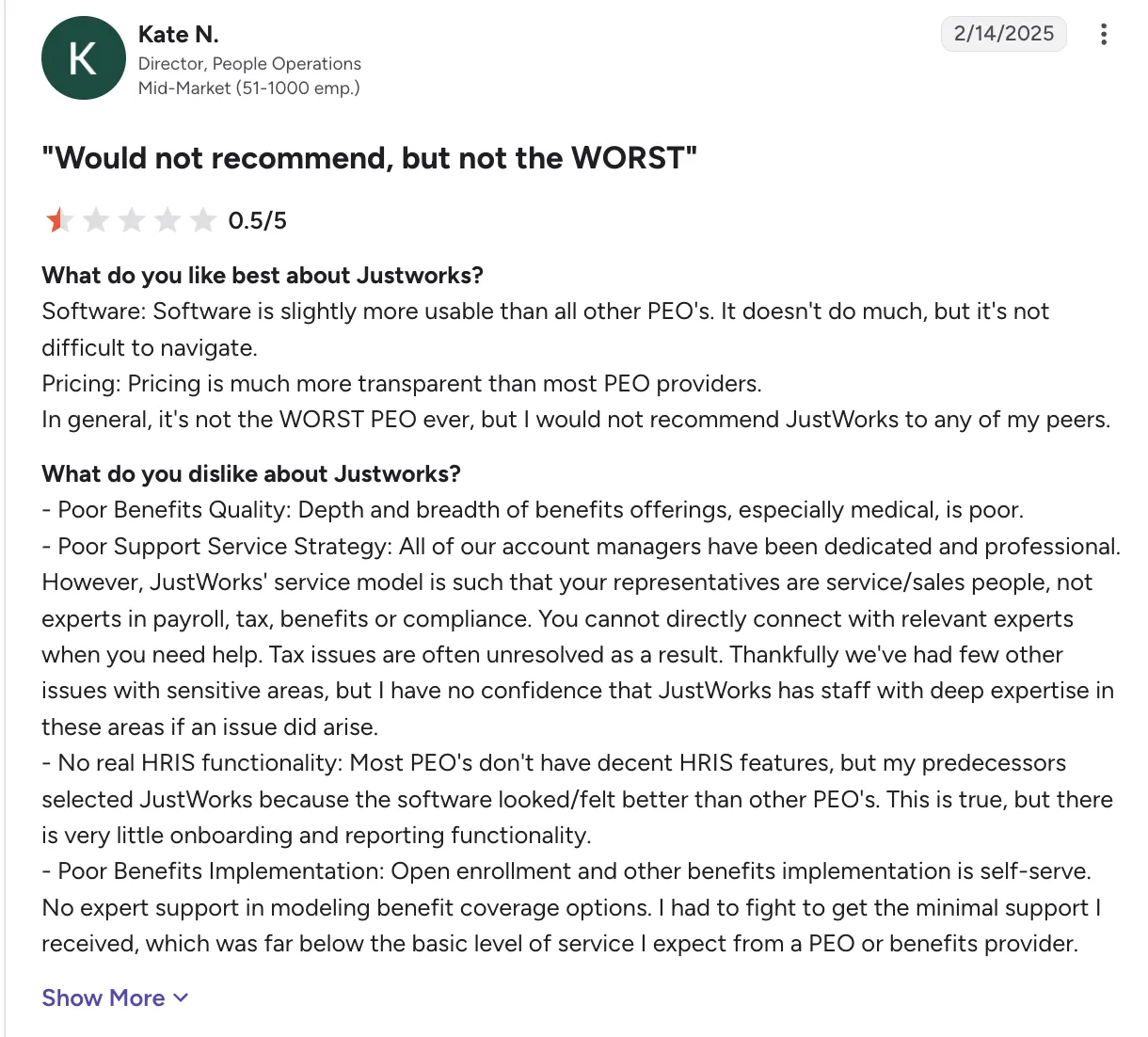
This review points to some significant gaps beyond the platform itself, particularly around benefits quality, access to expert support, HRIS functionality, and benefits implementation.
| Pros | Cons |
|---|---|
| Transparent pricing published online, no quote required | Poor customer support and service |
| Fast onboarding, often live within days, not months | Less robust HR consulting than Insperity or TriNet |
| Modern user interface compared to legacy PEOs | Missing crucial features compared to other modern PEOs |
| Good fit for early-stage companies and small teams | May not scale to 500+ employees |
Pricing: Payroll at $8/employee/month, PEO Basic $79/employee/month, $124/employee/month
Best for: Startups and small businesses with roughly 10-150 employees that want PEO benefits without a complicated buying process
Not for: Mid-market companies that need dedicated HR advisors, extensive workforce consulting, or highly customized HR infrastructure
5. Paychex PEO – 4.1/5
Best for Regional businesses valuing local service representatives
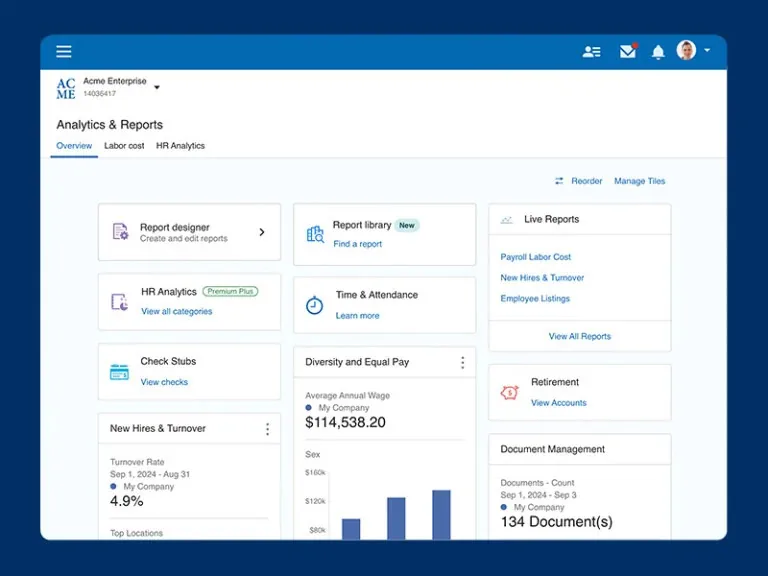
If you prefer having a real person nearby when payroll or HR gets complicated, Paychex PEO is worth a look. Built on Paychex’s broader payroll infrastructure, it combines the PEO model with HR support, benefits, workers’ compensation, and compliance services.
Its biggest differentiator is its local branch presence. While many HR platforms have moved towards entirely digital support, Paychex maintains a large network of local offices and representatives. That can be especially valuable for regional businesses or companies with employees spread across multiple locations.
For existing Paychex customers, the connection with Paychex Flex can also make the transition more straightforward.
Key Features
- PEO/co-employment model with health and retirement benefits
- 100+ local offices and in-person support
- Dedicated HR and payroll professionals
- Paychex Flex integration for payroll and time tracking
- Workers’ compensation and risk management
- Multi-state payroll, tax filing, and compliance support
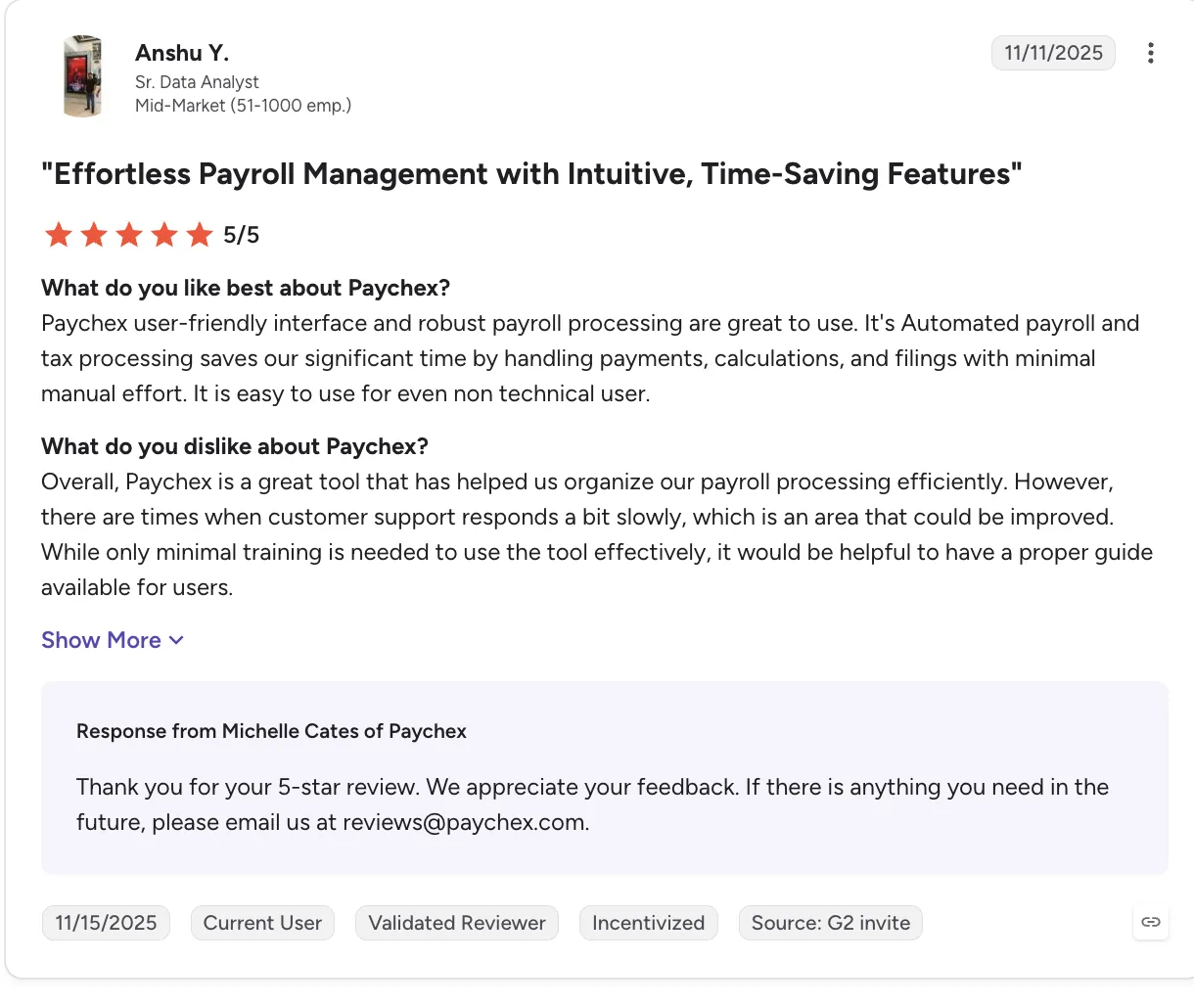
One Paychex user gives the platform a glowing 5-star review, calling out its easy-to-use interface, automated payroll, and the time it saves. The downsides? Support can be slow at times, and users could use better guidance.
| Pros | Cons |
|---|---|
| Local branch presence for in-person service and support | Co-employment model with standard PEO constraints |
| Strong payroll infrastructure from Paychex’s core business | Platform can feel dated compared to cloud-native competitors |
| Dedicated support reps provide continuity, not just ticket queues | Pricing not published; varies by location and company profile |
| Scalable from small business PEO to mid-market | Less industry-specific expertise than TriNet’s vertical approach |
Pricing: Custom quote
Best for: Regional businesses and distributed companies that prioritize local relationships and hands-on support alongside PEO services
Not for: Companies looking for the most modern HR technology or highly specialized industry expertise
6. Rippling – 4.8/5
Best for Tech-forward teams wanting software control with optional PEO add-on
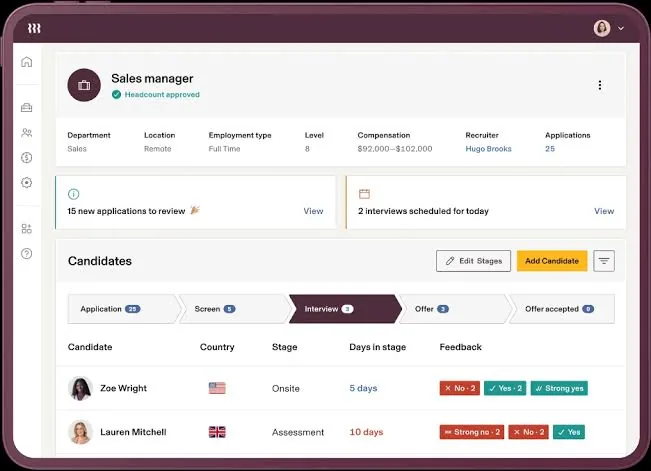
If Insperity feels too PEO-first, Rippling flips the model around. It is a unified platform connecting HR, payroll, IT, devices, apps, and spend management. You remain the employer of record, but can add PEO services if and when you actually need them.
That flexibility makes Rippling particularly appealing to tech-savvy teams that want modern automation without locking themselves into co-employment. It can also make the eventual move away from PEO services less disruptive.
Key Features
- One platform connecting HR, payroll, IT, devices, and employee spending
- Flexible modules so you can build the platform around your needs
- PEO services available when needed, rather than being the default model
- Automated processes for onboarding, offboarding, and IT setup
- Supports U.S. multi-state payroll and international contractor payments
- App provisioning and single sign-on to simplify access management
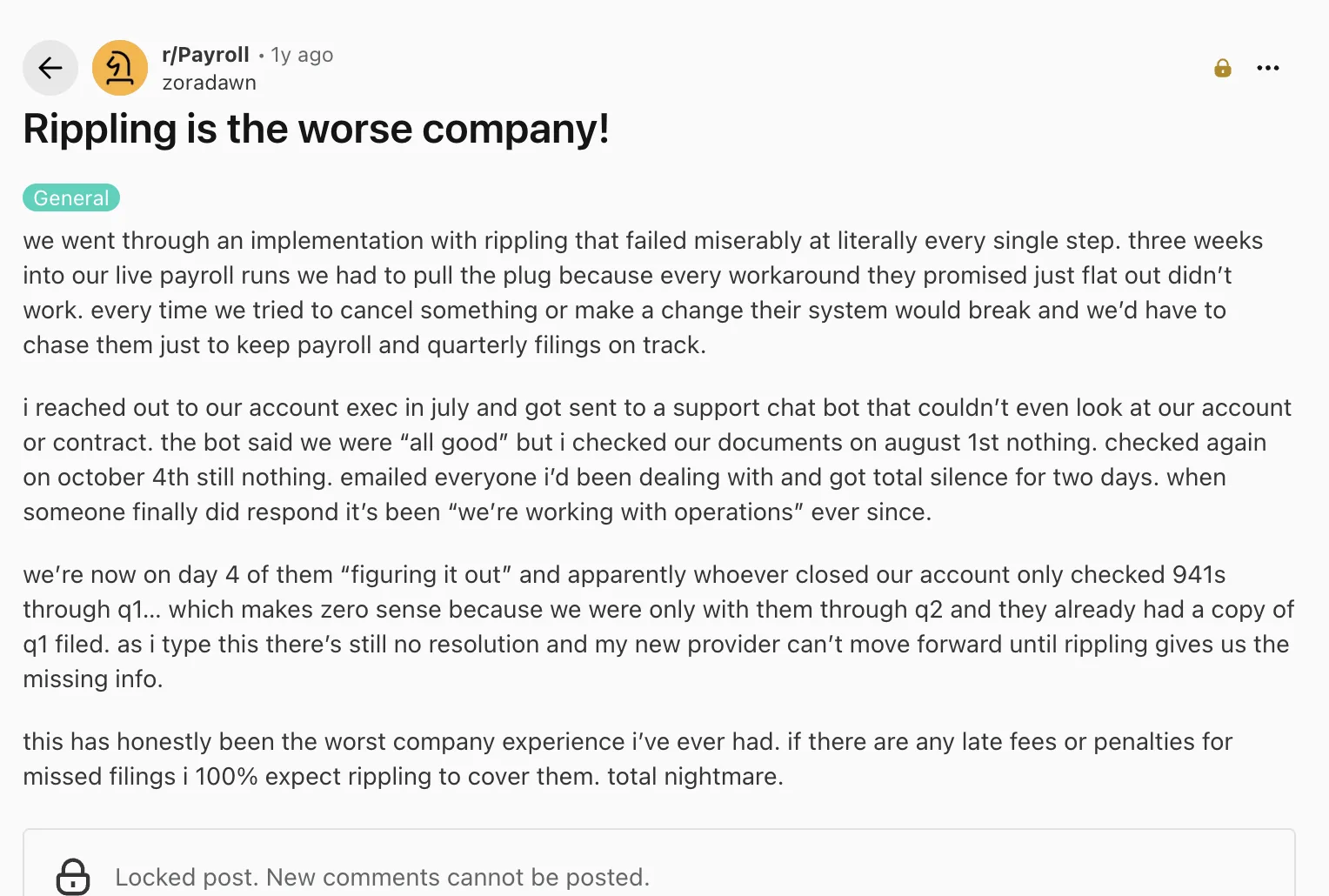
One reviewer’s experience highlights the potential downside of Rippling’s implementation and support process:
| Pros | Cons |
|---|---|
| Software-first with optional PEO, flexibility to choose | Modular pricing can get expensive when adding multiple modules |
| Modern, automation-heavy platform appeals to IT-savvy teams | PEO option is an add-on, not Rippling’s core expertise |
| Unique HR + IT unification (device management, app access) | Complexity of platform may overwhelm smaller HR teams |
| Modular pricing lets you buy only what you need | Support quality varies based on module and tier, per some reviewers |
Pricing: Custom pricing
Best for: Tech companies and IT-forward HR teams that want modern software with PEO optionality
Not for: Companies primarily looking for deep, traditional PEO expertise or a simple, low-complexity HR platform
7. Paylocity – 4.4/5
Best for Mid-market HR teams prioritizing employee experience and engagement tools
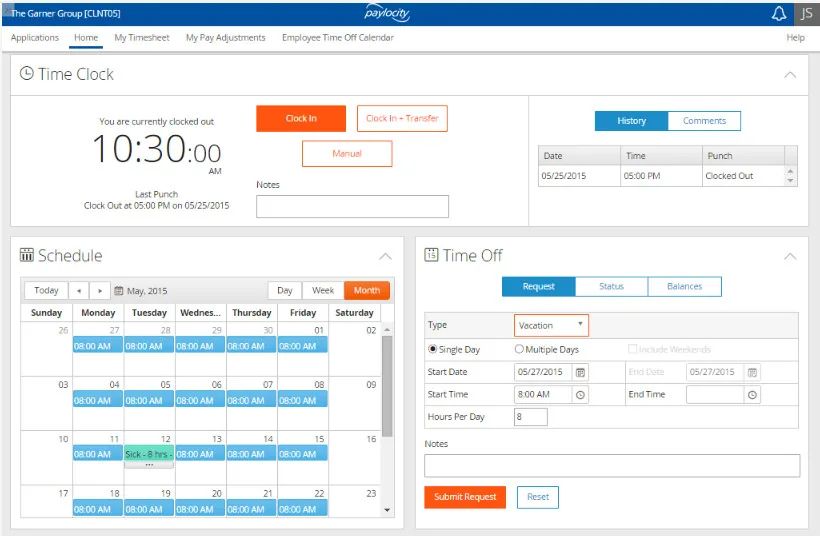
Paylocity is a cloud-based HR and payroll platform built for mid-market companies, typically those with 100–5,000 employees. Unlike a PEO, it’s software-only, so you remain the employer and keep control of your HR operations.
Its standout strength is employee experience. Alongside payroll and HR, Paylocity offers tools for employee communication, engagement, learning, surveys, on-demand pay, and time management.
Key features
- Multi-state payroll with automated tax filing
- Employee communication and engagement through Community
- On-demand pay and financial wellness tools
- Learning and development platform
- Time, labor, and scheduling management
- Benefits administration and carrier integrations
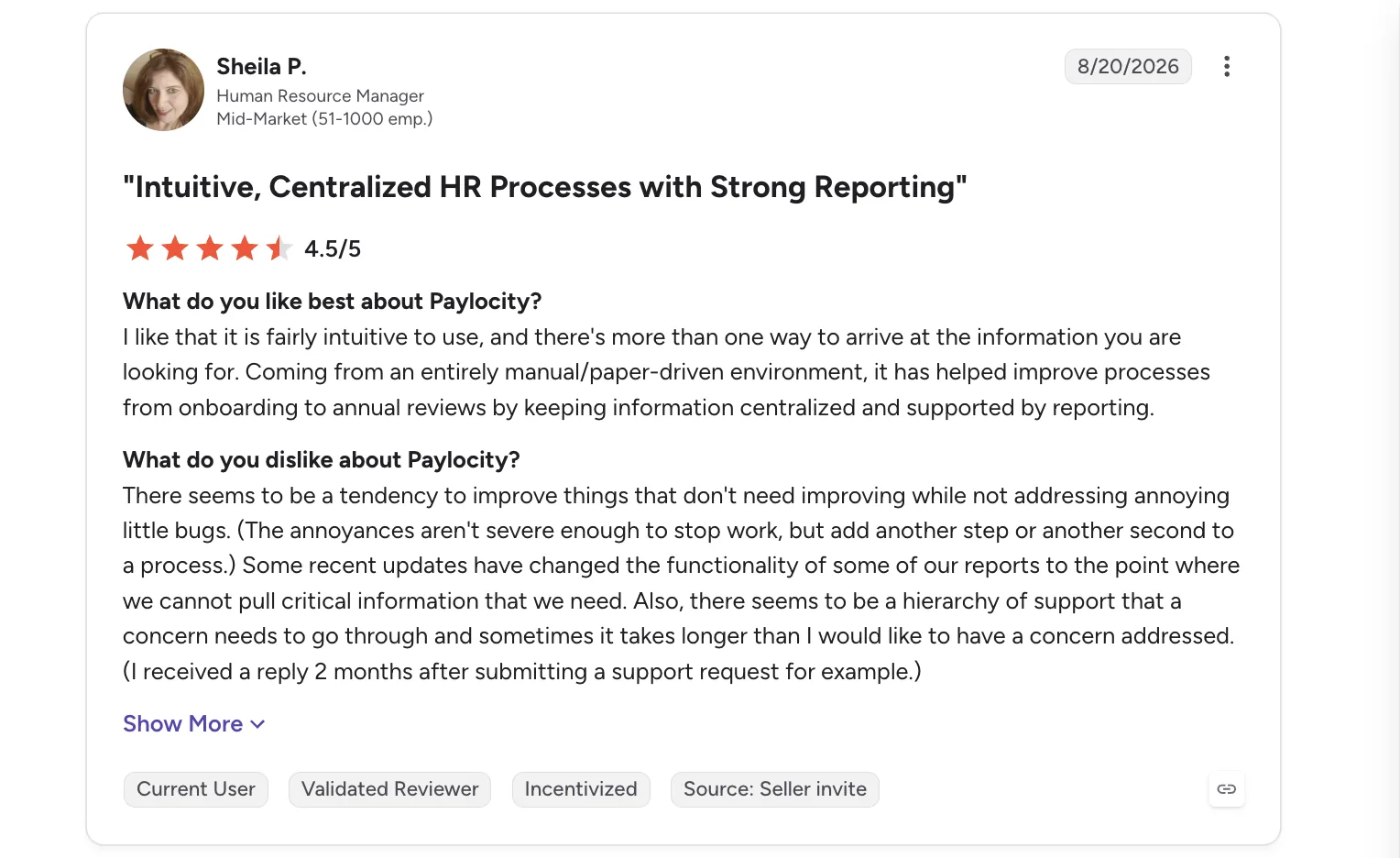
A Paylocity reviewer on G2 highlights both sides of the experience: the platform makes HR processes more centralized and intuitive, but frustrating bugs, reporting changes, and slow support can get in the way.
| Pros | Cons |
|---|---|
| Strong employee experience features (Community, video, surveys) | Pricing not published, requires sales conversation |
| No co-employment; you retain full employer control | No PEO option; you must manage compliance and benefits relationships |
| Good fit for mid-market complexity (100-2,000 employees) | Implementation can take 8-12 weeks for full rollout |
| Solid payroll accuracy and multi-state handling | Some users report module fragmentation across the platform |
Pricing: Custom quote.
Best for: Mid-market HR teams that prioritize employee engagement, communication, and learning alongside payroll.
Not for: Companies looking to fully outsource HR administration or access PEO-negotiated benefits.
8. Gusto – 4.6/5
Best for SMBs under 100 employees needing simple payroll with basic HR
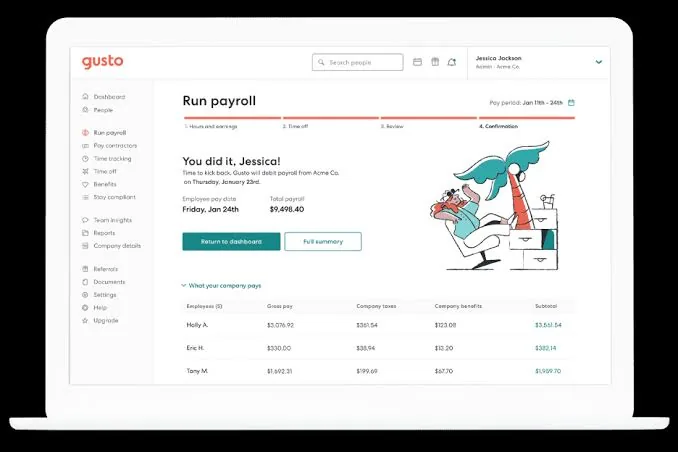
Gusto is a payroll and HR platform built primarily for small businesses, offering a much simpler alternative to Insperity’s PEO model. You remain the employer while Gusto handles payroll administration, tax filings, benefits, onboarding, and other core HR tasks through software.
Its biggest draw is simplicity: clear pricing, quick setup, and an intuitive experience.
Key features
- Automated payroll and tax filing for employees across all 50 states
- Employee benefits support, including health insurance administration and brokerage
- Streamlined onboarding with digital paperwork and employee records
- Hiring essentials such as job offers and basic applicant management
- Built-in compliance guidance with alerts and HR resources
- Straightforward pricing with plans and costs available online
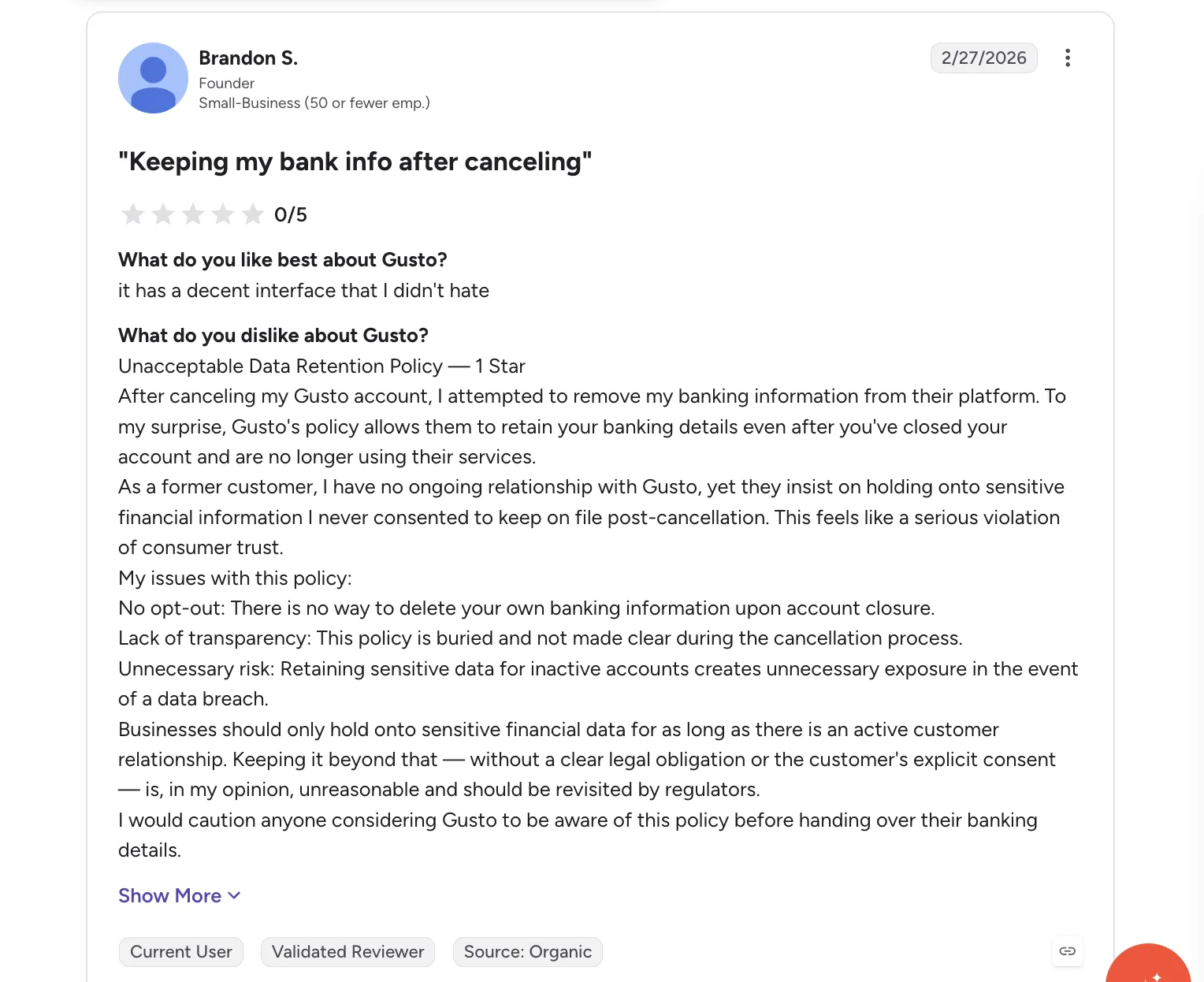
One Gusto reviewer on G2 raises a more serious concern, questioning the platform’s data retention practices after account cancelation, particularly around sensitive banking information.
| Pros | Cons |
|---|---|
| Transparent, published pricing, easy-to-understand costs | Designed for small business, limited for 100+ employees |
| Excellent UX praised consistently in reviews | No PEO option; you’re responsible for compliance |
| Fast self-service setup, often live within days | Performance management and advanced HR features are basic |
| Full-service payroll handles taxes and year-end filing | Support can be slow during peak payroll periods, per reviewers |
Pricing: Published, tiered plans.
Best for: Small businesses with 5–100 employees that want straightforward payroll and HR software without co-employment.
Not for: Mid-market organizations needing sophisticated HR capabilities or companies specifically seeking outsourced HR and PEO benefits.
How to Choose the Right Insperity Alternative
Once you know your priority, compare providers on the factors that will have the biggest impact on your team and total cost.
| Headcount | Pick | Why |
|---|---|---|
| 10-50 employees | Gusto or Justworks | Gusto for self-service software simplicity; Justworks if you want PEO benefits access with transparent pricing and fast setup. |
| 50-200 employees | Keka or Justworks | Keka for unified HR+payroll software with full employer control; Justworks if you still want PEO benefits but aren’t ready for enterprise PEO complexity. |
| 200-1,000 employees | Keka, Paylocity, TriNet, or Paychex PEO | Software options (Keka, Paylocity) for control and consolidation; PEO options (TriNet, Paychex) if you want outsourced HR administration and benefits negotiation leverage. |
| 1,000+ employees | ADP TotalSource or Keka | ADP TotalSource for enterprises wanting PEO scale and global expansion path; Keka for enterprises ready to run HR/payroll in-house with a unified platform. |
Migrating off Insperity
Moving off Insperity means taking on payroll, benefits, tax, compliance, and employee records yourself. Planning ahead gives you time to get everything in place and keep payroll running smoothly.
| Phase | Timeline | You own | Vendor owns |
|---|---|---|---|
| Audit & planning | Weeks 1-4 | • Identify Insperity-held data
• Review termination terms & notice period |
• Provide data import templates
• Assign implementation manager • Confirm go-live date |
| Employer re-establishment | Weeks 3-6 | • Re-register with IRS & state agencies
• Set up workers’ comp |
• Configure multi-state tax jurisdictions
• Provide registration guidance |
| Benefits transition | Weeks 4-8 | • Engage benefits broker
• Select health & retirement plans • Coordinate enrollment / COBRA |
• Configure benefits administration
• Connect carriers |
| Data migration & parallel run | Weeks 6-10 | • Export payroll & YTD tax data
• Provide employee census • Validate imported data |
• Import historical data
• Run 1–2 parallel payroll cycles • Resolve discrepancies |
| Cutover & final Insperity payroll | Week 10-12 | • Communicate change to employees
• Coordinate final Insperity payroll • Confirm W-2 responsibility |
• Run first live payroll
• Handle tax deposits • Enable employee self-service |
| Common failure points during migration |
|---|
|
Conclusion
Ultimately, the right alternative to Insperity comes down to how much control a company wants over its HR operations, and whether pricing transparency, industry-specific expertise, or fast onboarding matters most. Companies moving away from co-employment toward software-driven control will land on a different provider than those who still want a PEO’s hands-off model, just with better transparency or a better fit for their industry and size.
There’s no single best alternative to Insperity. The right choice comes down to whether a company prioritizes control, specialized PEO support, or simplicity and speed.
See how Keka can simplify HR and payroll for your growing workforce.


