


 Login
Login

Payroll Process Flowchart: Complete Step-by-Step Guide



PRODUCTS
 Payroll Suite
 HR Suite
 Talent Suite
 Project Services Suite
Meet the platform tailored to your business
Core system of record
One platform for the entire employee journey

BY INDUSTRY
BY COMPANY SIZE
LEARN
EXPLORE KEKA
A payroll process flowchart maps every step involved in paying employees, from collecting attendance and calculating salaries to applying statutory deductions, securing approvals, and disbursing payments. This guide explains the five stages of payroll processing, linear and swimlane flowcharts, compliance checkpoints, decision points, and the latest PF, ESI, TDS, and Professional Tax requirements for 2026.
Every pay cycle depends on dozens of interconnected tasks: collecting attendance, calculating earnings, applying statutory deductions, securing approvals, and releasing payments on time. Miss a handoff or skip a verification step, and a small payroll mistake can quickly become a compliance issue, employee grievance, or audit finding.
That’s why organizations rely on a payroll process flowchart. It provides a visual map of every step in the payroll cycle, from data collection to salary disbursement, clearly showing the sequence of activities, decision points, and ownership across HR, Payroll, Finance, and Management.
Instead of scattered policy documents, spreadsheets, or undocumented processes, everyone works from the same standardized workflow.
A well-designed flowchart is even more valuable today. With the Labour Codes reshaping wage definitions and payroll data feeding workforce planning, finance, and compliance, payroll has become a business-critical process rather than just an administrative function.
In this guide, you’ll learn how to build a payroll process flowchart, understand the five stages of every payroll cycle, explore linear and swimlane workflows, and review the latest PF, ESI, TDS, and Professional Tax requirements for 2026.
Key Takeaways
A payroll process flowchart visually maps every payroll activity, decision point, and approval from employee data collection to salary disbursement.
Most Indian payroll workflows follow five stages: data collection, gross pay calculation, statutory deductions, payroll verification, and payment disbursement.
Swimlane flowcharts are ideal for organizations with multiple stakeholders because they clearly assign ownership across HR, Payroll, Finance, and Management.
Decision points such as ESI eligibility, overtime approval, and payroll verification help reduce errors before salaries are processed.
An up-to-date payroll flowchart should reflect the latest Labour Code provisions and current PF, ESI, TDS, and Professional Tax requirements.
Using standardized payroll templates and documented workflows improves compliance, simplifies audits, and makes payroll easier to scale as your organization grows.
What is a Payroll Process Flowchart?
A payroll process flowchart is a diagram showing the sequence of payroll steps, the points where the process branches into decisions, and who owns each stage.
That’s different from a payroll policy document. A policy tells you what payroll involves, the rules, components, and compliance requirements. A flowchart shows the sequence and handoffs between people, which is what a new payroll hire or an auditor actually needs.
Nobody opens a 40-page policy PDF to find out who signs off on an overtime exception. They look at the diagram.
Every complete flowchart is built from five components:
Swimlanes: Bands separating departments or roles such as HR, Payroll, Finance, and Management.
Process steps: Individual actions like “Calculate Gross Pay.”
Decision points: Diamonds marking branches, such as “Is this employee ESI-eligible?”
Arrows and connectors: Showing how work moves between steps and teams.
Start and end points: Marking where the payroll cycle begins and closes.
Building this out pays off in ways that are easy to underestimate. Ownership stops being a guessing game, bottlenecks become visible once the workflow is mapped, and an accurate flowchart can double as audit documentation.
Tip:
If your current payroll documentation is a policy PDF with no diagram anywhere in it, that’s the exact gap a flowchart closes.
Linear vs Swimlane Payroll Flowchart: Which Should You Use?
Not every organization needs the same level of detail. The right format depends largely on how many people touch the payroll process.
A linear flowchart lists payroll steps in a straight sequence: collect, calculate, deduct, approve, and pay. It’s quick to build and easy to read, which makes it suitable for smaller organizations where one or two people manage the entire payroll cycle.
A swimlane flowchart divides the same process into lanes based on departments or roles. It takes longer to create, but it answers a question a linear flowchart cannot: Where does HR’s job end and Finance’s begin?
Attribute Linear Flowchart Swimlane Flowchart Best For Small businesses, under 20 employees Mid-size to large, multi-department Approval Visibility Low, sequential steps only High, shows HR/Finance/Management handoffs Audit Readiness Weak Strong, doubles as audit documentation Creation Effort Low Higher, needs role mapping The practical shift is to move to a swimlane format once more than one department becomes involved in payroll approval.
Note: Retrofitting ownership into a flowchart after a compliance gap has been flagged is far harder than building it into the workflow from the start.
What are the 5 Basic Steps in Processing Payroll?
At a macro level, every Indian payroll cycle moves through five stages:
Data collection and time tracking
Gross pay calculation
Statutory deductions and Tax calculations
Net pay verification and approval
Payment disbursement and documentation
You’ll sometimes see payroll described as three broader stages, such as pre-payroll, actual payroll processing, and post-payroll, or as eight detailed steps.
These aren’t competing frameworks. The five-step model provides the macro structure for the flowchart, while more detailed workflows explain what happens within each stage.
Step 1: Employee Data Collection & Time Attendance Integration
Every payroll run starts with data, and everything downstream depends on how clean that data is.
Leave and attendance data touches almost every later calculation. An error here rarely stays contained. It tends to ripple through salary calculations, deductions, and final payouts.
Two main categories of information feed this stage:
Time and attendance data, including clock-ins, approved leave, overtime, and loss-of-pay days, usually captured through biometric devices, HRMS self-service portals, or timesheets.
Income tax information, since Section 192 of the Income Tax Act requires employers to estimate and deduct TDS on salary correctly.
Form 12BB is particularly important here. Employees use it to submit investment declarations covering HRA claims, LTA, home-loan interest, and Chapter VI-A deductions.
If the required information is not available, the employer may need to calculate TDS without considering those tax-saving claims.
Tip:
Build a decision point into the data-collection lane: declaration submitted, or apply the default tax treatment based on the available information.
The Labour Codes also affect how organizations define and classify employees for payroll purposes. This is another reason the flowchart should not be treated as a permanent document. Regulatory changes need to flow back into the process.
Required Documents Purpose Form 12BB Accurate TDS calculation PAN and Bank Details Statutory filing and disbursement Attendance and leave records Basic input for gross pay Previous employer Form 16 TDS continuity Step 2: Gross Pay Calculation in the Payroll Flowchart
Gross pay is the employee’s earnings before deductions.
It can include:
Basic Salary + HRA + Allowances + Reimbursements + Arrears + Bonus
The formula itself may look straightforward, but certain components require separate decision points in the flowchart.
Overtime Calculation
Overtime depends on the law applicable to the establishment.
Factories Act: Generally, 2x the ordinary rate for hours beyond prescribed limits.
Shops and Establishments Acts: Applicable rates can vary by state.
The ordinary rate for overtime should not automatically be confused with the employee’s full gross salary.
Using gross salary as the overtime calculation base when the applicable law requires another wage basis can result in incorrect payouts.
The Labour Code 50% Wage Rule
The Labour Codes have also brought greater attention to the definition of wages.
Certain components may be excluded from the wage base. However, where applicable exclusions exceed 50% of total remuneration, the excess can be added back to wages for the relevant statutory calculation.
This can affect components linked to the wage definition, including gratuity, retrenchment compensation, and leave encashment.
Tip: Review the 50% wage rule across salary structures during compensation planning rather than waiting for the next payroll or compliance review.
Arrears, bonuses, and mid-year salary revisions should sit as conditional branches in the flowchart because they do not apply to every employee in every payroll cycle.
Step 3: Statutory Deductions and Tax Withholding
This is the stage where an outdated payroll flowchart can create the most risk.
Compliance rates and deadlines change, while old figures often remain in internal process documents long after they should have been updated.
TDS
TDS on salary is generally calculated by estimating the employee’s annual tax liability, determining the applicable average rate, and deducting tax through the year.
Key deadlines include:
Monthly TDS deposit: Generally by the 7th of the following month
March deductions: Generally subject to the 30 April deadline
Form 24Q: Filed quarterly according to the applicable due dates
Provident Fund (PF)
Provident Fund contributions generally operate at 12% for both the employee and employer, subject to the applicable wage base and coverage rules.
The employer contribution is split between EPF and EPS according to the applicable provisions.
A key threshold is the ₹15,000 wage ceiling for the standard statutory contribution framework. Coverage and contribution requirements should be mapped separately from the flowchart’s basic salary-calculation logic.
ESI
ESI remains one of the most common sources of outdated figures in older payroll documentation.
The current contribution rate is:
Employer: 3.25%
Employee: 0.75%
Note: If your payroll flowchart still shows the older 4.75% employer and 1.75% employee rates, update it before the next payroll review.
Coverage is generally linked to an employee’s applicable wage threshold, including the higher threshold for employees with disabilities.
Professional Tax
Professional Tax adds a state-level layer to the payroll workflow.
The calculation and filing deadline can vary depending on the state in which the employee or establishment falls.
For organizations operating across multiple states, Professional Tax should be mapped as a decision branch rather than treated as one uniform deduction.
The sequence also matters. The payroll workflow should clearly show how gross pay moves through applicable deductions and tax calculations before arriving at net pay.
Step 4: Payroll Verification and Approval Workflow
A flowchart that jumps directly from calculation to disbursement is missing its most important safeguard.
Before approval, payroll figures should be reconciled against the relevant records, including:
Payroll register
General ledger
Bank disbursement file
PF, ESI, and TDS records
Every material variance should have a documented explanation before sign-off.
A typical approval workflow may include:
Payroll Officer: Reviews the payroll output.
HR Manager: Reviews exceptions and variance reports.
Finance Controller: Verifies the total payout against available budgets and financial records.
CFO or authorized signatory: Provides final approval where required.
Underneath the workflow sits the maker-checker-approver principle.
The person processing payroll should not also be the only person approving the final bank transfer. Approvals, rejections, and corrections should leave an audit trail showing the user, action, and timestamp.
Tip:
A single sign-off is one of the most common control gaps in manual payroll. Separating preparation and approval is a relatively simple control with a significant impact.
When a variance appears, the flowchart needs a loop rather than a dead end:
Investigate → Correct → Recalculate → Re-verify → Approve
No unresolved exception should move directly to payment.
Step 5: Net Pay Disbursement and Pay Stub Generation
Once payroll is approved, the final stage is disbursement and employee documentation.
Common transfer modes include:
Mode Limit Speed Best for NEFT From ₹1, no upper limit Up to 2 hours Routine bulk salary RTGS Min ₹2 lakh, no upper limit ~30 minutes High-value, time-sensitive transfers IMPS ₹1 to ₹5 lakh Instant Urgent, small transfers The flowchart should go beyond a simple “Disburse Salary” box where different payment routes are used. The decision point should reflect the organization’s approved banking process and transaction requirements.
Payslip issuance is also an important post-payroll step. The applicable requirement can vary depending on the establishment type and relevant state law, including provisions linked to the Minimum Wages Rules and state-level employment regulations.
A typical payslip includes:
What Compliance Checkpoints Should a Payroll Process Flowchart Include?
A flowchart earns its place as audit documentation only when it includes compliance checkpoints around the payroll calculation process.
Compliance Deadline TDS deposit 7th of the following month PF remittance 15th of the following month ESI contribution 15th of the following month Professional tax Varies by state The payroll cycle should also account for quarterly and annual documents such as Form 24Q, Form 12BB, Form 16, and related tax records.
Record Retention
Record retention is often underrepresented in payroll flowcharts.
Different laws may prescribe different retention periods for payroll and employment records. Organizations should maintain a retention schedule based on the laws applicable to their establishment rather than relying on a single generic period.
Under Section 50 of the Code on Wages, employers have record-keeping obligations. Penalties may apply where required records are not maintained or statutory provisions are not followed.
The safest approach is to include record retention as a final checkpoint in the payroll process.
Small Business vs Enterprise Payroll Flowchart: What Changes?
The core payroll stages remain largely the same whether an organization has 10 employees or 10,000.
What changes is the number of people, systems, and controls involved.
Attribute Small business Mid-size Enterprise Flowchart complexity Simple linear flow Hybrid workflow Detailed swimlane workflow Typical approval count 1 2 to 3 3 to 4 Processing time 1 to 2 days 2 to 3 days 3 to 5 days Software need Spreadsheet may work initially HRMS becomes valuable Integrated systems usually required Manual payroll can work for a very small team.
But as an organization adds more employees, locations, contractors, attendance policies, and salary structures, the number of exceptions grows quickly. That is usually when a basic linear flowchart needs to evolve into a structured, role-based workflow.
Payroll Software Integration Points in the Flowchart
A flowchart on paper is a planning tool. Mapped to the HRMS a team actually uses, it becomes an operating one.
The most important integration points include:
Time and attendance sync: Attendance flows directly into payroll calculations.
Statutory compliance calculations: PF, ESI, TDS, and Professional Tax are calculated using the applicable configuration.
Employee self-service: Payslips and payroll information are accessible without manual HR intervention.
General ledger integration: Payroll data can flow into financial systems without repeated manual entry.
Keka’s payroll module uses a range-based salary structure that allows organizations to manage salary components and revisions without repeatedly rebuilding underlying payroll formulas.
The goal of automation is not to remove the flowchart. It is to make the flowchart easier to execute consistently.
Common Decision Points and Error Scenarios in Payroll Flowcharts
The steps so far cover the standard path. Real payroll runs branch constantly, and a flowchart that only shows the happy path misses exactly the situations that cause the most delay.
Wage garnishments and court orders are one of the more legally sensitive branches. Under the Payment of Wages Act framework, now folded into the Wages Code, deductions are permitted only for:
Recovery of advances
Damages to company property entrusted to the employee
Unauthorised absence
Fines
Court orders
Approved fund contributions
Total deductions generally can’t exceed 50% of wages per period, extendable to 75% for co-operative society payments.
Note:
Full and final settlement deductions should be a genuine last resort, with a payment plan attempted first wherever possible.
The decision diamonds worth building into this part of the flowchart:
Overtime approval status, routing to the 2×/1.5× calculation in Section 5
ESI eligibility, checked against the ₹21,000 threshold in Section 6
New joiner mid-cycle, triggering prorated calculation and Form 12B
Active wage garnishment, applying the 50%/75% cap
Full and final settlement, routed through last-resort recovery logic
The same error correction loop from Section 7 applies here too. Investigate, correct, recalculate, re-verify, before any exception reaches disbursement unresolved.
Wrapping it Up
A payroll process flowchart does more than document payroll.
It standardizes every step, clarifies ownership, reduces manual errors, and ensures compliance checks happen before salaries are processed.
Whether you’re running payroll for 20 employees or 2,000, a well-designed workflow helps your team process salaries consistently, prepare for audits, and adapt when regulations or internal processes change.
Start by mapping your existing payroll workflow and identifying where approvals, calculations, handoffs, or compliance checks are unclear.
As your organization grows, managing payroll through spreadsheets and manual approvals becomes increasingly difficult to sustain.
Keka Payroll helps automate salary calculations, statutory compliance, attendance integration, approvals, and payslip generation from a single platform, helping teams run payroll with greater accuracy and consistency.
Simplify payroll from start to finish with Keka.
Frequently Asked Questions (FAQs)
Q1. What is a payroll process flowchart?
- A visual diagram mapping payroll steps from data collection through disbursement, using rectangles for actions and diamonds for decisions, showing ownership and approval checkpoints.
Q2. What are the steps in the payroll process?
- Data collection, gross pay calculation, statutory deductions (TDS, PF at 12%, ESI at 0.75%/3.25%, Professional Tax), verification and approval, then disbursement and payslip generation.
Q3. What are the 5 payroll steps?
- Data collection, gross pay calculation, statutory deductions, verification and approval, disbursement.
Q4. What are the 7 steps of building a flowchart?
- Define scope, list activities, determine sequence, identify decision points, assign responsible parties, add standard symbols, then review and validate.
Q5. How do you calculate gross pay?
- Basic Salary + HRA + DA + Special Allowance + Other Allowances + Overtime + Bonus, before TDS, PF, ESI and Professional Tax are deducted.
Skip the HR hassle and see the solutionSubscribe to keep up with the latest strategic finance content.
Request a demo 13 MinsWhat is Payroll? A Complete Guide for Indian BusinessesFor most companies in India, payroll is the single biggest cost they incur, and one of the most regulated things they do. You...
 8 MinsIf No One Hires Juniors, Where Do Your Next Seniors Come From?During my first week as a writer, all I did was write meta titles for web pages. Hundreds of them. For those unfamiliar,...
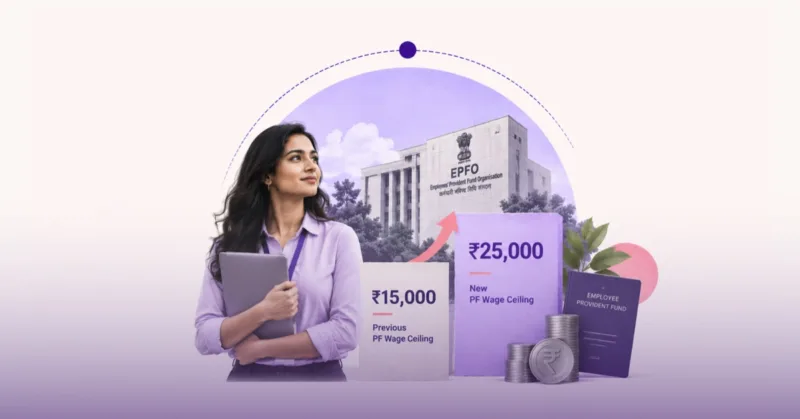 6 MinsPF Wage Ceiling Raised to ₹25,000: What Changes for Employees and EmployersThe Employees’ Provident Fund Organisation (EPFO) has raised the monthly PF wage ceiling from ₹15,000 to ₹25,000, effective 17 September 2026. This is...
Looking for a modern
HR platform?


