


 Login
Login



TRUESigner ONE – Simplify and Automate Your Digital Signing Process
TRUESigner ONE is an electronic signing solution that integrates seamlessly with Keka, allowing users to sign documents with ease using either electronic signatures or DSC tokens. TRUESigner ONE Enterprise requires an active TRUESigner ONE subscription. Kindly reach out to [email protected] for guidance and onboarding support
TRUESigner ONE enables seamless digital signing of employee documents directly within Keka, eliminating manual effort and ensuring faster, more secure approvals.
With TRUESigner ONE, HR teams can automate document workflows, track signing progress in real-time, and ensure signed files are automatically uploaded back to Keka — all in one integrated experience..
Why Install TRUESigner ONE?
• Solve Critical Problems: TRUESigner ONE addresses the common challenges of manual document signing, such as delays, errors, and the need for physical storage. By automating the signing process, it ensures accuracy, speed, and security.
• Seamless Integration: Connecting TRUESigner ONE with Keka allows users to manage and track document signing directly within their HRMS, streamlining workflows and improving efficiency.
NOTE: Right now only workflows with single signer are supported.
Key Features
- Secure Digital Signing – Legally compliant and encrypted signature workflows.
- Seamless Keka Integration – End-to-end signing process managed directly from your Keka portal.
- Automated Document Upload – Signed files are automatically synced back to Keka.
- Real-Time Tracking – View document status, signer progress, and completed files in one place.
- Single Signer Support – Assign signer (e.g., employee, HR, manager) as needed in the workflow.
How to Use TRUESigner ONE from Keka
Step 1: Log in to Keka
- Start by logging into your Keka account using your organization credentials.
Step 2: Install TRUESigner ONE
- Go to the Keka App Marketplace.
- Search for “TRUESigner ONE”.
- Click Install App and follow the on-screen instructions to complete the installation.
Step 3: Create or Edit a Document Template for Signing
- Navigate to Org → Documents → Document Templates in Keka.
- Either create a new template or edit an existing one.
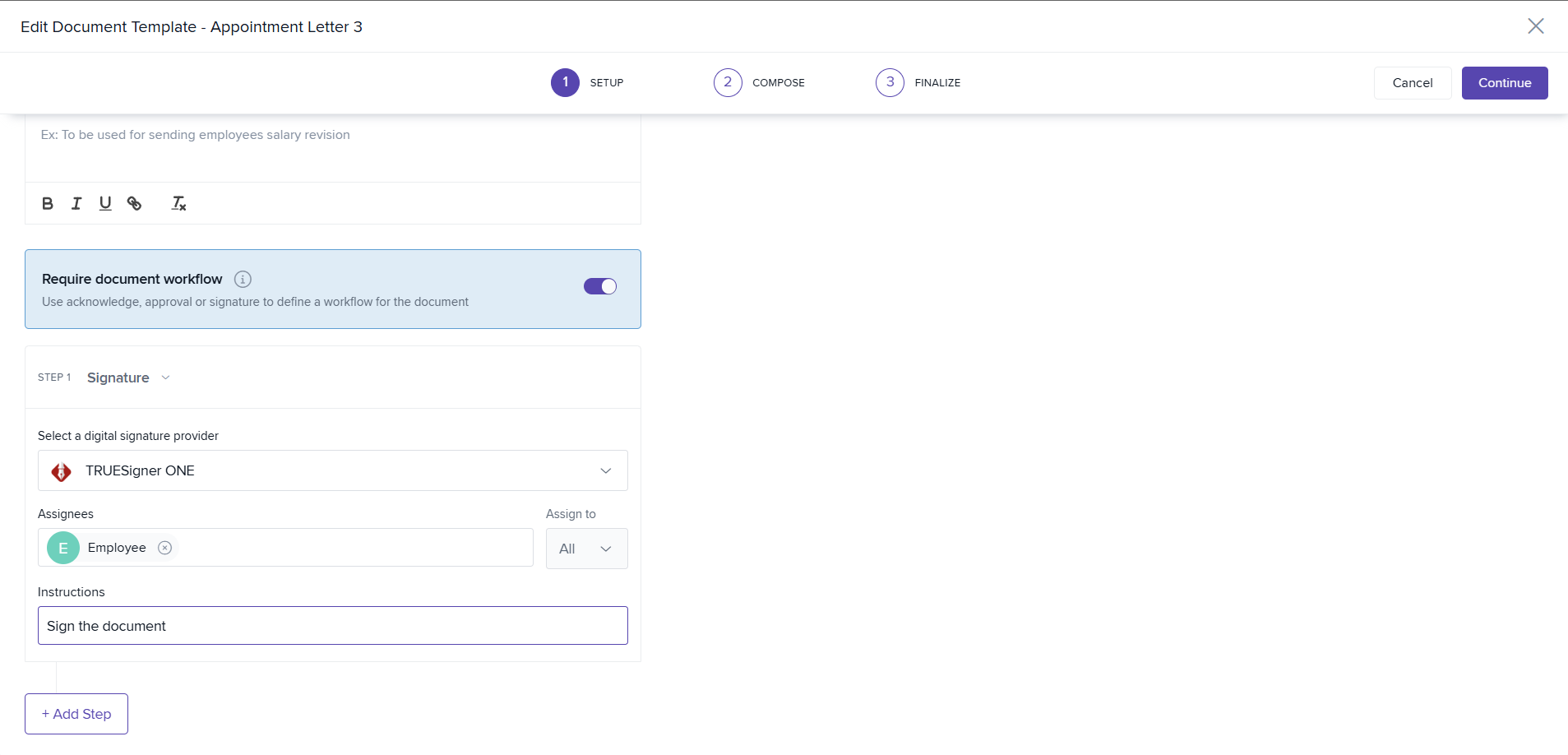
- Enable “Require Document Workflow.”
- Under Select an Action, choose Signature.
- Under Select a Digital Signature Provider, choose TRUESigner ONE.
- Under Select Assignees, choose Employee (or any relevant role).
- Add the required signature placeholders.
- To add a signature field, choose Workflow Signatories → Signature - Employee 1 (or relevant signer).
- Additional steps cannot be added because the app currently supports only one signer.
- Save your template once all fields are configured.
Step 4: Initiate a Signing Request
- Go to your Documents section and select the template created for signing.
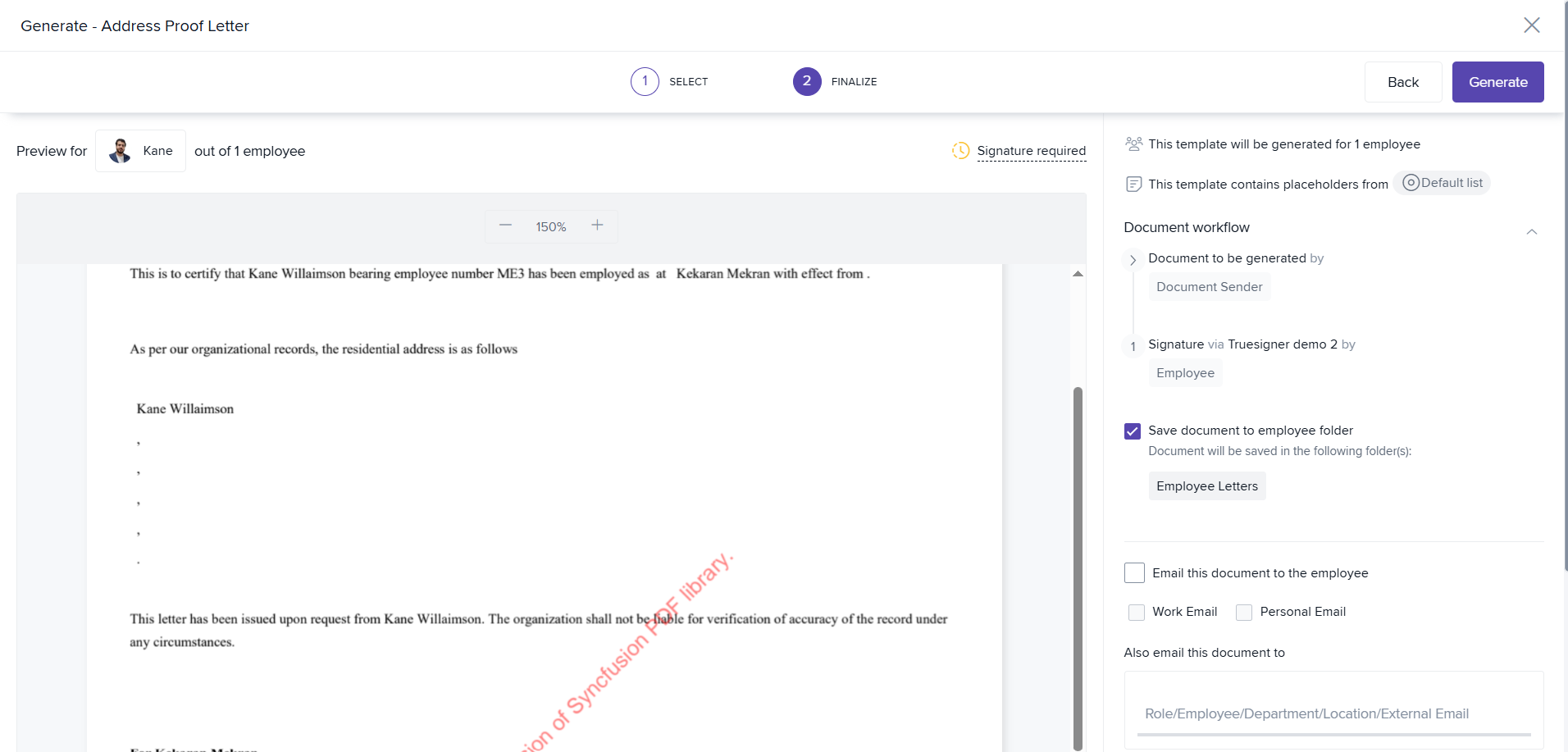
- Click Generate.
- Select the employees for whom you want to initiate the signing request.
- Check the option “Save document to employee folder.”
- Click Generate to send signing requests.
- The signers will receive a signing link via email.
Step 5: Sign the Document
- The signer clicks on the “Review and Sign” button in the received email.
- They will be redirected to a secure signing page.
- After reviewing the document, they can accept the Terms of Service and add their signature.
Step 6: Track Document Status
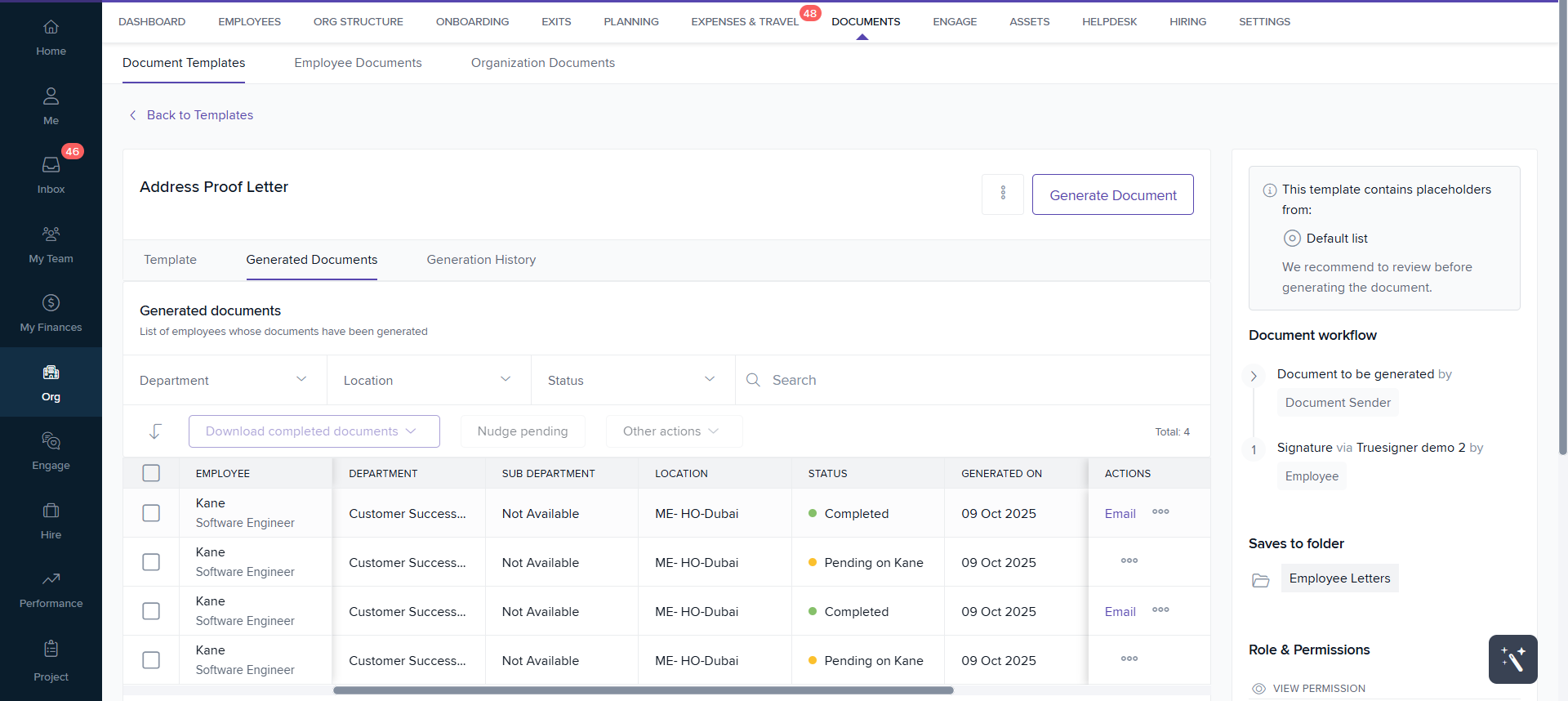
- Go to your Document Template → Generated Documents tab.
- You can view:
- The status of each document (e.g., Pending, Signed).
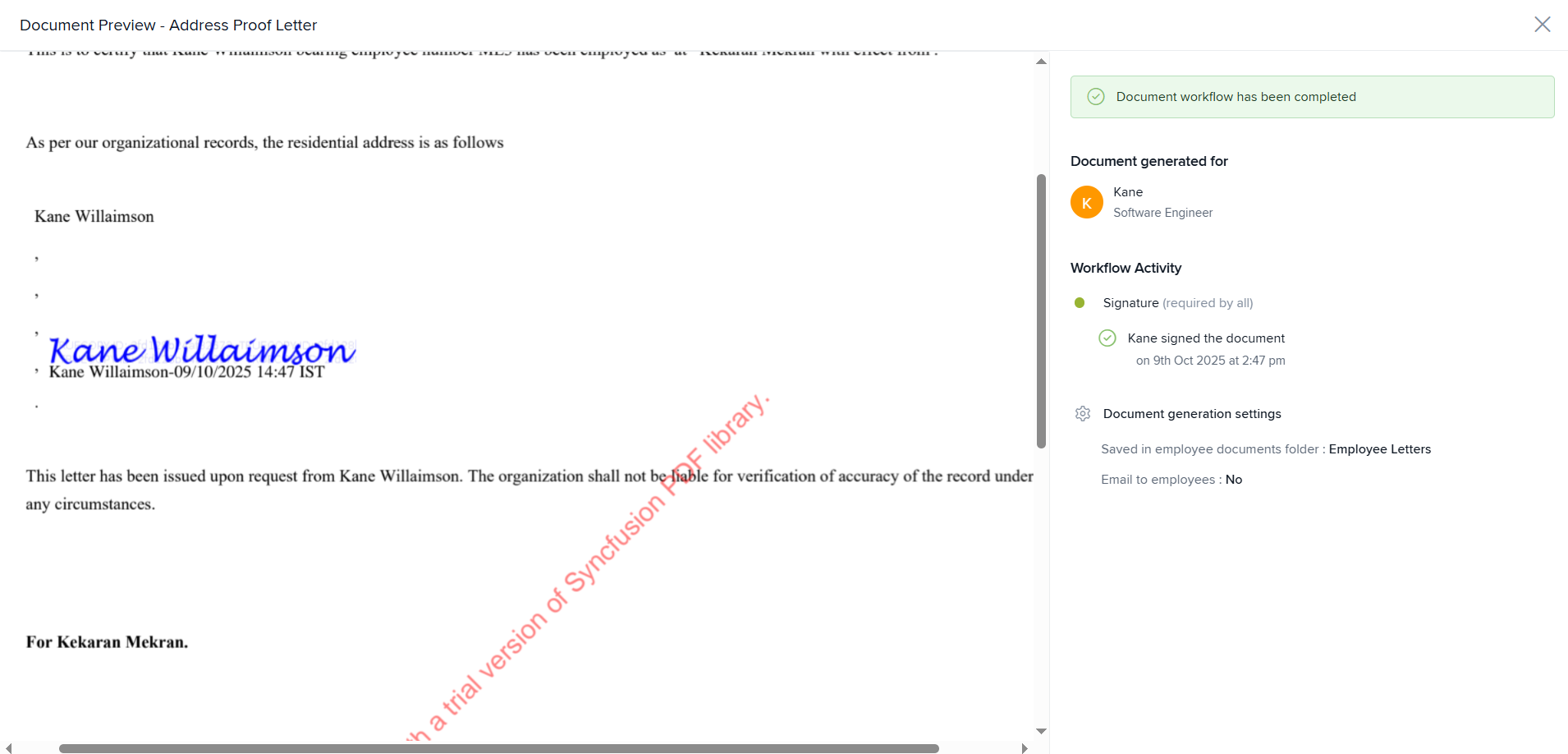
- The signed file, which is automatically uploaded to Keka.
- From this tab, you can also view or email the signed document directly.
Step 7: Manage Signed Documents
- All signed documents are securely stored in the employee’s folder within Keka.
- HR or Admins can view, download, or resend documents as needed.
Why Choose TRUESigner ONE
- 100% paperless and secure digital signing.
- Integrated with Keka for effortless document management.
- Saves time, ensures compliance, and improves the employee experience.
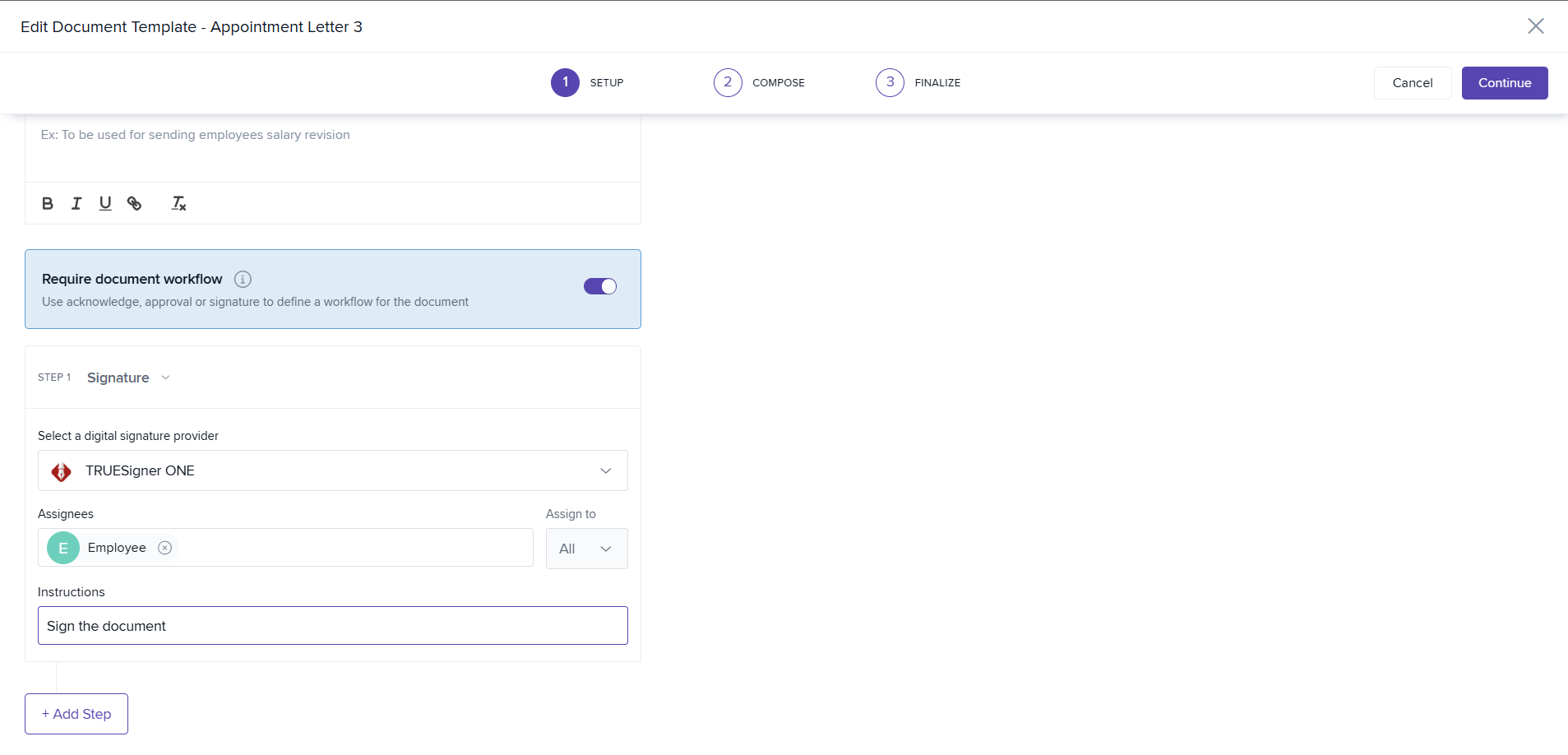
Seamless Digital Signing with TRUESigner ONE
Quickly enable digital signing within your existing document templates using TRUESigner ONE.
With just one step, you can configure signature workflows, assign signers, and automatically send generated documents for secure signing all without leaving your workspace.
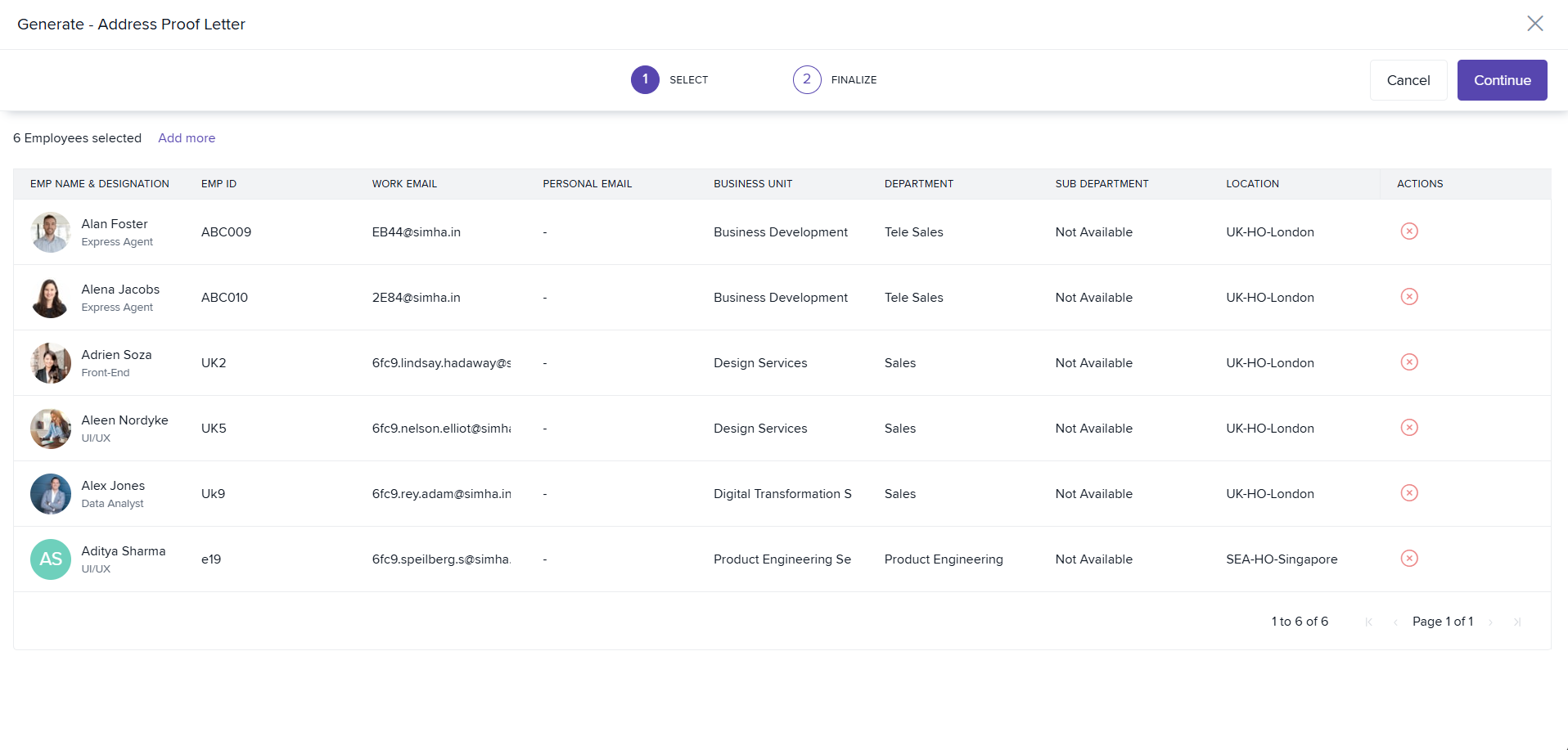
One-Click Bulk Document Initiation
Effortlessly initiate digital signing for multiple employees in just one click.
Once your template is configured for e-signature, you can generate and send multiple documents at once streamlining bulk signing and saving valuable time.
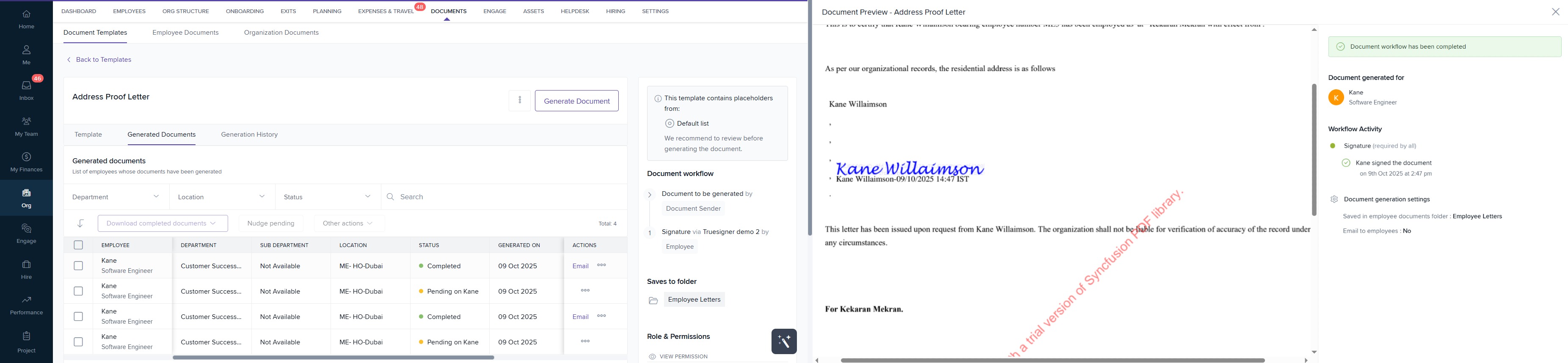
Track Documents in One Place
You can track all documents initiated for signing under the Generated Documents tab.
Here, you can:
- View the current status of each document (e.g., signed or pending).
- Once the signing is successfully completed, the document will be automatically uploaded to KEKA.
- You can also view and email the signed document directly from this section.
