Login


KonnectNXT – Background Verification Made Simple
KonnectNXT helps your organization run fast, automated background verification checks for your candidates and employees — directly from your Keka portal.
Once installed, our team reviews your request and enables the checks relevant to your organization, along with the required credits.* When your setup is completed, you can start raising verification requests instantly.
How It Works
1. Add Candidates Easily
You can add a single candidate or upload multiple candidates through a formatted Excel sheet to raise verification requests in bulk.
2. Select Only the Checks You Need
For every candidate, simply choose which verification checks you want to run.
KonnectNXT will automatically ask the candidate only for the information required for the selected checks.
3. Candidate Consent & Submission
Once a request is initiated, the candidate receives a notification to give consent and submit the necessary details.
As soon as the candidate completes the form, the selected verifications begin automatically.
4. Fast, Automated Processing
All checks are processed end-to-end through an automated workflow.
Most verifications are completed within 48 hours, and the system generates the reports without any manual effort.
5. Live Tracking & Dashboard Insights
Your recruiters and admins can track every case using our simple and clean dashboard:
- Monitor each candidate’s progress
- Apply filters and search easily
- View turnaround time (TAT)
- Download reports when ready
6. Report Updates Back to Keka
Once the candidate submits their information, the request in Keka is marked as Partial Report Ready — indicating the case has started and cannot be withdrawn with refund.
If the tenant withdraws the request before candidate submission, the case is cancelled on KonnectNXT as well.
After all checks are completed, the final report is automatically uploaded back to Keka for your review.
Note
After installation, the vendor app becomes active only after the KonnectNXT team reviews your request, configures the verification checks for your organization, and allocates credits. Until then, no BGV checks can be raised.
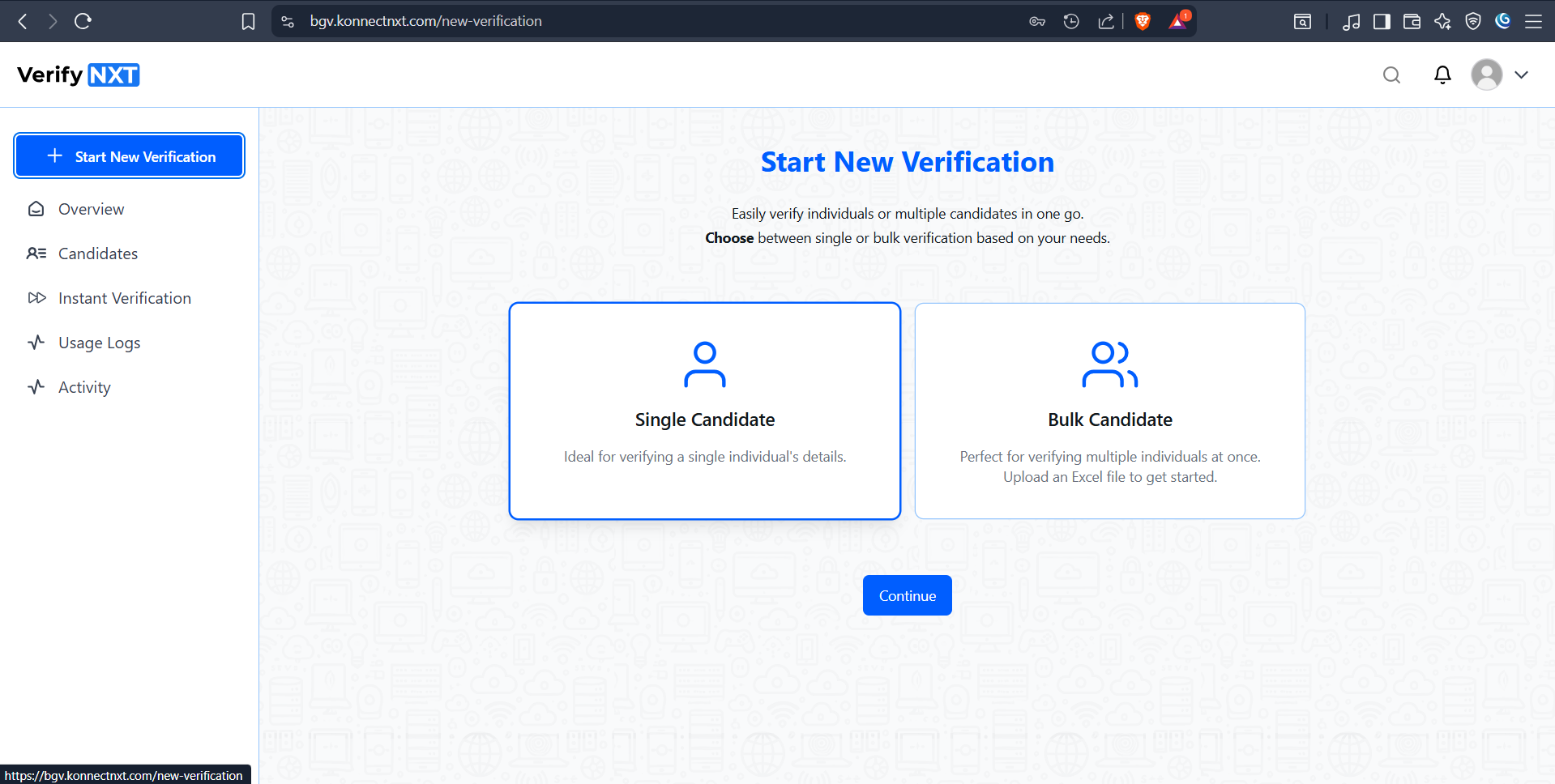
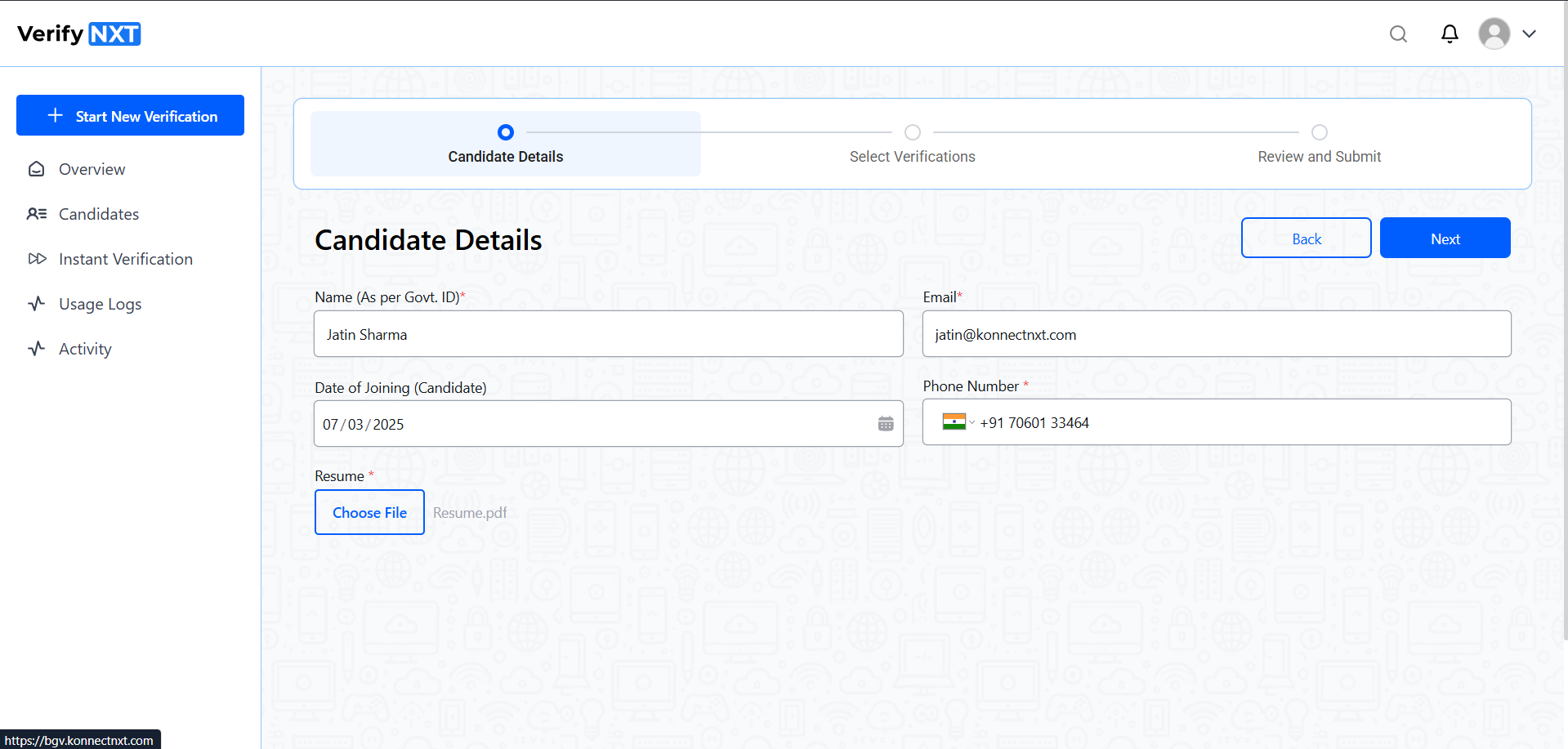
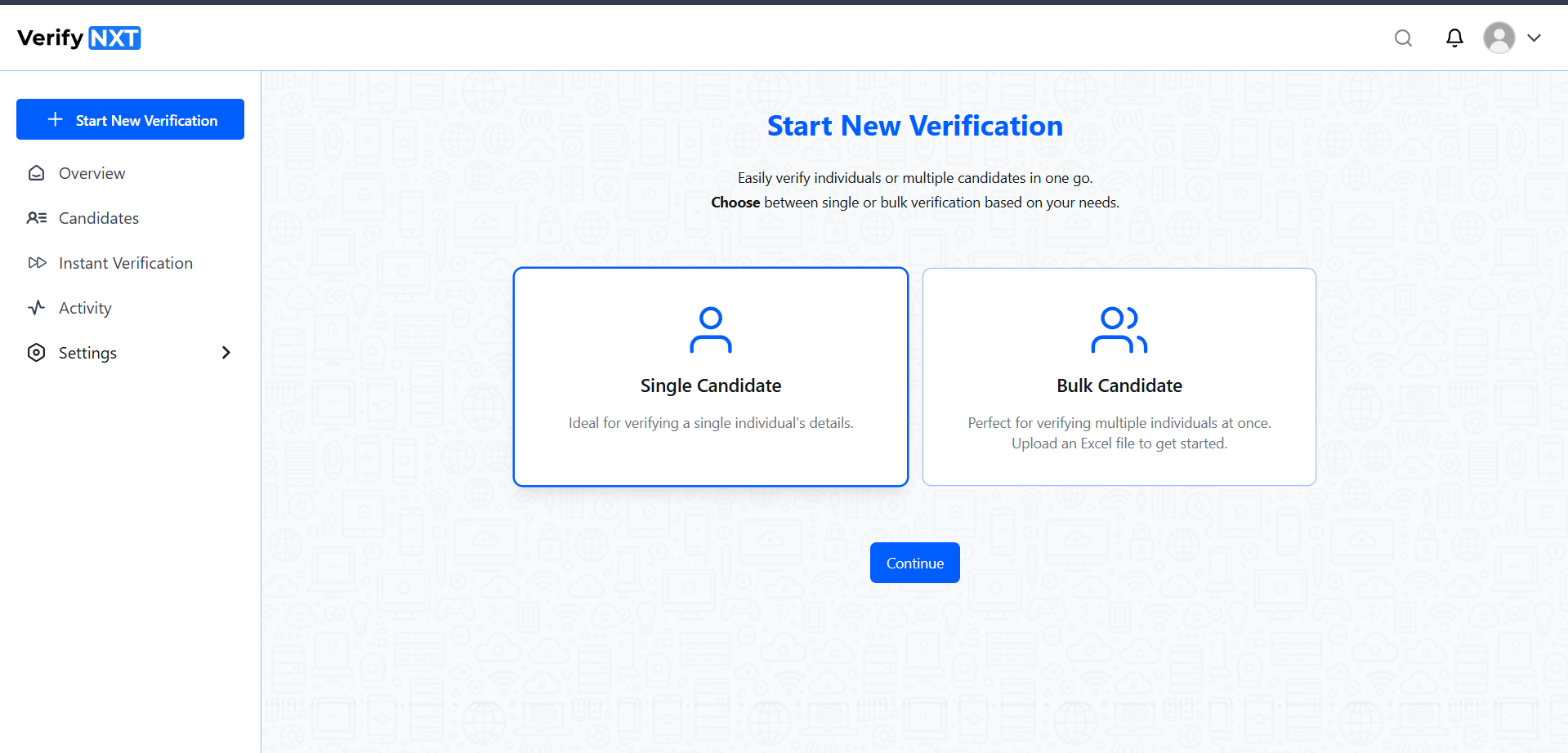
Add a new candidate for Verification
Select Single or Bulk Candidate Creation to start a Case by submitting basic details of the candidates.
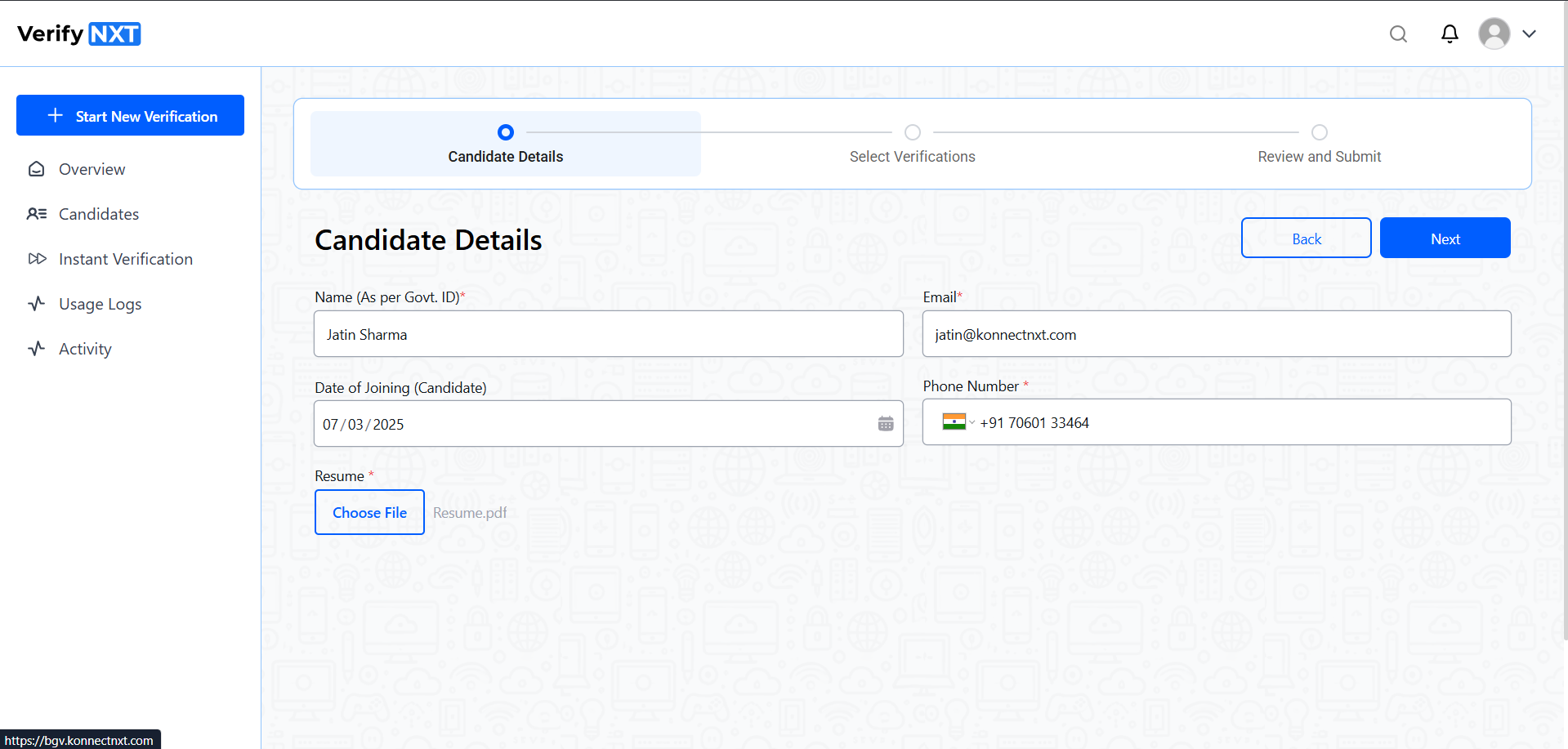
Fill out the basic Candidate Details
Submit Candidate Full Name, Email and Mobile contact, Date of Joining if available and the Resume File or resume file url(Bulk Upload)
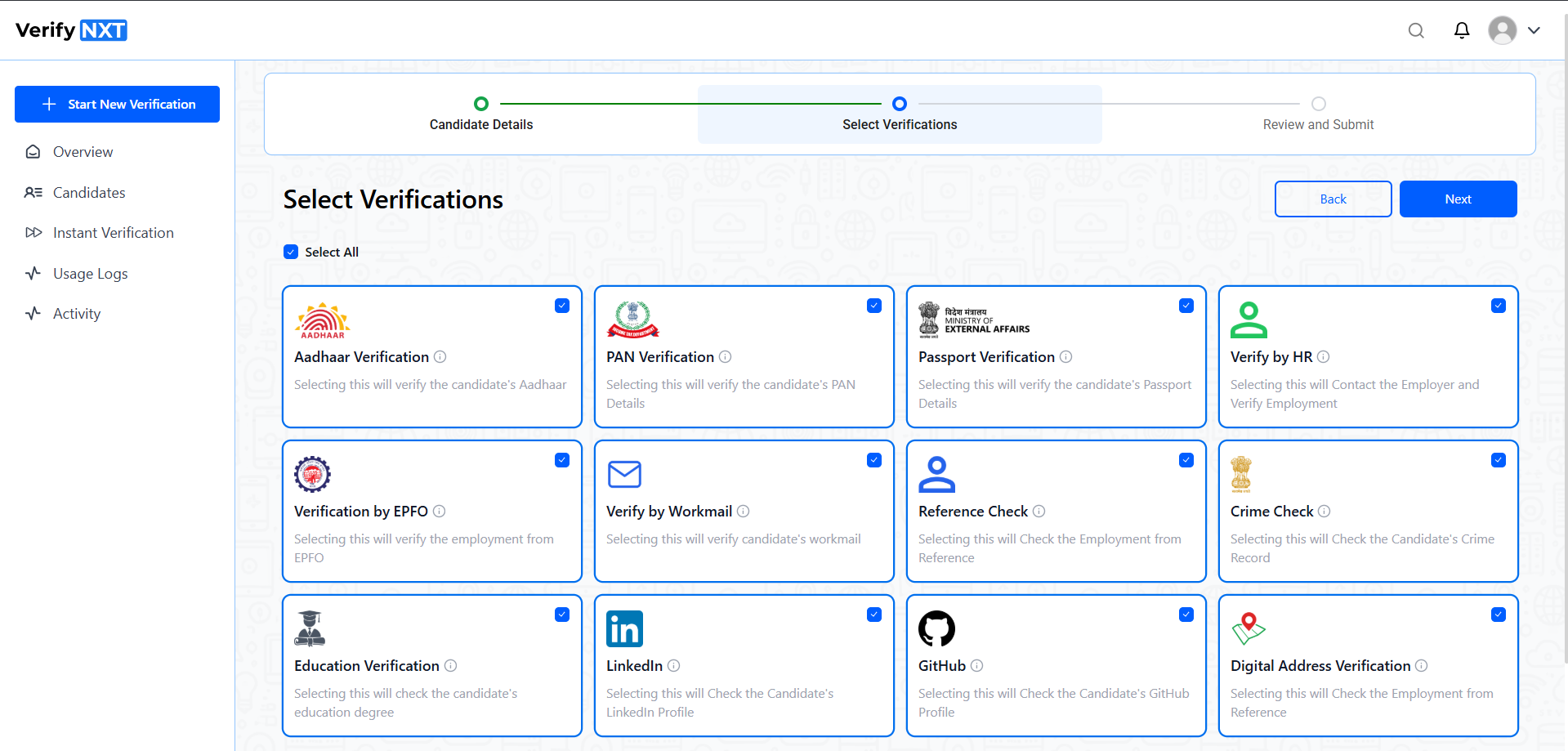
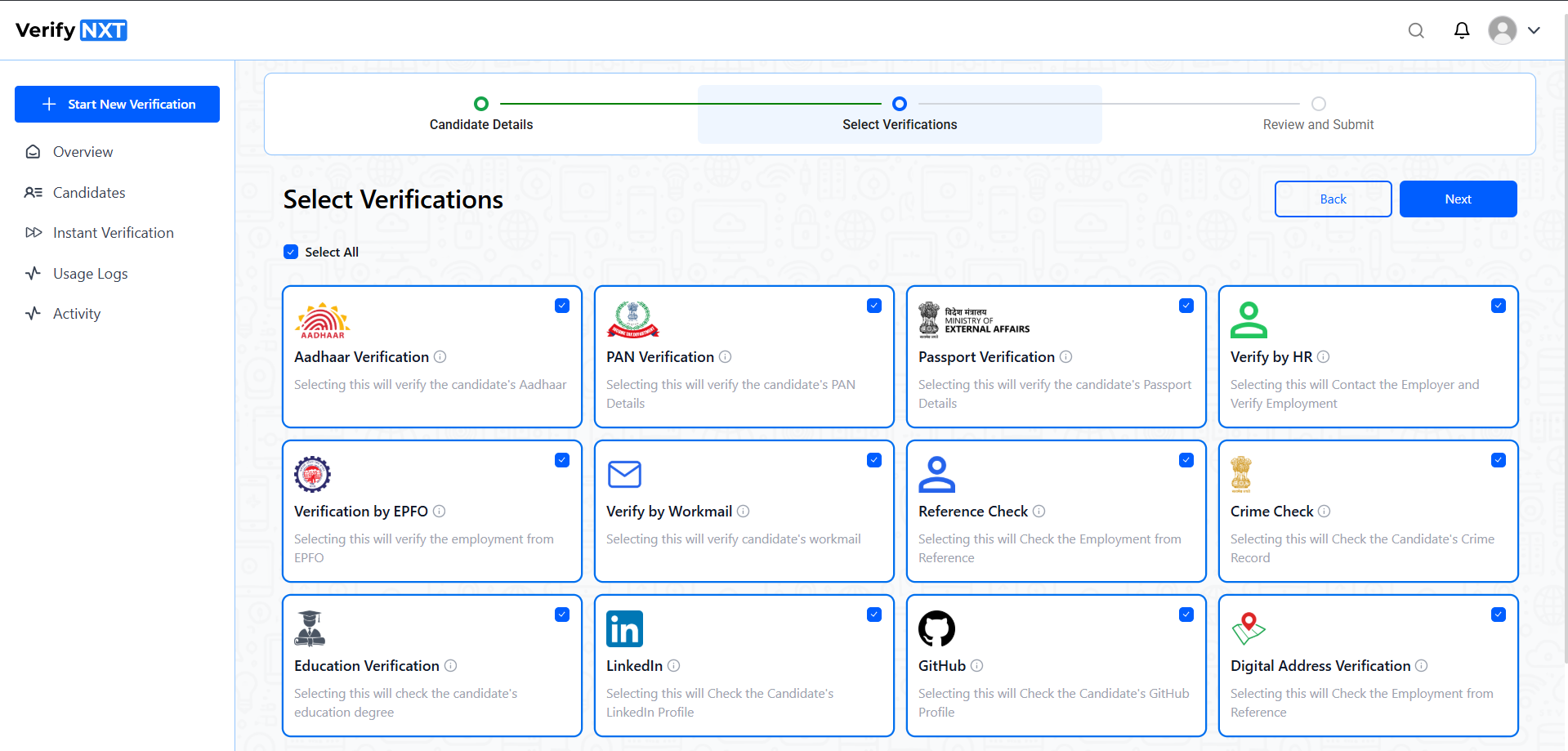
Select the required checks
Select the required checks to be initiated for the given candidate(s) for bulk upload all candidates will be initiated for the same check selected.
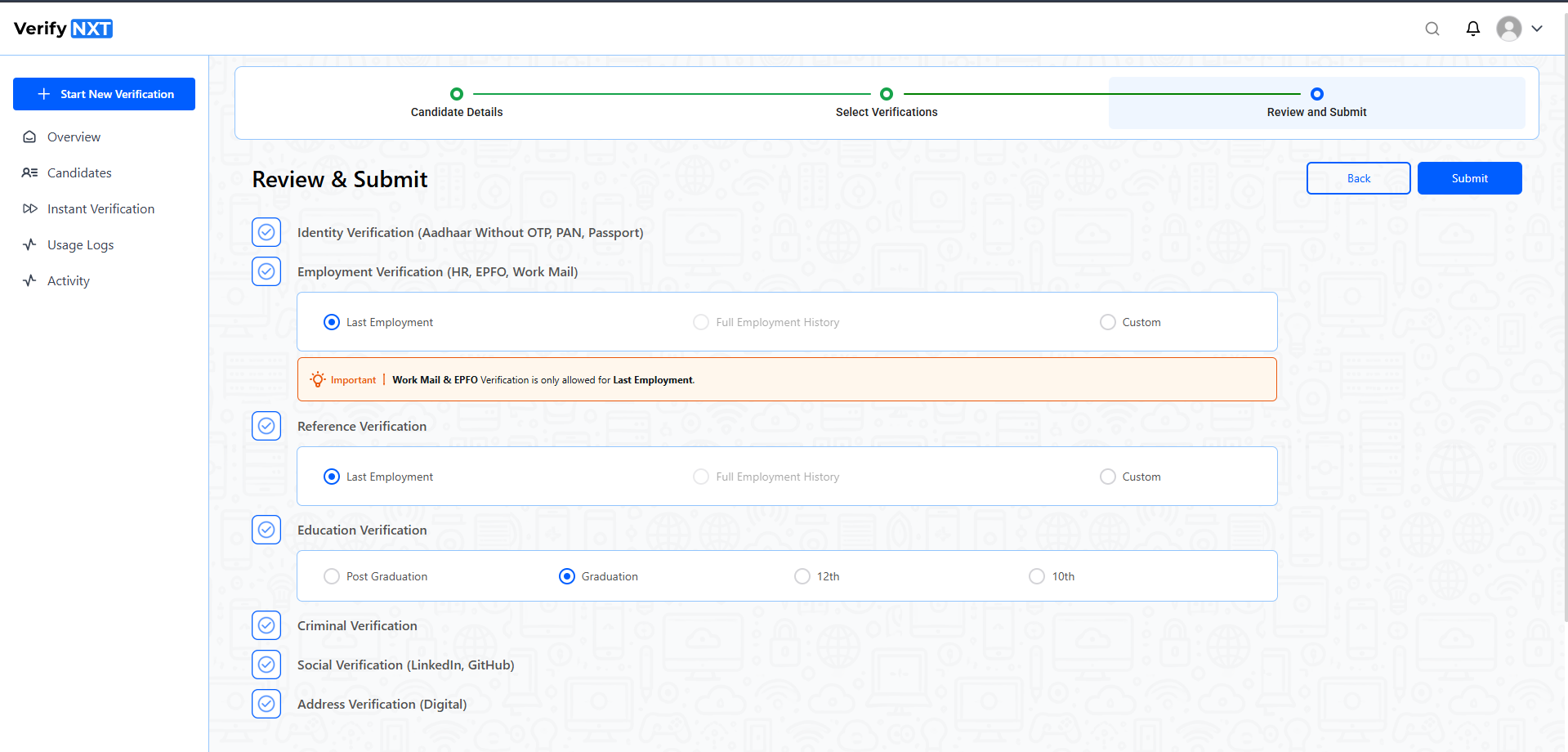
Review and select extra options as required
You can customize few of the checks for selected options such that you can flexibly raise cases for the number of past n employments and also ask for extra documents for employments as mandatory or optional requirements and many more.
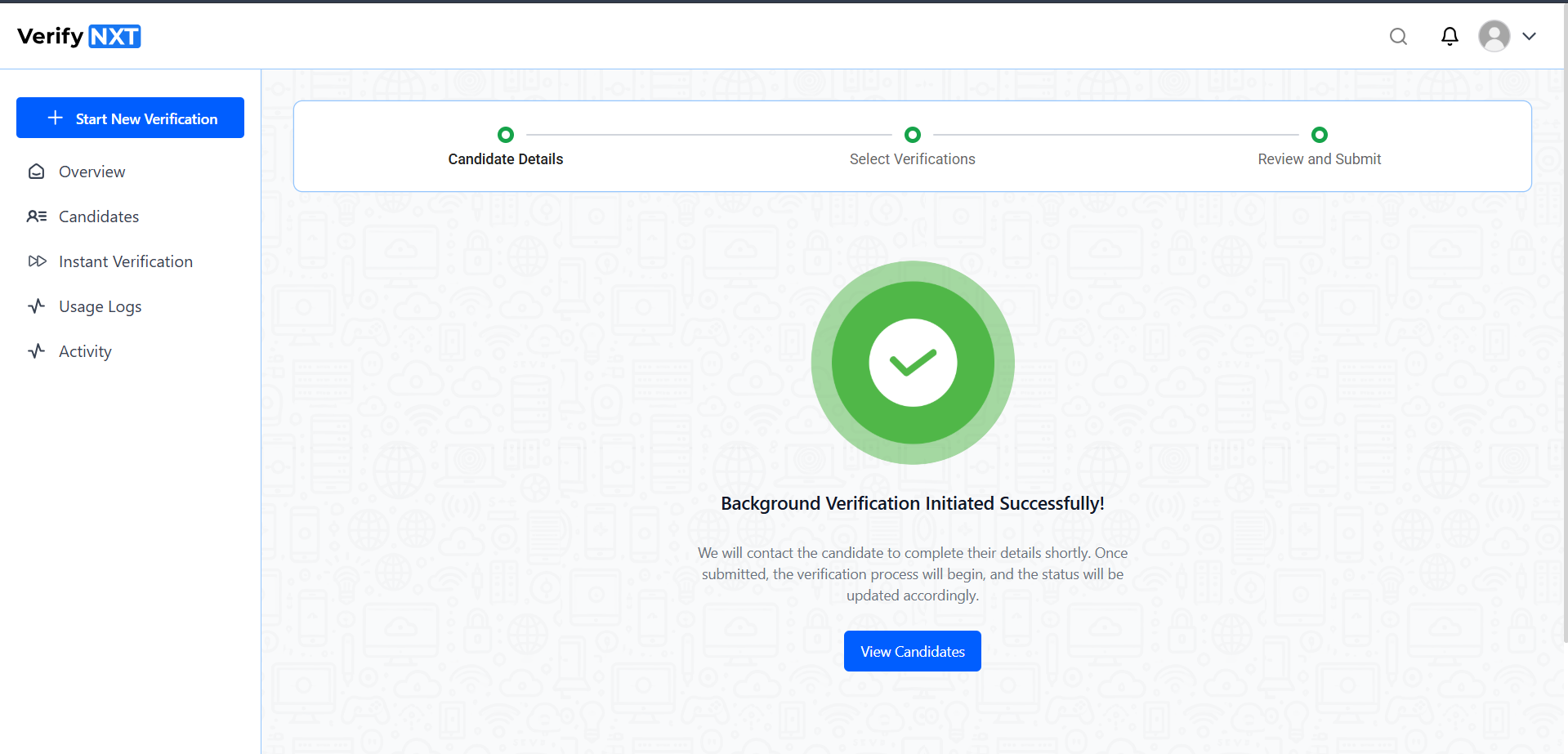
Successfully raised verification request for given candidate(s)
When submission is successful the candidate will receive an Email and Whatsapp notification to fill out the form to initiate the verification and that's when the TAT start and we make sure that all the verifications are completed within the 48hrs of candidate form submission.
We do active follow ups to candidates and involved entities to get the verification done at the earliest, this is completely automated process which make sures verifications are completed on time without human intervention and avoiding delays.
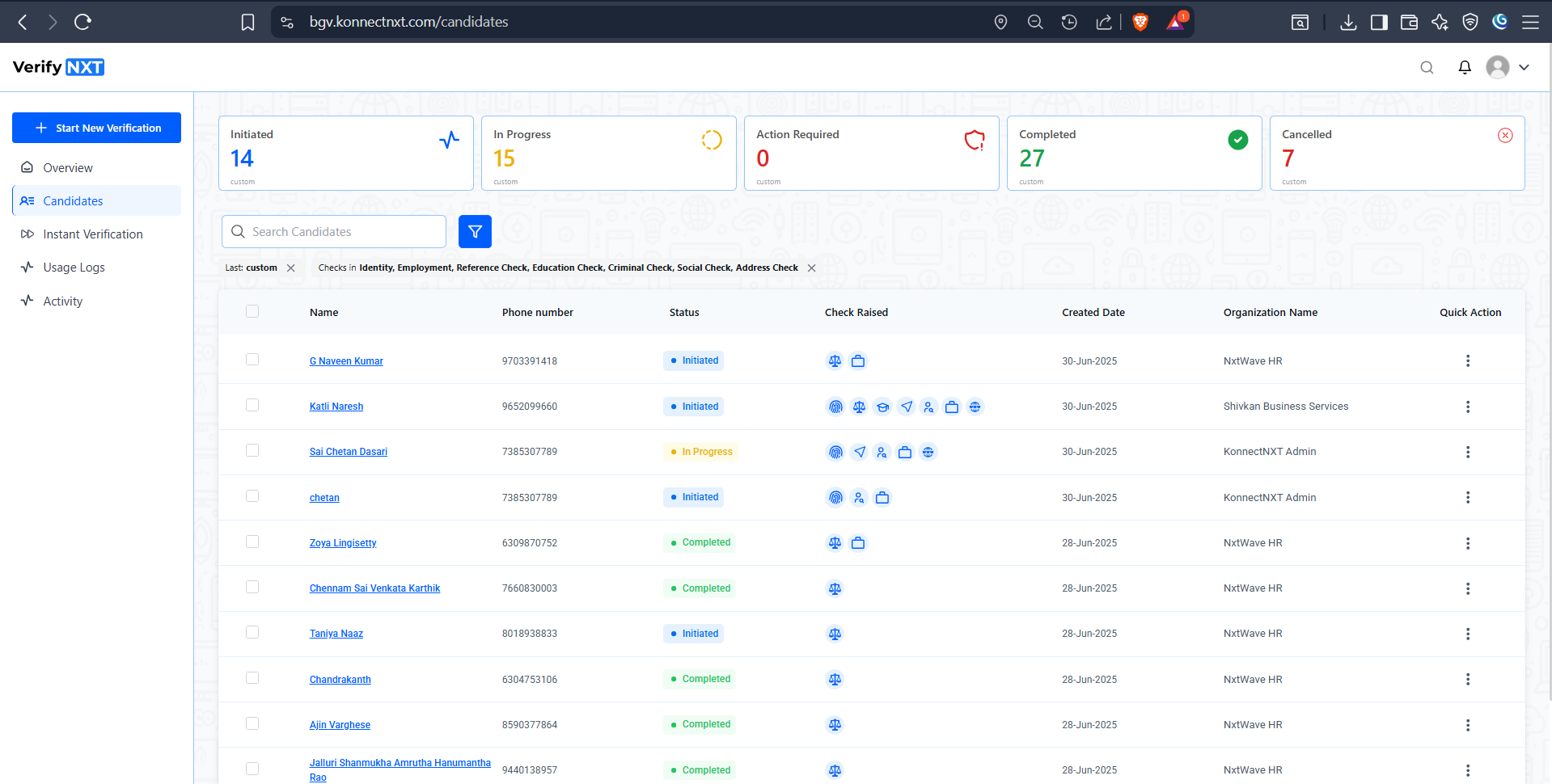
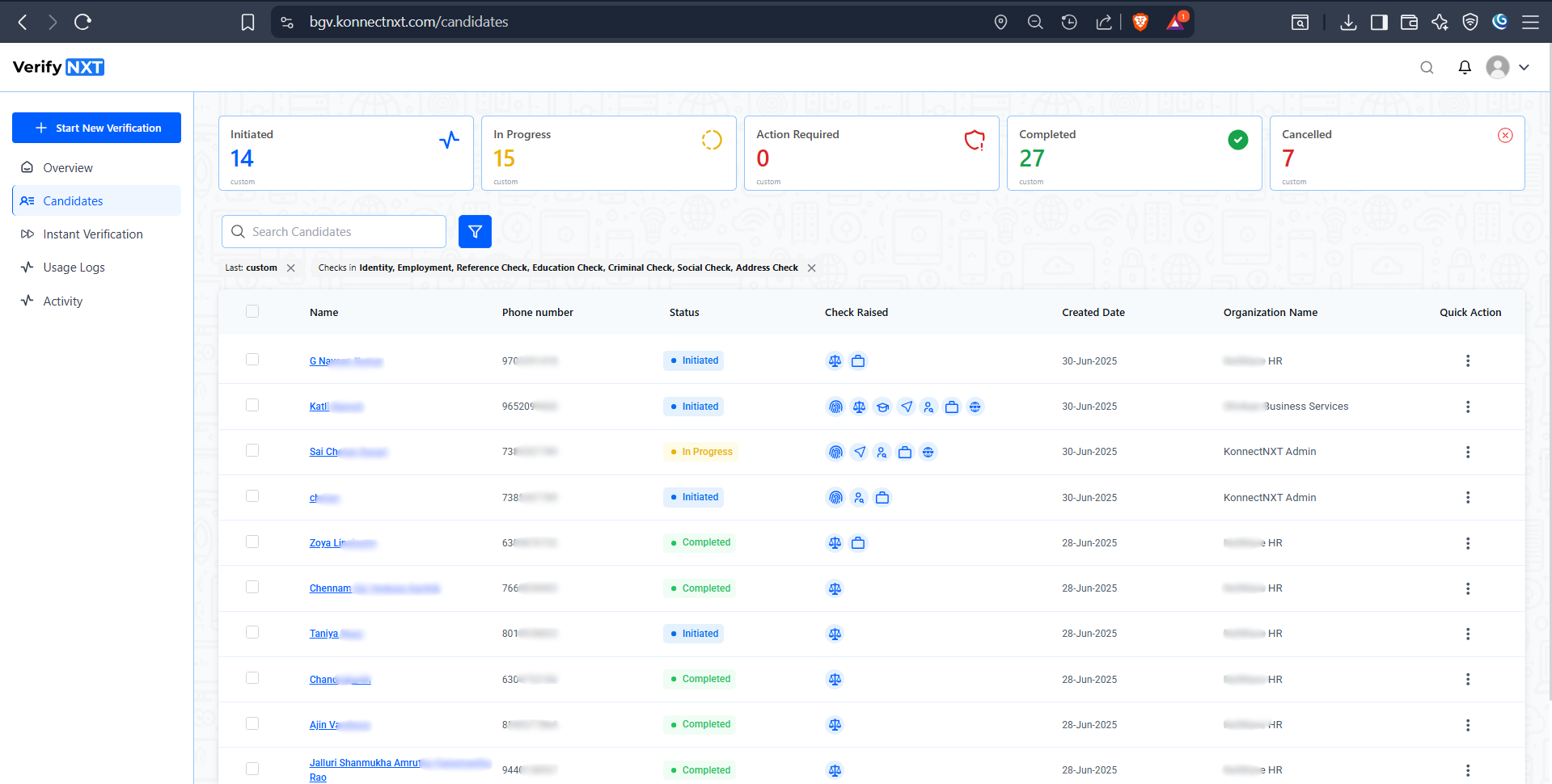
List of candidates raised for verification and the verification statuses and summary of candidates
You can easily track and view the verification progress for the candidate you raised checks for. Apply filter and search to easily access the individual candidate details
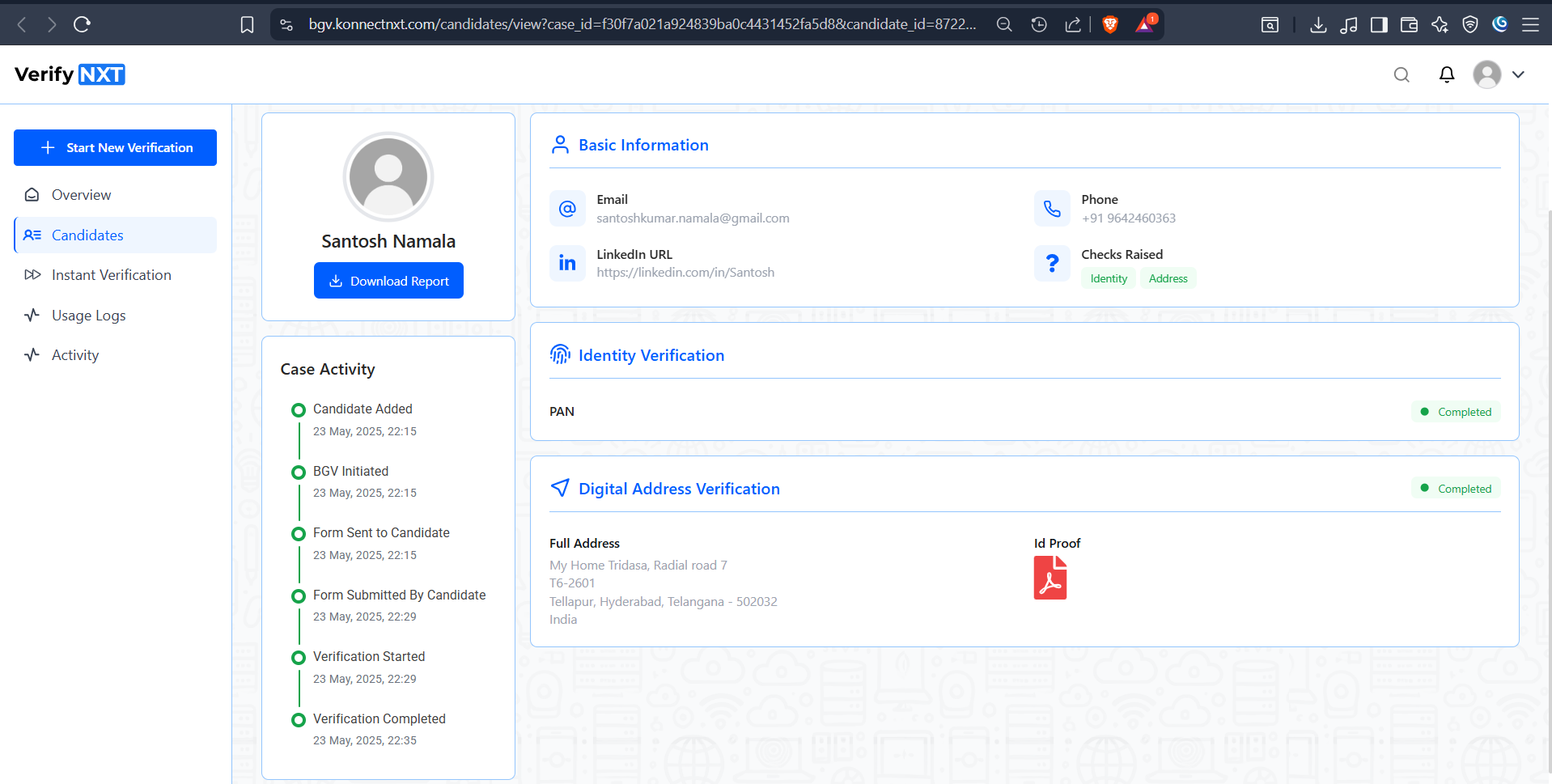
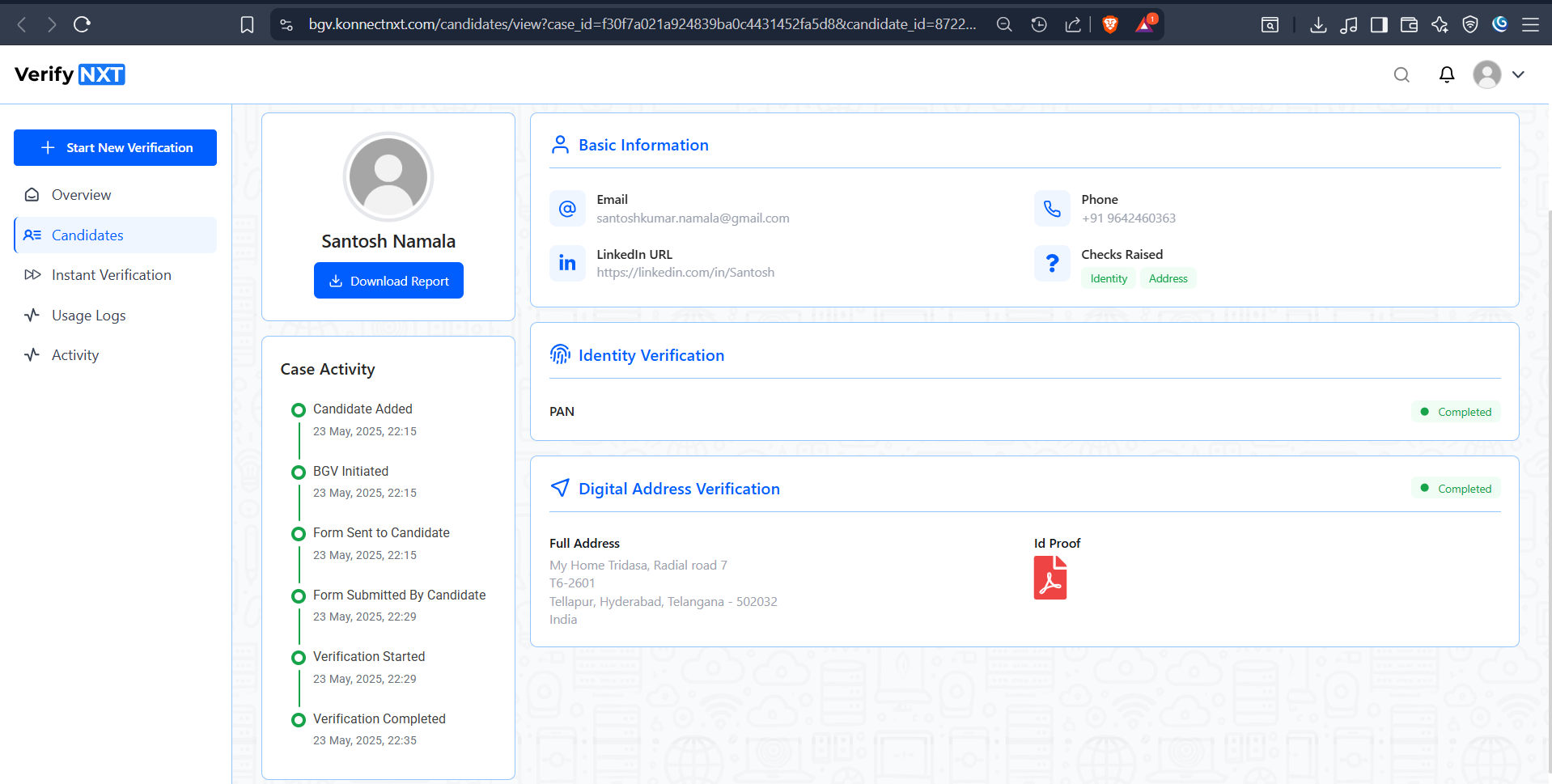
See detailed progress and track the raised cases
You can see the individual candidate and the progress of the checks raised for the given candidate and download the report of the given candidate verification which contain interim report as well as Final Report.