Login


Quick overview
The best PSA software in India for 2026 includes Keka (PSA connected to HR, payroll, and timesheets), Kantata (mid-size and large services firm focused on resource planning), Certinia (Salesforce users), Rocketlane (client onboarding), NetSuite SuiteProjects Pro (NetSuite ERP users), Workday PSA (Workday enterprises), Deltek (A&E and consulting), BigTime (small consulting and accounting firms), Productive (agency profitability), Scoro (quotes to invoice), and Accelo (retainers).
IT services companies, consultancies, agencies, and accounting and engineering firms all sell the same thing: their people’s time and expertise. With a handful of projects, a spreadsheet and a timesheet tool are enough. But as your team and client list grow, that setup breaks down.
Professional services automation (PSA) software runs client projects from sale to invoice. It brings resource planning, time and expense tracking, billing, and project profitability into one system. A task board tracks the work, but PSA also tracks who does it, what it costs, and what the client pays.
We compared 11 PSA tools on those areas, plus HR and payroll integration, and the India-specific checks most global lists skip, like INR pricing, GST invoicing, and support in Indian time zones.
11 Best PSA Software in India At a Glance
| Tool | Best for | Pricing details | G2 review | Free trial |
|---|---|---|---|---|
| Keka | Companies of all sizes that want PSA connected to HR, payroll, and timesheets | Custom | 4.4/5 | Yes |
| Kantata | Mid-size and large services firms focused on resource planning | Custom | 4.2/5 | No (demo only) |
| Certinia | Services firms running on Salesforce | Custom | 4.3/5 | No (demo only) |
| Rocketlane | Client onboarding and implementation projects | From $49/user/month, billed annually (5-seat minimum) | 4.7/5 | Yes, 14 days |
| NetSuite SuiteProjects Pro | Firms already on NetSuite ERP | Custom | 3.7/5 | No (demo only) |
| Workday PSA | Enterprises already on Workday | Custom | 4.1/5 | No (demo only) |
| Deltek | Project-based firms in architecture, engineering, and consulting | Custom | 4.1/5 | No (demo only) |
| BigTime | Small and mid-size consulting and accounting firms | From $20/user/month | 4.4/5 | No (demo only) |
| Productive | Agencies tracking budgets and profit in real time | From $10/user/month, billed yearly | 4.6/5 | Yes, 14 days |
| Scoro | Agencies and consultancies that want quotes to invoices in one tool | From $17/user/month (5-seat minimum) | 4.5/5 | Yes, 14 days |
| Accelo | Client-service businesses managing retainers | Custom | 4.3/5 | No (demo only) |
How We Came Up With This List of Best PSA Software in India in 2026
We scored each tool on six things:
-
Resource planning and capacity: can you see who is free, who is on the bench, and who has the right skills for the next project?
-
Time and expense tracking: how easily do people log hours, and do approvals keep up?
-
Billing and project accounting: does it support T&M, fixed fee, milestone, and retainer billing without workarounds?
-
Utilization and margin reporting: can delivery and finance leaders see project margin while there is still time to act?
-
Forecasting: does it connect pipeline, staffing, and revenue?
-
Integrations: CRM, accounting, HR, and payroll.
-
Company size fit: startup, mid-market, or enterprise.
-
India availability and support: INR billing, GST invoicing, and support in Indian time zones.
-
Pricing: published plans, custom quotes, and seat minimums.
We went through each vendor’s product pages, help docs, and pricing, read reviews on G2, Capterra, and SoftwareSuggest, and watched product walkthroughs on YouTube.
Coming from HR and hiring, one question mattered most to us: does the project team know who’s actually available, and does the time they log end up correctly in payroll and on the client’s invoice?
Top 11 PSA Software in India in 2026: Ultimate Breakdown
Now that you know how we evaluated these platforms, let’s get into the 11 PSA software options that made the cut.
1. Keka (G2: 4.4/5)
Keka is an HR platform with a full PSA suite built in, running on the same system as Keka’s HR, payroll, and talent tools. Because people, skills, leave, and timesheets already live in Keka, the resource plan shows who’s actually available, not who was available the last time someone updated a spreadsheet.
The flow runs from deal to invoice. A won deal becomes a project without re-entering the scope, timeline, or budget. Managers staff it from a live view of who’s free, fully booked, or on the bench. Approved hours then feed both billing and payroll, so finance sees margin, utilization, and billing status from the same data. Keka connects with 100+ apps through its marketplace, and is hosted on SOC 2 Type II and ISO 27001 certified infrastructure and GDPR compliant.
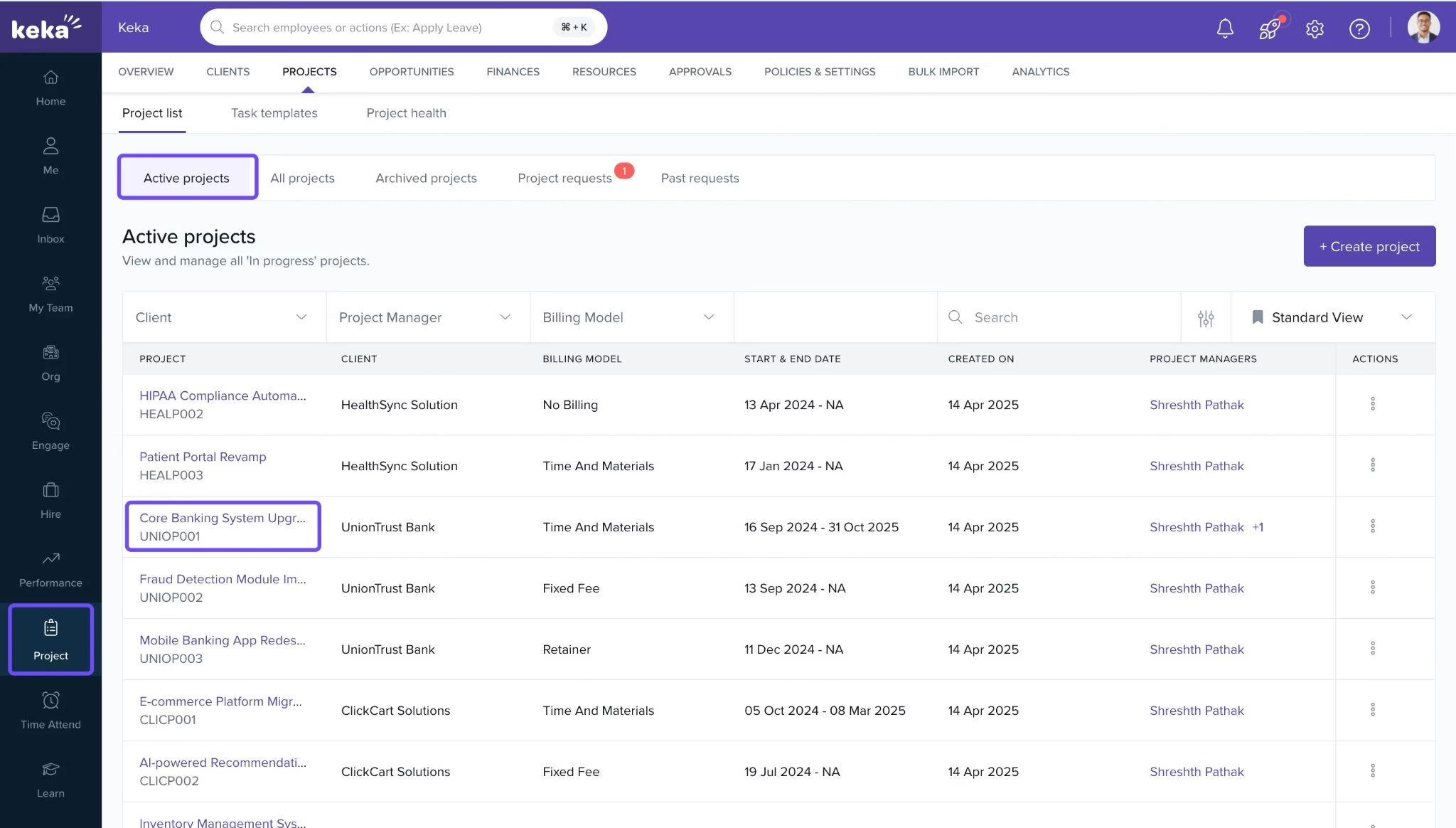
What are the key features of Keka HR?
-
Leave-aware timesheets: Approved leave and holidays show up on timesheets and in the resource plan automatically.
-
Approved hours straight into payroll: Hourly pay and overtime run off the same hours the client is billed for, through Keka’s payroll processing.
-
Approvals that keep moving: Approval chains skip ahead when an approver is late, and you can set penalties for late timesheets.
-
Skills from learning: Skills employees build in Keka’s learning module flow into staffing decisions.
-
Bench and pipeline in one view: Manage resources today, and forecast demand from deals in the pipeline.
-
Multi-entity, multi-currency billing: Keka’s project billing lets you bill from several legal entities, each with its own currency, rate cards, and tax rules.
| Pros | Cons |
|---|---|
| Connects employee records with projects, so staffing plans use the same leave and skills data HR maintains. | Firms may need to map their existing project workflows, billing models, and rate cards before setup. |
| Covers resource and project management, timesheets, deals, billing, and PSA analytics. | Works on its own, but resource plans and margins get more accurate when HR and payroll also run on Keka. |
Pricing: Custom; a free trial is available
Best for: Founders, delivery heads, PMO leaders, and finance teams at Indian IT service firms, consultancies, and agencies of all sizes who want projects, people, time, and billing in one platform.
2. Kantata (G2: 4.2/5)
Kantata was formed when two well-known PSA brands, Mavenlink and Kimble, merged. Its biggest bet is AI built specifically for services firms, not a general-purpose assistant.
It sells two products: Kantata OX as a standalone platform and Kantata SX on Salesforce. You’ll find it in consultancies, agencies, and technology services firms where putting the right person on the right engagement decides whether a quarter is good or thin.
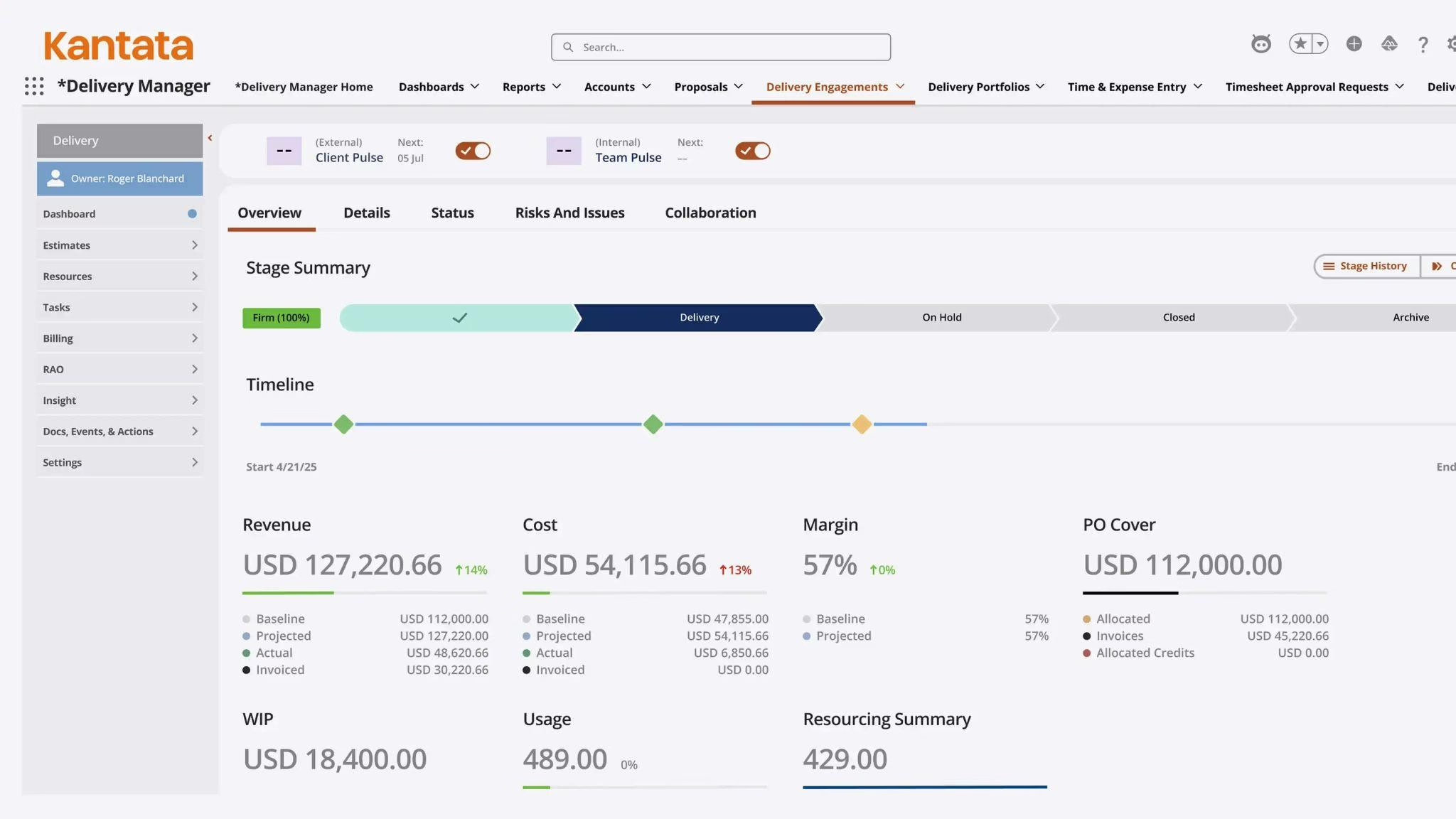
What are the key features of Kantata?
-
Expertise Engine: AI that learns from past projects, deliverables, and outcomes, and uses them to guide staffing and delivery.
-
Expertise Agent: An AI agent, launched in June 2026, that answers questions and takes action across projects, resourcing, and finance.
-
Soft bookings: Hold people for pipeline work, and get warned when demand is about to outrun supply.
-
Side-by-side resource plans: Compare several plans and see how each affects margin.
-
Internal and external talent: Staff from employees and contractors in one view.
| Pros | Cons |
|---|---|
| Project delivery, resourcing and financials in one source of truth, project timelines and resource plans tracked side by side | Firms whose clients require time in the client’s own system can’t import that time and have to enter it twice. |
| Finance can connect revenue recognition with resource planning for both closed-won and pipeline projects. | Basic functions can need many custom fields, and adding yourself to a project isn’t easy. |
Pricing: Custom quote
Best for: Mid-size and large services firms focused on resource planning
3. Certinia (G2: 4.3/5)
If your sales team lives in Salesforce, Certinia is the PSA that never asks them to leave. Formerly FinancialForce, it is built natively on the Salesforce platform, so an opportunity, the project it turns into, and the invoice at the end all hang off the same customer record.
That single thread from deal to delivery is why it shows up so often in mid-market and enterprise services organisations that have already standardised their front office.
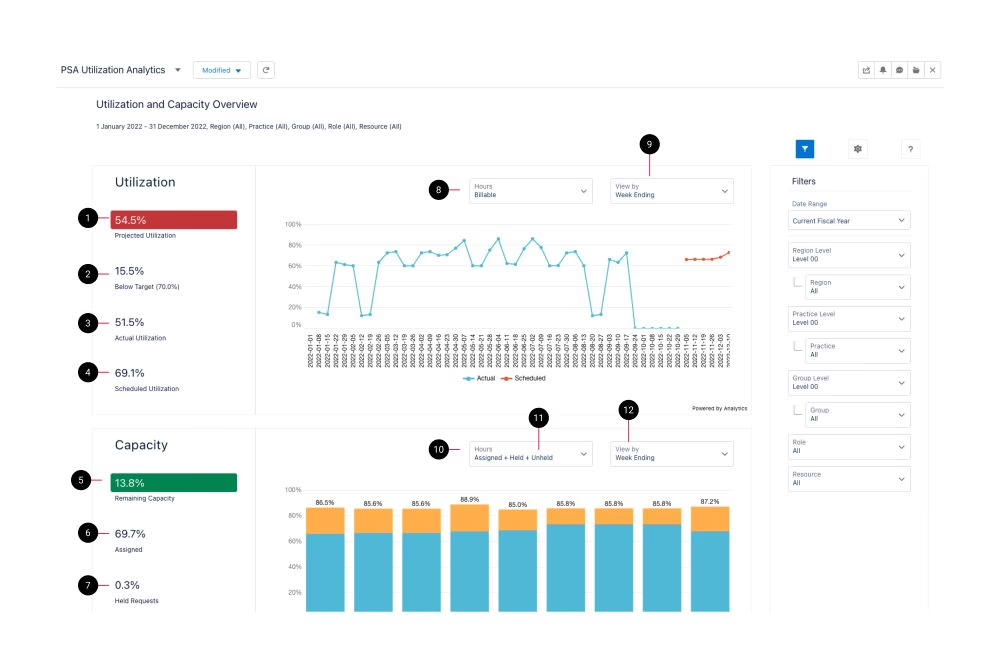
What are the key features of Certinia?
-
Resource request buffer: match, assign, hold, or shortlist up to 1,000 resource requests at once.
-
Certinia staffing agent: an agent that picks the best-fit person based on capacity and skills. Certinia says it cuts SaaS staffing changes from hours to minutes.
-
Gen AI resource summary and skill suggestions: short summaries of each candidate’s skills and past work, plus AI-suggested skills drawn from past assignments.
-
Skills and distance filters: match people by skill and by distance from the client side. Useful for firms staffing across cities.
-
Project assistant agent: customizable AI project summaries, built with the prompt configuration builder.
-
Services CPQ: carries a quote through to a resource plan and delivery without rekeying.
| Pros | Cons |
|---|---|
| Salesforce-native handoff from sale to delivery, with deal data driving resource plans and forecasts. | Implementation is a planned project usually with a partner, and is a lengthy deployment |
| The full services lifecycle in one connected record. | For simpler business models, the system can feel over-engineered |
Pricing: Custom quote
Best for: Services firms running on Salesforce
4. Rocketlane (G2: 4.7/5)
Rocketlane is built around one stretch of the customer journey: the weeks between a signed contract and go-live, when an onboarding team either earns a new customer’s trust or starts losing it.
Founded in India, it serves implementation and professional services teams at SaaS and IT services companies, and it treats the client as a participant in the project rather than an audience for status emails.
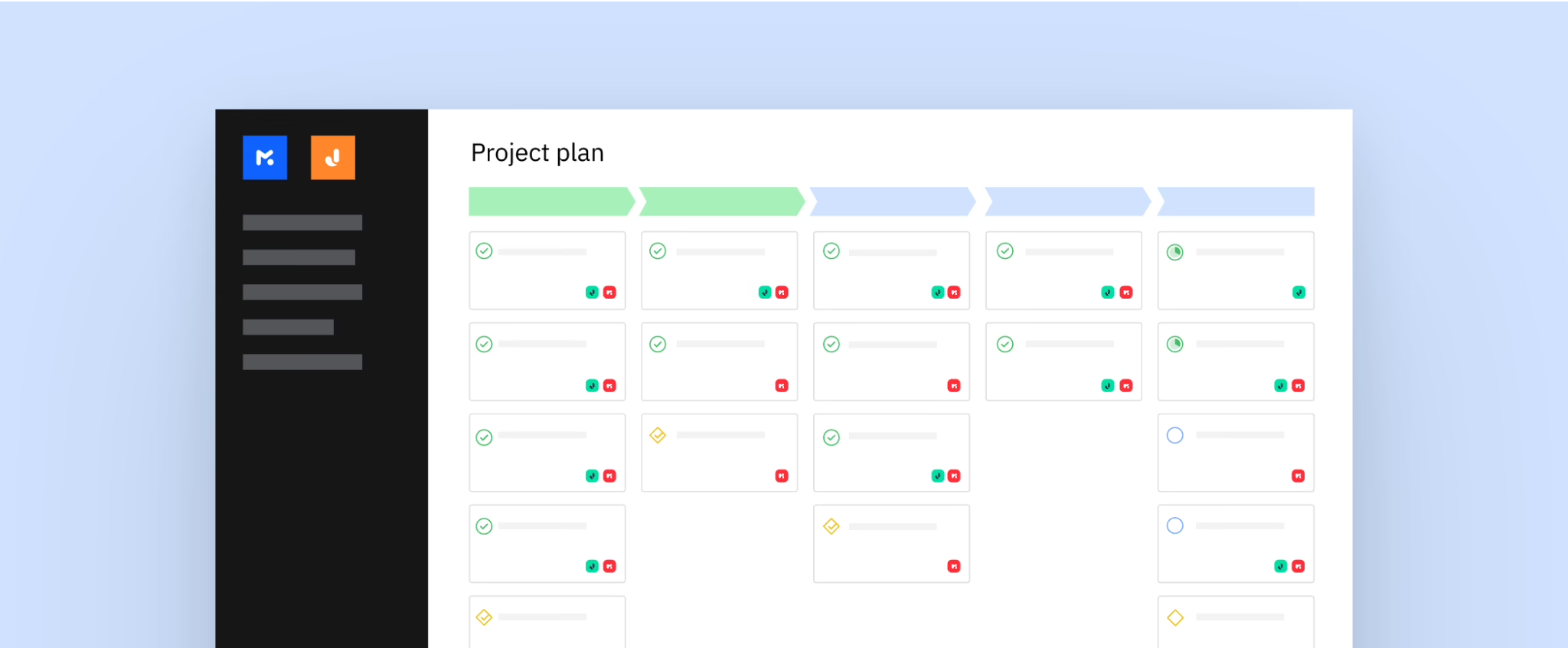
What are the key features of Rocketlane?
-
Magic Link Customer Portal: a white-labeled portal clients open from a link without creating an account to see plans, tasks, and updates.
-
SOW to plan generation: Nitro agents turn a statement of work into a project plan.
-
Documentation agent: Pulls key decisions from customer calls and keeps project documentation current as the project changes.
-
Nitro resource manager: Handles reallocations, extensions, and backfills automatically when project effort or timelines shift.
-
Customer signal detection: Mines calls, emails, and interactions to flag sentiments, risks, and expansion opportunities.
-
Plan caveat: Resource and financial management (budgeting, invoicing, revenue recognition), starts on Premium. The skills matrix and SAML are on Enterprise.
| Pros | Cons |
|---|---|
| Teams share project plans, documents, and approvals with clients through the portal, instead of separate emails. | Detailed financial reporting may need a separate BI tool. |
| Timesheets feed resourcing and revenue recognition, and they track every team member’s availability. | Advanced settings take time for new users to learn. |
Pricing:
-
Standard $49
-
Premium $69 per user per month, billed annually, with a 5-seat minimum.
-
Enterprise: custom pricing.
Best for: Client onboarding and implementation projects
5. NetSuite SuiteProjects Pro (G2: 3.7/5)
Once a services firm on NetSuite grows past a few dozen delivery staff, NetSuite’s built-in project tools start to feel limited for staffing and utilization. SuiteProjects Pro is Oracle NetSuite’s answer. Formerly called OpenAir, it’s a dedicated PSA tool that runs alongside NetSuite and passes project data into its financials, with a long track record at mid-size services firms.
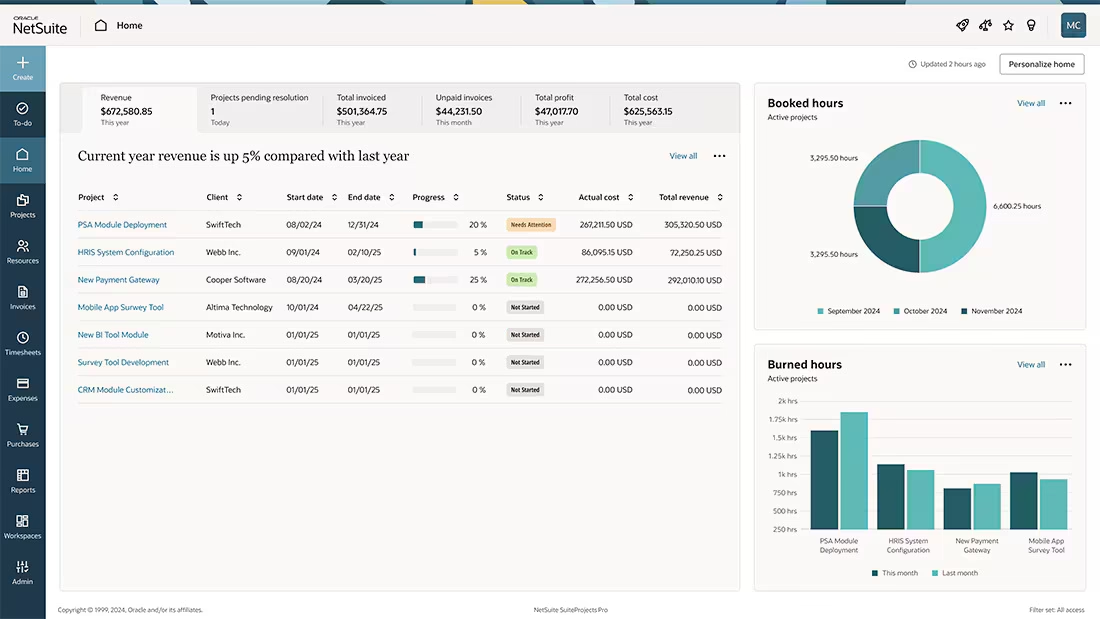
What are the key features of NetSuite SuiteProjects Pro?
-
AI staffing suggestions: Recommends who to assign, based on past projects.
-
Controlled staffing requests: Role-based permissions decide who can approve a staffing request.
-
Microsoft Project and Outlook connectors: Share plans with Microsoft Project, and work from Outlook.
-
Offline app: Log time and expenses without an internet connection, and sync later.
-
Intercompany billing: Handle transactions between entities with the right accounting.
| Pros | Cons |
|---|---|
| Adds enterprise-level governance, resourcing, and reporting on top of Microsoft Project. | The interface feels dated in places, and screens can look complex until users get used to them. |
| Strong planning and resourcing features. | Initial setup is lengthy, and usually goes more smoothly with consultants. |
Pricing: Custom quote
Best for: Firms already on NetSuite ERP
6. Workday PSA (G2: 4.1/5)
For organisations that already run HR or finance on Workday, the question is rarely whether to add PSA, but where.
Workday Professional Services Automation keeps client projects inside the same platform that holds worker records, skills, and the general ledger, so staffing, cost, and revenue all come from one set of data. It appeals most to large services organisations that want a single vendor across their people and their money.
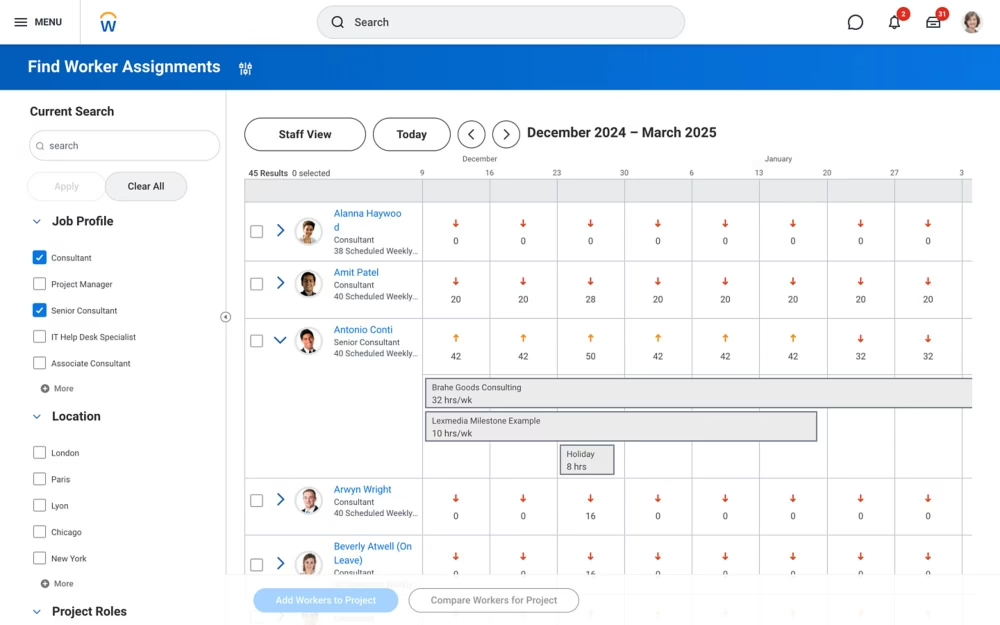
What are the key features of Workday PSA?
-
Consultant-led assignment choice: Consultants see upcoming opportunities and choose work that matches their interests.
-
Internal and contingent talent search: Find full-time and contingent workers for a role through advanced search on Workday worker profiles.
-
Attrition prediction: Machine learning flags at-risk performers so managers can act before a key consultant leaves a project.
-
Dual revenue recognition: Report under ASC 606 and IFRS 15 side by side, with scenario modeling, leakage controls in billing, and multi-dimensional rate sheets with markup and write-off rules.
-
Bulk time actions: Transfer and approve project time en masse.
| Pros | Cons |
|---|---|
| Finance, projects, procurement, and reporting share one source of data, with no sync delays | Setup takes several months, and moving custom data from an old ERP takes a long time. |
| Teams can see real-time financials by project, instead of waiting for month-end. | New users need time to learn how organizations, projects, cost centers and reporting structures relate in the Foundation Data Model |
Pricing: Custom quote only
Best for: Enterprise already on Workday
7. Deltek (G2: 4.1/5)
Deltek has been building software for project-based businesses since 1983, long before PSA was a software category.
Vantagepoint, its platform for design and engineering practices, follows a project from the first pursuit to the final payment, and it speaks the language those firms already use: pursuits, phases, and work in progress, rather than generic tasks and tickets.
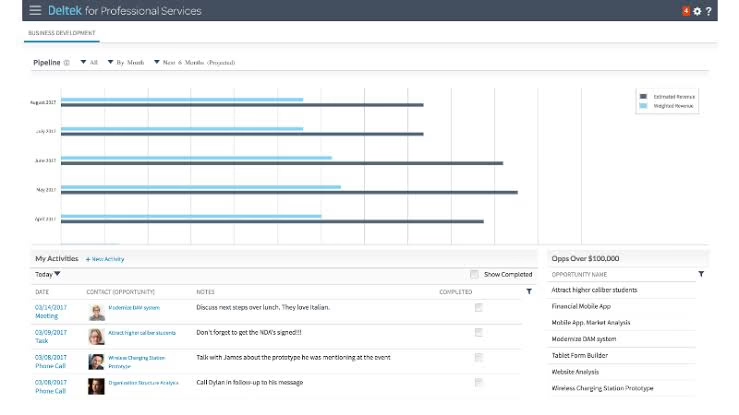
What are the key features of Deltek?
-
Pursuit-to-project CRM: Track pitches and proposals, then carry them straight into project setup.
-
Architecture and engineering accounting: Work-in-progress tracking, multi-phase projects, and client-specific billing formats.
-
UKG integration: Keeps employee time, pay, and project labour costs in sync between workforce management and project accounting.
-
Email-synced CRM: Brings email contacts and conversations into Vantagepoint, next to each pursuit and project.
-
Cloud or on-premise: One of the few PSA tools on this list that can still run on your own servers.
| Pros | Cons |
|---|---|
| Built for architecture and engineering firms, with role-based accounting and security. | Custom reports take practice, aren’t very flexible, and can’t be merged. |
| Resource dashboards show who’s over- or under-used, and finance can build custom dashboards. | Calendar integrations may be limited, so check them before you sign. |
Pricing: Custom quote
Best for: Project-based firms in architecture, engineering, and consulting
8. BigTime (G2: 4.4/5)
BigTime comes at PSA from the timesheet and the invoice, which makes it feel familiar to firms where partners think in billable hours.
It serves consulting, accounting, engineering, and architecture practices from around 10 to more than 500 people, and for finance teams already working in QuickBooks, it often reads as a natural next step rather than a new system to learn.
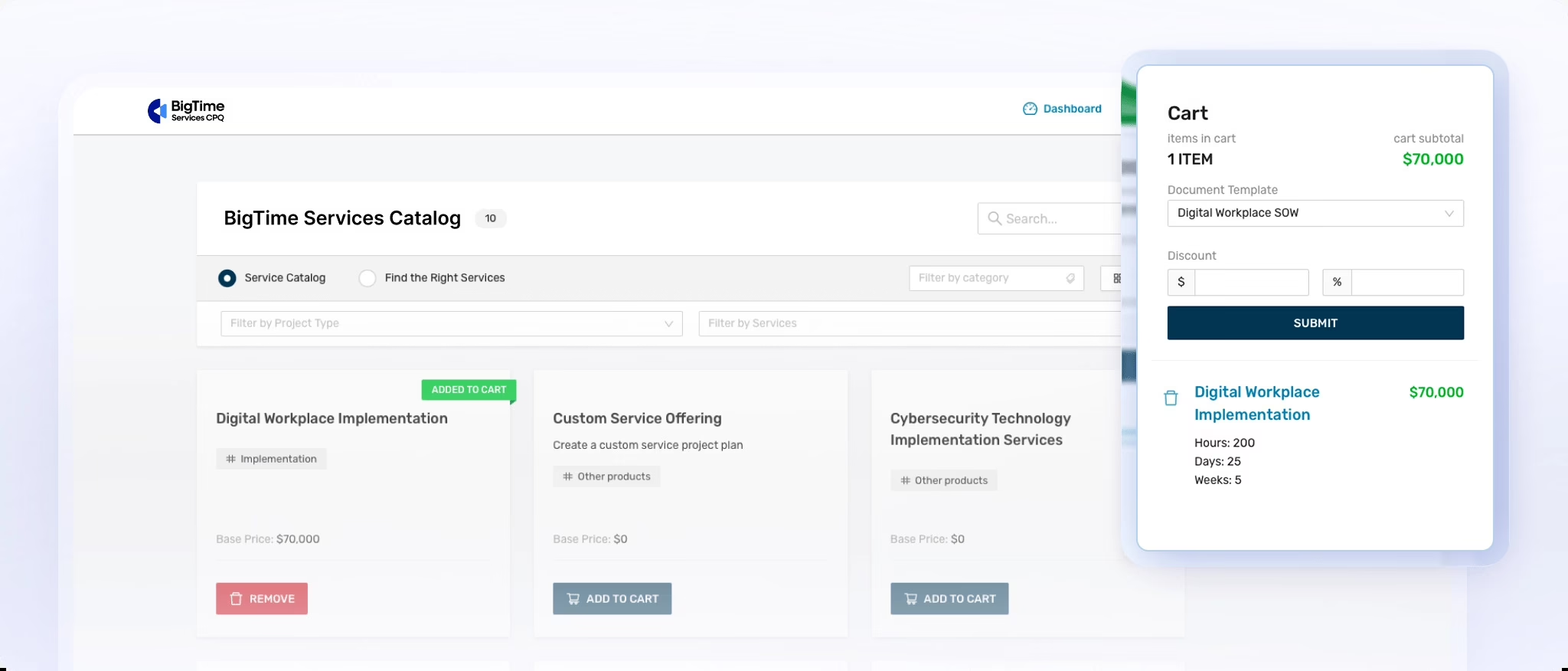
What are the key features of BigTime?
-
QuickBooks auto-reconciliation: Syncs time, invoices, and payments with QuickBooks and reconciles automatically from the Essentials plan.
-
BigTime Wallet: Collects online payments from an AR hub tied to invoices on the client portal.
-
BigTime Foresight: An add-on for skills- and demand-based planning with plans-versus-actual reporting.
-
Multi-currency invoicing: bill overseas clients in their currency on their Premier plan.
-
Multi-entity controls: Multi-entity support, audit logs, and role-based permissions for firms up to 500+ people.
-
Custom cost and rate management: Separate cost and bill rates on the Premier plan, so margin reflects what each person costs
| Pros | Cons |
|---|---|
| Custom reporting is flexible and easy to build around specific business needs. | The QuickBooks Desktop sync needs an admin session running, so firms on other accounting tools should check their integration in the demo. |
| Easy to use and quick to load, with fast project search that speeds up time entry. | Report permissions and filtering are limited. |
Pricing: Essentials from $20 per user per month; Advanced and Premier pricing is on request
Best for: Small and mid-size consulting and accounting firms
9. Productive (G2: 4.6/5)
Productive is aimed at the agency owner who knows revenue is up but can’t say which clients are actually worth keeping. It brings sales, delivery, and finance for agencies and consultancies into one place, and its whole design leans toward one question: after people costs and overheads, what did this project really earn?
Most of its users are creative, marketing, and digital agencies, plus IT services teams running retainer-heavy work.
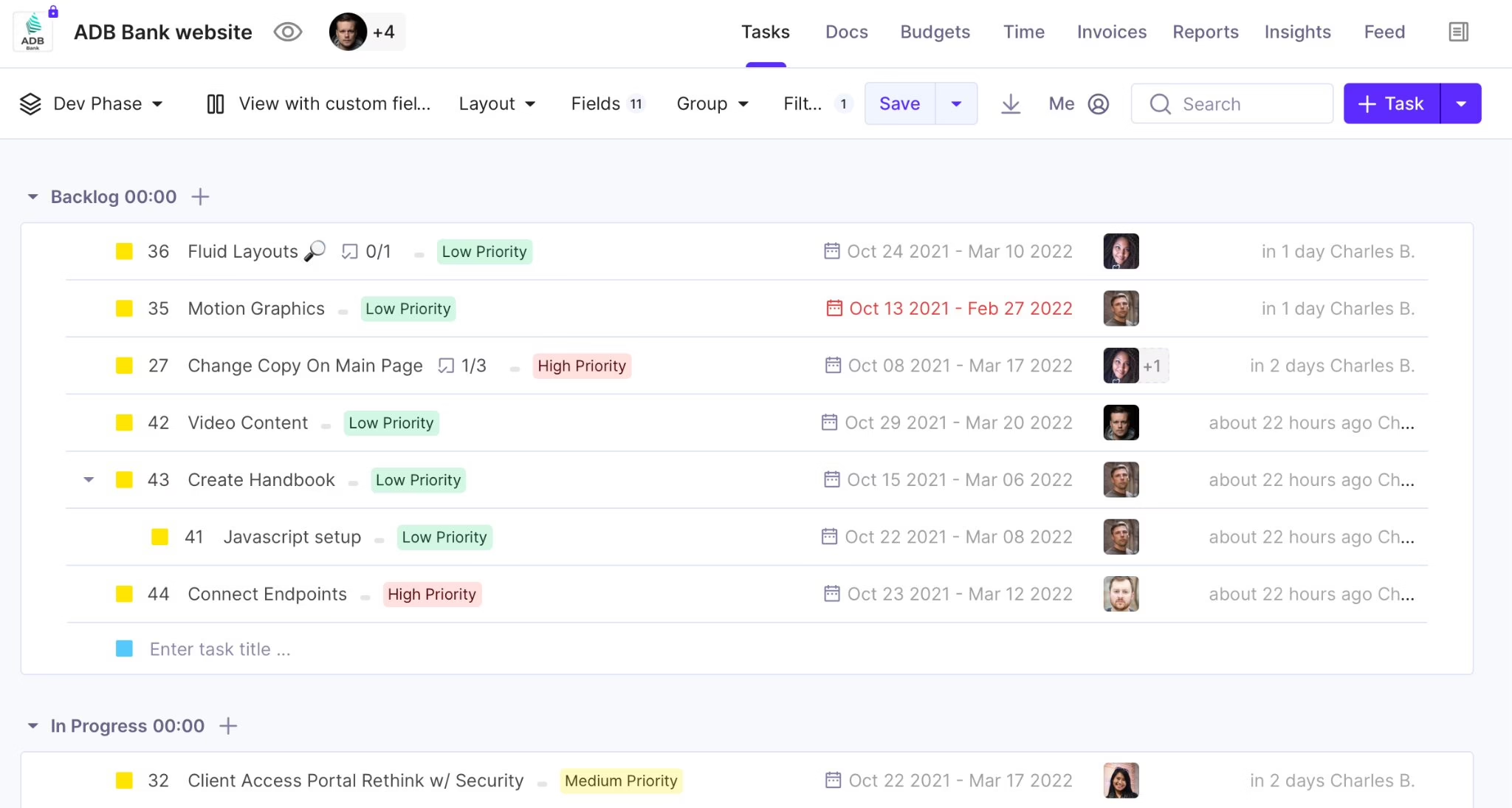
What are the key features of Productive?
-
True profitability: Margins include employee costs and company overheads, not just billable hours.
-
Budget alerts: Get warned before a budget runs over, with forecasts of how fast it’s being used.
-
Scenario builder: Model revenue, cost, and margin from your staffing plan before you change it, on the Ultimate plan.
-
Retainer billing: Split long projects into budget phases, and send recurring invoices and payment reminders for retainer clients.
-
Two-way Xero sync: Invoices go to Xero, and payment status, including part-payments, flows back to Productive.
| Pros | Cons |
|---|---|
| Account performance is visible in one place, so finance teams don’t have to chase several people for the numbers. | The resourcing view can be messy and hard to read. |
| Strong resource planning and forecasting, making it easy to see who’s working on what. | Some users find onboarding a little intimidating. |
Pricing: Essential from $10 per user per month billed yearly ($12 billed monthly), with a 3-seat minimum. Professional and Ultimate plans cost more, and Ultimate is priced on consultation.
Best for: Agencies tracking budgets and profit in real time
10. Scoro (G2: 4.5/5)
Scoro treats a client engagement as one continuous thread rather than a handoff between three teams. It is a PSA platform used by consultancies, agencies, IT firms, and architecture practices, and it suits firms that are tired of copying the same numbers from a proposal tool into a project tool and then again into an invoicing tool.
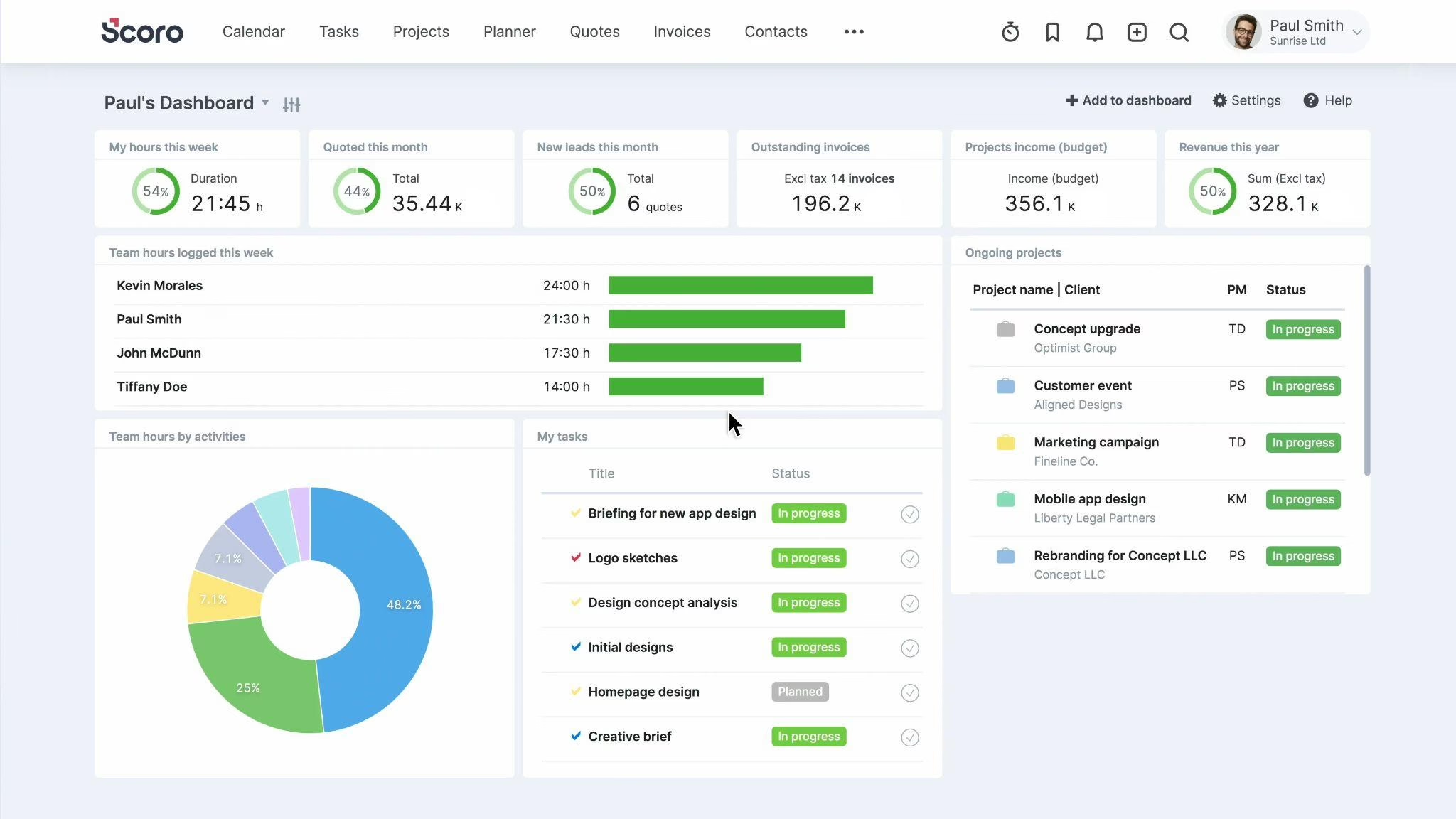
What are the key features of Scoro?
-
Tasks from quote lines: Create project tasks directly from an accepted quote, so delivery starts from what was sold
-
Invoices from quotes and work reports: Bill straight from the quote or from logged work, without rebuilding line items
-
Tentative vs fixed bookings: Pencil people in for likely work and confirm later, with live capacity heatmaps
-
Supplier bills and purchase orders: Tie third-party costs to the project so margin reflects them
-
Tiered reporting: The utilization report comes with the Resource app, the pipeline report with Sell, and the WIP report with the Advanced Financials add-on.
-
Prepayment and scheduled invoices: Invoice deposits up front and schedule recurring invoices in advance for retainer clients
| Pros | Cons |
|---|---|
| Logged time flows straight into project invoices, which removes manual billing entries. | Advanced features are on higher plans, and the platform costs more than standalone tools. |
| Real-time data analysis shows individual and business performance. | Creating tasks takes extra steps, especially under a project phase. |
Pricing: Combinations of Scoro’s apps start from $17 per user per month, with a 5-user minimum. A 14-day free trial is available with no card required.
Best for: Agencies and consultancies that want quotes to invoices in one tool
11. Accelo (G2: 4.3/5)
Some firms don’t really run projects. They run relationships, with the same clients coming back for work every month. Accelo is built around the client rather than the project. It serves agencies, business advisories, and consulting firms that handle sales, recurring work, support requests, and billing for the same accounts.
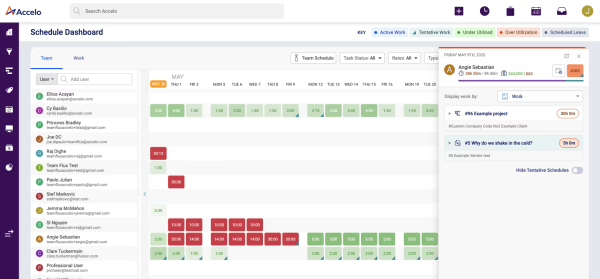
What are the key features of Accelo?
-
Automatic retainer invoicing: Time logged on tickets and projects rolls into each retainer period’s invoice, which can be sent automatically.
-
Expiring retainers report: See which retainers are about to end, ahead of the renewal conversation.
-
Email history: Synced email shows each client’s full communication history as threaded conversations.
-
AI completion dates: Flags projects heading for delays before deadlines are missed.
-
Ticketing: Prioritizes and assigns support tickets by workload, with SLA tracking, and bills support time to client budgets.
| Pros | Cons |
|---|---|
| Retainers are easy to set up, and their invoices flow into Xero. | Teams say it took the better part of a year to become fully invested in Accelo |
| Easy to learn yet highly configurable, giving departments one central place to collaborate. | Users state the reporting isn’t adequate and need more insightful reporting |
Pricing: Custom quote
Best for: Client-service businesses managing retainers
How to Choose the Best PSA Software For Your Business
Every tool here can track time and send an invoice. What sets them apart is how well they fit the way your firm already works. Settle these five questions before you book a demo.
1. Start With Your Firm Type and Platform Type
PSA tools fall into four groups:
-
Connected to HR and payroll: Keka
-
Built on an ERP or CRM you may already use: Certinia, NetSuite SuiteProjects Pro, and Workday PSA
-
Standalone PSA for services firms: Kantata, Rocketlane, Deltek, and BigTime
-
Built for agencies: Productive, Scoro, and Accelo
Decide which system should be your main source of truth, then shortlist. For example, an IT services firm that runs sales on Salesforce may prefer Certinia, while one that cares more about staffing from live HR data may prefer a PSA connected to HR.
2. Match the Tool to Your Company Size and Delivery Model
A 30-person agency needs quick setup and simple pricing. A firm with offshore delivery, several legal entities, or a US subsidiary needs advanced resource planning, multi-currency billing, and portfolio reports. If you bill US clients from a US entity and Indian clients from an Indian one, test multi-entity billing in the demo.
3. Use a Must-Have Features Checklist
List your must-haves, and rank them before any demo:
-
Resource planning by skill and availability
-
Timesheets and expenses with approval workflows
-
Billing for T&M, fixed fee, milestones, and retainers
-
Project accounting and budget vs actuals
-
Utilization and project margin reports
-
Revenue and capacity forecasting
-
Client portal
4. Check Integration with CRM, Accounting, HR, and Payroll
The integrations that matter most are your CRM (Salesforce, HubSpot), accounting (Tally, Zoho Books, NetSuite), HRIS and payroll, and Slack or Teams. When PSA and HR software share the same people data, project managers stop planning work for someone who is on leave or has already resigned.
5. Compare Pricing, Implementation, and Support in India
Many PSA tools charge per user per month in US dollars, and some have seat minimums. Rocketlane and Scoro, for example, start at five seats. In the demo, ask each vendor:
-
Can you bill in INR and USD from separate entities, with GST on Indian invoices?
-
What does setup cost, and how long does it take for a firm our size?
-
Who supports us during Indian business hours?
What Indian Service Firms Should Check Beyond the Feature List
A demo shows what a tool can do, but not always how it handles running a services firm in India. Add these three checks to your shortlist.
Bench time and utilization
Bench time eats into margins because you’re paying people whose time no client is paying for. A good PSA shows billable, non-billable, and idle time by person, team, and skill. It also flags who’s likely to land on the bench before their project ends, through a clear resource view.
GST and multi-currency billing
If you bill both Indian and overseas clients, don’t settle for a yes on multi-currency support. Ask the vendor to show an INR invoice with GST and a USD invoice in the demo. Keka’s project billing handles multi-currency rate cards and billing from several entities in one system.
Client and employee data under the DPDP Act
Your PSA holds sensitive employee and client data. India’s DPDP Rules were notified in November 2025, and key obligations like breach reporting and data deletion apply from May 2027.
-
Where is our data stored, and who can access it?
-
How long do you keep it, and what happens when we ask you to delete it?
-
What happens if there’s a data breach?
Which PSA Software Should You Choose?
If you already use an ERP or CRM, a PSA built on it (Certinia, NetSuite SuiteProjects Pro, or Workday PSA) keeps your data in one place. Kantata, Rocketlane, Productive, and Scoro suit firms that choose based on how they deliver work.
For Indian services firms that want projects, people, time, and billing in one platform, Keka fits well. Its PSA runs on the same data as HR and payroll, so approved hours flow into invoices and payroll without re-entry.
Book a demo to see how it works.