


 Login
Login


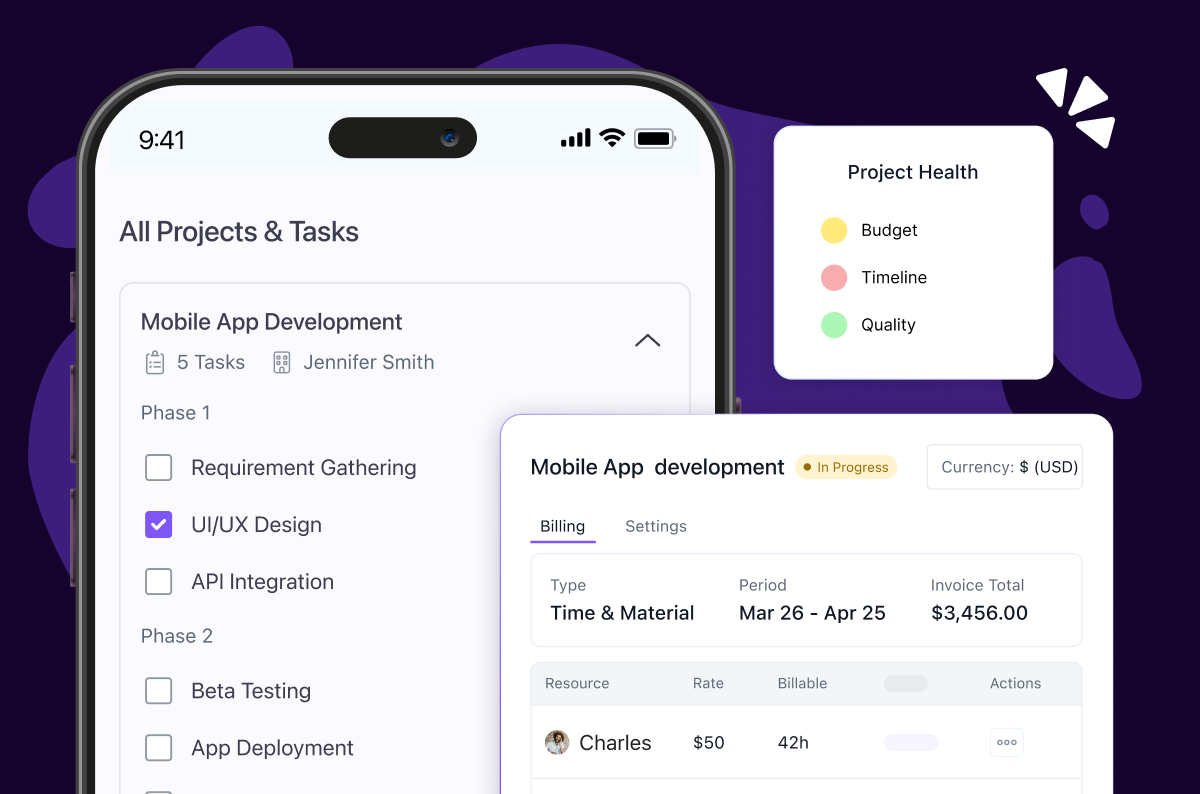
“Better three hours too soon than a minute too late”.
Shakespeare might not have managed Gnatt charts, but he understood deadlines. And if you are here, you probably know the frustration of watching your current project management tool slow you down instead of speeding you up.
I’ve been there. Staring at a dashboard that promises everything but delivers clunky workflows and half-baked integrations. What worked perfectly for a 10-person team can easily crush efficiency in a 50-person operation. And sometimes that “enterprise-ready” solution you invested in can’t keep up with the complexity you have grown into.
The data backs this up: 66% of project professionals say organizational support for investing in new project management software is a key factor in improving project outcomes, and 23% of organizations use project management software, but 77% still rely on inadequate tools like Excel or paper, often leading to inefficiencies that prompt a switch.
The real problem here isn’t finding the right tool, but it’s finding the right tool for where you are now and where you are heading.
In this guide, I am sharing the top 10 project management tools that actually deliver on their promises, with real insights on pricing, scalability, and those hidden friction points that only surface after months of use.
Because the right Project Management tool should make you forget it exists – it should just work.
On that note, let’s get started.
Research Methodology: How I Chose the Tools
To cut through the noise, I used a structures evaluation process that combined hands-on testing with user feedback from trusted sources. The focus was on how well these tools work in the real world and not just on their feature pages.
Here’s what I measured:
- Usability and User Interface: How fast can new users onboard, and how intuitive is daily adoption?
- Customization and Flexibility: Can it adapt to different workflows, industries, and levels of project complexity?
- Collaboration Features: Built-in chat, document sharing, and integrations that keep teamwork seamless.
- Task and Workflow Management: Dependencies, subtasks, automations, and progress tracking with clarity.
- Reporting and Analytics: Quality of dashboards and ability to monitor project health and team performance.
- Integration Ecosystem: Compatibility with existing tools like Slack, Google Drive, and Microsoft 365.
- Mobile Experience: Whether the mobile app offers full functionality for on-the-go management.
- Scalability: Suitability for small teams, fast-growing startups, and large enterprises.
- Pricing and ROI: Cost-effectiveness relative to features and company size.
- User Feedback: Insights from 3,000+ reviews on G2, Capterra, and Trustpilot.
With these criteria in place, let’s explore the project management tools that truly stood out in 2026 – not just in marketing claims but in real-world use.
Top 10 Project Management Tools for 2026
Without further ado, here are the best project management tools of 2026, chosen for their global relevance, scalability, and ability to adapt across industries.
1. Keka
Keka’s Professional Service Automation (PSA) platform goes beyond project management by unifying resource planning, project delivery, invoicing, HR, and payroll on a single dashboard. This makes it particularly strong for service-led industries where operations often stretch across multiple functions.


Key features:
- Timesheets: Mobile-enabled with customizable submission rules and automatic sync with leave and holiday schedules.
- Project management: Supports multiple project models (e.g., time and material, milestone-based, retainer), along with tracking and cost monitoring.
- Forecasting and analytics: Data-driven insights for capacity planning and demand forecasting.
- Resource management: Visibility into team availability, utilization, and workload.
- Billing and invoicing: Multi-currency support, multiple entities, and validation rules.
- Sales operations: Tools for tracking deals and client opportunities.
- Unified operations: From hiring to payroll to project delivery, ensuring an end-to-end workflow.
- Customizable dashboards: Tailored to different job roles like CXOs, Resource Managers, Project Managers, Client Managers, and more.
- AI-driven insights: Actionable recommendations powered by AI analytics.
- Integrations: Works with key business tools for seamless workflows.
| Pros | Cons |
|---|---|
| Intuitive and easy-to-learn interface | Occasional syncing issues with external integrations |
| Responsiveness, human-led customer support | Limited customization in advanced features |
| All-in-one platform that merges HR, payroll, and PSA |
Ideal Solution for:
Businesses of all sizes – especially service-based, manufacturing, and pharma companies looking to consolidate multiple functions into one system.
Pricing:
Keka uses a per-employee, per-month pricing model with a free trial. Pricing varies by modules and usage. Check their website for a more customized quote.
Expert’s Opinion on Keka’s PSA:
If you’re considering Keka PSA, it’s a solid all-in-one solution for project management, resource allocation, and client billing from one dashboard. The integrated approach eliminates the need for multiple tools, streamlining your operations. While it’s excellent for most service teams, those with highly specialized project workflows may want to validate advanced customization before committing.
2. ClickUp
ClickUp is one of the most flexible project management platforms available, designed to adapt to the way your team works rather than forcing rigid workflows. Its customizability and wide range of views make it equally suited for small businesses and large enterprises.

Key features of ClickUp:
- Customizable views: Offers multiple views like List, Board, Gantt, and Calendar, all of them fully configurable.
- Hierarchical task management: Tasks, subtasks, and checklists for detailed project breakdowns.
- Templates: Pre-built templates for industries like marketing, IT, and consulting.
- Custom fields: Track unique data points relevant to your workflows.
| Pros | Cons |
|---|---|
| Highly customizable workflows and views | Steep learning curve |
| Competitive pricing | Slow customer support responsiveness |
| Strong integrations ecosystem |
Ideal Solution for:
Startups to large enterprises in software, marketing, IT services, and consulting, where workflow flexibility is a must.
Pricing:
Plans start at $7 per user/month (Basic), with advanced tiers for larger teams.
Expert’s Opinion on ClickUp:
If you’re looking for a highly customizable project management solution, ClickUp delivers with its extensive feature set and AI-powered automations. The platform excels at adapting to different work styles with multiple views and flexible workflows, making it suitable for teams of varying sizes. Keep in mind that the extensive customization options can feel overwhelming initially, so plan for some onboarding time.
3. Asana
Asana is one of the most recognized project management tools, helping teams organize, prioritize, and track tasks with ease. Its clean interface and strong task management capabilities make it ideal for teams that want a tool their workforce can adopt quickly.

Key features of Asana:
- Task dependencies: Clear dependencies help teams stay on schedule.
- Portfolios: Group projects into portfolios for high-level tracking.
- Workload view: Balance team workloads visually to avoid burnout.
- Goals: Link tasks to strategic company objectives.
| Pros | Cons |
|---|---|
| Intuitive task management with subtasks and dependencies | Free plan lacks advanced features |
| Strong integrations with existing tools | Reporting and analytics are less advanced than competitors |
| Easy adoption across teams with minimal training |
Ideal Solution for:
Medium and large enterprises in marketing, operations, and professional services, where cross-functional alignment is key.
Pricing:
The starter plan begins at $10.99 per user/month, with multiple tiers for larger teams.
Expert Verdict:
If you need an intuitive project management tool that your entire team can quickly adopt, Asana strikes the right balance between functionality and ease of use. It’s particularly strong for goal tracking and task dependencies, making it ideal for cross-functional projects. Just be prepared to manage notification settings carefully to avoid information overload.
4. Trello
Trello popularized the Kanban board approach, offering a highly visual and intuitive way to manage tasks. Its simplicity and flexibility make it particularly appealing for smaller teams and creative projects.

Key features of Trello:
- Kanban boards: Drag-and-drop task organization with lists and cards.
- Power-ups: Integrations like Calendar, Google Drive, Slack, and Jira to extend functionality.
- Mobile and desktop apps: Robust mobile and desktop support with offline sync.
- Security: Enterprise-grade features like SSO, 2FA, and encryption.
| Pros | Cons |
|---|---|
| Extremely user-friendly with a minimal learning curve | Lacks advanced features like Gantt charts or complex dependency tracking |
| Adapts to personal, small team, or project workflows | Boards can get cluttered when handling many cards |
| Visual layout ideal for creative or marketing projects |
Ideal Solution for:
Freelancers, startups, and small teams in marketing, content, education, and creative services.
Pricing:
The paid plan starts at $5 per user per month.
Expert Verdict:
If you prefer visual project management and work with straightforward workflows, Trello’s Kanban-style boards provide excellent clarity and simplicity. It’s perfect for small teams and creative projects where visual organization matters most. However, teams managing complex projects with detailed reporting needs might find it too basic.
5. Wrike
Wrike is a robust project management and collaboration tool built for complex workflows and enterprise-level demands. Its advanced dashboards, resource management, and automation capabilities set it apart for large-scale projects.

Key features of Wrike:
- Dynamic request forms: Customizable request forms that streamline task and project intake.
- Gnatt charts: Detailed project planning with dependencies.
- Resource management: Detailed resource management features to balance team workloads.
- Dashboards: Customizable dashboards for at-a-glance project and team performance tracking.
| Pros | Cons |
|---|---|
| Strong project visibility and workload allocation | Steeper learning curve compared to simpler tools |
| Highly customizable workflows and dashboards | Performance issues on large datasets |
| Wide range of integrations with productivity tools |
Ideal Solution for:
Mid-sized to large enterprises in IT, professional services, product development, and marketing.
Pricing:
Plans start at $10 per user/month, with advanced enterprise tiers available.
Expert Verdict:
If you’re managing enterprise-level projects that require advanced automation and detailed reporting, Wrike offers comprehensive capabilities with customizable dashboards and resource management tools. It’s built for complex workflows and large teams. The trade-off is a steeper learning curve and higher cost that may not suit smaller organizations.
6. Monday.com
Monday.com is a visually driven project management tool designed for teams that want easy customization and strong collaboration features. Its colorful boards and automation options make it highly flexible for different workflows.

Key features of Monday.com:
- Visual boards: Drag-and-drop boards with full customization.
- Workdocs: Collaborative documents linked to tasks and projects.
- Map view: Unique view for location-based tasks.
- Time tracking: Integrated time-tracking tied to projects.
- Timeline view: Gnatt style timeline for scheduling.
| Pros | Cons |
|---|---|
| Highly customizable workflows | Premium plans can be expensive |
| Real-time updates with strong collaboration tools | Reporting and analytics are less robust than enterprise-grade tools |
| Automation reduces manual work |
Ideal Solution for:
Small to large businesses in construction, retail, marketing, and software development.
Pricing:
Plans start at $9 per seat/month.
Expert Verdict:
If you want a visually appealing platform that can adapt to virtually any workflow, Monday.com combines powerful customization with an intuitive interface. The AI tools and extensive automation capabilities make it excellent for scaling teams. The flexibility comes with complexity that might overwhelm users who need something straightforward.
7. Smartsheet
Smartsheet combines the familiarity of spreadsheets with advanced project management features, making it ideal for data-heavy teams that need structure without leaving their comfort zone.

Key features of Smartsheet:
- Spreadsheet interface: Excel-like grid for easy adoption.
- Gnatt charts: Visual project planning and progress tracking.
- Forms: Custom forms for task intake.
- Mobile app: On-the-go task and project access.
| Pros | Cons |
|---|---|
| Easy adoption for spreadsheet-savvy teams | Feature-rich platform can overwhelm new users |
| Strong project visibility and resource allocation | Mobile app lacks desktop-level functionality |
| Scales with growing businesses |
Ideal Solution for:
Organizations in strategic planning, finance, and operations that rely on structured data.
Pricing:
The Pro Plan starts at $9 per member/ month.
Expert Verdict:
If your team is comfortable with spreadsheets but needs project management capabilities, Smartsheet bridges that gap perfectly with its familiar grid interface plus advanced features like Gantt charts and automation. It’s ideal for data-heavy projects. The spreadsheet approach can feel limiting for teams preferring more modern project management interfaces.
8. Zoho Projects
Zoho Projects is part of the Zoho ecosystem, offering affordable project management with strong collaboration tools. It’s built for small and mid-sized businesses that value cost-effectiveness.

Key features of Zoho Projects:
- Task management: Create, assign, and track tasks with due dates, priorities, and dependencies.
- Collaboration tools: Includes forums, chat, document sharing, and client portal.
- Issue tracking: Escalate and manage project issues with customizable rules.
- Reporting: Custom dashboards for resource use and project health.
| Pros | Cons |
|---|---|
| Affordable pricing | Advanced customization limited to higher plans |
| Deep integration with Zoho suite and third-party apps | Outdated UI compared to newer tools |
| Strong customer support with live chat |
Ideal Solution for:
SMBs in IT, consulting, and small-scale manufacturing, especially those already using Zoho.
Pricing:
Premium plans start at ₹289 per user/month.
Expert Verdict:
If you’re already using Zoho’s ecosystem or need an affordable solution with solid fundamentals, Zoho Projects provides comprehensive project management features including time tracking and Gantt charts at a competitive price point. The interface feels somewhat dated compared to newer alternatives, but the functionality is reliable.
9. Kissflow Project
Kissflow Project is a low-code project management tool designed to let small and mid-sized businesses build custom workflows without technical expertise.

Key features of Kissflow Project:
- Custom workflows: Drag-and-drop workflow builder.
- Multiple views: List, Kanban, and matrix visualization.
- Integrations: Connects with Google Workspace, Microsoft 365, Slack, and Zapier.
- Process automation: Automates approvals and repetitive processes.
| Pros | Cons |
|---|---|
| Intuitive, clean interface with minimal training needed | Lacks advanced features like Gantt charts |
| No-code customization for business users | Syncing delays in mobile app |
| Generous offering for small teams |
Ideal Solution for:
SMBs in HR, finance, and operations needing workflow automation.
Pricing:
Basic plan starts at $2,500/month.
Expert Verdict:
If you need workflow automation without technical complexity, Kissflow’s no-code approach lets you build custom processes through drag-and-drop functionality. It’s particularly valuable for small businesses looking to digitize their project workflows. But simplicity also means you might outgrow its capabilities as your needs become more sophisticated.
10. OrangeScrum
OrangeScrum is an open-source project management platform with strong agile and invoicing features, making it appealing for budget-conscious software teams.

Key features of OrangeScrum:
- Scrum boards: Agile-focused boards for sprint planning and task tracking.
- Invoicing: Generate invoices based on tracked hours and project progress.
- Custom reports: Custom insights into progress and resource use.
- Open-source option: Self-hosted version for full control and customization.
| Pros | Cons |
|---|---|
| Strong Scrum and sprint planning features for software development teams | Lacks advanced security or scalability for large organizations |
| Combines task management with invoicing | Limited third-party integrations |
| Open-source version allows extensive tailoring for specific needs |
Ideal Solution for:
SMBs in software development, consulting, and marketing.
Pricing:
Premium plan starts at $7.99 per user/month.
Expert Verdict:
If budget is a primary concern and you need open-source flexibility, Orangescrum offers basic project management functionality with both agile and waterfall support at an affordable price. The customizable nature appeals to technical teams. However, be prepared for occasional bugs and a less polished user experience.
11. ProofHub
ProofHub centralizes project management and collaboration with built-in proofing tools, making it a strong choice for creative teams handling design and client feedback.

Key features of ProofHub:
- Online proofing: Review and approve visual assets within the tool.
- Collaboration tools: Includes chat, discussions, notes, and announcements for team communication.
- Custom workflows: Tailor task statuses for specific needs.
- Gnatt charts: Visualize and manage dependencies.
| Pros | Cons |
|---|---|
| Flat pricing with unlimited users | Limited analytics for complex projects |
| Built-in proofing for creative teams | Fewer integrations compared to larger players |
| Automatic cascade adjustments in Gantt view |
Ideal Solution for:
Creative and marketing agencies managing client deliverables.
Pricing:
Flat plan starts a $45/month (unlimited users).
Expert Verdict:
If you’re managing creative projects that require collaboration on visual materials, ProofHub’s built-in proofing tools and flat pricing structure make it an attractive all-in-one solution. The time tracking and task management features work well for creative agencies. The limited integrations might require workflow adjustments if you rely heavily on external tools.
With this, our comprehensive list of the best project management tools summarizes all the leading alternatives in the market.
Best Project Management Tool: A Comparison Chart
We’ve covered the leading project management platforms in detail—now here’s a side-by-side comparison to help you quickly weigh your options.
| Tool | Key Features | Pricing | Free Trial |
|---|---|---|---|
| Keka | Unified HR + PSA Platform Multi-currency billing + invoicing AI-driven analytics Role-based customizable dashboards | Per-employee-per-month (varies) | Yes |
| Clickup | Customizable task views Hierarchical task breakdown Custom fields for data Industry-specific templates | Starts at $7/user/month | Yes |
| Asana | Task dependencies Portfolios for multi-projects Workload balancing view Goal alignment tracking | Starts at $10.99/user/month | Yes |
| Trello | Visual Kanban boards Drag-and-drop task cards Power-Up integrations Enterprise-grade security | Free plan; Paid from $5/user/month | Yes |
| Wrike | Dynamic intake request forms Advanced Gnatt charts Resource management tools Custom project dashboards | Starts at $10/user/month | Yes |
| Monday | Visual board with drag-and-drop Workdocs linked to tasks Map view for location tasks Integrated time tracking | Starts at $9/seat/month | Yes |
| Smartsheet | Spreadsheet style interface Gnatt charts Customizable forms Mobile task management | Pricing varies | Yes |
| Zoho | Task + dependency management Built-in collaboration tools Issue tracking workflows Customizable reports | Starts at ₹289/user/month | Yes |
| Kissflow | Drag-and-drop custom workflows Multiple project views Zappier and Google integrations Process automation | Starts at $2,500/month | Yes |
| Orangescrum | Scrum boards Built-in invoicing Opens-source option Custom project reports | Starts at $7.99/user/month | Yes |
| Proofhub | Online proofing for designs Built-in team chat and discussions Custom workflows Advanced Gnatt view | Flat $45/month (unlimited users) | Yes |
Next, let’s answer that one question that’s probably been bugging you: which is the best suited tool according to my key needs?
Which Project Management Tool is Right for You?
The “best” tool depends on your team’s size, workflows, and budget. Here’s a breakdown tailored to different needs:
Freelancer/Startup
If you are a solo worker or running a small team, you will most likely need a simple, affordable, and quick-to-onboard tool:
- Trello: Great for visual tracking with zero learning curve.
- ClickUp: Perfect if you want more customization without spending big.
Large Teams
Large organizations often place scalability, reporting, and cross-departmental collaboration at the heart of their project management operations:
- Keka PSA: Best if you need an all-in-one solution that unifies HR, payroll, resources planning, and project delivery.
- Wrike: A strong option for managing complex workflows and large projects with advanced dashboards.
Tech Teams
For engineering, product, or IT teams they solely focus on agile workflows, sprints, and integrations:
- OrangeScrum: Ideal for agile teams with Scrum boards and sprint planning.
- Zoho Projects: Fits IT and consulting teams with built-in issue tracking and smooth integrations.
Growing Businesses and Service Teams
As you scale, juggling resources, billing, and client expectations get complex. That’s where Keka PSA comes in.
- Keka PSA: The only platform that combines project management, resource planning, billing, HR, and payroll under a single platform, making it perfect for companies that want to avoid tool overload.
Documentation-Heavy Workflows
Teams that rely heavily on collaboration, proofing, or documentation should look for tools built around content:
- ProofHub: Built-in online proofing and team chat makes it great for marketing and creative agencies.
- Monday.com: Combines visual boards with Workdocs, ideal for projects where tasks and documents must live together.
Budget-Conscious Teams
If you are on a tight budget but still want robust features:
- Trello: Free forever plan for basic project management.
- Zoho Projects: Affordable plans for growing teams.
Enterprise Grade Requirements
Enterprises often need compliance, multi-entity support, and deep analytics:
- Keka PSA: Handles everything from multi-currency billing to AI-powered analytics, built for scaling.
- Smartsheet: Perfect for operations-heavy enterprises that prefer spreadsheet familiarity with enterprise features layered on top.
Quick Decision Guide:
| If You’re… | Best Choice | Why |
|---|---|---|
| A freelancer or small startup | Trello / ClickUp | Lightweight, budget-friendly, and easy to set up for simple workflows. |
| A growing business or service team | Keka PSA | The only tool here that unifies project management, resource planning, billing, HR, and payroll in one system. |
| A large team or enterprise | Keka PSA | Handles multi-entity operations, multi-currency billing, and AI-powered analytics at scale. |
| A tech or agile team | OrangeScrum / Zoho Projects | Strong agile boards, sprint planning, and issue tracking for engineering/product teams. |
| A documentation-heavy team (creative, marketing, agencies) | ProofHub / Monday.com | Built-in proofing, docs, and collaboration tools for content-heavy workflows. |
| Budget-conscious | Trello (Free) / Zoho Projects (₹289/user) | Robust yet affordable options for small teams. |
| Spreadsheet-loving operations team | Smartsheet | Familiar interface with enterprise-grade project features. |
Next, let’s dive into the must-have features you should look for in project management software before making your final choice.
What to Look for in a Project Management Tool
Choosing the best project management software isn’t about picking the most popular option. It’s about finding the right fit for your team’s specific needs. The right tool should feel like an enabler, not an extra chore.
Here are the key areas to evaluate when selecting project management software:
Team Size and Structure
Your team size is the first filter in choosing project management tools.
- Small teams (2 to 10 people) need lightweight solutions focused on simple task lists or kanban boards. Tools like Trello or Asana work well here. You don’t need complex features that slow you down.
- Medium teams (10-50 people) require more structure. You’ll need user permissions, project templates, and basic reporting. ClickUp and Keka PSA shine in this space.
- Large teams (50+ people) need enterprise-grade features. Look for advanced reporting, custom workflows, and robust integrations. Wrike and Keka PSA handle complex organizational needs.
- Remote or distributed teams should prioritize real-time collaboration features. Video integration, mobile apps, and notification systems become critical.
Work Type and Industry Needs
Different types of work require different project management software features:
- Creative teams (agencies, marketing, design) need:
- Visual project boards for campaign tracking
- Proofing and approval workflows
- Client collaboration features
- Asset management capabilities
- Tech teams (development, IT, engineering) need:
- Integration with development tools (GitHub, Jira)
- Sprint planning and issue tracking
- Code repository connections
- Bug tracking capabilities
- Service businesses (consulting, legal, accounting) need:
- Time tracking and billing integration
- Client portal access
- Document management
- Resource planning tools
- Construction and field work need:
- Mobile-first design
- Photo and file sharing
- GPS and location features
- Offline capabilities
Buying Tip: Understanding your work type helps narrow down which tools reduce friction instead of adding it.
Scalability and Growth Planning
Don’t just solve today’s problems. Think six months ahead.
Key scalability questions:
- Can you add team members without major cost jumps?
- Does the tool offer advanced features you can grow into?
- How easy is it to migrate data if you need to switch?
- Are there API integrations for future needs?
Switching project management tools mid-growth is a productivity killer. Choose something that can evolve with your business.
Pro Tip: Many businesses start with free plans and upgrade as they grow. Make sure your chosen tool has a clear upgrade path.
Collaboration and Communication
The best project management software creates a single workspace where updates, files, and discussions live together.
Essential collaboration features:
- Real-time editing and commenting
- File sharing and version control
- @mention notifications
- Team chat or messaging
- Video conferencing integration
If your team constantly switches between email, Slack, and file storage, you’re losing context. Look for tools that minimize app-switching.
Example: Instead of emailing updates about project changes, team members can comment directly on tasks in Asana or ClickUp. Everyone sees the context immediately.
Reporting and Analytics
Managers need more than task updates. They need visibility into timelines, workloads, and bottlenecks.
Must-have reporting features:
- Project timeline dashboards
- Team workload balancing
- Budget and time tracking
- Progress reports for stakeholders
- Bottleneck identification
Without proper visibility, you’re only managing at the surface level.
Look for: Customizable dashboards that show what matters to your role. A project manager needs different views than a team lead or executive.
Ease of Use and Team Adoption
The most powerful tool fails if your team won’t use it.
User experience priorities:
- Clean, intuitive interface
- Minimal learning curve (under 1 week for basic proficiency)
- Strong onboarding and training resources
- Mobile app for remote work
- Consistent experience across devices
Adoption is only winning half the battle. If people don’t enjoy using it, they won’t use it.
Adoption tip: Run a 2-week trial with your actual projects. If people complain or avoid using it, keep looking.
Budget and Return on Investment
Price matters, especially for startups and small businesses. But focus on value, not just the lowest cost.
ROI considerations:
- Time saved on manual tasks
- Reduced need for multiple tools
- Improved project completion rates
- Better client satisfaction scores
Pricing models to understand:
- Per-user monthly subscriptions
- Flat-rate team pricing
- Feature-based tiers
- Enterprise custom pricing
Example:Paying $10/month per user for a tool that eliminates three $5/month apps saves money and reduces complexity.
Quick Selection Checklist
Use this checklist to evaluate your project management software options:
- Team fit: Does it match my team size and structure?
- Work alignment: Does it fit our type of work (creative, tech, service)?
- Growth ready: Will it scale as we grow?
- Communication hub: Does it centralize collaboration in one place?
- Manager visibility: Are reporting features strong enough for leadership?
- User friendly: Is it easy for the team to learn and adopt?
- Budget sense: Does the cost align with the value delivered?
- Integration ready: Does it connect with our existing tools?
So, if your work involves time tracking, resource planning, and billing alongside project delivery, a PSA platform can combine all these functions into one place, helping your team stay organized while keeping the bigger picture in focus.
Ready to Find Your Perfect Project Management Solution?
The best project management software is the one that fits your team’s workflow and grows with your business. After comparing features, pricing, and user experience, Keka stands out for teams seeking comprehensive project management with built-in HR and workforce management capabilities.
Whether you’re a growing startup needing simple task management or an established business requiring advanced reporting, there’s a solution in our comparison above that matches your needs. The key is to stop researching and start testing.
Take action today: Pick your top choice from our recommendations, sign up for a free trial, and test it with a real project. Most teams know within one week which tool works best for their workflow.
Your organized, efficient workflow is just one decision away.


