Login
Login


Quick overview
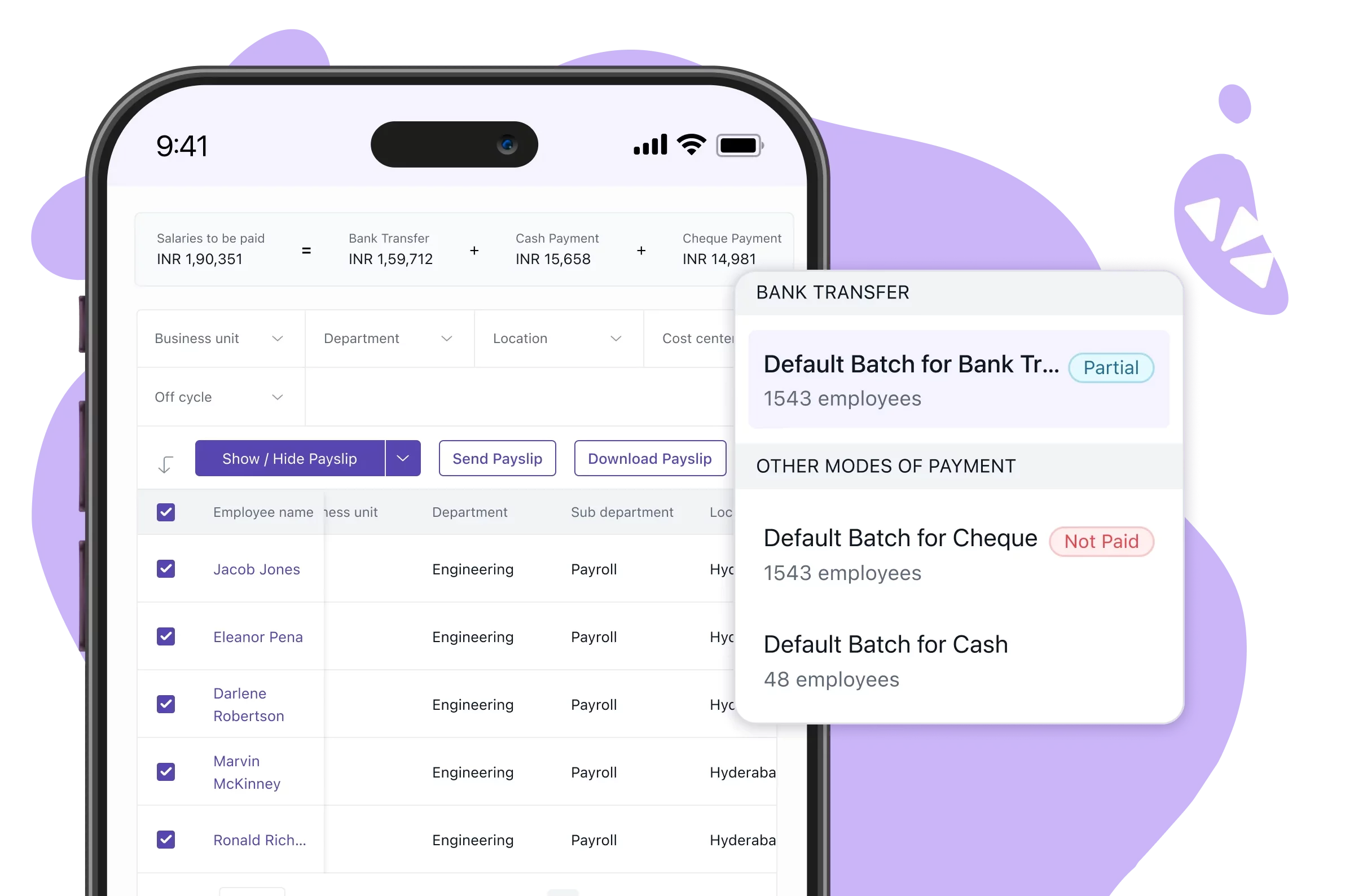
The best payroll software in India for 2026 are Keka, greytHR, Zoho Payroll, RazorpayX Payroll, PeopleStrong, HROne, ADP India, factoHR, Zimyo, sumHR, and Paybooks. This guide compares them on statutory coverage, pricing, and free trials to help you match a tool to your headcount. Keka brings payroll and HR together on one platform for businesses of all sizes.
If you’re looking for payroll software for your business in 2026, Keka is our pick for businesses of all sizes that want HR and payroll software on one platform. Small teams can get started easily with greytHR or Zoho Payroll, while PeopleStrong is better suited to large enterprises.
Payroll in India involves more than calculating salaries. Employers must account for PF, ESI, TDS, and other statutory requirements while keeping up with regulatory changes. As teams grow, managing these obligations manually increases the risk of errors and takes up valuable time.
Regulatory changes add to the workload. For example, the EPF wage ceiling increased from ₹15,000 to ₹25,000 per month on 17 September 2026. Employers using the old ceiling in their payroll setup need to check that their PF calculations have been updated.
Good automated payroll software should handle changes like these without requiring manual rework. However, the level of automation, compliance support, and HR functionality varies by platform.
In this article, we have compared 11 payroll software options for Indian businesses, evaluating statutory coverage, pricing, free trials, and user ratings to help you choose the right fit.
Here’s a quick comparison table to help you shortlist your options before diving into the details.
Best Payroll Software in India at a Glance
| Tool | Best For | Pricing Details | G2 Review | Free Trial |
|---|---|---|---|---|
| Keka | Payroll and HR on one platform | Contact Keka for a custom quote | 4.4/5 | Free trial available |
| greytHR | Payroll-first HR administration | From ₹2,495/month for up to 50 employees | 4.4/5 | Yes, 7 days |
| Zoho Payroll | Teams already on Zoho | From ₹1,000/month billed annually for up to 25 employees, plus GST. Free plan for up to 10 employees | 4.5/5 | Yes, 14 days |
| RazorpayX Payroll | Paying and filing from one dashboard | From ₹3,499/month on annual billing for up to 20 employees, plus 18% GST | Not listed on G2 | Free sign-up |
| PeopleStrong | Multi-entity enterprise payroll | Contact PeopleStrong for a custom quote | 4.5/5 | No, demo only |
| HROne | Mobile-first attendance and payroll | ₹2,900/month for 25 users | 4.8/5 | Yes |
| ADP India | Outsourcing payroll to a managed provider | Contact ADP India for a custom quote | 4.0/5 (ADP Payroll Services listing) | No, demo only |
| factoHR | Payroll with accounting and ERP links | From ₹4,999/month for up to 50 employees, billed yearly | 4.6/5 | Yes |
| Zimyo | Payroll inside an AI-assisted HRMS | From ₹80/user/month, minimum 50 users | 4.5/5 | Yes, 14 days |
| sumHR | Low-cost payroll for small teams | From ₹49/user/month billed annually with a Jupiter Salary Account | 4.6/5 (Core HR listing) | No, demo only |
| Paybooks | Self-serve payroll with a managed option | Contact Paybooks for a custom quote | 4.5/5 | Yes, 30 days |
How We Chose the Best Payroll Software in India in 2026
We evaluated each platform against the requirements that matter most when choosing cloud payroll software for an Indian business.
-
Statutory coverage: Support for PF, ESI, TDS, professional tax, and labour welfare fund rules.
-
Compliance management: How well the platform tracks regulatory changes, applies updated rules, flags compliance gaps, and helps teams meet filing deadlines.
-
Returns and forms: Generation of Form 16 (Form 130), Form 24Q (Form 138), challans, and ECR files.
-
Multi-state handling: How well the platform applies state-wise rules for businesses with employees in several states.
-
Payroll automation level: How much of the run a payroll automation software handles on its own, including checks before payout.
-
Integrations: Links to attendance, HRMS, accounting tools such as Tally, and banks.
-
Implementation and pricing: How clearly pricing is published and what the setup involves.
We took product details, features, and pricing from each vendor’s official website, and ratings and recurring review themes from G2 and other peer-review sites. All of it was checked in October 2026.
Disclosure: Keka is our product. We have assessed it using the same broad evaluation criteria as the other platforms.
Top 11 Payroll Software in India in 2026: Ultimate Breakdown
1. Keka: Best for payroll and HR on one platform
Keka runs payroll across all 28 Indian states and 8 union territories and keeps pace with central and state rules. PF, ESI, TDS, professional tax, and labour welfare fund rules apply automatically, including for businesses with employees in several states.
PF and ESI contributions are calculated and filed automatically, and the ECR is generated on payroll closure. Quarterly TDS returns (24Q and 26Q), Form 16 (Form 130), and filing-ready challans all come from the same payroll data.
Keka AI checks for incorrect hours, missing deductions, and outliers before each run. Attendance, leave, and salary data come together in one system, so each payroll cycle runs on connected data. Corrections, bonuses, or missed payouts can run without reopening the whole payroll cycle.
Keka connects with 100+ tools, including accounting tools such as Tally and Zoho Books. Guided onboarding with dedicated contacts and defined SLAs supports teams from setup through resolution. More than 12,500 companies use Keka today. Keka is hosted on SOC 2 Type II and ISO 27001 certified infrastructure and is GDPR compliant.
What are the key features of Keka?
-
Automatic PF, ESI, TDS, professional tax, and labour welfare fund calculations across 28 states and 8 union territories.
-
ECR-ready PF reports and filing-ready challans generated automatically every cycle.
-
Generate digitally signed Form 16 (Form 130) in a single click, along with 24Q and 26Q returns.
-
Keka AI flags incorrect hours, missing deductions, and outliers before a payroll run.
-
Employee self-service for payslips, tax declarations, and Form 16 on desktop or mobile.
-
Maker-checker approvals, plus payroll corrections without rerunning the whole cycle.
Pros and cons of Keka
| Pros | Cons |
|---|---|
| Statutory payroll for India: Keka supports payroll, deductions, and statutory compliance across all 28 states and 8 union territories. This includes PF, ESI, TDS, professional tax, and labour welfare fund rules. | Best suited to organizations looking to consolidate HR processes: Keka works for payroll on its own. Teams that also adopt its HR modules gain more from the connected employee data. |
| Automation across payroll workflows: Keka supports approval workflows and maker-checker validation before payroll runs. Keka AI also flags incorrect hours, missing deductions, and outliers before a run. | Automation works best with well-defined processes: Teams will need to map their approval structures and pay policies before configuring payroll. Doing this up front is what lets payroll run without manual follow-up. |
| Connected workforce data: Employee, attendance, leave, and payroll information is managed within one connected system. Each payroll cycle runs on that connected data. | Moving from other systems requires some transition: Organizations switching from another payroll tool or spreadsheets may need to plan the migration of employee data and past salary records. Guided setup includes importing employee data and validating past salary records. |
Pricing: Contact Keka for a custom quote.
Best for: Businesses looking to manage payroll, statutory compliance, attendance, and broader HR processes on a single platform.
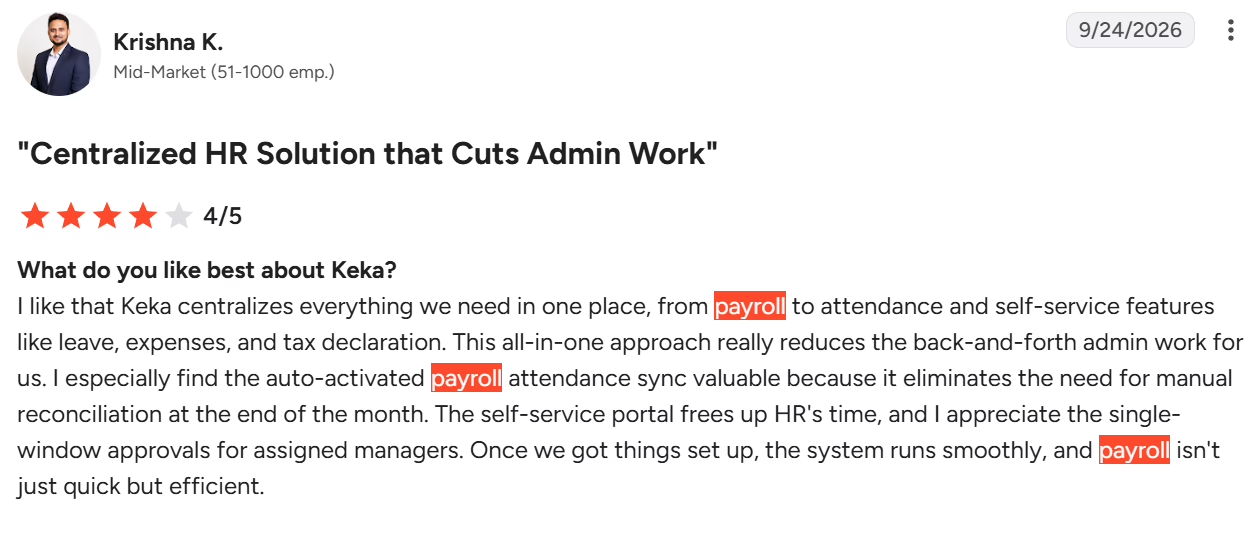
Here’s what users say on G2
2. greytHR: Best for payroll-first HR administration
greytHR is a cloud HRMS built around payroll, with salary structures, arrears, loans, and final settlements managed in one place. PF, ESI, state-wise professional tax, Form 24Q, and Form 16 are built in. A Tally integration moves payroll journals to the books. Its NAVOS AI assistant, included in paid plans, handles payroll actions such as salary updates through plain-language prompts.
What are the key features of greytHR?
-
Automated payroll with unlimited salary components, arrears, loans, and final settlements.
-
Built-in PF with ECR generation, ESI challans, and state-wise professional tax rules.
-
One-click Form 24Q with automatic FVU validation, plus digitally signed Form 16.
-
PayNow transfers salaries directly from the app, and bank transfer formats cover all major banks.
-
Employees can view payslips, declare investments, and download Form 16 on web or mobile.
-
NAVOS runs payroll actions from natural-language prompts.
Pros and cons of greytHR
| Pros | Cons |
|---|---|
| Payroll-first engine: Unlimited salary components and configurable structures let teams model custom pay policies without workarounds. | Performance at busy times: Page loading can slow down at busy times, so a full-headcount test run during the trial is worth doing. |
| Filing-ready returns: Form 24Q comes with automatic FVU validation, so returns are checked before filing. | Support response on payroll queries: Response times can vary, so ask what support commitment comes with your plan. |
| Direct salary payout: PayNow lets teams release salaries from inside the app instead of preparing a separate bank file. | Customization depth: Reports and screens can be fairly fixed. Check that the reports you need are available before you commit. |
Pricing: greytHR’s Essential plan starts from ₹2,495 per month for up to 50 employees, with ₹45 per month for each additional employee.
Best for: Small and medium-sized businesses looking to automate payroll processing, statutory calculations, salary disbursement, and employee self-service.
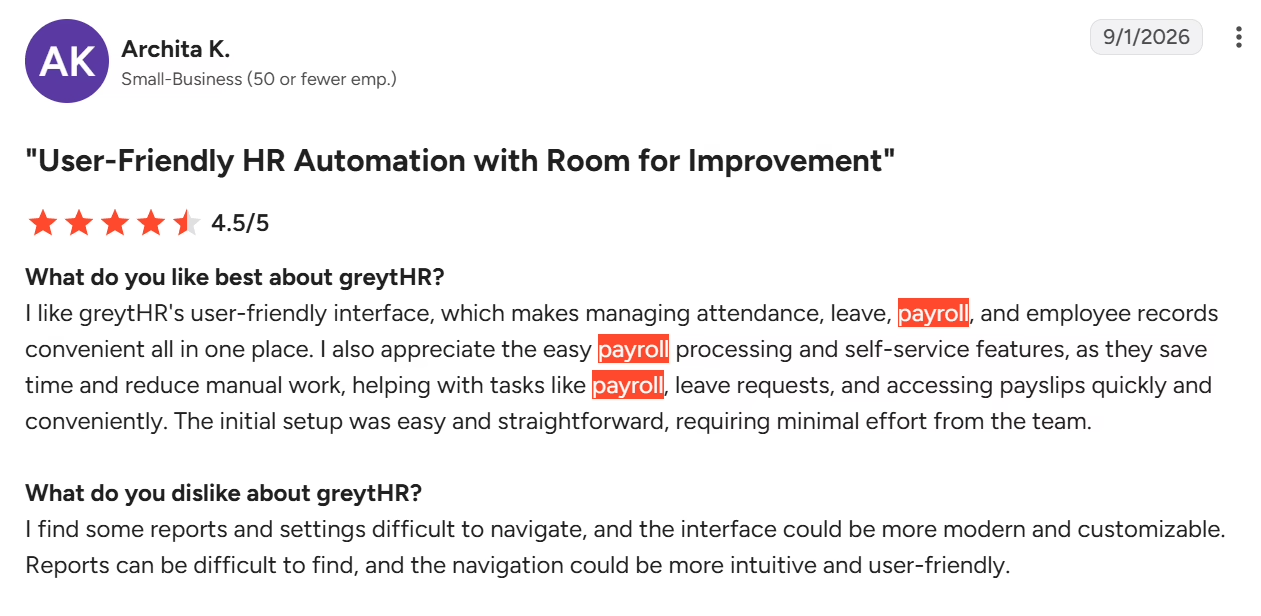
Here’s what users say on G2
3. Zoho Payroll: Best for teams already on Zoho
Zoho Payroll is a standalone payroll product from Zoho that connects with Zoho Books, Zoho People, and Zoho Expense. It applies PF, ESI, LWF, professional tax, and income tax rules across 28 states. It also generates Form 16 (Form 130), Form 138, and 12BB. Employees receive payslips through a web portal, a mobile app, or WhatsApp, and the Zia assistant answers their queries.
What are the key features of Zoho Payroll?
-
Compliance for PF, ESI, LWF, professional tax, and income tax across 28 states.
-
Download Form 16 (Form 130), Form 138, and 12BB with built-in e-signature.
-
Online salary payments through HSBC on the free plan, with ICICI Bank added from the Standard plan.
-
Accounting and HR data sync with Zoho Books, Zoho People, and Zoho Expense.
-
Employee self-service for payslips, tax worksheets, investment declarations, and reimbursement claims.
-
Pay-run approvals on the Professional plan add a sign-off step before salaries are processed.
Pros and cons of Zoho Payroll
| Pros | Cons |
|---|---|
| Free plan for small teams: Teams of up to 10 employees can run PF, ESI, professional tax, LWF, and income tax compliance without a paid plan. | Customization for complex pay structures: Options can be somewhat fixed. Organizations with intricate salary structures should test theirs during the trial. |
| Fit with the Zoho ecosystem: Direct links to Zoho Books, Zoho People, and Zoho Expense avoid re-entering payroll data in accounting. | Support response times: Support can take a while to respond, so it is worth asking what support options come with your plan. |
| Payslips on WhatsApp: Employees can receive payslips and letters on WhatsApp, which cuts routine payslip requests to HR. | Bank payout coverage: Online salary payments work through a short list of banks. Check that yours is on it. |
Pricing: Zoho Payroll’s Standard plan starts from ₹1,000 per month billed annually for up to 25 employees, plus GST, and a free plan covers up to 10 employees.
Best for: Startups and small businesses looking for automated payroll, tax workflows, and integrations with other Zoho applications.
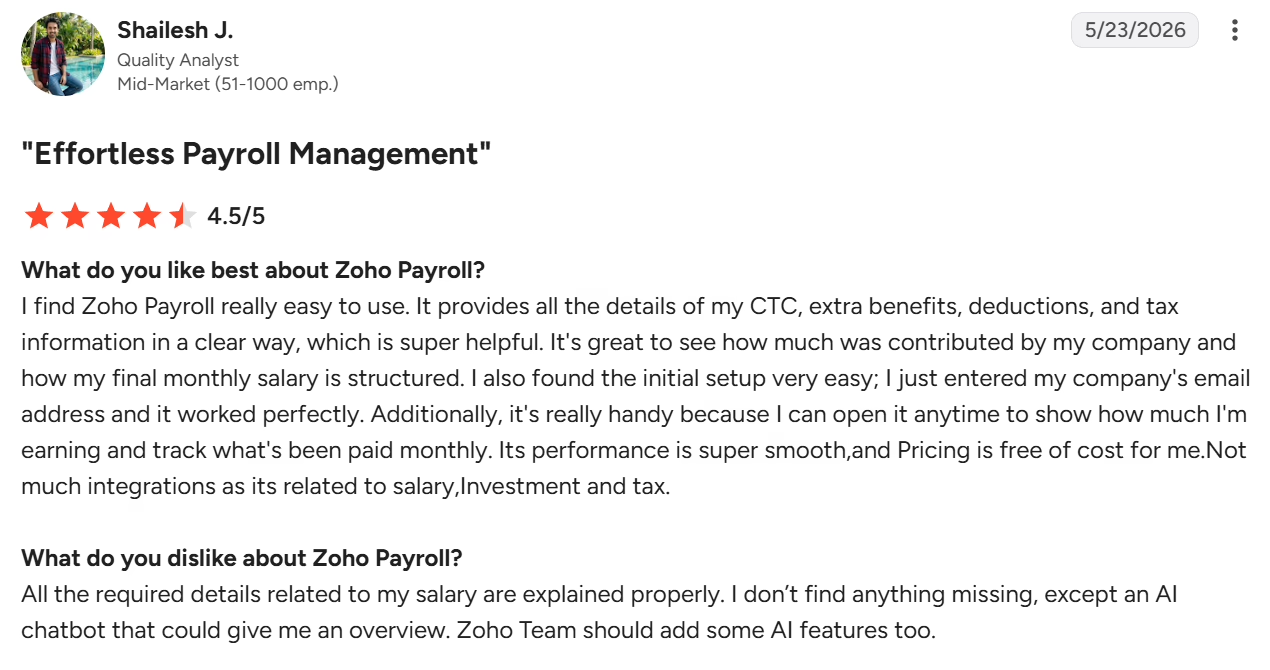
Here’s what users say on G2
4. RazorpayX Payroll: Best for paying and filing from one dashboard
RazorpayX Payroll is Razorpay’s payroll product, offered alongside its business banking tools. It began with Razorpay’s 2019 acquisition of Opfin, a cloud-based payroll startup, and now also has an enterprise version. It pays salaries and handles TDS, PF, PT, and ESIC from a single dashboard. It supports multi-state compliance without extra charges and syncs leave and attendance from 25+ HRMS partners. Contractors and freelancers can be paid from the same place, with TDS filed on their behalf.
What are the key features of RazorpayX Payroll?
-
Pay and file TDS, PF, PT, and ESIC from a single dashboard.
-
Digitally signed Form 16, challans on the dashboard, and real-time regulatory alerts.
-
Salary payouts go straight to the bank accounts of employees, contractors, and freelancers.
-
Leave and attendance sync with 25+ HRMS partners, Ubitech, or Jibble.
-
Payslips and reimbursement requests on WhatsApp or the employee dashboard.
-
Payroll setup in about an hour through the vendor’s 1-hour onboarding.
Pros and cons of RazorpayX Payroll
| Pros | Cons |
|---|---|
| Pay and file in one place: Salary payout and statutory payments sit in one dashboard, so there is no separate challan step. | Customization: Payroll categories and workflows can be fairly fixed. Check your pay structure against them before you commit. |
| Contractor and freelancer payouts: Contractors, interns, and freelancers can be paid from the same place, with TDS filed on their behalf. | Learning curve: The dashboard and compliance screens can take time to learn, so plan for the guided onboarding. |
| Attendance sync: Leave and attendance flow into salary through 25+ HRMS partners or the bundled time partners. | Reports and HR depth: Reports and HR features may be lighter than some teams need. Those teams may pair it with an HRMS. |
Pricing: RazorpayX Payroll’s Prime plan starts from ₹3,499 per month on annual billing for up to 20 employees, with ₹150 per month for each additional employee, plus 18% GST.
Best for: Startups and growing businesses looking to automate payroll calculations and salary payments, with an enterprise offering for complex, multi-state payroll requirements.
5. PeopleStrong: Best for multi-entity enterprise payroll
PeopleStrong is an enterprise HCM platform whose payroll module is also sold with leave and attendance as Payroll and Workforce Management. It calculates TDS, EPF, ESI, and other statutory numbers automatically. Its engine is updated for changes such as tax slabs and PF and ESI rules. Multiple legal entities and tax registrations run from one platform, with a maker-checker trail for payroll sign-off.
What are the key features of PeopleStrong?
-
Automatic calculation of TDS, EPF, ESI, and other statutory numbers.
-
Statutory engine updates for income tax slabs, PF and ESI rules, professional tax rates, and bonus and gratuity changes.
-
Multiple legal entities and tax registrations managed from one platform.
-
350+ pre-defined reports and a custom report builder for variances and declarations.
-
Attendance, leave, and shift data feed payroll automatically, including loss of pay and overtime.
-
Maker-checker audit trail with multi-tier approvals for payroll sign-off.
Pros and cons of PeopleStrong
| Pros | Cons |
|---|---|
| Multi-entity scale: Several legal entities and tax registrations run from one platform, which suits enterprises with a complex structure. | Performance at times: Loading can slow down at times, so test your largest payroll during the demo. |
| Audit trail: Maker-checker approvals give finance and audit a clear record of payroll sign-off. | Workflow and reporting flexibility: Some workflows and reports can be more fixed, so confirm that your required formats are available. |
| Connected attendance: Attendance, leave, and shift data are checked against policy and flow into payroll without manual files. | Initial setup effort: Configuration can take some effort at the start, though support can help during setup. |
Pricing: Contact PeopleStrong for a custom quote.
Best for: Enterprises looking for payroll outsourcing, automated payroll operations, employee self-service, and integrations with existing HR and finance systems.
Here’s what users say on G2
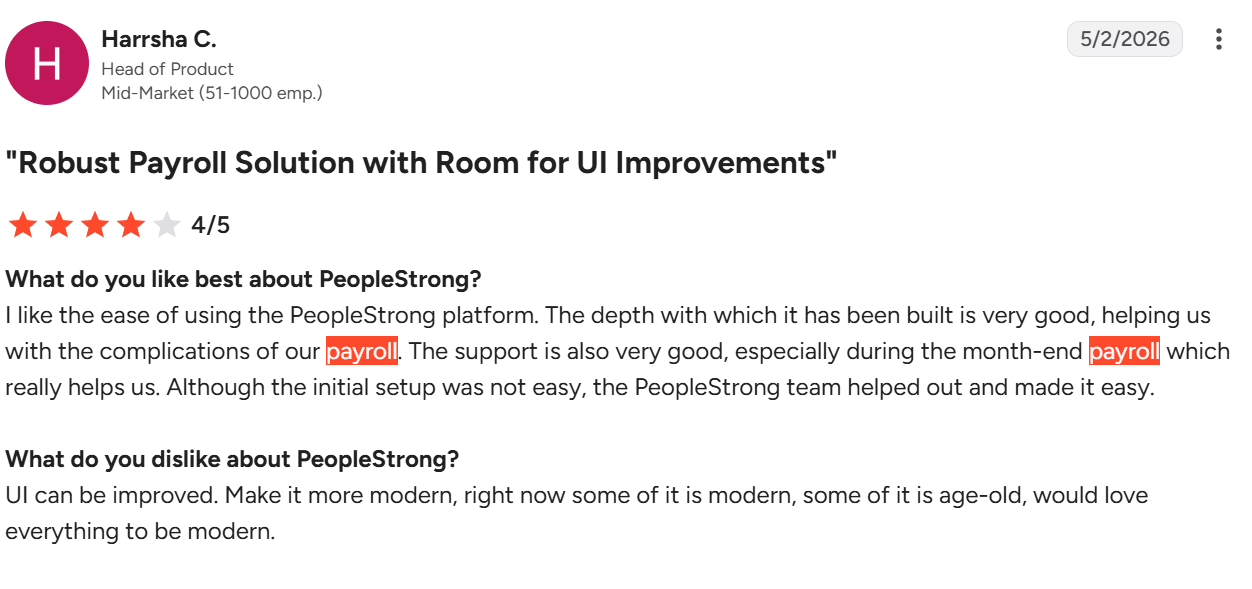
6. HROne: Best for mobile-first attendance and payroll
HROne is an HRMS suite with payroll as one module, built mobile-first for Indian teams. Payroll covers PF with ECR files, ESI, TDS under both regimes, state professional tax, LWF, and gratuity. A pre-run check compares each payroll with the previous month and lists exceptions. Attendance syncs from the Time Office module and biometric devices.
What are the key features of HROne?
-
PF with ECR files, ESI files, TDS under both regimes, and professional tax by state slab.
-
Form 24Q prepared for filing and Form 16 issued every year.
-
A pre-run exception list shows variances against the previous month before salaries are released.
-
Attendance and leave flow in from Time Office, including biometric devices such as ESSL, Suprema, and ZKTeco.
-
Integrations with Tally, SAP, Oracle, and QuickBooks for finance data.
-
Employee self-service on the mobile app, with payslips, Form 16, and investment declarations.
Pros and cons of HROne
| Pros | Cons |
|---|---|
| Pre-run exception checks: Variances against the previous month are listed before payout, so HR reviews exceptions instead of every row. | Speed at peak usage: Performance can slow down during large operations, so test with your full headcount. |
| Biometric sync: Attendance and leave data from supported devices flow into payroll, which removes manual loss of pay entry. | Customization and reporting: Reports and screens can be more fixed in places, so check that the formats you need are covered. |
| Mobile app included: The mobile app comes at no extra charge, so employees can access payslips and declarations from day one. | Navigation: Some options take extra clicks to find, so admins may need a little time with the layout. |
Pricing: HROne’s Launchpad plan starts from ₹2,900 per month for 25 users.
Best for: Businesses looking to manage payroll, attendance, recruitment, and performance management through an integrated HRMS.
Here’s what users say on G2
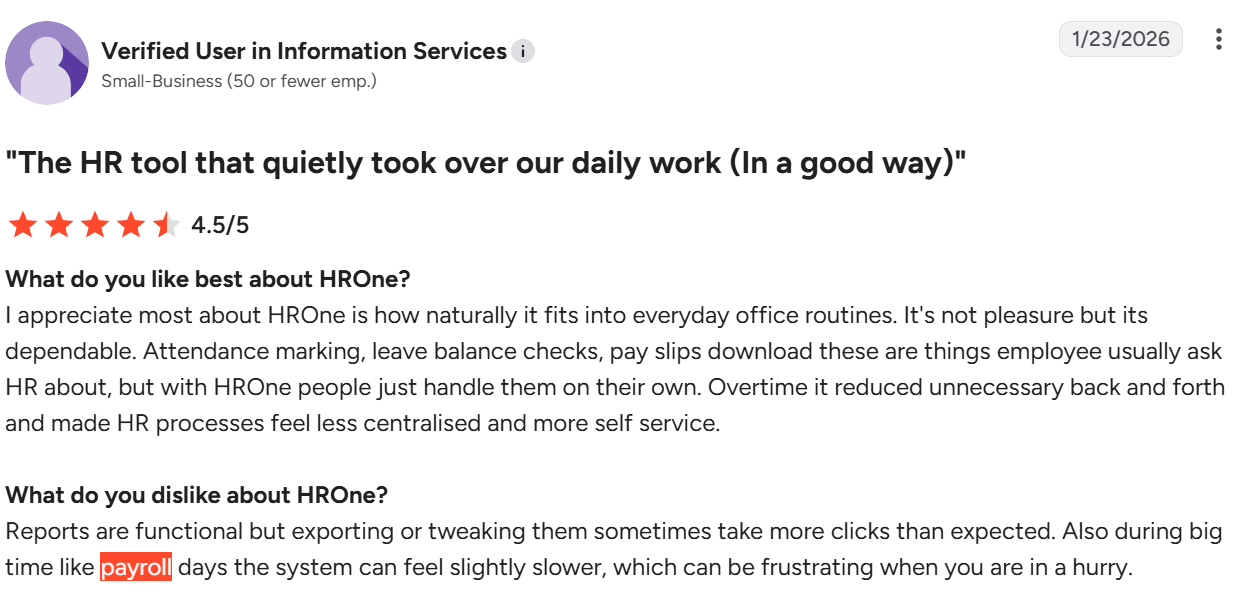
7. ADP India: Best for outsourcing payroll to a managed provider
ADP India sells payroll as cloud software through ADP Vista and as managed payroll and outsourcing services. Vista calculates statutory deductions with automated legislation updates and includes an employee portal for payslips, leave, and reimbursement claims. Add-ons include Time and Attendance, Leave Management, an Implementation Service, and a Lodgement Service that covers quarterly TDS salary returns.
What are the key features of ADP India?
-
Payroll and tax calculation with mandatory and optional statutory deductions.
-
Automated updates for changes in payroll legislation.
-
Employee self-service portal on PC and mobile for payslips, leave, and reimbursement claims.
-
Reports for monthly payroll, bank files, salary ledger, and statutory data.
-
The optional Lodgement Service covers quarterly TDS salary returns and declarations.
-
The optional Implementation Service covers data migration, setup, and a service-level agreement.
Pros and cons of ADP India
| Pros | Cons |
|---|---|
| Legislation updates built in: Automated updates mean the payroll team does not have to track every rule change itself. | Report customization: Reporting can be less flexible, which makes it worth checking the standard reports against what you need. |
| Managed options: Quarterly TDS salary returns and other filings can be handed off through the optional Lodgement Service. | Support consistency: Support quality and response times can vary, so ask about the service levels for your account. |
| Vendor-led setup: The Implementation Service covers data migration and setup, so go-live is led by the vendor. | Pricing level: Pricing can sit at the premium end, which is easier to justify for larger payrolls. |
Pricing: Contact ADP India for a custom quote.
Best for: Businesses of different sizes looking for payroll processing, compliance support, employee self-service, or managed payroll outsourcing.
Here’s what users say on G2
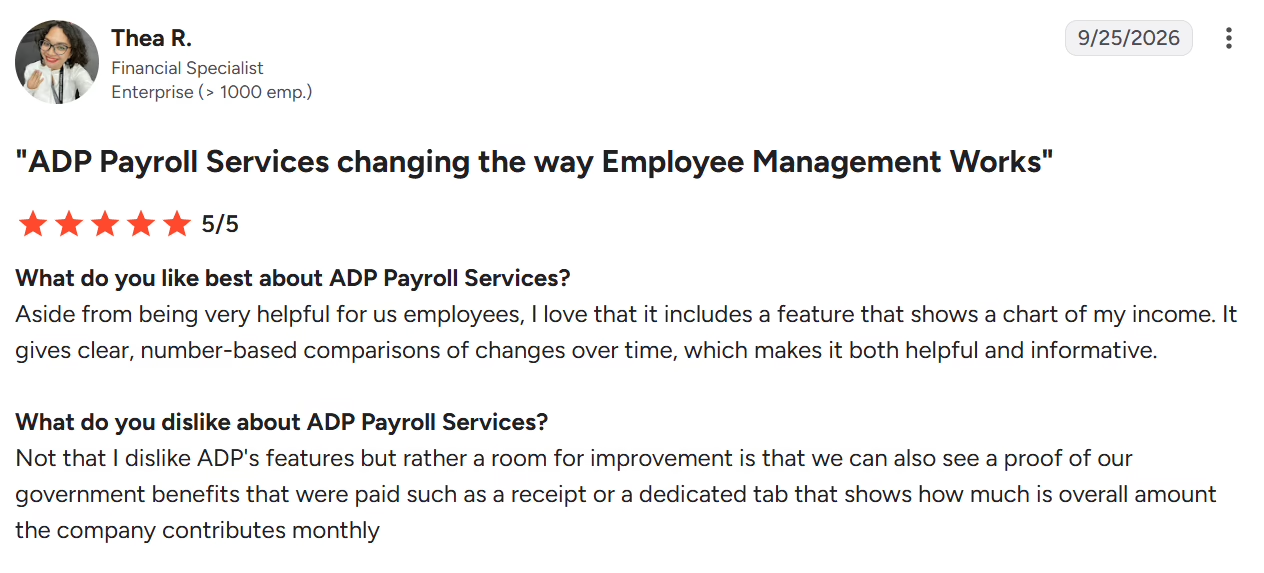
8. factoHR: Best for payroll with accounting and ERP links
factoHR is a cloud HRMS whose payroll module covers PF, ESI, state-wise professional tax, LWF, TDS, and Form 16. Its rule engine supports unlimited earning and deduction components across multiple payroll groups. It links to Tally, QuickBooks, SAP, Oracle, and banks. Auto-arrear calculation includes the statutory impact of salary revisions.
What are the key features of factoHR?
-
Statutory coverage for PF with ECR files, ESI, state-wise professional tax, LWF, and TDS under both regimes.
-
Generate Form 16 and challans directly from the payroll run.
-
A formula-driven rule engine builds unlimited earning and deduction components across payroll groups.
-
Auto-arrear calculation that includes the statutory impact of salary revisions.
-
Built-in integration with banks, Tally, QuickBooks, SAP, and Oracle.
-
Self-service on web and mobile for payslips and declarations.
Pros and cons of factoHR
| Pros | Cons |
|---|---|
| Filing outputs from the run: ECR files, challans, and Form 16 come out of the payroll run, so month-end filing needs less manual work. | Speed and sync delays: Occasional lag and delays can occur when syncing attendance data. Test your biometric or GPS setup during the trial. |
| Flexible rule engine: Unlimited components and payroll groups let non-standard salary structures fit without custom work. | Customization and reporting: Reports and screens can be more fixed, so check your required formats during the trial. |
| Arrear handling: Auto-arrear calculation covers the statutory impact of revisions, which cuts rework after salary changes. | Module breadth: Coverage in adjacent HR modules can be narrower, so check the modules you need beyond payroll. |
Pricing: factoHR’s Core plan starts from ₹4,999 per month for up to 50 employees, billed yearly, with ₹99 per month for each additional employee.
Best for: Businesses looking to automate payroll calculations, statutory deductions, arrears, payslips, and salary payments alongside broader HR operations.
Here’s what users say on G2
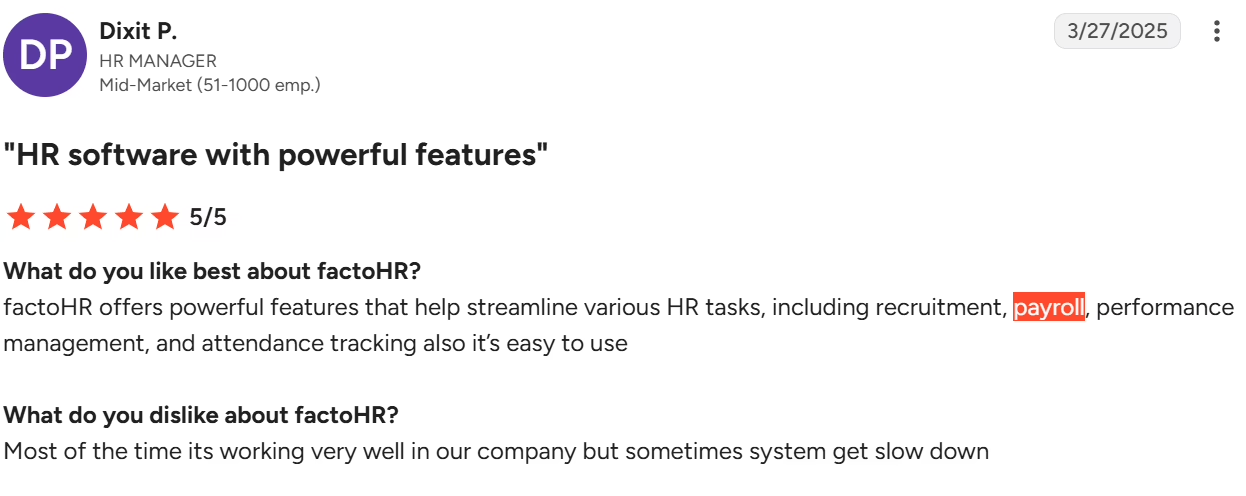
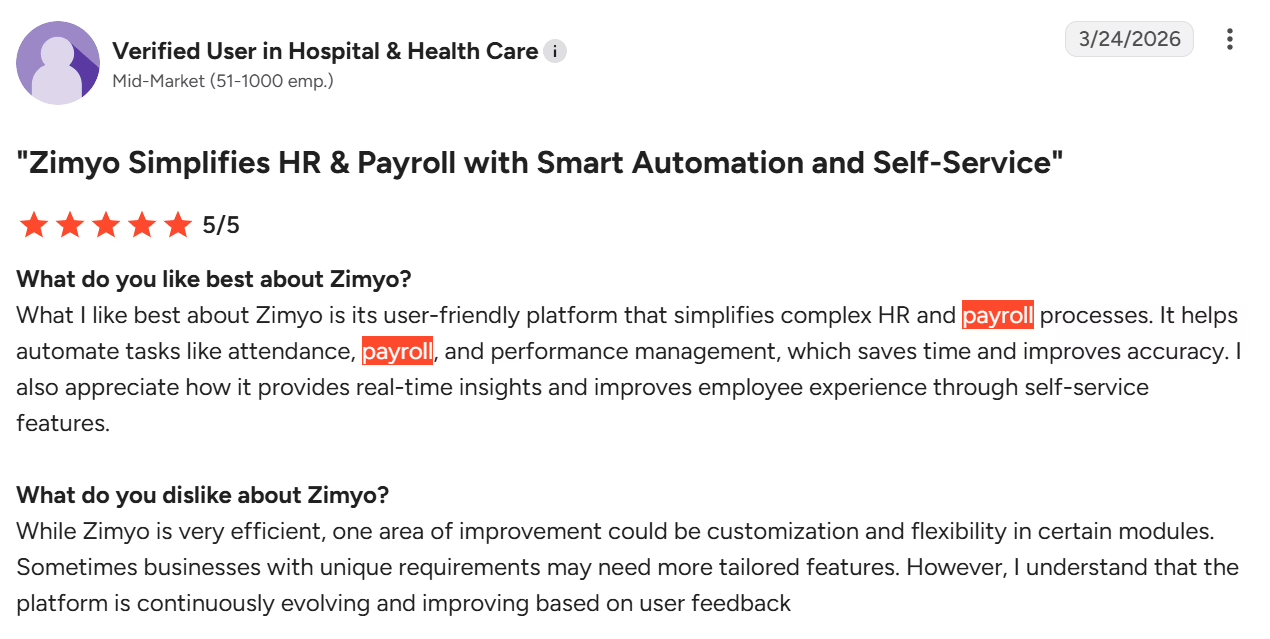
9. Zimyo: Best for payroll inside an AI-assisted HRMS
Zimyo is an HRMS suite for mid-sized companies, with payroll included from its lowest plan. PF, ESI, LWF, professional tax, and TDS rules are configured inside the salary structure. Form 16 and 12BA are generated in one click. In October 2026, Zimyo launched Zimyo 3.0. It adds Zim, an AI agent that audits the pay run overnight and flags issues before approval.
What are the key features of Zimyo?
-
Configure PF, ESI, LWF, and state-specific professional tax rules inside the salary structure.
-
TDS computation with investment declarations and an auto-approval option.
-
Generate Form 16 and 12BA in one click.
-
Multiple salary structures for fixed and variable components, arrears, and bonuses.
-
Attendance, leave, and expense data feed the same payroll run.
-
Employee self-service apps for Android and iOS with payslips and reimbursements.
Pros and cons of Zimyo
| Pros | Cons |
|---|---|
| Payroll in the lowest plan: Salary, compliance, arrears, and full and final settlement are included from the Basic plan. There is no separate payroll upsell. | Finding features: Some options, such as tax proof upload, can take a while to find, so admins may need time to learn the layout. |
| Compliance inside the salary structure: PF, ESI, LWF, professional tax, and TDS are set up once in the structure, which reduces separate compliance sheets. | Speed and bugs: Screens can run slowly and glitches occasionally occur, so test with your full headcount. |
| One payroll run: Attendance, leave, and expense data feed the same run, so there are fewer manual reconciliation steps before payday. | Customization and reporting: Some report outputs and modules can be more fixed, so confirm the formats you need are available. |
Pricing: Zimyo’s Basic plan starts from ₹80 per user per month, with a minimum billing of 50 users.
Best for: Businesses looking to combine payroll, statutory compliance, attendance, and employee self-service in an integrated HRMS.
Here’s what users say on G2
10. sumHR: Best for low-cost payroll for small teams
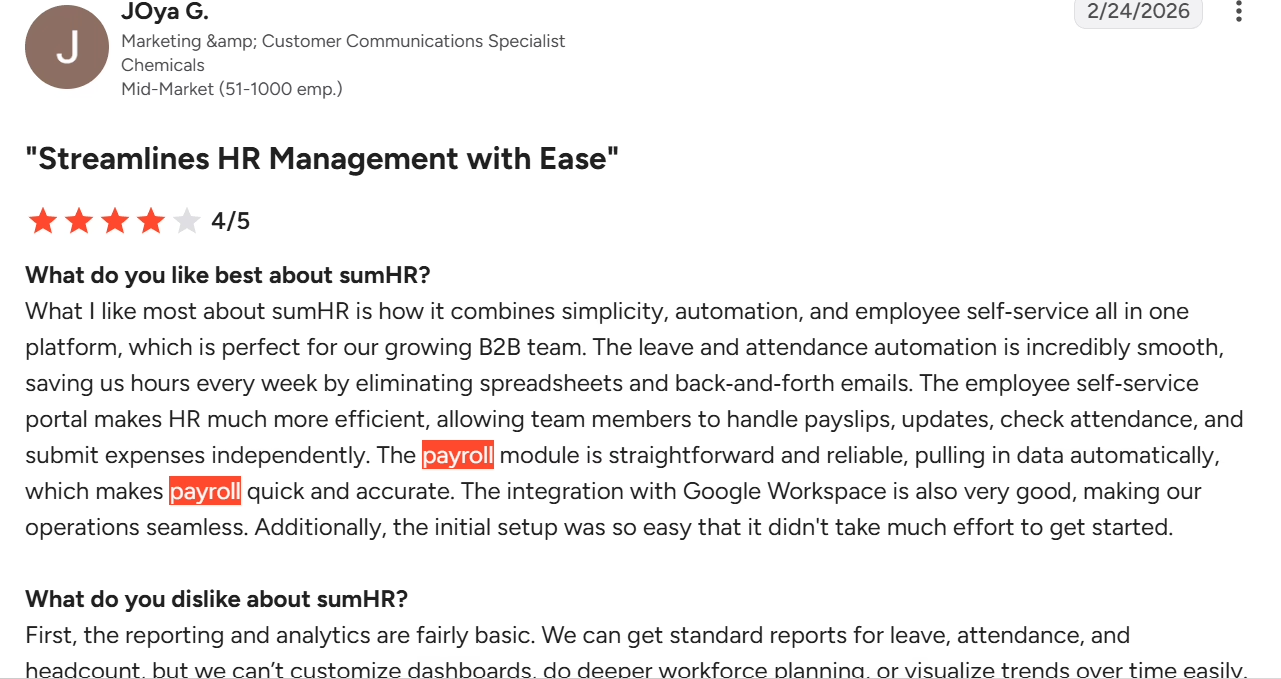
sumHR is an HRMS powered by Jupiter Money, with payroll built for India as one of its modules. It supports unlimited salary structures and multi-company payroll in one account. Payroll outputs include PF, ESI, professional tax, and TDS challans along with Form 16. A trial payroll run lets HR review the numbers before the final run.
What are the key features of sumHR?
-
Unlimited salary structures and custom components, set by formula or as fixed amounts.
-
Payroll calculation from CTC, gross-pay upload, or proration upload.
-
A trial payroll run and saved drafts let HR check the numbers before the final run.
-
Generate PF, ESI, professional tax, and TDS challans along with Form 16.
-
Multi-company payroll in one account.
-
Investment declarations with proof approval, plus Flexible Benefits Plan bill submission.
Pros and cons of sumHR
| Pros | Cons |
|---|---|
| Flexible salary structures: Unlimited structures and components fit teams with varied pay policies without custom development. | Reporting depth: Reporting and analytics can be basic, which makes it worth checking that the reports you need are available. |
| Trial run before payout: HR can rehearse payroll and save drafts, which cuts month-end errors. | Customization: Some modules, such as expenses, can offer fewer options, so confirm your workflows during a demo. |
| Multi-company payroll: Several companies can be run from one account, which helps groups with more than one entity. | Usability and speed: Navigation and loading can occasionally feel slow, so try the screens your team uses most. |
Pricing: sumHR’s Startup plan starts from ₹49 per user per month billed annually with a Jupiter Salary Account, plus a one-time setup fee.
Best for: Small and growing businesses looking for payroll automation, employee management, and attendance and leave management with published subscription pricing.
Here’s what users say on G2
11. Paybooks: Best for self-serve payroll with a managed option
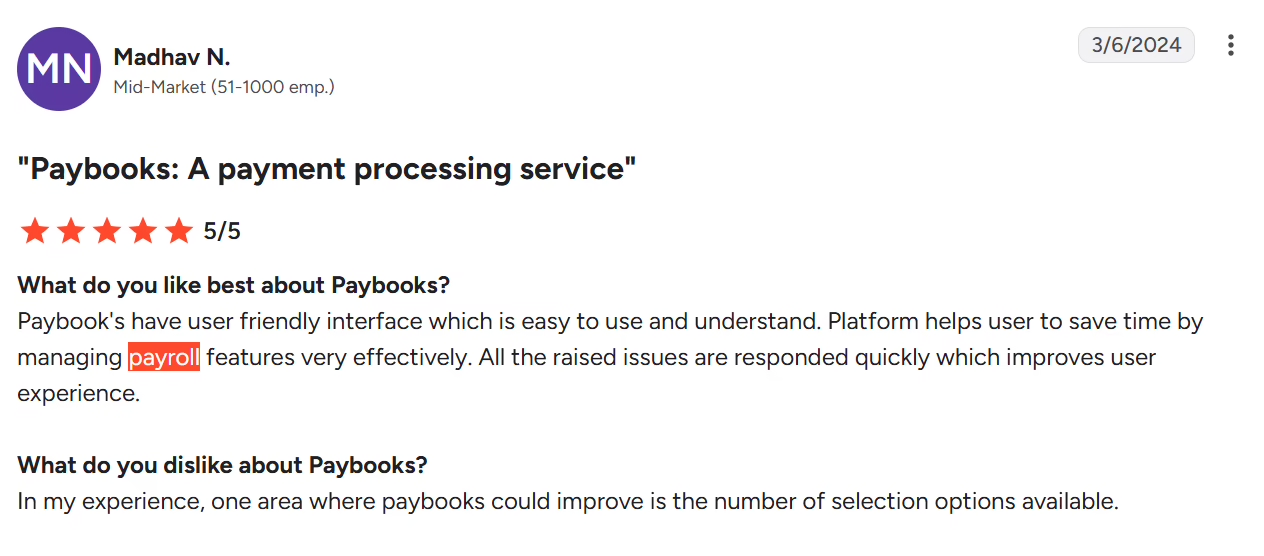
Paybooks is an India-focused payroll platform that offers both SaaS payroll software and managed payroll outsourcing. It describes itself as a TransPerfect company. The software generates PF, ESI, professional tax, LWF, and income tax reports, plus Form 16 and Form 138 (24Q) reports. Journal export to Tally and biometric attendance sync (from the Xpand plan) connect payroll to accounts and attendance. Filings and compliance payments sit in the managed service.
What are the key features of Paybooks?
-
Automated salary calculation, loans and advances, and payslip generation.
-
Reports for income tax, PF, ESI, professional tax, and LWF.
-
One-click Form 16, with Form 138 (24Q) reports.
-
Automatic handling of tax-law updates, including old and new regime selections.
-
Journal export to Tally, and biometric attendance sync from the Xpand plan.
-
Employee self-service for payslips, investment declarations, and leave.
Pros and cons of Paybooks
| Pros | Cons |
|---|---|
| Statutory reports in every plan: PF, ESI, professional tax, and income tax reports come with each software plan. Teams get filing-ready data without building their own. | Mobile and interface experience: The mobile app and interface can feel dated in places, so try the employee app during the trial. |
| Managed payroll option: Teams can start with the software and move filings and compliance payments to the managed service later. | Feature depth in places: Attendance features and selection options can be fewer, so check your attendance needs. |
| Tax-regime handling: Old and new regime selections and tax-law updates are handled automatically, which lowers year-end TDS rework. | Bulk data entry: Bulk uploads can take effort, so plan the first data load with the Paybooks team. |
Pricing: Contact Paybooks for a custom quote on its Xplore, Xpand, and Xcelerate plans.
Best for: Indian businesses looking to streamline payroll processing and compliance through payroll software or managed payroll services.
Here’s what users say on G2
How to Choose the Right Payroll Software in India
Before shortlisting software for payroll, check these four things.
| Factor | What to evaluate |
|---|---|
| Statutory compliance | Confirm that PF, ESI, TDS, professional tax, and LWF are covered for every state where you have employees. Also confirm that Form 16 (Form 130) and Form 24Q (Form 138) are generated from payroll data. |
| Integration requirements | Check how payroll connects to your attendance system, HRMS, accounting tool such as Tally, and bank. A platform that already syncs with your stack saves repeated data entry each month. |
| Total cost of ownership | Add up the plan price, the per-employee charge above the included headcount, GST, one-time setup fees, and paid add-ons. A low starting price can change once these are included. |
| Implementation and support | Ask how long setup takes for your headcount, who migrates past salary records, and what support commitment comes with your plan. |
Which Payroll Software Should You Choose?
| If you need | Shortlist | Why |
|---|---|---|
| Payroll and HR on one platform for a business of any size | Keka, greytHR, Zimyo | Each connects payroll with attendance and HR records, so salary inputs do not need to be re-entered. |
| A low-cost start for a small team | Zoho Payroll, sumHR, HROne | Zoho Payroll has a free plan for up to 10 employees, and sumHR and HROne publish entry prices from ₹49 per user and ₹2,900 per month. |
| Multi-state payroll compliance | Keka, PeopleStrong, RazorpayX Payroll | Keka covers 28 states and 8 union territories, and RazorpayX Payroll states that multi-state compliance comes at no extra charge. |
| Enterprise payroll across several legal entities | Keka, PeopleStrong, ADP India | Each can support larger payrolls, and PeopleStrong lists entity-level setup with maker-checker approvals. |
| Accounting links to Tally or an ERP | Keka, greytHR, HROne, factoHR | Each states a Tally integration, and HROne and factoHR also list SAP and Oracle. |
| Managed payroll outsourcing | ADP India, Paybooks | Both offer managed payroll services alongside their software. |
How Payroll Software Helps You Stay Compliant: PF, ESI, TDS, and State-Wise PT Requirements
Recent regulatory changes, including the four Labour Codes effective 21 November 2025, make it important to keep payroll calculations up to date. The Ministry of Labour and Employment’s FAQs explain how the revised wage definition affects salary calculations.
| Compliance area | What employers need to manage | How payroll software helps |
|---|---|---|
| PF and ESI | Calculate contributions and meet filing deadlines. PF contributions are 12% each for employers and employees. ESI contributions are 3.25% for employers and 0.75% for employees on eligible wages. The EPF wage ceiling is ₹25,000 per month from 17 September 2026. | Automates contribution calculations and generates ECR files, ESI reports, and challans for filing and payment. |
| TDS and tax forms | Deposit salary TDS by the 7th of the following month, file quarterly returns, and issue annual tax certificates. | Calculates TDS and generates Form 138 (formerly 24Q) and Form 130 (formerly Form 16). Check whether filing is included or requires a separate process. |
| Professional tax and LWF | Apply state-specific rates, deductions, and filing deadlines. Article 276 of the Constitution caps professional tax at ₹2,500 per person annually. | Configures state-wise rules and calculates deductions based on employee location. |
| Gratuity and bonus | Calculate eligible payouts using statutory rules, salary limits, and employee tenure. Statutory bonus ranges from 8.33% to 20% for eligible employees earning up to ₹21,000 per month. | Uses employee salary and service records to calculate payouts and account for them during payroll and full-and-final settlement. |
If you operate across multiple states, check whether the software updates statutory rules automatically and supports the filing requirements of every state where you employ people.
Conclusion
Choosing payroll software for India depends on your headcount, how many states you operate in, and how closely payroll needs to connect with your HR records. Small teams can start with greytHR, Zoho Payroll, or sumHR. Large enterprises with several entities can look at PeopleStrong or ADP India. We would shortlist Keka first because it applies statutory rules across 28 states and 8 union territories on the same employee record as HR. This suits businesses of all sizes. If you want to see how Keka HR payroll software handles your pay structure, book a demo and share your salary components.