Login
Login


Quick overview:
The 9 best expense management software in India for 2026 are Keka, Zoho Expense, Happay, SAP Concur, Fyle, ITILITE, Expensify, Darwinbox, and Zaggle. This guide compares their features, pricing, and limitations to help you find the right fit for your business, whether you need simpler reimbursements or more comprehensive travel and spend management.
Choosing the best expense management software in India depends on your company size, reimbursement policies, and existing HR and finance systems. For enterprises, SAP Concur and Keka are worth considering. Mid-market businesses can look at Keka, Happay, and Fyle, while SMBs may find Zoho Expense and Keka suitable for their needs.
Indian businesses also have specific compliance requirements to account for. Expense claims need proper documentation to support GST input tax credit, while taxable reimbursements can affect TDS calculations.
Dedicated expense management software helps finance teams track claims, apply expense policies, manage approvals, and maintain records for audits.
I’ve compared 9 expense management platforms based on their features, pricing, integrations, and suitability for Indian businesses. The table below provides a quick comparison.
Best expense management software in India at a glance
| Tool | Best For | Pricing Details | G2 Review | Free Trial |
|---|---|---|---|---|
| Keka | Unified HR, payroll, and expense management | Custom pricing | 4.4/5 | Free trial and demo available |
| Zoho Expense | SMBs and automated expense reporting | Free plan; paid plans available | 4.5/5 | Yes |
| Happay | Corporate cards and spend management | Contact vendor | 4.5/5 | Contact vendor |
| SAP Concur | Enterprise expense and travel management | Base from ₹665*, Plus from ₹1,045*; Premium on request | 4/5 | Contact vendor |
| Fyle (Sage Expense Management) | Receipt automation and expense tracking | From ₹1,140*/active user/month; Enterprise on request | 4.6/5 | Contact vendor |
| ITILITE | Travel and expense management | ₹570*/active user/month (expenses); ₹950*/trip (travel) | 4.5/5 | Contact vendor |
| Expensify | Receipt scanning and employee reimbursements | From ₹475* per member/month | 4.5/5 | Yes |
| Darwinbox | Enterprise HR and expense workflows | Custom pricing | 4.4/5 | Contact vendor |
| Zaggle | Corporate spending and expense controls | Contact vendor | 4.2/5 | Contact vendor |
How I chose the best expense management software in India in 2026
To shortlist the best expense management software in India, I evaluated 9 platforms based on how they handle everyday expense workflows, from receipt submission and approvals to reimbursements, compliance, and financial reporting.
I used five criteria to compare the platforms:
-
Expense tracking and automation: Receipt scanning, expense submissions, approval workflows, reimbursement tracking, and reporting.
-
India-specific compliance: GST invoice management, input tax credit documentation, TDS considerations, and audit-ready records.
-
Payroll and accounting integrations: Compatibility with HR, payroll, and accounting platforms, including Tally and Zoho Books.
-
Pricing and company size: Subscription models, implementation costs, and suitability for SMBs, mid-market companies, and enterprises.
-
User experience and feedback: Ease of use for employees and finance teams, based on product documentation and available G2 reviews.
I also considered each platform’s key differentiators and limitations to identify where it fits best.
Disclaimer: Keka is our product, and I’ve evaluated it using the same criteria and standards as every other platform on this list.
Top 9 expense management software in India in 2026: Ultimate breakdown
1. Keka
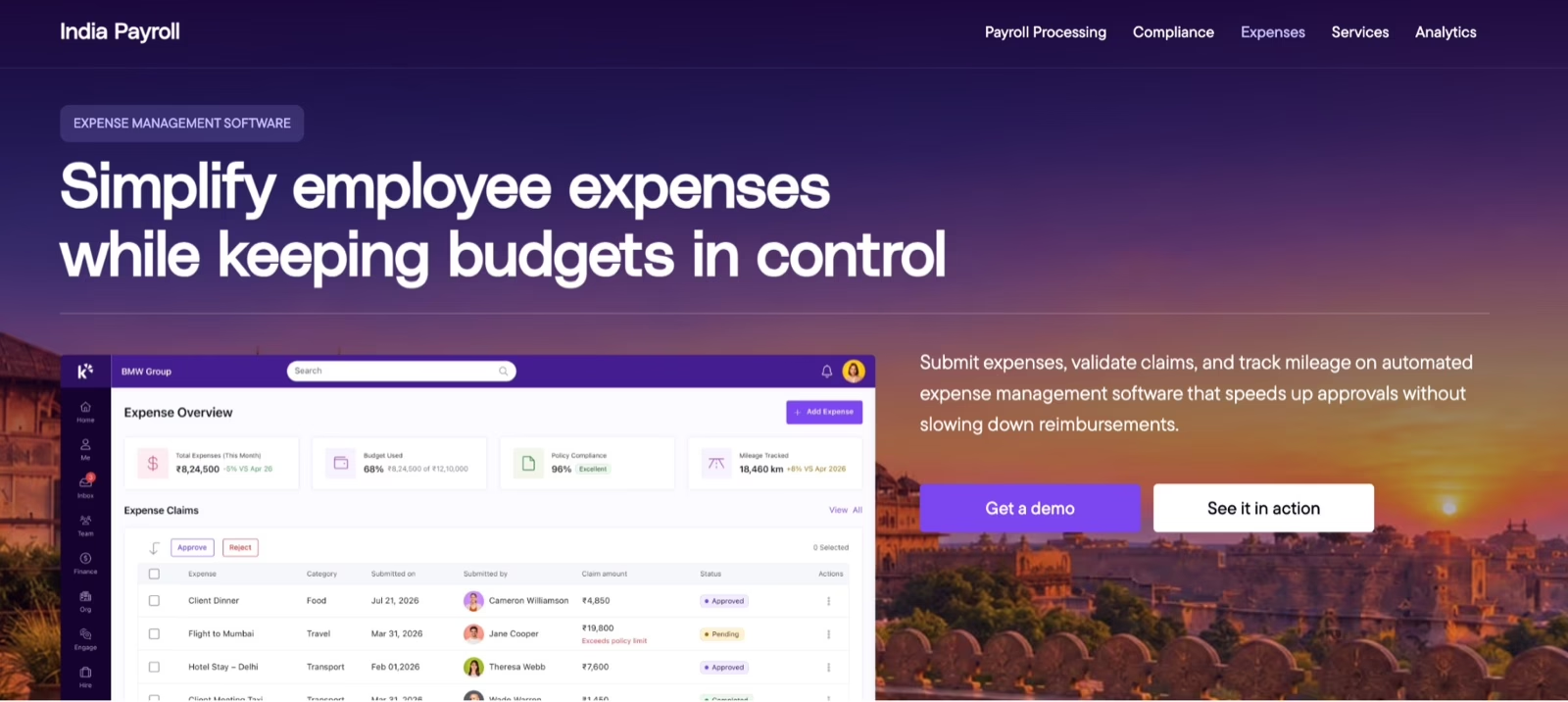
: Keka expense management homepage
Keka manages employee expenses within the same platform that handles HR and payroll. Employees can submit expense claims through the web or mobile app, while finance teams define expense categories, reimbursement policies, and approval rules. The system checks claims against these policies, helping teams reduce manual reviews and manage exceptions.
Approvals follow configurable workflows based on an employee’s role, department, or expense type. Once approved, reimbursements can go through the regular payroll cycle or an off-cycle run. Keka also supports travel advances, allowing employees to link expenses against an advance and settle the remaining amount.
For businesses managing travel and employee expenses together, Keka includes a Travel Desk for travel requests and approvals, alongside loans, salary advances, and benefits tracking.
Integrations with NetSuite and Xero help finance teams transfer reimbursement data into their accounting systems. Keka serves more than 12,500 companies and supports Indian payroll requirements, including applicable statutory deductions.
Key features
-
Automated expense claims: Employees submit claims and receipts through web or mobile, while finance teams apply predefined expense policies.
-
Configurable approval workflows: Route expense claims through approval chains based on role, department, or expense category.
-
Payroll-linked reimbursements: Process approved expense claims through regular payroll or off-cycle reimbursement runs.
-
Travel and advance management: Manage travel requests, issue advances, and settle expenses against those advances.
-
Accounting integrations: Connect with NetSuite and Xero to transfer reimbursement information into finance workflows.
-
Receipt scanning: Employees can scan and upload receipts to capture expense details and maintain supporting records for reimbursement claims.
-
Mileage reimbursement tracking: Employees can submit travel-related mileage claims, while finance teams calculate reimbursements based on predefined mileage rates and policies.
Pros and cons
| Pros | Cons |
|---|---|
| Easy navigation: A user-friendly interface makes everyday employee tasks straightforward to navigate. | Company-specific workflows: Automation may require configuration adjustments to fit company policies. |
| Connected expense records: Expenses, payroll, attendance, and other employee information sit in one platform, reducing administrative back-and-forth. | Reporting requirements: Organizations needing tailored reports may want to review the available customization options. |
| Employee self-service: Employees can manage expenses and other routine requests through the self-service portal, freeing up HR’s time. | Support availability: Assisted troubleshooting may involve waiting for an available support slot during high ticket volumes. |
Pricing
Keka offers custom pricing based on your business requirements.
Best for
Businesses of all sizes in India looking to manage employee expenses, travel claims, approvals, and reimbursements alongside HR and payroll.
What real users say:
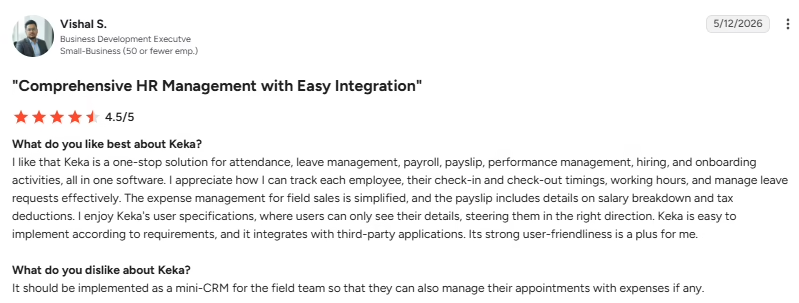
Source: G2
2. Zoho Expense
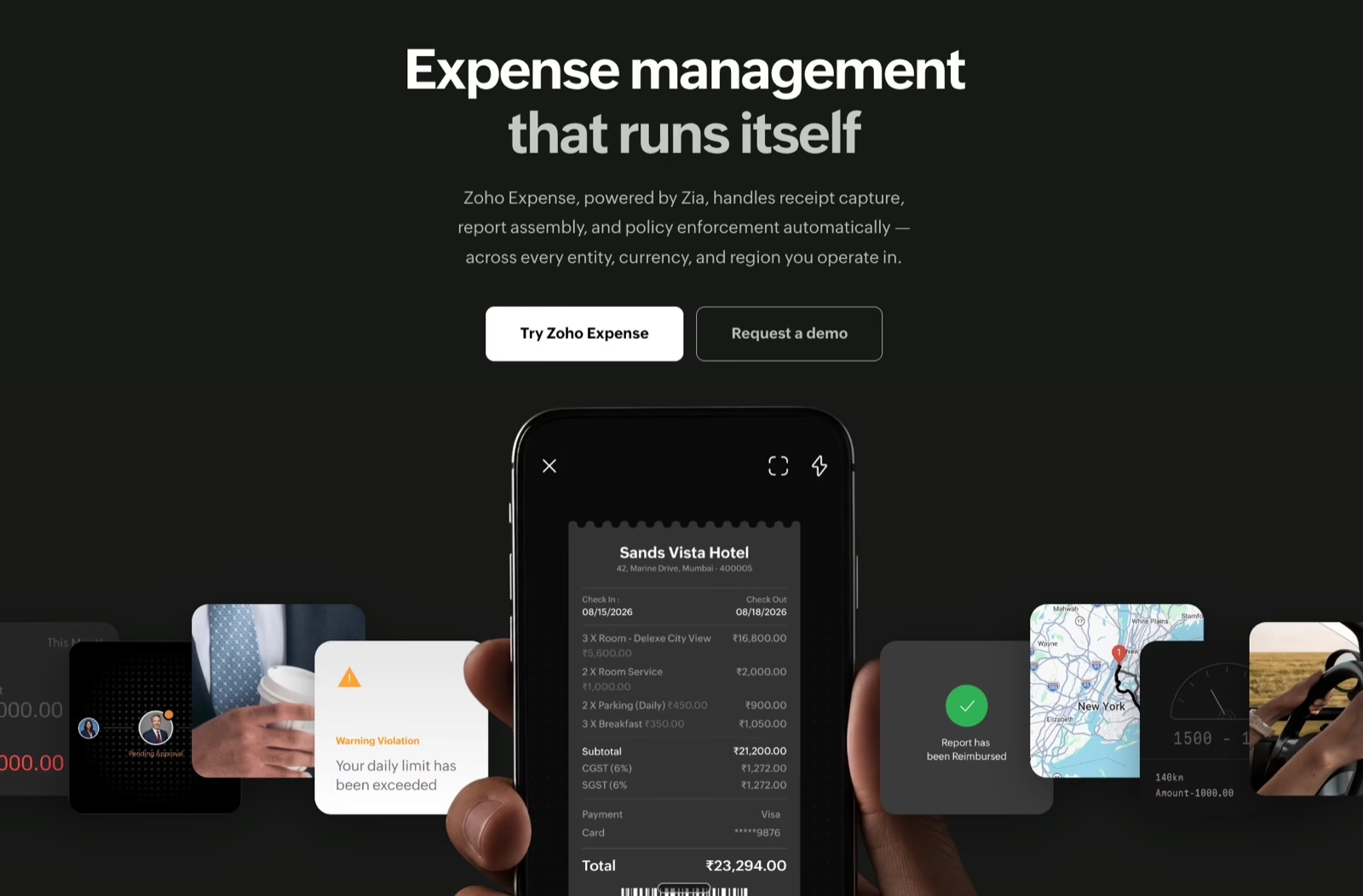
: Zoho Expense management software
Zoho Expense tracks employee expenses, travel bookings, and corporate card transactions in one platform. Employees can scan receipts using AI-powered OCR, submit expense reports, and record mileage claims. Finance teams can set expense policies, configure approval workflows, and maintain tax records to support GST compliance.
Zoho Expense also supports multi-currency transactions, cash advances, and automated expense reporting through its AI assistant, Zia. It connects with accounting tools such as Zoho Books and ERP systems including SAP and Oracle, along with Zoho Payroll and Zoho People. However, advanced features such as multi-entity expense management, travel booking, and advanced approval customization require higher-tier plans, which businesses should consider when evaluating costs.
Key features
-
GST compliance integration: Capture tax details and maintain expense records to support GST reporting and input tax credit documentation.
-
Receipt OCR scanning: Extract expense details from receipts in over 38 languages using AI-powered OCR.
-
Multi-currency support: Record expenses in different currencies and manage spending across multiple business entities.
-
Accounting software integration: Connect with Zoho Books, SAP, Oracle, and other accounting systems to transfer expense data.
-
Corporate card management: Import card transactions, match expenses automatically, and apply spending controls.
Pros and cons
| Pros | Cons |
|---|---|
| Draft and review workflow: Junior accountants can prepare expense reports for senior accountants to verify before approval. | Initial configuration: Some settings and approval workflows take time to understand during setup. |
| Centralized expense reporting: Preparing, submitting, reviewing, and approving expenses happens within one system. | Report corrections: Editing expenses and correcting submitted reports can involve more steps than expected. |
| Spending visibility: Organized expense records give finance teams a clearer view of company spending. | Pricing concerns: The pricing can feel high, and the onboarding experience has room to improve. |
Pricing
Zoho Expense paid plans start from ₹79 per user per month, billed annually, with a minimum of five users.
Best for
Indian businesses looking for automated expense reporting, GST-related expense documentation, corporate card management, and accounting integrations.
What real users say:
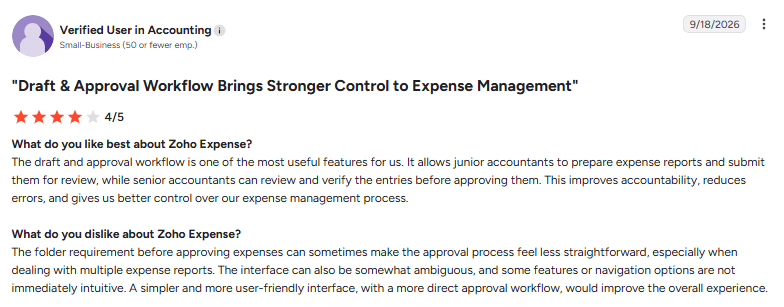
Source: G2
3. Happay
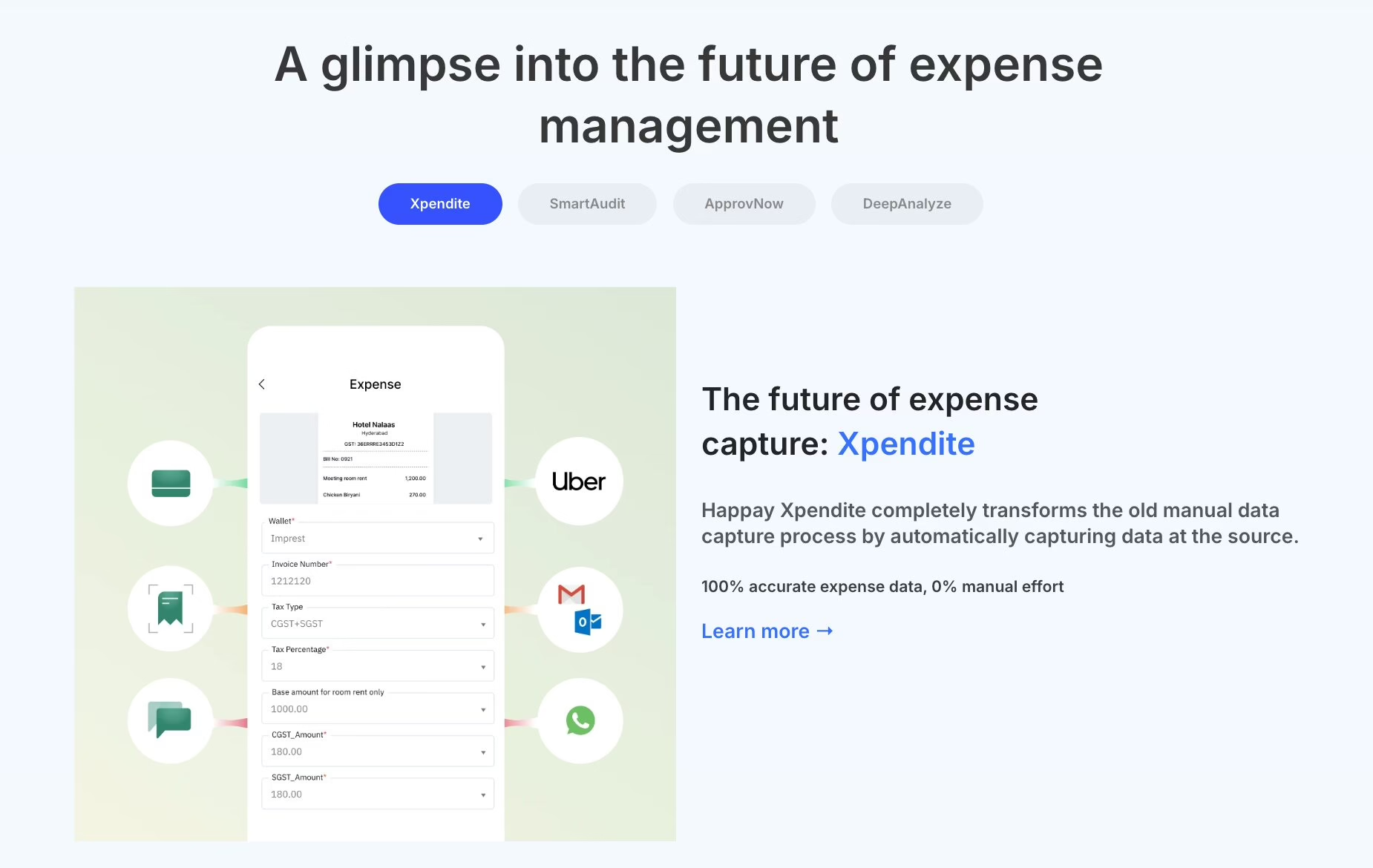
: Happay automated expense capture
Happay manages employee expenses, corporate travel, and business payments through a single platform. Employees can submit expense claims, book flights and hotels, and manage travel expenses, while finance teams can configure approval workflows, monitor spending, and maintain records for GST input tax credit claims.
Happay also offers corporate prepaid cards, petty cash management, and expense analytics. Its self-booking tool lets employees arrange business travel within company policies, and the platform integrates with ERP, HRMS, and accounting systems. While Happay covers travel, expenses, and corporate payments, businesses that also need HR and payroll management may have to connect it with their existing workforce management systems.
Key features
-
Travel expense management: Manage business travel bookings, employee expense claims, and reimbursement approvals.
-
Corporate card integration: Track prepaid card transactions, set spending controls, and manage employee payments.
-
GST compliance integration: Maintain expense documentation and support GST input tax credit claims on eligible business expenses.
-
Accounting software integration: Connect expense records with ERP, HRMS, and accounting systems.
-
Automated expense auditing: Use Happay’s SmartAudit to review expense claims and check compliance with company spending policies.
Pros and cons
| Pros | Cons |
|---|---|
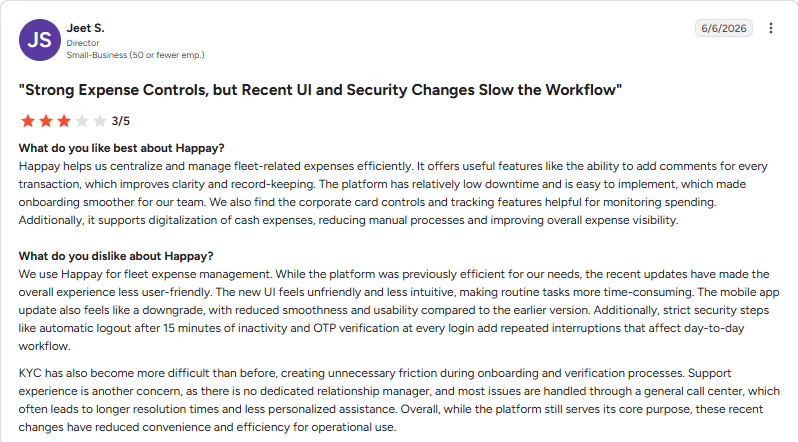
| Corporate card controls: Card controls and transaction tracking help finance teams monitor employee spending. | Settlement process: The expense settlement process has room for improvement. |
| Transaction-level notes: Comments on individual transactions improve clarity and expense record-keeping. | Post-sales assistance: Getting personalized support and a timely resolution after an account issue can be difficult. |
| Digital cash expense records: Recording cash expenses digitally reduces reliance on spreadsheets and manual tracking. | KYC communication: An account can be frozen over incomplete KYC without timely advance notice. |
Pricing
Happay does not publish fixed prices and offers custom pricing based on your business requirements.
Best for
Indian businesses managing frequent employee travel, corporate card expenses, and reimbursement workflows.
What real users say:
Source: G2
4. SAP Concur
: SAP Concur expense management
SAP Concur manages employee expenses, business travel, and invoice processing through its Concur Expense, Concur Travel, and Concur Invoice products. Employees can capture receipts, create expense reports, and book business travel, while finance teams apply spending policies, review claims, and track reimbursements.
The platform also offers AI-assisted travel booking, automated invoice processing, and spending reports. SAP Concur connects with ERP, finance, and accounting systems through more than 300 pre-built connectors and custom APIs. Although it covers travel, expenses, and accounts payable, businesses looking for native HR and payroll management will need to connect it with other systems.
Key features
-
Automated expense reporting: Capture receipts, generate expense reports, and route claims through approval workflows.
-
Travel expense management: Book business travel through Concur Travel with company spending policies applied during booking.
-
Invoice automation: Process supplier invoices, identify duplicate payments, and track accounts payable activity.
-
Accounting software integration: Connect with ERP, finance, and accounting platforms through pre-built connectors and APIs.
-
Expense policy management: Apply spending policies to employee claims and monitor expenses through reporting dashboards.
Pros and cons
| Pros | Cons |
|---|---|
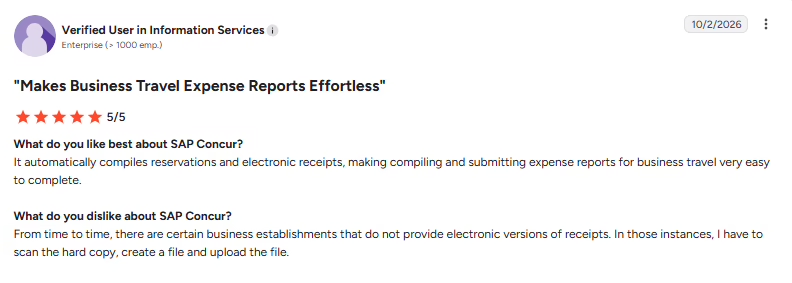
| Automatic receipt collection: Reservations and electronic receipts are compiled automatically, simplifying business travel expense reports. | Editing submitted reports: Correcting a small mistake may require recalling the report or starting it again instead of making a quick edit. |
| Expense organization: Supported expense entries are organized and categorized into reports that are easy to submit. | Mobile syncing delays: The mobile app can be slow to sync, with occasional glitches delaying report submissions. |
| Expense auditing: The audit tool helps users check that expenses are correct before processing them. | Initial navigation: Some features take time to find, particularly when submitting expenses for the first time. |
Pricing
SAP Concur pricing starts from ₹665* per report on the Base plan, with custom pricing for Premium.
Best for
Enterprises managing frequent employee travel, expense approvals, and invoice processing across departments.
What real users say:
Source: G2
5. Fyle (now Sage Expense Management)
Fyle expense tracking software
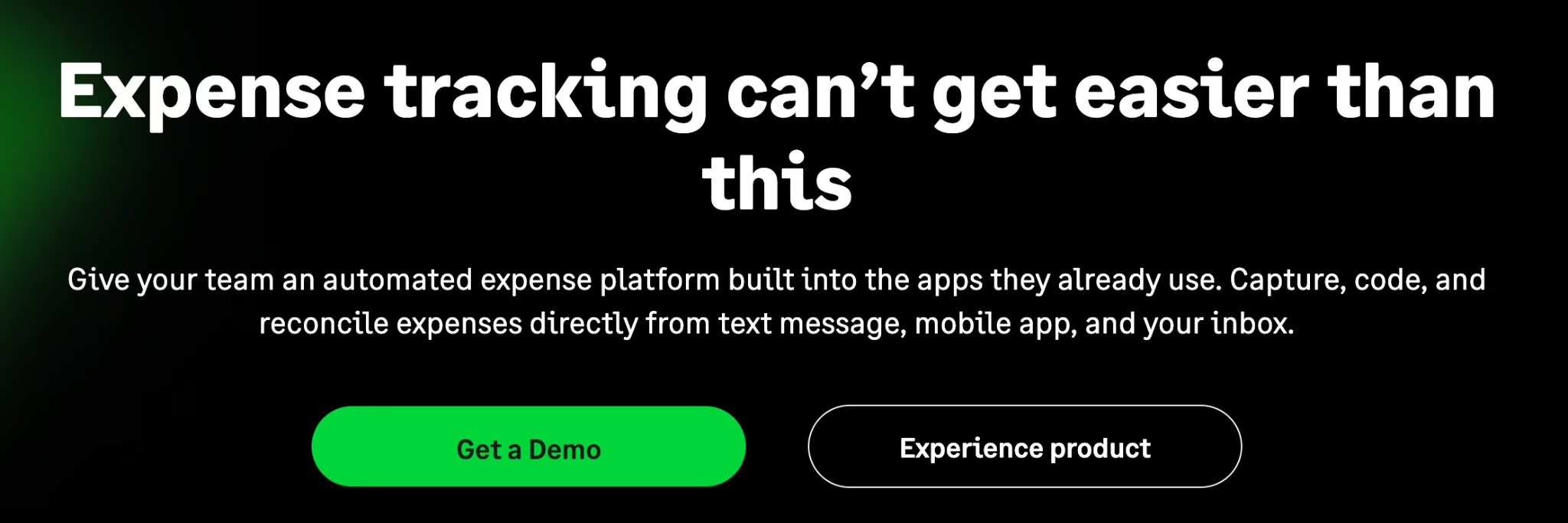
Fyle, now Sage Expense Management, tracks employee expenses, corporate card transactions, and reimbursements through a single platform. Employees can submit receipts through text messages, email, or the mobile app, while AI extracts expense details and matches receipts with card transactions. Finance teams can configure approval workflows, monitor spending policies, and review expenses as transactions occur.
The platform works with existing Visa, Mastercard, and American Express cards and connects with accounting software such as QuickBooks, Xero, and Sage Intacct. It also supports mileage tracking, multi-currency expenses, and project-based expense reporting. While Fyle covers expense tracking and card reconciliation, its ACH reimbursement feature is available only in the US, and businesses in India may need separate payment arrangements.
Key features
-
Receipt OCR scanning: Extract expense details from receipts submitted through text messages, email, or mobile devices.
-
Corporate card integration: Match receipts with transactions from existing Visa, Mastercard, and American Express cards.
-
Accounting software integration: Sync expense records with QuickBooks, Xero, Sage Intacct, and other accounting systems.
-
Automated expense approvals: Configure approval workflows, apply spending policies, and identify policy violations.
Pros and cons
| Pros | Cons |
|---|---|
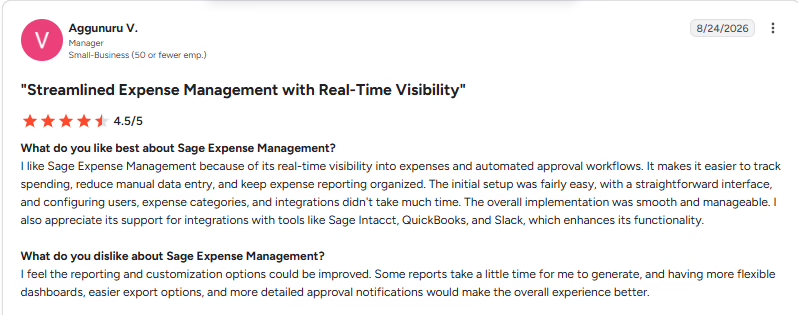
| Receipts by text: Receipts can be submitted through a text thread after a card charge notification. | Report generation time: Some reports can take a while to generate. |
| Timely receipt reminders: Notifications prompt users to capture receipts while the purchase is still fresh. | Dashboard customization: Reporting dashboards could be more flexible to customize. |
| Card spending awareness: Alerts for work card transactions help users stay aware of each charge. | Approval notification detail: Approval notifications could include more detail. |
Pricing
Sage Expense Management plans start from ₹1,140* per active user per month, billed annually, with a minimum of five users.
Best for
Businesses using existing corporate credit cards that need automated receipt collection, expense tracking, and accounting integrations.
What real users say:
Source: G2
6. ITILITE
: ITILITE expense management platform
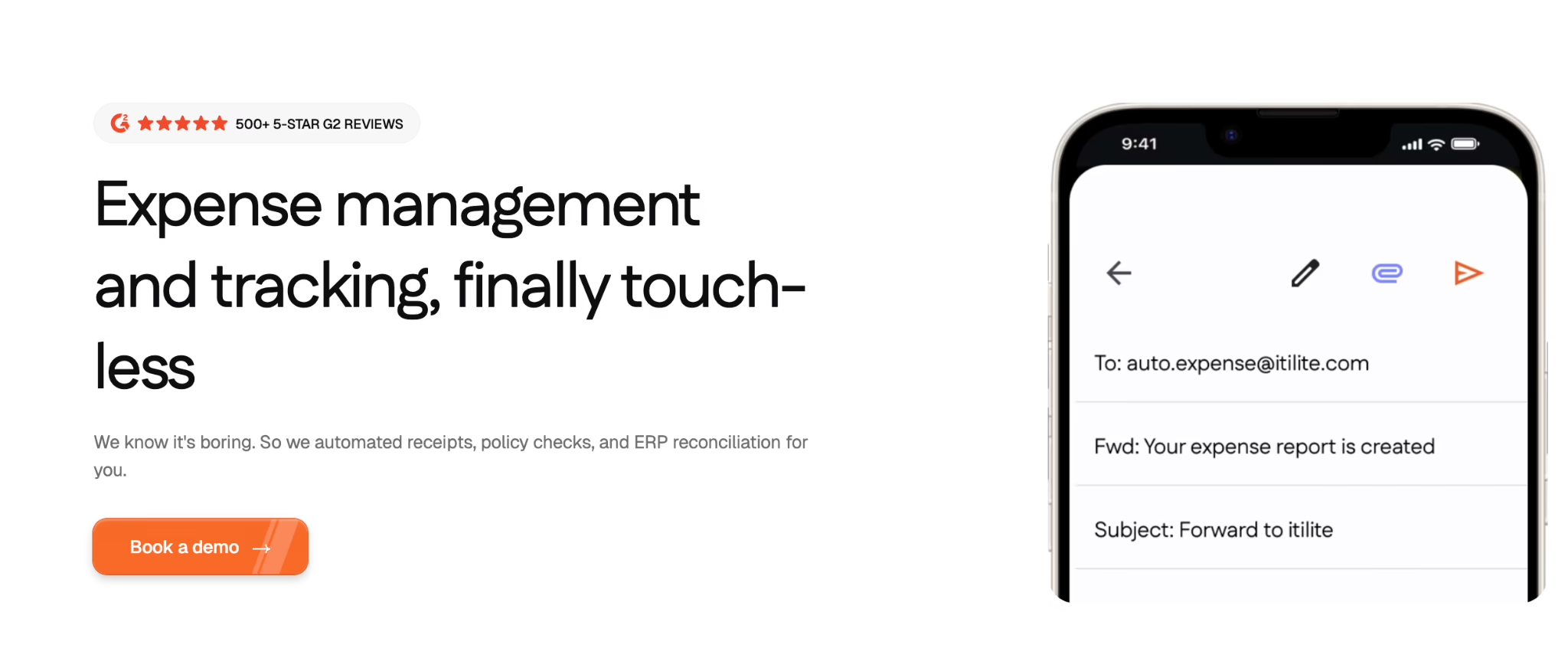
ITILITE manages corporate travel, employee expenses, and business payments through one platform. Employees can book flights and hotels, upload receipts, submit expense reports, and request reimbursements. Finance teams can set travel policies, configure multi-level approvals, and track spending across projects and departments.
The platform also supports corporate cards, automated expense reconciliation, AI-based fraud detection, and multi-currency expense reporting. ITILITE connects with more than 50 ERP, HRMS, and accounting platforms, including SAP, Oracle, and QuickBooks. Businesses that need native HR and payroll management will need to use separate systems, and some integrations may involve additional setup fees.
Key features
-
Travel expense management: Book flights and hotels, manage travel policies, and link bookings with employee expense reports.
-
Corporate card management: Issue virtual or physical cards, set spending limits, and track card transactions.
-
Automated expense reconciliation: Match expenses with card transactions and assign general ledger codes automatically.
-
Multi-currency support: Submit expenses in different currencies and manage spending across business locations.
Pros and cons
| Pros | Cons |
|---|---|
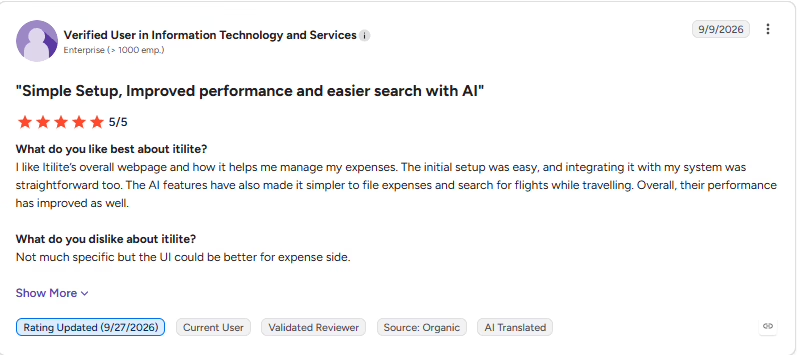
| Voice-based expense entry: The voice assistant lets users enter expenses without typing. | Expense interface refinements: The expense interface has room for improvement. |
| AI-assisted expense processing: Expense AI simplifies tracking and processing while reducing manual effort. | Occasional interface lag: The interface can lag slightly at times. |
| Quick support responses: Help is available promptly when users need assistance. | Precise flight searches: Flight searches may require exact wording to find the intended results. |
Pricing
ITILITE offers expense management at ₹570* per active user per month, billed annually, and corporate travel at ₹950* per trip, with a ₹665* per trip option using the ITILITE wallet. Corporate cards are available through a free plan. Some integrations may involve additional one-time fees.
Best for
Businesses managing frequent corporate travel, employee expense reimbursements, and project-based spending across departments.
What real users say:
Source: G2
7. Expensify
Expensify expense management software
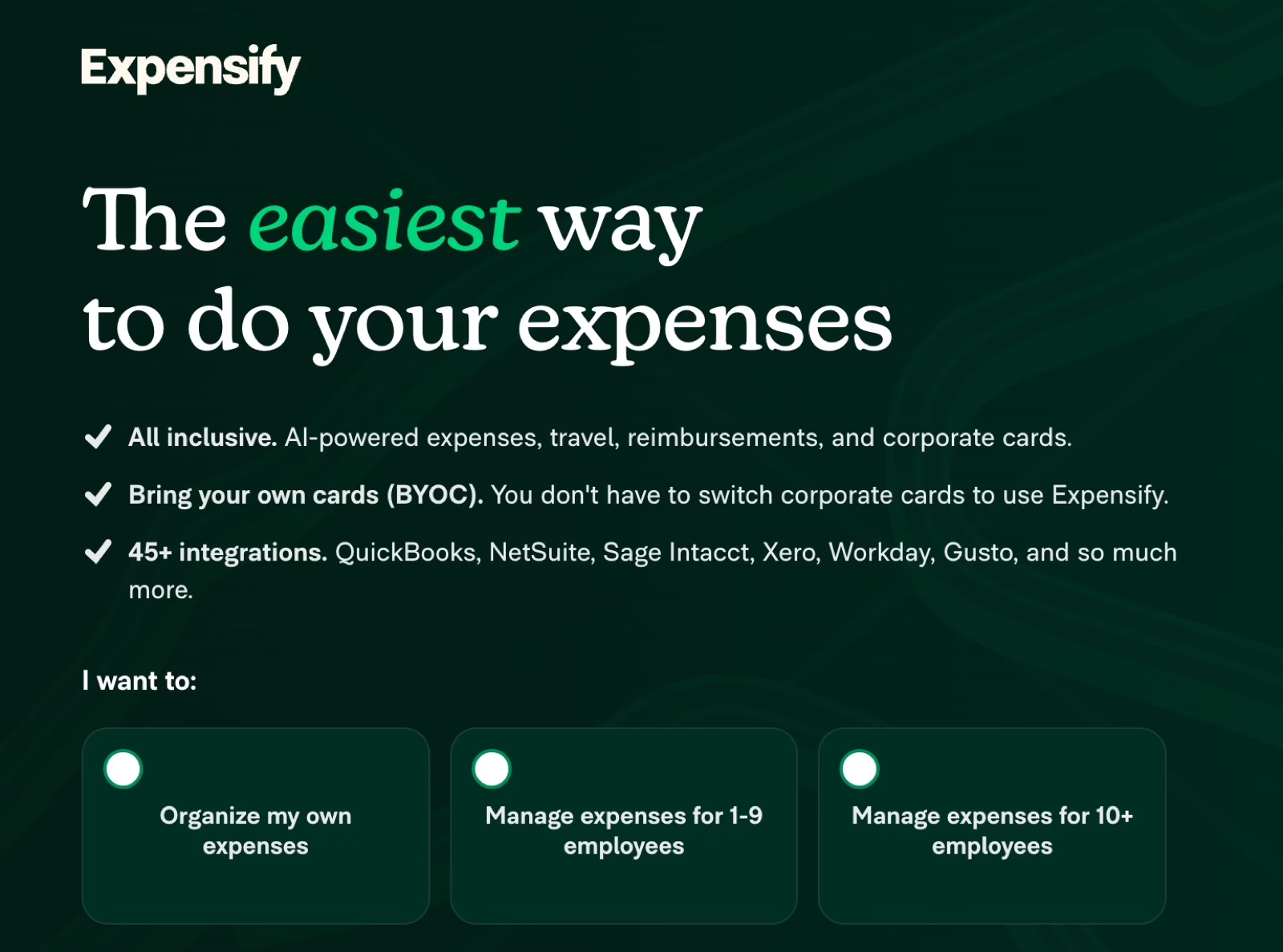
Expensify manages employee expenses, business travel, reimbursements, and corporate card transactions through one platform. Employees can scan receipts, submit expense reports, and track reimbursements using its mobile app. Its SmartScan technology extracts receipt details, while Concierge AI categorizes expenses, checks company policies, and automates report submissions.
The platform also supports multi-currency reimbursements, travel bookings, and reconciliation with existing corporate cards. It connects with dozens of accounting, HR, and payroll platforms, including QuickBooks, NetSuite, Xero, and Workday. While Expensify supports international expense management, businesses in India should verify the availability of local payment features and GST-specific reporting before choosing a plan.
Key features
-
Receipt OCR scanning: Extract transaction details from receipts uploaded through the mobile app, email, or file attachments.
-
Multi-currency support: Track expenses in different currencies and reimburse employees or contractors internationally.
-
Mobile app availability: Capture receipts, submit expense reports, and approve claims from mobile devices.
-
Corporate card integration: Connect existing corporate cards to automatically import transactions and reconcile expenses.
Pros and cons
| Pros | Cons |
|---|---|
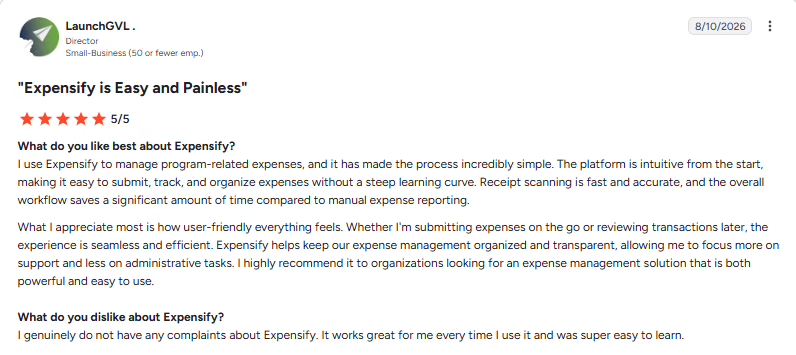
| Accurate receipt scanning: Receipt scanning captures expense details quickly and accurately. | Initial setup familiarity: Settings, policies, and approval workflows can take time to learn. |
| Convenient mobile submissions: The mobile experience makes submitting and reviewing expenses straightforward. | Bulk billing code changes: Changing billing codes across multiple entries at once could be easier. |
| Organized expense records: Expense records stay organized and provide clear visibility into spending. | Chatbot accessibility: The AI chatbot can be difficult for new users to find. |
Pricing
Expensify’s paid plans start from ₹475* per member per month, with a 30-day free trial.
Best for
Businesses managing employee expenses, international reimbursements, corporate cards, and travel spending across multiple locations.
What real users say:
Source: G2
8. Darwinbox
: Darwinbox HR and payroll
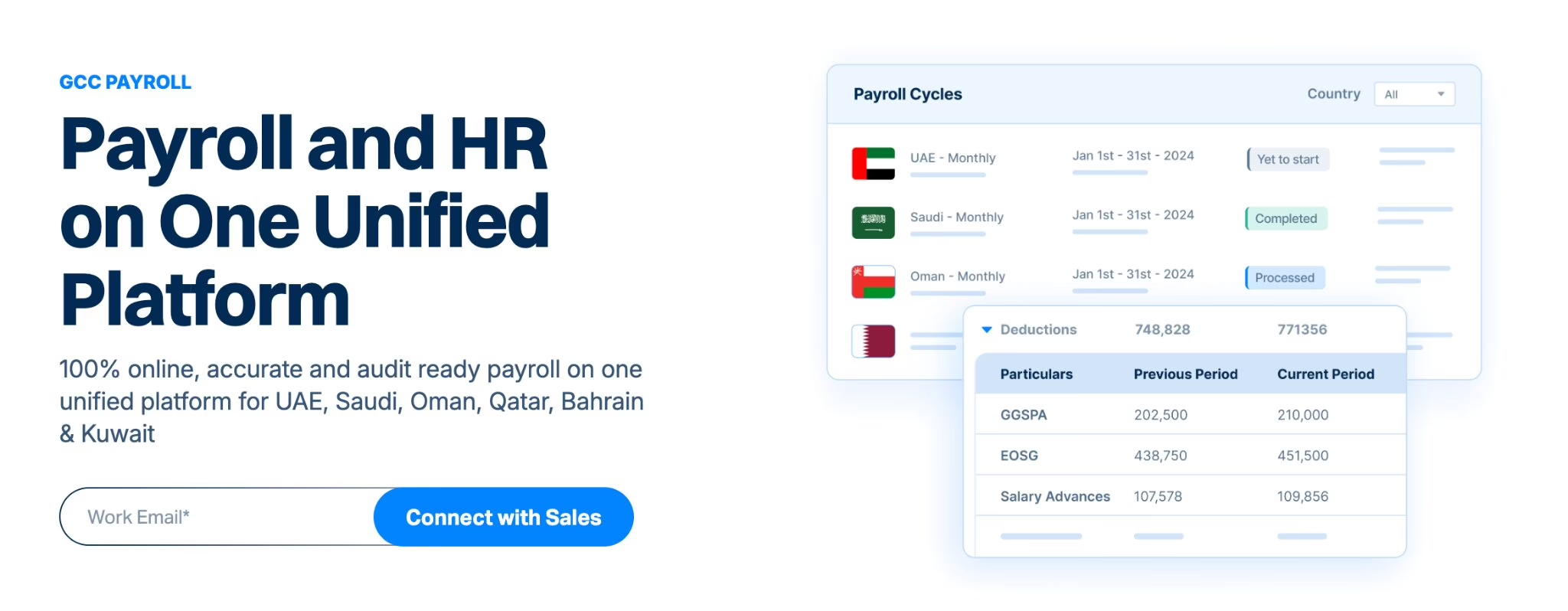
Darwinbox is an HR management platform that includes travel and expense management alongside core HR, payroll, attendance, and workforce management. Employees can manage travel requests and expense claims within the same system they use for other HR activities. Finance and HR teams can maintain employee records, manage reimbursement workflows, and coordinate expense-related processes with payroll.
The platform also offers configurable HR workflows, analytics, and integrations through its extensibility suite. Its payroll capabilities support compliance requirements across multiple countries, including India. Unlike dedicated expense management platforms, Darwinbox forms part of a broader enterprise HCM suite, making it more relevant to organizations that want to manage employee expenses alongside their existing HR operations.
Key features
-
GST compliance integration: Darwinbox offers India-focused payroll compliance capabilities, although businesses should verify GST-specific expense reporting and input tax credit support.
-
Approval workflow customization: Configure employee workflows and approval processes according to organizational policies and reporting structures.
-
Application integration: Connect Darwinbox with other enterprise applications through its extensibility and integration capabilities.
-
Reimbursement processing: Manage employee expense claims alongside HR and payroll workflows. Actual payment timelines depend on the organization’s approval and payroll schedules.
-
Mobile app availability: Access employee self-service functions and HR workflows through the Darwinbox mobile platform.
Pros and cons
| Pros | Cons |
|---|---|
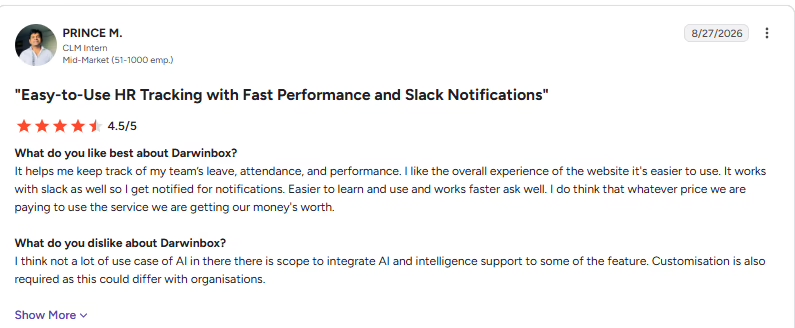
| Advance and reimbursement management: Employees can manage advance and reimbursement requests through the platform. | Integration configuration: Some integrations may require additional configuration. |
| Easy navigation: The platform is easy to learn and use. | Performance during heavier use: Platform performance can vary when usage increases. |
| Slack notifications: Slack integration lets users receive platform notifications within their messaging workspace. | Proactive onboarding support: Onboarding could include more proactive support. |
Pricing
Darwinbox offers custom pricing based on your business requirements.
Best for
Mid-sized and large enterprises looking to manage employee expenses, reimbursements, payroll, and HR operations within a broader HCM platform.
What real users say:
Source: G2
9. Zaggle
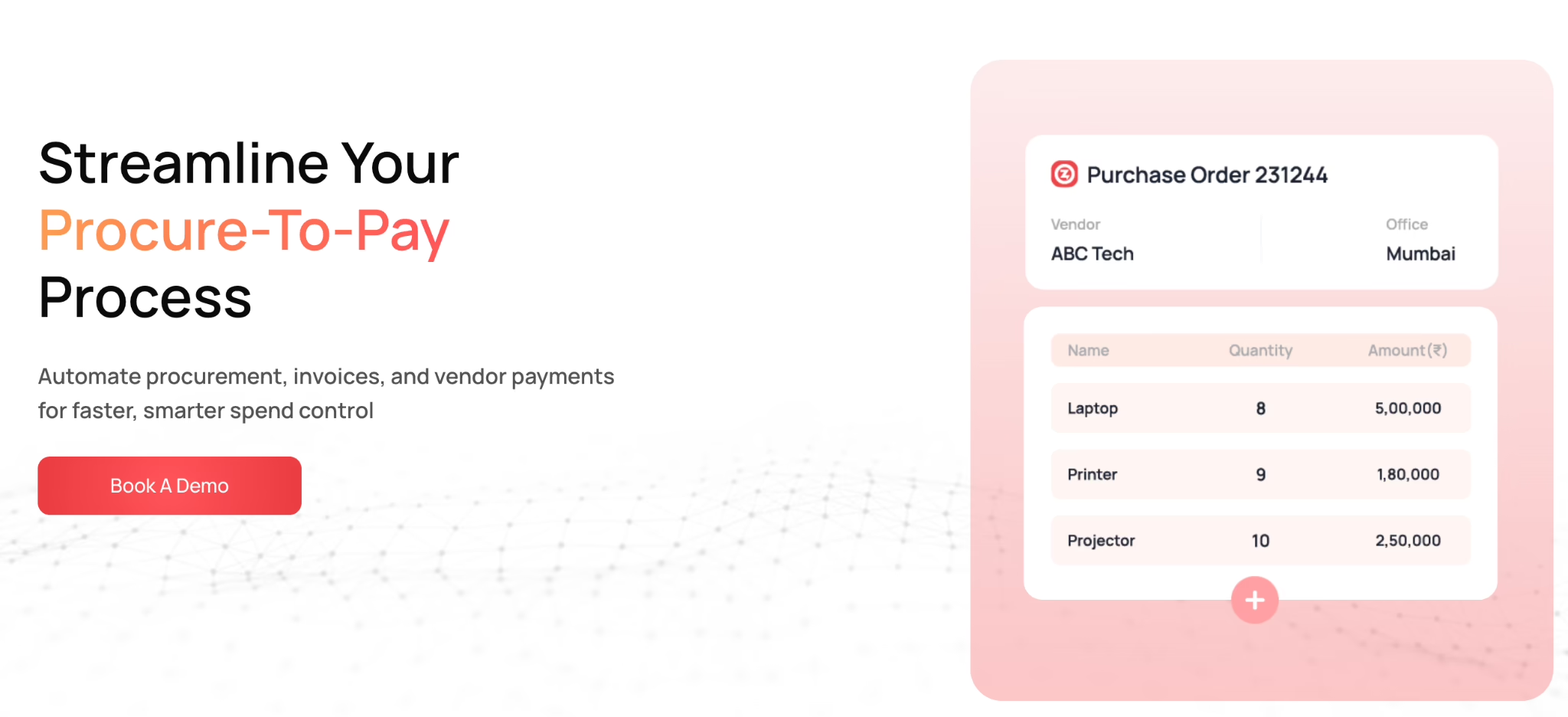
: Zaggle procurement management software
Zaggle is an India-focused spend management platform that helps businesses manage employee travel expenses, reimbursements, corporate cards, and employee benefits. Employees can submit expense claims, while finance teams can configure approval workflows, monitor spending, and manage reimbursements. The platform also supports prepaid and commercial credit cards for controlling business expenses.
Beyond travel and expense management, Zaggle offers procurement, recurring expense management, and tax-related solutions, including GST and TDS filing services. Its reporting tools help finance teams monitor spending patterns, identify policy violations, and maintain financial records. While Zaggle covers several business spending activities, companies looking for complete HR and payroll management may need to connect it with their existing systems.
Key features
-
GST compliance integration: Access GST and TDS filing solutions alongside business expense and payment management.
-
Corporate card management: Issue prepaid and commercial cards, monitor transactions, and apply spending controls.
-
Approval workflow customization: Configure expense approval processes and monitor claims against company spending policies.
-
Employee reimbursement management: Manage travel expense claims, approvals, and reimbursements through the platform.
-
Expense reporting and analytics: Track spending trends, monitor irregularities, and generate reports for financial reviews.
Pros and cons
| Pros | Cons |
|---|---|
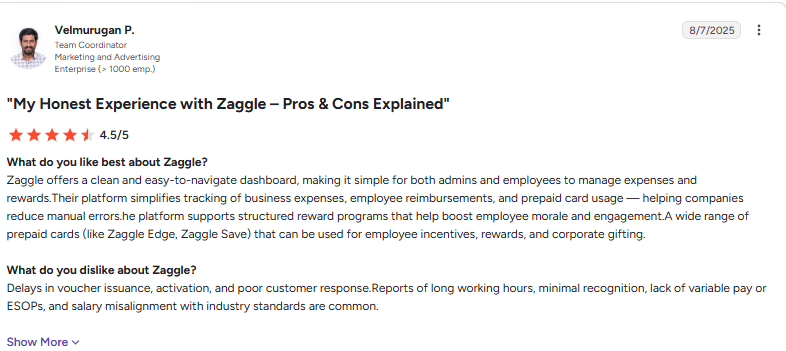
| Easy card payments: The card is straightforward to use for food and shopping purchases. | Voucher issuance delays: Vouchers can arrive with delays. |
| Simple transaction tracking: Card transactions are quick and easy to track. | Activation waiting time: Voucher activation can take longer than expected. |
| Direct benefit spending: Employees can use the card for eligible purchases without requesting reimbursements. | Support responsiveness: Customer response times have room for improvement. |
Pricing
Zaggle offers custom pricing based on your business requirements.
Best for
Indian mid-sized businesses and enterprises looking to manage employee expenses, corporate cards, reimbursements, and business spending controls.
What real users say:
Source: G2
Disclaimer: *₹ prices marked with an asterisk are approximate conversions from USD at ₹95/$1. Actual prices may vary with exchange rates and taxes.
How to choose the right expense management software in India
The right expense management software should simplify reimbursements, reduce manual work, and support Indian tax requirements. Consider these four factors before choosing a platform.
1. Check compliance with Indian tax requirements
Look for GST invoice capture, GSTIN validation, and TDS calculation support. Missing GST details on hotel invoices can complicate input tax credit claims, a concern also discussed in Indian tax forums. Check whether the software generates GST-compliant expense reports and supports multi-state professional tax calculations through payroll.
2. Evaluate integrations with existing tools
Prioritize receipt OCR scanning, mobile access, customizable approvals, and integrations with Tally or Zoho Books. A Reddit discussion highlights cumbersome reimbursement approvals. Configurable workflows can reduce unnecessary steps while maintaining spending controls.
3. Compare pricing and long-term costs
Compare subscription fees, implementation charges, and additional costs for integrations or reporting. One finance team evaluating expense software preferred per-report pricing over monthly user fees. Consider how costs change as employee numbers grow.
4. Plan for implementation and employee adoption
Evaluate historical data migration, employee training, policy configuration, and implementation timelines. A finance administrator highlighted challenges with incomplete submissions. Test mandatory fields, receipt validation, and approval workflows before rollout.
India compliance requirements for expense management
Expense management software should support tax compliance and audit readiness. The CGST Act, 2017 requires registered businesses to maintain prescribed financial records.
GST input tax credit on business expenses
Look for GST invoice management that captures vendor GSTINs, tax amounts, and HSN/SAC codes. The software should support GSTR-2B reconciliation and help verify input tax credit eligibility.
TDS on taxable reimbursements
TDS calculation support should distinguish documented business reimbursements from taxable allowances. Payroll integration should support applicable TDS calculations, Form 16 reporting, and state-wise professional tax requirements.
Documentation requirements
Prioritize digital receipt storage, approval histories, and policy violation detection to flag missing invoices or excessive claims.
Under Section 36 of the CGST Act, prescribed GST records generally require 72 months of retention from the relevant annual return’s due date, subject to exceptions.
Conclusion: Choose expense management software that fits your business
Managing employee expenses gets complicated when receipts, approvals, reimbursements, and accounting records sit across different systems. Zoho Expense and Fyle focus on expense tracking and receipt management, while Happay and Zaggle offer broader spending controls and corporate card capabilities. For Indian businesses, GST compliance, payroll integration, and reimbursement processing should also influence the decision.
Keka is worth considering if you want expense management to work alongside your HR and payroll processes. It brings expense claims, approval workflows, and reimbursements into one platform, making it a practical option for businesses of all sizes.
If you’re exploring a unified approach, you can take a closer look at Keka’s expense management software to see whether it fits your requirements.