Login


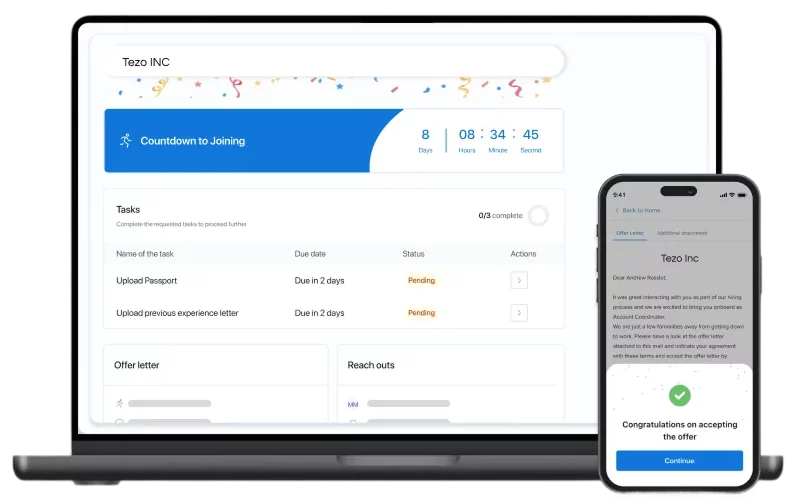
The 10 best employee onboarding software in India are Keka, BambooHR, Rippling, Deel, Darwinbox, Zoho People, greytHR, factoHR, Workday and SAP SuccessFactors. In this article, we compare what each platform offers for pre-joining paperwork, document collection and day-one tasks. We also break down their pricing in INR, integrations, free trial options and suitability for different business sizes. Read on to find the right fit for your team.
A new hire’s first day should be about settling into the role, not chasing paperwork, pending approvals or missing system access. But getting everything ready takes coordination between HR, IT, managers and the new employee. Without a structured process, even routine onboarding tasks can become difficult to track.
Employee onboarding software helps bring these activities together, from pre-joining documentation and policy acknowledgements to task assignments and HRIS integration. But which platform should you choose?
I’ve compared 10 employee onboarding software platforms available in India, looking at their features, pricing, integrations, free trials and suitability for different business sizes. Here’s what each one offers, where it fits best and what to consider before making a decision.
Use the table below for a quick comparison of each tool’s best-fit use case, pricing, G2 rating, and free trial availability before exploring the detailed reviews.
Best Employee Onboarding Software in India at a Glance
| Tool | Best For | Pricing Details* | G2 Review** | Free Trial |
|---|---|---|---|---|
| Keka | Onboarding connected to HR, payroll, and recruitment | Custom quote | 4.4/5 | Free trial available |
| BambooHR | Employee-focused onboarding and digital paperwork | From ~₹945* per employee per month | 4.4/5 | Free trial available |
| Rippling | HR and IT onboarding in one workflow | Custom quote | 4.7/5 | Demo only |
| Deel | Employees, contractors and employer-of-record hires | From ~₹473* per employee per month | 4.7/5 | Demo only |
| Darwinbox | Enterprise onboarding within a broader HCM platform | Custom quote | 4.4/5 | Demo only |
| Zoho People | Configurable onboarding workflows and document collection | From Rs. 48 per user per month. | 4.5/5 | 30-day trial advertised |
| greytHR | Self-onboarding with India statutory details | From ₹2,495/month for 50 employees | 4.4/5 | 7-day free trial |
| factoHR | Onboarding connected to employee records and HRMS workflows | From ₹4,999 per month for 50 employees | 4.6/5 | Free trial available |
| Workday | Enterprise onboarding tied to core HCM data | Custom quote | 4.2/5 | Demo only |
| SAP SuccessFactors | Onboarding through offboarding in one suite | Custom quote | 4/5 | 30-day basic trial |
* Approximate figures, converted from US dollars at the current exchange rate. Actual amounts are subject to change with the exchange rate and taxes.
** G2 ratings are based on reviews available at the time of writing and may change.
How I chose the best employee onboarding software in India
I used six criteria to compare the platforms. The comparison is based on published vendor information.
-
Core workflow: Whether the product handles preboarding, document collection, forms and task assignment from offer acceptance through the first few months of employment.
-
Usability and adoption: How easy it is for HR, managers and new hires to complete their steps, including role-based views and mobile access.
-
Integrations and data flow: How onboarding data reaches HRIS, payroll, identity and collaboration tools, and whether those links are native or partner-led.
-
Automation and reporting: The rules, reminders, dashboards and exports that keep onboarding on schedule and visible.
-
Security and governance: Access controls, data hosting and the security attestations that vendors publish on their own sites.
-
Pricing and support in India: Published INR pricing, billing basis, seat minimums and how support works for Indian teams.
I took product details from each vendor’s official website, and ratings from G2. Those peer-review sites also carry the employee onboarding software reviews that I used for fit considerations.
Disclosure: Keka is the publisher of this article. I have included Keka in the same comparison framework as the other platforms and linked to official product information for its claims.
Top 10 Employee Onboarding Software in India in 2026: Detailed Breakdown
1. Keka: Best for connecting onboarding with hiring, core HR and payroll
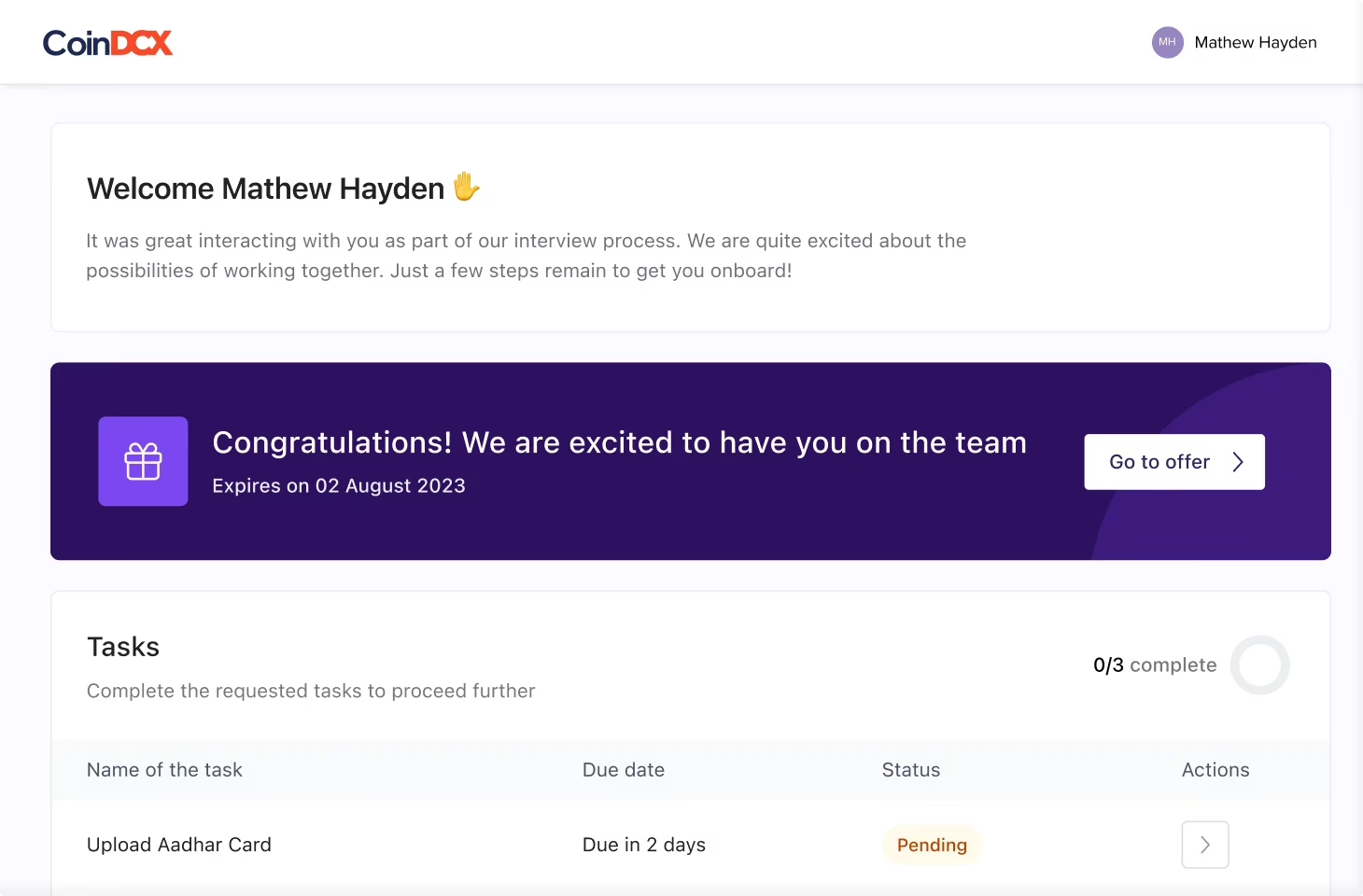
Keka manages employee onboarding from offer acceptance through day one by keeping candidates engaged and HR, IT, finance, and hiring managers aligned throughout the process. HR teams can create offers from pre-built templates, send them for digital signatures, and give candidates a dedicated portal to track their progress, complete tasks, and see what comes next. Automated check-ins help maintain communication between offer acceptance and joining, reducing the chances of candidates dropping off before their start date.
Onboarding workflows can be customised by role and department, with tasks, timelines, documents, and communication sequences tailored to each new hire. HR teams can assign policies, collect acknowledgements, and track compliance requirements as part of the same process. New hires can also add their skills, hobbies, and photo to their employee profile on day one, helping their colleagues get to know them from the start.
Keka AI draws on connected employee data to answer HR queries and surface actionable insights, helping HR teams make informed decisions throughout the employee lifecycle.
Keka also brings offers, pre-boarding, and employee records into its broader HR platform, reducing handoffs between hiring and core HR. More than 12,500 companies use Keka today. Keka is SOC 2, ISO 27001, and GDPR compliant.
Key features: –
-
Easy to create offers from pre-built templates and get them signed digitally without external tools.
-
A candidate portal where new hires track their progress and see what happens next.
-
Regular check-ins and preboarding steps that keep candidates engaged between offer acceptance and joining.
-
Role-specific and department-specific workflows with their own tasks, documents, timelines and communication sequences.
-
Policy acknowledgements and statutory forms completed and logged before the employee joins.
-
Background verification integrations that keep checks inside the onboarding workflow from request to record.
| Pros | Cons |
|---|---|
| Connected employee lifecycle: Keka supports hiring, onboarding, core HR, attendance, performance and payroll on one platform. | Best suited to teams consolidating HR processes: Keka provides a unified onboarding workflow, and teams that adopt the wider platform benefit more from connected workflows and data. |
| Role-specific workflows: HR teams build onboarding workflows by role and department, each with its own tasks and documents. | Automation works best with defined processes: Teams may need to map their onboarding steps and owners first. This helps automation run with less manual follow-up. |
| Digital offers and signatures: Offers are created from pre-built templates and signed digitally inside Keka. | Global functionality can introduce more configuration: Companies operating across multiple countries may need to configure workflows around their different workforce and compliance requirements. |
Pricing: Keka uses custom pricing, so you can start with a free trial or request a demo to get a quote.
Best for: Businesses of all sizes that want to manage employee onboarding alongside core HR and connected people operations.
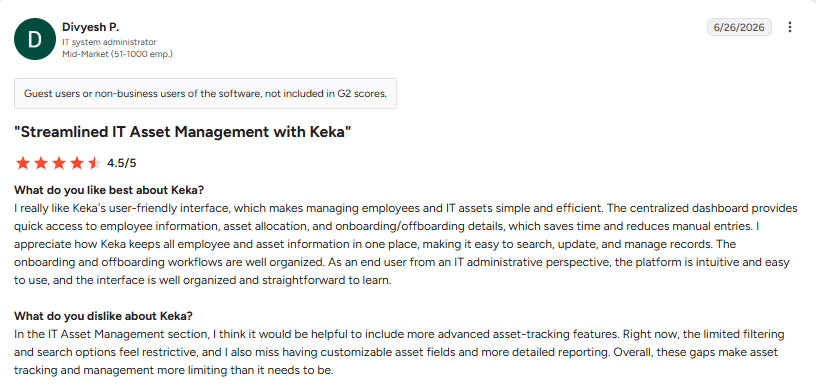
What users say:
Source: G2
2. BambooHR: Best for teams evaluating an employee-focused HR platform
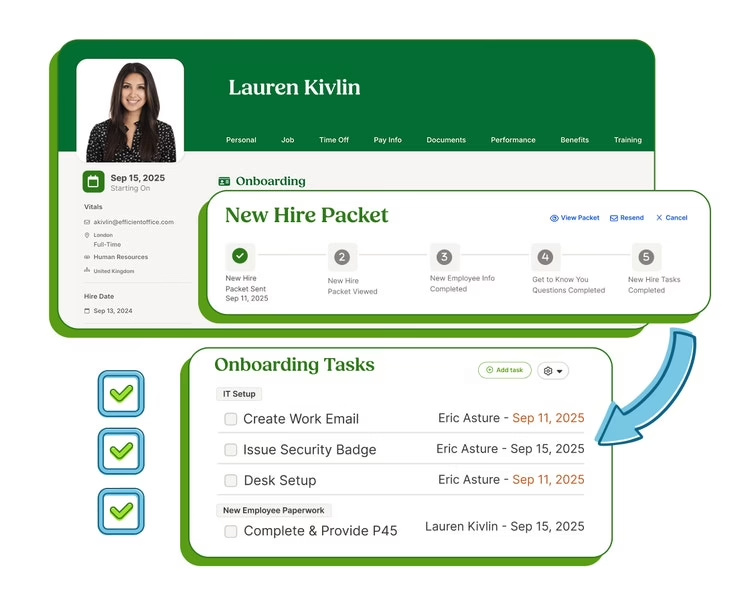
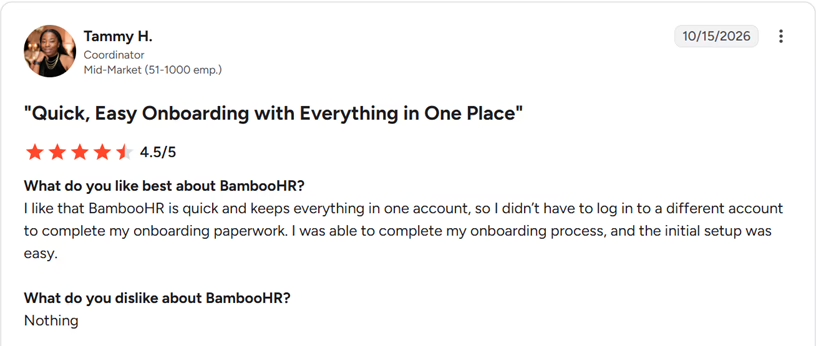
BambooHR is a HRIS that adds onboarding, payroll and benefits to its core employee records. Its onboarding module sends new hires a packet with forms, e-signatures and a welcome message before day one, and the answers sync into the employee record.
Key Features of BambooHR:
-
Customizable new-hire packets by role and work mode, so every hire gets the right documents.
-
Easy to collect e-signatures and track which documents each new hire has signed.
-
Automated onboarding checklists with reminders that keep HR, IT and managers on schedule.
-
Welcome messages, optional videos and a first-day schedule in packets, added in September 2026.
-
A progress dashboard that shows how far each new hire has moved through onboarding.
-
With 150+ integrations, connect onboarding to tools such as Checkr for background checks.
| Pros | Cons |
|---|---|
| Simple packet workflow: Role-based templates let HR send the right forms and documents without rebuilding packets for each hire. | India fit needs checking: BambooHR is priced in US dollars, so Indian teams should confirm support and local payroll options in a demo. |
| Clean data handoff: Information that new hires submit syncs straight into the employee record, so HR avoids re-entering it. | Customization depth: Reviewers usually note that custom reports and workflows need workarounds, so test your own reporting needs first. |
| Onboarding on every plan: The new-hire packet, onboarding checklist and e-signatures appear in all three BambooHR plans. | Mobile experience: Reviewers often describe the mobile app as basic, so check it if new hires will finish tasks on their phones. |
Pricing: BambooHR starts from ~₹945* per employee per month on the Core plan, on a quote basis.
Best for: Businesses looking to simplify preboarding, digital paperwork, and onboarding task management through a centralized platform.
What users say:
Source: G2
3. Rippling: Best for onboarding that also provisions devices and app access
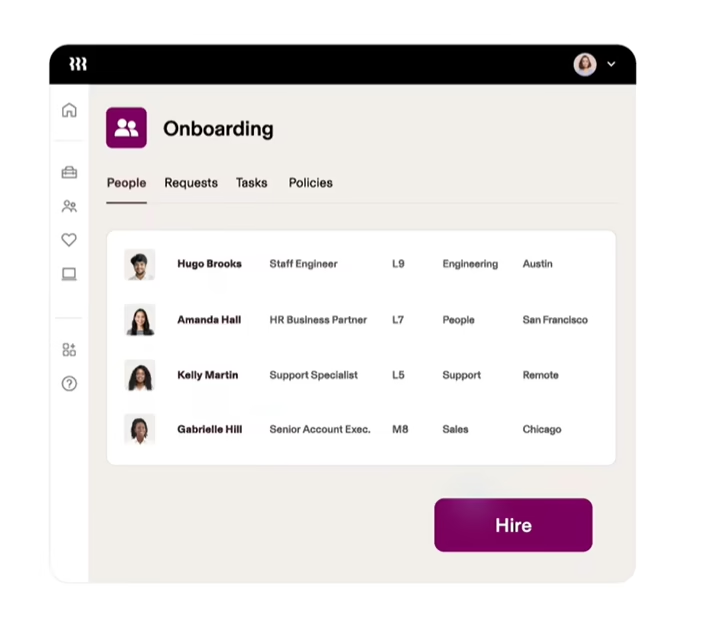
Rippling is a workforce platform that runs HR, IT and payroll on one employee record. An accepted offer can trigger offer documents, payroll and benefits enrolment, device shipping and app access in a single workflow. Its India pages focus on hiring and paying people in India through an employer of record or your own entity.
Key Features of Rippling
-
Automated onboarding workflows that run from the offer letter to device shipping.
-
Locally compliant offer letters sent for e-signature, with required forms distributed automatically.
-
Document management with secure file storage, signature collection and audit trails.
-
With the workflow builder, trigger welcome emails or device alerts directly from employee data.
-
Role-based app provisioning that gives new hires Slack and group access timed to their start date.
-
Onboarding for Indian employees and contractors, with EPF and ESI registration handled through Rippling’s employer-of-record service.
| Pros | Cons |
|---|---|
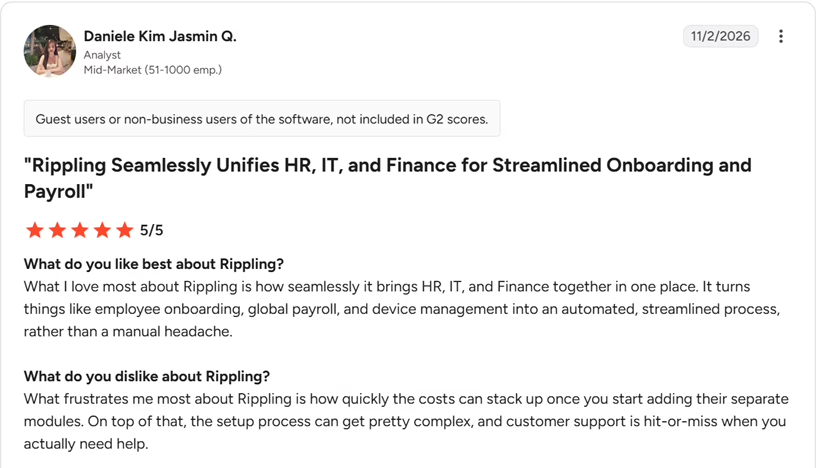
| One workflow across HR and IT: An accepted offer can trigger payroll, benefits, device and app setup from a single employee record. | Modular purchasing: Device management and app provisioning are separate IT products, so price the full onboarding setup rather than the HR plan alone. |
| Flexible automation: Workflow rules react to employee data, such as sending a welcome email a week before the start date. | Learning curve: Reviewers often mention that navigation takes time to learn and changes between updates, so plan some admin training. |
| India hiring route: Foreign companies can hire and onboard employees in India without a local entity through Rippling’s employer of record. | Support speed: Some reviewers find that payroll issues take longer to resolve, so ask about response times before you sign. |
Pricing: Rippling offers custom pricing based on your business requirements
Best for: Businesses looking to automate employee onboarding alongside device setup and software access.
What users say:
Source: G2
4. Deel: Best for onboarding employees, contractors and employer-of-record hires
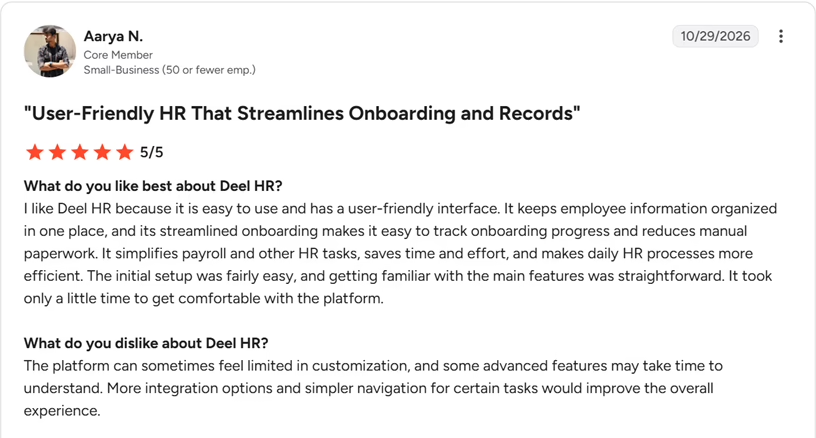
Deel is a global payroll and HR platform that lets companies hire and pay employees, contractors and employer-of-record workers through a single worker profile. Deel HR adds onboarding workflows with personalized emails, tasks and country-specific policies. In India, Deel is mainly a route for companies that hire through its employer-of-record or PEO services, so it suits teams with an international footprint more than a purely domestic one.
Key Features of Deel:
-
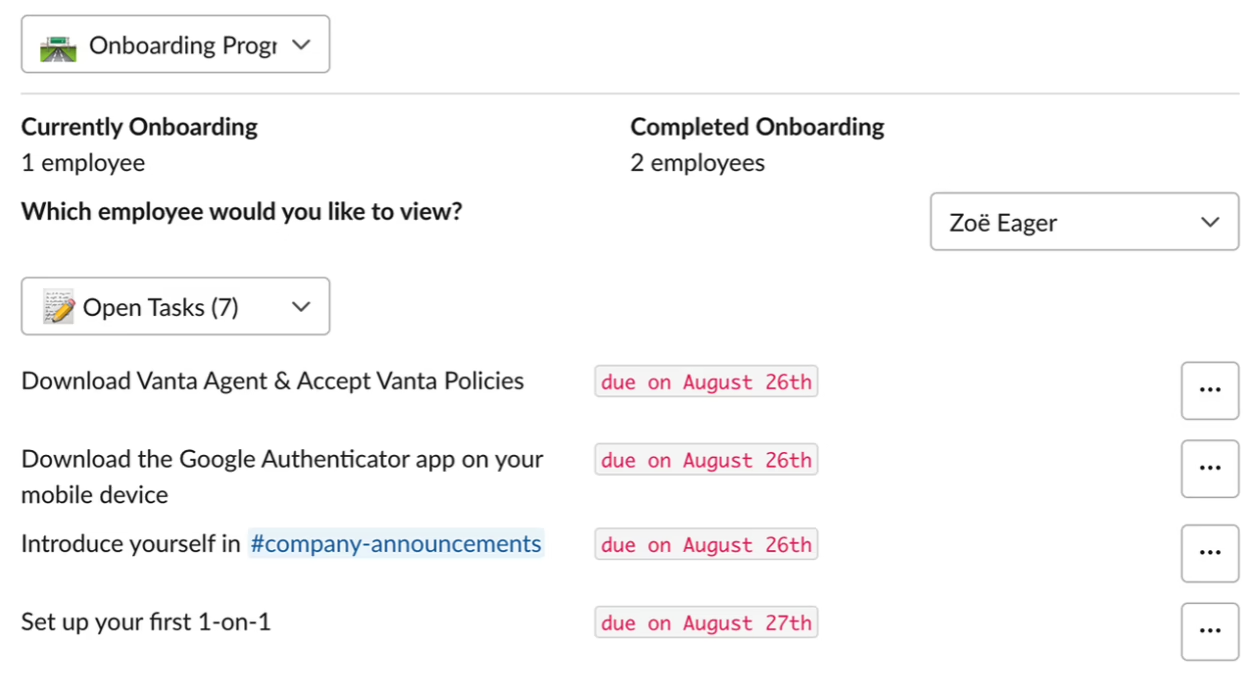
Onboarding workflows that send personalized emails and assign tasks, with logic and filters for each hire.
-
Worker profiles that hold documents and org details for employees, contractors and employer-of-record workers.
-
Country policy templates across 150+ countries, so onboarding matches how each person is employed.
-
With Deel ATS, move accepted candidates into onboarding without leaving the platform.
-
Automated tax-document collection, payroll and benefits setup for hires in India through its employer of record.
-
Easy to order devices and grant app access by role with Deel IT, which is a separate product.
| Pros | Cons |
|---|---|
| Mixed workforce coverage: Employees, contractors and employer-of-record hires sit in one system, so HR does not run separate onboarding processes. | Best fit for global hiring: Deel’s India pages center on employer-of-record and PEO routes, so domestic teams should confirm what applies to their setup. |
| Global policy support: Country-specific policies and templates are built into the workflows across 150+ countries. | Support experience: Reviewers often mention slow human support that starts with automated replies, so ask what support your plan includes. |
| India hiring setup: For hires in India, Deel handles tax-document collection, payroll and localized benefits such as PF and ESI through its employer-of-record service. | Fees and add-ons: Reviewers often mention fees and currency conversion costs, and the ATS and IT products are priced separately, so map the total cost first. |
Pricing: Deel starts from ~₹473* per employee per month on the Core plan, with higher HR plans and employer-of-record hiring priced separately.
Best for: Mid-sized and large businesses hiring across countries and needing centralized onboarding workflows for an international workforce.
What users say:
Source: G2
5. Darwinbox: Best for enterprise onboarding with India statutory forms
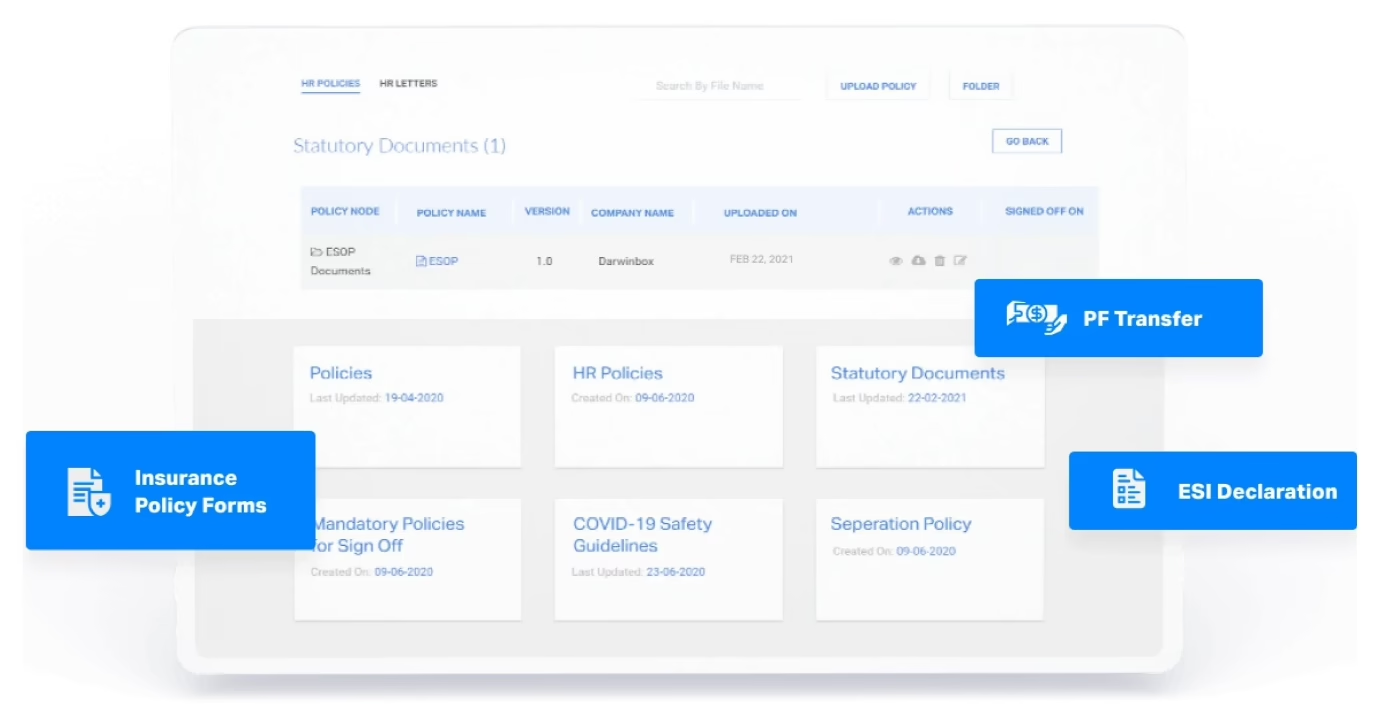
Darwinbox is a Hyderabad-headquartered, enterprise-ready HCM platform, and its onboarding module is built to shorten the time between offer acceptance and productivity. It handles digital offer letters, smart forms and pre-joining policy sign-offs, then moves the data into the employee profile. For Indian teams, it can generate pre-populated statutory forms such as PF transfer and ESI declarations from the data new hires submit.
Key Features of Darwinbox:
-
Digital offer letters with templates, custom approval flows, version tracking and digital sign-off.
-
Smart forms with validations, auto-calculations and conditional fields, so new hires never share data twice.
-
AI-powered document validation that parses identity documents with OCR and checks their authenticity.
-
Auto-generated statutory forms, including PF transfer and ESI declarations, pre-populated from captured employee data.
-
Bulk onboarding with bulk initiation and data uploads for teams that hire in large batches.
-
Configurable journeys with welcome pages, buddy or mentor assignment and role-wise onboarding flows.
| Pros | Cons |
|---|---|
| India statutory forms: PF transfer, ESI declaration and insurance forms are pre-populated from the data new hires submit. | Configuration effort: Reviewers often mention a learning curve in configuration and reporting, so plan training time and a phased rollout. |
| High-volume hiring: Bulk initiation and uploads help teams onboard large batches of joiners at once. | Mobile performance: Some reviewers mention lag on mobile and during peak cycles, so test the flow at your own hiring volumes. |
| Location-specific setup: Data fields and documentation requirements can be configured by country. | Support for changes: Some configuration changes need admin or vendor support instead of self-serve, so ask how quickly changes are handled. |
Pricing: Darwinbox offers custom pricing based on your business requirements
Best for: Large Indian enterprises that need onboarding within a broader HCM platform and have complex HR workflows across teams or locations.
What users say:

Source: G2
6. Zoho People: Best for configurable onboarding workflows
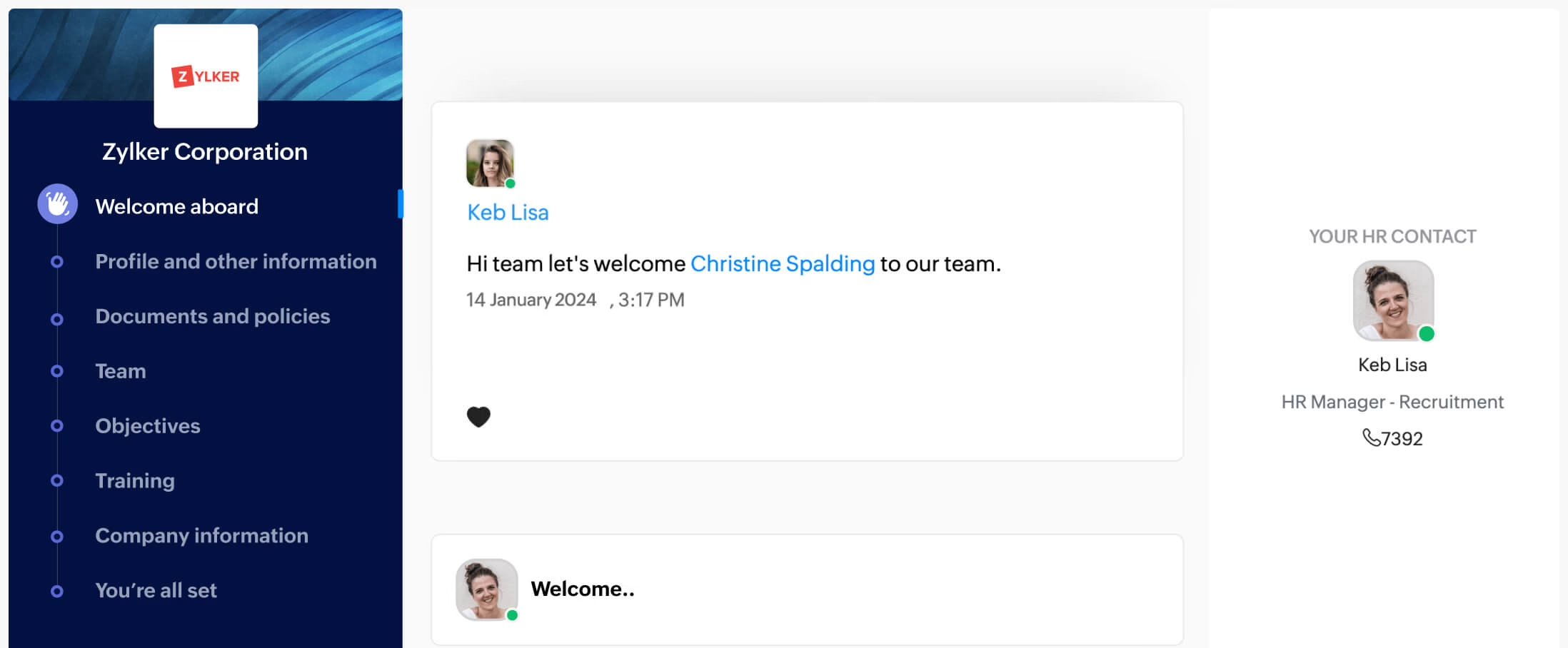
Zoho People is a cloud HR suite from Zoho, and onboarding is a built-in feature. Candidates get a pre-onboarding portal for paperwork and policies, and new hires move through role-based or location-based flows with welcome pages, forms and training. E-signatures need Zoho Sign, DocuSign or Adobe Sign. In September 2026, Zoho added physical-signature support to its candidate onboarding portal.
Key Features of Zoho People:
-
A candidate pre-onboarding portal for offer agreements, policies and tax forms before the joining date.
-
Multiple onboarding flows by location, role or designation, with welcome pages, forms and team introductions.
-
Easy to build mail-merge templates for NDAs, handbooks and policy documents.
-
Admin checklists with triggers that send email alerts and update fields when tasks are complete.
-
Real-time onboarding reports and reminders that show progress at every stage.
-
With Zia, Zoho’s AI assistant, HR teams can start or complete onboarding and resend portal invitations on request.
| Pros | Cons |
|---|---|
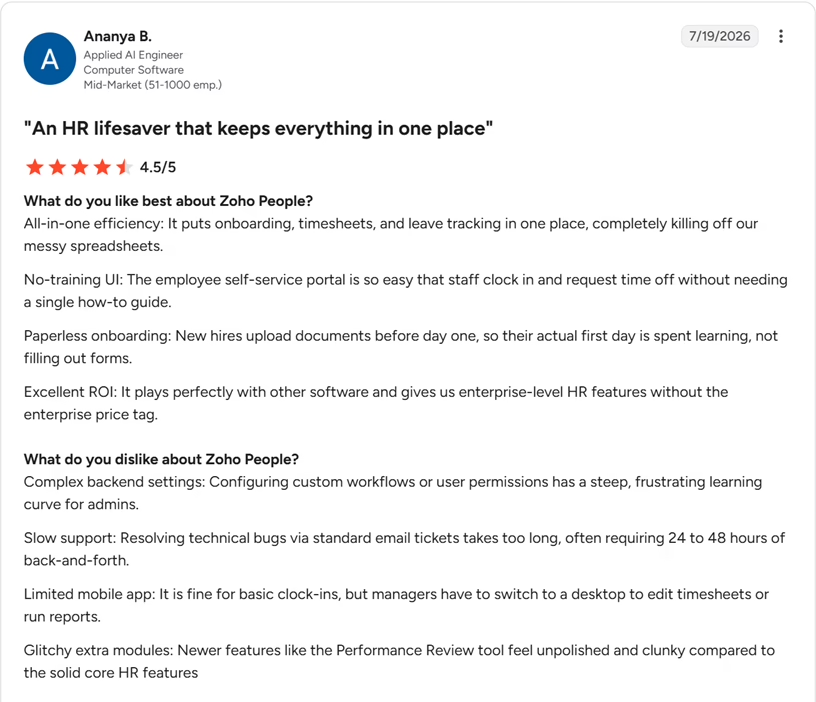
| Low entry price: Onboarding is included from the Essential HR edition, which is Zoho People’s lowest paid tier. | Admin setup effort: Reviewers often mention that permissions, forms and workflows take time to configure, so budget setup time. |
| Flexible flows: Separate onboarding flows can be set by location and role, and each flow can run for up to 120 days. | E-signature add-on: E-signatures depend on Zoho Sign, DocuSign or Adobe Sign, so include that subscription in your budget. |
| One-click conversion: Candidates convert to employees in one click, so HR does not re-enter their details. | Support on complex issues: Some reviewers note slower responses on technical tickets, so ask about support timelines for complex setups. |
Pricing: Zoho People starts from Rs. 48 per user per month, and a 30-day free trial is available.
Best for: Growing businesses and HR teams that want configurable onboarding workflows alongside employee records, attendance, leave management, and other core HR functions.
What users say:
Source: G2
7. greytHR: Best for employee onboarding and HR administration
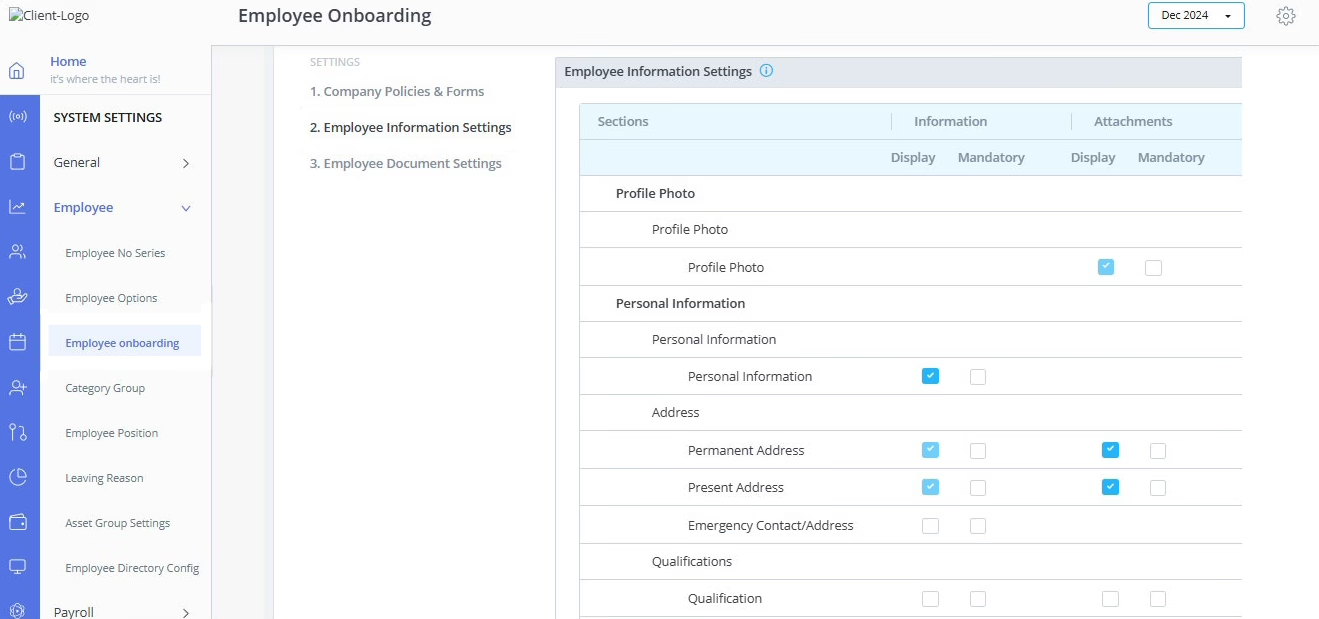
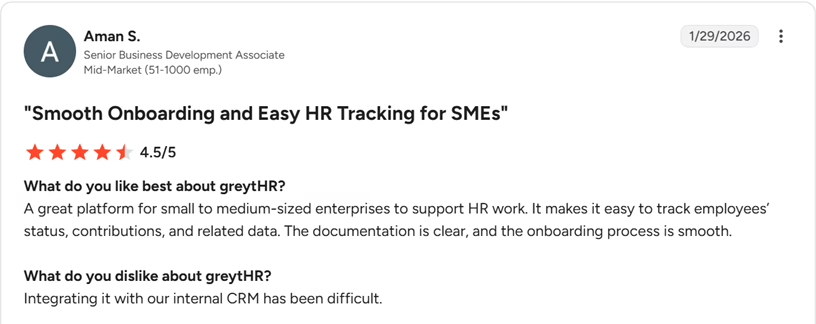
greytHR is an India-focused HRMS that covers payroll, leave and employee self-service, with onboarding built into the same system. Admins invite new joiners by email to fill in personal, previous-employment, statutory, family and nomination details, then review the documents each joiner uploads. When HR adds an employee, greytHR also checks for rehires by Aadhaar and PAN, helping HR identify rehires and avoid duplicate employee records.
Key Features of GreytHR:
-
Employee self-onboarding through the self-service portal, with personal, statutory, family and nomination sections.
-
Configurable onboarding forms where admins mark each field as displayed or mandatory.
-
Easy to collect documents with mandatory flags, approvals and reminders for joiners who have not submitted them.
-
Policy and form acknowledgements collected as part of the onboarding process.
-
Task checklists tied to events such as adding an employee, with owners, priorities and due dates.
-
Joining letters generated from within the HRMS, so HR avoids drafting each one by hand.
| Pros | Cons |
|---|---|
| India statutory fields: The onboarding form includes accounts and statutory sections, and rehires are flagged by Aadhaar and PAN. | Interface: Reviewers often mention extra clicks and a changing interface, so check the screens your admins will use most. |
| Included from the lowest paid plan: Employee self-onboarding is listed under the Essential plan alongside payroll and leave. | Mobile parity: Some reviewers find that the mobile app offers fewer features than the web version, so test onboarding tasks on a phone. |
| Document approval loop: Admins can approve or reject uploaded documents, and reminders prompt joiners who have not submitted them. | Preboarding timing: Self-onboarding begins when HR adds the employee record, so teams that want earlier candidate engagement should ask about preboarding options. |
Pricing: GreytHR’s Essential plan starts from ₹2,495 per month for up to 50 employees, plus ₹45 per additional employee, with a 7-day free trial.
Best for: Small and mid-sized Indian businesses looking to manage employee onboarding alongside payroll, attendance, leave, and other core HR activities.
What users say:
Source: G2
8. factoHR: Best for self-onboarding with a joining kit and payroll on one record
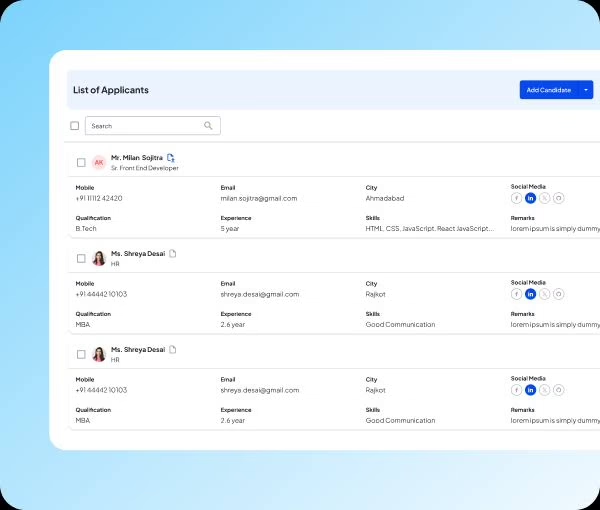
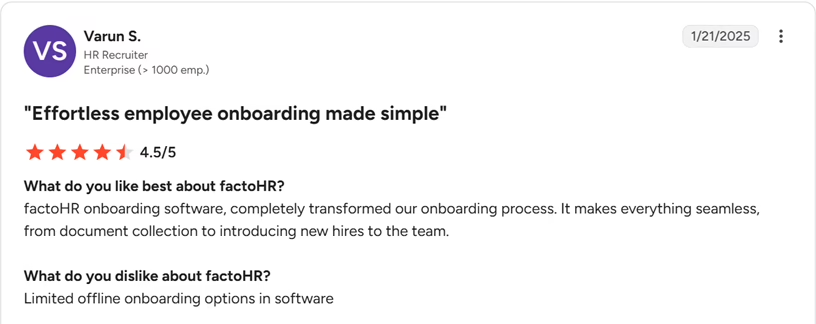
factoHR is an India-focused HRMS that includes onboarding alongside core HR, attendance and payroll. New joiners receive an invitation link to submit personal, employment and nomination details before their first day, and HR approves the submissions through maker-checker verification. Onboarding is a module inside the HRMS rather than a standalone tool, and it starts on the Core plan.
Key features of factoHR:
-
Preboarding that lets new joiners complete their details and upload documents before the first working day.
-
Self-onboarding through an invitation link for personal, employment and nomination details.
-
Dynamic letter templates for offer, appointment and confirmation letters, shared with employees by email.
-
A joining kit and asset management listed among the Core plan’s onboarding features.
-
Cloud document storage that employees can reach from the web portal and the mobile app.
-
Approval workflows with history, so HR can verify submitted details and documents before accepting them.
| Pros | Cons |
|---|---|
| Single employee record: Onboarding, core HR, attendance and payroll share one record on the Core plan. | Onboarding depth: Onboarding is one module of a wider HRMS, and offer management sits in the paid Recruitment add-on, so compare workflows in a demo. |
| Built-in verification: Maker-checker approvals let HR check submitted information and documents before they are accepted. | Reporting: Reviewers sometimes mention limited pre-built and custom reports, so list the reports you need before a demo. |
| Letter automation: Template-based offer, appointment and confirmation letters reduce repeat drafting. | Sync speed: Some reviewers mention occasional lag, including delays before attendance data syncs, so check performance at your headcount. |
Pricing: factoHR’s Core plan starts from ₹4,999 per month for up to 50 employees, plus ₹99 per additional employee.
Best for: Organizations that want a scalable onboarding module connected to recruitment, payroll, attendance and core HR.
What users say:
Source: G2
9. Workday: Best for enterprise onboarding tied to core HCM data
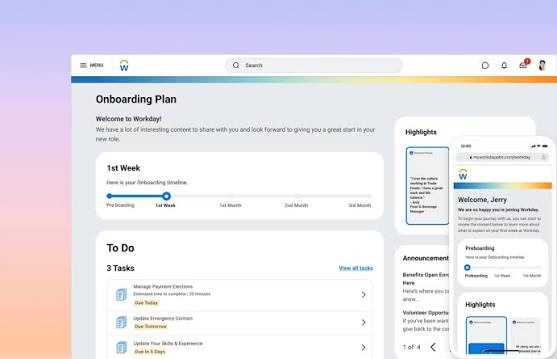
Workday is an enterprise HCM suite, and Workday Onboarding Plans is the module that engages new hires as soon as an offer is accepted. Plans are assigned by audience rules such as role and location, and new hires work through tasks, forms and documents in a self-service view. These configurable plans help HR teams track onboarding progress and identify overdue tasks. They also give new hires a clear view of their pending activities and resources. In 2026, Workday also introduced updates to onboarding-plan security and the employee experience, including changes to its onboarding timeline.
Key features of Workday
-
Preboarding content and team introductions that begin as soon as an offer is accepted.
-
Onboarding plans assigned by audience rules for new hires, pre-hires and contingent workers.
-
Self-service views where new hires see tasks, resources and a timeline and finish at their own pace.
-
Forms and document steps, including generated offer letters and signed documents.
-
A Manager Insights Hub that shows overdue and due-soon onboarding tasks.
-
Onboarding reports and insights that show where plans are getting stuck.
Pricing: Workday does not publish pricing, so you need to contact sales for a quote or a demo.
Best for: Enterprises with complex onboarding processes that need onboarding connected to a broader HCM platform.
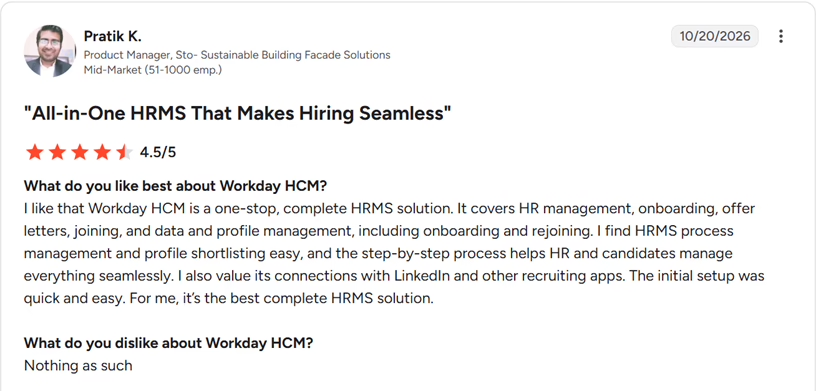
What users say:
Source: G2
10. SAP SuccessFactors: Best for structured enterprise onboarding
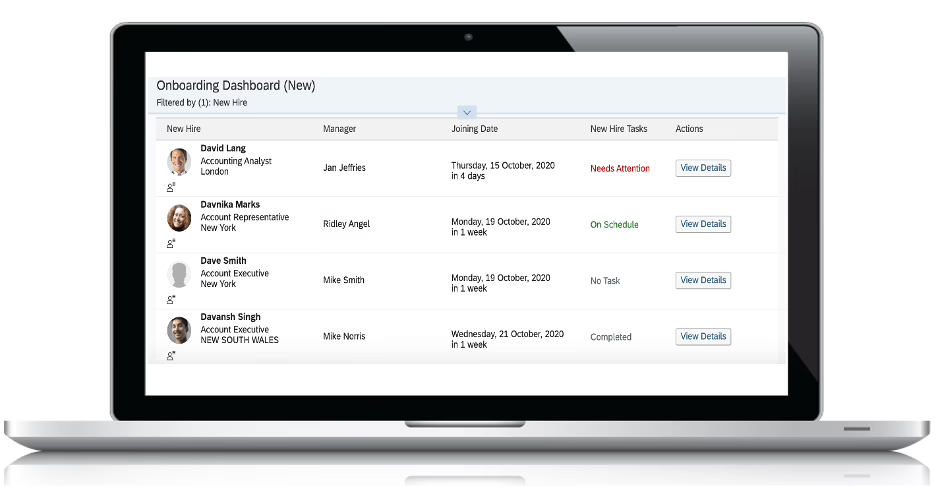
SAP SuccessFactors Onboarding is a module of SAP’s HCM suite that connects with Employee Central, its core HR system. It supports onboarding, cross-boarding, offboarding and rehire programs. HR teams can configure onboarding workflows covering employee data collection, paperwork, e-signatures, goals, meetings and equipment. Guided journeys also help managers structure the new hire’s first 90 days. In May 2026, SAP made Microsoft Teams notification cards for new hires generally available, extending onboarding updates to a collaboration tool employees already use.
Key Features of SAP SuccessFactors
-
Configurable onboarding programs that cover data entry, paperwork, e-signatures, goals, meetings and equipment.
-
Electronic forms configured for new employee data and completed before the first day.
-
E-signatures on almost any device through SAP Signature Management by Docusign.
-
An onboarding dashboard that shows task status, owners and due dates for each new hire.
-
Guided journeys with training and goals that run through the first 90 days.
-
Transfers, offboarding and rehire programs that run in the same product as onboarding.
| Pros | Cons |
|---|---|
| Full lifecycle coverage: Onboarding, internal transfers, offboarding and rehire run in one product. | Interface: Reviewers sometimes mention an interface that feels less intuitive and an uneven mobile experience, so test the new-hire view in a demo. |
| Core HR connection: Onboarding connects with Employee Central and the wider SuccessFactors suite, so data stays in one system. | Implementation effort: Reviewers sometimes mention that implementation and support need dedicated effort, so plan for a partner. |
| Pre-day-one paperwork: Forms, data entry and e-signatures can be completed before the first day. | Licensing: SAP treats Onboarding as a separately licensed product and publishes no prices, so confirm what your license covers. |
Pricing: SAP SuccessFactors offers custom pricing based on your business requirements
Best for: Enterprises that need structured onboarding programs as part of a broader HCM implementation.
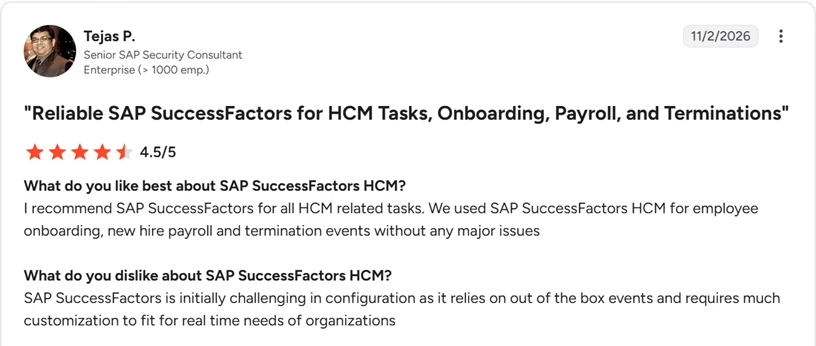
What users say:
Source: G2
How to choose the right employee onboarding software
The right platform depends on the work you need it to do. I would use the following questions to narrow down the shortlist.
If you need onboarding alongside HR and payroll
Start by reviewing the employee data and onboarding workflows in the HR platform you are considering. Confirm how employee information moves between onboarding and the other modules, and whether the required capabilities are included in the quoted plan.
If you need configurable onboarding processes
Ask the vendor to configure a sample process for two different roles. Check whether the required documents, tasks, approvals and reminders can be changed without significant custom development.
If you manage international employees
Confirm the employment arrangements and countries supported by the specific service. Check the difference between onboarding for direct employees, contractors and Employer of Record hires.
If you have enterprise-level requirements
Map the onboarding process across HR, IT, managers and new employees. Confirm permissions, reporting, integration responsibilities, implementation timelines and ongoing support.
If price is the main consideration
Compare the full annual cost rather than just the starting price. Include minimum seats, billing basis, taxes, implementation, additional modules, integrations and support.
Questions to ask during a vendor demo
Before making a decision, I would ask every vendor the same questions:
Can you demonstrate the process from offer acceptance through the first 90 days?
Which steps can HR automate, and which require manual review?
How do employees and managers see and complete their assigned tasks?
Which integrations are native, and which require a partner or paid add-on?
What is included in the quoted plan, and what costs extra?
What implementation and support arrangements are available to our team in India?
What security, access-control and data-retention documentation can you provide?
Ask the vendor to demonstrate the workflow rather than relying only on a feature checklist. This makes it easier to compare platforms consistently.
Conclusion
Before making your decision, ask vendors to demonstrate your actual onboarding workflow, from document collection to task completion. Check what’s included in the quoted price, what requires an add-on, and how implementation and support work in India.
If Keka is on your shortlist, explore its employee onboarding software and request a demo to see how it fits your existing HR processes.