


 Login
Login


The top Paylocity alternatives in 2026 are Keka (best for unified HR-payroll-PSA consolidation), Rippling (best for IT-HR automation), Paycor (best for compliance-first mid-market), ADP Workforce Now (best for enterprise scale), Paycom (best for employee self-service depth), Ceridian Dayforce (best for continuous payroll calculation), UKG Ready (best for workforce scheduling complexity), and Paychex Flex (best for dedicated service support).
Paylocity works well for many mid-market companies, but it isn’t always the right fit for every team. Companies evaluating alternatives are often looking for more clarity around pricing, a smoother implementation process, more consistent support, or reporting that better fits how their teams work.
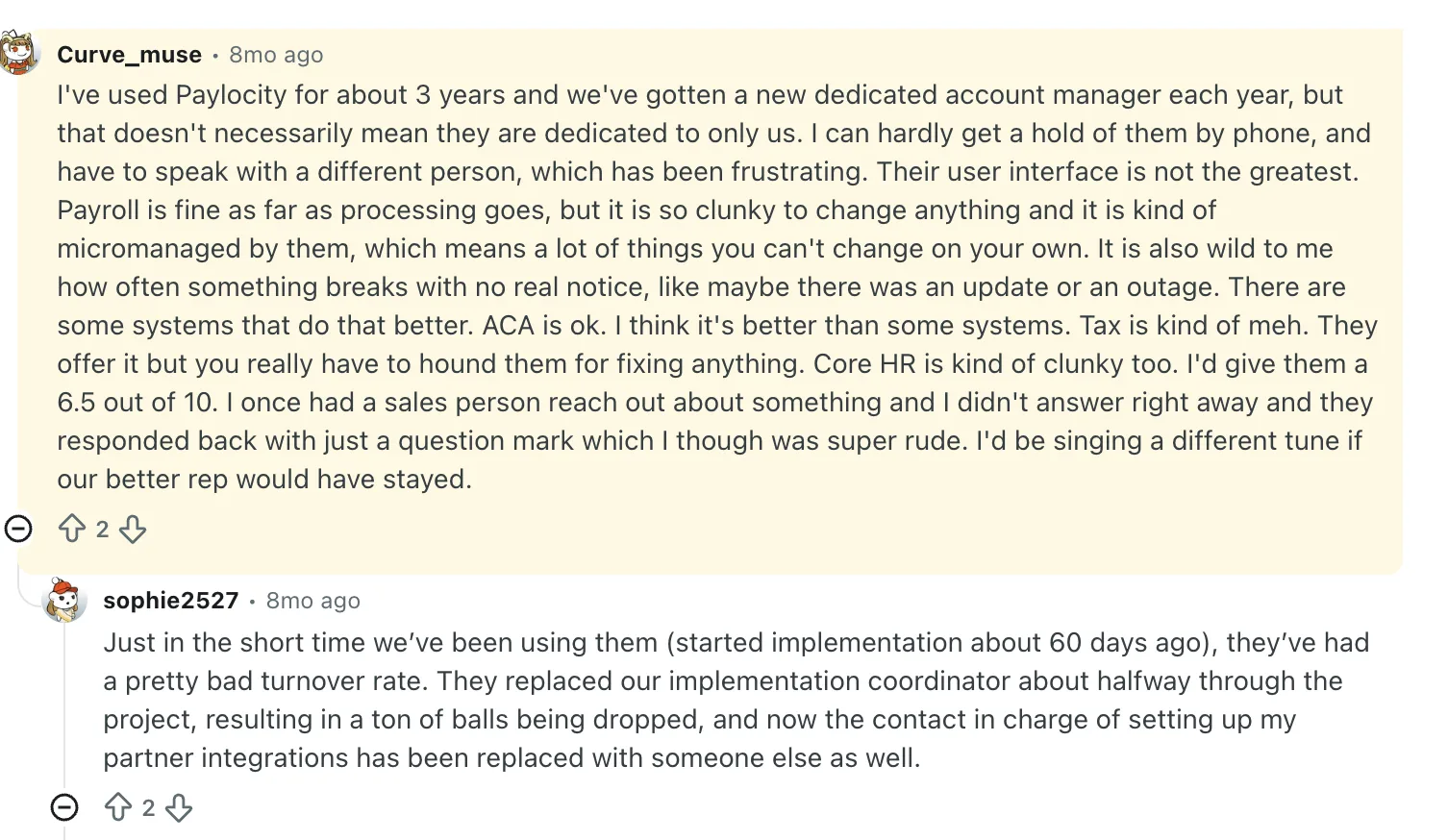
This Reddit comment summarises several issues I found users raising about Paylocity, including the UI, repeated support follow-ups, unreliable support, and rigidity.
This guide is for HR and finance leaders at companies with about 100-2,500 employees who are either using Paylocity or considering it as part of their HCM evaluation. I looked at each alternative based on implementation friction, payroll processing reliability, day-to-day usability, pricing transparency, and support quality.
This page was last updated in August 2026. For a quick overview of how the platforms compare, see the feature comparison table below.
Quick Comparison: 8 Best Paylocity Alternatives at a Glance
Here’s how the top HR software platforms similar to Paylocity stack up before we go deep:
| Platform | Best For | Pricing (PEPM) | Free Trial | G2 Rating |
|---|---|---|---|---|
| Keka HR ⭐ | Businesses of all sizes | Custom Pricing | Yes (free trial) | 4.4/5 |
| ADP Workforce Now | Compliance-heavy mid-market | Custom Pricing | No | 4.2/5 |
| Paycom | Employee self-service depth | Custom Pricing | No | 4.6/5 |
| Dayforce | Continuous payroll calculation | Custom Pricing | No | 4.2/5 |
| UKG | Workforce-heavy operations | Custom Pricing | No | 4.3/5 |
| Paychex | Service-heavy payroll support | Custom Pricing | No | 4.1/5 |
| Rippling | HR + IT automation | Custom Pricing | No (demo only) | 4.8/5 |
| Paycor | HR analytics, mid-market | Custom Pricing | Yes | 4.0/5 |
Disclosure: Since Keka is our product, we want to be transparent about how it was evaluated. We used the same criteria for Keka as we did for every other platform and have called out its limitations where relevant.
How I Evaluated These Paylocity Alternatives
I evaluated them the way an operator would, the same lens I’d use if I were actually choosing a platform for a 300-person company.
What I looked at
- First-hand product usage across admin and employee workflows
- Set up friction and implementation complexity
- Payroll processing reliability
- Time and attendance usability
- Onboarding and offboarding experience
- Reporting depth and export flexibility
- Integration ecosystem
- Support quality and responsiveness
- Mobile experience
- Pricing transparency and contract friction
- Review sentiment from G2, Trustpilot, Capterra, and similar platforms
- Vendor documentation, demos, and sales conversations
My lens
I’ve asked: Can a real HR team actually run on it? Does payroll feel safe? Does it scale without becoming a project? Does the support structure match the complexity of the product? And is it the right fit for a 25-person company, a 250-person company, or a 2,500-person company? That distinction matters more than any marketing language ever will.
Why Are Teams Moving Away from Paylocity?
I found several recurring themes in the Paylocity reviews I went through on Reddit, including over-reliance on support for customization, a clunky UI, and outdated reporting features.
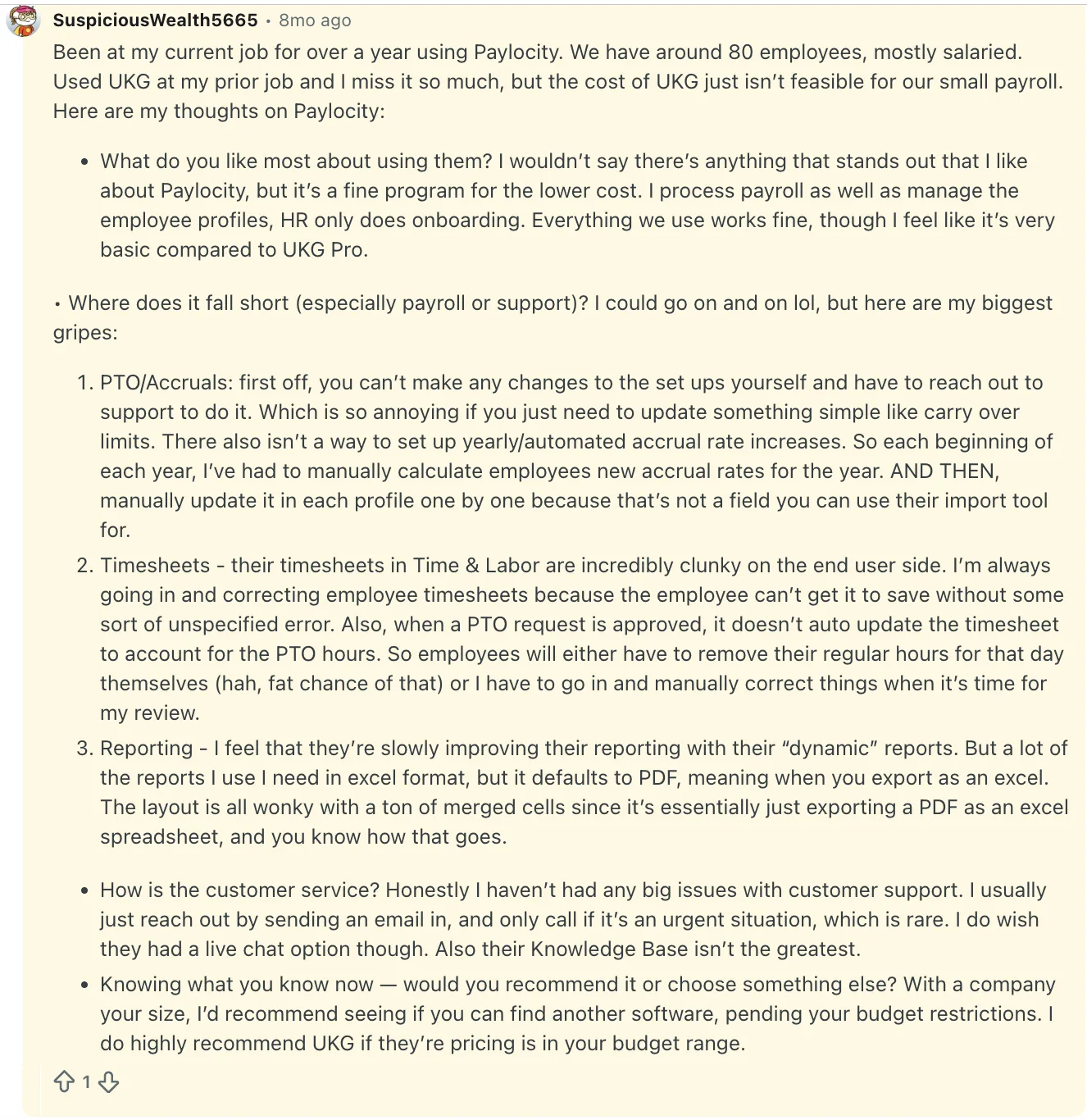
From the Paylocity reviews and complaints I went through, these were the issues that stood out most across review platforms:
Manual overhead in core workflows: Simple updates, like PTO policies or accrual changes, often can’t be done directly and require support or manual work.
Clunky time and attendance experience: Timesheets don’t always sync cleanly with PTO, errors are common, and managers end up fixing entries manually. Day-to-day usage feels heavier than it should.
Limited self-serve control: Key configurations aren’t easily editable in-platform. Teams rely on support for basic changes, which slows things down and breaks momentum.
Reporting friction: Reports often export in formats that need cleanup before use. Getting clean, usable data takes extra steps, especially for teams relying on Excel.
Feature depth plateaus as teams grow: Works fine at smaller scale, but starts to feel basic as operations become more complex.
In-Depth Review: 8 Best Paylocity Alternatives in 2026
1. Keka HR
Best Paylocity alternative for businesses of all sizes that want HR, payroll, and PSA unified on one platform
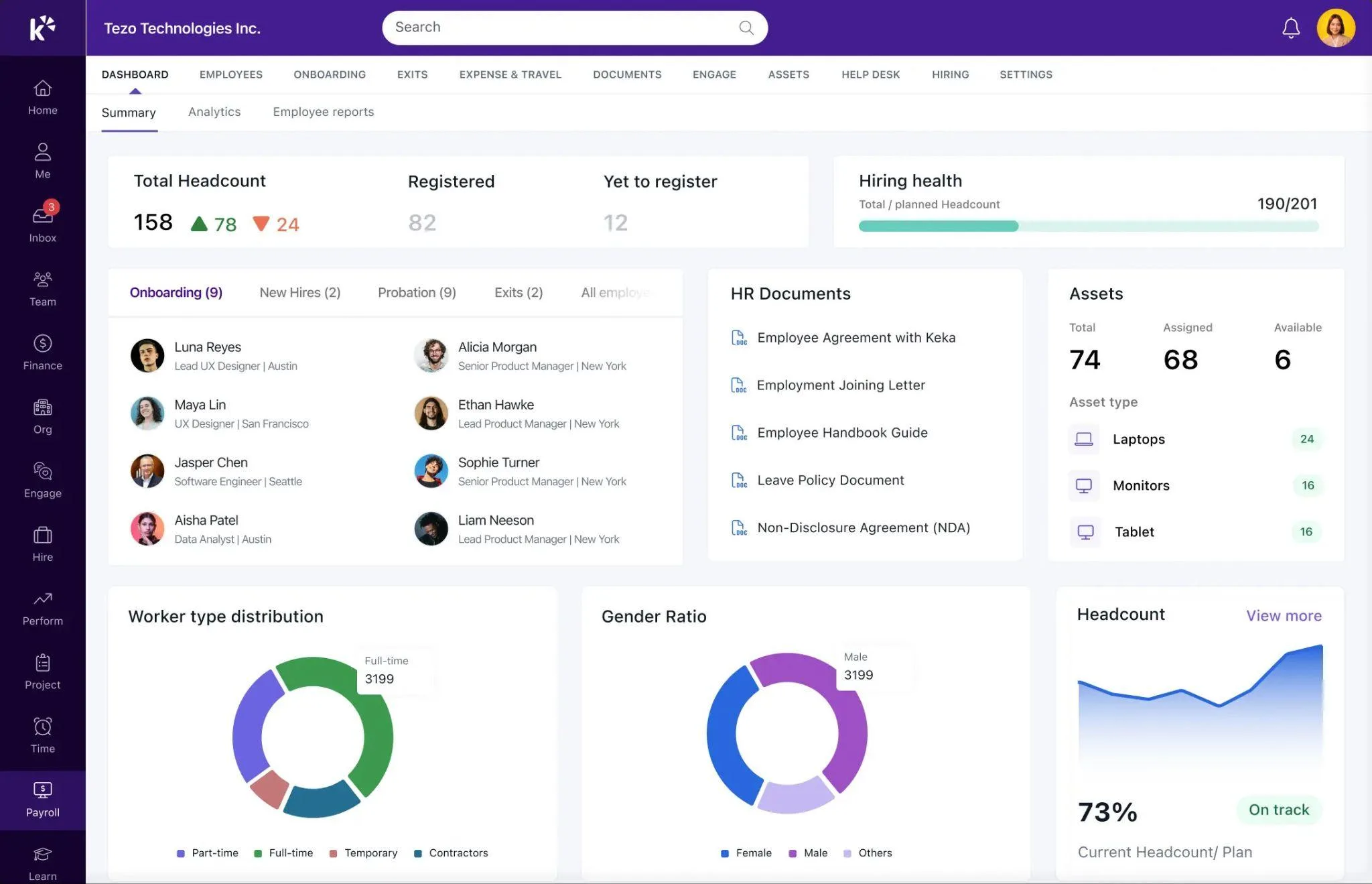
Keka brings HR, payroll, talent, workforce management, and Professional Services Automation into one platform. Its PSA capabilities cover project timesheets, billing, and resource management, while integrations with 100+ business tools, including Salesforce, Jira, Xero, and Stripe, help larger organizations fit Keka into their existing stack. More than 12,500 companies use Keka today.
For U.S. payroll, Keka supports compliance across all 50 states, handles tax filings and direct deposits, and supports global hiring. Its multi-entity capabilities help organizations manage payroll and workforce operations across different entities and locations from one system.
Keka AI works across payroll, attendance, hiring, and performance data, helping managers get answers, handle routine tasks, and surface issues such as payroll anomalies and potential attrition risks. Keka also supports enterprise requirements with SOC 2, ISO 27001, and GDPR compliance, alongside federal, state, and local payroll requirements.
What Are Some Key Features of Keka HR?
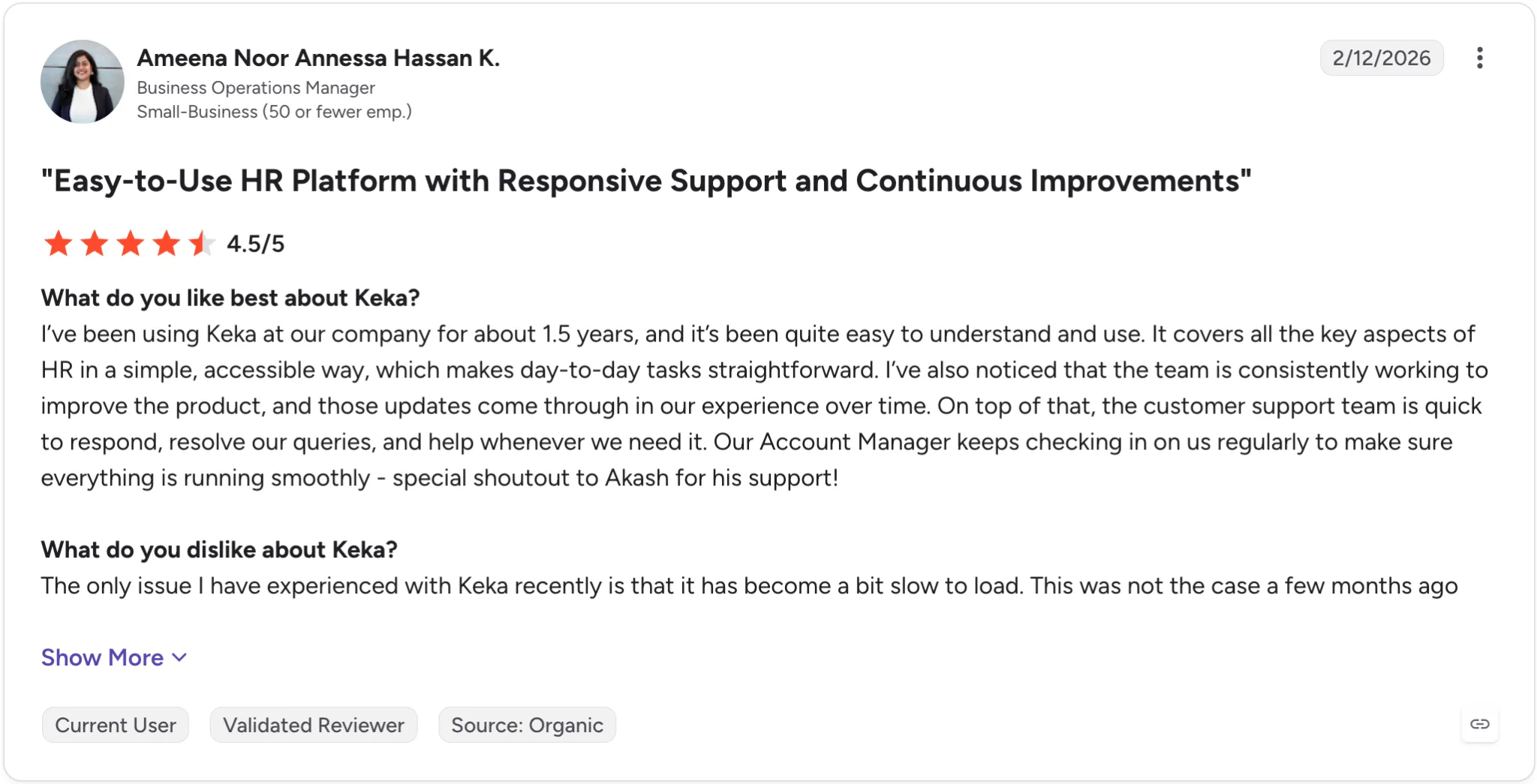
Keka has long-term users who grow with the tool and the following G2 screenshot proves it. A user for 1.5 years notes how reliable the support team is, the product is constantly updated, and about the periodic, exclusive nurturing from their account manager.
- All-50-state payroll compliance with automated federal and state tax filing, at no additional charge, unlike Rippling’s add-on model
- Employee self-service with mobile app access for pay stubs, leave requests, expense claims, and time tracking
- Performance management with OKRs, continuous feedback, pulse surveys, and cyclic reviews built in, not sold separately
- PSA module for project-based businesses: time tracking, billing, invoicing, and resource management linked directly to payroll
- EOR support for global hires, letting US businesses expand internationally without separate vendor contracts
- Pricing is on request, based on headcount and modules, with free trials and no hidden implementation fees
| ✅ Pros | ❌ Cons |
|---|---|
| Broad HR and PSA coverage: Keka brings HR, payroll, talent, employee experience, project management, resource management, timesheets, and billing into one platform. | More functionality can mean more decisions: as organizations expand their use of the platform, administrators may need to decide which features, workflows, permissions, and reports are most relevant to their teams. |
| Comprehensive US payroll: Keka supports payroll, benefits, deductions, direct deposit, ACH, W2s, 1099s, and automated tax filings across all 50 states. | Moving from multiple systems requires some transition: organizations replacing several existing HR or operational tools may need to plan data migration and workflow changes as part of implementation. |
| Global workforce capabilities: Keka is used by organizations across 120+ countries, supporting companies with geographically distributed teams. | The PSA capabilities may require some process alignment: Companies introducing project and resource management alongside HR may need to map their existing project workflows into the platform. |
| Connected workforce data: employee, attendance, payroll, performance, project, and resource information can be managed within a connected system. | |
| Designed to scale: Keka supports companies of different sizes and combines HR, payroll, and PSA capabilities within one platform. |
How Much Does Keka HR Cost?
The Foundation, Strength, and Growth tiers are priced on request based on headcount and modules. No additional implementation fee. Free trial available on all plans.
Thinking about switching HR software?
Most teams go live on Keka in weeks, not months, with no hidden fees along the way.
2. ADP Workforce Now
Best Paylocity alternative for payroll compliance and established HR operations
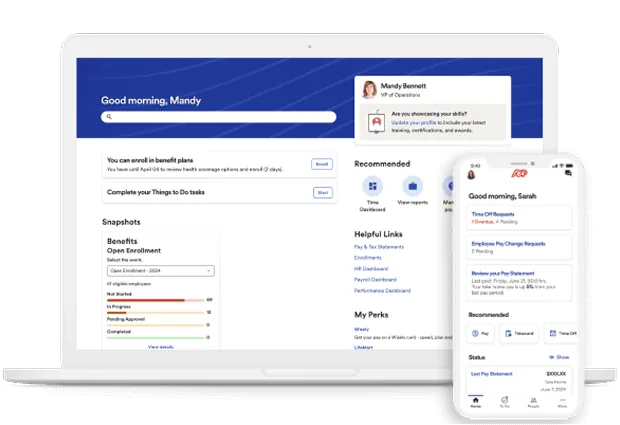
ADP Workforce Now is a solid, all-in-one system that covers payroll, HR, time tracking, benefits, and talent management.
But where it stands out is payroll. It can handle complex calculations, tax filings, and compliance reliably, which is why many teams lean on it when accuracy matters more than anything else.
It’s not the most modern or easiest system to use, but it does the job it’s meant to do. For companies in the 50–1,000 employee range, especially those dealing with multi-state payroll, it’s a practical choice if you want something steady and proven.
If ease of use matters more, Paylocity feels better, but for payroll accuracy and compliance, ADP Workforce Now is the safer bet.
What Are the Key Features of ADP Workforce Now?
- Handles payroll across multiple states and entities, with federal, state, and local taxes taken care of automatically
- ADP SmartCompliance keeps you updated on regulation changes, wage updates, and key compliance deadlines
- ADP Marketplace offers a wide range of integrations across ERP, benefits, recruiting, and time tracking tools
- Insights from the ADP Research Institute bring real-world compensation benchmarking into the platform
- Mobile app lets employees access pay stubs, W-2s, benefits, and request time off easily
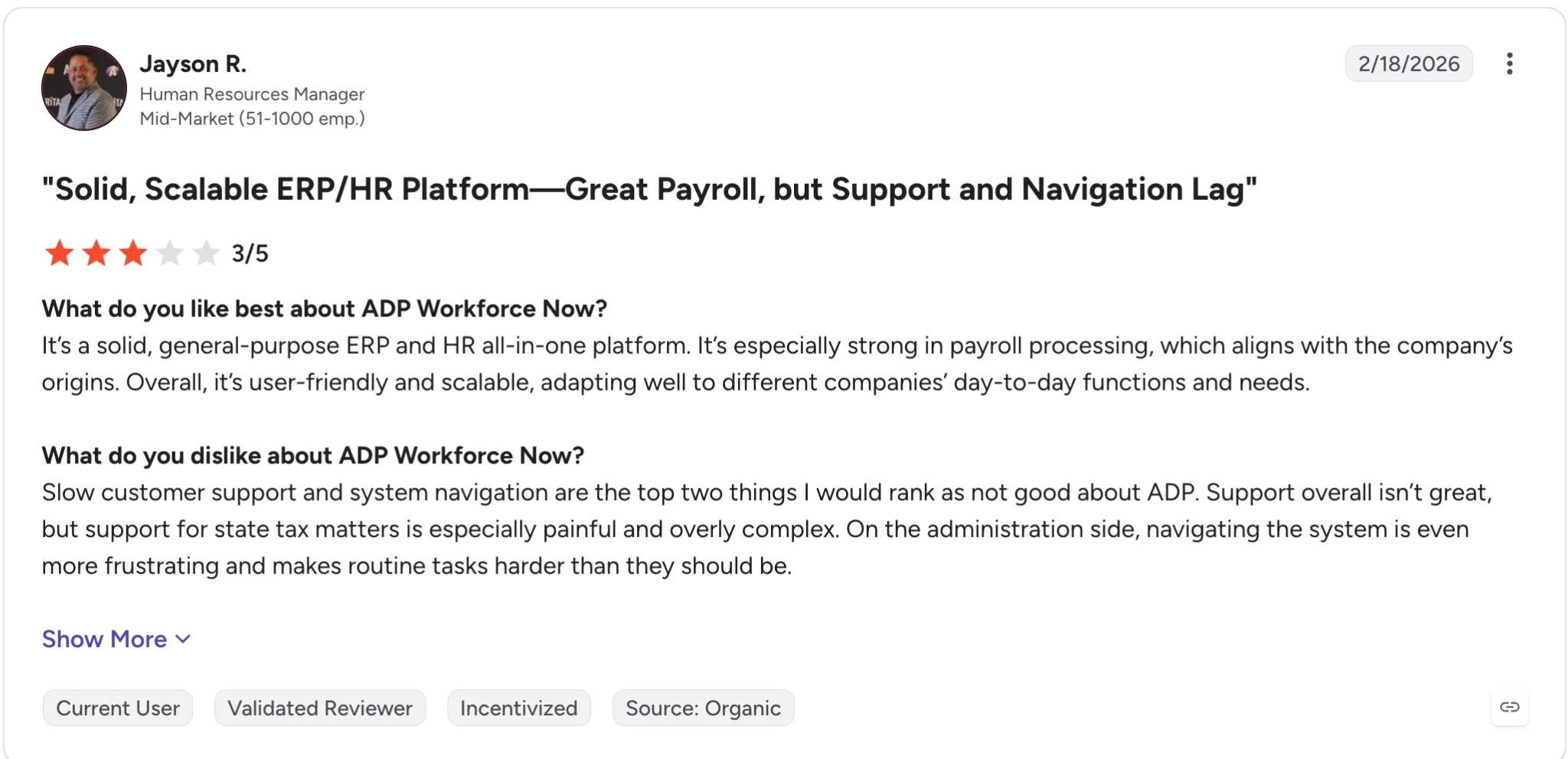
One HR manager describes ADP Workforce Now as a reliable, scalable payroll platform, but says getting help with state tax issues can be slow and frustrating. They also found the administrative interface cumbersome, making some everyday HR tasks harder to navigate than they should be.
| ✅ Pros | ❌ Cons |
|---|---|
| Deep US payroll compliance expertise, spanning across decades | Pricing not published, requires sales negotiation |
| Wide integration network across apps of different domains | Customer support quality inconsistent for mid-market accounts |
| Can fully outsource payroll and HR via Comp Services for lean teams | Implementation takes 2–3 months on average |
| Strong for multi-state, multi-entity, and regulated industries | UI is functional but dated compared to Rippling or Keka |
How Much Does ADP Workforce Now Cost?
Custom quotes only. Plus there’s a one-time implementation fee typically equal to roughly 10–20% of annual software costs.
3. Paycom
Best Paylocity competitor for single-database accuracy and employee-driven payroll
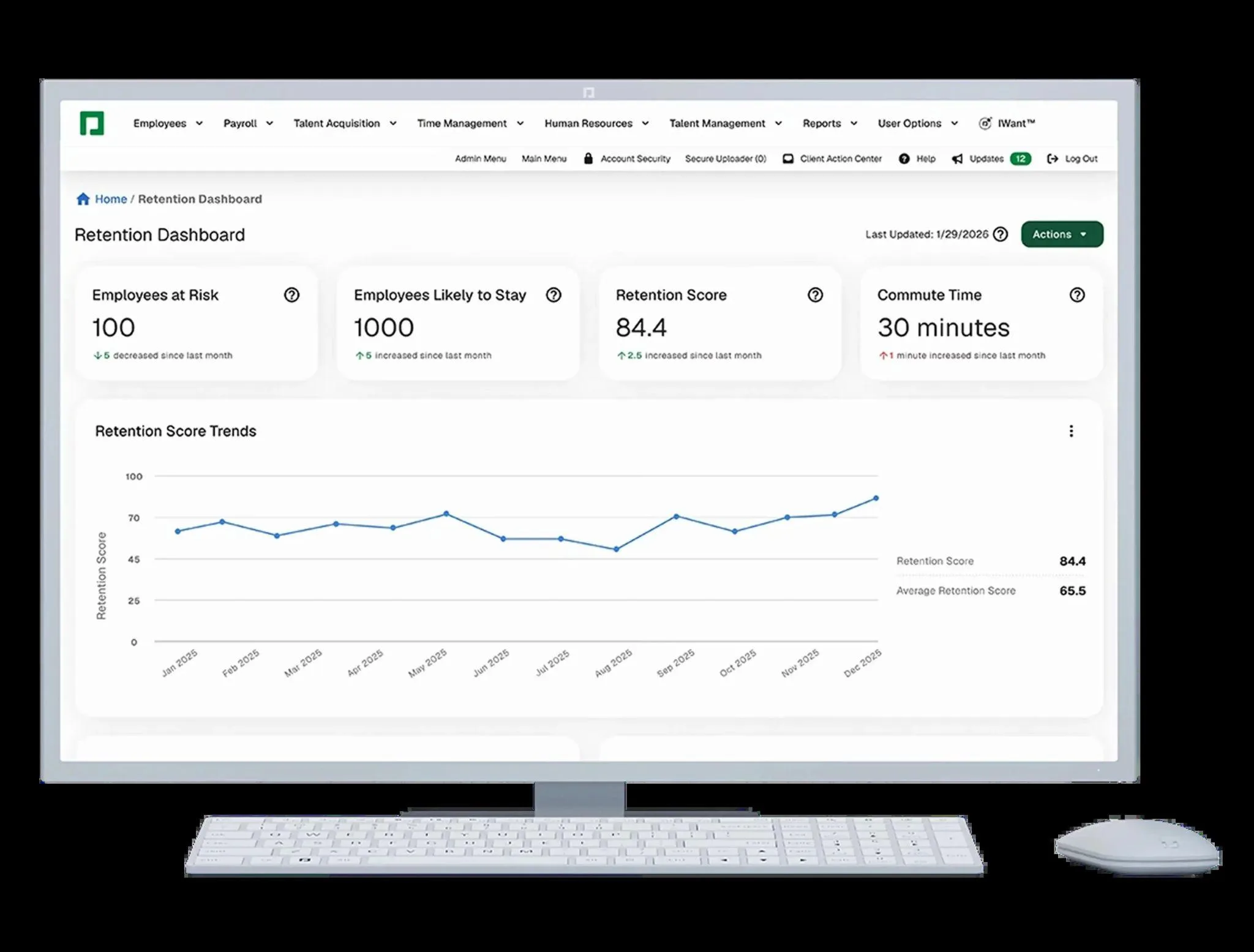
Paycom is an all-in-one HCM platform covering payroll, HR, time tracking, talent acquisition, and benefits.
Where it stands out is its single-database architecture, where every module pulls from one shared employee record, so there’s no syncing lag between systems. Its signature feature, Beti, pushes payroll review onto employees themselves before each run, which can reduce payroll errors significantly.
For companies in the 50-750 employee range that want to cut HR administrative overhead and are comfortable with employees taking on more self-service responsibility, Paycom is a strong pick.
It’s not the cheapest option on paper, and going payroll-only is priced in a way that discourages it. Paycom is really built for full-suite adoption. But if unified data and error reduction matter more than modularity, Paycom earns its price tag.
What Are the Key Features of Paycom?
- Beti lets employees review and approve their own paycheck before it processes, catching errors upstream
- Automated tax filing across all 50 US states, including complex multi-state and local jurisdiction scenarios
- Automates ACA compliance, EEO reporting, new hire reporting, and garnishment administration
- GONE, an automated time-off decisioning tool that evaluates leave requests against company policy in real-time
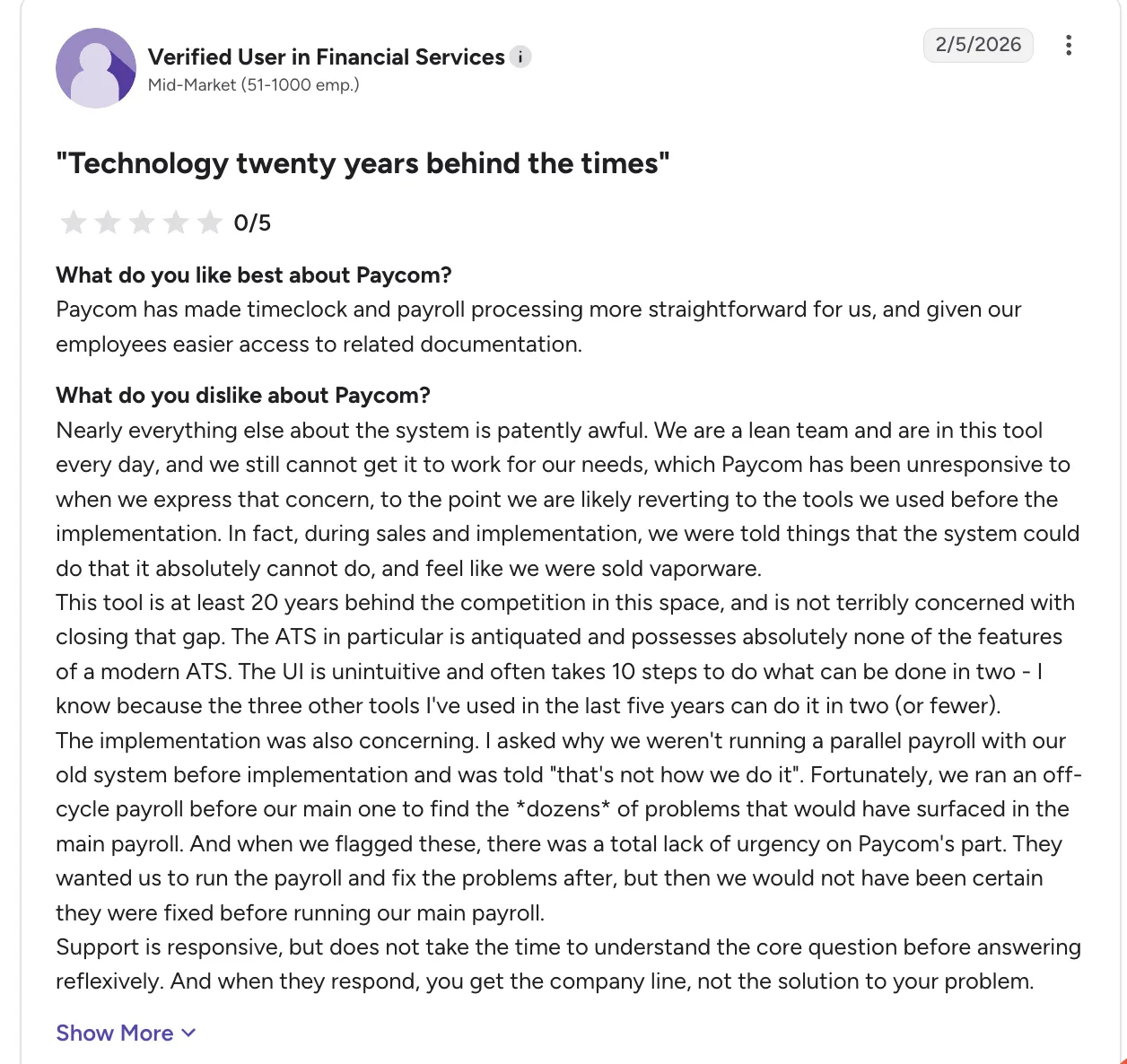
One financial services user on G2 praises Paycom’s payroll and time tracking, but says implementation was rocky, the interface unintuitive, and support too focused on scripted responses.
| ✅ Pros | ❌ Cons |
|---|---|
| Single shared database, with no cross module sync issues | Pricing runs higher than major tools in this comparison |
| Beti reduces payroll error-correction workload significantly | Payroll-only deployment is priced punitively |
| Strong compliance automation across ACA, EEO, and garnishments | Implementation typically takes 2-3 months |
| Employee self-service reduces routine HR intervention | Billing model has produced unexpected costs for some users |
How Much Does Paycom Cost?
Custom quotes only, contact the sales team for pricing. One-time implementation fee runs 15-30% of annual software costs, covering data migration, configuration and training.
4. UKG
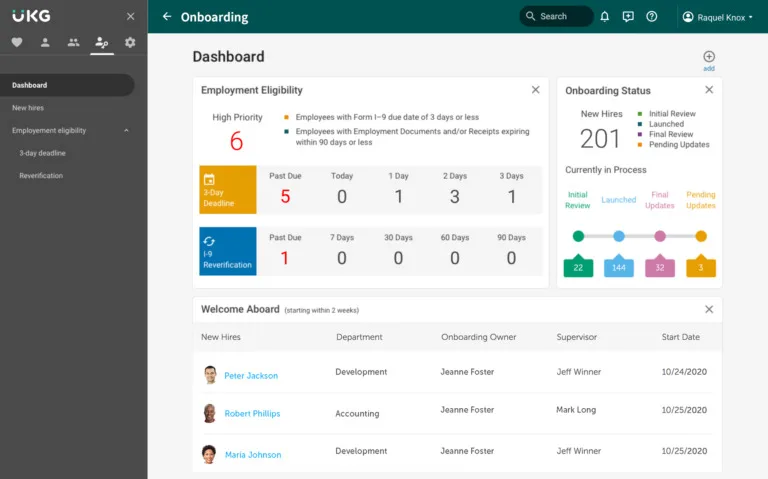
Best Paylocity alternative for workforce management and scheduling complexity
UKG is what comes up when workforce operations start getting complicated.
If scheduling, time tracking, and labor management are a big part of your day-to-day, it’s built to handle that. It’s not the easiest system to set up or run, but it goes deeper than most tools in this space. You wouldn’t pick UKG for convenience. You pick it when the business genuinely needs that level of control and detail, and simpler systems just don’t hold up anymore.
UKG is a great Paylocity competitor for complex scheduling, while Paylocity is easier to use day-to-day.
What Are Some Key Features of UKG?
- Handles complex scheduling and labor rules with ease
- Works well for shift-based teams and timeclock-heavy environments
- Covers HR, payroll, and benefits at an enterprise level
- Supports operations with strict compliance requirements
- A good fit when scheduling and labor management start getting complicated
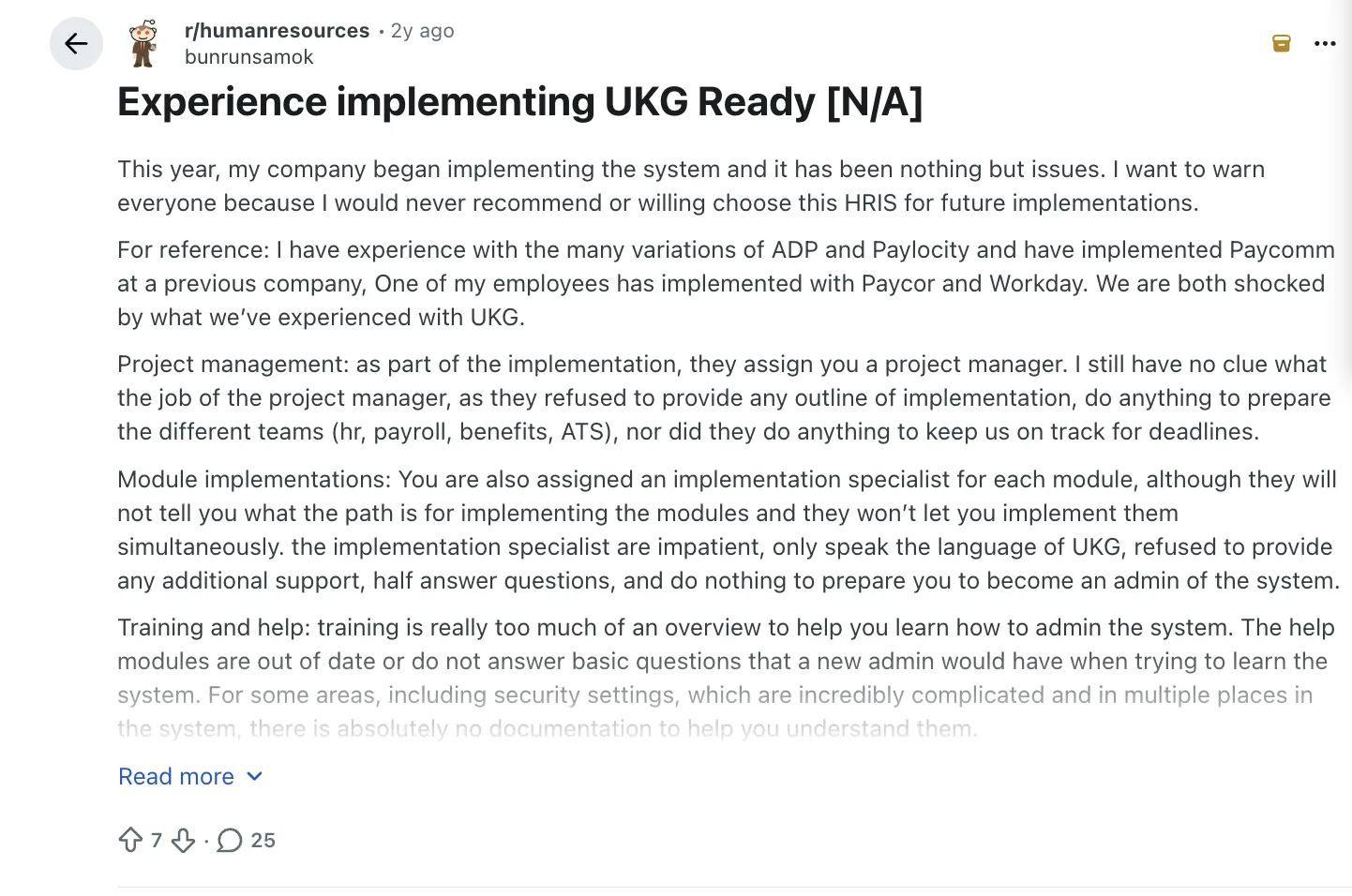
UKG Ready may tick the boxes on flexibility, but one HR professional found the rollout far from smooth. They describe having to piece together answers, work with outdated training material, and struggle to get timely help when implementation issues came up.
| ✅ Pros | ❌ Cons |
|---|---|
| Strong scheduling and workforce management | Implementation can be heavy and time-consuming |
| Good fit for timeclock-heavy environments | User experience can feel dense |
| Broad enterprise-grade functionality | Admin work often requires extensive training |
| Supports highly structured operations with complex labor rules | Overkill for many SMBs; support and configuration can become a project |
How Much Does UKG Cost?
UKG pricing is typically quote-based and depends heavily on company size, workforce management modules, payroll scope, and configuration complexity.
5. Paychex
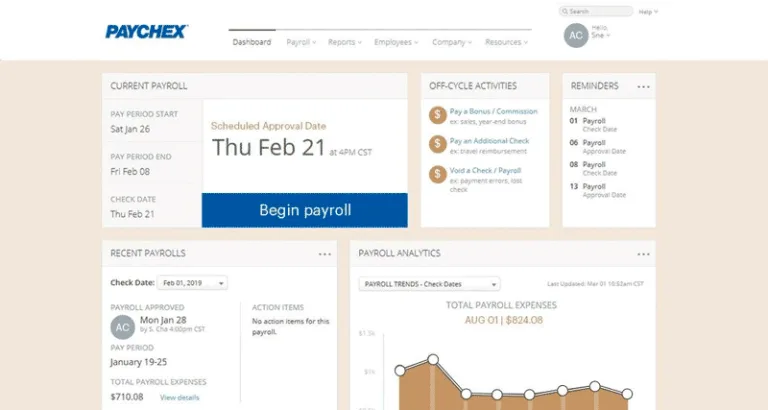
Best Paylocity alternative for service-heavy payroll support
Paychex is a steady, service-led option for companies that want support they can lean on.
It tends to appeal to teams that don’t want to figure everything out on their own; there’s more guidance and more of a partner feel compared to self-serve platforms like Paylocity.
It’s not the most modern tool, but it’s reliable. If you want a familiar, service-led payroll partner, Paychex fits well, while Paylocity feels easier and more modern to use.
Since acquiring Paycor in 2025, Paychex has expanded its HCM portfolio and upmarket capabilities. Paychex Flex remains a distinct platform, giving buyers another option within the Paychex portfolio.
What Are the Key Features of Paychex?
- Solid payroll heritage with strong compliance orientation
- Good for businesses that want service support alongside software
- Broad HR and benefits coverage
- Familiar to many finance and operations teams
- Strong compliance orientation for businesses in regulated environments
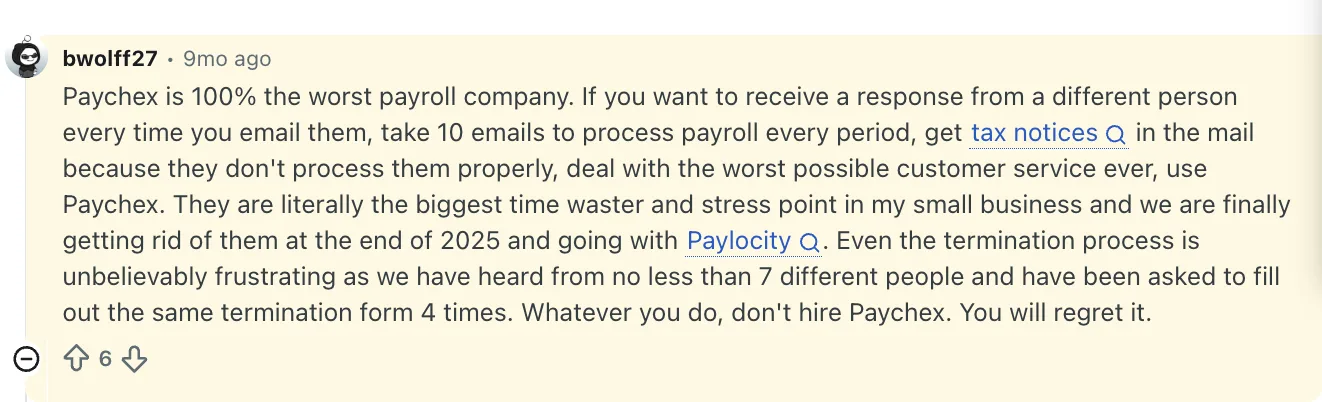
One business owner says on Reddit, Paychex turned payroll into a recurring headache, citing missing information, unexplained withdrawals, incorrect state tax withholdings, and garnishments that continued after an employee left.
| ✅ Pros | ❌ Cons |
|---|---|
| Solid payroll heritage with strong compliance orientation | Interface can feel behind modern SaaS expectations |
| Good for businesses that want service-led support | Support quality is inconsistent depending on account setup |
| Broad HR and benefits coverage | Can feel less flexible than newer platforms |
| Familiar to finance and operations teams | Reporting and UX may not impress modern HR teams |
How Much Does Paychex Cost?
Paychex pricing is generally customized, with cost depending on number of employees, payroll frequency, support level, HR modules, and benefits.
6. Dayforce
Best Paylocity alternative for real-time payroll and global, multi-entity compliance
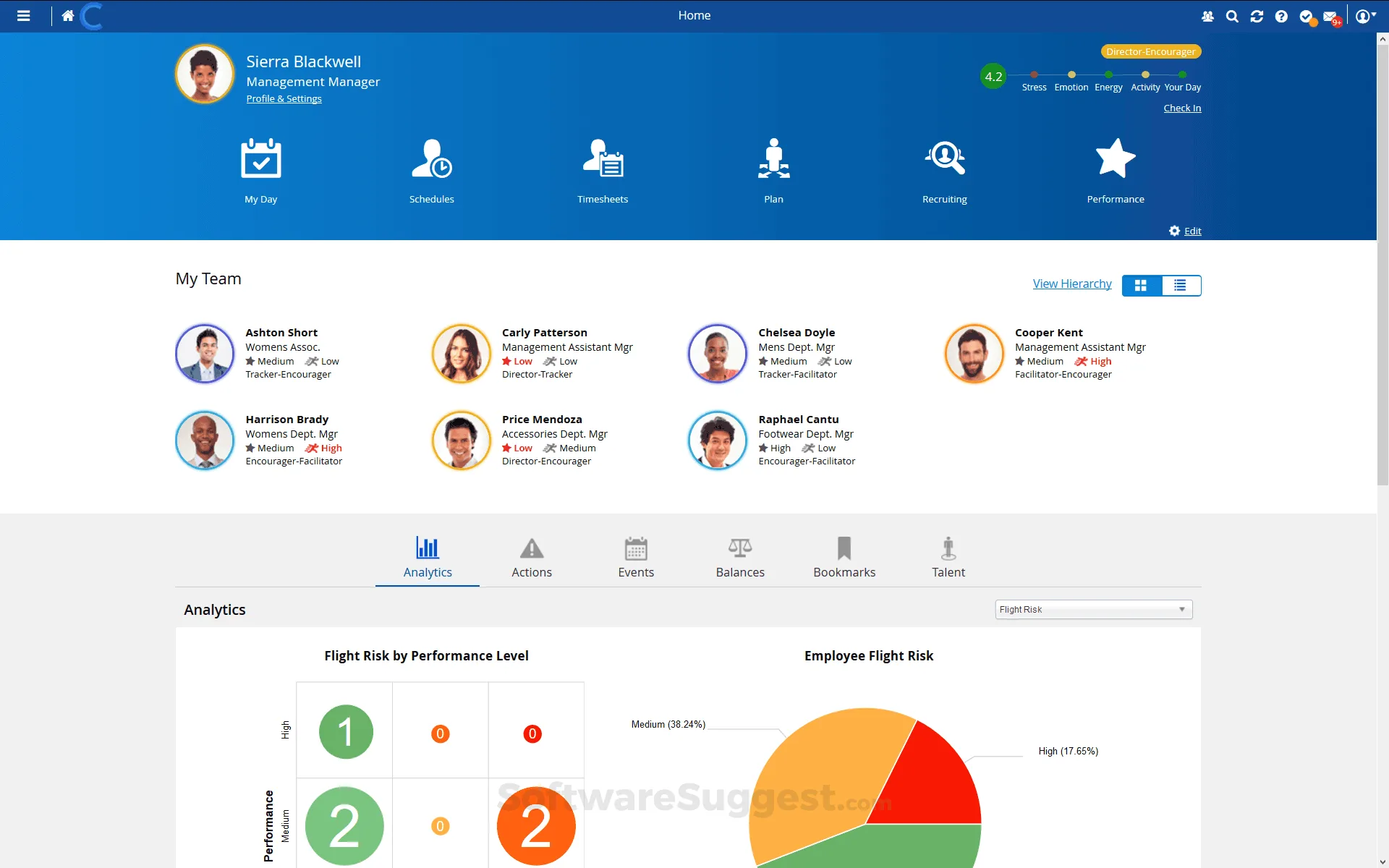
Dayforce (formerly known as Ceridian Dayforce) is a full-suite HCM platform spanning HR, payroll, benefits, workforce management, and talent analytics.
Where it stands out is its real-time payroll engine, where pay is calculated as time data is entered rather than in batches, which eliminates batch errors and reduces retroactive corrections.
For larger, multi-entity, or global organizations dealing with complex pay rules, union scenarios, or cross-border compliance, it’s built to handle that weight.
It’s not a lightweight system, and the upfront cost of getting there is steep. Implementation fees run well above that of other tools.
What Are the Key Features of Dayforce?
- Real-time payroll engine calculates pay continuously as time and labor data comes in, rather than in scheduled batch runs
- Single-database architecture across HR, payroll, time, benefits and talent
- Dayforce Wallet gives employees on-demand access to earned pay ahead of the standard pay cycle
- AI Workspace introduces automated compliance checks and predictive staffing recommendations
- Built for multi-state and global employers with complex pay rules and compliance needs, including union and overtime scenarios
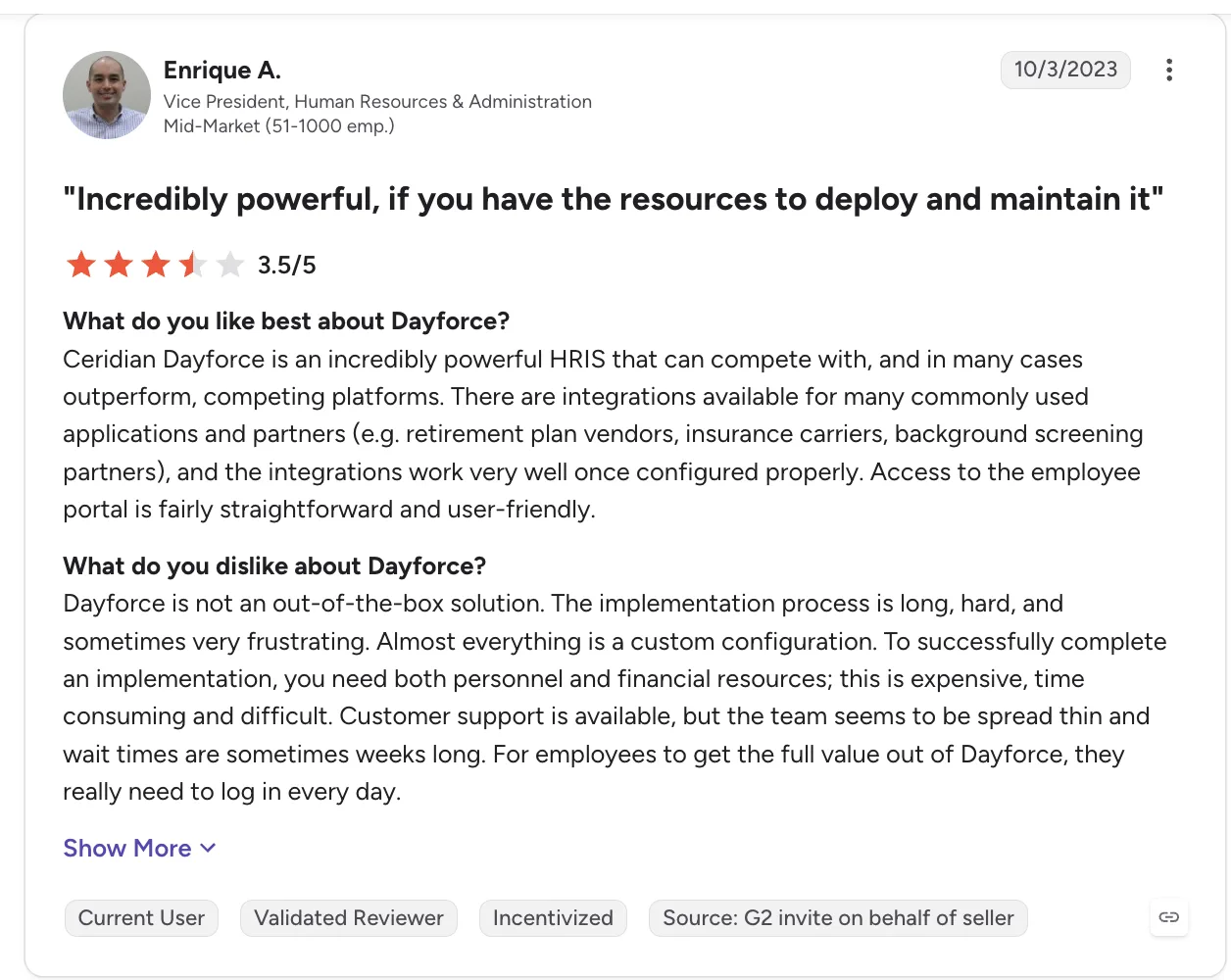
Reviews on G2 paint a different picture. One HR leader in a G2 review, praises Dayforce’s power and flexibility, but says implementation is long, expensive, and heavily dependent on custom configuration. They also report support wait times of up to several weeks.
| ✅ Pros | ❌ Cons |
|---|---|
| Real-time payroll engine cuts batch errors | Implementation fees run significantly higher than other tools in the category |
| Single unified data across the entire employee lifecycle | Often an overkill and costly for simple, single-country payroll needs |
| Strong fit for complex, multi-state, union, and global pay rules | Initial system navigation reported as bulky by some users |
| Dayforce Wallet supports on-demand pay | Support quality draws mixed reviews |
How Much Does Dayforce Cost?
Custom quotes only, with one-time implementation fee falling around 40-60% of first year tool cost.
7. Rippling
Best Paylocity alternative for HR + IT automation
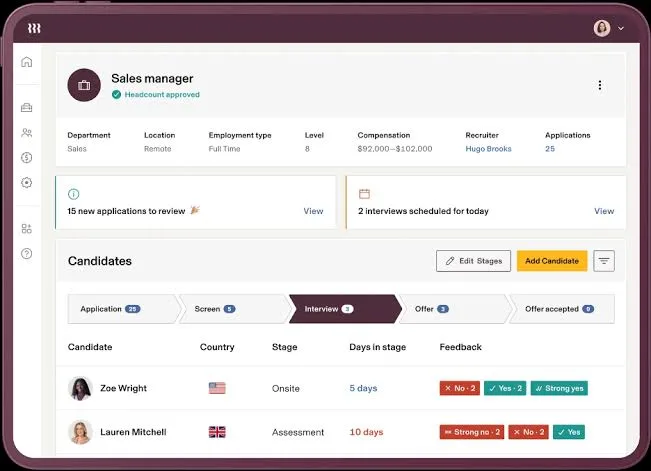
Rippling brings HR, IT, and workflows into one system, so you can manage employees, devices, apps, and processes in one place.
It’s powerful and flexible, which is why some teams love it. But that same flexibility can make it easy to overbuild or overspend if you don’t have a clear plan. It works best for companies that actually need that level of automation. If your needs are simpler, it can start to feel like more system than you really need.
If you compare Paylocity vs Rippling, Rippling is a strong option for deep automation across HR and IT, and Paylocity is better for the day-to-day.
What Are the Key Features of Rippling?
- HR and IT in one place; onboarding can trigger device setup, app access, and payroll together
- Global payroll and EOR support across many countries (broad international coverage, though not always fully native everywhere)
- 600+ integrations with tools like Greenhouse, Slack, NetSuite, Salesforce, and Google Workspace
- Detailed role-based permissions with support for multi-state tax compliance
- Modular pricing, so you pay for what you use
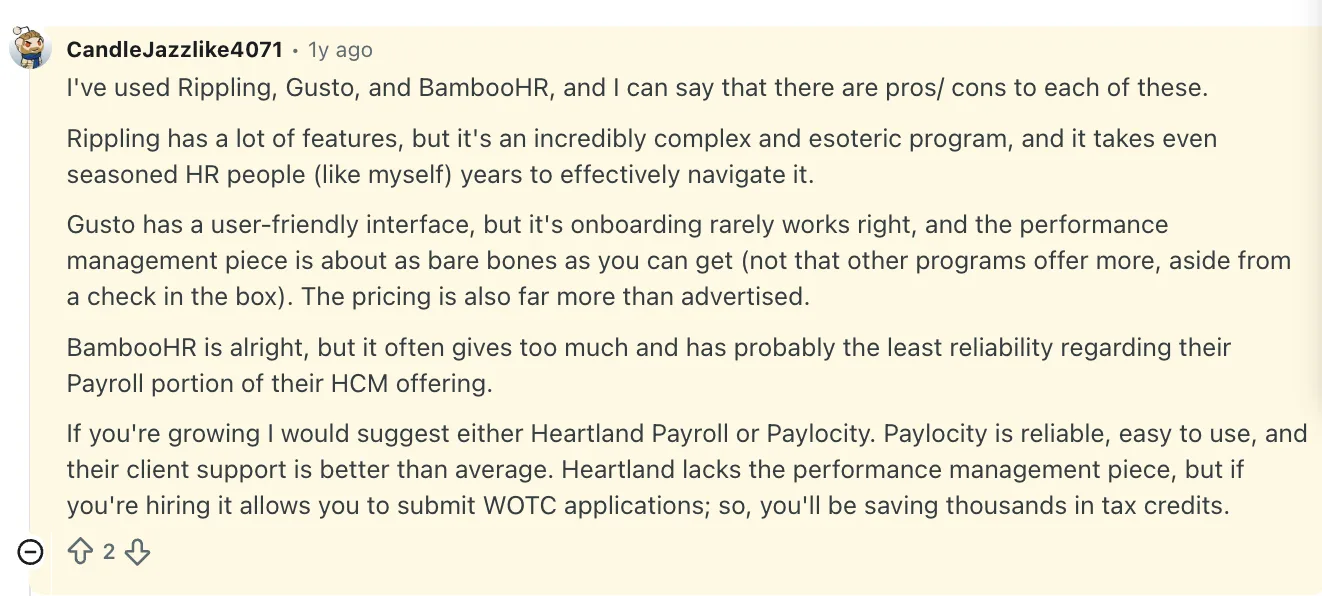
Rippling offers a lot under one roof, but one experienced HR user on Reddit says it can take years to really get comfortable with the platform, making the learning curve a potential hurdle.
| ✅ Pros | ❌ Cons |
|---|---|
| Strong automation across HR and IT workflows | Can become expensive quickly as modules are added |
| Excellent for HR + IT crossover use cases | Module sprawl can confuse buyers |
| Clean modern experience with broad platform ambitions | No free trial, demo only |
| 600+ integrations, strongest ecosystem in this list | Best value depends heavily on how deeply you use it |
How Much Does Rippling Cost?
Custom pricing. Modular pricing is often fair, but buyers need to understand what they’re turning on before they commit.
8. Paycor
Best Paylocity alternative for HR analytics and mid-market depth
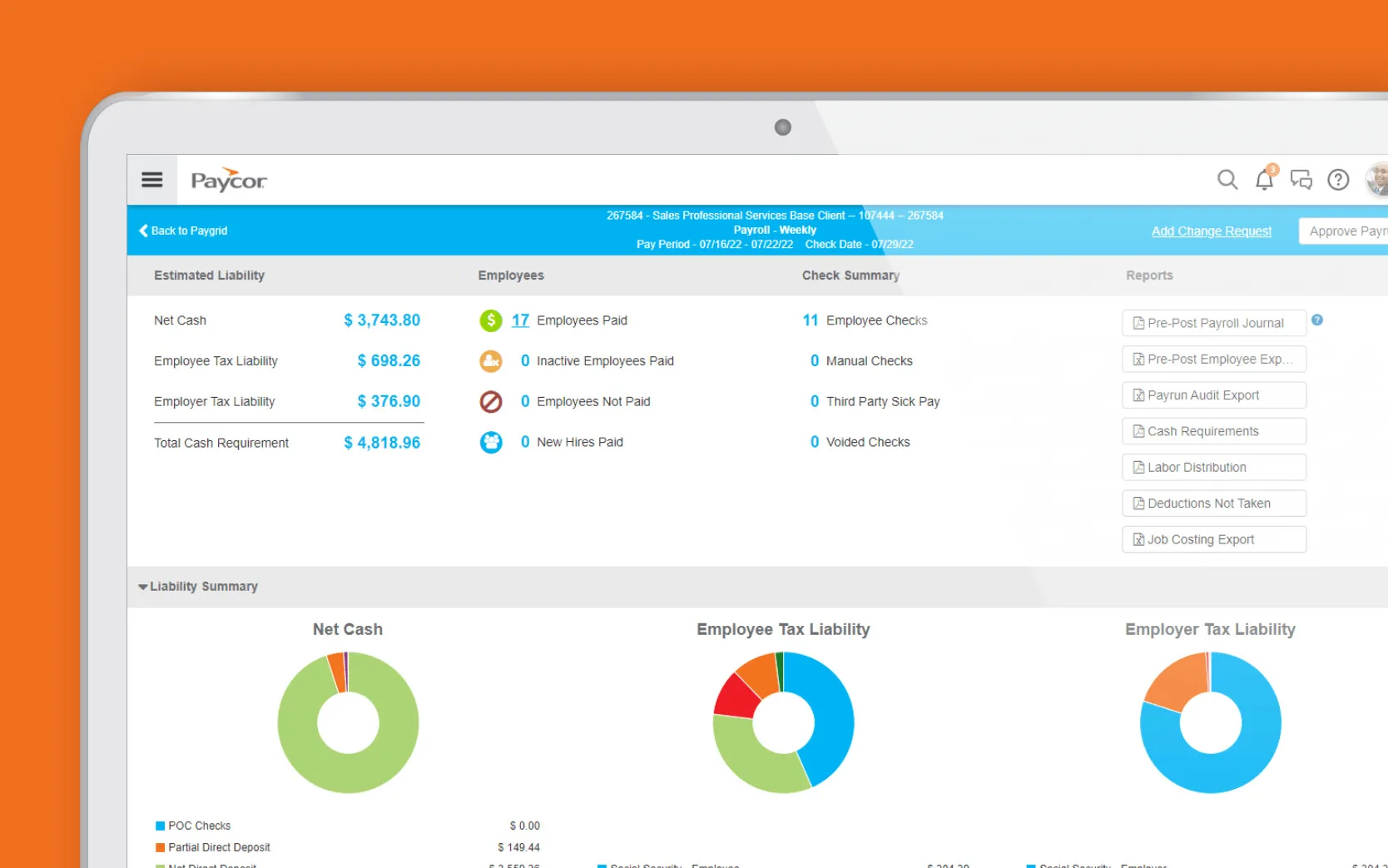
Paycor is a strong mid-market choice when you want more visibility beyond just payroll and HR. It gives you a clearer view of what’s happening in your workforce, who might leave, how your pay stacks up, and how performance ties into growth and future roles.
When those bigger questions around hiring, costs, and impact start coming up, Paycor helps you answer them with confidence, without turning the system into something heavy or hard to use.
Comparing Paycor vs Paylocity, Paycor gives you deeper workforce insights, while Paylocity feels easier to run day-to-day.
Now part of Paychex, Paycor continues to operate as a distinct HCM platform, with its own product experience and capabilities for mid-market employers.
What Are the Key Features of Paycor?
- Workforce analytics with insights on turnover risk, pay benchmarking, and manager performance
- Full payroll suite with multi-state compliance, garnishments, and ACA/COBRA tracking
- Talent development tools, including PIPs, performance-driven insights, and succession planning
- Recruiting features with AI-assisted job descriptions and candidate tracking
- Time and labor management with geofencing, kiosks, and overtime rules
- Integrations with tools like QuickBooks and other business systems, with data sync capabilities
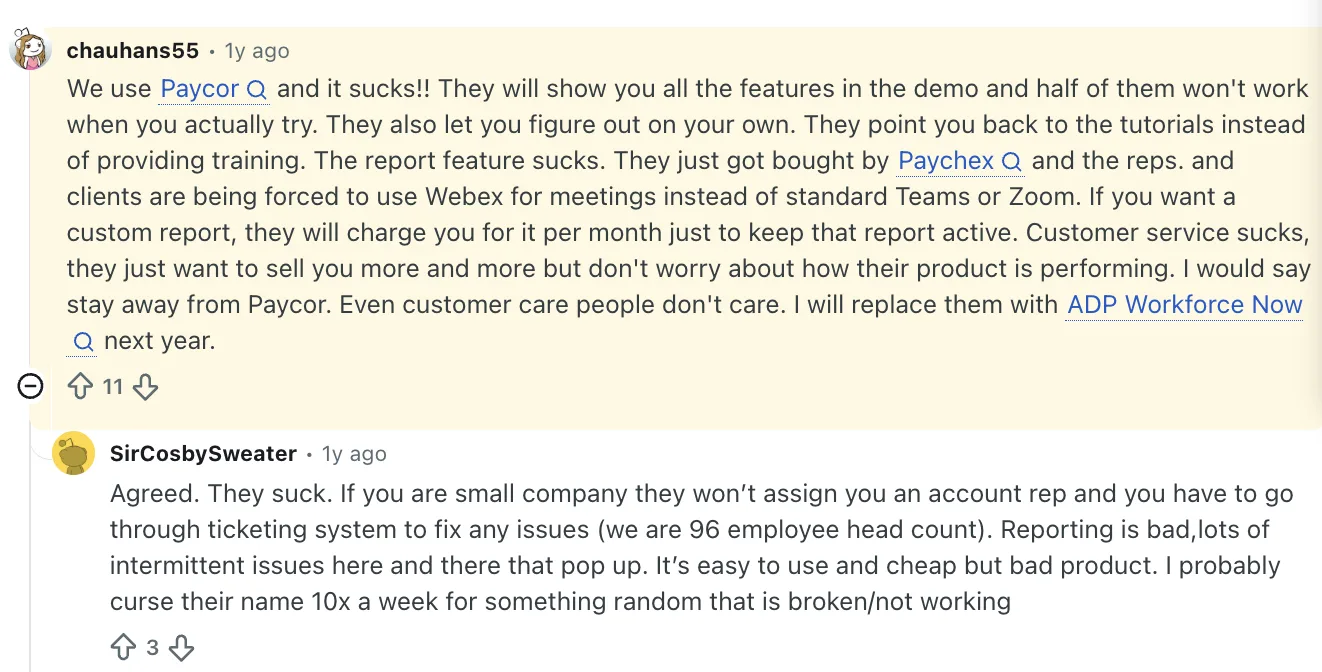
One HR professional says Paylocity gets the basics done, but too many small frustrations pile up over time. They call out confusing workflows, a clunky interface, and support that often takes multiple back-and-forths to resolve simple issues.
| ✅ Pros | ❌ Cons |
|---|---|
| Strongest workforce analytics in the mid-market tier | Customer service rep turnover is a recurring complaint on Capterra and G2 |
| Talent development and PIP tools integrated with the performance review cycle | Each feature module is billed separately with its own implementation fee |
| Free trial available | Implementation comparable to ADP: 2–3 months average |
| AI-assisted recruiting tools reduce manual workload | Scales less smoothly above 1,000 employees |
How Much Does Paycor Cost?
Custom pricing for each plan. Free trial available.
How to choose the right Paylocity alternative
The right alternative depends on your headcount, how complex your HR and payroll operations are, and where Paylocity starts to fall short. Here’s which platforms make the most sense at each stage of growth.
| Headcount | Pick | Why |
|---|---|---|
| 50–150 employees | Rippling or Paychex Flex | Rippling for tech-forward self-service; Paychex Flex for a dedicated rep relationship. Both scale but don’t over-engineer at this size. |
| 150–500 employees | Keka, Paycor, or Paycom | Keka for consolidating HR-payroll-PSA; Paycor for compliance focus; Paycom for self-service efficiency. |
| 500–2,000 employees | Keka, ADP Workforce Now, or Ceridian Dayforce | Need proven scale and implementation support. Keka for consolidation; ADP for tax-jurisdiction and infrastructure depth; Dayforce for continuous payroll calculation as complexity grows. |
| 2,000+ employees | Keka, ADP Workforce Now, Ceridian Dayforce, or UKG Ready | Enterprise-scale requirements. Keka for organizations that want HR, payroll, and PSA unified on one platform at enterprise scale; Dayforce for continuous calculation complexity; UKG for scheduling-heavy workforces; ADP for global scale.. |
How to Migrate Off Paylocity?
A smooth migration comes down to getting the handoffs right. Here’s what you can expect at each stage, and who owns what.
| Phase | Timeline | You own | Vendor owns |
|---|---|---|---|
| Vendor selection and contracting | 4-6 weeks | Internal stakeholder alignment, budget approval, contract negotiation | Proposal, demo, pricing, contract terms |
| Discovery and configuration | 3-4 weeks | Gathering current payroll data, defining requirements, identifying data sources | System configuration, workflow setup, integration planning |
| Data migration | 4-6 weeks | Extracting historical data from Paylocity, validating employee records, cleaning data | Data import, mapping validation, migration testing |
| Parallel run | 1-2 pay cycles | Running payroll in both systems, reconciling differences, approving cutover | Parallel processing support, discrepancy investigation, adjustment assistance |
| Go-live and hypercare | 2-4 weeks post-cutover | Employee communication, issue escalation, process documentation | Elevated support, rapid issue resolution, post-launch optimization |
On budget and total cost of ownership
The real cost is what the platform demands from you over time, in setup, support, add-ons, and the effort your team puts in to keep things running. A cheaper platform can become expensive if it creates internal admin overhead. A pricier platform can become economical if it reduces payroll mistakes and HR labour.
Which Paylocity Alternative Should You Choose?
If Paylocity is creating friction around support, customization, reporting, or day-to-day workflows, the right alternative depends on what you want to fix.
Keka makes sense if you want to bring HR, payroll, and PSA together. Rippling is worth considering if HR and IT automation is the priority. ADP Workforce Now and Paycom focus more heavily on payroll and employee self-service, while UKG and Dayforce are better suited to complex workforce and payroll requirements. Paychex puts more emphasis on service-led support.
The key is to match the platform to the problems you’re trying to solve, rather than simply replacing Paylocity with another HCM.
See how Keka can simplify HR and payroll for your growing workforce.


