


 Login
Login


Patriot works well when you want affordable, dependable payroll without a lot of fuss. As the business gets bigger, the day-to-day needs get bigger too, and the lack of deeper HR support, reporting, and automation starts to show.
This guide is for businesses ready for a platform that can support how they actually operate as they grow. To help you narrow down the right fit for your growing payroll and HR needs, here’s a quick overview of the top Patriot alternatives.
A Quick Overview of All Patriot Software Alternatives
| Alternative | Best for | Pricing | G2 rating |
|---|---|---|---|
| Keka | Organization of all sizes that require unified HR + payroll without co-employment | Custom quote only | 4.4/5 |
| Gusto | SMBs under 100 employees needing simple payroll + basic HR | Starts at $49/month | 4.6/5 |
| OnPay | Small businesses that want one transparent plan covering payroll, tax filing, and light HR, with hands-on onboarding support | Payroll: $49 base + $6/employee/month | 4.8/5 |
| QuickBooks Payroll | Teams already using QuickBooks who want payroll synced directly with their books | Workforce payroll: $44 base + $6/employee/month | 4.4/5 |
| Paychex | Midsize teams that want a service partner, not just software. Good for regulated industries. | Custom | 4.1/5 |
| ADP Run | Small businesses (roughly 50 or fewer employees) with some mid-market adoption (51-1000 employees). It’s aimed at small business owners and payroll admins | Custom | 4.7/5 |
| Justworks | Founders who want payroll, taxes, and benefits handled without building an in-house HR team | Payroll starts at $8/employee/month | 4.6/5 |
| Paycor | Teams that need workforce planning, retention insights, and performance tied to compensation decisions and salary planning | Custom | 4.0/5 |
Why Teams Look for Patriot Software Alternatives
Limited HR Workflow Automation
Patriot’s HR add-on handles the essentials, such as PTO tracking, employee self-service, levels of access in modules, and basic employee records. But it leaves teams to manage the moments that need structure, such as onboarding steps, review cycles, and approvals. As headcount rises, those processes often move back into spreadsheets, inboxes, and manual follow-ups.
Basic Reporting
Patriot gives small teams the payroll information they need, but reporting is less useful when leaders need to spot trends or make operational decisions. Growing businesses may struggle to pull together workforce data, compare periods, or create reports tailored to managers, finance, or leadership.
No Native Recruiting or ATS
Patriot does not include built-in recruiting tools, so teams must manage job postings, candidates, interviews, and offer approvals elsewhere. That is manageable early on, but it creates more handoffs as hiring picks up.
Benefits Administration Depth
Patriot supports benefits deductions, but it is not built for end-to-end benefits administration. Teams with more complex plans or enrollment needs may still rely on brokers, spreadsheets, and separate systems.
Poor Customer Support
When an issue falls outside the usual process, getting a clear answer or timely escalation can be difficult. For businesses handling payroll and banking deadlines, that can turn a small problem into a stressful delay.
Professional Services Features Absent
Patriot focuses on payroll, not running client work. Firms that bill by time or project will need separate tools for time tracking, project delivery, utilization, and invoicing.
How We Evaluated These Patriot Software Alternatives
We assessed each platform through product research, public pricing, and recurring themes in G2, Capterra, and Reddit discussions.
- Multi-state US payroll depth: In free trials, I checked state and local tax setup, reciprocity, unemployment insurance, and year-end filing support
- Payroll engine and accuracy controls: Tested how each system handles payroll changes, off-cycle runs, approvals, audit trails, and error checks
- Breadth versus point-tool sprawl: I assessed which HR, recruiting, time, performance, and benefits capabilities are native and which require another vendor
- Implementation and migration support: I reviewed setup flow, migration support, parallel-run options and what users say about going live
- Pricing transparency and total cost: I compared headline pricing with setup fees, add-ons, contracts, and the cost of growing headcount
- Support responsiveness: I submitted a support request and assessed response time, clarity, and empathy.
Disclosure: Keka ranks first in this comparison, but I held ourselves to the same standards. I included real limitations, flagged unverified claims, and focused on one thing: helping you choose the right fit, even if it isn’t Keka.
In-Depth Review: 8 Patriot Software Alternatives for 2026
With the framework set, here’s how the eight Patriot Software alternatives compare.
1. Keka – 4.4/5
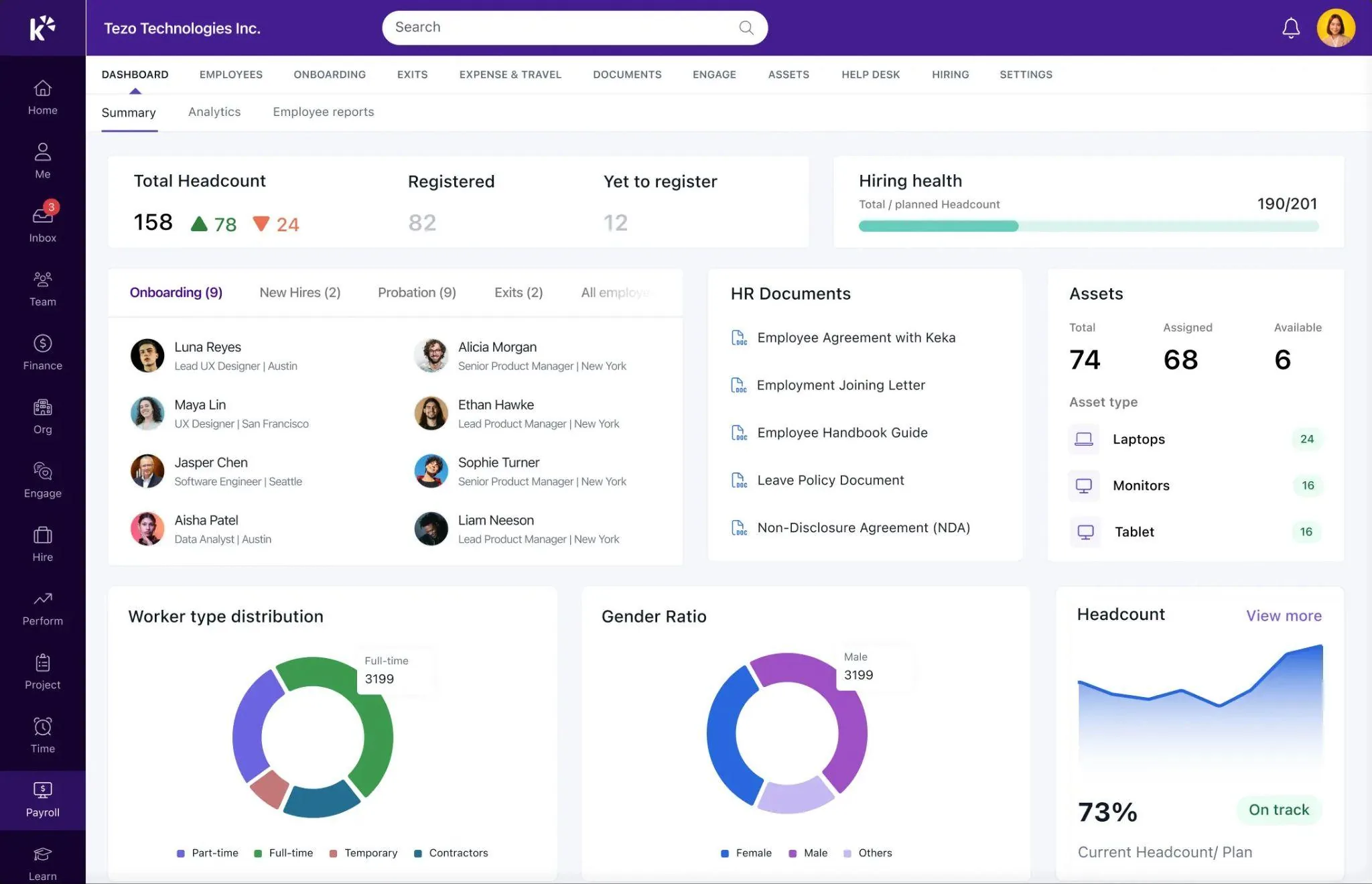
Best for companies wanting unified HR, payroll, and PSA without juggling multiple vendors
Keka is an all-in-one HR platform that offers you Patriot’s affordability along with the depth of enterprise software. It combines HR, payroll, applicant tracking software, performance and professional services automation in one platform, without forcing you to piece together separate tools as you grow.
Keka is especially relevant for multi-state teams that need more control and depth around payroll, people operations, and project delivery.
Key Features
- Multi-state payroll with federal, state and local tax support
- HR, onboarding, documents and employee management
- Native applicant tracking and time management
- Performance reviews, feedback, goals and development tools
- Project costing, resource planning, timesheets and utilization tracking
- Modern, easy-to-use workflows that reduce HR admin
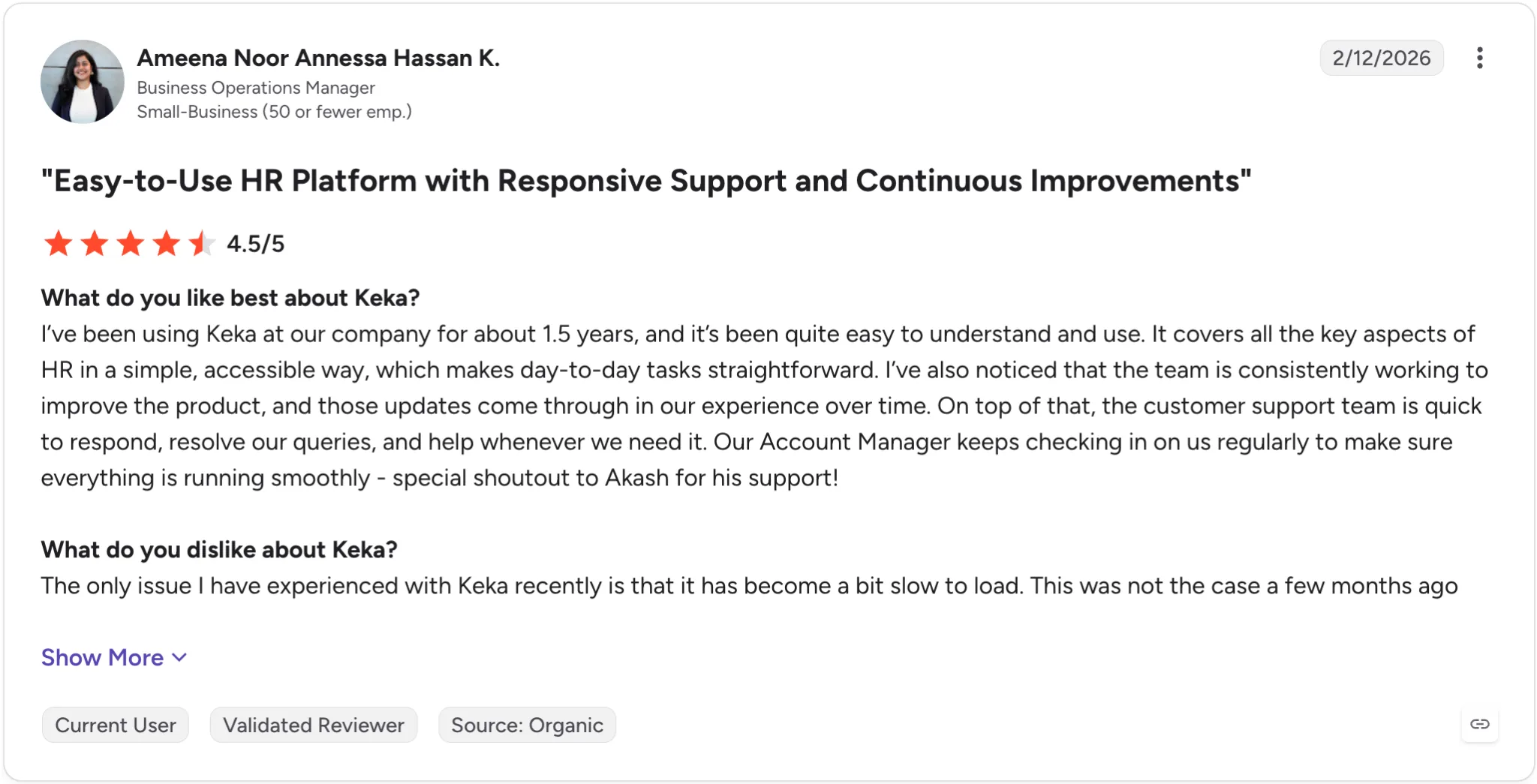
Keka retains customers long-term, with a 1.5-year G2 user praising its reliable support, continuous product updates, and proactive account management.
Pros |
Cons |
|---|---|
| one unified platform that replaces multiple HR tools stitched together | Companies operating across multiple countries may need to configure workflows around their different workforce and compliance requirements. |
| Native PSA for services firms, rare in HR software | Organizations replacing several existing HR or operational tools may need to plan data migration and workflow changes as part of implementation. |
| 50-state payroll and compliance without per-state add-on fees | PSA features unnecessary for non-services businesses |
| Modern UX reduces training time and support tickets |
Pricing
Custom/quote based
Best for
HR and finance leaders that want to consolidate HR and payroll while retaining control of the employer relationship
Not for
Companies that specifically want to transfer employment administration and related responsibilities to a third-party PEO.
Thinking about switching HR software?
Most teams go live on Keka in weeks, not months, with no hidden fees along the way.
2. Gusto – 4.6/5
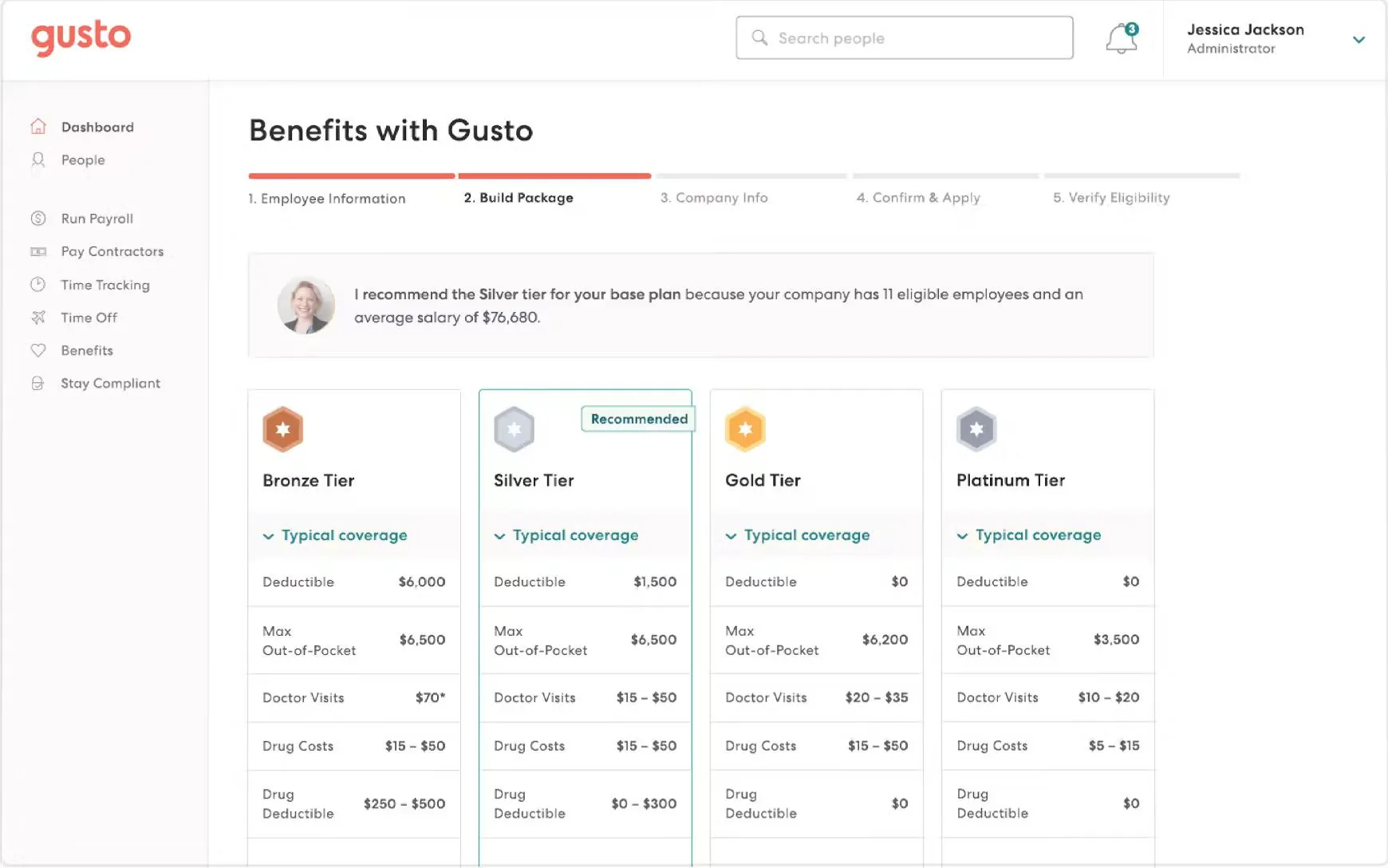
Best for Modern, user-friendly payroll and HR for small to mid-sized businesses under 100 employees
Gusto is a strong Patriot alternative for small businesses that want simple payroll with more built-in HR support. It keeps the experience approachable while adding benefits administration, onboarding, hiring tools and compliance guidance in one platform.
Its biggest advantage is clarity: transparent pricing, quick setup, and an intuitive day-to-day experience.
Key Features
- Automated payroll and tax filing in all 50 states
- Benefits administration and brokerage support
- Digital onboarding, employee records and paperwork
- Offer letters and basic hiring tools
- Compliance alerts, guidance and HR resources
- Public plans and pricing
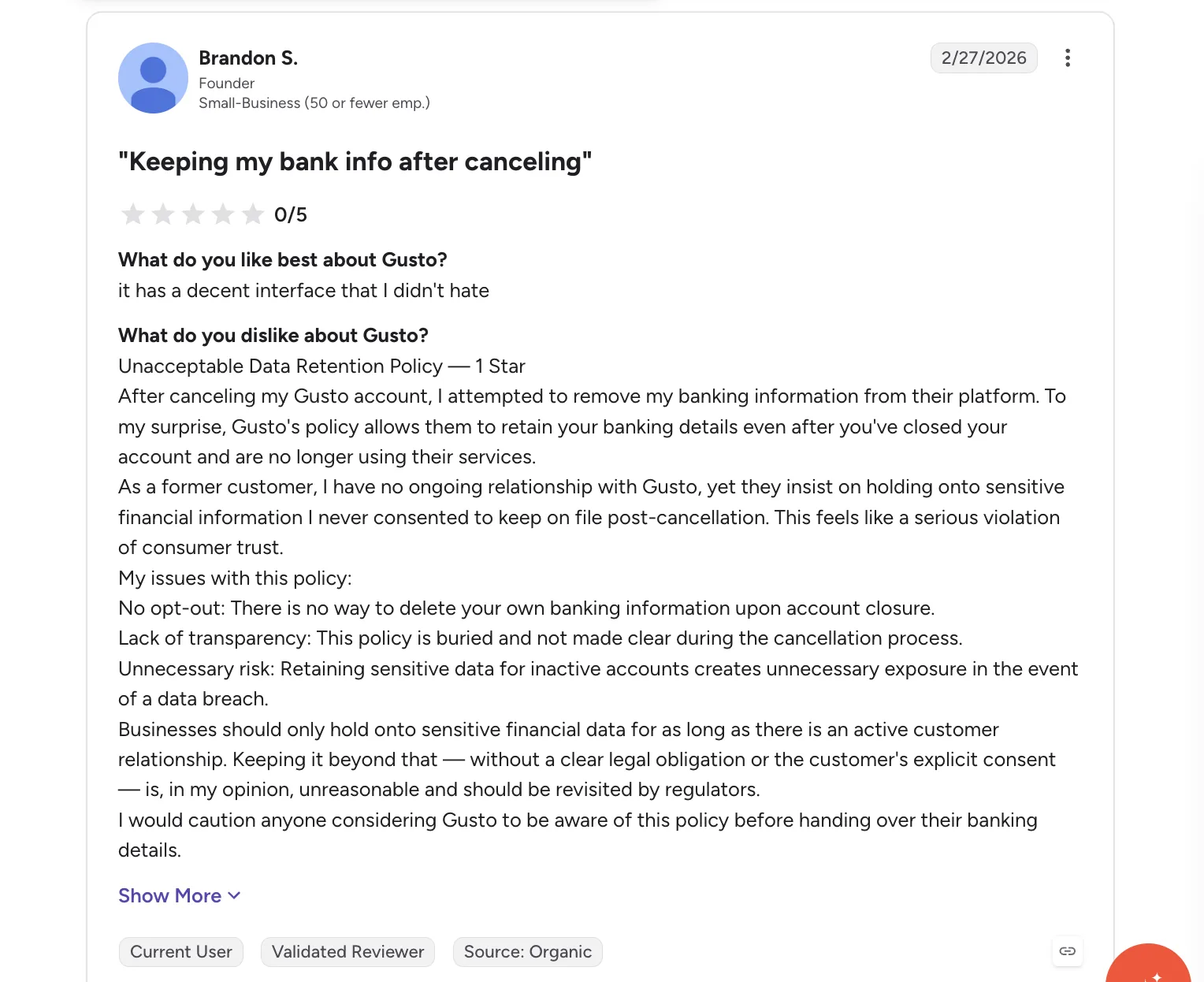
One Gusto reviewer on G2 raises a more serious concern, questioning the platform’s data retention practices after account cancelation, particularly around sensitive banking information.
Pros |
Cons |
|---|---|
| Users consistently praise the clean, intuitive experience | More expensive than Patriot, especially as you add HR and benefits features |
| Fast self-service setup, often live within days | Performance management and advanced HR features are basic |
| Full-service payroll handles taxes and year-end filing | Support can be slow during peak payroll periods, per reviewers |
Pricing
Simple: $49/month, Plus: $80/month + Premium: $180/month
Best for
Small businesses with 5–100 employees that want straightforward payroll and HR software without co-employment.
Not for
Mid-market organizations needing sophisticated HR capabilities or companies specifically seeking outsourced HR and PEO benefits.
3. OnPay — 4.8/5
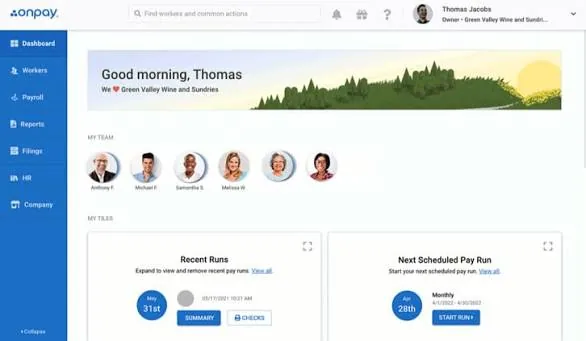
Best for Flat-rate pricing simplicity with solid multi-state payroll for cost-conscious small businesses
OnPay is a strong Patriot alternative for small businesses that want more included in one payroll plan. Rather than splitting core features across increasingly expensive tiers, OnPay bundles payroll, tax filing, unlimited runs, and basic HR tools into its main offering.
It also provides hands-on onboarding and migration support, helping new customers move employee and payroll data from an existing provider. Optional HR, compliance, and benefits services can be added as needs grow.
Key Features
- One core plan with payroll, tax filing, and HR essentials
- Full-service payroll in all 50 states
- Unlimited payroll runs
- Guided onboarding and data migration
- Optional HR, compliance and live HR support
- Benefits administration, including health insurance and 401(k)
- No separate fee for multi-state payroll
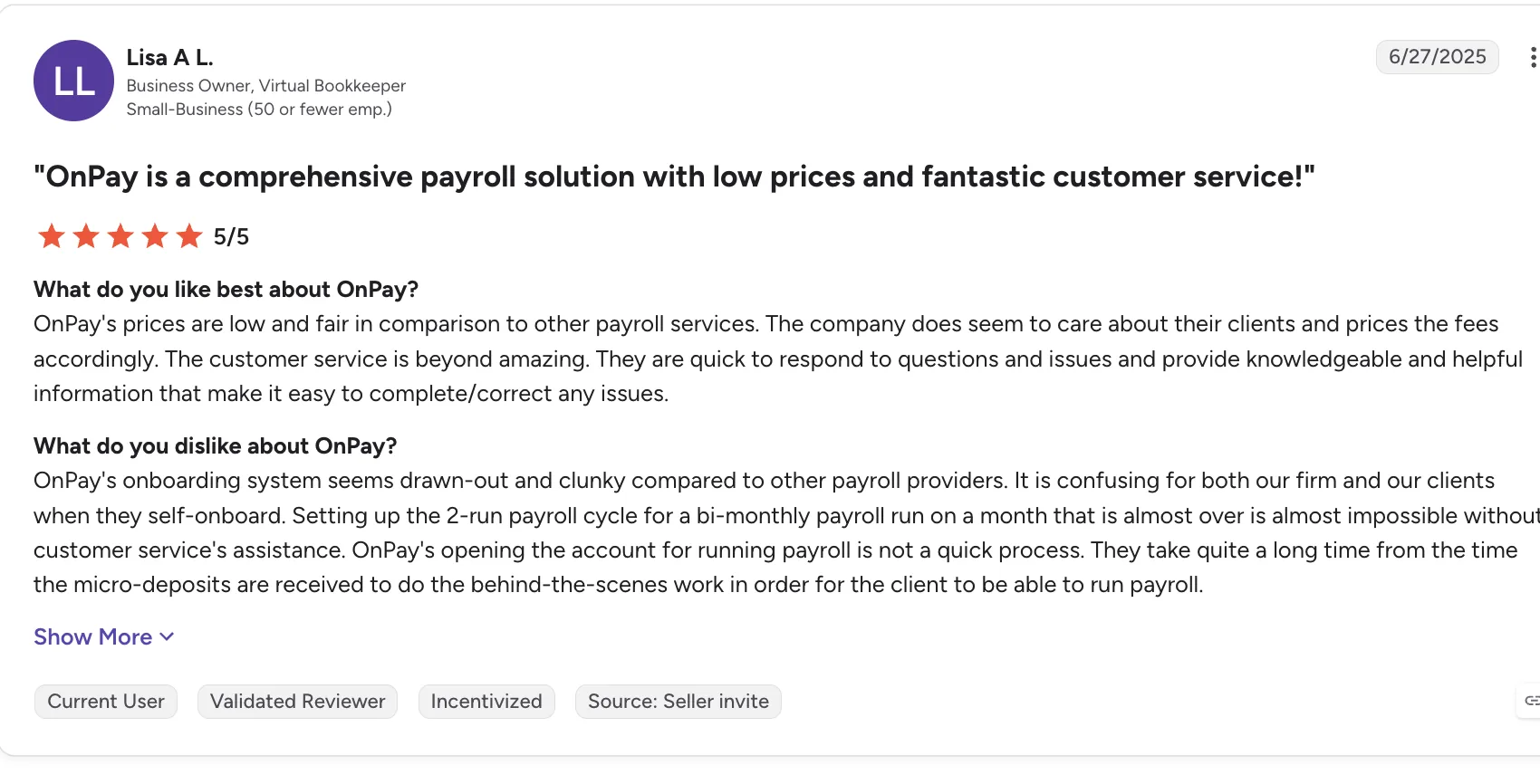
OnPay earns praise for its pricing and customer support, but some users find the onboarding process slow, confusing, and unnecessarily cumbersome:
Pros |
Cons |
|---|---|
| Onboarding specialist helps migrate payroll data | No dedicated employer mobile app |
| Multi-state payroll is included without separate state fees | Customer support isn’t available 24/7 |
| Unlimited payroll runs included | Reporting isn’t as flexible as larger payroll platforms |
Pricing
Free trial available. Payroll: $49 base + $6/employee/month
Best for
Cost-conscious small businesses wanting flat-rate, all-in-one payroll with multi-state coverage built-in
Not for
Businesses needing a mobile app, 24/7 support, a built-in time clock, or advanced HR without add-on fees
4. QuickBooks Payroll – 4.4/5
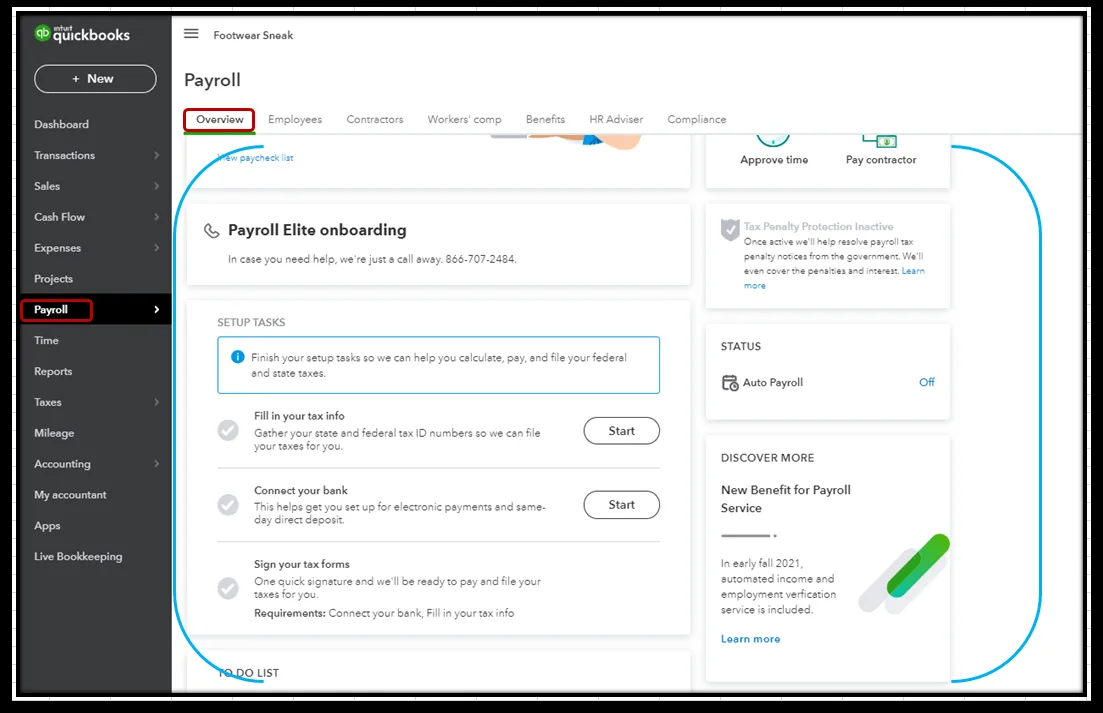
Best for QuickBooks accounting users wanting native payroll without switching ecosystems
QuickBooks Payroll’s biggest selling point is simple: if your books already live in QuickBooks Online, payroll data flows straight in after every run, wages, taxes, and deductions post automatically with nothing to export or re-key.
That same integration is also its limiting factor as a Patriot competitor. Step outside the QuickBooks ecosystem and most of the appeal disappears. Pricing has also shifted more than once recently.
Key Features
- Native QuickBooks Online Integration that posts journal entries automatically
- Payroll tax calculation and filing across all 50 states
- Same-day or next-day direct deposit options
- 1099 e-filing for contractors
- Workers’ comp integration
- Employee self-service portal for paystubs and tax forms
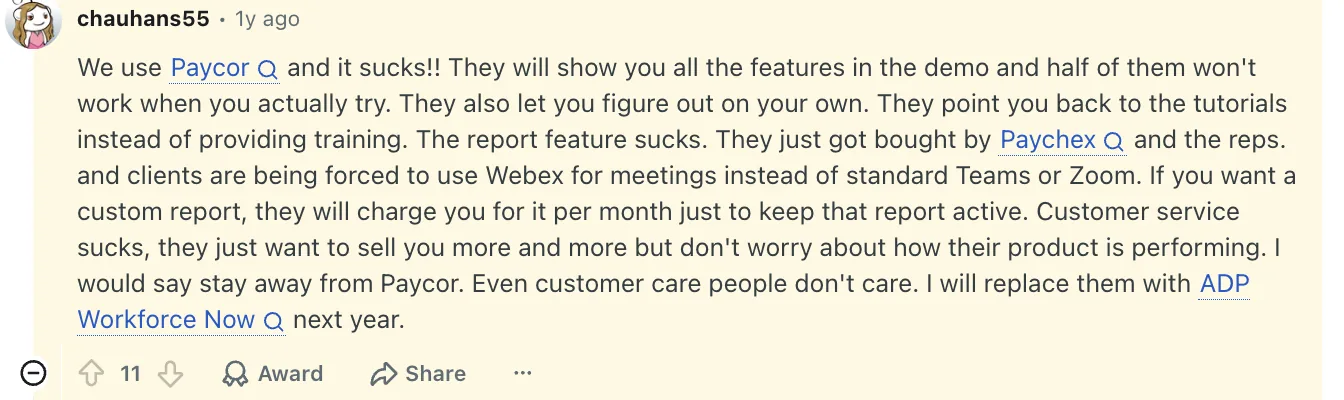
Users point to unreliable features, inadequate training, limited reporting, unexpected costs, and poor customer support as recurring issues:
For growing businesses, the trade-offs tend to show up as a steeper learning curve, rising subscription costs, and the occasional glitches.
Pros |
Cons |
|---|---|
| Payroll transactions flow directly into QuickBooks Online | Customer support is very concerning |
| Reduced control over payroll tax payments | |
| Plans range from basic payroll to more comprehensive HR support | Additional state filing fees can increase the total cost |
| QuickBooks Time adds time tracking and job-costing capabilities |
Pricing:
Workforce payroll plan starts at $44/employee/month, Workforce payroll +Essentials plan starts at $67.50 per employee per month, and Workforce premium plan is at $114/employee/month.
Best for
QuickBooks Online users who want payroll to sync straight into their books automatically
Not for
Businesses on a different accounting platform or wary of rising per-employee costs
5. Paychex Flex – 4.1/5
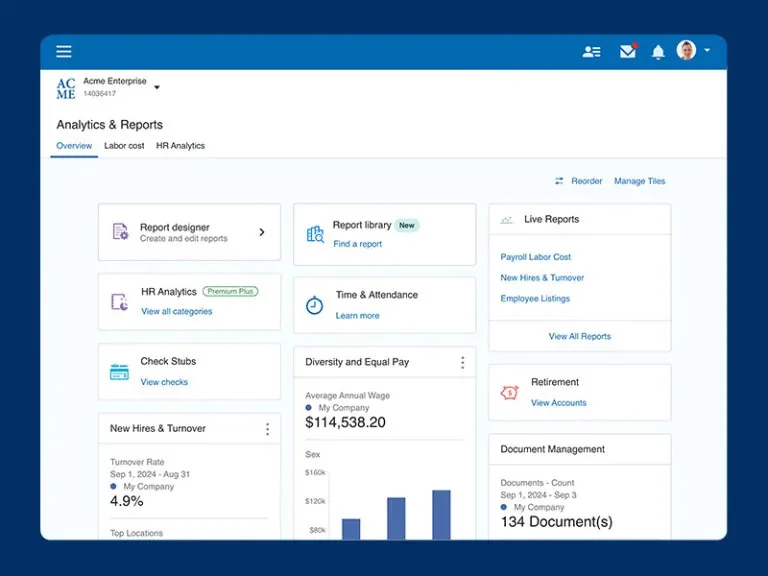
Best for growing businesses wanting scalable HR with advisory services and hands-on support
Paychex Flex takes a service-first approach, and less ‘figure-it-out-yourself’ type, more ongoing support you can actually rely on. In practice, that means dedicated reps, guided onboarding, and hands-on help with payroll, compliance and benefits, rather than expecting your team to piece it all together on their own.
That model resonates most with companies that don’t have a large in-house HR or payroll function. Instead of leaning entirely on software, there’s a layer of human support absorbing some of the load and easing the pressure on internal teams.
The trade-off: it doesn’t feel as sleek or modern as some newer platforms, but what you get in exchange is consistency and a partner-led relationship
Key Features
- Established payroll heritage with a strong compliance track record
- Built for businesses that want service support alongside the software
- Broad coverage across HR and benefits
- A familiar system for many finance and operations teams
- Particularly strong compliance orientation for regulated industries
Feedback from users on Reddit who have used Paychex firsthand highlights a few recurring pain points:

| Pros | Cons |
|---|---|
| Strong payroll foundation with deep compliance focus | Interface feels dated compared to modern SaaS tools |
| Covers payroll, HR, and benefits in one ecosystem | Less flexibility than newer, more configurable platforms |
| Familiar and trusted by finance and operations teams | Reporting and overall UX may fall short for modern HR teams |
Pricing
Paychex pricing is generally customized, with cost depending on the number of employees, payroll frequency, support level, HR modules, and benefits.
Best for
Businesses wanting a service-led payroll with dedicated support and strong compliance handling
Not for
Teams wanting a modern, flexible interface with consistent support
6. ADP Run – 4.7/5
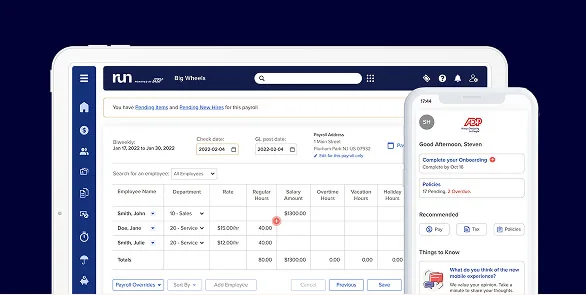
Best for Small businesses wanting enterprise-grade compliance infrastructure from the industry giant
If you want a payroll platform built on decades of tax-compliance infrastructure rather than a newer, leaner competitor, RUN Powered by ADP is one of the most established options for small businesses. It bundles payroll, tax filing, and a tiered set of HR add-ons into a single platform, backed by ADP’s broader compliance and benefits ecosystem.
Its biggest differentiator is depth of infrastructure rather than modern polish. ADP’s tax and compliance handling consistently comes up as a strength in reviews; several users specifically credit ADP’s reporting for getting them through PPP loan documentation and multi-state tax accuracy.
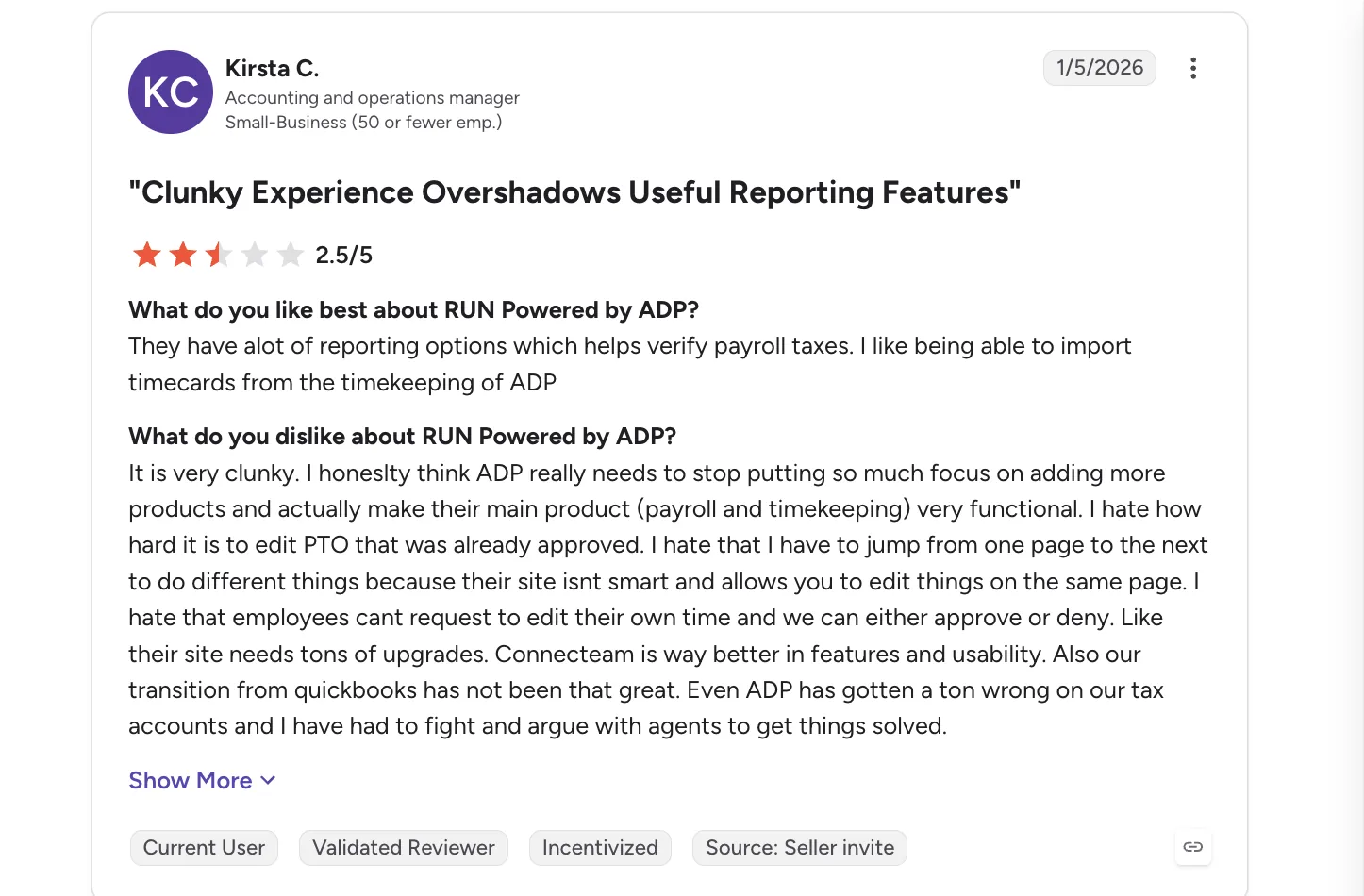
That reliability comes with trade-offs: reviewers frequently describe the interface as functional but dated, and note that getting to a live person for support can take longer than they’d like.
Key Features
- Full-service payroll with tax filing and compliance support in all 50 states
- Integrated benefits support for medical coverage and 401(k) plans
- An add-on marketplace that connects payroll with HR, benefits, and other business tools
- Detailed reporting for compliance, audits, and loan documentation such as PPP applications
- A platform that can support businesses from early-stage teams through the mid-market (51–1,000 employees)
One G2 reviewer flags a common frustration: getting timely support can be harder than it should be.
| Pros | Cons |
|---|---|
| Strong tax filing and compliance infrastructure | Getting past the AI to a live support person can take time |
| Fast, straightforward payroll runs once set up | Onboarding can feel unguided |
| Useful reporting for compliance needs | Reporting can be inflexible; it’s hard to pull certain combined or year-to-date data into one report |
| Broad integrations with benefits and 401(k) providers | Add-on costs aren’t always transparent up front |
Pricing
Custom quote across four tiers (Essential, Enhanced, Complete Payroll & HR, HR Pro Payroll and HR)
Best for
Small businesses that prioritize tax compliance and reporting depth over a modern interface, and don’t mind a bit of a learning curve during setup
Not for
Businesses that want fast, live support without an AI/chat layer first, fully transparent all-in pricing, or a sleek, highly configurable reporting experience.
7. Justworks – 4.6/5
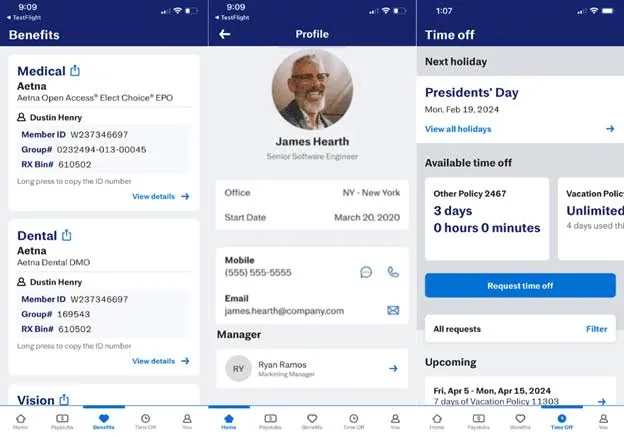
Best for PEO model with big-company benefits access for startups and small businesses
Justworks is a PEO built for startups and small businesses that would rather not deal with a drawn-out sales process. Everything runs on a simple, transparent per-employee rate published right on its website, so a team can price it out before ever talking to anyone.
That transparency carries through to onboarding: setup is largely self-service and designed to move fast, letting a small team get payroll and benefits running on their own timeline rather than waiting on a sales cycle or an assigned rep to walk them through it.
Key Features
- Transparent per-employee pricing, published openly with no sales call required
- Fast, mostly self-service onboarding
- Health insurance, 401(k), HSA, and workers’ comp included
- Payroll and tax filing handled across all 50 states
- Core HR tools covering PTO and compliance
- Round-the-clock support via phone, email, and chat
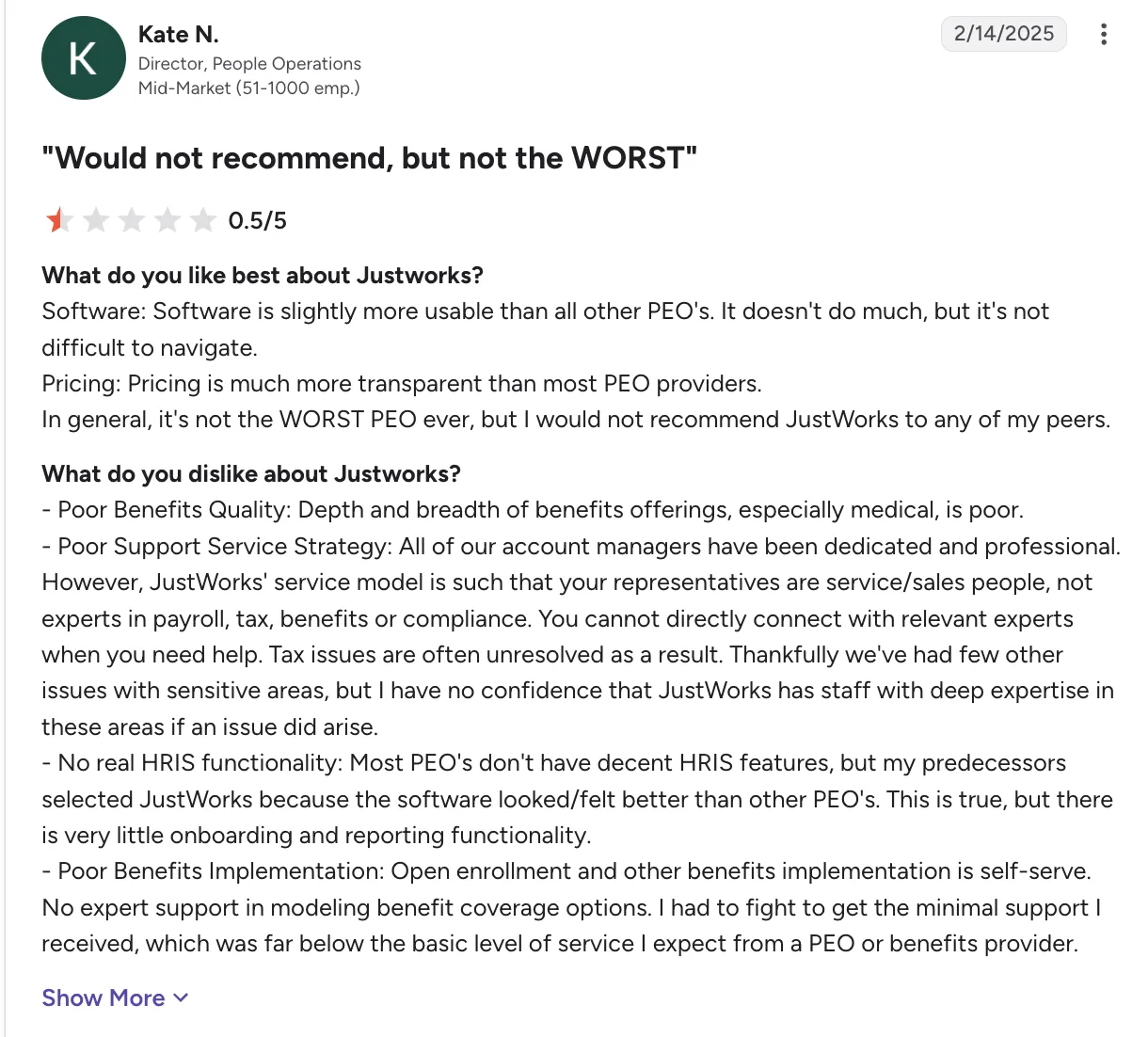
This review points to some significant gaps beyond the platform itself, particularly around benefits quality, access to expert support, HRIS functionality, and benefits implementation.
| Pros | Cons |
|---|---|
| Transparent pricing published online, no sales quote needed | Customer support and service can fall short |
| Fast onboarding, often live within days, not months | Less robust HR consulting than other older PEO players |
| Modern user interface compared to legacy PEOs | Missing crucial features compared to other modern PEOs |
Pricing
Payroll at $8/employee/month, PEO Basic $79/employee/month, $124/employee/month
Best for
Startups and small businesses with roughly 10-150 employees that want PEO benefits without a complicated buying process
Not for
Mid-market companies that need dedicated HR advisors, extensive workforce consulting, or highly customized HR infrastructure
8. Paycor – 4.0/5
Best for Mid-market HR suite with native recruiting for companies outgrowing small-business tools
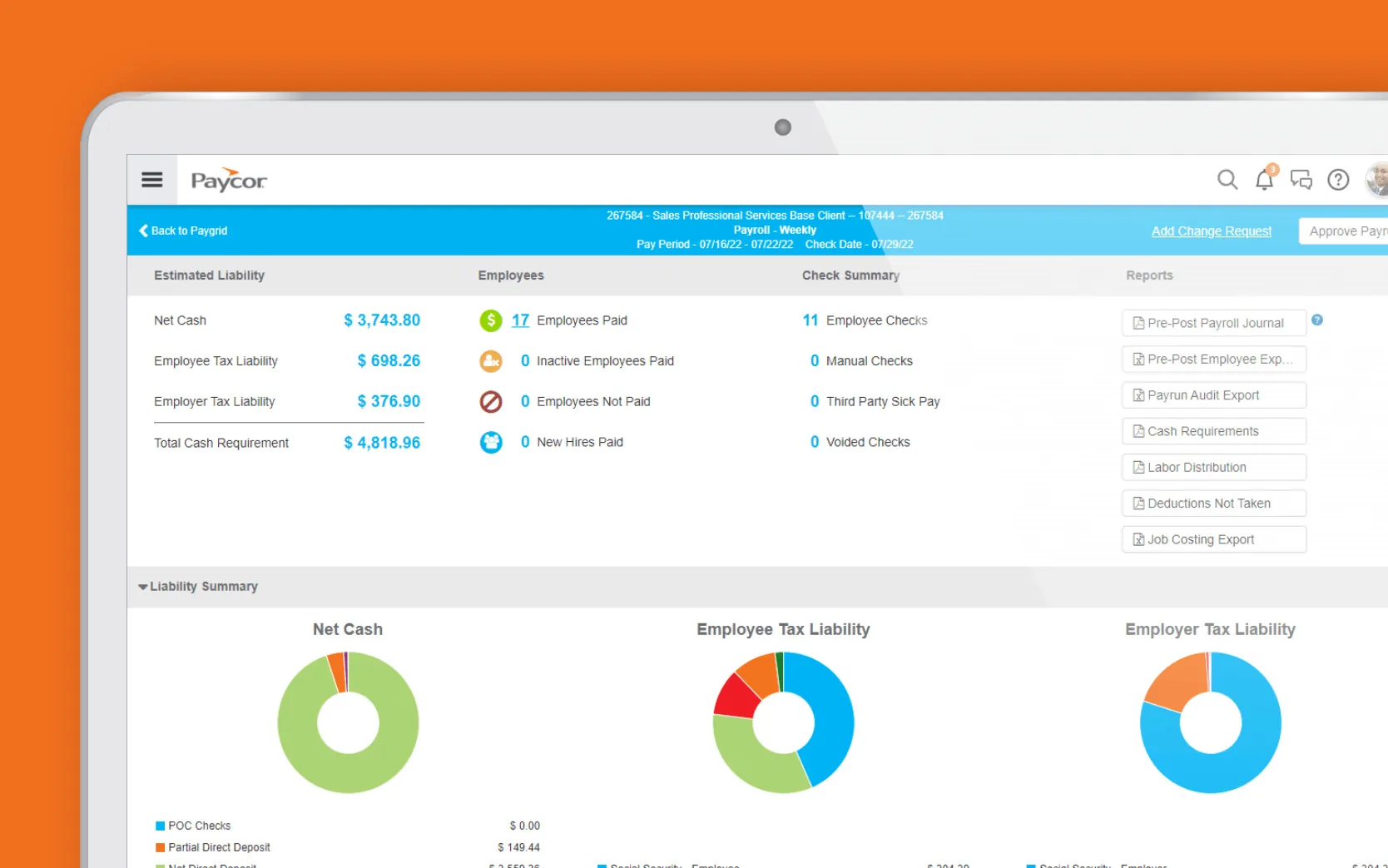
Paycor earns its place when payroll and HR data need to do more than sit there, when it needs to actually explain what’s happening across your workforce.
It surfaces the trends that usually stay hidden: who’s at risk of leaving, how your pay actually stacks up against the market, and how today’s performance connects to tomorrow’s roles and growth plans.
That kind of context matters once decisions start carrying real weight. Hiring plans, workforce costs, retention risk- none of these have to be guesswork anymore. Paycor surfaces the patterns early, so teams can act with some foresight instead of scrambling after the fact.
Key Features
- Links PIPs, performance insights, and succession planning to long-term growth and leadership pipelines
- Handles multi-state compliance and garnishments and ACA/COBRA tracking without missing a beat as complexity grows
- AI-assisted job descriptions and built-in candidate tracking speed up hiring without sacrificing structure
- Geofencing, kiosks, and overtime rules keep work tracked and paid accurately
- Syncs with tools like QuickBooks to keep data aligned with minimal manual effort
Users point to unreliable features, inadequate training, limited reporting, unexpected costs, and poor customer support as recurring issues:
| Pros | Cons |
|---|---|
| Among the strongest workforce analytics capabilities in the mid-market, offering clear visibility into trends, risks, and performance drivers | Customer support experience can be inconsistent, with rep turnover noted in user feedback |
| Talent development, PIPs, and performance reviews are connected within a single, continuous cycle | Features are packaged modularly, often with separate pricing and individual implementation fees |
| Recruiting and onboarding are well developed and come in handy | Setup can take longer than lighter-weight payroll platforms |
Pricing
Custom pricing for each plan
Best for
Companies wanting an easy-to-use, all-in-one payroll and HR platform with strong self-service
Not for
Teams needing consistent support and fast, predictable implementation
Feature-by-feature vs Patriot Software
| Tool | Off-cycle payroll runs | Garnishment processing | Contractor (1099) payments | Multi-level approval workflows | Year-end tax filing (W-2/1099) |
|---|---|---|---|---|---|
| Patriot Software | Yes | Yes | Yes | Basic | Yes (full-service) |
| Keka | Yes | Yea | Yes | Advanced multi-tier | Yes |
| Gusto | Yes | Yes | Yes | Basic | Yes |
| OnPay | Unlimited included | Yes | Yes | Basic | Yes |
| QuickBooks Payroll | Yes | Yes | Yes | Basic | Yes |
| Paychex Flex | Yes | Yes | Yes | Advanced | Yes |
| ADP Run | Yes | Yes | Yes | Not confirmed | Yes |
| Justworks | Yes | Managed | Yes | Basic | Managed |
| Paycor | Yes | Yes | Yes | Not confirmed | Yes |
How to Choose the Right Patriot Software Alternative
Once you know your priority, compare providers on the factors that will have the biggest impact on your team and total cost.
| Headcount | Pick | Why |
|---|---|---|
| 1-25 employees | OnPay or QuickBooks Payroll | Simplest options with straightforward pricing; QB Payroll if already using QuickBooks accounting, OnPay if you want flat-rate simplicity |
| 25-75 employees | Gusto or OnPay | Gusto offers better UX and benefits admin; OnPay stays simpler and cheaper. Choice depends on whether you need benefits marketplace. |
| 75-200 employees | Keka or Paycor | Both offer full HR suites with recruiting; Keka if you’re a services firm needing PSA, Paycor if you’re in healthcare/manufacturing with industry needs. |
| 200-500 employees | Keka, Paycor, or Paychex Flex | Need scalable platform with advanced workflows; Keka for unified PSA approach, Paychex for high-touch advisory services. |
| Startups prioritizing benefits access | Justworks (PEO) | PEO model provides enterprise health insurance rates; worth the PEPM premium if benefits competitiveness is key to hiring. |
Migrating off Patriot Software
If Patriot’s basic feature set has started to feel like a ceiling rather than a fit, here’s what switching actually looks like:
| Phase | Timeline | You own | Vendor owns |
|---|---|---|---|
| Discovery & Planning | 2-3 weeks | Gather Patriot export reports, identify all tax jurisdictions, document current pay schedules and deduction types | Assign implementation manager, provide data templates, create project timeline |
| Data Migration | 2-4 weeks | Export historical payroll data, employee records, and tax documents from Patriot; validate mapped data | Import data to new system, configure tax jurisdictions, set up deduction and earning codes |
| Parallel Testing | 1-2 pay periods | Run parallel payroll in both systems, compare outputs line-by-line, resolve discrepancies | Support parallel run analysis, adjust configurations based on discrepancies |
| Go-Live & Stabilization | 1-2 pay periods | Final approval to cut over, monitor first live runs closely, train managers on new workflows | Provide go-live support, rapid issue resolution, post-launch check-ins |
| Common failure points during migration |
|---|
|
See how Keka can simplify HR and payroll for your growing workforce.


