


 Login
Login



The top Papaya Global alternatives for US companies in 2026 are Keka (best for unified HR, payroll, and PSA), Deel (best for contractor-first global hiring), Remote (best for owned-entity compliance), Oyster HR (best for remote-first startups), Velocity Global (best for enterprise EOR scale), Multiplier (best for Asia-Pacific expansion), Globalization Partners (best for complex multi-country compliance), and Rippling (best for IT-HR integration).
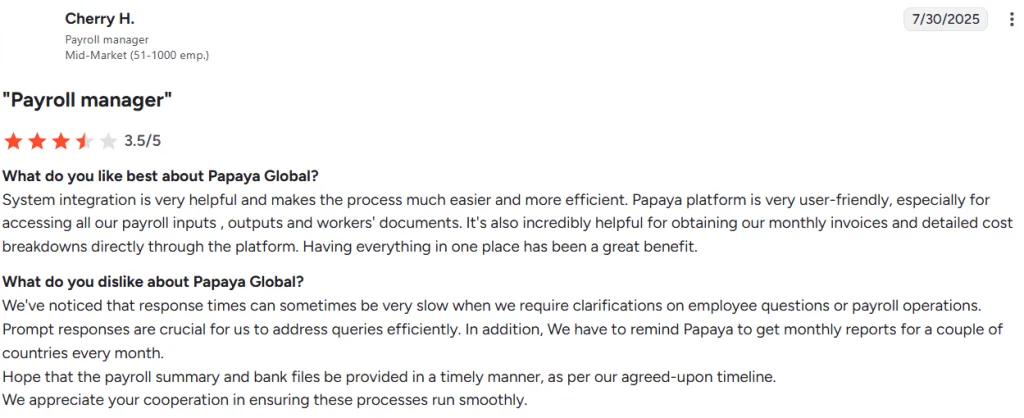
While comparing Papaya Global alternatives, I found three areas worth looking at closely. These were pricing, how payroll is delivered across countries, and domestic US payroll coverage. The right choice depends on how your payroll needs evolve. US companies with W-2 employees may also need a separate domestic payroll solution. Support can be another concern, with one G2 reviewer reporting slow response times and delays in receiving monthly reports.
Source: G2
I created this comparison looking at eight Papaya Global competitors for US HR and finance leaders managing 200 to 5,000+ employees. Each platform is evaluated on pricing, feature set, compliance, integrations, support, scalability, user experience, and verified customer feedback.
Papaya Global Alternatives: Feature Comparison
| Tool | Countries supported | Automation & AI | Employee Self-Service | Pricing Model | G2 Ratings |
|---|---|---|---|---|---|
| Keka | India + US (primary) | Comprehensive | Yes | Transparent, per-employee | 4.4/5 |
| Deel | 150+ | Advanced | Yes | Modular | 4.7/5 |
| Remote | 190+ (owned entities 90+) | Advanced | Yes | Modular | 4.5/5 |
| Oyster HR | 130+ | Moderate | Yes | Modular | 4.4/5 |
| Velocity Global (Pebl) | 185+ | Moderate | Yes | Custom quote | 4.6/5 |
| Multiplier | 150+ | Moderate | Yes | Flat rate | 4.7/5 |
| Globalization Partners | 180+ | Moderate | Yes | Custom enterprise | 4.4/5 |
| Rippling | 50+ (payroll); broader for HR/IT | Advanced | Yes | Modular | 4.8/5 |
Disclosure: Keka is our product and appears as an alternative in this comparison. I’ve applied the same evaluation criteria to Keka as every other tool, including documenting real limitations.
What Did I Consider When Comparing Papaya Global Alternatives?
I looked beyond country coverage when comparing these platforms. I considered pricing, the features a company actually needs, the level of compliance support required, and how well each platform fits into an existing HR stack.
- Pricing: I checked whether pricing is published, charged per employee, or based on a custom quote. The starting price isn’t the whole picture. Setup charges, country-specific costs, deposits, and additional modules can change the final bill.
- Feature set: I looked at the functions a business actually needs, whether that’s payroll, HR, time tracking, performance, recruitment, benefits, or PSA. A long feature list isn’t especially useful if the capabilities that matter are locked into another plan.
- Localization & compliance: I considered federal and state payroll requirements for US companies, along with country-specific tax rules, statutory benefits, and employment requirements for global workforces.
- Integrations: I checked whether each platform works with the accounting software, ERP, job boards, and collaboration tools already in use. Poor integration usually means someone ends up moving data between systems manually.
- Support: I looked at onboarding, implementation assistance, account management, and ongoing support. When payroll or compliance issues arise, response times matter.
- Scalability: I considered how headcount growth and international expansion could change requirements. A platform that works for 200 employees may become harder to manage once the workforce doubles or enters several new countries.
- User experience: I looked at both administrator and employee experiences. Routine tasks such as checking payslips, requesting leave, updating employee details, and reviewing benefits shouldn’t require extensive training.
- Verified user feedback: I reviewed Papaya Global reviews and competitor reviews to identify problems that aren’t obvious on product pages. G2, Capterra, and Reddit can help surface recurring feedback around implementation, support, usability, and pricing.
With those criteria in mind, here’s how the eight leading Papaya Global alternatives compare.
Top 8 Alternatives to Papaya Global in 2026
1. Keka: Best for US- and India-based businesses of all size that need unified HR, payroll, and project
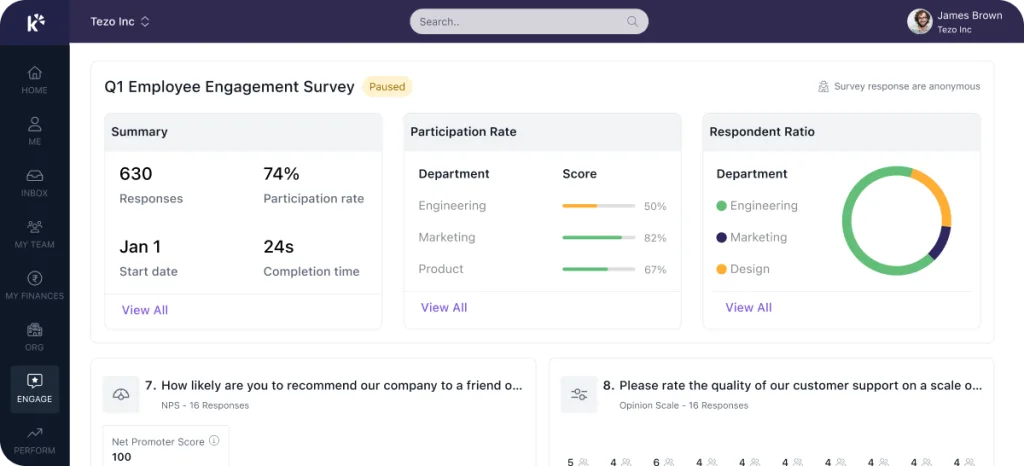
Keka brings payroll, hiring, performance, and time and attendance into one system, with Keka AI layered across the platform. The AI works with live payroll, attendance, and hiring data to answer managers’ questions, draft routine workflows, and surface issues such as payroll anomalies or attrition risks.
Keka also extends beyond core HR with Professional Services Automation (PSA), covering project timesheets, billing, and resource management. It connects with 100+ tools already used by businesses, including Salesforce, Jira, Xero, and Stripe. More than 12,500 companies use Keka today.
The platform is built for growing businesses of all sizes in USA. Keka is SOC 2, ISO 27001, and GDPR compliant, while its payroll is kept current with federal, state, and local requirements, helping multi-entity teams manage changing tax and compliance rules without tracking them manually.
Key features:
- Unified HR + Payroll: Employee records, payroll, attendance, and performance management sit in the same platform.
- Time & attendance: Integrates with 200+ biometric systems and supports GPS and web-based check-ins.
- Employee self-service: Employees can view payslips, apply for leave, submit reimbursements, and access performance reviews through web and mobile apps.
- Performance & talent management: Includes goal setting, OKRs, 360-degree feedback, and performance reviews.
- Workforce analytics: Provides real-time dashboards and 40+ pre-built reports covering payroll and workforce data.
- AI-powered ATS: Supports job description creation, candidate scoring, shortlisting, and offer workflows.
| Pros | Cons |
|---|---|
| Broad HR and PSA coverage: Keka brings HR, payroll, talent, employee experience, project management, resource management, timesheets, and billing into one platform. | Best suited to organizations looking to consolidate HR processes: Keka can work as a single point solution, but organizations that adopt the broader ecosystem can benefit more from the connected workflows and data across the platform. |
| Comprehensive US payroll: Keka supports payroll, benefits, deductions, direct deposit, ACH, W2s, 1099s, and automated tax filings across all 50 states. | The PSA capabilities may require some process alignment: companies introducing project and resource management alongside HR may need to map their existing project workflows into the platform. |
| Global workforce capabilities: Keka is used by organizations across 120+ countries, supporting companies with geographically distributed teams. |
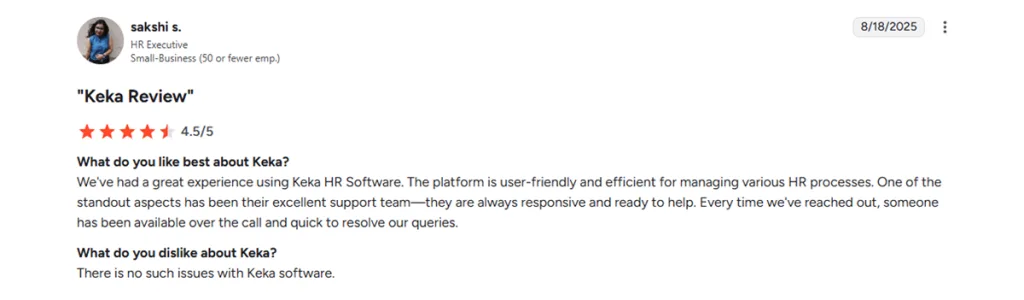
Keka’s G2 feedback highlights its ease of use, all-in-one HR capabilities, and responsive support.
Source: G2
Pricing: Contact Keka directly for a customized quote based on your organization’s requirements.
Who’s it best for:
US and India-based businesses of all sizes that want payroll, HR, and project operations in one platform as they grow.
Keka makes the most sense when consolidating HR and payroll is part of the reason for switching.
Thinking about switching HR software?
Most teams go live on Keka in weeks, not months, with no hidden fees along the way.
2. Deel: Best for companies with contractor-heavy global teams that need fast international hiring
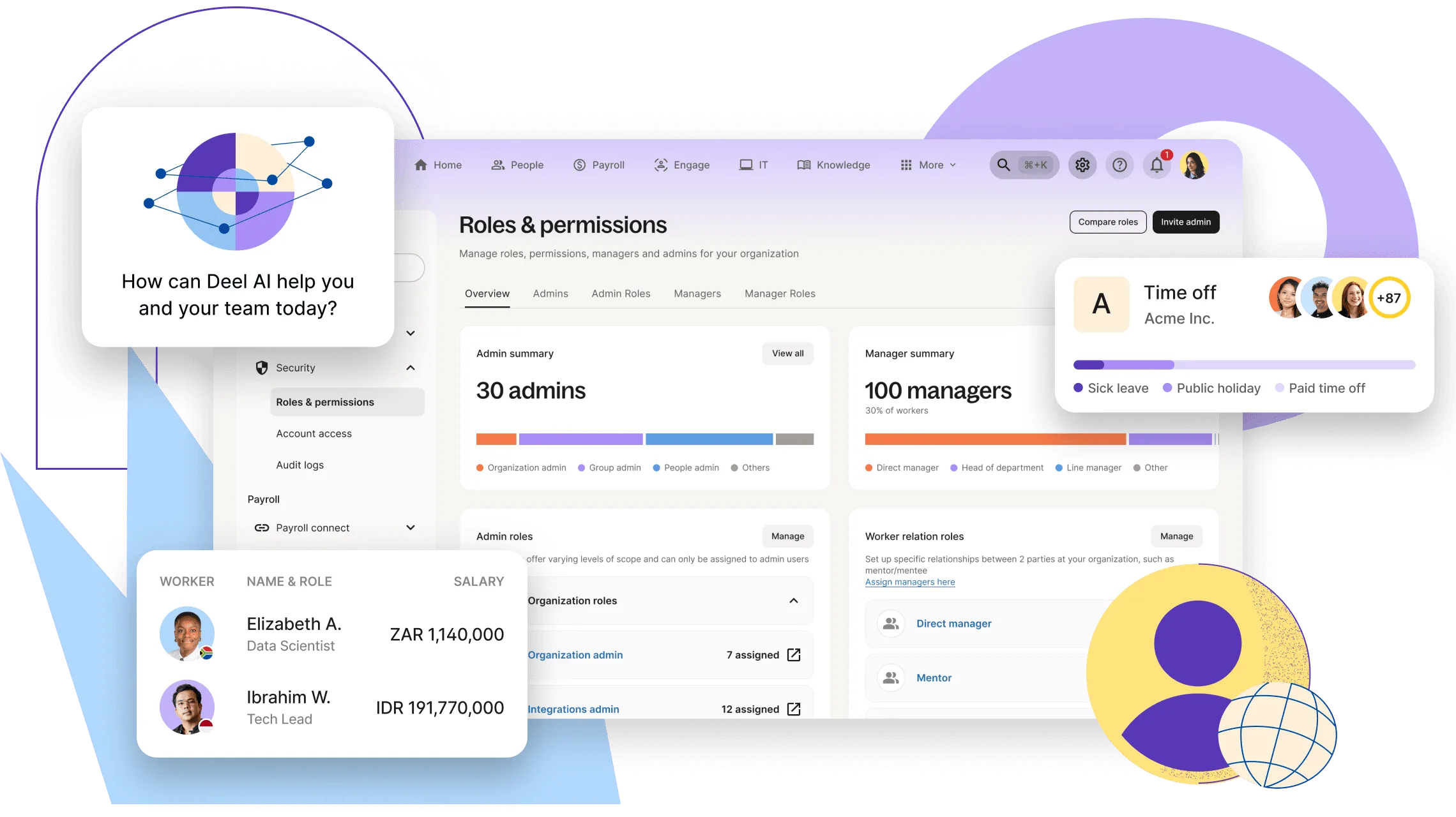
Deel started with contractor payments and has since expanded into EOR, global payroll, and HR. That history still shapes the product. Companies managing contractors across several countries can use the same platform when they begin hiring employees internationally.
Key features:
- Contractor payments in 150+ countries, including same-day payment options.
- EOR coverage supported by owned entities.
- AI Worker Classifier for contractor-versus-employee classification.
- 130+ native integrations across HR, finance, and identity tools.
| Pros | Cons |
|---|---|
| Strong contractor management and international hiring workflows. | EOR costs can increase once employer taxes and deposits are included. |
| Large integration library. | More complex compliance cases may take longer to resolve. |
| Broad country coverage. | Companies looking only for contractor payments may not need the wider platform. |
Deel is well suited to companies that need to move between contractor hiring and employee hiring without changing platforms. Its broader international capabilities also come with more modules and costs to consider.
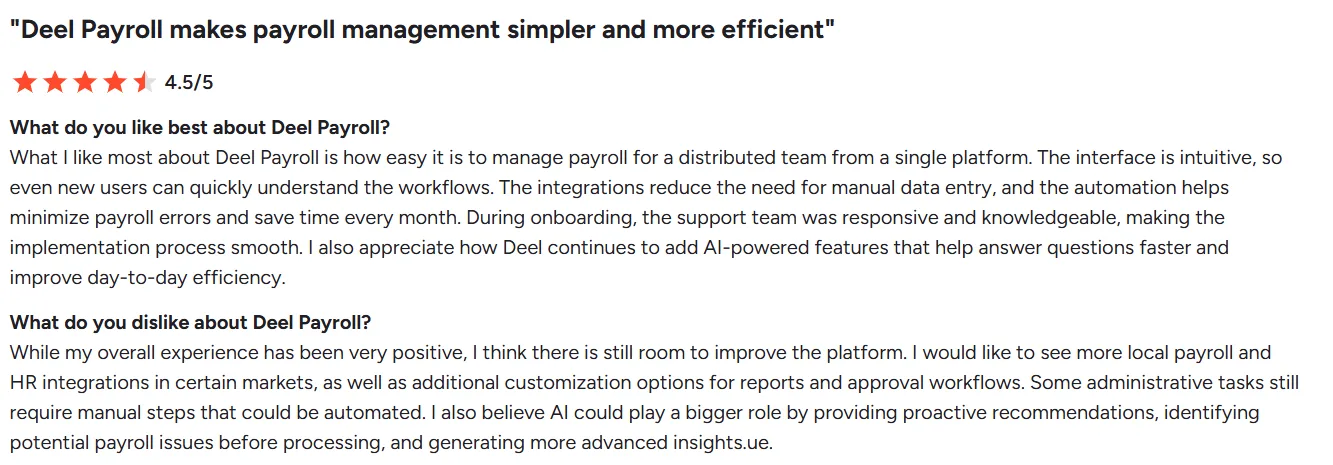
Source: G2
Pricing: Deel’s Core HR pack starts at $5/employee/month. Other plans depend on the services selected.
Who’s it best for:
Companies with 200 to 1,000+ employees managing a contractor-heavy global workforce and looking for international hiring, payments, and EOR in one platform.
3. Remote: Best for mid-market companies that want owned-entity compliance control
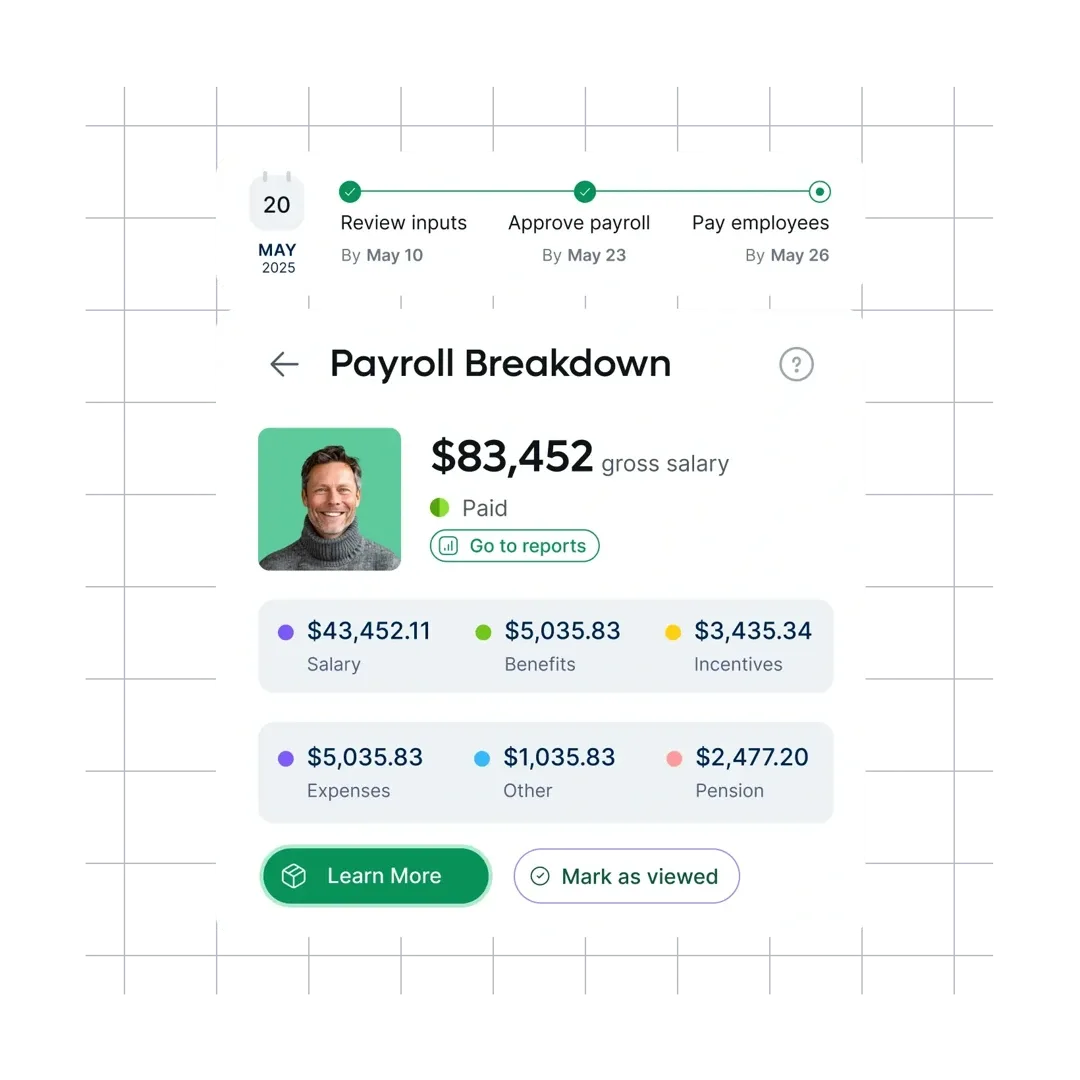
Remote is a stronger fit for companies that care about how international employment is managed in each country. Its EOR model uses owned entities in 90+ countries, giving it more direct control over the employment relationship in those markets.
Key features:
- EOR through owned entities in 90+ countries.
- Remote IP Guard for intellectual property protection.
- Global payroll and contractor management.
- 1,000+ integrations through native connectors and Zapier.
| Pros | Cons |
|---|---|
| Owned-entity model reduces reliance on local partners in covered markets. | Support is ticket-based, and response times can vary. |
| EOR, payroll, and contractor management sit in the same platform. | EOR costs can become significant for companies with only a few international employees. |
| Setup is relatively straightforward. | The total country count is higher than the number of markets where Remote operates its own entities. |
Remote’s onboarding experience receives positive feedback. Some users have also raised concerns around international payroll workflows and the use of third-party systems for certain processes.
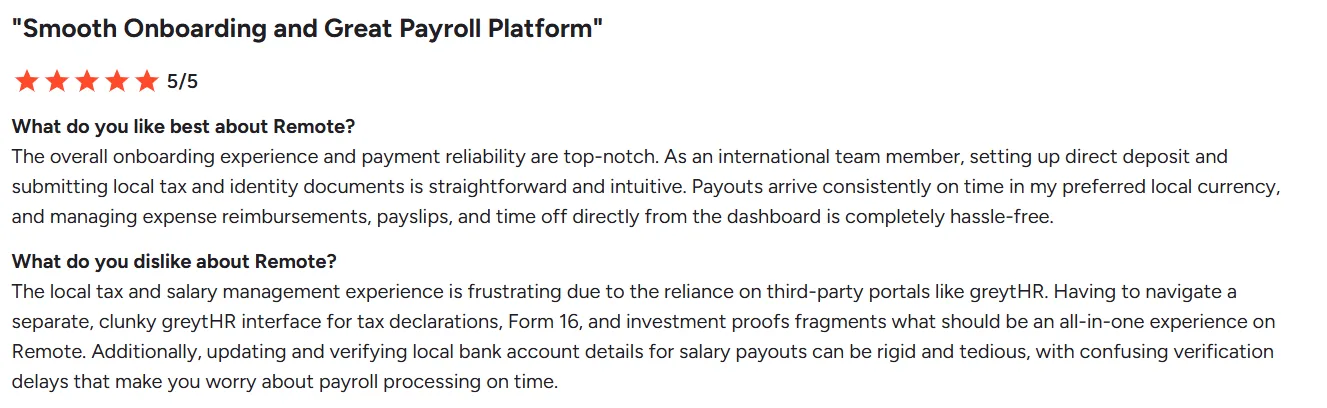
Source: G2
Pricing: Remote’s payroll module starts at $29/employee/month. Contact the vendor for pricing on other offerings.
Who’s it best for:
Mid-market companies that place a high value on compliance control and prefer an owned-entity EOR model.
Remote becomes more relevant when the employment structure matters as much as the number of countries covered.
4. Oyster HR: Best for remote-first startups that prioritize employee experience and benefits
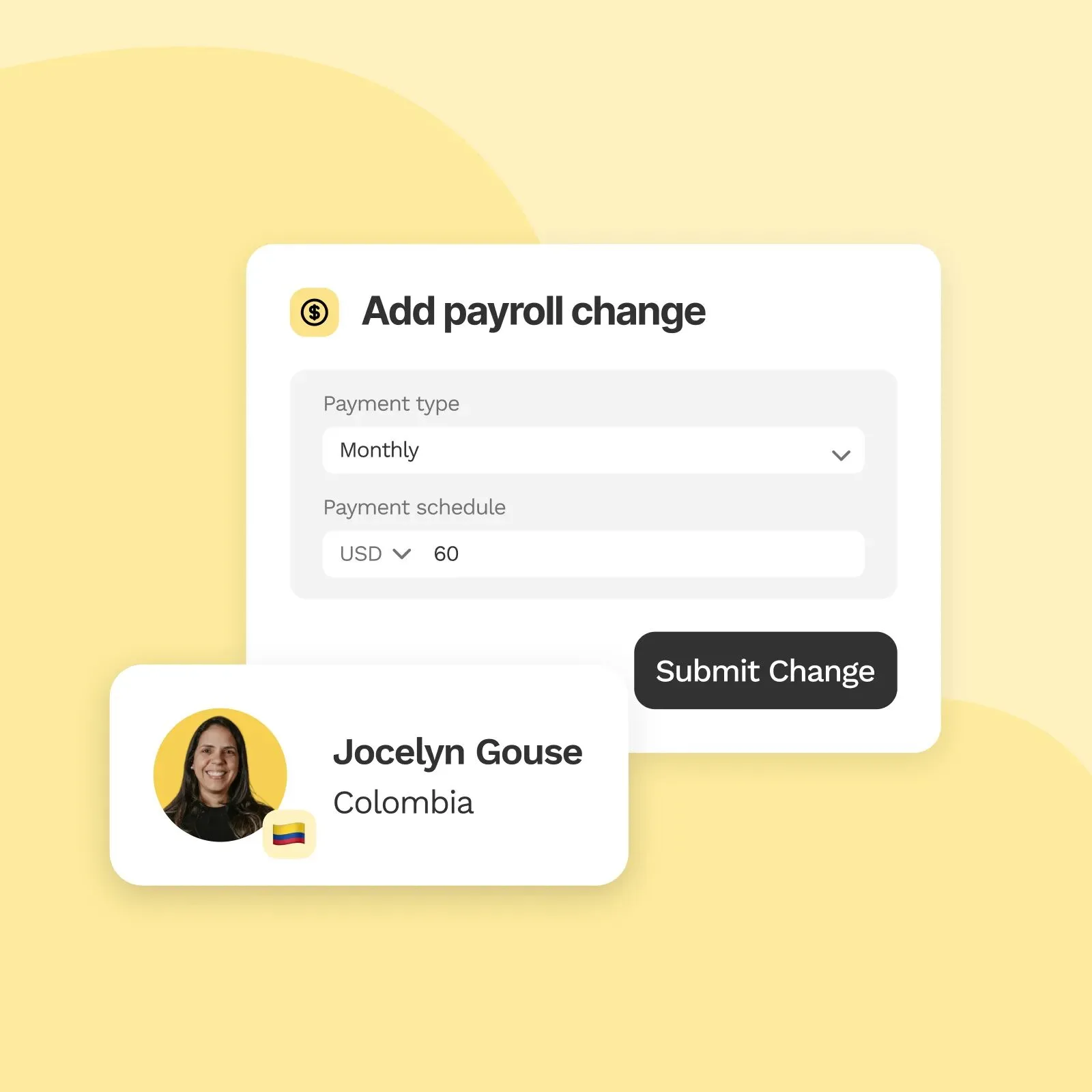
Oyster HR is built around distributed teams. Its EOR and contractor services sit alongside international benefits and HR support, giving employee experience a larger role in the platform than it has in many payroll-first products.
Key features:
- EOR and contractor management in 130+ countries.
- People Partner Services for HR support.
- Direct-plus infrastructure in selected European markets.
- International benefits support.
- Employee self-service tools.
| Pros | Cons |
|---|---|
| Broad EOR and contractor coverage. | Support is primarily ticket-based. |
| HR advisory services for distributed teams. | Reporting and analytics are less extensive than broader HR platforms. |
| Strong focus on employee experience. | Pricing can be high for smaller international teams. |
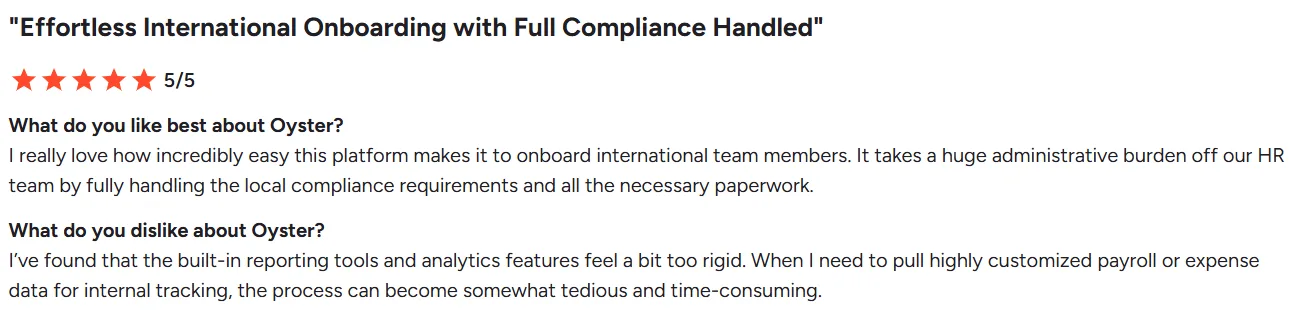
Oyster’s international onboarding and employee experience receive positive feedback. Reporting and analytics are areas where some users would like more depth.
Source: G2
Pricing: Oyster HR’s People Services plan starts at $300/hour.
Who’s it best for:
Startups and remote-first companies hiring internationally where benefits and employee experience are major considerations.
5. Velocity Global (Pebl): Best for enterprises that need EOR scale and deep compliance coverage
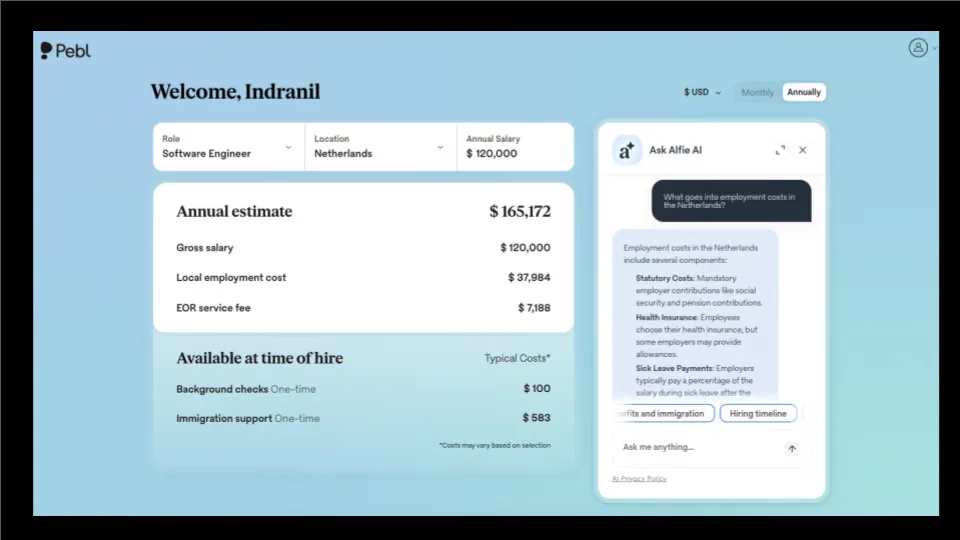
Velocity Global, now operating under the Pebl brand, is aimed at organizations with larger and more complex international workforce requirements. Alongside EOR, it offers immigration services and integrations with major HR systems.
Key features:
- Coverage across 185+ countries.
- Immigration and visa sponsorship support.
- Integrations with Workday, Oracle HCM, and ADP Workforce Now.
- AI-assisted employment cost estimation.
- Support for international workforce and expansion requirements.
| Pros | Cons |
|---|---|
| Broad international employment coverage. | The Pebl rebrand can make older reviews harder to compare. |
| Enterprise HR integrations. | Smaller companies may not need the full-service offering. |
| Covers requirements beyond basic EOR. | Reporting and mobile capabilities may not be as developed as some newer platforms. |
International hiring and compliance are recurring strengths in customer feedback. Reporting and mobile capabilities are worth looking at more closely during evaluation, particularly for teams that expect employees to use the platform frequently.

Source: G2
Pricing: Velocity Global’s initial pricing quote starts at $399/employee/month. Contact the vendor for other pricing details.
Who’s it best for:
Enterprise teams with 1,000+ employees managing international expansion, acquisitions, or visa-dependent hiring where compliance requirements are complex.
6. Multiplier: Best for startups and SMBs expanding into Asia-Pacific on a budget
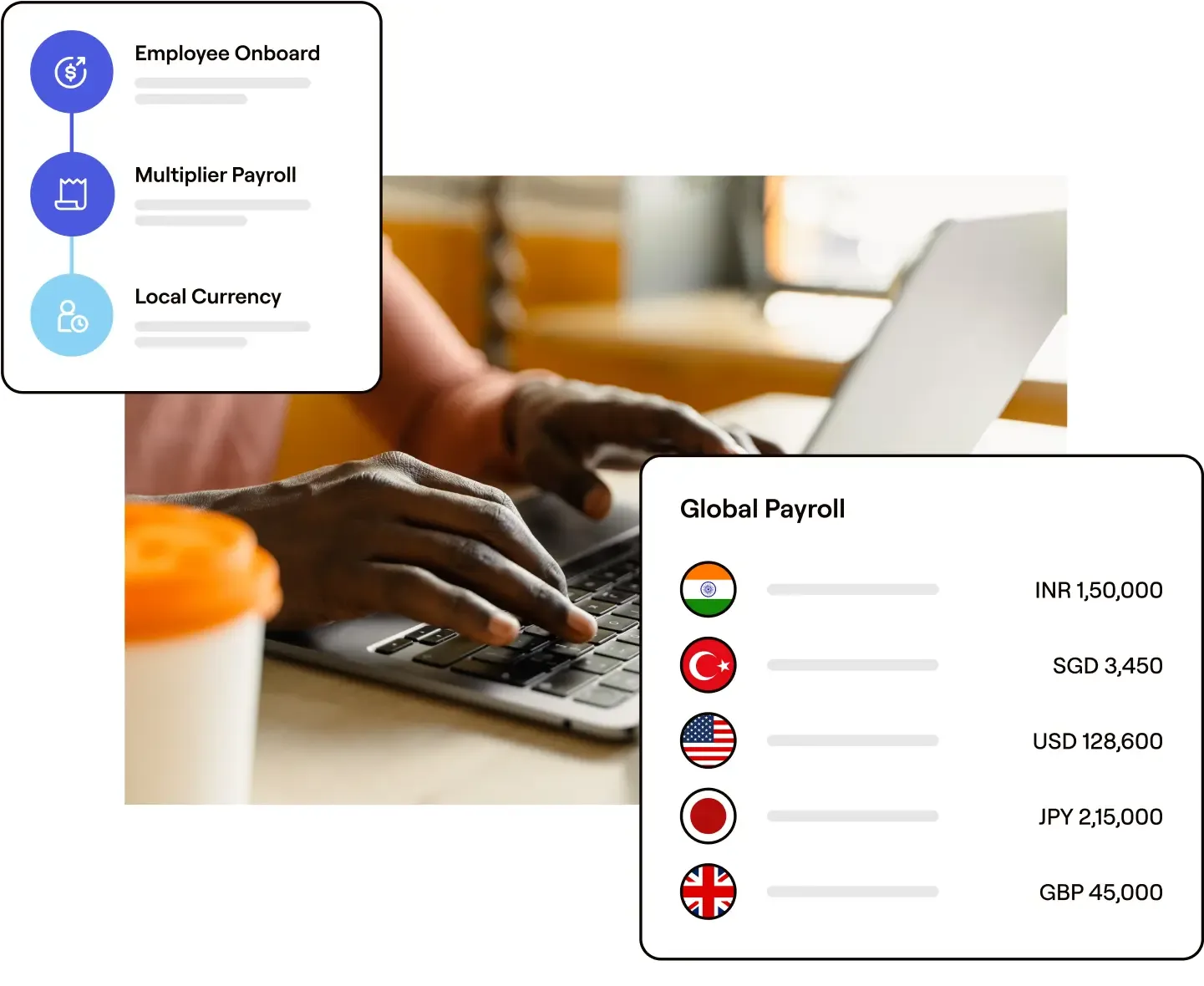
Multiplier combines EOR, global payroll, contractor management, and immigration services. Its published pricing also makes it easier to get a sense of cost before entering a sales process.
Key features:
- Coverage across 150+ countries.
- Strong presence across Asia-Pacific markets.
- ESOP and equity management support.
- Global payroll and immigration services.
| Pros | Cons |
|---|---|
| Supports equity and ESOP requirements. | Integration coverage is quite narrow. |
| No setup or offboarding fees. | Support response time varies during peak periods. |
| Offers EOR, payroll, and contractor management. | Global payroll and immigration services require a custom quote. |
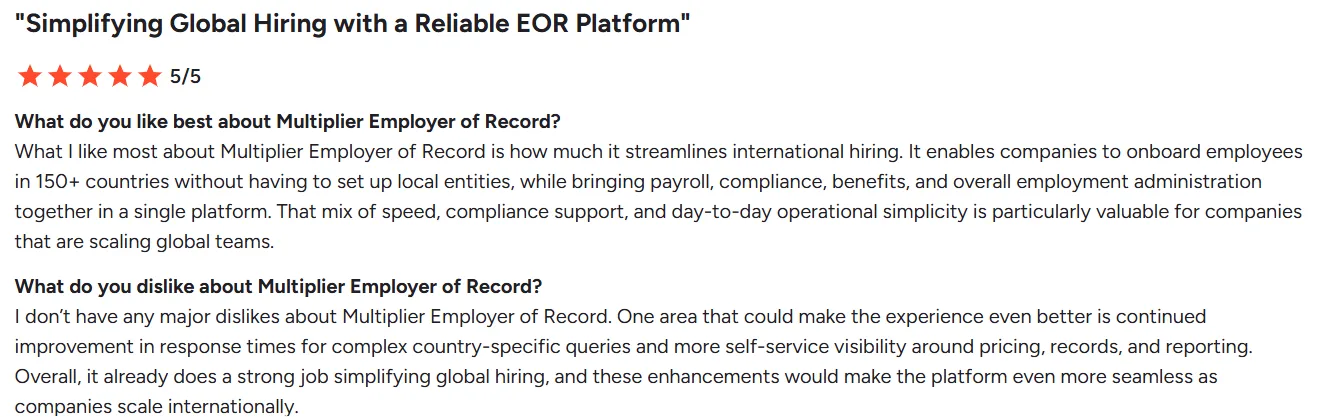
Users generally respond well to the interface and international hiring workflows. Support responsiveness and deeper legal coordination are areas worth checking before making a decision.
Source: G2
Pricing: Multiplier’s global payroll plan starts at $20/employee/month. EOR pricing starts at $499/employee/month ($459 billed annually).
Who’s it best for:
Startups and SMBs expanding into Asia-Pacific that want EOR without adding a larger HR platform.
Multiplier makes the most sense when APAC is central to the expansion plan. G-P is aimed at companies where complex compliance requirements take priority.
7. Globalization Partners: Best for enterprises that need maximum compliance depth across countries
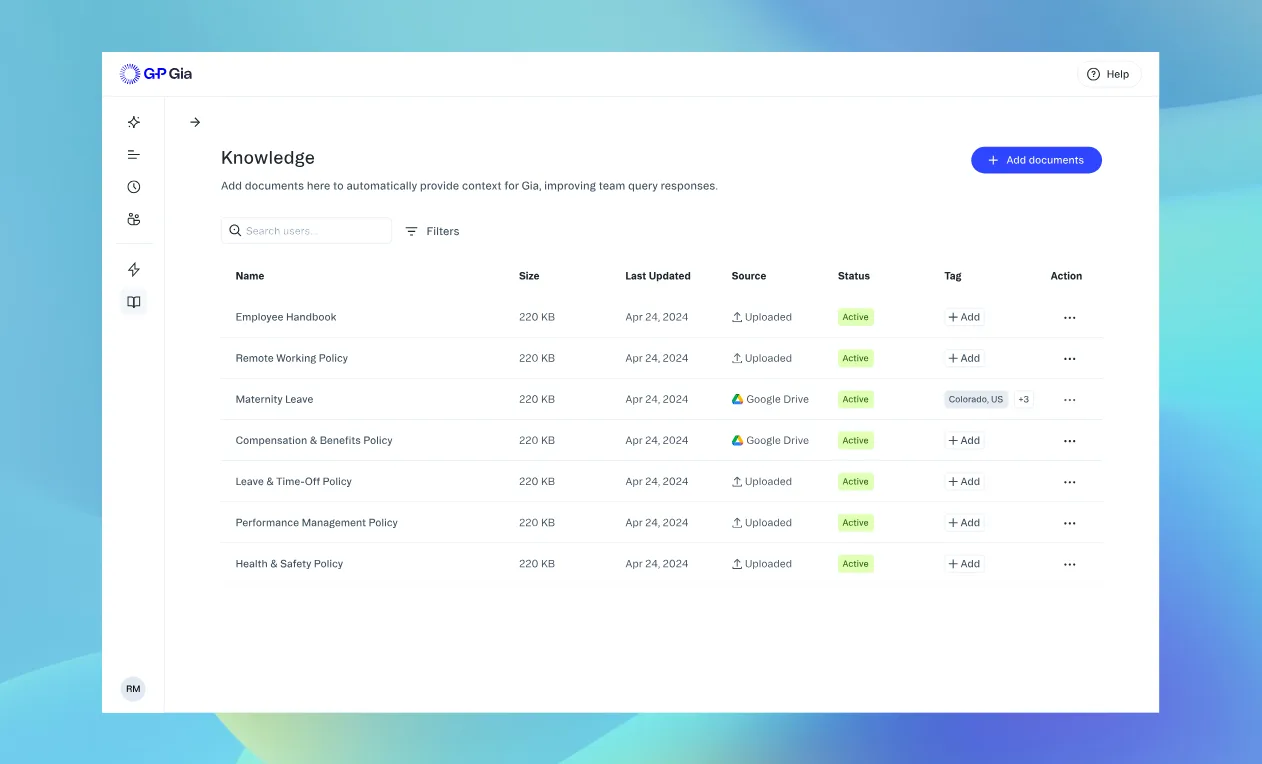
Globalization Partners, or G-P, focuses on EOR and international employment across multiple jurisdictions. Country-specific compliance support is a major part of the offering, alongside the core employment services.
Key features:
- In-house legal and compliance support.
- G-P Gia, an AI assistant for HR and compliance questions.
- Country-specific employment guidance.
- Account management for enterprise customers.
| Pros | Cons |
|---|---|
| Strong focus on country-specific compliance. | Pricing can be difficult to justify for smaller teams. |
| Named account management. | The platform can feel heavier than newer EOR products. |
| Legal and HR support alongside EOR services. | Complex deployments can take longer to implement. |
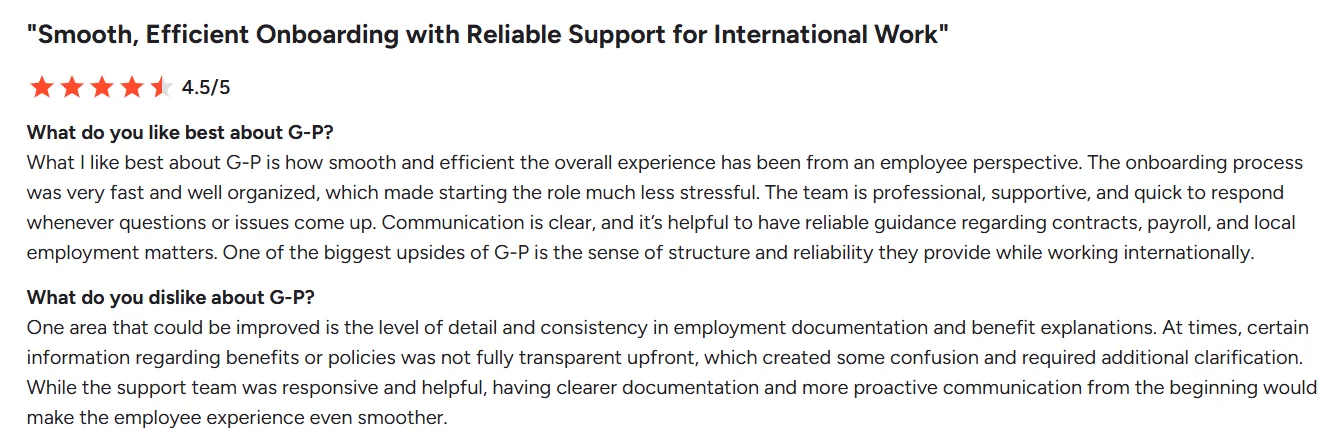
Customer feedback generally highlights G-P’s international employment support. Documentation, benefits communication, and some administrative workflows are areas worth reviewing before signing.
Source: G2
Pricing: Globalization Partners’ individual plan starts at $450/month, with customized team plans based on quotes.
Who’s it best for:
Enterprises managing complex international employment requirements across multiple countries.
G-P is focused on international employment and compliance. Rippling comes at the problem from a different angle, connecting HR with the IT systems employees use every day.
8. Rippling: Best for companies that want HR, IT, and payroll connected on one platform
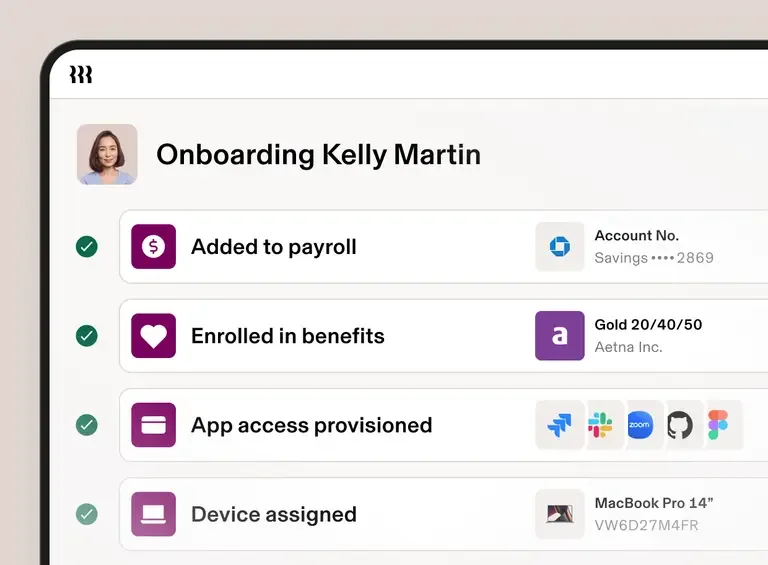
Rippling brings HR, payroll, benefits, time tracking, and IT/device management into one platform. Where it stands apart from the EOR-first tools in this list is the connection between employee information and the HR and IT actions that follow from it.
Key features:
- HR, payroll, benefits, and IT management from one platform.
- 650+ integrations across HR, finance, and IT tools.
- Device management and remote wipe capabilities in 30+ countries.
- Global payroll in 50+ countries, with EOR available as an add-on.
| Pros | Cons |
|---|---|
| HR and IT workflows can be connected. | Some settings can take time to find. |
| Strong onboarding and offboarding automation. | Accrual management isn’t as flexible as some teams may need. |
| Useful for companies managing devices and software access. | Complex support cases can take longer to resolve. |
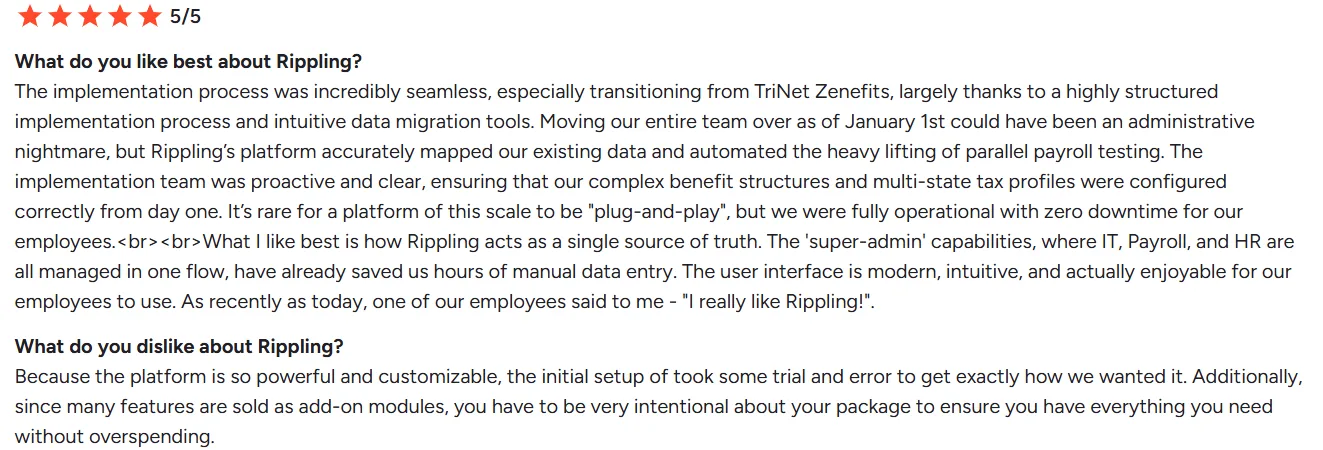
Rippling’s user feedback highlights the platform’s capabilities once it’s implemented, while also pointing to the preparation required to get workflows right before going live.
Source: G2
Pricing: Rippling uses modular pricing. Contact the vendor for a tailored quote.
Who’s it best for:
Small to mid-sized companies managing hybrid or global teams that want HR, payroll, and IT operations connected.
Why is Keka a Better Alternative to Papaya Global?
Keka isn’t a direct replacement for every part of Papaya Global. The two platforms are designed around different priorities. For US and India-based companies that want HR, payroll, and PSA together, Keka offers a broader HR setup alongside payroll.
Enterprise-ready
Keka is built to support complex, multi-entity organizations, with centralized oversight across HR, payroll, talent, and workforce operations. It supports multiple entities and business units, enterprise security standards such as SOC 2 Type II and ISO 27001, and dedicated implementation and customer success support as organizations scale.
HR and payroll in one system
Keka brings employee records, attendance, leave, performance, and payroll together. For routine HR work, that means fewer handoffs between separate HR and payroll systems.
More HR functionality around payroll
Papaya Global’s strength is global payroll and EOR. Keka adds ATS, performance management, learning, engagement, goal tracking, analytics, and PSA capabilities. For companies already paying for separate tools across these functions, having more of them in one platform can reduce the number of systems HR has to manage.
There is a clear limitation, though. Keka’s primary payroll strength is India and the US rather than deep global EOR. Companies with employees spread across many countries may be better served by Deel, Remote, Velocity Global, or G-P.
How to Choose the Right Papaya Global Alternative?
Headcount is a useful starting point, but it doesn’t tell the whole story. The number of countries involved, worker types, payroll requirements, and the existing HR stack can all change which platform makes sense.
| Headcount | Pick | Why |
|---|---|---|
| 50 to 200 employees | Keka or Oyster HR | Keka fits primarily US-based companies looking to consolidate payroll. Oyster is a better fit for remote-first companies hiring internationally. |
| 200 to 1,000 employees | Keka, Deel, or Remote | Keka works well for US-centric teams that also need PSA. Deel suits contractor-heavy global hiring. Remote fits companies that prioritize owned-entity compliance. |
| 1,000 to 5,000 employees | Keka, Rippling, Velocity Global, or G-P | Rippling fits companies connecting HR and IT. Velocity Global suits complex international expansion. G-P fits organizations with demanding compliance requirements. Keka fits organizations looking to bring HR, payroll, talent, and PSA into one enterprise-ready platform. |
| 5,000+ employees | Keka, Velocity Global, or G-P | Velocity Global and G-P suit enterprises with employees spread across many countries. Keka is also worth evaluating at this scale for enterprises that want HR, payroll, and PSA unified on one platform. |
How to Migrate Off Papaya Global?
Switching payroll providers is a project in its own right. For a multi-country workforce, the work goes beyond moving employee records. Data needs to be validated, the new system configured, payroll tested, and employees prepared for the change.
| Phase | Timeline | You own | Vendor owns |
|---|---|---|---|
| Assessment & planning | Weeks 1 to 2 | Employee census, payroll history export, benefits inventory | Data mapping, timeline proposal, country-specific requirements |
| Data migration | Weeks 3 to 4 | Validate employee data accuracy, gather missing documents | System configuration, data import, validation testing |
| Parallel processing | Weeks 5 to 6 | Approve parallel payroll runs, reconcile discrepancies | Run shadow payroll, generate comparison reports |
| Cutover and go-live | Week 7 | Final approval, employee communications | Production payroll, tax filings, first-run support |
| Stabilization | Weeks 8 to 12 | Monitor employee issues, track discrepancies | Issue resolution, process optimization, training |
Budget the full 8–12 weeks rather than planning around the fastest timeline a vendor quotes. Parallel processing is especially important because it gives the payroll team a chance to find discrepancies before the new system goes live.
The division of responsibility matters too. The customer owns employee data accuracy and final approvals. The vendor handles configuration, migration support, testing, and payroll processing in the new system.
Wrapping it Up
Papaya Global remains a strong option for companies managing complex multi-country payroll. It becomes less attractive when the business needs predictable pricing, less dependence on partner networks in certain markets, or a native US payroll setup.
The alternatives solve different parts of that problem. Keka is a strong option for businesses of all size that want HR, payroll, and PSA together. Deel makes more sense for contractor-heavy global hiring, while Remote is suited to companies that place greater importance on owned-entity EOR. Rippling is worth considering when HR and IT need to work from the same employee data.
The other options are more specific. Oyster HR is built around distributed teams and employee experience, Velocity Global targets complex enterprise expansion, Multiplier has a strong Asia-Pacific focus, and G-P puts more weight on international compliance.
For teams that want to bring HR, payroll, and project operations together rather than add another global payroll system, Keka is worth evaluating.
See how Keka can simplify HR and payroll for your growing workforce.


