


 Login
Login


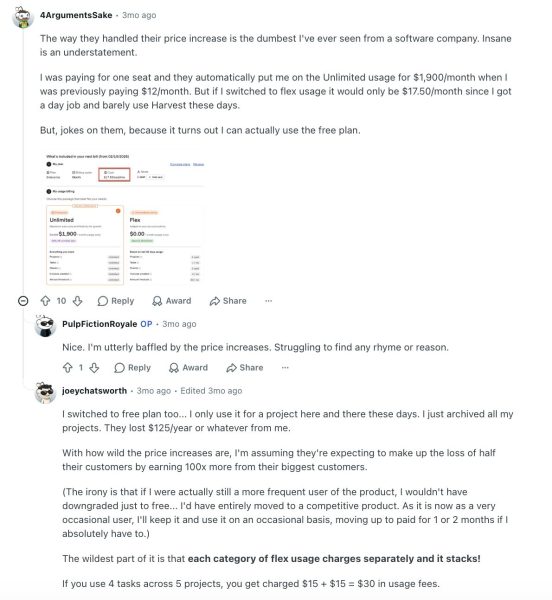
If you’re here looking for alternatives to Harvest after the recent jump in pricing, I get the growing discomfort you can’t ignore anymore. You’ve used the tool for a long time, but over the past few months, you can’t confidently answer where time is really going, or see patterns across teams without digging through layers despite shelling out big bucks.
Despite the silent falling out with Harvest, you’re unable to make a confident move and say, ‘This isn’t working anymore. You sign up for grunt work, doing yourself what you bought the tool to do. It doesn’t have to be that way, you know. But the sheer thought of starting over with another tool bogs you down.
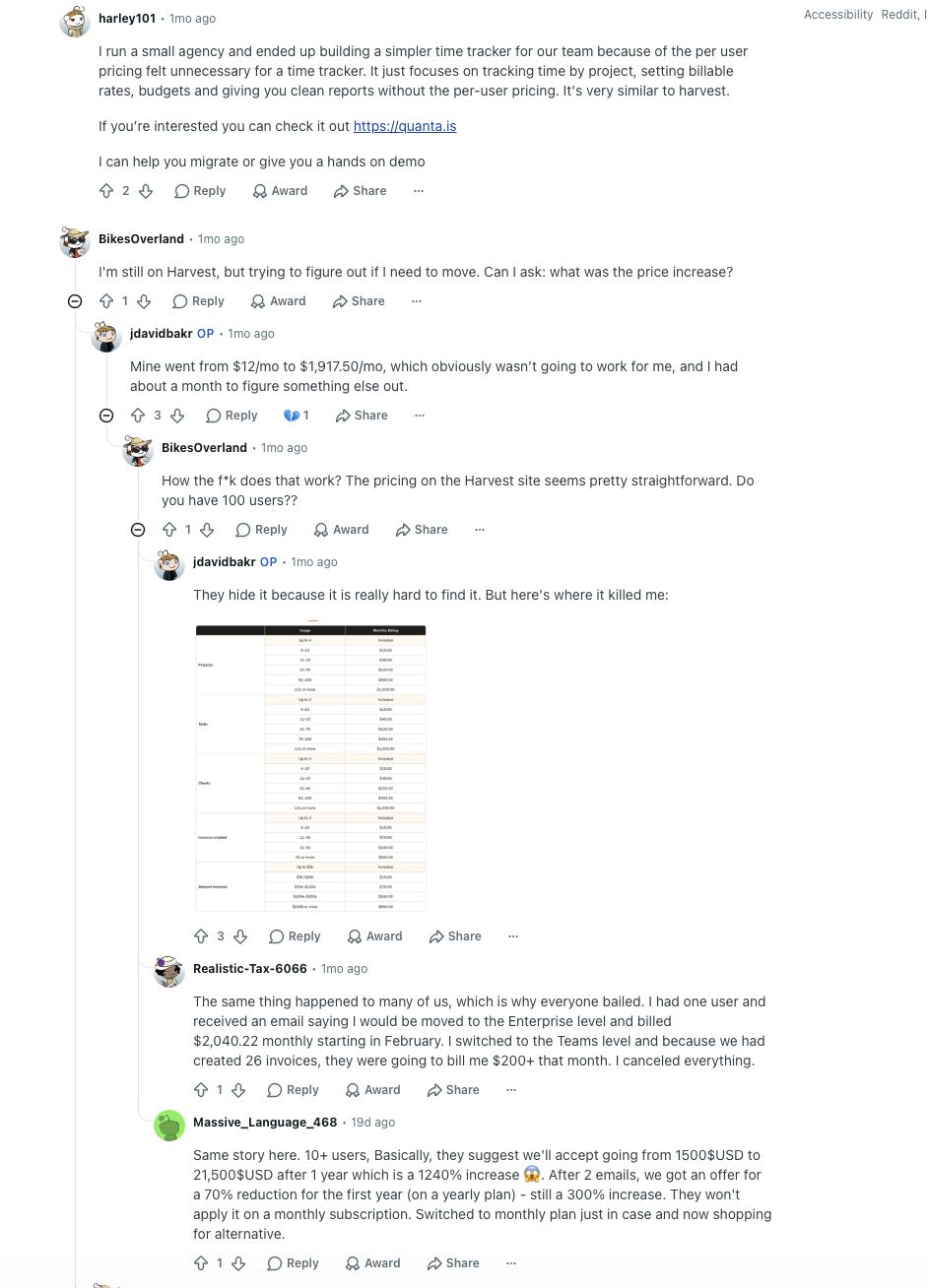
I feel you. This guide will show you Harvest alternatives that get you, work with you, minimize work on your plate, and get you ROI for the reasonable spend they incur, should you choose to switch.
Why Are Companies Switching From Harvest?
- Rising costs without rising value: Pricing scales with every new user, but the depth of insights and capabilities doesn’t. Companies start questioning why they’re paying more without getting more.
- Surface-level reporting: Clean dashboards, but limited depth. Leaders struggle to extract actionable insights on productivity, utilization, or team efficiency without exporting data or using other tools.
- Lack of real visibility into work: No insight into how time is spent, with respect to activity tracking, app usage, or idle time data. For remote and distributed teams, this creates a blind spot.
- Tool sprawl to fill the gaps: Teams start adding separate tools for productivity tracking, workforce analytics, payroll, or automation, turning a simple stack into a fragmented one.
- Limited scalability for growing teams: What works for freelancers and small teams begins to break down in mid-sized or scaling organizations that need structure, controls, and deeper analytics.
- Minimal automation and workflow depth: Repetitive processes like timesheet approvals, alerts, or payroll alignment remain manual or require integrations, increasing operational overhead.
- No alignment with broader HR or workforce systems: Harvest operates in isolation. It doesn’t naturally extend into attendance, performance, or workforce management, forcing teams to stitch systems together.
My Research Methodology
I evaluated each tool the same way I would if I were migrating a real team:
- I used each product firsthand and followed the full workflow: setup, time capture, project assignment, invoicing, reporting, and mobile usage.
- I checked Reddit discussions, especially the practical complaint threads.
- I reviewed G2, Trustpilot, and other review platforms to validate whether my experience matched broader user sentiment.
- I paid special attention to the parts that usually break a switch: reporting depth, billing workflow, mobile reliability, support responsiveness, and pricing at scale.
- I compared each tool against Harvest, not just on features, but on how quickly a real team could adopt it without creating more admin work.
Quick Comparison: Top Harvest Alternatives at a Glance
Before we go deep, here’s how the top time tracking software, similar to Harvest, stack up:
| Platform | Best For | Pricing | Free Trial | G2 Rating |
|---|---|---|---|---|
| Keka HR | Teams needing time tracking + payroll in one place | Custom pricing | Yes | 4.5/5 |
| FreshBooks | Finance-first freelancers and small teams | $6.90/user/month | Yes, 30 days | 4.5/5 |
| Toggl Track | Pure time tracking depth | Free–$9/user/mo | Yes, 30 days | 4.6/5 |
| Clockify | Budget-conscious teams | Free–$5.49/user/month | Yes | 4.5/5 |
| Plutio | Freelancers wanting all-in-one | $19/user/month | Yes | 4.3/5 |
| Paymo | Project delivery + billing together | $5.9/user/month | Yes, 15 days | 4.6/5 |
1. Keka HR
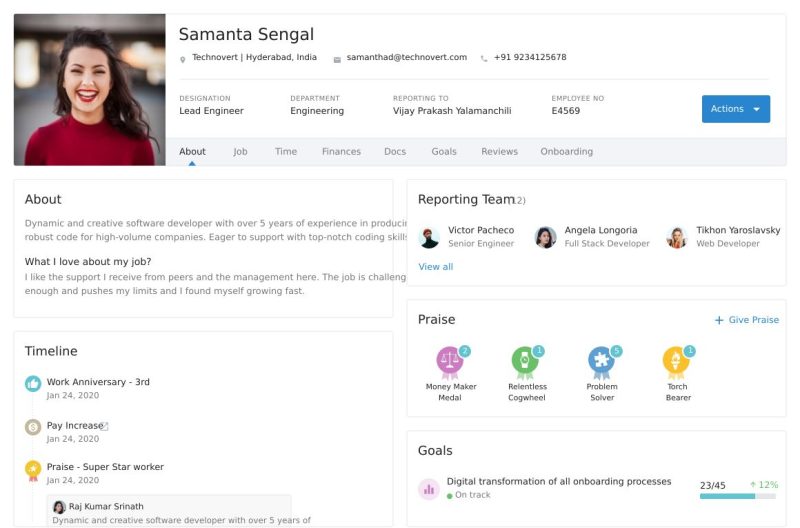
Best Harvest alternative for teams that want time tracking and HR in a single system
If I had to name one Harvest alternative that genuinely closes the gap between time tracking and the broader people-operations workflow, it’s Keka HR. Where Harvest leaves off at invoicing, Keka picks up the thread and keeps running, covering payroll, HR, performance, attendance, and project management without requiring you to stitch together half a dozen tools.
For teams in the 200–2,000 employee range, that’s not a small thing.
What separates Keka from other companies similar to Harvest is the design philosophy: it’s built for employees to actually use. Teams don’t need weeks of training to stop using Harvest and start using Keka; the learning curve is shallow by design.
What Are the Key Features of Keka HR?

- Project and task time tracking with direct linkage to payroll and invoicing, no manual data bridging
- Automated all-50-state payroll compliance with federal and state tax filing included in the base plan
- Employee self-service with mobile access for timesheets, leave requests, expense claims, and pay stubs
- Performance management with OKRs, continuous feedback, pulse surveys, and review cycles, built in, not sold as add-ons
- PSA module for project-based businesses: time tracking, billing, invoicing, and resource management linked directly to payroll
- Transparent tiered pricing with a published per-employee rate and a free trial, no surprise fees
| Pros | Cons |
|---|---|
| Free trial available, no credit card required | The US product is newer; some advanced analytics modules are still maturing |
| Fastest implementation: 2–4 weeks average | The mobile app has feature gaps vs. the web version |
| All-in-one: time tracking, payroll, HR, ATS, performance in one login | May require additional configuration for larger enterprises |
| All-50-state compliance included in base plan | Limited third-party integration library |
How Much Does Keka HR Cost?
The Foundation, Strength, and Growth tiers are priced on request based on headcount and modules. No additional implementation fee. Free trial available on all plans.
2. FreshBooks
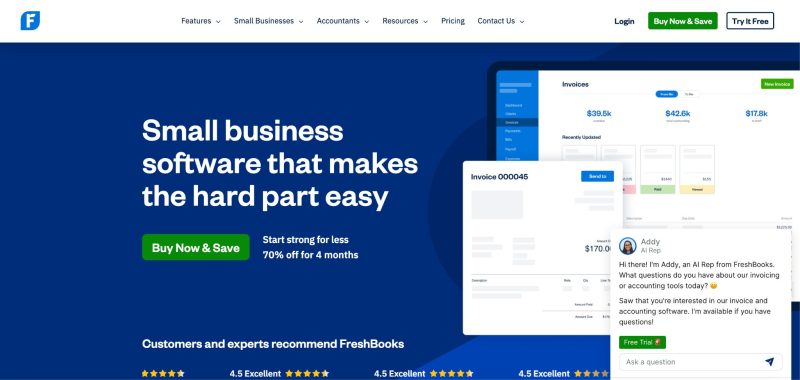
Best Harvest alternative for freelancers and small teams where invoicing and accounting come first
It’s an intuitive platform that combines invoicing, accounting, expense tracking, and timekeeping, and it does all of them without making you feel like you need a finance degree to operate it. For growing companies that want financial visibility without excessive complexity, FreshBooks is built exactly for that.
Its top feature is built-in time tracking that logs billable hours for individuals and teams and pipes them directly into invoicing. The hand-off is seamless. You can track time, flip it to an invoice, and send it. For freelancers who live and die by that workflow, Keka and FreshBooks are genuinely the two closest competitors on this list.
If I’m balancing time tracking against broader financial management, FreshBooks has the edge. If I want a sharper, more focused time-and-invoice workflow, Harvest stays very compelling.
What Are the Key Features of FreshBooks?
- Built-in time tracking that integrates directly with invoicing, billable hours become invoices without manual entry
- Invoicing with customizable templates, automated payment reminders, and online payment acceptance
- Expense tracking with receipt capture and automatic categorization
- Double-entry accounting on the Premium tier with financial reporting and profit/loss visibility
- Mobile app for on-the-go time and expense logging
- Client portal for estimates, invoices, and project communication in one place

| Pros | Cons |
|---|---|
| Finance-first: invoicing and lightweight accounting alongside time tracking | Pricing escalates quickly for larger teams |
| Excellent mobile app for on-the-go logging | Limited report and invoice template customization |
| Outstanding customer support responsiveness | Occasional mobile/desktop sync issues |
| Client portal for streamlined communication | Accounting features thin vs. dedicated tools like QuickBooks |
| 30-day free trial | No advanced project management beyond basic time tracking |
How Much Does FreshBooks Cost?
The Lite plan starts at $6.90 per user per month, followed by Plus plan at $12.90 per user per month, and Premium at $21 per user per month.
3. Toggl Track

Best Harvest alternative for teams where time tracking quality is the only thing that matters
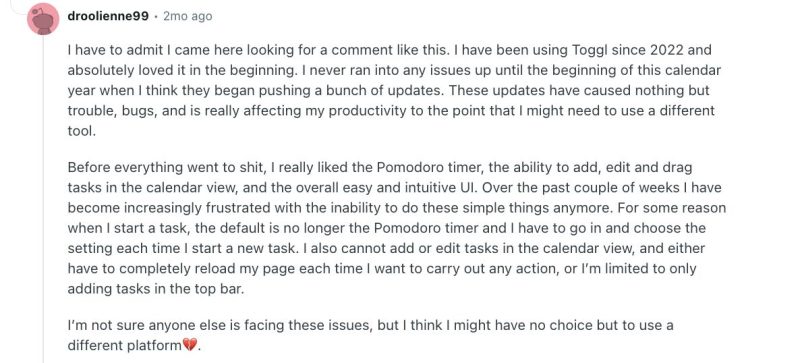
Toggl Track is a versatile app with a genuinely clean interface, flexible capture modes, and reporting that gives you a precise read on where your hours actually went. For freelancers, agencies, and teams focused on understanding time allocation without heavy invoicing needs, Toggl Track is the benchmark that other companies similar to Harvest are measured against.
Its top feature is deeply customizable time tracking with detailed reports on billable vs. non-billable hours, and the difference in reporting depth compared to Harvest is noticeable.
Harvest integrates better with invoicing, tying time entries directly to client billing — a critical edge for freelancers. Toggl Track’s reporting slightly outshines Harvest’s, with more customizable dashboards. Toggl Track is ideal for pure time-tracking depth, while Harvest wins for invoicing integration.
What Are the Key Features of Toggl Track?
- One-click timer with idle detection reminders to ensure accurate, complete logs
- Detailed billable vs. non-billable reporting with customizable dashboards and visualizations
- Cross-device sync across web, desktop, and mobile with offline mode
- Integrations with Asana, Google Workspace, Jira, and 100+ tools via browser extensions
- Team dashboard for managers to see real-time project time breakdowns
- Unlimited free tier for basic tracking, no credit card required for solo users
- Simple, intuitive interface that makes starting timers effortless for daily tracking
| Pros | Cons |
|---|---|
| Best reporting depth for pure time analysis, genuinely outpaces Harvest here | Limited invoicing, requires exports or paid upgrades for full billing |
| Unlimited free tier for solo users | Toggl branding on free invoices looks unprofessional |
| Seamless integrations with 100+ tools | No native expense tracking |
| Idle detection for accurate log completion | Advanced reporting has a steeper learning curve |
| 30-day free trial on paid plans | Occasional offline sync glitches |
How Much Does Toggl Track Cost?
There’s a free trial where you can invite a limited people for free and use the tool. The Starter plan is at $10 per user per month, Premium at $20 per user per month and a custom pricing for the Enterprise plan.
4. Clockify
Best Harvest alternative for budget-first teams that need scale without the bill
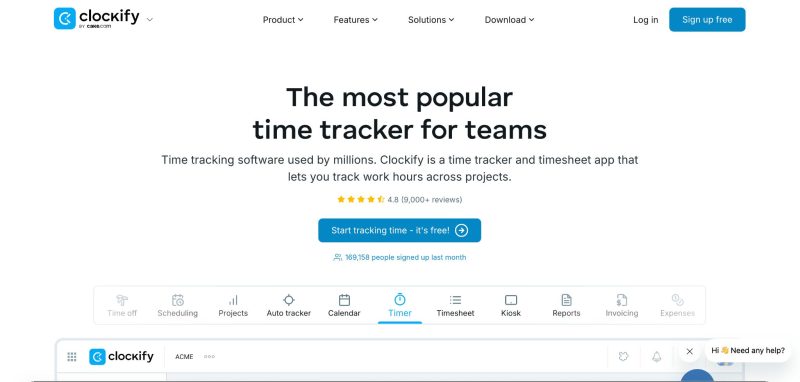
Clockify starts from the premise that tracking your time shouldn’t cost you money, and then builds from there. It’s a free, robust time tracking and timesheet app supporting unlimited users, projects, and basic invoicing for accurate billing.
For small businesses, solopreneurs, and teams on budgets who need scalable tracking, Clockify is the obvious early filter when evaluating top time tracking software similar to Harvest.
Its top feature is unlimited free time tracking with timesheets, reports, and invoicing on paid plans, a combination not many platforms in this list match at zero cost.
Clockify’s reporting is less granular than Harvest’s, missing some depth in visualizations. Clockify suits cost-sensitive teams needing basic tracking, while Harvest is better for polished invoicing and reporting needs.
What Are the Key Features of Clockify?
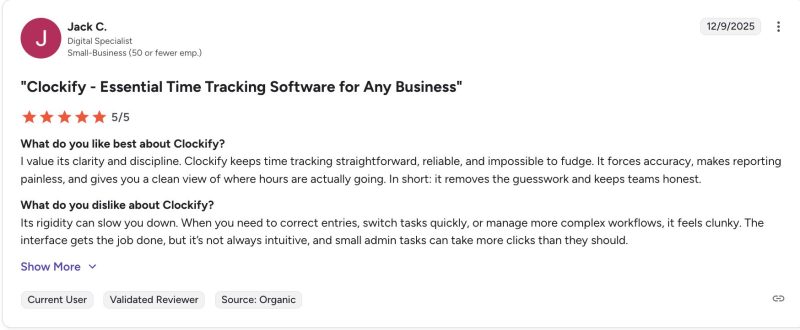
- Unlimited free time tracking for unlimited users and projects, no headcount cap
- Timesheet approvals and GPS tracking for remote workers
- Invoicing from tracked time, including taxes and discounts on paid tiers
- Billable/non-billable hour separation and PTO management
- Cloud storage and integrations with project tools for seamless workflows
- Advanced features, including automation and custom fields on paid plans
| Pros | Cons |
|---|---|
| Unlimited users and projects on the free plan, no other tool matches this | Manual time entry feels less automated than Harvest or Toggl |
| Timesheet approvals and GPS tracking built in | No recurring invoices or native expense tracking |
| Clean invoicing from tracked time on paid tiers | Interface lacks polish for enterprise-level use |
| Strong value at every pricing tier | Slow loading times with large project datasets |
| 7-day free trial for paid plans | Automation and advanced features require paid upgrades |
How Much Does Clockify Cost?
Standard plan is at $5.49 PEPM, Pro plan is at $7.99 PEPM, Enterprise plan at $11.99 PEPM, and a Bundle plan at $12.99 PEPM.
5. Plutio
Best Harvest alternative for freelancers who want a full operating system
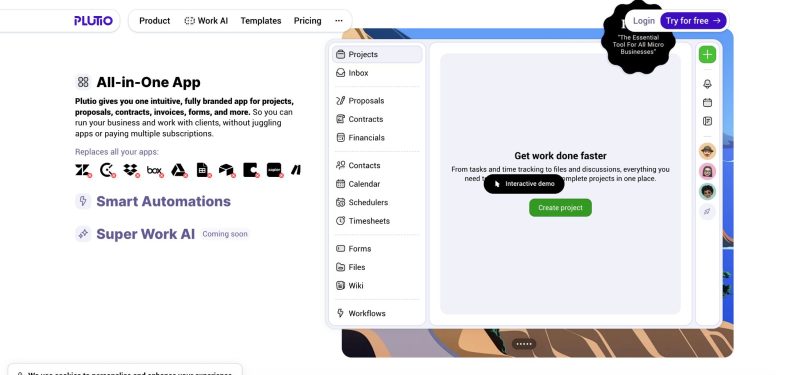
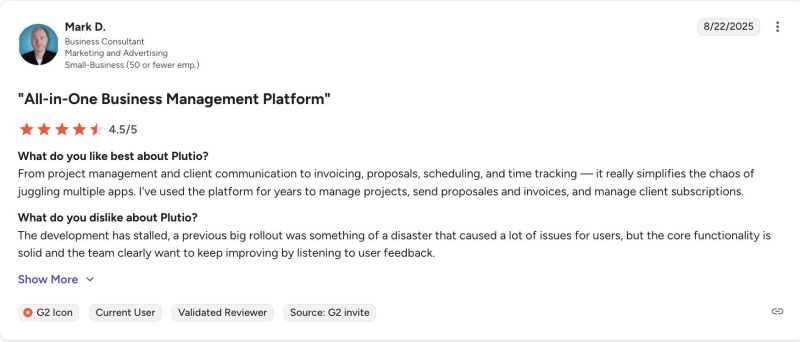
Plutio is an all-in-one tool for freelancers, extending beyond time tracking to include proposals, contracts, projects, and invoicing, all linked together in a single workflow. For solo operators running a client-based business, the question Plutio answers is “why am I using five different apps for one project?”
Its top feature is converting tracked time directly into invoices within a full client workflow, and it does this without requiring a separate billing tool or a manual export step. For freelancers who want integrated proposals, task management, and billing in one place, Plutio is a serious contender against both Harvest and companies similar to Harvest on this list.
Harvest is more focused and, in my view, easier to adopt if time tracking and client billing are the only priorities. Plutio offers a richer client lifecycle, but that also means more surface area to manage.
Key Features
- One-click time-to-invoice conversion that populates billable hours automatically
- Client portal for communications, contracts, and payments in one place
- Project templates that streamline workflows from proposal to billing
- Custom invoice fields for sorting and reporting flexibility
- Affordable flat pricing covering all features for solos
- Task and project management are linked directly to tracked time and invoices
| Pros | Cons |
|---|---|
| Most complete freelancer workflow in this list, proposal to invoice in one tool | No free tier, you commit before you fully test |
| One-click time-to-invoice conversion | Mobile app lags behind the desktop experience |
| Flat monthly pricing, no per-seat surprises | Accounting depth is thin vs. FreshBooks or QuickBooks |
| Client portal reduces back-and-forth communication | Slower support during peak periods |
| Project templates save setup time | Fewer integrations with advanced accounting software |
How Much Does Plutio Cost?
Flat pricing at $19/month covering all features for solo operators, Pro plan at $49 per month, and Max plan at $199/month. No per-seat pricing. No free trial.
6. Paymo
Best Harvest alternative for teams where project delivery and billing have to move together
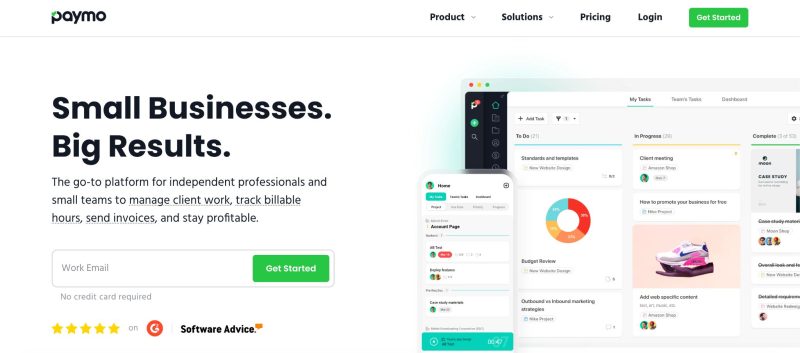
Paymo is an all-in-one project tracking app with strong time tracking, invoicing, and expense management, and its one-click invoicing that auto-populates time entries and notes is the feature that keeps users loyal despite its limitations elsewhere.
For freelancers and small teams handling projects, time, and billing end-to-end, without the budget for separate tools, Paymo earns its spot among top HR software platforms similar to Harvest and project-billing alternatives alike.
Paymo gives me more of an all-in-one operational layer, which is useful if I want projects and billables tightly connected. But that added scope can also bring more complexity. I’d choose Paymo when project delivery and billing need to live in the same system; I’d choose Harvest when I want the lighter, cleaner experience.
Key Features
- One-click invoicing that auto-populates time entries and notes from tracked project work
- Built-in expense tracking alongside time logging, no separate app required
- Project management views tying tasks directly to billable hours
- Responsive support that resolves queries quickly
- Clean interface that simplifies multi-client workflows
- Multiple time capture modes: timer, manual entry, and bulk timesheet
| Pros | Cons |
|---|---|
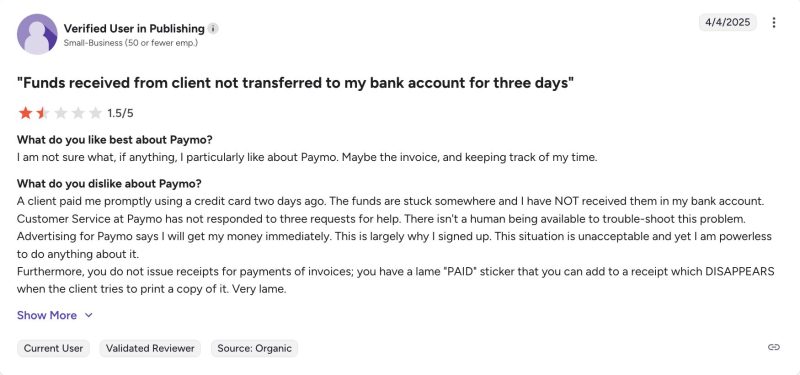
| One-click invoicing from project time, best in class for project-billing workflows | Pricing escalates quickly as you add team seats |
| Built-in expense tracking with time logging in a single view | Free plan too restricted for real-world use |
| Project management, time, and billing genuinely unified, not bolted together | Occasional bugs in time entry editing |
| Responsive support across multiple channels | Reporting weaker than dedicated trackers like Toggl |
| Clean interface for multi-client setups | Mobile app doesn’t match the desktop experience |
How Much Does Paymo Cost?
Free trial for 14 days, Solo plan starts at $5.9 per month, Plus plan starts at $10.9 per user per month, Pro plan at $16.9 per user per month.
How I’d Choose the Right Harvest Alternative
If I were building a shortlist for a real team, I’d start with the job that needs doing. Here’s the filter I’d use:
| Scenario / Priority | Best Place to Start |
|---|---|
| If invoicing is your main pain point | FreshBooks |
| If pure time tracking quality matters most | Toggl Track |
| If budget is the priority | Clockify |
| If you want a broader freelancer operating system | Plutio |
| If you want project delivery and billing tied together | Paymo |
| If you need time tracking connected to payroll and people ops | Keka HR |
Final Note Before You Go
Harvest is not a bad product. But in 2026, it is no longer the only option at its price point, and for most teams evaluating harvest alternatives, it is not the best one. If you’re already doing the mental math on cost, visibility, and effort, you’re closer to a decision than you think. It might be worth seeing how Keka HR feels in practice before you commit to another workaround.


